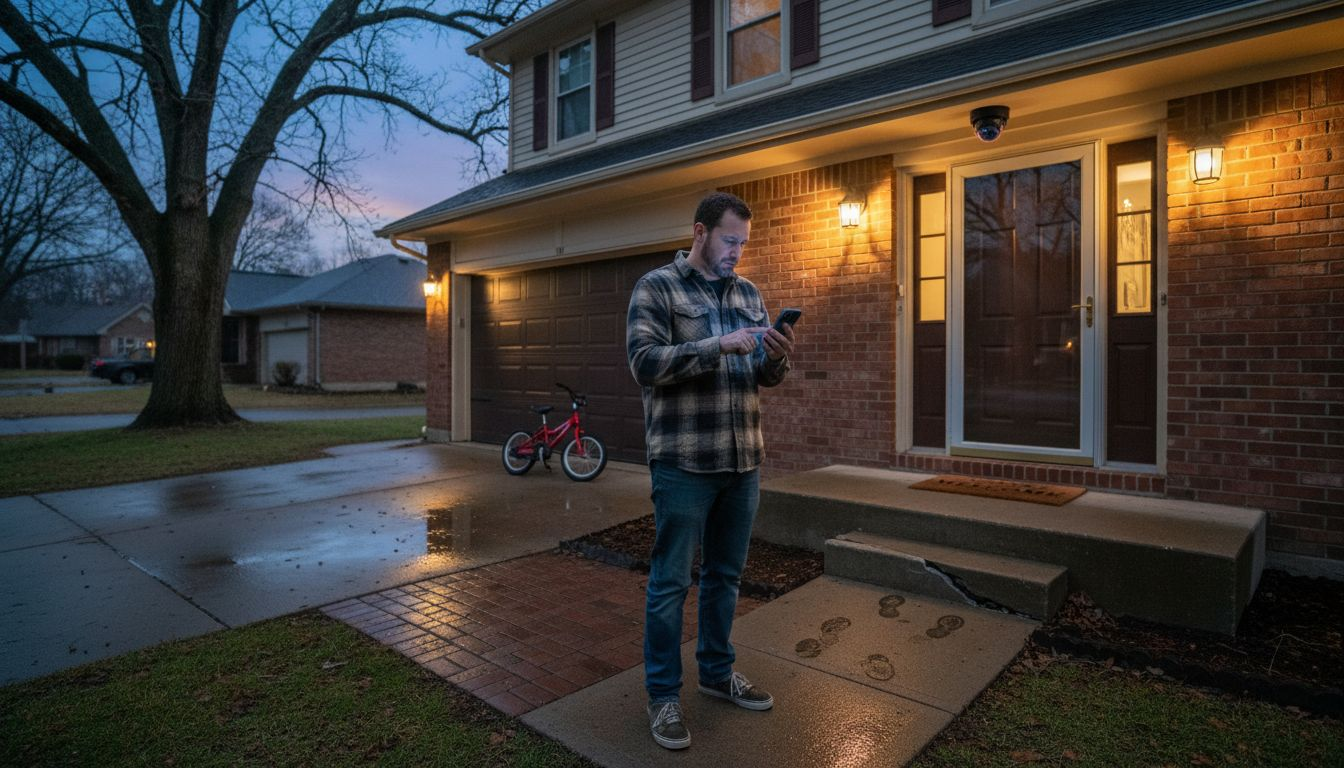
Protecting Your Home with Technology
Protecting your home now means sorting through more choices and technical details than ever before. Smart home security promises to make daily life safer and more convenient. However, many American homeowners quickly discover that setting up these connected devices comes with unexpected questions and concerns. Explore privacy risks—like devices that can expose your location without your knowledge—to real peace of mind. What is smart home security? This guide explains smart home security and where its hidden challenges lie, so you can choose the right protections for your family.
Table of Contents
- Smart Home Security Defined and Debunked
- Types of Smart Home Security Systems
- Key Features and Essential Devices
- How Smart Security Systems Operate
- Risks, Costs, and Common Pitfalls
Key Takeaways
| Point | Details |
|---|---|
| Understanding Shared Responsibility | Smart home security relies on both homeowners and manufacturers for protection; acknowledging this can lead to better security practices. |
| Start Small and Expand Gradually | Begin with one or two compatible devices before scaling; this simplifies management and reduces risk. |
| Be Aware of Privacy Risks | Connected devices can expose sensitive data, so prioritize strong passwords and regular software updates. |
| Research Before Purchase | Investigate potential vulnerabilities of devices on security forums to avoid common pitfalls associated with smart home systems. |
Smart Home Security Defined and Debunked
Smart home security refers to the integrated systems and devices that protect your residence using connected technology, sensors, cameras, and automation rather than traditional locks and manual monitoring alone. It’s the combination of hardware (smart cameras, door locks, motion sensors) and software (apps, cloud platforms, automation rules) working together to give you control over your home’s safety from anywhere. But here’s what matters. Smart home security isn’t just about preventing break-ins—it’s also about understanding what these devices actually do and don’t do for your property.
Many homeowners believe that installing a smart camera or smart lock makes their home completely secure, which simply isn’t accurate. The reality is more nuanced. Smart home devices offer real convenience and enhanced monitoring. But, they also introduce security challenges such as unauthorized access and data breaches that traditional systems don’t. Additionally, these interconnected devices collect sensitive data from your private spaces, raising legitimate concerns about privacy. The research shows that smart home devices can expose unique identifiers and location data without your explicit knowledge. This challenges the assumption that your home remains a completely trusted environment once you connect these gadgets.
So what are the actual benefits and limitations you should understand?
Smart home security excels at providing visibility and remote access. You can check on your front door camera while at work, receive alerts when motion is detected, or lock your door from anywhere. However, these systems depend entirely on your internet connection, your chosen passwords, and the security measures of the companies running the platforms.
A weak Wi-Fi network, reused passwords, or outdated software can expose your system to vulnerability just as easily as a traditional unlocked door. The key difference is that the responsibility for security shifts partly to you as the homeowner and partly to the device manufacturer. Understanding this shared responsibility helps you make informed decisions about which systems to install and how to use them properly. For more detailed steps on securing internet‑connected devices at home, see the Federal Trade Commission’s guidance on smart device security.
Pro tip: Start your smart home security journey with one or two devices in an ecosystem that matches your needs. Then expand gradually rather than buying multiple incompatible systems at once. This approach makes security management far simpler and reduces the risk of overlooking critical updates or configuration mistakes.
Types of Smart Home Security Systems
Smart home security systems come in several distinct flavors, each with different approaches to protecting your home. Understanding which type fits your needs means knowing how they differ in structure, control, and how they communicate with each other. The main categories break down into standalone devices, integrated security hubs, and cloud-based monitoring systems, though modern setups often blend elements from multiple categories.

Standalone smart devices are the easiest entry point for most homeowners.
These are individual gadgets like smart door locks, motion sensors, or cameras that operate independently and connect directly to your Wi-Fi network. You control them through separate mobile apps, and they don’t require a central hub to function. The advantage here is simplicity—you buy what you need, install it, and go. The downside is managing multiple apps and dealing with devices that might not communicate well with each other. Many homeowners start here because the barrier to entry is low. You can expand gradually without committing to an entire system.
Integrated security hubs represent the next level of sophistication.
These are centralized control points like a dedicated security panel or smart hub that brings all your devices together under one umbrella. A hub acts as the brain of your system, allowing devices to communicate with each other. It automate actions based on triggers, and provide a single interface for control. Research on different system architectures and control methods shows that centralized systems offer better coordination and often improved security through unified management. However, they require more upfront investment and initial setup.
Cloud-based monitoring systems involve professional monitoring services where your system data is stored and monitored remotely. These typically work through third-party platforms that track alerts, send notifications, and in some cases, dispatch emergency services. This approach provides professional oversight and remote management from anywhere. But, it means your security data lives on external servers, raising privacy considerations. Understanding various types of smart security architectures helps you weigh convenience against control and privacy.
When choosing between these types, consider your comfort level with technology, your budget, and how much integration you actually need. Many beginners find that starting with a few standalone devices works fine, while others prefer the coordinated approach of a hub-based system from day one.
Pro tip: Choose systems that use the Matter standard or other open protocols rather than proprietary ecosystems—this flexibility means you can swap devices later without replacing your entire setup if your needs change.
Here’s a side-by-side comparison of the main smart home security system types and their key differences:
| System Type | Control Method | Integration Level | Privacy Concerns |
|---|---|---|---|
| Standalone Devices | Individual app control | Low, devices act independently | May send data to various services |
| Integrated Security Hubs | Centralized hub panel | High, devices work together | Central point for data aggregation |
| Cloud-Based Monitoring | Remote professional | Medium to high integration | Data stored offsite, third-party risks |
Key Features and Essential Devices
Effective smart home security relies on a combination of powerful features working together and the right hardware to make them meaningful. The core features you should look for include real-time monitoring, which lets you see what is happening at your home instantly through live camera feeds and instant alerts. Remote access allows you to control locks, arm systems, and check cameras from anywhere using your phone. Automation means setting rules like automatically locking doors at night or turning on lights when motion is detected. Data encryption protects your sensitive information from being intercepted, and intrusion detection identifies suspicious activity patterns and notifies you immediately. These features work best when they function together as an integrated system rather than operating in isolation.
The essential devices that make up a practical smart home security setup
Include a smart door locks for keyless entry and remote locking, security cameras that provide visual documentation and deterrence, motion sensors that detect movement in specific areas, and door and window sensors that alert you when entry points are opened. Smart alarm systems serve as the coordinator, often combining multiple detection methods into one response protocol. Real-time monitoring and intrusion detection capabilities are increasingly sophisticated, catching issues that would be missed by passive observation alone. Most homeowners find that starting with a combination of one or two cameras, a smart lock on the front door, and motion sensors around entry points provides solid foundational coverage without overwhelming complexity.

The selection depends on your specific situation.
A townhouse might prioritize door sensors and a front camera, while a single-story home with multiple entry points might benefit from motion detection spread across the perimeter. Corner lots and homes with side entrances naturally need more comprehensive coverage. Budget matters too—you don’t need every device simultaneously. Many homeowners start with cameras and a smart lock, then add motion sensors and additional cameras once they understand their routines and vulnerabilities. The best approach is identifying your home’s weak points first, then selecting devices that address those specific concerns rather than buying everything at once.
Think about what information matters most to you. Do you need to see who is at your front door? Do you want alerts if someone walks across your back patio? Are you concerned about doors being left open accidentally? Your answers to these questions should guide which devices actually get installed.
Pro tip: Install devices in phases starting with your most vulnerable entry points—typically the front door and garage—then expand to secondary areas once you understand how the system works and what monitoring actually adds value to your daily life.
How Smart Security Systems Operate
Smart security systems work through a continuous cycle of detection, analysis, and response. At the foundation, your devices continuously monitor your home through sensors, cameras, and motion detectors. These devices collect data about what is happening around your property, then transmit that information to a central hub or cloud platform where it gets processed. The system then compares what it detects against your predefined rules and thresholds. If something matches a security concern, the system triggers a response, which could be sending you an alert, turning on lights, locking doors, or activating an alarm. This entire process happens in seconds, which is why real-time responsiveness matters so much.
The technical foundation relies on wireless communication protocols
These allow all your devices to talk to each other without being physically connected by wires. Your devices authenticate themselves to make sure only authorized gadgets can join the system, then integration of sensors and cameras with intrusion detection happens through encrypted connections that protect your data from being intercepted. When a motion sensor detects movement or a door sensor registers an opening, it sends that information securely to your hub or cloud service. Encryption scrambles your data so that even if someone intercepts it during transmission, they cannot read it. The system applies rules you have set up, like “if motion is detected at 2 a.m., send me a phone notification and turn on the porch light.”
Automation is what elevates smart security beyond simple monitoring
Rather than requiring you to manually respond to every alert, the system can execute predetermined actions automatically. You might set up a rule that locks all doors at 10 p.m., or another that turns on specific lights if motion is detected while you are away. Device authentication, data encryption, and continuous operation ensure that your system stays secure throughout its entire lifecycle, from initial setup through daily operation. The balance between automation and user control means you stay informed while the system handles routine tasks without requiring your constant attention.
What makes this different from older security systems is the flexibility and intelligence built in. Traditional systems had fixed rules and required professional installation and monitoring. Modern smart systems adapt to your lifestyle, learn your patterns through usage, and you can adjust settings instantly from anywhere. You might notice that your motion sensor is triggering false alarms because of trees blowing in the wind, so you adjust its sensitivity. Or you realize you need cameras in a new area, so you add another device without rewiring your entire system.
Pro tip: Before automating actions like door locks, test your rules manually for several days to catch any unintended triggers—automation is powerful but mistakes can lock you out of your own home if configured incorrectly.
Risks, Costs, and Common Pitfalls
Smart home security systems bring real benefits, but they also introduce genuine risks that you need to understand before investing. The primary concern is privacy vulnerability. Your cameras, microphones, and sensors collect detailed information about your daily routines, habits, and movements. A weak password or misconfigured settings can expose this intimate data to hackers or unauthorized viewers.
Beyond privacy, there are active security threats.
Privacy intrusions, hacking, malware, and denial-of-service attacks can compromise both your personal safety and financial security. A denial-of-service attack could disable your system entirely when you need it most. Malware could turn your camera into a surveillance tool for criminals. These aren’t theoretical concerns—they happen regularly enough that security researchers continuously publish warnings about vulnerable devices.
The cost equation is more complex than just the initial hardware purchase. Yes, a smart lock costs $100 to $300, cameras range from $50 to $400 each, and a hub might run $150 to $500. But many systems require ongoing subscription fees for cloud storage, advanced features, or professional monitoring, which add $10 to $30 monthly. If a data breach occurs, the financial and emotional costs multiply quickly. Identity theft from exposed personal information can cost thousands in recovery time and potential fraud charges. Digital harms including unauthorized access and data manipulation represent real financial exposure beyond the sticker price of devices.
Common pitfalls trip up most new users
The biggest mistake is inadequate security configuration—buying devices but never changing default passwords, failing to update firmware, or not enabling two-factor authentication. Dependence on a single vendor creates vulnerability if that company experiences a breach or discontinues support. Many homeowners buy devices from multiple manufacturers that don’t communicate well, creating gaps in coverage and complexity in management. Lack of user awareness is equally dangerous. You might install a camera without realizing it’s transmitting footage to servers in another country, or you might not understand what data your system is collecting and selling.
Another pitfall is overcomplicating the system. Buying 15 different devices and automation rules you don’t fully understand makes your system harder to maintain and more likely to have misconfigurations. Start smaller and add devices only when you understand how the existing ones work.
Pro tip: Before buying any system, spend 30 minutes researching the specific devices you are considering on security forums and review sites—users often report real vulnerabilities that manufacturers downplay, and this research can save you from buying devices with known problems.
Here’s a quick summary of common risks, typical costs, and user mistakes to watch for in smart home security:
| Risk or Cost | Description | User Pitfall |
|---|---|---|
| Privacy Vulnerability | Sensitive data can be exposed | Weak passwords, no encryption |
| Hardware Expense | $100–$500 per device/hub | Buying too many devices |
| Subscription Fees | $10–$30 monthly for cloud features | Forgetting ongoing costs |
| Vendor Lock-in | Limited compatibility if switching | Mixing incompatible brands |
Take Control of Your Home Security with Expert Guidance
Understanding the challenges of smart home security is the first step toward truly protecting your home. From managing multiple devices to navigating privacy concerns and automation pitfalls, the complexities can feel overwhelming. If you want to move beyond just installing cameras and locks, and instead build a connected system that keeps you in control while minimizing risks, Smart Home HQ is here to help. Explore trusted reviews, in-depth comparisons, and practical setup advice designed to empower homeowners like you to make smart security decisions.

Start your journey with the Smart Home Safety Archives – Smart Home HQ for detailed insights on securing your space effectively. For a broader approach, our The Complete Smart Home Automation Master Guide Archives – Smart Home HQ breaks down integration and automation strategies that enhance security without complexity. Ready to make informed choices with real-world tested recommendations? Visit Smart Home HQ now and take the next step toward a safer, smarter home.
Frequently Asked Questions
What is smart home security?
Smart home security refers to integrated systems and devices that protect your home using connected technology, sensors, cameras, and automation, offering increased monitoring and control over your home’s safety.
What are the benefits of using smart home security systems?
Smart home security systems provide real-time monitoring, remote access, automation features, and enhanced visibility for home protection. You can check camera feeds, receive alerts, and control locks from anywhere using your smartphone.
How do smart home security systems operate?
Smart home security systems work by continuously monitoring your property through various sensors and cameras, analyzing data, and triggering predefined responses such as alerts or automated actions based on detected activities.
What are the common risks associated with smart home security?
Common risks include privacy vulnerabilities, potential hacking, malware threats, and inadequate security configurations. Users need to ensure strong passwords, regular updates, and be aware of the data collected by their devices.
Recommended
- Why Smart Home Security Matters for Urban Living
- Why Prioritize Smart Home Security Now
- Smart Home Security Audit 7-Step Smart Home Security Checklist
- How to Improve Smart Home Security Step by Step