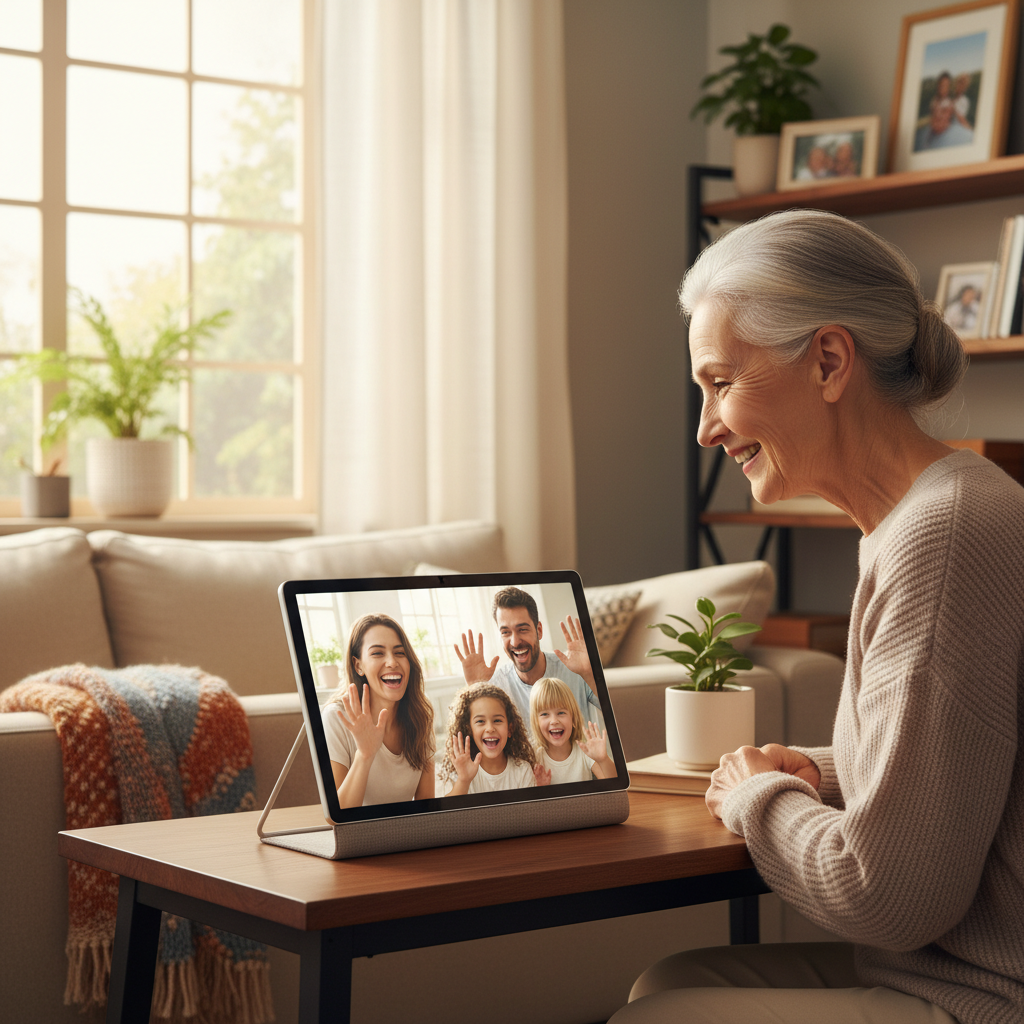
Embracing Technology to Stay Connected
Staying in touch with loved ones has never been more important, and senior smart home tech offers wonderful opportunities to bridge the distance between family members. Modern technology doesn’t have to be complicated or overwhelming. In fact, many devices today are specifically designed with simplicity in mind, making them perfect for older adults who want to enjoy video calls, share memories, listen to favorite music, and access entertainment without frustration.
The good news is that you don’t need to be a technology expert to benefit from these innovations. Furthermore, many devices can be set up by family members and customized to work exactly how you need them. This guide will walk you through the most user-friendly options available, helping you discover how technology can enrich your daily life while keeping you connected to the people you love most.
Affiliate Disclosure: This page contains affiliate links. If you buy through our links, we may earn a commission at no extra cost to you.
Table of contents
- Embracing Technology to Stay Connected
- 💬 Smart Displays: Face-to-Face Conversations Made Easy
- 🖼️ Digital Photo Frames: Memories That Update Themselves
- 🎵 Smart Speakers: Your Personal Music and Audio Assistant
- 📺 Streaming Devices: Television on Your Terms
- 📅 Smart Calendars and Organization Tools
- 🛠️ Getting Started: Practical Setup Tips
- 🔒 Privacy and Security Considerations
- 💡 Troubleshooting Common Challenges
- 🌟 Real-Life Benefits: Stories from Seniors
- 🎁 Gift Ideas: What to Request from Family
- 📚 Frequently Asked Questions – Senior Smart Home Tech
- 🌈 Conclusion: Your Connected Future Awaits – Senior Smart Home Tech
- Recommended
- Related Links

💬 Smart Displays: Face-to-Face Conversations Made Easy
What Are Smart Displays?
Smart displays combine a screen with voice-activated assistance, creating an intuitive way to make video calls. Popular options include the Amazon Echo Show, Google Nest Hub Max, and Facebook Portal. These devices allow you to see and speak with family members simply by asking the device to call them.
Key Benefits for Seniors – Senior Smart Home Tech
- Hands-free operation: Simply say “Call Sarah” and connect instantly
- Large, clear screens: Easy-to-see displays ranging from 8 to 15 inches
- Automatic answering options: Family can “drop in” to check on you
- Simple setup: Minimal buttons and straightforward interfaces
- Additional features: Weather updates, reminders, and recipe displays
Choosing the Right Smart Display
When selecting a smart display, consider screen size first. Larger displays work better if you have vision concerns. Additionally, think about which platform your family already uses. If your children have Amazon devices, an Echo Show makes sense. Similarly, if your family primarily uses Facebook, the Portal offers seamless integration.
The Facebook Portal stands out for its camera technology, which follows you around the room during calls. This means you don’t have to stay perfectly still in front of the device. Meanwhile, according to AARP’s technology guidance, the Echo Show excels at voice recognition and offers extensive smart home integration capabilities.
🖼️ Digital Photo Frames: Memories That Update Themselves
Modern Photo Sharing Without the Hassle
Remember the joy of receiving photos in the mail? Digital photo frames bring that same excitement into the digital age. These special displays sit on your shelf or hang on your wall, automatically showing new photos that family members send directly from their phones.
How They Work
Your family members download an app on their smartphones, then they can instantly send pictures to your frame from anywhere in the world. Consequently, you’ll always have fresh photos of grandchildren, family vacations, and special moments without lifting a finger. Brands like Nixplay, Skylight, and Aura offer excellent options designed specifically for ease of use.
Benefits of Digital Frames – Senior Smart Home Tech
- Always current: New photos appear automatically throughout the day
- No technical knowledge required: Simply plug it in and enjoy
- Customizable: Choose slideshow speed and display preferences
- Email compatibility: Some frames accept photos via email
- Touchscreen options: Swipe through photos or add favorites
Selecting the Perfect Frame
Consider frame size based on where you’ll place it. An 10-inch frame works well on a nightstand, while a 15-inch model makes a beautiful focal point on a living room shelf. Moreover, look for frames with motion sensors that turn on when you enter the room, saving energy while ensuring photos are always ready to view when you are.
🎵 Smart Speakers: Your Personal Music and Audio Assistant
Rediscovering Audio Entertainment
Smart speakers like Amazon Echo (affiliate llink), Google Home, and Apple HomePod have revolutionized how we access music, audiobooks, news, and podcasts. These voice-activated devices respond to spoken commands, eliminating the need for complicated remotes or tiny buttons.
What You Can Enjoy – Senior Smart Home Tech
Music Streaming:
- Access millions of songs from your youth
- Request specific artists, genres, or decades
- Create custom playlists for different moods
- Listen to radio stations from around the world
Audiobooks and Podcasts:
- Listen to bestselling books narrated professionally
- Explore educational content on any topic
- Resume exactly where you left off
- Control speed and volume with simple voice commands
Daily Information:
- Morning news briefings tailored to your interests
- Weather forecasts for your location
- Sports scores from your favorite teams
- Calendar reminders for appointments
Getting Started with Smart Speakers
Begin by choosing a speaker that fits your ecosystem. If you already have an iPhone, the Apple HomePod Mini (affiliate link) integrates beautifully. Alternatively, Amazon Echo devices work with the widest range of services and skills. Google Home excels at answering questions and providing detailed information.
According to research from the National Institute on Aging, audio entertainment through smart speakers can significantly reduce feelings of isolation while stimulating cognitive engagement. Therefore, these devices serve purposes beyond simple entertainment.
📺 Streaming Devices: Television on Your Terms
Understanding Streaming Technology
Streaming devices like Roku, Apple TV, Amazon Fire TV (affiliate link), and Google Chromecast connect to your television, providing access to thousands of shows, movies, and specialized content. Unlike traditional cable, streaming services let you watch what you want, when you want it.
Senior-Friendly Features – Senior Smart Home Tech
Modern streaming platforms increasingly recognize the needs of older viewers:
- Large, readable text: Menu options designed for easy navigation
- Voice remotes: Speak your search instead of typing
- Simple interfaces: Straightforward layouts without overwhelming choices
- Personalized recommendations: Suggestions based on viewing preferences
- Pause and resume: Stop watching and continue later seamlessly
Popular Services Worth Exploring
General Entertainment:
- Netflix: Movies and original series across all genres
- Hulu: Current TV shows and classic content
- Amazon Prime Video: Included with Prime membership
Specialized Content:
- PBS Passport: Educational documentaries and cultural programming
- BritBox: British television classics and current shows
- TCM (Turner Classic Movies): Golden age Hollywood films
Faith-Based and Educational:
- Pure Flix: Family-friendly Christian content
- The Great Courses: University-level lectures on countless topics
- Curiosity Stream: Science and nature documentaries
Setting Up for Success
Many cable companies and electronics stores offer setup services specifically for seniors. Additionally, family members can configure parental controls in reverse, simplifying menus by hiding services you won’t use. This customization ensures you only see relevant content options.
📅 Smart Calendars and Organization Tools
Staying on Schedule Effortlessly – Senior Smart Home Tech
Digital calendars visible on smart displays or tablets help maintain independence by providing gentle reminders for important activities. These tools reduce stress about remembering appointments while keeping you connected to family schedules.
Helpful Calendar Features
Medication Reminders:
- Scheduled alerts for each prescription
- Visual and audio notifications
- Tracking to ensure doses aren’t missed
- Coordination with pharmacy refill schedules
Appointment Management:
- Doctor visits with addresses and times
- Transportation arrangements
- Preparation reminders (fasting requirements, etc.)
- Automatic sharing with family caregivers
Social Connections:
- Family birthdays and anniversaries
- Video call schedules with grandchildren
- Community event notifications
- Friend gathering reminders
Shared Family Calendars
Many families create shared calendars where everyone can see each other’s important events. This transparency helps adult children coordinate care visits while keeping you informed about grandchildren’s activities. Consequently, you’ll never miss a school play or sports game, even if you can’t attend in person.
🛠️ Getting Started: Practical Setup Tips
Working with Family for Installation
Technology setup goes smoothest when approached as a family project. Your children or grandchildren can handle initial configuration while you learn the basics together. This collaborative approach builds confidence while creating opportunities for quality time.
Essential Setup Considerations – Senior Smart Home Tech
Internet Connection:
- Most devices require Wi-Fi connectivity
- Ensure your internet speed meets device requirements
- Consider upgrading if you experience buffering
- Password-protect your network for security
Placement and Accessibility:
- Position devices within comfortable reach
- Ensure adequate lighting for screens
- Place speakers at ear level for optimal sound
- Keep charging cables organized and safe
Customization for Your Needs:
- Adjust text size on all displays
- Increase volume limits if needed
- Enable closed captioning on video content
- Set up emergency contacts for quick access
Creating a Simple Reference Guide
Ask family to create a one-page instruction sheet for each device. Include only essential functions you’ll use daily. Laminate these guides and keep them near each device for quick reference. Additionally, consider adding family contact information in case you need technical support.
🔒 Privacy and Security Considerations
Protecting Your Personal Information
While smart devices offer wonderful benefits, understanding basic security practices helps protect your privacy and financial information.
Important Security Practices – Senior Smart Home Tech
Strong Passwords:
- Use unique passwords for each service
- Combine letters, numbers, and symbols
- Store passwords in a secure location
- Never share login credentials via email
Privacy Settings:
- Review what information devices collect
- Disable features you don’t need
- Turn off microphones when privacy is desired
- Understand who can access your devices
Recognizing Scams:
- Companies won’t request passwords by phone
- Be suspicious of urgent payment requests
- Verify caller identity before sharing information
- Report suspicious activity to family members
Device-Specific Security Features
Modern smart devices include built-in security features. Smart displays have physical camera covers, speakers have mute buttons, and streaming services offer PIN protection for purchases. Furthermore, regular software updates improve security, so accept update prompts when they appear.
💡 Troubleshooting Common Challenges
When Things Don’t Work as Expected
Technology occasionally behaves unpredictably, but most issues have simple solutions. Don’t feel discouraged; even tech-savvy people experience occasional difficulties.
Quick Fixes for Common Problems – Senior Smart Home Tech
Device Won’t Respond:
- Check power connection and outlets
- Ensure Wi-Fi is working (test with another device)
- Restart by unplugging for 30 seconds
- Verify volume isn’t muted
Poor Video Call Quality:
- Move closer to your Wi-Fi router
- Close other apps using internet bandwidth
- Clean camera lens with soft cloth
- Check if others in home are streaming
Voice Commands Not Working:
- Speak clearly at normal volume
- Reduce background noise
- Check if microphone is muted
- Rephrase your request using different words
Getting Help When Needed
Keep a list of family contacts who can provide phone support. Many device manufacturers also offer senior-specific customer service lines with patient representatives. Moreover, community centers and libraries frequently offer technology classes designed specifically for older adults.
🌟 Real-Life Benefits: Stories from Seniors
Staying Connected During Distance – Senior Smart Home Tech
Margaret, 78, lives in Florida while her daughter resides in Oregon. Her Echo Show transformed their relationship. “We have coffee together every Sunday morning,” she explains. “I see my granddaughter’s artwork the moment she finishes it. Technology erased the miles between us.”
Rediscovering Passions
After his wife passed, Robert, 82, struggled with loneliness. A smart speaker introduced him to audiobooks, reigniting his love of mystery novels. “I listen while doing crosswords,” he shares. “It’s like having a friend in the room. I’ve gone through 50 books this year.”
Maintaining Independence
Linda, 75, uses her smart calendar to manage complex medication schedules. “My daughter used to call every day to remind me,” she notes. “Now my Echo does it, and she calls just to chat instead. I feel capable and independent again.”
🎁 Gift Ideas: What to Request from Family
Special Occasion Suggestions – Senior Smart Home Tech
When family asks what you’d like for birthdays or holidays, consider these technology gifts that enhance daily life:
Starter Package:
- Echo Show 8 (affiliate link) or Google Nest Hub (affiliate link)
- Digital photo frame (affiliate link)subscription required
- Setup and training session with family
Entertainment Bundle:
- Roku (affiliate link)streaming device
- Simplified remote control
- Streaming service subscriptions (3-6 months)
Complete Communication System:
- Tablet with large display
- Smart speaker for audio content
- Video calling app setup
- Protective case and accessories
Service Subscriptions Worth Requesting
Rather than physical gifts, consider subscriptions that provide ongoing value:
- Audible membership for audiobooks
- Spotify Premium for ad-free music
- PBS Passport for educational content
- Cloud storage for photo backups
📚 Frequently Asked Questions – Senior Smart Home Tech
Not at all. These devices are specifically designed for people who aren’t technology experts. Voice commands eliminate typing and navigation. Furthermore, family members can handle complex setup while you learn only the basic functions you’ll actually use daily.
Internet connection is necessary for smart devices to function properly. However, basic internet plans are often affordable, especially with senior discounts many providers offer. Additionally, some community programs help eligible seniors access low-cost internet services. Contact your local Area Agency on Aging for assistance programs.
Costs vary by service. Music streaming runs $10-15 monthly, while video streaming services range from $7-20 each. Many seniors find that cutting cable TV and switching to streaming actually saves money overall. Moreover, sharing family subscription accounts can reduce individual costs significantly
Some can, but capabilities vary by device. Smart speakers with calling features may support emergency calls, but medical alert systems remain more reliable for emergencies. Consider smart devices as communication tools while maintaining traditional emergency systems for critical situations. Always discuss emergency plans with family and healthcare providers.
🚀 Taking Your First Steps Forward
Starting Small and Building Confidence
You don’t need to adopt all these technologies simultaneously. Begin with one device that addresses your most pressing need. Perhaps you miss seeing grandchildren’s faces, making a smart display your priority. Alternatively, if loneliness feels heaviest during quiet evenings, start with a smart speaker for music and audiobooks.
Creating Your Technology Plan – Senior Smart Home Tech
Week 1-2: Research and Decision
- Discuss options with family members
- Identify primary goals (connection, entertainment, organization)
- Research devices within your budget
- Read user reviews from other seniors
Week 3-4: Acquisition and Setup
- Purchase or receive chosen device
- Schedule setup session with tech-savvy family
- Learn basic functions during training
- Create reference guide for daily use
Month 2: Exploration and Practice
- Use device daily, even briefly
- Experiment with different features
- Ask questions without hesitation
- Celebrate small victories and progress
Month 3+: Expansion and Mastery
- Consider adding complementary devices
- Explore advanced features at your pace
- Help other seniors learn similar technology
- Enjoy enhanced connections and independence
🤝 Building Your Support Network
Family Technology Coaches – Senior Smart Home Tech
Designate one or two family members as your primary technology contacts. These individuals should be patient, available for questions, and willing to provide remote assistance. Ideally, they’ll use similar devices, making troubleshooting easier.
Community Resources
Many communities offer valuable technology support:
Senior Centers:
- Group technology classes
- One-on-one tutoring sessions
- Practice time with devices
- Social connections with peers learning together
Public Libraries:
- Free technology workshops
- Device lending programs
- Staff assistance with basic questions
- Quiet practice spaces
Retail Stores:
- In-store classes and demonstrations
- Setup services (sometimes free with purchase)
- Ongoing support appointments
- Product comparisons and testing
Online Communities
Surprisingly, many seniors find helpful support in online forums and Facebook groups dedicated to technology for older adults. These communities offer judgment-free spaces where everyone shares similar challenges and celebrates victories together.
🎯 Measuring Success: Celebrating Progress
Recognizing Your Achievements – Senior Smart Home Tech
Success looks different for everyone. Perhaps success means video calling grandchildren independently, or maybe it’s enjoying audiobooks during afternoon rest. Whatever your goals, acknowledge progress rather than focusing on remaining challenges.
Benefits You Might Notice
Enhanced Social Connection:
- More frequent family communication
- Reduced feelings of isolation
- Participation in distant events virtually
- Stronger relationships across generations
Increased Independence:
- Managing schedules without assistance
- Accessing entertainment without help
- Maintaining hobbies and interests
- Feeling capable and modern
Cognitive Engagement:
- Learning new skills keeps minds sharp
- Accessing educational content easily
- Solving minor technical problems independently
- Adapting to changing technology landscape
Improved Quality of Life:
- Entertainment available anytime
- Instant access to information
- Simplified daily routines
- Pride in mastering new technologies
🌈 Conclusion: Your Connected Future Awaits – Senior Smart Home Tech
Technology offers seniors unprecedented opportunities for connection, entertainment, and independence. While learning new devices requires patience and practice, the rewards far exceed the initial challenges. Importantly, you’re not alone in this journey. Millions of seniors worldwide are discovering how smart devices enrich their daily lives.
Remember that technology serves you; you don’t serve it. Use features that enhance your life while ignoring those that don’t interest you. There’s no requirement to master everything or keep pace with younger generations. Instead, focus on tools that bring joy, maintain connections, and support your lifestyle.
Your willingness to explore senior smart home tech demonstrates openness to new experiences and commitment to staying connected with loved ones. These qualities will serve you well as you integrate helpful devices into your daily routine. Moreover, your example might inspire friends and peers to embrace similar technologies, creating opportunities to learn and grow together.
The distance between you and your family is measured in miles, but connection is measured in moments. Smart technology transforms how you share those moments, keeping relationships strong regardless of physical separation. Your grandchildren’s laughter during video calls, photos updating throughout the day, and familiar songs filling quiet afternoons—these experiences await you.
Take that first step today. Choose one device, reach out to family for support, and begin your journey toward enhanced connection and independence. The technology is ready. Your family is eager to help. All that’s missing is your decision to begin.
Welcome to your connected future. It’s going to be wonderful.