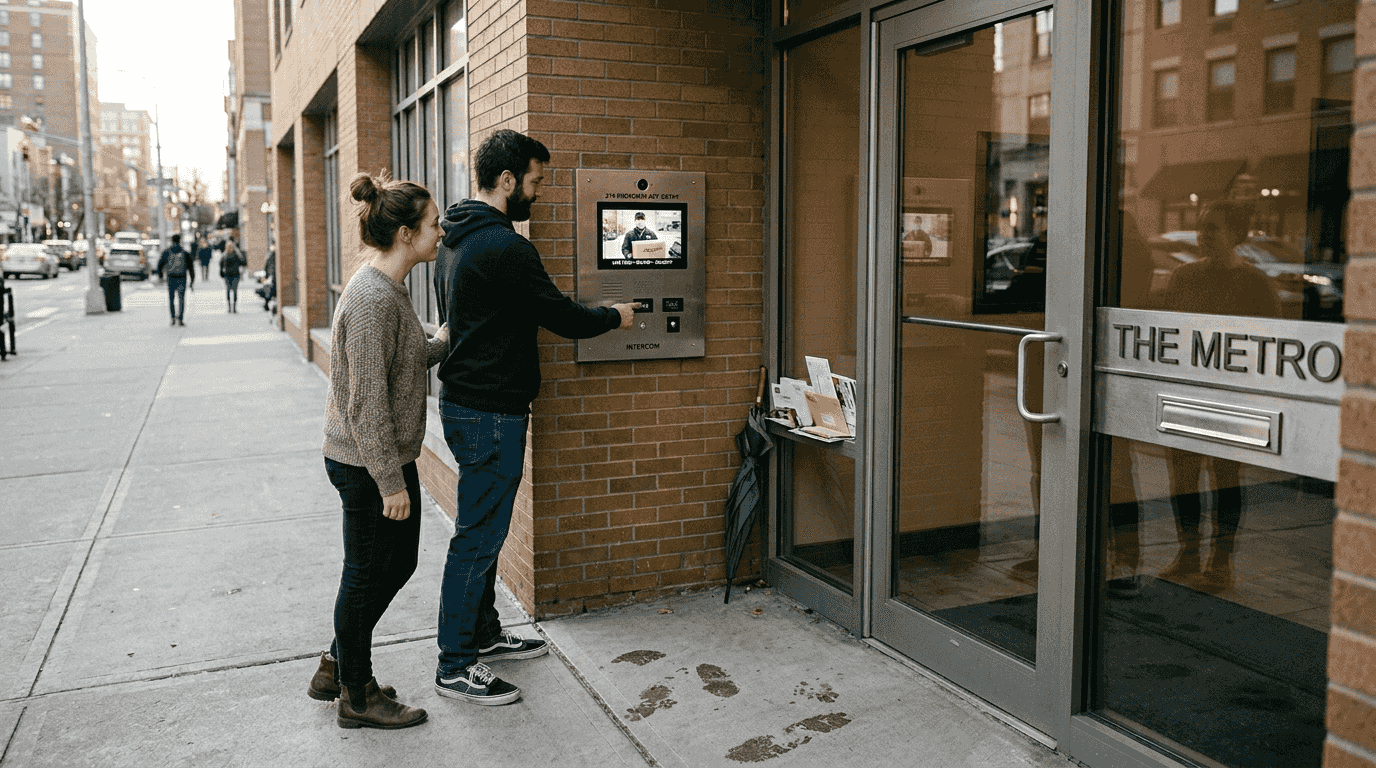
You might think smart intercoms are just fancy doorbells for letting people in, but that’s only scratching the surface. These systems transform how you interact with visitors, manage deliveries, and control access to your property, whether you own a house or rent an apartment. Smart intercoms combine two-way communication, video monitoring, and remote access control into one integrated platform that connects seamlessly with your other smart home devices. This guide breaks down what smart intercom technology actually does, how it works behind the scenes, and which system fits your specific living situation in 2026.
Table of Contents
- What Is Smart Intercom Technology?
- How Smart Intercom Technology Works: Key Features And Protocols
- Comparing Smart Intercoms With Traditional Intercom Systems
- Practical Applications And Choosing The Right Smart Intercom System For Your Home
- Enhance Your Home With Smart Intercom Technology
- Frequently Asked Questions About Smart Intercom Technology
Key takeaways
| Point | Details |
|---|---|
| Two-way communication | Smart intercoms enable audio and video conversations with visitors from anywhere using your smartphone |
| Remote access control | Grant or deny entry to your property without being physically present at the door |
| Wireless flexibility | Modern systems install without complex wiring, making them ideal for renters and existing homes |
| Smart home integration | Connect with locks, cameras, and automation systems for comprehensive security management |
| Property adaptability | Systems scale from single apartments to multi-unit buildings based on your connectivity needs |
What is smart intercom technology?
A residential intercom system is a communication and access control device installed in homes, apartment and condo buildings, or gated communities to facilitate communication between residents and visitors, and in many cases, to manage entry into the property. Smart intercoms take this concept further by adding network connectivity, mobile app control, and integration capabilities that traditional systems lack.
These systems serve multiple functions beyond simple door answering. You can screen visitors before granting access, communicate with delivery drivers to provide special instructions, and monitor your entryway even when you’re across town. The technology adapts to different property types, from single-family homes with one entry point to apartment complexes requiring multiple access levels.
Smart intercoms typically include these core capabilities:
- Two-way audio communication between indoor stations and outdoor panels
- Video monitoring with live streaming to smartphones and tablets
- Remote unlocking through mobile apps or voice commands
- Visitor logs and activity tracking for security review
- Integration with existing smart home systems for coordinated automation
The installation context matters significantly. Single-family homes often use standalone units at the front door, while apartment buildings deploy centralized systems with individual unit connections. Gated communities might integrate intercoms with vehicle access control and community-wide security networks. Each scenario demands different technical specifications and feature sets.

Modern smart intercoms eliminate the need for dedicated indoor monitors in many cases. Your existing smartphone becomes the primary interface, receiving notifications when someone rings and allowing you to respond from anywhere with internet access. This mobility represents a fundamental shift from traditional intercoms that tethered you to specific locations inside your home.
How smart intercom technology works: Key features and protocols
The underlying architecture of smart intercoms involves a combination of hardware and software components, including a central processing unit, network connectivity, and user interface. The outdoor unit houses a camera, microphone, speaker, and often a doorbell button. Inside, either a dedicated monitor or your mobile device serves as the receiving station. Between these endpoints, data flows through your home network or cellular connection.
Network connectivity options determine system reliability and performance. Wi-Fi remains the most common choice for residential installations, offering easy setup without running cables. Ethernet connections provide more stable data transmission for properties with existing network infrastructure. Some premium models include cellular backup that maintains functionality during internet outages, ensuring you never lose access control capabilities.
Two-way communication in wireless video intercoms enhances security by allowing tenants to manage visitor access remotely and verify identities before granting entry. The video component adds a crucial verification layer that audio-only systems cannot match. You see who’s at your door in real time, review recorded footage later, and share access credentials with family members or service providers.
Communication protocols define how your intercom talks to other devices. Understanding these standards helps ensure compatibility across your smart home ecosystem:
| Protocol | Range | Power Usage | Best For | Integration Ease |
|---|---|---|---|---|
| Z-Wave | 100m | Very Low | Whole-home networks | Excellent |
| Wi-Fi | 50m indoors | High | Video streaming | Good |
| Zigbee | 75m | Low | Multi-device meshes | Excellent |
| Bluetooth | 10m | Very Low | Local control only | Limited |
Z-Wave offers particular advantages for intercom systems because it operates on a dedicated frequency separate from Wi-Fi, reducing interference. The mesh network topology means each device strengthens the overall signal, improving reliability as you add more smart home components. Battery-powered intercoms benefit from Zigbee’s low power consumption, extending operational time between charges.
Pro Tip: Before purchasing a smart intercom, map your home’s network coverage using a Wi-Fi analyzer app to identify dead zones that might affect performance, especially if you’re installing the outdoor unit far from your router.
Modern intercoms process video locally or in the cloud. Local processing keeps footage on your property, appealing to privacy-conscious users, but limits remote access features. Cloud-based systems enable access from anywhere but require ongoing subscription fees and raise data security questions. Hybrid approaches offer the best of both worlds, storing recent clips locally while backing up to the cloud for long-term retention.
Comparing smart intercoms with traditional intercom systems
Traditional intercoms rely on manual and on-site management, audio-only verification, and hardwired connections, suitable for smaller apartment buildings or single-family properties. Smart systems flip this model entirely, bringing management into the digital realm where you control everything from your phone.
The management difference extends beyond convenience. Traditional systems require you to be home to answer calls and physically press a button to unlock doors. Smart intercoms let you respond to visitors while at work, on vacation, or anywhere else. You can grant temporary access codes to contractors, receive delivery notifications, and review visitor history without being physically present.
| Feature | Traditional Intercom | Smart Intercom |
|---|---|---|
| Verification Method | Audio only | Video and audio |
| Access Control | Physical button press | Remote app, codes, schedules |
| Installation | Hardwired, professional required | Wireless options, DIY friendly |
| Visitor Logs | None | Automatic with timestamps |
| Integration | Standalone system | Connects to smart locks, cameras, hubs |
| Cost | Lower upfront | Higher initial, potential subscriptions |
Video verification dramatically reduces unauthorized entries compared to audio-only systems. Seeing a visitor’s face, reading company logos on uniforms, and observing package labels provides context that voice alone cannot deliver. This visual confirmation helps you make informed decisions about granting access, especially when you’re not expecting anyone.
Property size and complexity influence which system makes sense. A small single-family home might function adequately with a traditional intercom if residents are usually present. Larger properties, multi-unit buildings, or homes with frequent deliveries benefit substantially from smart features. The ability to manage multiple entry points, create user-specific access permissions, and integrate with other security systems justifies the higher investment.
Smart intercoms also reduce operational friction for property managers. Instead of distributing physical keys or coordinating on-site access for maintenance, you issue temporary digital credentials that expire automatically. Visitor logs provide accountability, and remote management means you handle access issues without site visits.
Key advantages of upgrading to smart systems include:
- Answering your door from anywhere with internet access
- Creating scheduled access for regular service providers
- Integrating with smart locks for automated entry
- Receiving instant alerts for all door activity
- Reviewing video history to verify deliveries or investigate incidents
Pro Tip: If you’re unsure whether to upgrade, start by evaluating how often you miss deliveries or need to coordinate access for others when you’re away; these pain points indicate smart intercom benefits will justify the cost.
The learning curve for smart systems is steeper initially but pays dividends in daily use. Traditional intercoms require no setup beyond installation, while smart versions need network configuration, app installation, and possibly integration with other devices. However, once configured, smart systems actually simplify daily operations through automation and remote capabilities.
Practical applications and choosing the right smart intercom system for your home
Smart intercoms excel in scenarios that traditional systems struggle to address. Remote visitor screening tops the list, you see and speak with unexpected guests while away, deciding whether to grant access or ask them to return later. Package delivery management becomes effortless when you can instruct drivers to leave items in specific locations or unlock a vestibule for secure drop-off.

Multi-property access control demonstrates another powerful application. Vacation rental owners grant guests temporary codes that activate on check-in day and expire at checkout. Property managers issue credentials to maintenance teams that work only during business hours. Parents give kids access codes instead of physical keys that can be lost or copied.
The most appropriate intercom option depends on the number of properties, building size, traffic volume, and operational variations your property has. Evaluating these factors before purchasing prevents costly mismatches between system capabilities and actual needs.
Consider this checklist when selecting your system:
- Building size and number of entry points requiring coverage
- Existing network infrastructure and Wi-Fi coverage at installation locations
- Compatibility with current smart home devices and preferred ecosystems
- Power source availability or need for battery operation
- Video quality requirements for facial recognition and package verification
- Storage preferences for recorded footage, local versus cloud
- Budget for both initial purchase and potential ongoing subscription fees
Installing and integrating a smart intercom follows these general steps:
- Survey your property to identify optimal placement for outdoor units with clear sightlines and network connectivity
- Verify power requirements and install wiring if choosing a hardwired model, or confirm battery access for wireless units
- Mount the outdoor panel at appropriate height, typically 48 to 52 inches for wheelchair accessibility
- Download the manufacturer’s app and create your account before powering on the device
- Connect the intercom to your home network following the setup wizard in the app
- Configure notification preferences, access codes, and integration with other smart devices
- Test all functions including two-way audio, video quality, and remote unlocking before completing installation
Beyond security, smart intercoms deliver practical benefits that improve daily living:
- Eliminate trips to the door for expected visitors by unlocking remotely
- Communicate with family members in different parts of large homes
- Monitor children arriving home from school through activity alerts
- Reduce anxiety about unexpected visitors by screening before answering
- Coordinate with neighbors in multi-unit buildings through shared directories
Many people mistakenly view intercoms purely as security devices, but convenience and connectivity often provide more daily value. The security aspect matters during emergencies or suspicious activity, but you’ll use the convenience features constantly. Unlocking the door for your partner when their hands are full, telling the delivery driver where to leave packages, or checking who rang while you were in the shower, these mundane interactions accumulate into significant quality of life improvements.
Explore our curated device selections to find intercoms that match your specific needs and integrate seamlessly with your existing smart home setup.
Enhance your home with smart intercom technology
Transforming your entryway into a smart access point opens possibilities across your entire home security and automation strategy. Smart Home HQ curates selections of intercoms, smart locks, cameras, and integration tools that work together seamlessly, eliminating compatibility guesswork.

Our comprehensive guides walk you through device selection, installation processes, and troubleshooting common issues. Whether you’re building a complete smart home from scratch or adding an intercom to your existing setup, you’ll find tested recommendations and practical advice. The latest devices for 2026 showcase cutting-edge features like AI-powered facial recognition and predictive access patterns.
Exploring our resources helps you:
- Compare intercom models across price points and feature sets
- Understand integration requirements for different smart home ecosystems
- Access step-by-step installation guides with photos and troubleshooting tips
- Discover product layouts that organize devices by compatibility and use case
Making informed decisions about smart home technology requires reliable information from sources that actually test products in real-world conditions, exactly what Smart Home HQ provides.
Frequently asked questions about smart intercom technology
What are the main benefits of installing a smart intercom system?
Smart intercoms let you screen visitors remotely, manage access for deliveries and service providers, and integrate with other security devices for comprehensive home monitoring. The convenience of answering your door from anywhere and granting temporary access without physical keys saves time and reduces security risks. Video verification adds a layer of safety that audio-only systems cannot match.
Can smart intercoms be integrated with other smart home devices?
Most modern smart intercoms connect with smart locks, security cameras, lighting systems, and voice assistants through common protocols like Z-Wave, Zigbee, or Wi-Fi. This integration enables automated routines, such as unlocking the door and turning on lights when you grant access to a visitor. Compatibility varies by manufacturer, so verify integration capabilities before purchasing.
Is a wireless smart intercom as secure as a wired one?
Wireless intercoms using encrypted connections and regular firmware updates provide security comparable to wired systems. The main vulnerability comes from network security rather than the wireless connection itself, so using strong Wi-Fi passwords and keeping software updated maintains protection. Some wireless models include cellular backup that maintains functionality if your internet connection is compromised.
How difficult is it to install a smart intercom system in an existing home?
Wireless smart intercoms designed for DIY installation typically take one to three hours to set up without special tools or electrical knowledge. You mount the outdoor unit, connect it to your network through a mobile app, and configure settings. Wired systems requiring integration with existing doorbell wiring or electric strikes may need professional installation, especially in multi-unit buildings.
Are smart intercom systems suitable for renters?
Many wireless smart intercoms install without permanent modifications, making them renter-friendly options you can take when you move. Battery-powered models eliminate wiring concerns, and adhesive mounting options avoid drilling holes. Check your lease agreement regarding security device installation, and choose models that restore the door to original condition upon removal.
Recommended
- How to Improve Smart Home Security Step by Step
- Why Prioritize Smart Home Security Now
- Smart Home Security Workflow Guide
- Why Smart Home Security Matters for Urban Living
- Why Integrate Fire Alarms for Houston Buildings
- Smart Home Sicherheit Tipps für optimalen Schutz – Elektrotechnik Ernst