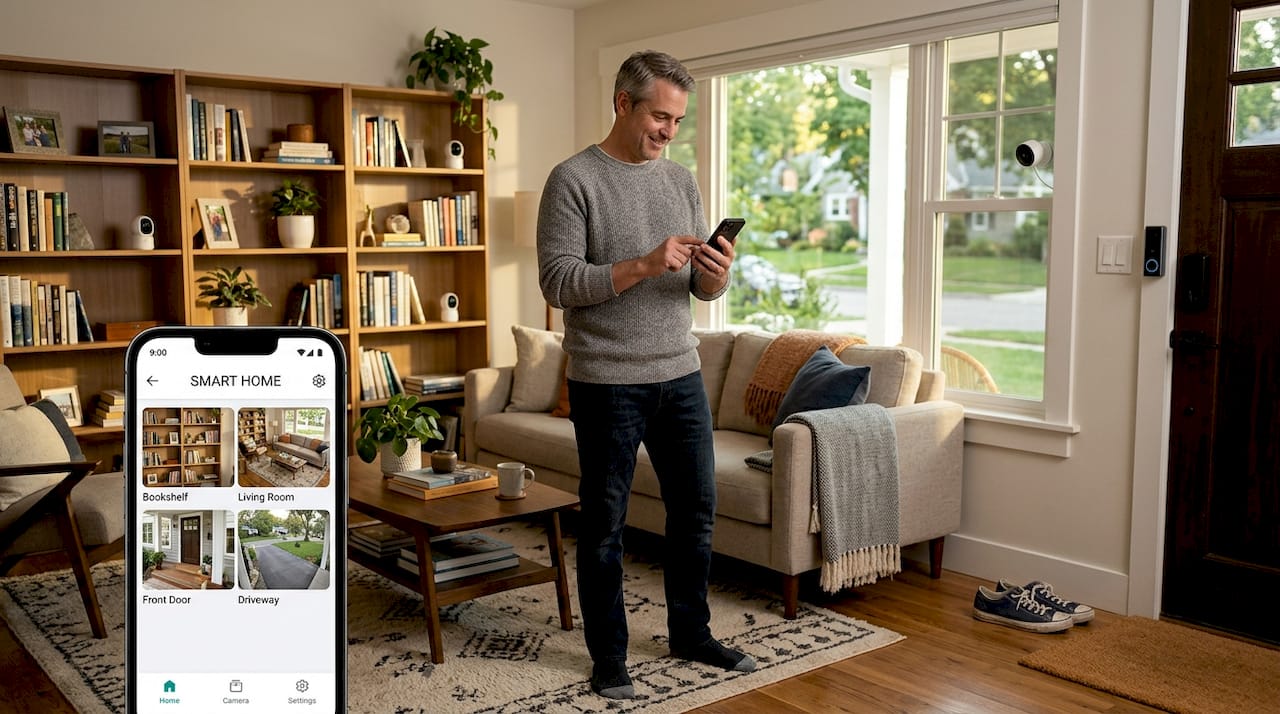
Choosing a smart camera for your home can feel overwhelming with countless models promising different features. Whether you’re a homeowner looking to secure your property or a renter seeking non-permanent solutions, understanding the types of smart cameras available helps you match technology to your specific needs. This guide breaks down camera categories, compares key features, and offers practical advice to help you select the right security solution for your situation.
Table of Contents
- How To Choose A Smart Camera: Key Criteria
- Types Of Smart Cameras: Features And User Scenarios
- Comparing Smart Camera Types: A Feature Overview
- Deciding The Best Smart Camera For Your Home
- Get Expert Help Choosing And Installing Smart Cameras
- Frequently Asked Questions
Key takeaways
| Point | Details |
|---|---|
| Camera types serve different purposes | Indoor, outdoor, doorbell, and floodlight cameras each address specific security scenarios and installation environments. |
| Resolution and field of view matter | Higher resolution enables better identification while wider viewing angles reduce the number of cameras needed. |
| Installation flexibility varies by type | Battery-powered and wireless options suit renters while wired systems offer reliability for permanent installations. |
| Integration enhances functionality | Compatibility with voice assistants and smart home platforms automates alerts and creates comprehensive security ecosystems. |
How to choose a smart camera: key criteria
Before diving into specific camera types, you need to understand the foundational factors that separate basic models from advanced solutions. Resolution determines how clearly you can identify faces, license plates, or package details in recorded footage. Most cameras range from 720p to 4K, with 1080p offering the sweet spot between clarity and storage requirements.
Installation type dramatically affects your options, especially for renters. Battery-powered cameras mount with adhesive strips or magnetic bases, while wired models require drilling and electrical work. Solar-powered variants eliminate battery changes but need consistent sunlight exposure. Field of view spans from narrow 90-degree angles to ultra-wide 180-degree coverage, determining how many cameras you’ll need for complete property monitoring.
Power source choices create trade-offs between convenience and reliability:
- Battery cameras offer flexible placement but require periodic recharging
- Wired models provide constant power but limit installation locations
- Solar options balance independence with weather dependency
- Plug-in cameras work well indoors with nearby outlets
Integration with existing smart home ecosystems transforms cameras from standalone devices into automated security hubs. Cameras compatible with Alexa, Google Assistant, or Apple HomeKit can trigger lights when motion is detected, send alerts to your phone, or display live feeds on smart displays. This interoperability becomes crucial as you expand your home security camera setup beyond a single device.
Pro Tip: Check subscription requirements before purchasing. Many cameras offer basic features free but lock advanced capabilities like extended cloud storage, person detection, or activity zones behind monthly fees.
Types of smart cameras: features and user scenarios
Each camera category addresses specific security challenges and installation environments. Understanding these distinctions helps you avoid buying outdoor cameras for indoor use or selecting models incompatible with your living situation.
Indoor cameras prioritize aesthetics and privacy features. Compact designs blend with home decor while physical privacy shutters or electronic modes disable recording when you’re home. Models like pan-and-tilt cameras rotate to follow motion, eliminating blind spots in large rooms. Many include two-way audio for communicating with family members or pets remotely. These cameras excel in monitoring nurseries, tracking elderly relatives, or keeping tabs on pets during work hours.
Outdoor cameras emphasize durability and environmental resistance. Weatherproof housings protect electronics from rain, snow, and extreme temperatures while infrared night vision captures clear footage in complete darkness. Advanced models include color night vision using ambient light or built-in spotlights. Wider temperature tolerances ensure functionality in harsh climates. These cameras suit perimeter monitoring, driveway surveillance, or backyard security.
Video doorbells combine traditional doorbell functionality with integrated cameras. They capture package deliveries, deter porch pirates, and let you screen visitors remotely. Motion-activated alerts notify you when someone approaches, even before they ring. Two-way audio enables conversations with delivery personnel or unexpected guests. Pre-roll features record seconds before motion triggers, capturing how someone arrived at your door.

Floodlight cameras merge bright LED lighting with video surveillance for active deterrence. Motion triggers illuminate dark areas while simultaneously recording, startling potential intruders and improving video quality. Adjustable light sensitivity prevents false triggers from animals or passing cars. These cameras work best for driveways, side yards, or poorly lit entry points where visibility and intimidation both matter.
Pro Tip: Consider camera placement before choosing types. A single outdoor camera covering your front door might suffice, but comprehensive coverage typically requires mixing indoor, outdoor, and doorbell cameras strategically.
Comparing smart camera types: a feature overview
Direct comparison reveals how different camera categories stack up across critical specifications and use cases. This table synthesizes key differences to streamline your decision process.
| Camera Type | Typical Resolution | Power Options | Installation Complexity | Price Range | Best Application |
|---|---|---|---|---|---|
| Indoor | 1080p to 2K | Battery, plug-in | Very easy | $30 to $100 | Room monitoring, pet watching |
| Outdoor | 1080p to 4K | Battery, wired, solar | Moderate | $50 to $250 | Perimeter security, driveways |
| Video Doorbell | 1080p to 2K | Battery, wired | Easy to moderate | $80 to $200 | Front door, package monitoring |
| Floodlight | 1080p to 2K | Wired | Moderate to difficult | $100 to $300 | Dark areas, active deterrence |
Resolution differences reflect typical use cases. Indoor cameras rarely need 4K since subjects are closer, while outdoor cameras benefit from higher resolution for identifying distant details. Comparative specifications help buyers align camera capabilities with their security priorities and budget constraints.
Power options create distinct user experiences:
- Battery cameras require recharging every 2 to 6 months depending on activity levels
- Wired models eliminate maintenance but restrict placement to areas near power sources
- Solar variants extend battery life indefinitely in sunny locations
- Plug-in indoor cameras offer the simplest setup with constant power
Installation complexity varies significantly. Indoor battery cameras mount in minutes with adhesive strips. Outdoor wired cameras might require drilling through walls, running cables, and potentially hiring electricians. Video doorbells replace existing wired doorbells relatively easily but battery versions install anywhere with mounting hardware. Floodlight cameras often necessitate professional installation since they replace existing outdoor light fixtures and involve electrical work.
Price ranges reflect feature sets and build quality. Budget cameras sacrifice advanced detection, cloud storage, or integration options. Mid-range models balance essential features with affordability. Premium cameras include AI-powered person detection, facial recognition, package detection, and extensive smart home compatibility. Your security camera comparison should weigh must-have features against nice-to-have extras within your budget.
Deciding the best smart camera for your home
Your living situation, property layout, and security priorities determine which camera types make sense. Generic recommendations rarely account for the specific challenges renters, large property owners, or budget-conscious buyers face.
Renters need non-permanent solutions that won’t violate lease agreements or forfeit security deposits. Wireless cameras with adhesive mounts, magnetic bases, or tension rods install without drilling. Battery-powered video doorbells hang over existing peepholes using specialized brackets. Indoor cameras on shelves or counters require zero installation. Prioritize models you can easily remove and reinstall in your next residence. Smart camera options for renters balance security with flexibility.
Large properties benefit from mixing camera types strategically:
- Position outdoor cameras at property corners for perimeter coverage
- Install video doorbells at all entry points for visitor monitoring
- Add floodlight cameras to dark side yards or detached structures
- Place indoor cameras in main living areas and hallways
- Use pan-and-tilt models in large rooms to reduce camera count
Budget-conscious buyers can build effective security systems incrementally. Start with a video doorbell covering your most vulnerable entry point. Add outdoor cameras to high-risk areas like back doors or basement windows. Expand to indoor cameras as budget allows. Many manufacturers offer multi-camera bundles at discounted rates. Avoid cheap off-brand cameras that compromise on encryption, software updates, or customer support.
Integration enthusiasts should verify compatibility before purchasing. Cameras supporting IFTTT, HomeKit Secure Video, or SmartThings enable advanced automations like triggering sirens when motion is detected or turning on lights when cameras spot people. Voice control through Alexa or Google Assistant lets you check camera feeds hands-free. Unified apps managing multiple camera brands simplify monitoring but limit advanced features.
Pro Tip: Test camera placement before permanent installation. Use temporary mounts or simply hold cameras in potential locations while checking the live feed to ensure optimal angles and coverage before committing.
Get expert help choosing and installing smart cameras
Navigating the smart camera landscape becomes easier with curated resources and expert guidance. Smart Home HQ offers comprehensive tools to simplify your selection and setup process.

Explore our detailed product comparison tables featuring side-by-side specifications, pricing, and feature breakdowns for top-rated smart cameras. Read in-depth security camera reviews based on real-world testing to understand how cameras perform beyond manufacturer claims. Access smart home setup best practices covering network optimization, camera positioning, and integration strategies that maximize your security investment. Our resources help you move confidently from research to purchase to installation.
Frequently asked questions
What factors should I consider when choosing a smart camera?
Prioritize resolution for clear identification, field of view for coverage area, and power source based on installation flexibility. Consider whether you need weatherproofing for outdoor use and verify compatibility with your existing smart home ecosystem. Subscription costs for cloud storage and advanced features significantly impact long-term ownership expenses. Privacy features like physical shutters or local storage matter if you’re concerned about data security.
Are wireless smart cameras reliable for home security?
Wireless cameras provide excellent reliability when paired with strong Wi-Fi networks and quality routers. Battery life varies from 2 to 6 months depending on activity levels and temperature extremes. Most models alert you when batteries run low, preventing coverage gaps. For critical security areas, consider wired cameras or wireless models with solar panels to eliminate recharging. Signal strength diminishes through walls and at distance, so test connectivity before finalizing placement.
Can smart cameras work with other smart home devices?
Most modern smart cameras integrate with major platforms like Alexa, Google Assistant, and Apple HomeKit. This compatibility enables automations such as triggering smart lights when motion is detected or displaying camera feeds on smart displays. Advanced integrations allow cameras to communicate with smart locks, sirens, or thermostats for comprehensive home automation. Verify specific integration capabilities before purchasing since feature sets vary significantly between brands and models.
What are renter-friendly smart camera options?
Look for battery-powered cameras with adhesive mounts, magnetic bases, or over-the-door brackets that install without drilling. Video doorbells designed to hang over existing peepholes using specialized hardware work well for apartments. Indoor cameras placed on furniture require zero installation. Avoid wired models or systems requiring permanent modifications. Renter-friendly smart camera solutions prioritize portability and damage-free installation while maintaining security effectiveness. Choose cameras you can easily relocate to future residences without losing functionality.
Recommended
- Smart Security Systems 2026: Review The Top Options
- Home Security Camera Guide 2026: Types, Features & Buying Tips
- Best Smart Home Security Cameras: Reviews, Setup & Tips
- De 6 creatieve manieren om kleine verborgen cameras te gebruiken – KUUS.