AI Smart Kitchen Guide🎙️🏠
AI smart kitchen setup matter automation –
Designing an ai smart kitchen setup matter automation is the easiest way to make Alexa and Google Home feel like one unified smart cooking assistant. A smart kitchen works best when it’s reliable, simple, and repeatable. Instead of juggling multiple apps, you’ll use Alexa or Google Home as your daily control layer (voice, routines, notifications). Meanwhile, Matter helps many “glue devices” (plugs, switches, sensors) work across ecosystems, so your setup stays flexible as you expand.
Affiliate Disclosure: This page contains affiliate links. If you buy through our links, we may earn a commission at no extra cost to you.
Table of contents
- AI Smart Kitchen Guide🎙️🏠
- Quick Start (15 Minutes): The Minimum Viable Smart Kitchen ✅
- Alexa vs Google Home for Kitchens (How to Choose) 🎙️🍳
- Matter in the Kitchen (What to Prioritize in 2026) 🔗⚙️
- Setup That Prevents Headaches (Wi‑Fi, Firmware, Naming) 🛠️📶
- Automations That Actually Work in Real Kitchens ⚙️✅
- Notification Hygiene (Only Alerts That Matter) 🔔
- Recommended Starter Gear 🛒⭐
- Troubleshooting (Most Common Kitchen Issues) 🧰
- Frequently Asked Questions – AI Smart Kitchen Setup Matter Automation🙋♂️🧩
- Next Steps
- Related Links
Quick Start (15 Minutes): The Minimum Viable Smart Kitchen ✅
– AI Smart Kitchen Setup Matter Automation
Goal: one assistant, a few devices, and 2 routines you’ll actually use.
- Pick your “brain”: choose Alexa or Google Home first (you can add the other later, but start simple).
- Start with “glue devices”:
- Smart plug (coffee maker / kettle routine)
- Motion sensor or contact sensor (optional convenience triggers)
- Leak sensor (under sink) for high-value alerts
- Create 2 starter routines:
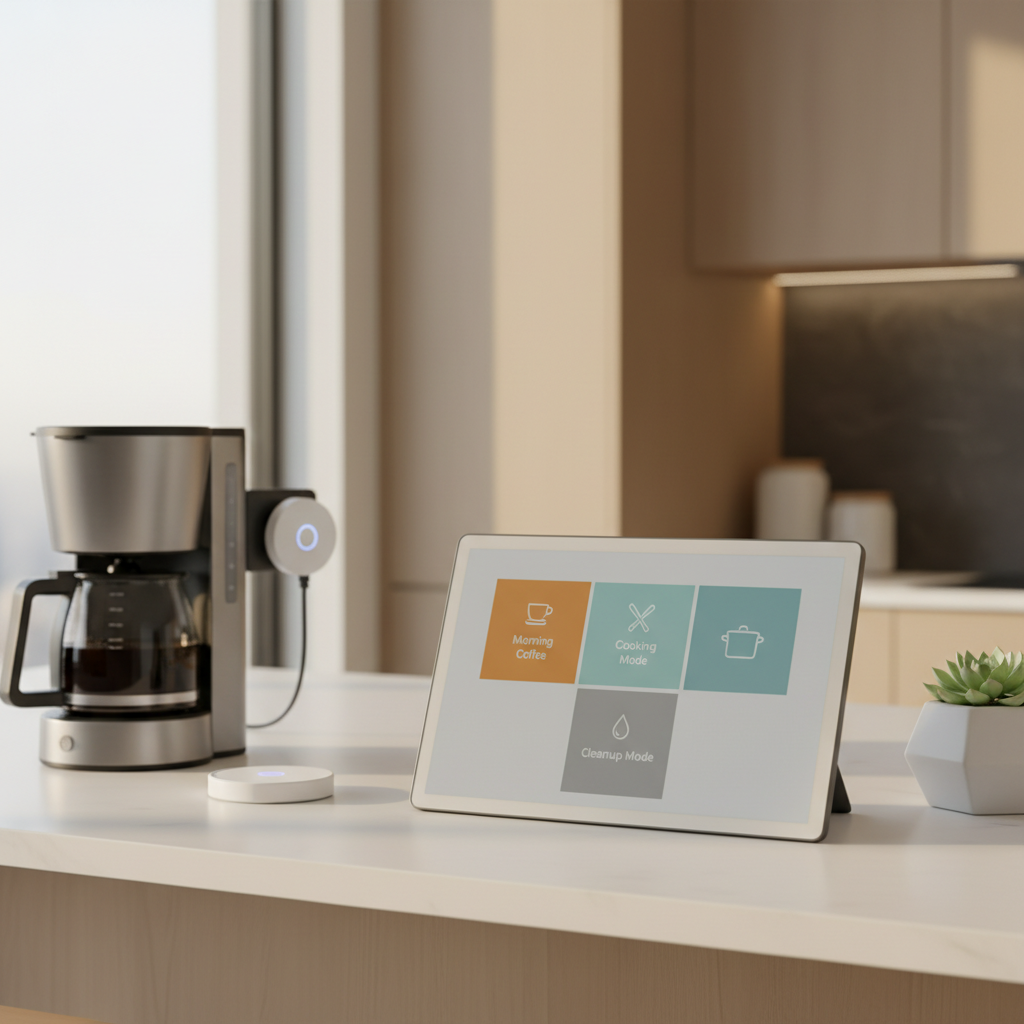
- Morning Coffee
- Cooking Mode
Result: you get daily benefits fast; then you can add appliances and more advanced automations.
Alexa vs Google Home for Kitchens (How to Choose) 🎙️🍳
– AI Smart Kitchen Setup Matter Automation
Both are solid—however, small differences matter in a kitchen.
- Choose Alexa if you want:
- Routine-first control and lots of compatible smart home accessories
- Straightforward voice commands for timers, lights, plugs, and scenes
- Choose Google Home if you want:
- Strong conversational help (conversions, substitutions, step prompts)
- A Google-centric household (Android, Google calendars, Google services)
Tip: Whichever you choose, use it everywhere in the kitchen for commands—otherwise, routines get fragmented.
Matter in the Kitchen (What to Prioritize in 2026) 🔗⚙️
– AI Smart Kitchen Setup Matter Automation
Matter is most valuable for devices that make routines feel instant and dependable.
Prioritize Matter for (highest ROI) ✅
- Smart plugs (coffee, kettle, countertop appliances where appropriate)
- Lights/switches (task lighting tied to “Cooking Mode”)
- Basic sensors (motion/contact—where your platform supports them well)
Be cautious with Matter expectations for major appliances ⚠️
- Ranges, ovens, fridges, and dishwashers often still require the brand app for advanced features. So, treat Matter as a bonus for basic control—not guaranteed full functionality.
Practical buying rule 🧠
- If two products are similar in price/features, choose Matter.
- If Matter costs significantly more, only pay extra when it improves your routines (plugs/switches/sensors).
Setup That Prevents Headaches (Wi‑Fi, Firmware, Naming) 🛠️📶
Wi‑Fi basics (kitchen-proofing) 📡
- Ensure strong signal near counters and appliances (mesh node nearby helps).
- Many devices prefer 2.4 GHz for range; therefore, don’t fight it—plan for it.
Firmware updates (do this early) 🔄
- Update: router + assistant hub/display + each device app firmware.
- Then, set a monthly reminder for safety devices (leak/smoke/CO).
Device naming conventions (voice control depends on this) 🏷️
Use a consistent pattern:
Kitchen – Coffee PlugKitchen – Sink Leak SensorKitchen – Under Cabinet LightsKitchen – Vent Fan
Result: Alexa/Google hears fewer ambiguous names, and your routines stay clean.
Automations That Actually Work in Real Kitchens ⚙️✅
– AI Smart Kitchen Setup Matter Automation
Morning Coffee ☕
- Trigger: “Good morning” (voice) or scheduled time
- Actions:
- Turn on Kitchen – Coffee Plug
- Turn on low-brightness kitchen lights
- Optional: read weather/calendar
- Why it’s reliable: simple actions, minimal dependencies
Cooking Mode 🔥
- Trigger: “Start Cooking Mode”
- Actions:
- Brighten task lights
- Turn on vent fan/air purifier (smart switch/plug)
- Start a named timer (“Preheat”)
- Tip: keep this routine short; otherwise, you’ll stop using it.
Cleanup Mode 🧼
- Trigger: “Cleanup Mode”
- Actions:
- Play music/podcast
- Dim lights slightly
- Set a 15-minute “Kitchen Reset” timer
- Optional reminder: “Start dishwasher”
Leak Response (Homeowners + renters) 🚰
- Trigger: leak sensor alert
- Actions:
- Push notification to primary phone(s)
- Optional escalation to a second person
- Homeowners: integrate with shutoff valve actions if supported
- Safety note: test this quarterly so it doesn’t fail when you need it.
Notification Hygiene (Only Alerts That Matter) 🔔
– AI Smart Kitchen Setup Matter Automation
Notifications help—until they become noise.
- Keep ON (actionable):
- Leak detected
- Smoke/CO alerts
- High-temp freezer/fridge alerts (if you use sensors)
- Make optional (nice-to-know):
- Dishwasher cycle done
- Filter reminders
- Oven preheat done
Rule: if you won’t act, disable it. Consequently, real alerts stand out.
Recommended Starter Gear 🛒⭐
– AI Smart Kitchen Setup Matter Automation

✅ Pick yours now – Smart Plug – Linkind Matter Smart Plug (affiliate link) – kitchen-safe, reliable

✅ Pick yours now – Smart Display – Amazon Echo Show 15 (newest model), Full HD 15.6″ kitchen hub (affiliate link) – kitchen-safe, reliableSmart display (kitchen command center for timers + routines)

✅ Pick yours now –Leak sensors (under-sink) – Eve Water Guard (affiliate link)- Smart Home Water Leak Detector, 6.5 ft Sensing Cable, 100 dB Siren & Energy (Matter) – Smart Plug, App and Voice Control

✅ Pick yours now Motion/contact sensors – Eve Motion (Matter) 3-Pack (affiliate link)– Smart Motion and Light Sensor Control your lights and appliances with movement, and receive notifications when motion is detected

✅ Pick yours now – Mesh Wi‑Fi node – TP-Link Deco S4 Mesh AC1900 WiFi System (affiliate link) Better Coverage than traditional WiFi routers: Deco S4 three units work seamlessly to create a WiFi mesh network that can cover homes up to 5, 500 square feet. No dead zone anymore.
Troubleshooting (Most Common Kitchen Issues) 🧰
- Device goes offline: check 2.4 GHz, Wi‑Fi strength, router reboot schedule, firmware updates
- Voice commands fail: rename devices to avoid duplicates; regroup “Kitchen” devices
- Automation misfires: remove extra triggers; simplify steps; confirm each device works by voice before automating
- Too many notifications: disable non-actionable alerts; set quiet hours
Frequently Asked Questions – AI Smart Kitchen Setup Matter Automation🙋♂️🧩
No. In fact, you’ll get better reliability by choosing one as your primary “command layer” for routines, timers, and notifications. Then, you can add the second later if you have a specific reason (family preference, existing devices, etc.).
Matter helps many smart devices work across ecosystems more consistently. Practically, it’s most valuable for “glue devices” like smart plugs, lights, and some sensors. However, major appliances often still need their brand app for advanced features.
Smart plugs (for coffee makers, kettles, small appliances where appropriate)
Lights/switches (task lighting tied to Cooking Mode)
Basic sensors (motion/contact, depending on platform support)
Therefore, prioritize Matter where it improves daily routines, not just because it’s a buzzword.
Sometimes, basic control can still work locally depending on your setup and hub/controller. That said, many routines, remote access, and notifications may still rely on your network or cloud services. So, assume the “core device function” works, but cloud-style conveniences may degrade during outages.
More FAQ
Morning Coffee using a smart plug. It’s simple, low-risk, and immediately useful. Plus, it’s a great test of your Wi‑Fi reliability and voice control before you build more complex routines.
Focus on reliability basics:strong Wi‑Fi coverage in the kitchen (mesh node if needed), many devices prefer 2.4 GHz
keep firmware updated (router + devices,) avoid overcrowding one outlet/area with too many wireless devices
As a result, routines trigger more consistently.
Use a consistent “Room – Device – Purpose” pattern. For example: Kitchen – Coffee PlugKitchen – Sink Leak SensorKitchen – Under Cabinet Lights
Then, group them under “Kitchen” so commands stay predictable.
They’re great for many small devices. However, you should only use a smart plug if:
– The appliance supports “power-on” behavior safely
– The plug is rated appropriately
– You’re not bypassing safety controls
In general, avoid using plugs to “remote start” high-heat devices unless the manufacturer supports that workflow.
Final FAQ’s
Keep ON (actionable): leak alerts, smoke/CO alerts, critical temperature warnings
Turn OFF or limit: marketing notifications, “tips,” non-urgent reminders, repetitive cycle updates
Otherwise, alert fatigue makes you miss the important stuff.
If you can, yes. A guest/IoT network can reduce risk and simplify troubleshooting. Meanwhile, it helps keep personal devices more secure if a smart device has weak security practices.
Creating routines that are too complex too soon. Instead, validate the basics first:
– Device works manually
– Device works by voice
– Routine works reliably
Then, add extra steps like lighting scenes, announcements, and timers.
No. You can build an excellent setup without it. But Matter can make future expansion easier and reduce ecosystem lock-in—especially for plugs, lights, and sensors that power your everyday routines.
Next Steps
- Return To:Smart Refrigerators (LG, Samsung, GE): AI Features + Food Waste Tips
- Review page: The Complete Guide to AI & Smart Technology in the Kitchen