Blog

  • Why Build a Connected Home: Security, Savings, Comfort

    Why Build a Connected Home: Security, Savings, Comfort

    More than 68 million American households now own at least one smart device, reflecting a surge in connected living. For tech-savvy homeowners, upgrading to an integrated home network is about far more than adding gadgets. Today’s solutions promise seamless security and unmatched convenience. This guide clears up what a connected home truly means, exposes widespread myths, and helps you make practical decisions as you modernize your space.

    Table of Contents

    Key Takeaways

    Point Details
    Connected Home Concept A connected home is an integrated ecosystem, enhancing living experiences through smart device interconnectivity.
    Myth Busting Connected home solutions are now affordable and user-friendly, debunking the belief that they are only for tech enthusiasts.
    Core Features Key features of smart homes include enhanced security, efficiency in energy management, and precise control over home environments.
    Financial Considerations While initial costs can be high, smart home systems often lead to long-term savings through reduced utility bills and potential insurance discounts.

    Connected Home Defined and Common Myths

    Imagine a home that works for you. A connected home represents more than just a collection of smart devices – it’s an integrated ecosystem where technology seamlessly works together to enhance your living experience. Experts define a connected home as a sophisticated network enabling interconnection and interoperability across multiple devices, services, and applications spanning communications, entertainment, security, and home automation.

    Contrary to popular belief, a connected home isn’t simply about having the latest gadgets. It’s a carefully orchestrated system where devices communicate intelligently, providing real-time, contextual experiences for household inhabitants. The technology allows remote monitoring and control, transforming how we interact with our living spaces. These systems integrate networking, media, security, energy management, and even healthcare technologies into a unified platform.

    Several persistent myths often misrepresent connected home technology. Some people believe it’s prohibitively expensive or only for tech enthusiasts. In reality, connected home solutions have become increasingly affordable and user-friendly. Another common misconception is that these systems are complicated to set up and manage. Modern connected home platforms prioritize intuitive design, making installation and operation straightforward for average homeowners.

    The core purpose of a connected home goes beyond convenience – it’s about creating a responsive, efficient environment that adapts to your lifestyle. By integrating sensors, smart devices, and intelligent platforms, these systems can optimize energy consumption, enhance security, and provide unprecedented control over your home’s functionality.

    Pro tip: Start your connected home journey by selecting a single, versatile smart device that addresses an immediate need, like a smart thermostat or security camera, to understand the ecosystem without overwhelming yourself.

    Main Types of Smart Home Systems

    Smart home technologies have evolved into a diverse ecosystem of interconnected systems, each designed to enhance different aspects of home living. Researchers have identified multiple categories of smart home technologies that span a comprehensive range of functionalities, from basic connectivity to advanced automation.

    The primary types of smart home systems can be categorized into several key areas:

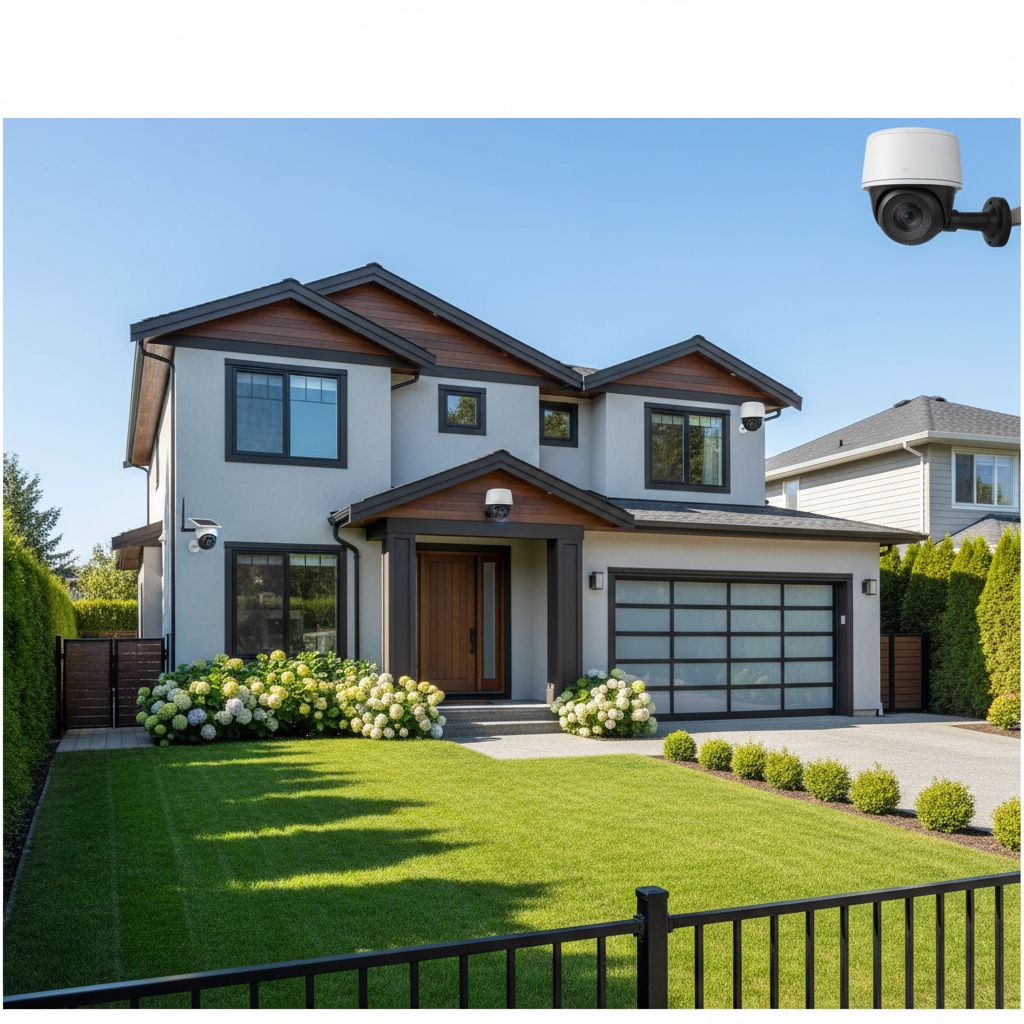
    • Security Systems: Encompassing smart cameras, doorbell cameras, motion sensors, and integrated alarm networks
    • Energy Management Systems: Smart thermostats, power monitoring devices, and automated lighting controls
    • Entertainment Systems: Networked audio/video devices, smart speakers, and integrated media platforms
    • Home Automation Systems: Platforms that control multiple device interactions, including voice-activated assistants and centralized control interfaces
    • Health and Wellness Systems: Remote monitoring devices, air quality sensors, and integrated health tracking technologies

    These systems are distinguished not just by their individual capabilities, but by their communication protocols. The European Commission’s research highlights the complexity of networking technologies used to connect devices, including Wi-Fi, Zigbee, Z-Wave, and proprietary communication standards. This technological diversity allows homeowners to create customized ecosystems that suit their specific needs and preferences.

    Modern smart home systems are not one-size-fits-all solutions but rather flexible platforms that can be tailored to individual lifestyles. The sophistication ranges from simple connected devices to fully integrated, intelligent home environments that can learn and adapt to residents’ behaviors and preferences.

    Here’s a summary comparing the main smart home system types and their core benefits:

    System Type Main Function Typical Benefit
    Security Home safety Enhanced protection
    Energy Management Utility monitoring Lower utility costs
    Entertainment Media integration Improved user experience
    Home Automation Device coordination Increased convenience
    Health & Wellness Health tracking Personalized support

    Pro tip: When exploring smart home systems, start by identifying your primary needs and choose compatible devices that can potentially integrate with a broader ecosystem in the future.

    Benefits of a Smart Home Include These  Key Features: Security, Efficiency, Control

    Smart home technologies have revolutionized home management by offering three critical features that transform how we interact with our living spaces: security, efficiency, and control. Advanced home security technologies now integrate sophisticated surveillance and monitoring systems that provide homeowners with unprecedented protection and peace of mind.

    The security dimension of smart homes goes far beyond traditional alarm systems. Modern solutions include:

    • Smart cameras with real-time video streaming
    • Motion sensors that distinguish between routine movements and potential threats
    • Remote locking mechanisms for doors and windows
    • Instant mobile alerts for suspicious activities
    • Integration with local emergency services

    Efficiency represents another cornerstone of smart home technology. Responsible technology adoption emphasizes energy management and user-friendly interfaces that help homeowners reduce waste and optimize resource consumption. Smart thermostats can learn household patterns, automatically adjusting temperature to minimize energy expenditure. Automated lighting systems detect occupancy and natural light levels, ensuring electricity is used only when necessary.

    Woman adjusting smart thermostat in kitchen

    Control is the final critical feature, empowering homeowners to manage their environment with unprecedented precision. Through centralized smartphone applications or voice-activated assistants, residents can monitor and adjust multiple home systems simultaneously. This level of control extends beyond convenience, offering genuine flexibility in managing home environments, security protocols, and energy consumption.

    Pro tip: When selecting smart home technologies, prioritize systems with robust integration capabilities that allow seamless communication between different devices and platforms.

    Real-World Applications for Homeowners

    Smart home technologies offer transformative solutions that address real-world challenges faced by homeowners, providing practical benefits across multiple aspects of daily living. These integrated systems go beyond mere technological novelty, delivering tangible improvements in safety, comfort, and efficiency.

    In the realm of home security, smart technologies provide comprehensive protection strategies:

    • Advanced Surveillance: Real-time camera monitoring with instant mobile alerts
    • Remote Access Control: Smart locks and entry systems manageable from smartphones
    • Comprehensive Monitoring: Integrated sensors detecting unusual activities or potential security breaches

    Energy management represents another critical application. Smart home systems enable precise control over resource consumption through intelligent monitoring. Smart thermostats learn household temperature preferences, automatically adjusting settings to minimize energy waste. Automated lighting systems detect room occupancy, ensuring electricity is used only when necessary, potentially reducing monthly utility expenses by 20-30%.

    Interconnected home ecosystems now adapt to individual lifestyle needs, offering personalized experiences that extend beyond traditional home automation. For individuals with mobility challenges, voice-activated systems provide enhanced independence, allowing control of lighting, temperature, and entertainment systems without physical interaction. Parents can remotely monitor children’s activities, while elderly residents benefit from fall detection and emergency response integrations.

    Infographic showing connected home key benefits

    Pro tip: Begin your smart home journey by selecting one multipurpose device that addresses your most pressing household need, ensuring compatibility with future expansion.

    Upfront Costs, Long-Term Savings, Risks

    Smart home technology investments require careful financial consideration, balancing initial expenses against potential long-term benefits. Homeowners must navigate a complex landscape of technological opportunities and economic challenges when contemplating smart home integration.

    Upfront costs for smart home systems can be substantial, typically ranging from $500 to $3,000 depending on system complexity:

    • Basic Systems: $500-$1,000 (2-3 connected devices)
    • Intermediate Systems: $1,000-$2,000 (comprehensive security and automation)
    • Advanced Integrated Systems: $2,000-$3,000 (whole-home solutions)

    Technological adoption involves evaluating financial barriers and potential risk mitigation strategies, with long-term savings potential offsetting initial investments. Energy management systems can reduce utility expenses by 15-30% annually, while automated security systems may lower insurance premiums by 5-20%. Potential risks include data privacy vulnerabilities, technological obsolescence, and potential system integration challenges.

    Key financial considerations extend beyond direct monetary investments. Homeowners must factor in ongoing maintenance costs, potential system upgrades, and the technological ecosystem’s compatibility. Privacy risks require robust security measures, potentially necessitating additional investments in cybersecurity protection and regular system updates.

    The table below outlines common risks of smart home adoption, along with suggested mitigation actions:

    Risk Type Example Scenario Mitigation Strategy
    Privacy Data leaks via cloud storage Use strong encryption, regular audits
    Obsolescence Devices no longer supported Choose brands with update policies
    Integration Incompatibility between devices Select systems with open standards
    Financial Unplanned upgrade expenses Opt for modular, upgradeable setups

    Pro tip: Prioritize modular smart home systems that allow gradual expansion and provide clear upgrade paths to minimize future replacement costs.

    Troubleshooting and Avoiding Common Pitfalls

    Smart home technology troubleshooting requires a systematic and strategic approach to address potential connectivity, compatibility, and performance challenges. Understanding common issues and their root causes can help homeowners minimize disruptions and maintain a smoothly functioning smart home ecosystem.

    Common smart home system pitfalls include:

    • Connectivity Problems: Weak Wi-Fi signals, network interference
    • Compatibility Issues: Devices from different manufacturers not communicating effectively
    • Software Conflicts: Outdated firmware or application versions
    • Power Management Challenges: Inconsistent power supply or battery-related failures
    • Configuration Errors: Incorrect initial setup or network configuration

    Troubleshooting strategies involve methodical diagnostic steps. Start by verifying basic network infrastructure, ensuring robust and consistent internet connectivity. Check device firmware versions and update them regularly to address potential software conflicts. When compatibility issues emerge, prioritize devices with standardized communication protocols like Zigbee or Matter, which enhance inter-device communication and reduce integration challenges.

    Preventative measures are crucial in maintaining a reliable smart home system. This includes selecting devices from manufacturers with strong ecosystem support, maintaining a centralized management platform, and regularly performing system audits. Homeowners should create a comprehensive device inventory, track firmware versions, and establish a routine maintenance schedule to proactively identify and resolve potential technical issues before they escalate.

    Pro tip: Create a dedicated network segment for smart home devices to isolate potential security risks and improve overall system performance.

    Unlock the Full Potential of Your Connected Home Today

    Start building your connected home today and experience exciting benefits like enhanced security, meaningful savings, and unmatched comfort. The challenge lies in selecting the right devices and creating a seamless, integrated ecosystem that truly adapts to your lifestyle. If you have ever felt overwhelmed by complicated setups, confusing compatibility issues, or were unsure how to optimize your smart home system for maximum efficiency and control this is the solution you need.

    Smart Home HQ guides you through these exact challenges with trusted reviews, detailed comparisons, and real-world usage insights. Learn how to prioritize security features, energy management, and home automation with easy-to-follow guides designed to simplify your journey. Whether you are starting with a smart thermostat or expanding to a fully integrated system, our expert tips help you avoid common pitfalls and maximize long-term savings.

    https://smarthomehq.house

    Take the next step now and transform your living space into a truly connected home. Explore our comprehensive resources at Smart Home HQ and discover how to build your smart home with confidence and clarity. Begin earning peace of mind and energy efficiency today by visiting Start Your Smart Home Journey and empower your home to work smarter for you.

    Frequently Asked Questions

    What are the main benefits of building a connected home?

    A connected home enhances security, improves energy efficiency, and increases overall comfort for residents. It enables better control over home automation and monitoring, providing peace of mind and convenience.

    How do smart home technologies improve security?

    Smart home technologies enhance security through features like real-time video surveillance, motion sensors, remote access control, and instant alerts for suspicious activities. These systems provide comprehensive monitoring options that traditional setups do not offer.

    Can smart home systems help save on energy costs?

    Yes, smart home systems, especially energy management solutions like smart thermostats and automated lighting controls, can help reduce utility costs by 15-30% annually by optimizing energy consumption based on usage patterns.

    What should I consider when starting my connected home journey?

    Begin by identifying your primary needs, such as security or energy management, and selecting a versatile smart device to address that need. Ensure compatibility with future devices to create an integrated ecosystem progressively.

    Related Links


  • A Day-in-the-Life Story

    A Day-in-the-Life Story

    No Keys, No Stress: How Smart Locks Upgrade Safety, Security, and Convenience 🔒✨

    The benefits of smart locks become clear in everyday moments like this: You’re pulling into the driveway, hands full of groceries, the dog is excited, and your phone buzzes—your sitter just left. Instead of juggling keys, you walk up and the door unlocks as you approach. A few minutes later, you get a notification: the door auto-locked behind you. That’s the everyday calm that smart locks bring—security that’s smarter, and convenience that feels effortless.


    The Benefits of Smart Locks: Safety, Security, and Convenience 💡

    • Safety 🛡️
      • No more spare keys hidden under mats
      • Personalized codes reduce the risk of unauthorized entry
      • Auto-locking reduces “Did I lock the door?” anxiety
    • Security 🔐
      • Real-time activity notifications keep you in the loop
      • Remote lock/unlock if someone forgets
      • Temporary and permanent access sharing reduces key duplication risks
    • Convenience 🚪
      • Hands-free auto-unlock as you approach
      • Control via phone or Apple Watch
      • Smooth guest management for family, sitters, house cleaners, and short-term rentals

    Spotlight: Yale Key-Free Smart Lock 🟡

    A modern deadbolt replacement that delivers keyless entry, robust security features, and smooth smart-home integration—ideal for U.S. and Canada households.

    • Access Options 🔑
      • Keypad entry with codes
      • Smartphone control via Yale Access App (iOS and Android)
      • Voice assistant integration (with compatible systems)
      • Apple Watch support
      • Auto-unlock for hands-free entry
    • Smart Security Features 🔒
      • Auto-Lock Function: Automatically locks when DoorSense detects door closure
      • Remote Management: Lock/unlock from anywhere
      • Access Sharing: Grant temporary or permanent access
      • Activity Notifications: Real-time alerts and status updates
    • Installation & Setup 🛠️
      • DIY-friendly: Just a screwdriver needed
      • Direct deadbolt replacement for standard U.S. doors
      • No locksmith or prior experience required
    • Connectivity 🌐
      • Works on 2.4 GHz Wi‑Fi
      • U.S. and Canada availability
      • Apple Watch + iOS/Android compatibility
    • Ideal For ✅
      • Homeowners who want key-free entry
      • Families sharing access without swapping keys
      • Rental property managers and hosts
      • Individuals with mobility challenges
      • Travelers and tech enthusiasts
    • Considerations ⚠️
      • Requires 2.4 GHz Wi‑Fi (not compatible with 5 GHz–only networks)
      • Limited to U.S. and Canada
      • Full feature set depends on smartphone access
      • Requires ongoing battery maintenance
    • Learn more and link it into your setup:

    How Smart Locks Elevate Everyday Life 🌟

    • Families with kids or caregivers 👨‍👩‍👧‍👦
      • Assign unique codes and revoke them anytime
      • Get alerts when someone comes and goes
    • Hosts and property managers 🏘️
      • Share time-limited codes for guests
      • Manage access remotely without rekeying
    • Busy professionals and frequent travelers ✈️
      • Check lock status from anywhere
      • Auto-lock keeps the home secure on tight schedules
    • Accessibility and mobility support ♿
      • Hands-free auto-unlock and Apple Watch entry reduce friction

    Quick Start: From Box to Door in Under an Hour ⏱️

    • Gather a screwdriver and your smartphone
    • Remove existing deadbolt and install the Yale Key-Free Smart Lock
    • Connect to 2.4 GHz Wi‑Fi
    • Set up the Yale Access App and create your first entry code
    • Enable Auto-Lock with DoorSense and test notifications

    Pro tip: Test auto-unlock in your driveway or hallway before relying on it daily, and keep a backup entry code handy.


    Privacy and Security Best Practices 🧠

    • Use strong, unique codes and rotate guest codes regularly
    • Protect your smartphone with a passcode/biometrics
    • Keep the app and firmware up to date
    • Place the lock within solid 2.4 GHz Wi‑Fi range for reliability

    At-a-Glance Benefits with Yale Key-Free 🧩

    • Peace of mind: Auto-lock + DoorSense reduces human error
    • True convenience: Auto-unlock, keypad, app, Apple Watch
    • Control anywhere: Remote management and activity notifications
    • Flexible access: Share and revoke codes in seconds
    • Easy setup: DIY-friendly with basic tools

    Final Verdict ✅

    If you’re upgrading for safety, security, and pure convenience, the Yale Key-Free Smart Lock is a standout choice. It’s easy to install, simple to share access with others, and smart enough to lock itself when DoorSense detects the door is closed. Keep in mind the 2.4 GHz Wi‑Fi requirement and U.S./Canada availability—but for most households, it’s a modern, stress-reducing upgrade. The benefits of smart locks go beyond convenience—they’re a proven investment in home security and peace of mind. For more on smart home security best practices, check out the National Institute of Standards and Technology (NIST) guidance on securing smart home devices.

  • Smart Living Compatibility – Why Device Integration Matters

    Smart Living Compatibility – Why Device Integration Matters

    Types of Smart Living Compatibility Devices

    Finding smart living compatibility devices that actually work together can feel like a puzzle. With almost half of American homeowners reporting frustratioTypes of Smart Home Compatibility Devices

    n over connecting devices from different brands, compatibility standards have never mattered more. Whether you are adding your first smart thermostat or building a full ecosystem, understanding these standards will help you avoid headaches and make confident choices for a truly interconnected home.

    Table of Contents

    Key Takeaways Regarding Smart Home Compatibility

    Point Details
    Smart Home Compatibility Standards Are Essential Establishing standardized communication protocols like IEEE Standard 2785-2023 enhances interoperability among devices from different manufacturers.
    Device Categories and Their Benefits Understanding device categories helps homeowners make informed choices that enhance security, energy efficiency, and convenience in their homes.
    Interoperability Is Key for Smooth Integration Ensuring devices are compatible with open standards like Matter allows for seamless integration and a more responsive smart home environment.
    Proactive Measures Reduce Common Issues Implementing strong security practices and investing in reliable network systems can mitigate many connectivity problems associated with smart home devices.

    Defining Smart  Living Compatibility Standards

    Smart  living compatibility is more than just technological convenience—it represents a fundamental framework for seamless device communication and integration. Importantly, the IEEE Standard 2785-2023 provides a comprehensive architectural blueprint that establishes critical guidelines for intelligent device interoperability across different technological ecosystems.

    At its core, smart living compatibility involves establishing standardized communication protocols that enable diverse devices to interact effectively. Unlike traditional standalone systems, modern smart home technology requires sophisticated communication standards that allow devices from different manufacturers to exchange information, receive commands, and operate cohesively. Furthermore, these standards address several key challenges, including communication frequency, data encryption, network management, and device authentication.

    The landscape of smart living compatibility is complex, with multiple competing communication protocols like Zigbee, Z-Wave, and Matter competing for industry dominance. Research from TU Delft highlights the ongoing technological battle over smart home standards, emphasizing how governance and innovation challenges directly impact widespread technology adoption. However, these protocols each offer unique advantages, but the ultimate goal remains consistent: creating a unified, interoperable smart home environment that provides seamless user experiences.

    Here’s a comparison of leading smart home communication protocols and their key characteristics:

    Protocol Network Type Security Approach Notable Advantages
    Zigbee Mesh AES-128 Encryption Low power, scalable networks
    Z-Wave Mesh S2 Security Framework Interference-free, robust
    Wi-Fi Star WPA2/WPA3 (router dependent) High bandwidth, direct access
    Bluetooth Star/Mesh AES Encryption Easy setup, mobile support
    Matter IP-based/Mesh Strong open industry standards Vendor-agnostic, future-proof

    Pro Tip: When purchasing smart home devices, always check their compatibility protocols and verify they support multiple communication standards to ensure long-term flexibility and integration potential.

    Types of Smart Home Compatibility Devices and Ecosystems

    Smart home technologies represent a diverse ecosystem of interconnected devices designed to enhance convenience, efficiency, and quality of life. Smart home devices span multiple categories that transform traditional living spaces, ranging from household management tools to advanced security systems. These technologies are not just isolated gadgets, but integrated solutions that work together to create intelligent, responsive home environments.

    The primary categories of smart home devices include several key domains. Home Security Systems encompass smart cameras, doorbell cameras, motion sensors, and automated locks that provide real-time monitoring and remote access. Climate Control Devices like smart thermostats and air conditioning units can learn household temperature preferences and optimize energy consumption. Kitchen Appliances now include refrigerators that track food inventory, ovens with precise temperature control, and smart coffee makers that can be programmed via smartphone apps.

    Research indicates that smart home technologies are expanding to support diverse functions beyond convenience, including healthcare monitoring, energy management, and personalized lifestyle optimization. Entertainment systems have also evolved, with smart speakers, intelligent televisions, and integrated sound systems that can be controlled through voice commands or mobile applications. These ecosystems are increasingly designed to communicate with each other, creating seamless, interconnected experiences that adapt to residents’ unique needs and preferences.

    Below is a summary of how main smart device categories impact home life:

    Device Category Example Devices Benefit to Homeowners
    Security Systems Cameras, smart locks Enhanced safety, real-time alerts
    Climate Control Smart thermostats Energy savings, comfort
    Kitchen Appliances Smart fridges, ovens Automation, food tracking
    Entertainment Systems Smart TVs, speakers Voice control, integration
    Health Monitoring Wearables, sensors Wellness, proactive health alerts

    Infographic of smart home device integration

    Pro Tip: When building your smart home ecosystem, prioritize devices that support multiple communication protocols to ensure maximum compatibility and future-proofing of your technology investments.

    How Interoperability Enables Integration

    Interoperability represents the critical backbone of modern smart home technology, enabling devices from different manufacturers to communicate seamlessly and work together. The Matter protocol has emerged as a groundbreaking standard designed to unify smart home device communication, addressing the long-standing challenge of technological fragmentation that has historically hindered smart home adoption.

    Technician troubleshooting smart home device connections

    At its core, interoperability solves complex communication challenges by establishing standardized protocols that allow diverse devices to exchange information, commands, and data. Smart home systems can now integrate components from multiple manufacturers, creating flexible ecosystems that adapt to individual user needs. This means a smart thermostat from one brand can now communicate effectively with security systems, lighting controls, and entertainment devices from entirely different manufacturers, breaking down the traditional barriers of proprietary technologies.

    Research highlights how interoperability transforms smart home functionality by supporting comprehensive automation and management, enabling more sophisticated and intelligent home environments. The key advantages include enhanced energy efficiency, improved security protocols, and personalized user experiences that can dynamically respond to changing household requirements. By eliminating communication barriers, these integrated systems can learn from user behaviors, anticipate needs, and create more responsive living spaces that truly adapt to modern lifestyles.

    Pro Tip: When selecting smart home devices, always verify their compatibility with open communication standards like Matter to ensure long-term system flexibility and seamless integration.

    Challenges in Connecting Different Devices

    Device connectivity in smart home environments presents a complex landscape of technological hurdles that can frustrate even the most tech-savvy homeowners. Researchers have identified multiple critical challenges in connecting different smart home devices, ranging from protocol incompatibility to security vulnerabilities that can compromise the entire home network ecosystem.

    One of the primary obstacles is the diversity of communication protocols used by different manufacturers. Smart home devices often operate on distinct wireless standards like Zigbee, Z-Wave, Wi-Fi, and Bluetooth, which creates significant integration challenges. This technological fragmentation means that a smart thermostat from one brand might struggle to communicate with a security system from another, forcing consumers to navigate a complicated landscape of proprietary technologies and limited cross-compatibility.

    Technical research highlights the frequent connection errors that plague IoT device integration, including network disruptions, configuration mismatches, and authentication failures. These technical challenges not only create user frustration but also introduce potential security risks. Some devices may have outdated firmware, weak encryption protocols, or inconsistent security standards, which can create vulnerabilities that compromise the entire smart home network’s integrity and performance.

    Pro Tip: Before purchasing smart home devices, carefully research their compatibility standards and verify they support common communication protocols like Matter to minimize integration headaches.

    Common Issues and How to Avoid Them

    Smart home technology presents numerous potential pitfalls that can undermine the entire user experience, making proactive problem prevention crucial for successful device integration. Research highlights critical challenges in smart home device connectivity that directly impact consumer trust and technological adoption, emphasizing the need for strategic approach to system management.

    The most frequent issues homeowners encounter include network instability, communication protocol conflicts, and security vulnerabilities. Connectivity problems often arise from inadequate WiFi coverage, which can cause devices to disconnect intermittently or fail to communicate with central control systems. Homeowners should consider investing in robust mesh network systems that provide comprehensive signal coverage and eliminate dead zones, ensuring consistent performance across all smart home devices.

    Security represents another critical concern in smart home ecosystems. Many consumers unknowingly create vulnerabilities by failing to update device firmware, using weak passwords, or connecting devices to unsecured networks. Implementing robust cybersecurity practices is essential, including using strong, unique passwords for each device, enabling two-factor authentication whenever possible, and regularly updating firmware to patch potential security gaps. Additionally, creating a separate network for smart home devices can help isolate potential security risks and protect sensitive personal information from potential breaches.

    Pro Tip: Create a dedicated WiFi network specifically for your smart home devices to enhance security and minimize potential network interference.

    Unlock Seamless Smart Home Integration Today

    Struggling with device compatibility and connectivity issues in your smart home? This article highlights the real challenges homeowners face when trying to unify different smart devices under one ecosystem. From conflicting communication protocols like Zigbee and Z-Wave to security vulnerabilities and unstable networks, smart home integration can quickly become overwhelming. If you want to take control and build a smart home that truly works together, mastering interoperability and choosing the right devices is essential.

    https://smarthomehq.house

    Discover proven solutions and trusted advice at Smart Home HQ, where we provide detailed reviews and step-by-step guides that simplify the selection and installation of compatible devices. Whether you are upgrading your security systems, climate controls, or entertainment setup, our expert tips help you avoid common pitfalls and create a connected home that adapts to your lifestyle. Start exploring how to achieve flawless device integration now by visiting our Smart Home Technology Guide and join thousands of homeowners building smarter, safer, and more efficient homes today.

    Frequently Asked Questions

    What is smart home compatibility?

    Smart home compatibility refers to the ability of different smart devices from various manufacturers to communicate and work together seamlessly. This involves standardized communication protocols that enable interoperability across different devices and ecosystems.

    Why is device integration important in a smart home?

    Device integration is important because it allows for a cohesive smart home experience, enabling devices to work together efficiently. This leads to enhanced automation, energy savings, improved security, and tailored user experiences that adapt to individual preferences.

    What are the main communication protocols for smart home devices?

    The main communication protocols include Zigbee, Z-Wave, Wi-Fi, Bluetooth, and Matter. Each protocol has unique characteristics such as network type, security measures, and advantages, impacting how devices communicate and integrate in a smart home environment.

    What challenges might I face when connecting different smart home devices?

    Challenges include protocol incompatibility, network disruptions, security vulnerabilities, and configuration mismatches. These issues can hinder seamless communication between devices and require careful consideration when selecting smart home technology.

  • Ting Sensor Review: How It Prevented Electrical Hazards in My Home

    Ting Sensor Review: How It Prevented Electrical Hazards in My Home

    ⚡ The Silent Guardian: How Ting Saved My Home from Electrical Dangers I Never Knew Existed

    Affiliate Disclosure: This post contains affiliate links. When you purchase through links on this page, Smart Home HQ may earn a commission at no extra cost to you. This helps support our site and allows us to continue providing helpful smart home reviews and guides.

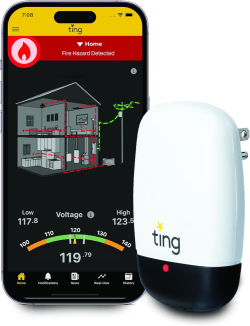
    The Ting fire prevention sensor is a revolutionary whole-home electrical monitoring system designed to detect hazardous conditions before they cause fires. After using this device for six months, I’m sharing my complete experience with how it works, what it detected, and whether it’s worth the investment for your home’s safety.

    The Ting Fire Prevention Sensor: A 24/7 Electrical Guardian

    “Prevents 80% of electrical fires before they start.” The claim, according to the National Fire Protection Association, electrical failures are a leading cause of home fires, making proactive monitoring essential. seemed almost too good to be true. The Ting sensor product page arrived in a simple box—no bigger than a hardcover book. Inside was what looked like a slightly oversized smartphone charger and a promise: this little device would monitor my entire home’s electrical system, learning its unique “signature” and alerting me to dangers I couldn’t see.

    I’ll admit, I was skeptical. How could something I plugged into a single outlet protect my entire 2,300-square-foot home? But I made a commitment to becoming a smart home so Ting seemed like a natural addition.

    The Two-Minute Miracle: Installation Was Almost Too Easy

    My wife watched, amused, as I opened the box. “Another gadget?” she teased. But even she couldn’t argue with the simplicity.

    1:15 PM: I plugged Ting into an outlet in our central hallway.
    1:16 PM: Downloaded the app.
    1:17 PM: Connected to Wi-Fi.
    1:18 PM: The green light glowed steadily. We were protected.

    “That’s it?” my wife asked.
    “That’s it,” I replied, feeling both relieved and somehow underwhelmed. Where were the complicated instructions? The technical setup? The inevitable call to customer support?

    But Ting just… worked.

    The First Alert: “Your Home Is Experiencing Brownouts”

    One week later, I got my first notification. Not a fire alarm. Not a smoking outlet. Something far more subtle—and in some ways, more frightening.

    Ting Alert: We’ve detected brief voltage drops (brownouts) in your home’s electrical supply. These occurred yesterday at 6:15 PM and 7:30 PM.

    I stared at my phone. Brownouts? In my home? I hadn’t noticed anything. No flickering lights. No electronics resetting. Nothing.

    I opened the app and found a detailed timeline showing exactly when these voltage drops had occurred—both times right as our neighborhood was likely cooking dinner, running dishwashers, and watching TV. The app explained that brownouts stress electronics and can indicate problems with the local grid or my home’s electrical system.

    This was my first revelation: My home had electrical issues I couldn’t see, hear, or smell. Issues that were quietly damaging our appliances and potentially leading to bigger problems.

    Becoming an Electrical Detective: What Ting Taught Me About My Home

    Over the next month, Ting transformed from a simple monitoring device into my personal electrical detective. Through the app, I learned:

    My Home’s “Baseline”: Ting showed me what normal electrical activity looked like for our house. I could see the gentle uptick when the refrigerator cycled on, the predictable spike when the air conditioner kicked in, the steady draw from our always-on devices.

    The Storm Pattern: During a thunderstorm, Ting alerted me to “voltage fluctuations” before the lights even flickered. The app explained this was normal during storms but gave me peace of mind that my system was handling it appropriately.

    The Ghost Loads: I discovered several “phantom loads”—devices drawing power even when “off.” That old DVD player in the guest room? Drawing power 24/7. The printer in my office? Same.

    The Community of the Protected: 1 Million Homes and Counting

    As I’ve lived with Ting, I’ve come to appreciate that I’m part of something larger. The app occasionally shares (anonymous) community insights:

    • “15 homes in your state detected similar issues this month”
    • “Your electrical health score is better than 82% of similar homes”
    • “1,023 potential electrical fires prevented this week nationwide”

    There’s comfort in numbers. Knowing that over 1 million homes are being monitored, that 15,000 families have potentially been saved from disaster—it transforms Ting from a “gadget” into a movement. A quiet revolution in home safety.

    The Real Cost: Beyond Dollars and Cents

    Yes, there’s the initial investment for the Ting fire prevention sensor and first year of service. Yes, there’s the annual fee after that. But how do you quantify:

    • Sleeping through the night without worrying about electrical fires?
    • Knowing that if something goes wrong, I’ll be alerted immediately?
    • The education about my home’s electrical system that I never knew I needed?
    • The potential prevention of a fire that could cost tens of thousands in damages—or worse?

    For me, it breaks down to about 13 cents per day after the first year. Less than a postage stamp. Less than a single load of laundry. For 24/7 protection.

    The Limitations: What Ting Can’t Do

    In the interest of full transparency, Ting isn’t magical:

    • It can’t pinpoint exact locations of issues within walls (though it can identify affected circuits)
    • It requires Wi-Fi (though this is necessary for its function)
    • It’s U.S. only for now
    • It doesn’t replace smoke detectors or common sense
    • It won’t prevent all electrical fires (though 80% is remarkable)
    • It can’t detect smoke, carbon monoxide, or water leaks

    Six Months Later: A Transformed Relationship with My Home

    Today, Ting sits quietly in my hallway, its green light a constant, gentle reminder: “I’ve got this.”

    The anxiety that followed my brownout experience has largely faded. I don’t unplug everything at night anymore. I don’t jump at every flicker. Instead, I have data. Understanding. Awareness.

    My biggest surprise wasn’t discovering a major fault—it was learning about the brownouts. Those silent, invisible voltage drops that were stressing my electronics and indicating grid issues I never knew existed. That knowledge alone has saved me potential thousands in appliance repairs.

    Would I Recommend Ting? A Heartfelt Yes—With Context

    If you’re considering Ting, here’s my advice:

    View Ting product details if:

    • You own your home (especially if it’s older)
    • You’ve ever had electrical concerns or issues
    • You want proactive rather than reactive protection
    • You value data and understanding your home’s systems
    • Peace of mind is worth a modest investment to you

    Consider alternatives if:

    • You’re on an extremely tight budget (though I’d argue safety isn’t where to cut corners)
    • You rent and can’t get landlord approval
    • You live outside the U.S.
    • You want something that requires zero ongoing costs

    The Bottom Line: An Ounce of Prevention

    They say an ounce of prevention is worth a pound of cure. In the case of electrical fires, I’d argue it’s worth far more. Ting has given me something no smoke detector ever could: early warning. The kind of warning that comes not when smoke appears, but when the conditions for smoke begin to develop.

    That little white device in my hallway? It’s more than technology. It’s a guardian. A teacher. A watchful eye on the invisible currents that power our lives.

    And in a world where we can monitor our fitness, our finances, and our social connections from our phones, doesn’t it make sense to monitor the very thing that could save—or take—everything we’ve built?


    Your Turn: Have you experienced electrical scares in your home? Are you using any monitoring technology? I’d love to hear your stories and questions in the comments below. Let’s make our homes safer, together. 🔌❤️🏠

    Note: I purchased Ting with my own funds and have no affiliation with the company. This narrative reflects my genuine experience as a homeowner seeking greater safety and peace of mind.

  • Smart Lightbulb Camera

    Smart Lightbulb Camera

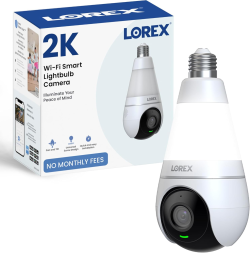
    The Lorex 2K Pan-Tilt Smart Light Socket Camera transforms ordinary light sockets into powerful security hubs with minimal effort. If you want discreet monitoring without complex wiring or smart home hubs, this innovative camera delivers exceptional value.


    Note: This post contains links to pages with Amazon affiliate links. If you click a link and make a purchase, I may earn a small commission at no extra cost to you. Always check product pages for current prices, specifications, and compatibility before buying.


    Effortless Installation

    • Plug-and-play setup into standard E26/E27 sockets
    • No wiring or tools required
    • No smart hub needed – connects directly to Wi-Fi
    • Perfect for renters or those avoiding permanent installations

    Superior Video Quality

    • Crystal-clear 2K resolution (4x better than 1080p)
    • Full-color night vision even in low-light conditions
    • Wide 360° coverage with pan-and-tilt functionality
    • Adjustable field of view via mobile app

    Smart Security Features

    • Advanced motion detection for people and vehicles
    • Customizable activity zones to reduce false alerts
    • Built-in 6500K LED light with motion activation
    • Two-way audio for remote communication
    • Quick reply presets for instant responses

    Privacy & Storage Options

    • Multiple storage choices:
      • Optional cloud subscription
      • Local microSD card (sold separately)
      • Lorex Fusion recorders
    • Physical privacy mode – lens retracts completely
    • End-to-end encryption for data security

    Step-by-Step Setup:

    1. Screw into socket like a regular light bulb
    2. Download Lorex app from App Store/Google Play
    3. Connect to Wi-Fi via QR code scanning
    4. Customize settings in under 5 minutes

    Time to install: 3-5 minutes
    Technical skill required: Beginner-friendly


    1. ✅ Excellent clarity – read license plates from 25+ feet
    2. ✅ Vibrant colors – accurate representation
    3. ✅ Smooth pan/tilt – responsive remote control
    4. ✅ Full-color mode – impressive low-light performance
    5. ✅ Built-in light – activates with motion detection
    6. ✅ Clear details – recognizable faces in illuminated areas
    7. ✅ Accurate alerts – minimal false notifications
    8. ✅ Fast app response – live view loads quickly
    9. ✅ Reliable two-way audio – clear communication

    Pros:

    • Ultra-discreet design – looks like a regular light fixture
    • No wiring required – perfect for temporary installations
    • Excellent video quality – day and night
    • Comprehensive coverage – 360° pan and tilt
    • Multiple storage options – flexibility for different needs
    • Physical privacy mode – peace of mind at home

    Cons:

    • Requires stable Wi-Fi – 2.4GHz network only
    • MicroSD card sold separately – additional cost
    • Cloud storage requires subscription – ongoing expense
    • Limited to E26/E27 sockets – check your fixtures first

    Perfect For:

    • Front porch security – monitor packages and visitors
    • Rental properties – temporary, non-invasive installation
    • Garage or workshop – keep tools and equipment secure
    • Baby monitoring – discreet nursery camera alternative
    • Pet monitoring – check on animals while away
    • Elderly care – discreet safety monitoring

    Consider Alternatives If:

    • You need outdoor-rated cameras (this is indoor/covered outdoor only)
    • You require continuous 24/7 recording without subscription
    • Your sockets aren’t standard E26/E27 size

    Q: Does it work with Alexa/Google Home?
    A: Yes! Compatible with both Alexa and Google Assistant for voice control.

    Q: Can I use it outdoors?
    A: Only in covered outdoor areas (porches, garages). Not rated for direct rain exposure.

    Q: What’s the Wi-Fi range?
    A: Works best within 30 feet of router. Consider Wi-Fi extenders for larger homes.

    Q: Is there a monthly fee?
    A: Only for cloud storage. Local microSD recording has no monthly costs.

    Q: How’s the customer support?
    A: Lorex offers 24/7 support via phone, chat, and email with generally positive reviews.

    Who Should Buy This:

    • Homeowners wanting discreet security
    • Renters needing temporary solutions
    • Tech beginners avoiding complex setups
    • Small business owners monitoring entryways
    • Parents seeking additional home monitoring

    Overall Rating: 4.5/5 Stars ⭐⭐⭐⭐✨

    Bottom Line: The Lorex 2K Pan-Tilt Smart Light Socket Camera delivers professional-grade security with consumer-friendly installation. Its unique socket-based design, excellent video quality, and smart features make it a standout choice for anyone seeking effective, discreet home monitoring without the hassle of traditional security systems.


    Related Links

  • Alexa “Goodnight” Routine

    Alexa “Goodnight” Routine

    Perfect Beginner Smart Home Automation

    Transform bedtime into a seamless smart home experience with one simple voice command. Here’s my real-world Alexa “Goodnight” routine using Amazon Alexa, smart plugs, and Echo devices—setup takes just minutes.


    Note: This post contains links to pages with Amazon affiliate links. If you click a link and make a purchase, I may earn a small commission at no extra cost to you. Always check product pages for current prices, specifications, and compatibility before buying.


    When I say “Alexa, goodnight” from any room:

    1. Three bedroom lamps turn ON (via smart plugs)
    2. Lights stay bright for 5 minutes—perfect for getting ready for bed
    3. At the 5-minute mark:
      • Bedroom lights automatically turn OFF
      • Nightlight turns ON for safe navigation
      • Echo plays my favorite sleep playlist for 60 minutes

    Echo Devices (3 strategically placed)
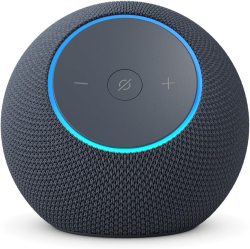
    Voice control from kitchen, living room, or hallway. Multiple Echos ensure Alexa hears you anywhere in the house.

    1. Open Alexa app → More → Routines → +
    2. Trigger: “When you say… Goodnight”
    3. Add actions:
      • Smart Home → Bedroom group → Turn ON (5 min delay)
      • Smart Home → Nightlight → Turn ON (after 5 min)
      • Music → Play playlist (60 min timer)[1]
    4. Save—routine activates immediately
    • One command controls 5 actions
    • Energy efficient—lights auto-off prevents forgotten lamps
    • Customizable—adjust timing, music, or add “lock doors”
    • Scalable—add morning routine: “Alexa, good morning”

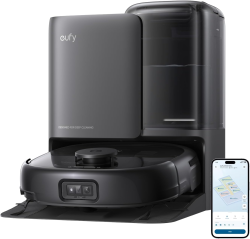
  • Revolutionize Your Cleaning Routine: The HydroJet Robot Mop with Self-Washing Rollers – Best Robot Mop for Pet Hair

    Revolutionize Your Cleaning Routine: The HydroJet Robot Mop with Self-Washing Rollers – Best Robot Mop for Pet Hair


    If you’re looking for the best robot mop for pet hair, tired of endless vacuuming and mopping? This HydroJet System robot mop delivers hands-free whole-home cleaning with cutting-edge features tailored for savvy buyers who prioritize efficiency over hassle. Moreover, it’s best robot mop for pet hair. Perfect for pet households, it combines 20,000 Pa turbo suction, self-washing tech, and smart navigation to reclaim your time without compromising on spotless results.

    Note: This post may contain Amazon affiliate links. If you click a link and make a purchase, I may earn a small commission at no extra cost to you. Always check product pages for current prices, specifications, and compatibility before buying.

    Your LifestyleWhy It Fits
    Pet OwnersSuperior hair pickup, anti-tangle brushes, and edge cleaning tackle fur in hard-to-reach spots.
    Busy and not enough time in the dayAll-in-one automation means set-it-and-forget-it cleaning for weeks.
    Multi-Surface HomesHandles carpets, hard floors, and edges with turbo power.
    Tech EnthusiastsApp updates, Wi-Fi control, and smart avoidance keep it future-proof.
    • HydroJet System with Self-Washing Roller Mops: Refreshes rollers 2 times per second in real-time, ensuring uninterrupted, streak-free cleaning – far surpassing basic mops that require constant manual intervention. Additionally, similar to advanced iRobot models with heated mopping and PowerSpin rollers at 200 RPMs for deep scrubbing.
    • All-in-One Station for True Hands-Free Operation: Automates self-emptyingself-washingself-refillinghot air drying, and more. Handles up to 75 days of debris and 8 weeks of mop maintenance, minimizing downtime like premium docks in top Roombas.
    • 20,000 Pa Turbo Suction + Pet Hair Mastery: Furthermore, powers through dust, debris, and stubborn pet hair on all surfaces – delivering professional results that outpace many standard vacuums (e.g., 10x suction over older Roomba 600 series).
    • DuoSpiral Anti-Tangle Brushes: Prevents clogs from fur and hair, reducing manual cleanups – ideal for pet owners, akin to iRobot’s dual rubber brushes and anti-tangle designs.
    • Full Edge Coverage with CornerRover Arm: In addition, reaches tight corners and walls seamlessly, ensuring no spots are missed – comparable to Roomba s9’s D-shaped design for optimized edge cleaning.

    Stay ahead with app-controlled firmware updates for reliable performance and new functions. Wi-Fi compatibility (2.4GHz only) and 110V voltage make setup simple – just confirm your region’s match for seamless integration.

    Like leading competitors, it excels in navigation: Expect precise mapping, obstacle avoidance (cords, pet waste), and room prioritization, drawing from tech like ClearView LiDAR and PrecisionVision AI in high-end Roombas.

  • How to make your home a Smart Home

    How to make your home a Smart Home

    A smart home uses internet‑connected devices (lights, locks, thermostats, cameras and more) that you can control from an app, voice assistant, or automation rules to make daily life more convenient, comfortable, energy‑efficient, and secure.

    Below you’ll find an easy, practical walkthrough of how smart homes work, everyday benefits, a starter kit of devices to buy, simple automations to try, and security best practices.

    Note: This post may contain Amazon affiliate links. If you click a link and make a purchase, I may earn a small commission at no extra cost to you. Always check product pages for current prices, specifications, and compatibility before buying.

    • Communication protocols: Devices typically use Wi‑Fi, Bluetooth Low Energy (BLE), Zigbee, Z‑Wave, or newer standards like Matter to exchange commands and status information.
    • Definition: A smart home is a collection of devices that communicate with each other and with you via your home network so you can monitor and control functions remotely or automatically.
    • Core components:
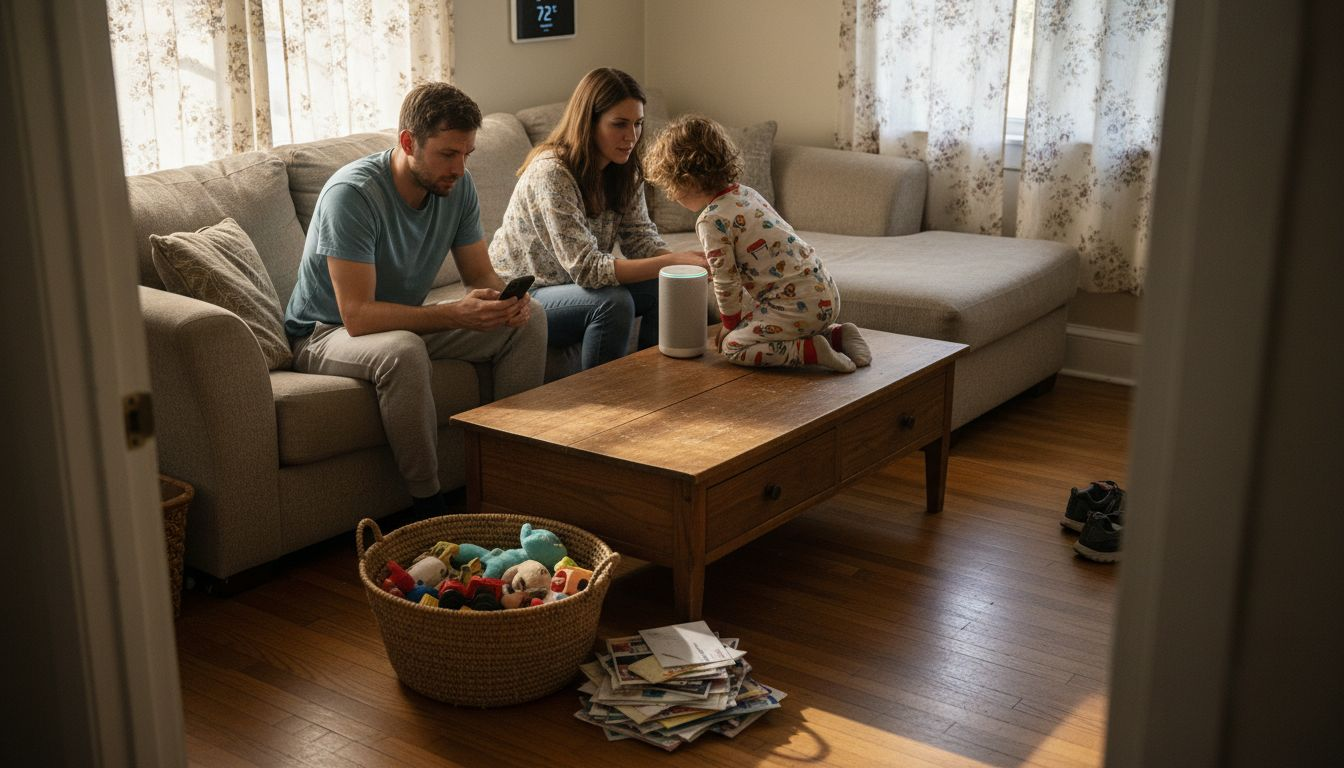
      • Hub / voice assistant: A central controller such as an Amazon Echo (Alexa)[affiliate link], Google Nest (Google Assistant), or Apple HomePod (HomeKit) coordinates devices, runs routines, and provides voice control.
      • Network: A reliable Wi‑Fi network—often 2.4 GHz for many IoT devices—or a mesh system provides the backbone for cloud and local communications.
      • Devices & sensors: Smart bulbs, switches, plugs, thermostats, door/window sensors, locks, cameras, and motion sensors provide the endpoints you control.
      • Automations & scenes: Rules or scenes let multiple devices act together (for example, “Good night” turns off lights, locks doors, and sets the thermostat).
    • Convenience: Control lights, locks, temperature, and appliances from your phone or with voice commands—useful when your hands are full or you’re away from home.
    • Comfort and energy savings: Smart thermostats and lighting schedules can reduce wasted heating/cooling and electricity consumption by automating setback and ambient levels.
    • Security and monitoring: Cameras, doorbells, locks, and sensors give real‑time alerts and remote access so you can check deliveries, visitors, or unusual activity.
    • Accessibility: Voice control and automated routines assist people with mobility or vision limitations in operating household systems.
    • Personalization: Scenes and routines let you tailor your environment: wake‑up lighting, evening relaxation scenes, or movie modes with a single command.

    Start with one ecosystem and expand—this reduces compatibility headaches and makes automations simpler. Below are practical, beginner‑friendly device categories and what to look for.

    • Smart Home speaker / hub (required first step)
      • Purpose: Provides voice control, acts as a hub for routines, and often integrates with many brands. Choose the ecosystem you prefer (Echo Dot Max (Alexa) [Amazon affiliate link], Google Assistant, or HomeKit) and buy a compatible speaker or hub.
    • Reliable Wi‑Fi router or mesh system
      • Purpose: Stable network connectivity prevents dropped devices and slow responses; consider a mesh system for larger homes or many devices.
    • Smart Home bulbs or smart home switches
      • Smart bulbs: Easy plug‑and‑play for single fixtures; look for brightness (lumens), color temperature, and ecosystem compatibility.
      • Smart switches: Replace a wall switch to control an entire fixture or multiple bulbs; choose one that fits your wiring (neutral wire requirements vary).
    • Smart home plugs
      • Purpose: Control lamps and small appliances without rewiring; ideal for adding one device to automations quickly.
    • Smart home thermostat
      • Purpose: Automates heating/cooling schedules and can learn patterns to reduce energy use; verify HVAC compatibility before buying.
    • Door/window sensors + motion sensors
      • Purpose: Add presence detection and simple security triggers for lights and alerts.
      • Use: Turn on lights when you enter a room or receive alerts when a door opens.
    • Smart home lock
      • Purpose: Remote or keypad entry, temporary codes for guests, and integration with door‑related automations; check deadbolt type and compatibility with your door.
      • Security note: Prefer models with strong encryption and local access options.
    • Security camera or video doorbell
      • Purpose: Visual monitoring, two‑way audio, and motion notifications; evaluate subscription requirements and data retention options before committing. Ring [Amazon affiliate link] offers a highly rated doorbell that includes live view with two-way talk.
    • Morning routine: Gradually raise bedroom light level, set thermostat to daytime temp, and start the coffee maker via smart plug.
    • Away/eco mode: When everyone leaves, turn off lights, set thermostat back, lock doors, and arm cameras.
    • Arrival/come home: Geofence or smart lock trigger turns on entry lights and disarms home monitor.
    • Night routine: Dim interior lights, lock doors, and enable desired sensors for overnight monitoring.
    • Use strong, unique passwords and enable two‑factor authentication for smart account logins where available.
    • Segment IoT devices on a separate network or guest SSID to limit access to sensitive devices on your main network.
    • Keep device firmware and apps updated and review privacy policies—understand what data a device uploads to the cloud and how long video or sensor data is retained.
    • Prefer local control or devices that support local LAN operation if privacy is a major concern.
    • Disable unused services (UPnP, remote access) unless you need them and secure them if enabled.

    Compatibility, standards, and choosing an ecosystem

    • Ecosystem selection: Pick an ecosystem (Alexa, Google, Apple HomeKit) based on which voice assistant and integrations you prefer—sticking to one reduces friction].
    • Matter and interoperability: Newer standards like Matter are improving cross‑brand compatibility so devices from different manufacturers work together more reliably.
    • Local vs. cloud control: Cloud services add features and remote access but may introduce subscription costs and privacy tradeoffs; local solutions (Home Assistant, hubs) keep control on your network.
    • Start small: Buy one hub/speaker, smart bulbs for a high‑use room, and a smart plug or two—this keeps costs low while you learn.
    • Prioritize impact: Replace devices that get frequent use first (living room lights, front door lock, thermostat).
    • Expand by function: Add security (doorbell camera, sensors) then convenience (robot vacuums, irrigation) and finally lifestyle upgrades (smart oven, fridge) as needs and budget allow.
  • Best Smart Home Security Cameras

    Best Smart Home Security Cameras

    Best Smart Home Security Cameras & Systems: Easy Setup, Night Vision, and Smart Detection

    Upgrade your home security with the best smart home security cameras that deliver easy setup, clear day/night video, intelligent detection, and seamless app control—perfect for renters and homeowners who want powerful protection without complicated installs. This guide compares plug‑and‑play systems that support mobile monitoring, two‑way talk, long battery life, and optional professional monitoring so you can pick the right setup for your home or small business.

    I’m an Amazon Associate and earn from qualifying purchases. Links on this page are tagged with my affiliate ID and marked “Affiliate Link”.

    How to choose the right best smart home security cameras (quick checklist)

    • Installation difficulty: DIY plug‑and‑play vs. pro install required
    • Power & battery life: Wired, PoE, or battery-operated (AA/USB)
    • Night vision: IR monochrome vs. full‑color spotlight modes
    • Detection & false alarm reduction: person/vehicle/pet recognition
    • Storage options: Cloud subscription vs. local (NVR/USB) backup
      Internal link suggestions: link to your “security camera buying guide” and “how to hide security cameras” posts.

    Top picks and what they do best

    SimpliSafe Starter Kit with SimpliCam (Best for renters & easy install) SimpliSafe’s starter kit emphasizes a fast, no‑drill setup: plug in the Base Station and camera, stick sensors in place, and follow the SimpliSafe app’s guided steps. The wired SimpliCam includes a physical privacy shutter, and optional professional monitoring comes with a free one‑month trial—agents can verify alarms and dispatch responders when needed. Motion sensors offer large‑room coverage and pet‑friendly settings, making this kit a practical, expandable choice for renters and homeowners who want simple protection.
    Quick DIY setup, privacy shutter, and easy expandability.

    Feature spotlight: Night vision modes explained

    • R LED (black & white): longer range, lower power.
    • Full‑color spotlight: color detail at night, better ID but higher power use—use motion scheduling to activate on demand.
    • Hybrid mode: schedule IR for overnight and spotlight for motion events.

    Installation & privacy best practices

    • Test placement: corner mounts for full room coverage and 35ft motion sensors for whole‑room detection.
    • Power choices: PoE for reliability, battery for flexibility, wired for constant power and local NVR options.
    • Privacy: Use physical shutters or disable cameras when needed; follow local laws on recording in shared/public spaces.
    • For more detailed guidance on securing your home security cameras, see the Federal Trade Commission’s consumer advice.

    Storage, monitoring, and response options

    • Cloud subscriptions: convenient remote storage and verified video services for quicker response (may require monthly fees).
    • Local backup: NVR or Sync Module + USB drive keeps footage you control.
    • Professional monitoring: optional plans can verify alarms and contact authorities; check regional availability and trial offers.

    Quick buying checklist

    • Do you need wired PoE quality or wireless flexibility?
    • How many cameras will you start with and will you expand?
    • Do you want local NVR backup or cloud convenience?
    • Will you require professional monitoring or self-monitor via app?

    Choose the best smart home security cameras system that matches your installation comfort level and coverage needs—PoE kits for high-resolution, scalable installs; wireless camera bundles for easy placement and long battery life; and app‑centric kits for renters or those wanting fast DIY setup. Want my tested picks? See our full comparison table and product pages for direct links, setup guides, and the best deals.

    Your can find our reviews on this page – This page contains Amazon affiliate links