Types Of Smart Home Devices: Summary
Managing a busy household while keeping up with comfort, security, and savings can feel overwhelming. You want more control over your living space, but finding practical solutions that really fit your lifestyle is a challenge. The right types of smart home devices can help simplify your day. Additionally, they reduce energy costs, and make your home a safer place for everyone.
This guide will show you how to harness the power of smart devices—like voice-controlled speakers, energy-saving thermostats, and custom lighting. Add real improvements you’ll notice. You will discover actionable ways to use these systems, along with insights backed by recent research. Includes how LED lighting combined with occupancy sensors can reduce your energy use by over 70 percent. Get ready to transform your routine. Experience the comfort and convenience that smart home tech offers with these proven solutions.
Table of Contents
- 1. Smart Speakers For Voice Control And Automation
- 2. Smart Lighting Systems For Custom Ambiance
- 3. Smart Thermostats For Energy Efficiency
- 4. Smart Security Cameras For Remote Monitoring
- 5. Smart Door Locks For Enhanced Entry Protection
- 6. Smart Plugs And Outlets For Device Management
- 7. Smart Sensors For Safety And Alerts
Quick Summary
| Takeaway | Explanation |
|---|---|
| 1. Smart Speakers Simplify Home Control | Voice-activated smart speakers allow hands-free control of lights, temperature, and security, enhancing convenience and accessibility in daily life. |
| 2. Smart Lighting Saves Energy and Enhances Ambiance | Smart lighting provides customizable brightness and colors while improving energy efficiency, reducing monthly utility bills significantly. |
| 3. Smart Thermostats Optimize Comfort and Reduce Bills | Learning smart thermostats adjust temperature settings automatically, maximizing energy savings while maintaining comfort throughout your home. |
| 4. Smart Security Cameras Provide Peace of Mind | Real-time monitoring and AI alerts from smart cameras enhance home security, allowing homeowners to respond quickly to any suspicious activity. |
| 5. Smart Sensors Alert You to Hazards | Smart sensors detect threats like fires and leaks, sending immediate alerts to your devices for timely action and risk reduction. |
1. Smart Speakers for Voice Control and Automation
Smart speakers are the foundation of most modern smart home systems. They act as your voice-activated command center for controlling everything from lights and thermostats to security cameras and entertainment systems. These devices use advanced voice recognition technology to understand your commands. Then they execute them instantly, transforming how you interact with your home on a daily basis.
What makes smart speakers so powerful is their ability to operate hands free while you’re doing other things. Whether you’re cooking dinner, exercising, or just settling into the couch, you can adjust your home’s temperature. Or you can turn off lights, play music, or check on security cameras without lifting a finger. Voice user interfaces have evolved significantly. This has enabled these devices to understand natural conversation patterns and context. Therefore, making them feel less like robots and more like helpful assistants. For homeowners aged 30 to 50 who juggle multiple responsibilities, this convenience factor alone justifies the investment.
Beyond convenience, smart speakers also enhance accessibility
Voice-assisted systems particularly benefit elderly or disabled users. Improvements are providing alternative control methods that don’t require navigating menus or using physical buttons. If you’re supporting aging parents or family members with mobility challenges, a smart speaker can dramatically improve their independence and comfort.
When you’re starting your smart home journey, position your speaker in a central location like your kitchen or living room. A central location allows it to hear commands clearly and reach most of your connected devices. Begin with basic commands like adjusting lighting and temperature. Then continue expanding to more complex automations like creating routines that run multiple actions simultaneously. Many people don’t realize that offline voice options exist for privacy conscious homeowners. This allows some device control without relying on cloud connectivity for every command.
Pro tip:
Set up voice routines for your daily patterns, such as a “Good Morning” routine that gradually increases lights, starts your coffee maker, and reads the weather. Or try a “Leaving Home” routine that locks doors and arms security systems with a single command.
2. Smart Lighting Systems for Custom Ambiance
Smart lighting transforms your home by letting you control brightness, color, and timing from your phone or voice commands. You can create the perfect atmosphere for any moment. Unlike traditional bulbs that offer only on or off, smart lights adapt to your needs. Whether you want energizing white light for morning routines or warm amber tones for evening relaxation. This goes far beyond convenience, it fundamentally changes how you experience your living spaces throughout the day.
The real power of smart lighting lies in its energy efficiency and personalization working together. LED technology combined with occupancy sensors can reduce your energy consumption by over 70 percent. This translates to real savings on your monthly utility bills. Smart systems automatically adjust brightness based on natural daylight in the room. And additionally, whether people are actually present, meaning you’re never paying to light an empty space.
For homeowners managing energy costs while maintaining comfort, this combination is a game changer.
You can create customized lighting scenes that match specific activities. Consider a bright “focus” setting for your home office, a dimmed “movie” scene for entertainment, or a warm “bedtime” scene that gradually transitions to help your body wind down. These scenes save time since you activate them with a single command instead of manually adjusting multiple lights.
When implementing smart lighting, start with key areas. Consider where you spend the most time, like your kitchen, bedroom, and living room. Real time data integration from sensors allows the system to optimize automatically. Thus, you’re getting the best balance between comfort and efficiency without constantly tweaking settings. Many homeowners appreciate how smart lighting improves their morning routine. They gradually brighten their bedroom as an alarm, which is gentler than jarring sunlight or a loud alarm. You can also set your lights to simulate your presence when you’re away. Turn them on and off at random intervals to deter potential break-ins. This security benefit adds another layer of value beyond ambiance and savings.
Pro tip:
Start by installing smart bulbs in existing light fixtures rather than rewiring your home. Then add a central hub once you’re comfortable with how they work and what features matter most to you.
3. Smart Thermostats for Energy Efficiency
A smart thermostat is one of the most practical types of smart home devices investments you can make for your home. It actively learns your temperature preferences and schedules. Then it can automatically adjusting your heating and cooling to match your lifestyle. Traditional thermostats require manual adjustment, while smart thermostats work continuously in the background. They optimize your HVAC system to use less energy while keeping you comfortable. This means you can reduce your energy bills without sacrificing the climate control you want.
The technology behind smart thermostats is straightforward but powerful. These devices collect detailed occupancy and temperature data. They then use learning algorithms for optimal scheduling to understand when your home is occupied and adjust settings accordingly. If everyone leaves for work in the morning, your thermostat knows to reduce heating or cooling until you return in the evening.
Many smart thermostats also include occupancy sensing
This detects when rooms are empty, allowing them to avoid conditioning unused spaces. The result is measurable savings on your energy consumption without requiring constant attention from you. Remote temperature control through your smartphone adds another layer of convenience, letting you adjust your home’s temperature from anywhere. You might lower the thermostat before a winter trip to prevent wasted heating, or increase cooling before arriving home on a hot summer day. Voice command integration with your smart speaker means you can ask for temperature adjustments hands free while cooking or getting ready.
When selecting a smart thermostat, look for models that integrate seamlessly with your existing smart home system and provide clear energy usage reports. Understanding how smart thermostats reduce energy consumption while maintaining comfort helps you make informed decisions about which features matter most to your household. Installation is typically straightforward for homeowners with basic electrical comfort.
However, some people prefer professional installation to ensure everything works correctly. Start by tracking your current energy usage for a few months. Then install your smart thermostat and continue monitoring to see your actual savings. Most homeowners report payback periods of two to three years through reduced utility bills, making it one of the most financially sensible smart home upgrades available.
Pro tip:
Create separate temperature schedules for weekdays and weekends, and enable “away mode” when you leave for extended periods to maximize energy savings without manual adjustments.
4. Smart Security Cameras for Remote Monitoring
Smart security cameras are the eyes of your home when you’re away, providing real time video feeds you can access from your smartphone, tablet, or computer no matter where you are. These types of smart home devices go far beyond simple recording, they use advanced technology to detect unusual activity and alert you immediately, giving you peace of mind whether you’re at work, traveling, or simply in another room. For homeowners concerned about property protection and family safety, smart cameras are arguably the most visible and reassuring smart home device you can install.
What makes modern smart security cameras so effective is their integration of artificial intelligence and machine learning capabilities. Facial recognition and behavior analysis allow cameras to distinguish between normal activity like a delivery person versus suspicious behavior like someone lingering at your door or attempting to enter restricted areas. When your camera detects something unusual, it immediately sends you an alert with video clips, so you can decide whether to contact authorities or investigate further. Many systems can also recognize specific people you designate as family members or trusted visitors, reducing false alarms that plague older security systems. The cameras integrate seamlessly with your other smart devices too, triggering lights to turn on automatically when motion is detected at night or locking doors when an intrusion is identified.
When setting up smart cameras, consider your specific needs.
Do you want to monitor your front door, backyard, driveway, or multiple areas? Smart cameras offer real time video monitoring and object detection features that help you identify exactly what’s happening at your property. Indoor cameras work well for monitoring entryways, garages, and living spaces, while outdoor cameras need weather resistance and night vision capability. The customizable privacy settings on quality smart cameras let you control when and where recordings occur, ensuring your family’s privacy is protected. Most systems store footage to the cloud, so you maintain a history of events even if someone damages the physical camera. For homeowners aged 30 to 50 managing properties across multiple locations or traveling frequently, this remote access capability transforms how you maintain home security and respond to emergencies.
Pro tip:
Install cameras at entry points like front and back doors first, then add additional cameras to cover blind spots and valuable areas as your comfort with the system grows.
5. Smart Door Locks for Enhanced Entry Protection
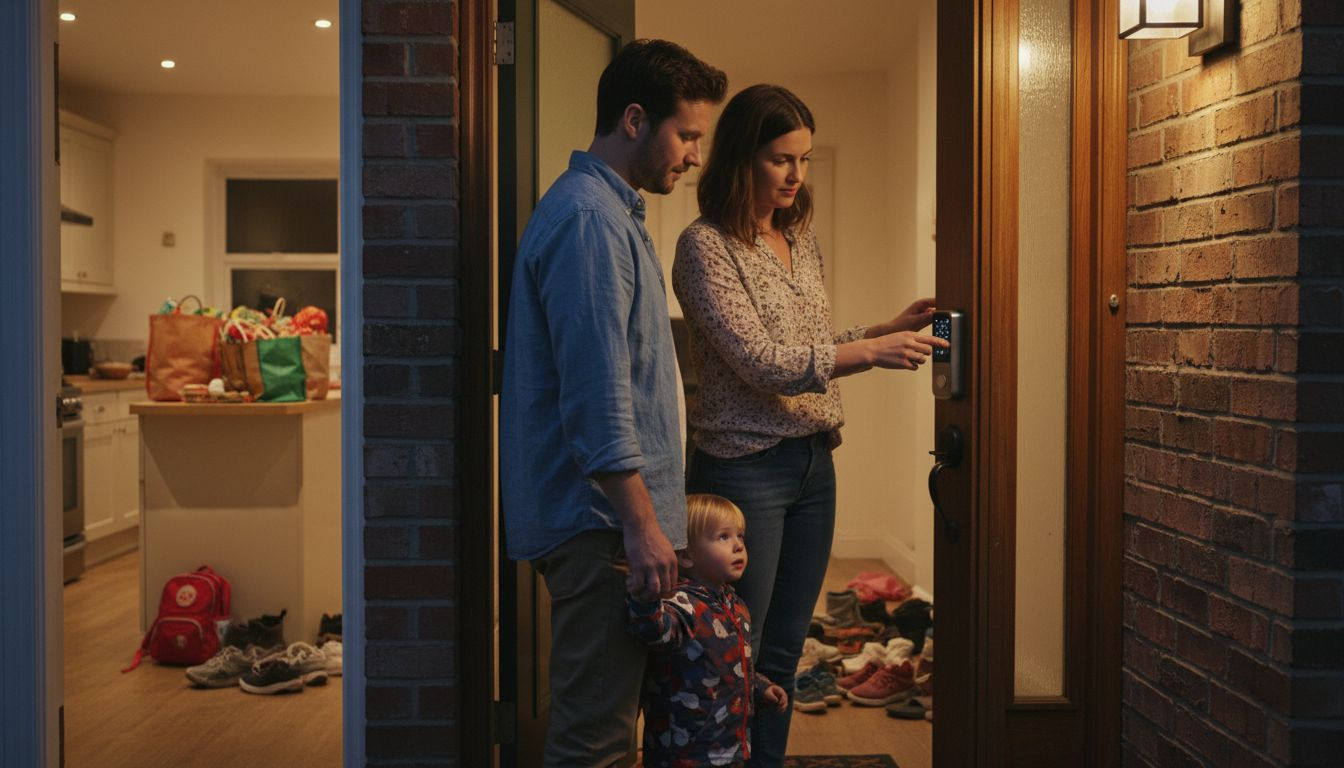
Smart door locks eliminate the need for physical keys while giving you complete control over who enters your home and when. Instead of fumbling for keys or worrying about lost copies, you unlock your door with your smartphone, a keypad code, or biometric authentication like your fingerprint. For busy homeowners juggling work, family, and social commitments, these types of smart home devices transform entry from a security vulnerability into a seamlessly integrated part of your smart home ecosystem.
The core appeal of smart locks lies in their flexibility and control. Biometric authentication and smart home integration allow you to grant temporary access to housekeepers, contractors, or family members without handing over physical keys that could be copied or lost. You can send a digital key to a friend arriving before you get home, or set up a time based code for a dog walker that expires after their scheduled visit. Smart door locks provide remote entry control via smartphone, meaning you can lock or unlock your door from anywhere, which is incredibly useful when you realize you forgot to lock up after leaving home. The audit trails built into quality smart locks show you exactly when doors were locked or unlocked and by whom, giving you visibility into your home’s security that traditional locks simply cannot provide.
Installation is often simpler than you might expect.
Most smart locks retrofit directly onto your existing deadbolt without requiring any rewiring or permanent changes to your door. You keep your physical deadbolt mechanism intact as a backup, so you always have entry options even if your smart lock’s battery dies or technology fails. Start with one door like your front entrance to get comfortable with the system, then expand to other entry points as you grow confident. When selecting a smart lock, prioritize models with strong encryption and regular security updates, since your door is the primary barrier between your home and the outside world. Battery life typically lasts six to twelve months depending on how frequently the lock is used, and most systems alert you before the battery dies so you can replace it proactively. For homeowners balancing security with convenience, smart locks deliver on both fronts.
Pro tip:
Always store a backup physical key somewhere secure outside your home in case you need emergency entry, and share your smart lock access codes only with trusted people you can easily revoke access for if circumstances change.
6. Smart Plugs and Outlets for Device Management
Smart plugs are the simplest types of smart home devices to add intelligence to devices that aren’t inherently smart, transforming ordinary appliances into connected gadgets you control from your phone or voice commands. Instead of replacing your coffee maker, lamp, or fan, you simply plug it into a smart outlet and gain remote control, scheduling, and energy monitoring capabilities. For homeowners looking to expand their smart home without major renovations or expensive replacements, smart plugs offer the best value and fastest return on investment.
The magic of smart plugs lies in their ability to collect and transmit real time energy consumption data for every connected device. IoT based smart plugs enable remote monitoring of your appliances, showing you exactly how much electricity each device uses throughout the day. This visibility is powerful because most people have no idea which appliances are energy hogs. You might discover your bedroom fan uses minimal power while your office space heater consumes enormous amounts, allowing you to make informed decisions about when to use it or replace it with something more efficient.
Beyond monitoring
You can create automations that turn devices off automatically, set schedules that prevent you from accidentally leaving things running, and even integrate them with other smart home devices. For example, your smart plug could turn on a bedroom fan when your smart thermostat detects the temperature rising above a certain level, or shut off coffee makers after a set time to prevent hazards.
When implementing smart plugs, start by identifying energy intensive devices you use daily but don’t always remember to turn off. Bedroom televisions, office equipment, bathroom exhaust fans, and kitchen appliances are perfect candidates. Smart plugs with machine learning provide automatic appliance identification and energy usage feedback, helping you understand consumption patterns and identify savings opportunities. The setup process is straightforward: plug them in and connect them to your Wi Fi network through the manufacturer’s app. Then assign them to your smart home system. Most smart plugs cost between ten and thirty dollars, making them among the cheapest ways to start building your smart home. Since they work with existing devices, you avoid the expense of buying new smart compatible appliances, spreading your smart home investment across time rather than making one large purchase.
Pro tip:
Place smart plugs on devices you forget to turn off, such as bedroom lamps or entertainment systems, and use scheduling features to automatically power them down after bedtime or work hours.
7. Smart Sensors for Safety and Alerts
Smart sensors are the silent guardians of your home, continuously monitoring for hazards like fires, carbon monoxide leaks, water damage, and break ins while alerting you instantly if danger is detected. Unlike traditional smoke detectors that only sound an alarm in your immediate vicinity, these types of smart home devices send notifications to your phone, smartwatch, and other devices anywhere in the world. For homeowners who travel frequently or manage properties remotely, this capability transforms passive safety devices into active protectors that keep you informed in real time.
The power of smart sensor systems comes from their ability to detect multiple types of hazards simultaneously and communicate across networks. Real time detection of fires and gas leaks allows smart homes to respond faster than traditional systems. Thus, potentially saving lives and reducing property damage.
Motion sensors detect unauthorized entry, water sensors catch pipe leaks before they cause catastrophic damage, and temperature sensors alert you to dangerous heating or cooling failures. AI enabled sensors advance safety management by learning normal patterns in your home and flagging anomalies that might indicate problems. For example, a sensor network might detect that your basement humidity is rising unusually fast, warning you of a potential water issue before visible damage occurs. These early warnings give you time to take action instead of discovering problems after they’ve already caused expensive repairs.
Implementing smart sensors requires minimal effort and investment.
Start by placing sensors at the most critical locations in your home, such as your bedroom, kitchen, and near your water heater or furnace. Smoke and carbon monoxide detectors should be installed on every level of your home. Water sensors work best near appliances that commonly leak like washers, dishwashers, and water heaters. Most smart sensors communicate wirelessly and require only occasional battery changes, making them far easier to maintain than wired systems.
Many homeowners are surprised by how affordable comprehensive sensor coverage is. Typically, quality sensors typically cost between twenty and fifty dollars each. When you consider that a single water leak can cost thousands in repairs, the investment in water sensors alone pays for itself many times over. There is peace of mind knowing your home is being actively monitored around the clock. Even while you sleep or travel, making smart sensors one of the highest value additions to any smart home.
Pro tip:
Install water sensors in the lowest points of your home like basements and under sinks where leaks are most likely. Then pair them with smart shutoff valves that can automatically stop water flow when a leak is detected.
Below is a comprehensive table summarizing the benefits, functionalities, and implementation tips of various smart home devices.
| Category | Description | Key Benefits |
|---|---|---|
| Smart Speakers | Serve as a voice-activated interface for controlling home systems. | Enhances accessibility, provides hands-free convenience, integrates with multiple devices. |
| Smart Lighting | Offers adjustable brightness and color for customizable ambiance. | Saves energy through automation, supports scene personalization, improves security. |
| Smart Thermostats | Automatically adjusts home temperature based on occupancy and preferences. | Reduces energy bills, optimizes HVAC efficiency, provides remote control. |
| Smart Security Cameras | Real-time video monitoring with alert systems for suspicious activities. | Enhances property protection, integrates with smart systems, offers remote surveillance. |
| Smart Door Locks | Enables entry via smartphone, keypad, or fingerprint. | Improves entry security, provides remote access, maintains usage logs. |
| Smart Plugs | Converts ordinary devices into smart devices with remote control capabilities. | Monitors energy usage, facilitates automation, minimizes energy wastage. |
| Smart Sensors | Detects hazards such as fire, leaks, or gas, offering real-time notifications. | Guards against property damage, supports automated responses, provides peace of mind. |
These insights provide a clear overview of how integrating these types of smart home devices can enhance efficiency, security, and convenience in a modern home.
Discover the Smart Home Solutions That Truly Work for You
Understanding the many types of smart home devices can feel overwhelming when you face choices involving voice control, lighting ambiance, energy savings, or security alerts. This article highlights key challenges homeowners encounter such as managing convenience, enhancing safety, and reducing energy costs with devices like smart speakers, thermostats, and security cameras. If you seek trusted guidance on selecting the right types of smart home devices tailored to your lifestyle and home needs, expert insight is critical.
Start your journey with confidence by exploring The Complete Smart Home Automation Master Guide Archives – Smart Home HQ. Included are detailed product reviews and step-by-step installation tips empower you to build a seamless smart environment.

Take control of your home with up-to-date information and tested recommendations at Smart Home HQ. Whether you prioritize smart safety enhancements or creating the perfect smart lighting atmosphere, our resources ensure you make informed decisions that maximize comfort, security, and energy efficiency today. Don’t wait to transform your home into the connected haven you deserve.
Explore proven types of smart home devices solutions now and turn your smart home goals into reality. Visit Smart Home Safety Archives – Smart Home HQ and visit Smart Home HQ for expert advice every step of the way.
Frequently Asked Questions
What are the benefits of using smart speakers in my home?
Smart speakers allow for hands-free control of various smart home devices, making daily tasks more convenient. Position your speaker in a central location to maximize its effectiveness and start using simple voice commands to control lights and temperature.
How can smart lighting improve the ambiance of my home?
Smart lighting systems adapt brightness and color, enhancing your living spaces according to your needs. Begin by setting up smart bulbs in frequently used areas like the kitchen and living room to create customized lighting scenes that you can activate with one command.
In what ways do smart thermostats help with energy efficiency?
Smart thermostats learn your temperature preferences and adjust heating and cooling automatically, helping to lower energy bills. Track your energy usage before and after installation to gauge your savings within a few months.
What features should I consider when choosing smart security cameras?
When selecting a smart security camera, look for features like real-time video monitoring and motion detection. Start by installing cameras at key entry points, such as doors and driveways, to enhance your home’s security.
How can smart door locks increase home security?
Smart door locks allow for keyless entry and remote control of your home’s main entry points. Install one on your front door first to test its features, then consider expanding to other entrances as you become more comfortable with the technology.
What are the best uses for smart plugs in my home?
Smart plugs enable you to control regular devices remotely and monitor their energy usage. Begin by plugging in devices you often forget to turn off, like lamps or coffee makers, and utilize scheduling features to manage their power automatically.
Recommended
- Smart Living Compatibility – Why Device Integration Matters
- Why Integrate Smart Devices: Transforming Home Life