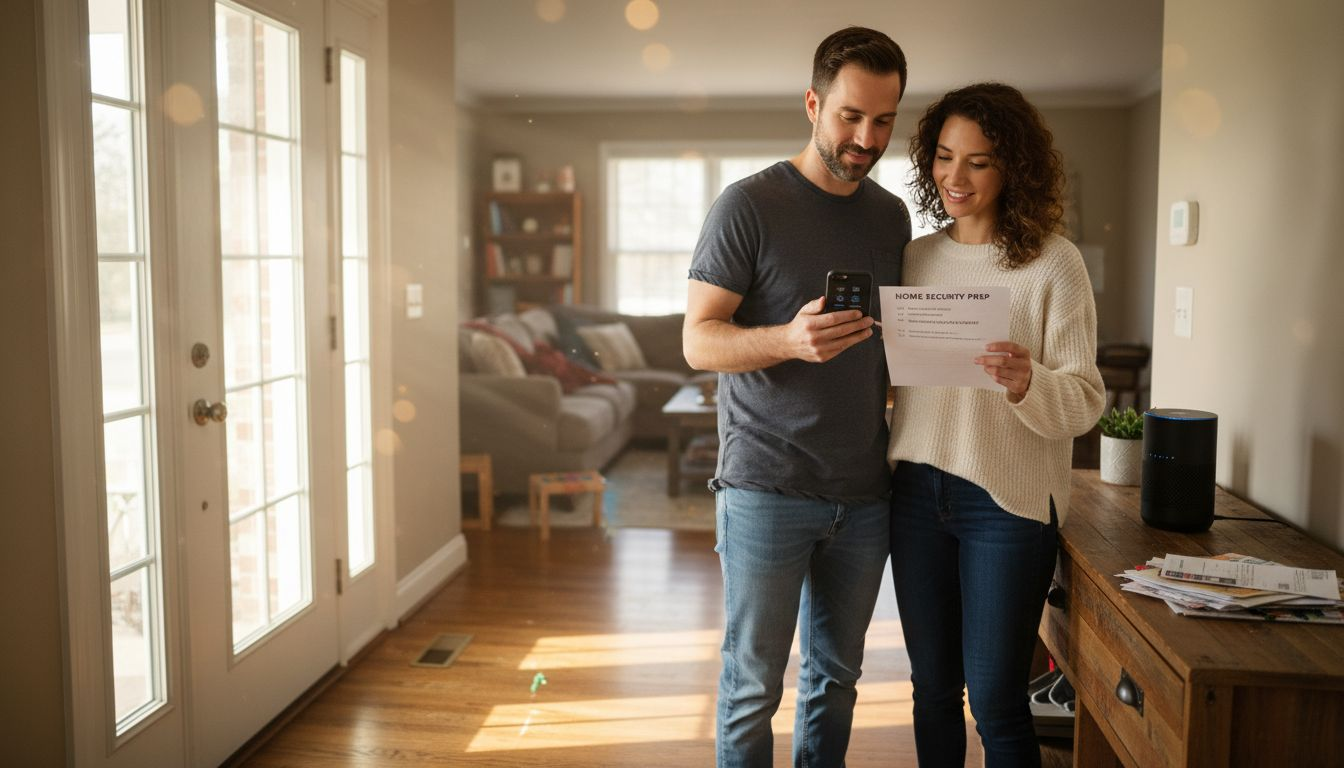
One surprising truth stands out for American homeowners starting their smart home journey: more than 60 percent of wireless networks suffer from avoidable security flaws. With every device you connect, your family’s safety and privacy depend on a strong installation foundation. This smart home security audit helps first-time buyers identify and fix weak points, so each smart device works securely and reliably from the start.
Smart Home Security Audit – Table of Contents
- 1. Assess Wi-Fi Network Strength And Security
- 2. Change Default Device Passwords Immediately
- 3. Enable Two-Factor Authentication On All Apps
- 4. Install Outdoor Cameras And Smart Sensors
- 5. Set Up Custom Alerts And Automations
- 6. Regularly Update Device Firmware For Safety
- 7. Review And Adjust User Permissions Often
Quick Summary
| Key Insight | Description |
|---|---|
| 1. Secure Your Wi-Fi Network | Change default credentials and set a strong password to protect your smart home devices from unauthorized access. |
| 2. Update Device Passwords Immediately | Change all manufacturer-set passwords on smart devices to unique, complex ones to prevent hacking. |
| 3. Enable Two-Factor Authentication | Always use two-factor authentication to add an extra layer of security for your smart home accounts. |
| 4. Regularly Review User Permissions | Conduct quarterly audits of user access levels to ensure only authorized individuals control your smart home devices. |
| 5. Keep Firmware Updated | Schedule regular firmware updates to secure devices and protect against emerging cyber threats. |
1. Begin Your Smart Home Security Audit by Assessing Wi-Fi Network Strength and Security
Protecting your smart home starts with a secure wireless network. Your Wi-Fi connection is the digital gateway to all your connected devices, making it critical to establish robust security from the beginning.
Wireless networks are vulnerable to multiple potential threats, including unauthorized access and data breaches. Wireless networks face significant security risks that can compromise your entire home ecosystem if not properly managed. Hackers can exploit weak passwords, intercept data transmissions, or even gain control of your smart home devices through unsecured network entry points.
To fortify your network, start by accessing your router’s settings page or mobile app. Key smart home security audit steps include:
- Change default router login credentials
- Set a strong, unique password with at least 12 characters
- Enable WPA3 encryption if your router supports it
- Disable remote management features
- Regularly review all connected devices
Additionally, use Wi-Fi channel analyzers to identify potential interference and optimize network performance. Keep your router firmware updated to patch potential security vulnerabilities and ensure ongoing protection.
Pro tip: Consider setting up a separate guest network for visitors to keep your primary smart home network isolated and secure.
2. Change Default Device Passwords Immediately
Every smart home device comes with a preset manufacturer password that acts like an open door for potential hackers. Changing these default credentials is your first line of defense against unauthorized access to your personal network.
Changing default passwords immediately is critical for protecting your smart home ecosystem. Manufacturers often use predictable or universal default passwords that cybercriminals can easily guess or find online. This means your brand new smart thermostat, security camera, or voice assistant could be vulnerable the moment you unbox it.
Best password creation strategies include:
- Create unique passwords for each device
- Use at least 12 characters
- Combine uppercase and lowercase letters
- Include numbers and special characters
- Avoid personal information like birthdays or names
Strong password management requires thoughtful planning. Consider using a reputable password manager to generate and store complex passwords securely. These tools can create unique, randomized passwords for each device and securely store them, eliminating the risk of reusing passwords across multiple platforms.
Additional smart home security audit recommendations:
- Enable two factor authentication when possible
- Periodically update passwords
- Monitor device login history
- Remove unused device credentials
Pro tip: Use a password manager that generates unique 16 character passwords with a mix of symbols, numbers, and letters for maximum security.
3. Enable Two-Factor Authentication on All Apps
In the world of smart home security, passwords alone are no longer enough to protect your digital ecosystem. Two-factor authentication provides an essential extra layer of defense against potential cyber intrusions.
Multi-factor authentication enhances security by requiring multiple verification methods before granting access to your accounts. Typically, this means combining something you know (your password) with something you have (your mobile device or authentication app).
How two-factor authentication works:
- First layer: Enter your standard password
- Second layer: Provide a unique code sent to your phone
- Codes are time sensitive and change frequently
- Prevents access even if someone discovers your password
Most smart home apps and services now offer two-factor authentication. Recommended authentication methods include:
- Authenticator apps
- SMS text message codes
- Biometric verification
- Physical security keys
Secure sign in methods protect sensitive information by creating multiple checkpoints for account access. This means that even if a hacker obtains your password, they cannot enter your account without the second verification step.
Pro tip: Choose an authenticator app over SMS when possible, as app based codes are more secure and less vulnerable to interception.
4. Install Outdoor Cameras and Smart Sensors
Your home’s first line of defense begins with strategic placement of outdoor cameras and advanced smart sensors. These intelligent devices provide continuous monitoring and critical insights about your property’s security environment.
Wireless sensor technologies are revolutionizing home security by offering real-time monitoring without complex installation requirements. Likewise, modern outdoor cameras and sensors can detect movement, record high definition video, and send instant alerts directly to your smartphone.
Key placement strategies for outdoor cameras and sensors include:
- Cover primary entry points
- Monitor driveways and walkways
- Position cameras at different heights
- Ensure clear view of windows and doors
- Use weatherproof equipment
- Install motion activated lighting
- Create overlapping camera zones
Smart sensor capabilities:
- Motion detection
- Night vision
- Temperature monitoring
- Sound and glass break detection
- Perimeter tracking
- Remote viewing capabilities
Wildfire detection systems demonstrate the advanced potential of smart camera technologies. As a result, modern outdoor cameras can provide 360-degree views with zoom and tilt capabilities, offering comprehensive property surveillance.
Pro tip: Choose cameras with local storage options and encrypted cloud backup to prevent potential data breaches and ensure continuous monitoring.
5. Set Up Custom Alerts and Automations
Smart home security audit protocol goes beyond physical devices it requires intelligent communication systems that keep you informed and in control. Custom alerts and automations transform your home security from passive monitoring to an active protective network.
Custom notification systems allow you to create precise triggers that match your specific security needs. These intelligent automations can send instant notifications to your smartphone based on specific events or unusual activities.
Types of smart home security alerts:
- Motion detection near entry points
- Unexpected sound or glass break events
- Unusual temperature changes
- Door or window opening when you are away
- Prolonged activity in restricted zones
- Battery level warnings for security devices
- Potential network security breaches
Smart automation strategies:
- Link cameras with smart lighting
- Create automatic emergency contact notifications
- Set specific time based security protocols
- Configure device response sequences
- Integrate multiple smart home platforms
- Enable geofencing security features
Electronic alert design requires thoughtful configuration to prevent notification fatigue. By carefully selecting your triggers and customizing alert parameters, you can create a responsive security system that keeps you informed without overwhelming you.
Pro tip: Test and adjust your alert settings regularly to ensure they remain relevant and helpful without creating unnecessary stress or constant interruptions.
6. Regularly Update Device Firmware for Safety
In the ever-evolving landscape of smart home technology, firmware updates are your primary defense against potential security vulnerabilities. Think of these updates as digital vaccines that protect your smart home ecosystem from emerging cyber threats.
Operating system updates are critical for maintaining the health and security of your smart home devices. These updates provide essential patches that address known security loopholes, fix performance issues, and enhance overall system functionality.
Why firmware updates matter:
- Patch known security vulnerabilities
- Improve device performance
- Fix software bugs
- Add new features
- Enhance device compatibility
- Protect against emerging cyber threats
Best practices for firmware management:
- Enable automatic updates when possible
- Check for updates monthly
- Review update release notes
- Back up device settings before updating
- Update all connected devices
- Prioritize critical security patches
- Maintain a list of device firmware versions
Unsupported or outdated devices with discontinued firmware pose significant risks to your smart home network. Currently, manufacturers regularly release updates to address newly discovered security vulnerabilities, making timely updates a critical component of your digital defense strategy.
Pro tip: Create a monthly calendar reminder to check and install firmware updates across all your smart home devices, ensuring comprehensive and consistent security maintenance.
7. Review and Adjust User Permissions Often To Ensure Smart Home Security
In the complex world of smart home security, user permissions act as your digital gatekeepers, determining who can access and control your connected devices. Likewise, inderstanding and managing these permissions is crucial for maintaining a secure and personalized home environment.
Role-Based Access Control provides a systematic approach to managing digital access across your smart home ecosystem. By carefully defining and periodically reviewing user roles, you can ensure that each family member or guest has precisely the right level of access they need.
Key considerations for user permission management:
- Create separate user profiles for family members
- Assign specific access levels based on need
- Limit administrative privileges
- Track device and app access history
- Remove outdated or unnecessary user accounts
- Enable detailed activity logging
- Use strong authentication methods
Permission review strategies:
- Conduct quarterly access audits
- Remove access for former household members
- Update permissions after major life changes
- Monitor device login attempts
- Set temporary access for guests
- Use multi factor authentication
- Configure device specific permissions
Managing file and folder permissions requires a granular approach. Just like physical keys, digital permissions should be distributed thoughtfully and reviewed regularly to prevent unauthorized access.
Pro tip: Create a recurring calendar reminder to review and update user permissions across all your smart home platforms every three months, treating it like a digital security checkup.
The table below summarizes essential strategies and practices for ensuring robust smart home security as discussed in the article.
| Security Aspect | Description | Key Actions |
|---|---|---|
| Wi-Fi Network Safety | Secure your wireless network to protect connected devices. | Enable WPA3 encryption, update router firmware, use strong passwords. |
| Device Password Management | Replace manufacturer default passwords to prevent unauthorized access. | Create strong and unique passwords, use a password manager, enable two-factor authentication. |
| Two-Factor Authentication | Enhance account security with multi-layer verification requirements. | Use authenticator apps or biometric methods, avoid SMS codes for greater security. |
| Outdoor Cameras and Sensors | Monitor property with strategically-placed devices offering advanced features. | Install at entry points, ensure weatherproofing, use motion detection with alerts. |
| Custom Alerts and Automations | Set personalized notifications and responses for specific events. | Detect unusual activity, link devices to activate security protocols automatically. |
| Firmware Updates | Regularly update devices to mitigate security vulnerabilities. | Enable automatic updates, review release notes monthly, back up settings before updates. |
| User Permission Reviews | Manage access levels across all smart home platforms periodically. | Conduct quarterly audits, configure access permissions accurately, log access history. |
Elevate Your Smart Home Security with Trusted Guidance
Securing your new home can feel overwhelming with so many devices and technical steps involved from changing default passwords to setting up two-factor authentication. The 7-Step Smart Home Security Checklist for New Homeowners highlights common challenges like firmware updates and user permission management that often cause confusion or leave gaps in protection. If your goal is to confidently fortify your smart home network while avoiding common pitfalls, expert-backed advice and hands-on product reviews can make all the difference.
Expert Resources to Simplify Your Smart Home Security

Discover how Smart Home HQ simplifies your security journey with thorough testing and real-world insights on smart home technology. Explore our detailed step-by-step guides and trusted recommendations to choose the best cameras, sensors, and automation tools that fit your needs. Don’t wait until vulnerabilities surface, start building a safer, Smarter home today by visiting Smart Home HQ and turning this checklist into actionable solutions.
Frequently Asked Questions
What are the first steps to secure my smart home network?
Protect your smart home network by changing the default router login credentials and setting a strong password of at least 12 characters. Access the router’s settings page to implement these changes and enable WPA3 encryption, if available.
How can I ensure my smart devices are secure from hacking?
Change the factory-set passwords on all your smart devices immediately after installation. Aim to create unique passwords for each device, mixing letters, numbers, and special characters to make them harder to guess.
What is two-factor authentication and how do I enable it for my smart home apps?
Two-factor authentication adds an extra layer of security to your smart home apps by requiring a second form of verification after entering your password. Enable this feature in the app settings, typically by linking it to your mobile device or using an authenticator app for added security.
How can I stay informed about potential security issues in my smart home?
Set up custom alerts and notifications to keep track of unexpected activities in your home. For example, configure alerts for motion detection or unusual temperature changes to receive immediate updates on your smartphone.
Why is it important to regularly update my smart devices’ firmware?
Regularly updating your smart devices’ firmware protects against known vulnerabilities and improves device performance. Schedule a monthly reminder to check for updates, ensuring your devices have the latest security patches installed.
How often should I review user permissions for my smart home devices?
Review user permissions on your smart home devices every three months to ensure only authorized individuals have access. Create a recurring calendar reminder to conduct these audits, removing outdated accounts and adjusting permissions as needed.
Recommended
- Home Security Reviews for Your Family’s Safety
- SimpliSafe Home Security System Beginners Overview
- SimpliSafe Home Security: Wireless DIY System with Monitoring
- Securing Your Garden Log Cabin | Log Cabin Kits
- The Basics of Estate Planning for New Homeowners – Law Office of Eric Ridley
- Smart Home Renovation: Everything You Need to Know – Astrotech Construction