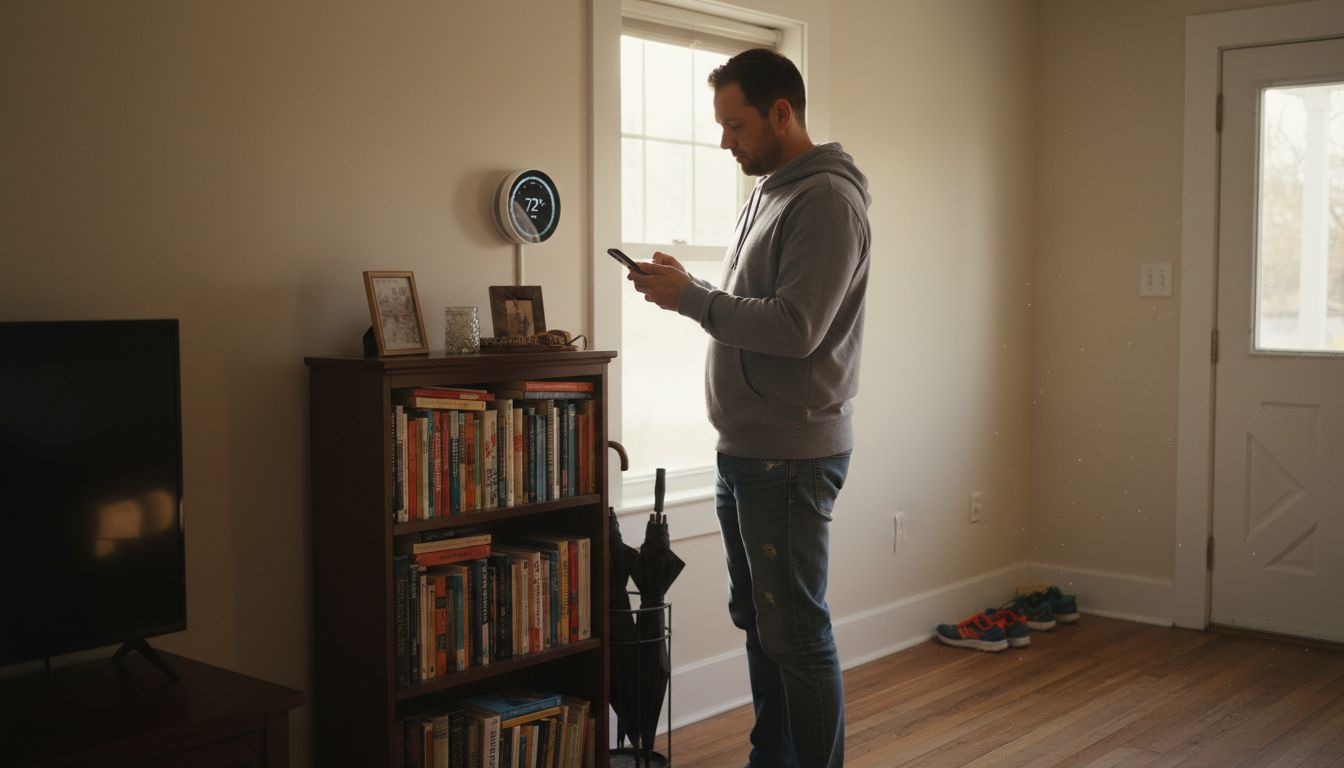
A smart thermostat turns frustrating manual temperature changes into a smooth, automated experience, and the right smart thermostat features list can help you pick one that truly fits your home. By combining Wi‑Fi connectivity, learning capabilities, and automation, these devices adjust your heating and cooling based on your schedule, habits, and local weather so you stay comfortable without constantly fiddling with settings.
The latest smart thermostats do more than adjust the temperature—they actively learn your preferences, offer real-time control, and provide data to help you use less energy without sacrificing comfort. You gain the ability to make informed changes and receive automatic support right when you need it.
Whether you’re looking to save money, simplify daily routines, or get more insight into your energy use, you’ll discover actionable features in the list ahead that can make your life easier and your home more efficient.
Table of Contents
- 1. Remote Temperature Control For Convenience
- 2. Learning Algorithms To Optimize Comfort
- 3. Energy Usage Reports To Reduce Bills
- 4. Geofencing For Automatic Adjustments
- 5. Integration With Home Automation Systems
- 6. Smart Alerts And Maintenance Reminders
Quick Summary – Smart Thermostat Features List
| Key Insight | Explanation |
|---|---|
| 1. Remote Temperature Control Enhances Comfort | Manage your thermostat from anywhere using your smartphone to adapt to real-time needs and situations. |
| 2. Learning Algorithms Optimize Lifestyle Adjustments | Smart thermostats learn your habits to automatically adjust temperatures, saving energy without manual programming. |
| 3. Energy Usage Reports Help Identify Savings | Detailed reports show your HVAC consumption patterns, allowing you to make informed adjustments and reduce costs. |
| 4. Geofencing Automates Temperature Adjustments | Location-based technology adjusts home temperature automatically based on your proximity, preventing energy waste. |
| 5. Smart Alerts Maintain HVAC Efficiency | Proactive notifications about maintenance needs prevent costly repairs and optimize system performance. |
1. Remote Temperature Control for Convenience
Imagine adjusting your home’s temperature while stuck in traffic or relaxing on vacation. Remote temperature control makes this possible by letting you manage your thermostat from anywhere using your smartphone or computer.
This feature fundamentally changes how you interact with your heating and cooling system. Instead of being locked into preset schedules, you gain flexibility to respond to real-time needs and unexpected situations.
Why This Matters for Your Home – Smart Thermostat Features List
Remote control isn’t just about comfort. According to research on smart thermostat capabilities, this feature supports energy savings by enabling adjustments according to your actual needs rather than rigid schedules. You avoid heating or cooling an empty home while away.
Wi-Fi connectivity is the backbone of this feature. Your thermostat connects to your home network, allowing secure communication between your device and the system. This means you can make changes instantly from anywhere with internet access.
Consider these practical scenarios where remote control shines:
- You’re returning home early and want the house warm before you arrive
- Weather changes unexpectedly and you need to adjust settings mid-day
- You forgot to switch to vacation mode before leaving for a trip
- Someone’s home sick and needs temperature changes for comfort
- You want to optimize settings based on actual occupancy patterns
Remote temperature control transforms your thermostat from a fixed schedule device into a responsive system that adapts to your actual lifestyle.
Real-World Benefits
Many homeowners discover that this single feature pays for itself through reduced energy waste. You’re no longer heating a space at 72°F when no one’s there. You adjust on demand, aligning energy use with occupancy.
The convenience extends beyond energy savings. Instead of manually programming schedules months in advance, you adjust as situations change. Your teenager stayed late at school? Lower the heat. Your weekend plans got cancelled? Adjust from bed.
Most smart thermostats display current temperature, humidity, and usage trends through their mobile apps. This visibility helps you understand your home’s heating and cooling patterns.
Pro tip: Set up location-based automation through your thermostat’s app—many devices detect when you leave home and automatically adjust settings, combining convenience with hands-free energy savings.
2. Learning Algorithms to Optimize Comfort
Smart thermostats aren’t just programmable devices that follow your orders. They’re intelligent systems that learn your preferences over time and automatically adjust to keep you comfortable while saving energy.
Think of it like having a thermostat that studies your behavior and gets smarter each day. Instead of you programming every schedule, the system figures out what temperature you prefer at different times and adapts automatically.
How Machine Learning Works in Your Home – Smart Thermostat Features List
Learning algorithms analyze your heating and cooling patterns by tracking when you adjust temperatures, your occupancy patterns, and outside weather conditions. The thermostat uses this data to build a personalized profile of your comfort needs.
This is fundamentally different from traditional programmable thermostats. You don’t need to manually set different temperatures for weekdays, weekends, and seasons. The smart thermostat handles this complexity for you by observing your actual behavior.
Research shows that smart thermostats with learning capabilities can balance comfort and energy costs effectively while reducing user errors common in manual programming.
Real Benefits You’ll Experience
The learning process typically takes about one to two weeks. During this time, the thermostat gathers data about your preferences and lifestyle patterns. Once it learns your routines, adjustments become seamless and automatic.
Consider what this means for your daily life:
- Your home reaches the perfect temperature before you wake up
- The system knows when you’re typically away and adjusts accordingly
- Temperature changes happen automatically based on detected occupancy
- Comfort and energy efficiency improve without constant manual tweaking
- The system adapts to seasonal changes without your intervention
Learning algorithms eliminate the guesswork from temperature control, creating a system that adapts to your lifestyle instead of forcing you to adapt to rigid schedules.
Why This Saves Money and Effort
Many homeowners waste energy heating or cooling their homes during predictable patterns they don’t manually override. A learning thermostat eliminates this waste by automating what you would do if you remembered to adjust it.
You avoid programming errors that plague traditional programmable models. There’s no more accidentally leaving your home at full heating or cooling settings because you forgot to change the schedule.
The system becomes more efficient over time as it learns nuances about your home’s heating and cooling behavior. It understands how long your system takes to reach target temperatures and adjusts timing accordingly.
Pro tip: Let your smart thermostat learn your natural patterns for at least two weeks before adjusting settings—this gives the learning algorithm enough data to create accurate predictions that truly reflect your comfort needs.
3. Energy Usage Reports to Reduce Bills
One of the most underrated features of smart thermostats is their ability to show you exactly how much energy your heating and cooling system consumes. Energy usage reports provide detailed data that transforms vague energy bills into actionable insights you can use to lower costs.
Most homeowners have no idea how much their HVAC system actually costs to operate. Smart thermostats eliminate this mystery by tracking runtime, temperature settings, and consumption patterns over time.
Understanding Your Energy Data – Smart Thermostat Features List
Usage reports typically show how many hours your system ran each day or week, broken down by heating and cooling cycles. You can see when your system works hardest and identify patterns that drive up bills.
This visibility is powerful. You discover whether your system runs excessively at night, if certain rooms consume more energy, or if your settings are inefficient for actual occupancy patterns.
According to research on detailed energy usage visualization, homeowners who review their consumption data can identify specific optimization opportunities and lower their energy bills through informed adjustments.
How Reports Help You Save Money
Think of energy reports as a blueprint for savings. Instead of guessing what consumes energy, you have concrete data showing your system’s actual behavior.
Common insights from these reports include:
- Your system runs longer than necessary during mild weather
- Temperature swings between day and night create unnecessary cycling
- Heating or cooling continues after everyone leaves home
- Certain hours or days show unusually high consumption
- Weekend patterns differ significantly from weekdays
Once you spot these patterns, you can adjust your thermostat settings strategically. Maybe you lower nighttime temperatures by a few degrees or shift your schedule slightly. Small changes based on real data compound into meaningful savings.
Energy usage reports transform your thermostat from a comfort device into a financial tool that helps you understand and control heating costs.
Taking Action on Your Data – Smart Thermostat Features List
Most smart thermostats display reports through their mobile apps or web dashboards. Some offer monthly summaries comparing your usage to previous months or similar homes in your area.
The U.S. Department of Energy emphasizes that comprehensive energy data from smart thermostats enables better energy management and helps homeowners identify concrete savings opportunities.
Start by tracking your baseline consumption for a month. Then make one or two adjustments based on patterns you observe. Monitor the next month’s report to see if your changes reduced usage and costs.
Pro tip: Review your energy reports monthly and look for the highest consumption days or times—these often reveal inefficient settings or equipment issues worth addressing before they waste more money.
4. Geofencing for Automatic Adjustments
Imagine your thermostat knowing exactly when you’re leaving home and automatically switching to energy-saving mode. Geofencing uses your smartphone’s location to create a virtual boundary around your house, triggering automatic temperature adjustments based on whether you’re near or far.
This feature eliminates the need to manually adjust your thermostat when leaving or returning home. Your system handles it intelligently without any effort from you.
How Geofencing Works – Smart Thermostat Features List
Geofencing technology detects when your phone enters or exits a defined area around your home. When you leave, the thermostat automatically switches to a lower heating or cooling setting. When you approach home, it returns to your preferred comfort temperature.
The system uses GPS location data from your smartphone to determine proximity. This happens automatically and continuously, requiring no manual intervention from you.
Research on location-based thermostat automation shows that geofencing prevents energy waste by reducing conditioning when homes are unoccupied while preparing comfortable environments before residents arrive.
Real-World Savings
Consider a typical scenario. You leave for work and forget to adjust your thermostat. Without geofencing, your system continues heating or cooling an empty home all day. With geofencing, your thermostat automatically shifts to away mode within minutes of your departure.
That difference compounds quickly. If your system runs four to six extra hours daily in unnecessary conditioning, your monthly bill suffers significantly. Geofencing captures those savings automatically.
The benefits extend beyond energy savings:
- No more coming home to uncomfortable temperatures
- Your system prepares the house before you arrive
- Multiple family members’ locations can trigger different settings
- Eliminates reliance on manual scheduling or memory
- Responds to unexpected schedule changes automatically
Geofencing transforms your thermostat into a location-aware system that adapts to your actual movements rather than fixed schedules.
Setting Up Geofencing
Most smart thermostats with geofencing require you to download their mobile app and enable location permissions. You define your home boundary through the app, typically creating a radius of 500 to 1000 feet around your address.
You can customize what happens when you leave and return. Many homeowners set away mode to 62 degrees Fahrenheit in winter and 78 degrees Fahrenheit in summer, adjusting only when someone is actually home.
According to smart home geofencing research, this automation optimizes energy use efficiently by detecting occupancy and adjusting conditioning accordingly.
Pro tip: Enable geofencing for multiple household members so your thermostat recognizes when anyone is home, preventing it from switching to away mode while someone is still there.
5. Integration with Home Automation Systems
A smart thermostat becomes exponentially more powerful when connected to your broader home automation ecosystem. Integration with home automation systems lets you control climate, lighting, security, and energy management from a single platform, creating a truly connected home.
Instead of managing your thermostat separately from other smart devices, integration centralizes everything into one unified experience.
Why Integration Matters
Centralized control means you adjust your entire home environment from one app or voice command. You don’t need separate apps for your thermostat, lights, door lock, and security system. Everything communicates intelligently.
Integration also enables automation scenarios impossible with standalone devices. Your system can coordinate actions across multiple devices based on triggers like time of day, occupancy, or weather conditions.
Effective coordinated control between HVAC and other home systems improves operational efficiency and occupant comfort by allowing smart adjustments across climate, lighting, and security simultaneously.
Real-World Integration Scenarios – Smart Thermostat Features List
Imagine coming home on a cold winter evening. Your smart thermostat detects your arrival and communicates with your lighting system. The heat starts warming your home while lights automatically turn on. Your security system disarms seamlessly.
Or consider this scenario. Your thermostat notices you’re away based on geofencing data shared with your home automation hub. It automatically lowers heating, turns off unnecessary lights, and arms your security system without requiring separate adjustments to each device.
Common integration benefits include:
- Adjusting climate and lighting together for optimal comfort
- Triggering security system responses when thermostats detect unusual patterns
- Creating customized scenes like “Good Morning” or “Leaving Home” that adjust multiple systems
- Improving energy efficiency through coordinated device management
- Voice control of entire home environments instead of individual devices
Integration transforms separate smart devices into a cohesive system that anticipates your needs and adjusts your entire home automatically.
Choosing Compatible Systems
Before purchasing a smart thermostat, verify compatibility with your existing home automation platform. Major platforms like Amazon Alexa, Google Home, and Apple HomeKit support numerous thermostats, but not all.
Look for thermostats that support common communication standards. Smart thermostat integration capabilities ensure compatibility with your preferred automation ecosystem and enable seamless coordination.
Some thermostats work with multiple platforms, providing flexibility if you have mixed-brand devices. Others work best within specific ecosystems, which matters if you plan future expansions.
You’ll also want to consider whether you’re starting fresh or adding to existing smart devices. Either way, compatibility ensures your investments work together harmoniously.
Pro tip: Choose a thermostat compatible with your existing home automation platform before purchase—retrofitting incompatible systems later creates frustration and limits your automation possibilities.
6. Smart Alerts and Maintenance Reminders
One of the most valuable features smart thermostats offer is their ability to notify you about maintenance needs before they become costly problems. Smart alerts and maintenance reminders keep your HVAC system running efficiently by alerting you to filter changes, equipment issues, and performance concerns.
Your thermostat becomes a proactive guardian of your heating and cooling system, catching problems early and extending equipment life.
How Smart Alerts Protect Your System – Smart Thermostat Features List
Maintenance reminders track when your air filter was last replaced and alert you when it’s time for a fresh one. A clogged filter reduces efficiency, increases energy costs, and strains your equipment unnecessarily.
Smart thermostats also monitor system performance and notify you about irregularities. If your heating or cooling isn’t reaching target temperatures, the system alerts you to investigate potential issues.
According to ENERGY STAR certification standards, smart thermostat maintenance alerts help prevent performance degradation and improve system longevity through proactive care reminders.
Real Problems Smart Alerts Prevent
Imagine your filter is clogged but you don’t realize it. Your system works harder, consuming more energy and running longer to reach desired temperatures. Your energy bill creeps up, and you wonder why.
Meanwhile, the strain on your equipment accelerates wear. Six months later, something breaks unexpectedly. An emergency service call costs hundreds of dollars, and you’re without heating or cooling during peak season.
Smart alerts prevent this scenario. You get notified when the filter needs changing, when temperatures aren’t reaching target levels, and when sensors detect unusual patterns.
Common alerts you’ll receive include:
- Filter replacement reminders every 30, 60, or 90 days depending on your setup
- Low battery warnings for wireless sensors
- Temperature inconsistencies suggesting equipment problems
- Unusual system cycling indicating efficiency issues
- Connection problems affecting remote monitoring
Smart alerts transform maintenance from a forgotten chore into a prioritized task that saves thousands in repair costs.
Taking Action on Alerts
When you receive a maintenance alert, you have time to schedule service conveniently. You’re not facing emergency calls or seasonal shortages of technicians.
Research from ASHRAE indicates that smart thermostat sensors and analytics reduce unexpected equipment failures while optimizing HVAC operations for better energy savings.
Most smart thermostats send alerts through their mobile apps or email, ensuring you don’t miss important notifications. You can dismiss alerts once addressed or set custom frequencies that match your maintenance schedule.
The key is acting promptly. A filter replacement takes 10 minutes and costs $15 to $30. Ignoring repeated alerts leads to repairs costing hundreds or replacement expenses costing thousands.
Pro tip: Enable push notifications in your smart thermostat app so maintenance alerts reach your phone immediately—respond within 48 hours to prevent efficiency loss and equipment strain.
Below is a comprehensive table summarizing the key features, benefits, and considerations outlined in the article
Unlock the Full Potential of Your Smart Thermostat Today
If you want to overcome the challenge of manually managing your home’s temperature while maximizing comfort and energy savings, it is time to explore trusted solutions designed specifically for homeowners like you. This article highlights the power of features such as remote temperature control, learning algorithms, geofencing, and energy reports that put you in control without extra effort. Those pain points of wasted energy, inconvenient scheduling, and uncertainty about system performance are solvable with smart technology that adapts to your lifestyle.

Discover how you can implement these essential smart thermostat features effortlessly with expert guidance and unbiased reviews at Smart Home HQ. Learn how to integrate your thermostat with your existing home automation systems for seamless comfort and energy efficiency. Ready to stop guessing and start saving today Take the next step by visiting Smart Home HQ and access step-by-step guides tailored to your needs. Your smarter home starts now.
Frequently Asked Questions – Smart Thermostat Features List
What are the main benefits of remote temperature control in smart thermostats?
Remote temperature control allows homeowners to adjust their home’s temperature from anywhere using a smartphone or computer. This feature promotes energy savings by preventing unnecessary heating or cooling of empty spaces and enhancing comfort by allowing real-time adjustments.
How do learning algorithms in smart thermostats improve energy efficiency?
Learning algorithms analyze your heating and cooling patterns, automatically adjusting temperatures based on your preferences and occupancy. By allowing your thermostat to learn for about one to two weeks, you can improve both comfort and energy savings, often reducing bills by 10–20%.
What kind of information do energy usage reports provide, and how can I use them?
Energy usage reports detail how much energy your heating and cooling system consumes, breaking it down into daily or weekly cycles. Use this data to identify patterns and make adjustments to your thermostat settings that could lower your bills, potentially saving you 5–15% on energy costs.
How does geofencing contribute to energy savings?
Geofencing enables your thermostat to automatically switch to energy-saving modes when you leave or return home based on your smartphone’s location. By setting a geofencing radius, you can eliminate unnecessary heating or cooling while away, which can reduce your monthly energy bill significantly.
What should I consider when integrating my smart thermostat with other home automation systems?
When integrating your smart thermostat, ensure compatibility with your existing home automation platform to centralize control of various devices. Choosing compatible devices maximizes your automation capabilities and allows for coordinated actions that enhance both comfort and efficiency.
How can smart alerts and maintenance reminders help prolong my HVAC system’s life?
Smart alerts notify you about maintenance needs, such as filter changes or performance issues, before they escalate into costly problems. By acting on these reminders promptly—like changing a filter every 30 days—you can optimize your system’s efficiency and extend its lifespan.
Recommended
- Best Smart Thermostats 2026 for Homeowners Explained
- Why Use Smart Thermostats: Benefits & ROI
- What Is a Smart Thermostat and Why It Matters
- Smart Thermostat Tips: Top Seven Revealed