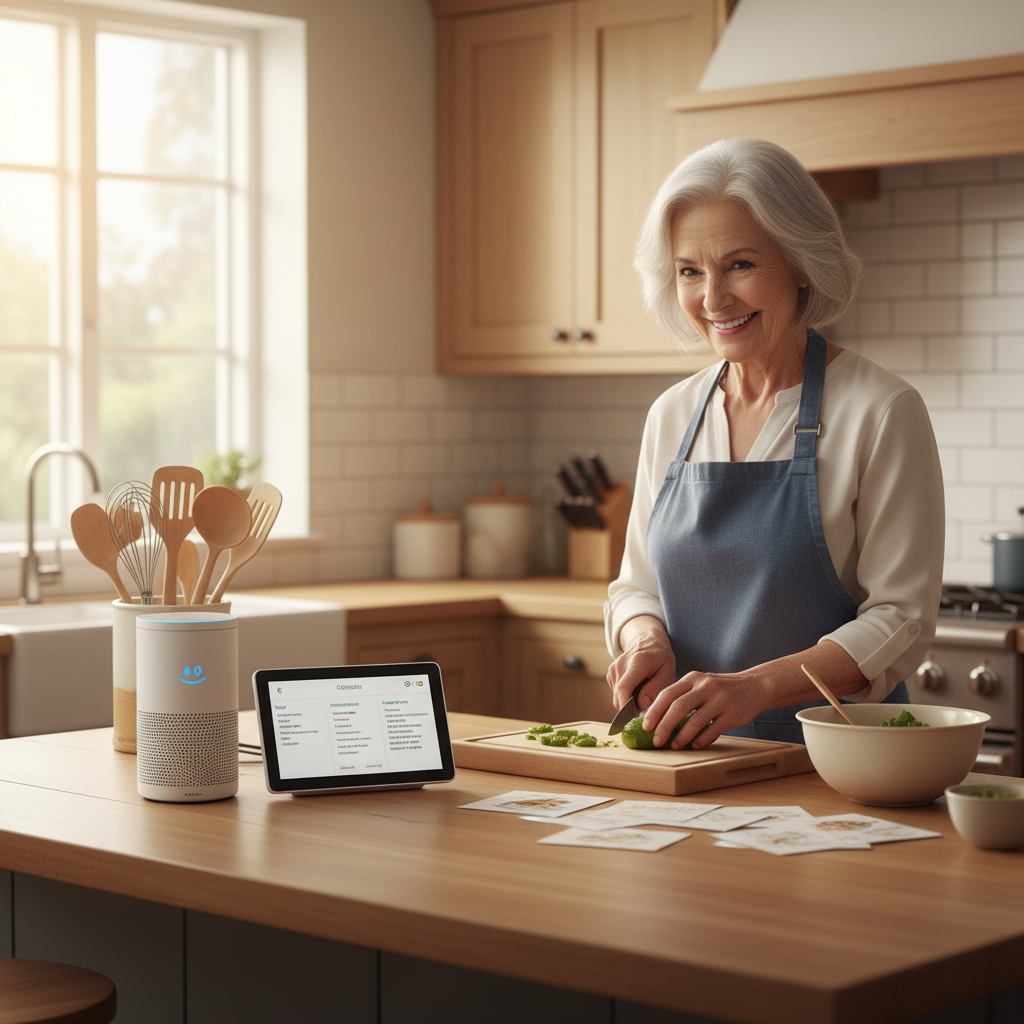
🏠 Introduction: Choosing Your Kitchen Companion
Making your kitchen smarter doesn’t have to be complicated. When comparing Alexa versus Google Home, both devices offer excellent features for cooking routines, but choosing the right one depends on your personal needs and existing technology. These voice-activated assistants can transform your cooking experience by setting timers, reading recipes aloud, converting measurements, and even controlling smart appliances—all without touching a screen with messy hands.
Affiliate Disclosure: This page contains two affiliate links. If you buy through our links, we may earn a commission at no extra cost to you.
For seniors looking to simplify kitchen tasks, both Amazon’s Alexa and Google’s Assistant provide valuable support. The real question isn’t which device has more features, but rather which one fits naturally into your daily routine and connects with the devices you already use.

Table of contents
- 🏠 Introduction: Choosing Your Kitchen Companion
- 🔊 Understanding Smart Speakers in the Kitchen
- ⚖️ Head-to-Head Comparison: Core Features
- 📱 Display Options: Seeing Is Believing
- 🍳 Practical Cooking Features
- 🏡 Ecosystem Compatibility
- 🎛️ Smart Home Integration for the Kitchen
- 💪 Strengths and Limitations
- 💰 Cost Considerations
- 🛡️ Privacy and Security Considerations
- 🎓 Learning Curve and Ease of Use
- 👨👩👧👦 Family Support Features
- 📋 Making Your Decision: Key Questions
- ✅ Practical Recommendations
- 🤔 Frequently Asked Questions – Alexa versus Google Home
- Related Links
🔊 Understanding Smart Speakers in the Kitchen
What Are Voice Assistants? – Alexa versus Google Home
Voice assistants are digital helpers that respond to spoken commands. They can answer questions, play music, control smart home devices, and assist with cooking tasks. Both Alexa and Google Home use artificial intelligence to understand natural speech patterns, making them particularly useful when your hands are covered in flour or you’re juggling multiple cooking tasks.
Why Seniors Love Kitchen Voice Assistants
Voice-controlled technology eliminates several common kitchen frustrations:
- Hands-free operation when handling raw meat or sticky dough
- Clear voice responses that are easier than reading small print
- Multiple timer management for complex recipes
- Step-by-step recipe guidance without flipping through cookbooks
- Quick conversions for measurements and temperatures
⚖️ Head-to-Head Comparison: Core Features
Voice Recognition Accuracy – Alexa versus Google Home
Google Home Advantages: Google’s voice recognition technology generally performs better with accents and varied speech patterns. Consequently, it understands context more naturally, which helps when you’re asking follow-up questions about recipes. According to research from Consumer Reports, Google Assistant demonstrates superior comprehension of conversational queries.
Alexa Advantages: Alexa excels at recognizing wake words even in noisy kitchen environments with running water or exhaust fans. Furthermore, Alexa’s voice profiles can distinguish between different family members, providing personalized responses for medication reminders or dietary preferences.
Timer and Reminder Functions
Both assistants handle multiple timers exceptionally well, which is essential for complex cooking routines.
Setting timers is simple:
- “Set a timer for 20 minutes”
- “Set a pasta timer for 12 minutes”
- “How much time is left on the chicken timer?”
Google Home announces which timer is going off by name, whereas Alexa requires you to label timers specifically if you want that feature. However, both systems allow you to pause, cancel, or add time to running timers using voice commands.
📱 Display Options: Seeing Is Believing
Smart Displays Make a Difference – Alexa versus Google Home
While basic speakers work well for simple tasks, displays add tremendous value in the kitchen.
Echo Show Options (Alexa):
- Echo Show 5 (5.5-inch): Compact, perfect for small counter spaces
- Echo Show 8 (8-inch): Balanced size for recipes and video calls
- Echo Show 10 (10.1-inch): Rotating screen that follows you around the kitchen
Nest Hub Options (Google Home):
- Nest Hub (7-inch): Affordable, great starter display
- Nest Hub Max (10-inch): Larger screen with camera for video calls
Displays allow you to see recipe steps, watch cooking videos, and view timers visually—particularly helpful when you have hearing difficulties or noisy cooking environments.
🍳 Practical Cooking Features
Recipe Assistance – Alexa versus Google Home
Google Home Recipe Integration: Google Assistant pulls recipes directly from Google Search, offering millions of options. Additionally, it integrates seamlessly with YouTube cooking videos, allowing you to say “show me how to make meatloaf” and immediately see video demonstrations. The visual step-by-step guidance on Nest Hub displays helps you follow along without touching anything.
Alexa Recipe Features: Alexa partners with various recipe services including Allrecipes, Food Network, and Side Chef. Moreover, the Echo Show displays can show you ingredient lists and walk through steps hands-free. Alexa also offers specialized cooking skills like “Thanksgiving Dinner Helper” or “Cocktail Recipes.”
Measurement Conversions
Both assistants handle kitchen math effortlessly:
- “How many teaspoons in a tablespoon?”
- “Convert 350 degrees Fahrenheit to Celsius”
- “How many cups in a quart?”
🏡 Ecosystem Compatibility
Choosing Based on What You Already Own – Alexa versus Google Home
Your existing devices should heavily influence your decision between Alexa versus Google Home.
Amazon Ecosystem
If you use Amazon services regularly, Alexa integration offers convenience:
- Amazon Prime: Order grocery items by voice
- Fire TV: Control your television while cooking
- Kindle: Listen to audiobooks while meal prepping
- Ring doorbell: See who’s at the door without leaving the kitchen
Google Ecosystem
Google Home works best if you’re already invested in Google services:
- Gmail: Hear calendar reminders for dinner plans
- Google Photos: Display family photos on Nest Hub
- Chromecast: Stream cooking shows to your TV
- Android phones: Seamless integration with mobile notifications
According to AARP’s technology guides, choosing devices that work with your existing technology reduces confusion and increases daily usage.
🎛️ Smart Home Integration for the Kitchen
Connecting Kitchen Appliances – Alexa versus Google Home
Modern smart kitchen devices can connect with both assistants, though some work better with one platform.
Compatible Smart Kitchen Devices:
- Smart plugs for slow cookers and coffee makers
- Smart lights for better visibility while cooking
- Smart thermometers for monitoring meat temperature
- Smart refrigerators for inventory management
- Smart ovens with remote control capabilities
Setup Complexity: Alexa typically requires installing individual “skills” for each device brand. In contrast, Google Home often discovers compatible devices automatically, which many seniors find less confusing.
Creating Cooking Routines
Both platforms allow you to create custom routines that trigger multiple actions with one command.
Example Morning Coffee Routine: Saying “Alexa, start my morning” could:
- Turn on kitchen lights
- Start the coffee maker
- Read the weather forecast
- Announce today’s calendar events
Example Dinner Prep Routine: Saying “Hey Google, dinner time” might:
- Turn on kitchen lights to 100%
- Play your favorite cooking playlist
- Set the oven preheat reminder
- Display your saved recipe
💪 Strengths and Limitations
Where Alexa Excels – Alexa versus Google Home
Strengths:
- Broader device compatibility: More third-party devices work with Alexa
- Shopping integration: Easy reordering of groceries and supplies
- Skills variety: Over 100,000 skills available for specialized tasks
- Drop-in feature: Family members can check in on you via voice/video
Limitations:
- Skills can be confusing to enable and manage
- Some features require subscription services
- Search results sometimes less accurate than Google
Where Google Home Shines – Alexa versus Google Home
Strengths:
- Superior search capability: Better at answering general knowledge questions
- Natural conversation: Understands context from previous questions
- Visual recipe integration: Better display of cooking videos and images
- No separate skills needed: Most features work immediately
Limitations:
- Fewer compatible smart home devices than Alexa
- Less robust shopping features
- Smaller selection of third-party integrations
💰 Cost Considerations
Initial Investment – Alexa versus Google Home
Budget-Friendly Options:
- Echo Dot (no screen): $30-$50
- Nest Mini (no screen): $30-$50
Mid-Range Options:
- Echo Show 5: $50-$90
- Nest Hub: $60-$100
Premium Displays:
- Echo Show 10: $200-$250
- Nest Hub Max: $180-$230
Ongoing Costs
Both assistants work with free accounts, though premium features require subscriptions:
Optional Alexa Subscriptions:
- Amazon Prime ($139/year): Enhanced shopping and streaming
- Amazon Music Unlimited ($9.99/month): Expanded music while cooking
Optional Google Subscriptions:
- YouTube Premium ($11.99/month): Ad-free cooking videos
- Google One ($1.99-$9.99/month): Extra storage for photos
🛡️ Privacy and Security Considerations
Understanding Voice Data – Alexa versus Google Home
Both companies record voice commands to improve accuracy. However, you maintain control over your data.
Privacy Controls Available:
- Review and delete voice recordings anytime
- Mute microphone with physical button
- Disable voice purchasing with PIN protection
- Turn off personalized results
For Seniors: Privacy is particularly important if you discuss medical information or financial details in your home. Both platforms offer similar protections, though Google provides slightly more transparent data management tools.
🎓 Learning Curve and Ease of Use
Getting Started – Alexa versus Google Home
Google Home Setup: Generally simpler for beginners because it uses your existing Google account. The Google Home app provides clear, visual setup instructions. Moreover, the device works immediately without enabling additional features manually.
Alexa Setup: Requires downloading the Alexa app and creating an Amazon account if you don’t have one. While setup is straightforward, unlocking full potential means exploring and enabling various skills, which can feel overwhelming initially.
Daily Use Simplicity
For everyday cooking assistance, both systems perform similarly well once configured. The key difference lies in how they handle follow-up questions:
- Google: “How do I make lasagna?” followed by “What temperature?” understands the context
- Alexa: Often requires repeating the subject: “What temperature for lasagna?”
👨👩👧👦 Family Support Features
Remote Assistance for Family Members – Alexa versus Google Home
Alexa Care Hub: Adult children can receive notifications about your smart home activity without intruding on privacy. For instance, they might get alerts if your morning routine hasn’t started by noon, suggesting you might need help.
Google Family Link: Offers similar monitoring capabilities, though primarily designed for children rather than senior family members. Nevertheless, family members can check device status and help troubleshoot remotely.
Video Calling Capabilities
Staying connected with family makes both devices valuable beyond cooking assistance.
Alexa Communication: Free video calls between Echo devices and the Alexa app work reliably. Drop-in features let trusted family members check on you instantly—particularly useful if you need help with a recipe question.
Google Duo Integration: Nest Hub devices include Google Duo for video calls with anyone who has the app. The Nest Hub Max includes a camera with better quality for clearer video conversations.
📋 Making Your Decision: Key Questions
Consider These Factors – Alexa versus Google Home
1. What devices do you already own? If you’re an iPhone user with an Apple TV, neither assistant integrates perfectly, but Google Home connects more smoothly. Android users will find Google Home more intuitive.
2. Which family members will help you? Choose the same system your tech-savvy relatives use so they can troubleshoot remotely and answer questions.
3. Do you want a display? For kitchen use, displays significantly enhance the experience. Both Echo Show and Nest Hub provide excellent visibility for recipes.
4. What’s your budget? Prices are comparable, so budget shouldn’t be the deciding factor. However, watch for frequent sales, especially during Prime Day and Black Friday.
5. How complex are your needs? For basic cooking timers and recipes, either works wonderfully. For extensive smart home integration, Alexa currently supports more devices.
✅ Practical Recommendations
Start Simple, Build Gradually – Alexa versus Google Home
Regardless of which platform you choose, begin with basic functions:
Week 1-2: Master the Basics
- Setting timers
- Playing music
- Asking weather questions
- Simple recipe searches
Week 3-4: Add Complexity
- Create morning and evening routines
- Connect one smart device (like a smart plug)
- Set up video calling with family
Month 2+: Advanced Features
- Link shopping lists
- Create custom routines for cooking
- Add additional speakers in other rooms
Keep Automations Reliable
Complex automations sound appealing but often fail when conditions aren’t perfect. Therefore, stick with simple, reliable routines:
Good Automation: “Alexa, cooking time” turns on lights and starts your favorite music—simple and consistent.
Problematic Automation: Trying to automate oven preheating based on calendar events often fails because conditions vary too much.
🤔 Frequently Asked Questions – Alexa versus Google Home
Yes, absolutely! Some seniors prefer Alexa in the kitchen for shopping features while using Google Home in the living room for entertainment. However, this approach can create confusion initially, so mastering one system first is recommended.
Unfortunately, both devices require internet connectivity to function. Without internet, they become decorative paperweights. Consider keeping a traditional kitchen timer as backup for essential cooking tasks.
Neither device can currently call 911 directly in the United States. However, both can call emergency contacts on your list. Specifically, you might say “Alexa, call my daughter” if you need help while cooking.
No special speech patterns are necessary. Both assistants understand natural language. However, speaking clearly at a moderate pace improves accuracy, especially when giving commands in noisy kitchen environments.
More FAQ
Most modern hearing aids work fine with smart speakers. Additionally, both Echo Show and Nest Hub displays provide visual feedback, so you can see timer confirmations even if you miss the audible response.
Yes, both devices let you adjust volume by voice (“set volume to 5”) or using buttons on the device. This flexibility is particularly helpful when you need quieter responses during phone calls or louder alerts when running kitchen appliances.
Google Home generally handles accents better than Alexa. However, both systems improve recognition over time as they learn your speech patterns. Speaking slightly slower initially helps the learning process.
Yes, both devices can set daily medication reminders. However, they won’t dispense medication or track whether you’ve taken it. Some seniors pair smart speakers with specialized medication management devices for comprehensive solutions.
🎯 Final Verdict: Which Should You Choose?
Choose Google Home If You:
- Use Android phones or Google services regularly
- Want superior search and question-answering capabilities
- Prefer natural conversation without learning specific commands
- Value simplified setup without managing multiple “skills”
- Enjoy watching YouTube cooking videos frequently
Choose Alexa (affiliate link) If You:
- Already use Amazon Prime and shop on Amazon
- Want extensive smart home device compatibility
- Prefer having numerous specialized skills and features
- Use other Amazon devices like Fire TV or Kindle
- Need robust drop-in features for family communication
The Honest Truth
For basic cooking assistance—timers, recipes, conversions—both systems work equally well. Neither device will disappoint you for kitchen tasks. Therefore, the best choice depends more on your existing technology ecosystem than the devices themselves.
🚀 Getting Started: Next Steps
Your Action Plan
Step 1: Assess Your Current Technology List the devices and services you currently use daily. This inventory reveals which ecosystem fits naturally into your life.
Step 2: Consult Family Members Ask tech-savvy relatives which system they use and can help you with remotely.
Step 3: Start Small Purchase a basic speaker first (Echo Dot or Nest Mini) before investing in expensive displays. This approach lets you test functionality affordably.
Step 4: Practice Daily Use your device for simple tasks every day. Consistency builds comfort and competence with voice technology.
Step 5: Upgrade Gradually After mastering the basics, consider adding a display or connecting additional smart home devices.
💡 Final Thoughts
Both Alexa and Google Home offer tremendous value for seniors in the kitchen. Voice assistance makes cooking safer, more convenient, and more enjoyable. Rather than obsessing over which device has marginally better features, focus on which platform you’ll actually use consistently.
The best smart speaker is the one that becomes your daily companion—helping with timers, reading recipes when your hands are busy, and keeping you connected with loved ones. Start simple, build confidence gradually, and don’t hesitate to ask for help from family members.
Technology should simplify your life, not complicate it. Whichever device you choose, remember that these assistants are tools designed to help you maintain independence and enjoyment in your kitchen routines.
📚 Additional Resources
- AARP Technology Resources: Free tutorials and support for seniors learning new technology
- Consumer Reports Smart Speaker Reviews: Updated comparisons and testing results
- YouTube: Search “smart speaker tutorials for seniors” for visual learning guides
- Local Senior Centers: Many offer free technology classes covering smart home devices
Happy cooking with your new kitchen companion! Remember, the goal isn’t perfection—it’s finding a tool that makes your daily routines easier and more enjoyable.