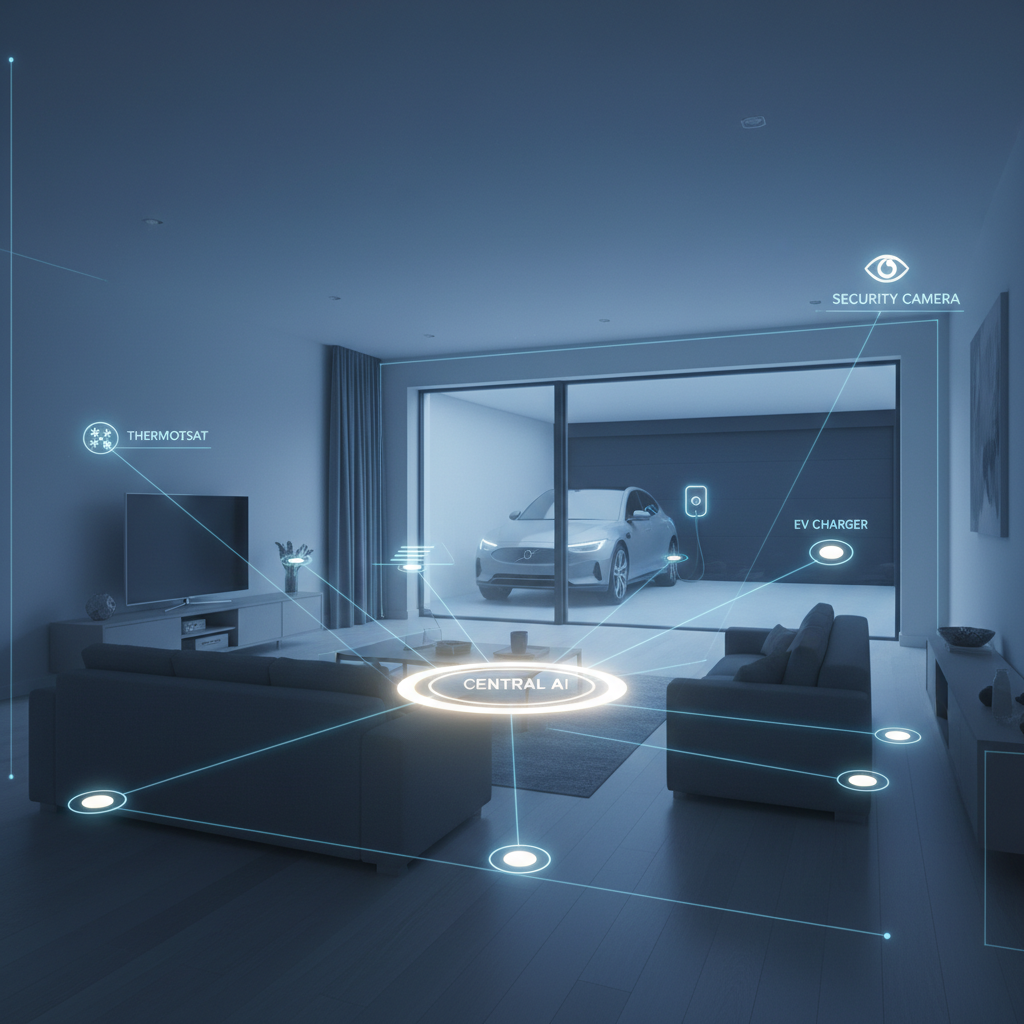
What Is OpenClaw AI -Smart Home Edition?
OpenClaw AI Smart Home is the control plane for intelligent homes. It connects to your devices and hubs (Matter, HomeKit, Zigbee, Z-Wave, MQTT), ingests documentation and household context, and runs privacy-first AI agents that:
- Anticipate needs (comfort, security, savings)
- Coordinate devices across brands
- Enforce safety and family policies
- Provide voice/chat interfaces with citations and logs
Think: a vendor-neutral “brain” that works across ecosystems and adapts as your devices and routines change.
OpenClaw AI Smart Home – Why Now? ⏱️
- Fragmented ecosystems and vendor lock-in
- Rising energy costs and grid incentives
- Demand for privacy-first, low-latency intelligence at the edge
- Expectation that homes “just work” and explain their actions
OpenClaw AI makes smart homes smarter. In other words, the home is ‘smart’ in pieces, but not as a whole system.

Smart-Home-Tuned Capabilities 🌟
- Connectors and Protocols
- First, Matter, HomeKit, Alexa/Google, SmartThings, Hubitat, Home Assistant
- Next, Zigbee, Z-Wave, Thread, Bluetooth, MQTT messaging protocol, RTSP/ONVIF (cameras)
- Finally, EV chargers, solar inverters, batteries, smart plugs, air quality monitors
- Retrieval-Augmented Intelligence (RAG)
- Ingests manuals, wiring diagrams, room maps, and household preferences
- Answers “why did the heater turn on?” with sources and device traces
- Agents and Tools
- Built-in tools: thermostat control, lighting scenes, EV scheduling, camera snapshots, leak shutoff, air purifier modes, blinds/curtains, irrigation
- Multi-agent coordination (e.g., HVAC + blinds + ceiling fans for optimal comfort)
- Guardrails and Policies 🔒
- Safety rules: “Never unlock doors remotely without biometric or owner presence”
- Quiet hours, guest profiles, teen limits, geofencing, child safety
- Role-based access: owners vs. guests vs. service pros
- Observability and Audits 📊
- Timeline of events, traces, latency, cost, and success rates
- Root-cause insights (network vs. device vs. policy block)
- Full audit history of automations and overrides
- Edge-First, Cloud-Optional
- Runs on Home Assistant, Raspberry Pi, NAS (Docker), or local server
- Additionally, local voice and vision where feasible; cloud fallback routing for heavy tasks
- Cost and Performance Controls
- Local caching, batch inference, time-of-use aware scheduling
- Budget caps: “Max $X/month in energy,” “Charge EV only during off-peak”
OpenClaw AI Smart Home – Architecture at a Glance
- Ingest: Connect hubs/devices; sync rooms, scenes, presence, and policies
- Index: Build a knowledge graph (devices, capabilities, constraints), plus manuals/FAQs
- Orchestrate: Prompts, tools, deterministic rules, and adaptive agent flows
- Infer: Edge vs. cloud routing; RAG; safety checks; multi-device coordination
- Observe: Real-time traces, alerts, and explainability with feedback loops
Recommended deployments:
- Single home: Home Assistant Add-on or Docker on a mini-PC
- Power users: Local Kubernetes on NAS + optional cloud control plane
- Property/fleet: Multi-tenant cloud with per-site edge agents and RBAC
High-Impact Use Cases 💼
- Energy Optimization and Demand Response ⚡
- Pre-heat/cool with weather and tariff awareness
- Shift EV charging and laundry to off-peak windows
- Coordinate solar, battery, and HVAC to minimize grid draw
- Security and Safety 🛡️
- Anomaly detection with privacy-first vision on local NVR/RTSP streams
- Leak detection → auto shutoff valve + notifications
- Presence-aware arming; package detection → porch lights + camera snapshot
- Comfort and Accessibility 🛋️
- Routines that learn preferences (lighting warmth, music, temperature)
- Multilingual voice/chat; accessibility-first controls
- Scene orchestration for work, sleep, guests, or movie night
- Health and Air Quality 🌬️
- CO2/PM2.5 monitoring; dynamic ventilation and purifier control
- Pollen alerts; close windows and boost filtration
- Reliability and Maintenance 🛠️
- Appliance anomaly detection from power signatures
- Filter and battery reminders with vendor manuals as references
Example Automations (Policy-Aware) 🧩
- If energy price > $X and battery > 40%, run the home from battery until 9 PM
- If leak sensor triggers and nobody is home, shut off water + notify owner with camera snapshot
- If CO2 > 1200 ppm during occupied hours, open vents/boost fans for 10 minutes
- If forecast predicts heatwave tomorrow, pre-cool 2 hours during off-peak
- If front door unlocks after 10 PM and unfamiliar face detected, turn on hallway lights to 30% and alert owner
OpenClaw AI Smart Home – Integrations and Ecosystem 🤝
- Hubs/Platforms: Home Assistant, SmartThings, Hubitat, Apple Home, Google Home, Alexa
- Protocols: Matter, Zigbee, Z-Wave, Thread, MQTT
- Devices: Ecobee/Nest thermostats, Hue/LIFX lights, Shelly/Tuya plugs, Aqara sensors, Yale/August locks, Sonos audio, Arlo/Reolink cameras, Tesla/Wallbox chargers, Enphase/SolarEdge inverters
- Notes: Integrations vary by application programming interface (API)/bridge; OpenClaw AI remains vendor-neutral
Developer and Installer Workflow 🧑💻
- Connect: Add hubs/devices; import rooms, scenes, occupancies
- Model your home: Map zones (living, sleep, work) and constraints (quiet hours, max temps)
- Choose routing: Local-first models, cloud fallback for heavy workloads
- Add guardrails: Safety rules, guest profiles, escalation policies
- Test and stage: Simulate events; canary rollouts; version your automations
- Observe and optimize: Trace costs, latency, success rate; refine with feedback
Privacy, Security, and Trust 🔐
- Local-first inference for vision/voice where possible; opt-in cloud
- Encryption in transit/at rest; customer-managed keys and VPC options
- Data minimization: no raw video leaves the home unless explicitly allowed
- Role-based access, audit trails, and tamper alerts
- Regional data residency and GDPR/CCPA alignment
Success Metrics to Track 📈
- Energy savings (% and $), peak load reduction
- False alarm rate and time-to-notification
- Comfort index (temp/CO2/light) and user satisfaction
- Automation success rate and average action latency
- EV charge cost per kWh and on-time readiness
- Safety actions executed (and prevented) with zero incidents
Pricing Philosophy 💸
- Starter: Free dev tier; single-home pilots
- Pro: Per-home/month with premium agents (vision, energy, EV)
- Fleet/Enterprise: Volume pricing, SSO, VPC, custom SLAs, multi-site RBAC
Roadmap Highlights 🗺️
- Deeper Matter 1.2/1.3 features and Thread diagnostics
- Native Home Energy Management (HEM) dashboards and DR APIs
- Federated learning on the hub for personalization without data leaving home
- On-device multimodal (vision + audio) optimizations on ARM/NPU
- Digital twin for each home to simulate and verify automations before deployment
OpenClaw AI Smart Home – FAQs ❓
Yes. Many workflows, including vision, can run on the hub. However, you can opt into cloud features when they provide clear benefits.
You can run OpenClaw alongside Home Assistant. In fact, many power users start there and gradually move more logic into OpenClaw.
Create guest profiles with time-limited permissions, auto-resets, and safety rules.
Every action includes a trace: triggers, policies, data sources, and device responses.
APIs and vendors change constantly. Nevertheless, OpenClaw’s connector layer is designed to absorb most of that churn.