Tag: smart home living for seniors

  • Smart Technology for Seniors

    Smart Technology for Seniors

    Your First Steps Towards a Smart Home

    Smart Technology for Seniors is all about using today’s easy, affordable smart devices to make everyday life safer, simpler, and more comfortable for older adults. From voice-controlled speakers to smart lights and locks, these tools can quietly support independence at home without adding technical stress or taking away control.

    AI Smart Tech Seniors

    Embarking on your smart home journey doesn’t have to be overwhelming! The best way to start is by taking small, manageable steps.

    Where to Begin:

    Recommendation: Start small! Don’t feel pressured to automate your entire home overnight. Pick one area of concern that resonates with you. Maybe by enhancing security, making daily routines easier, or just exploring something new that excites you.

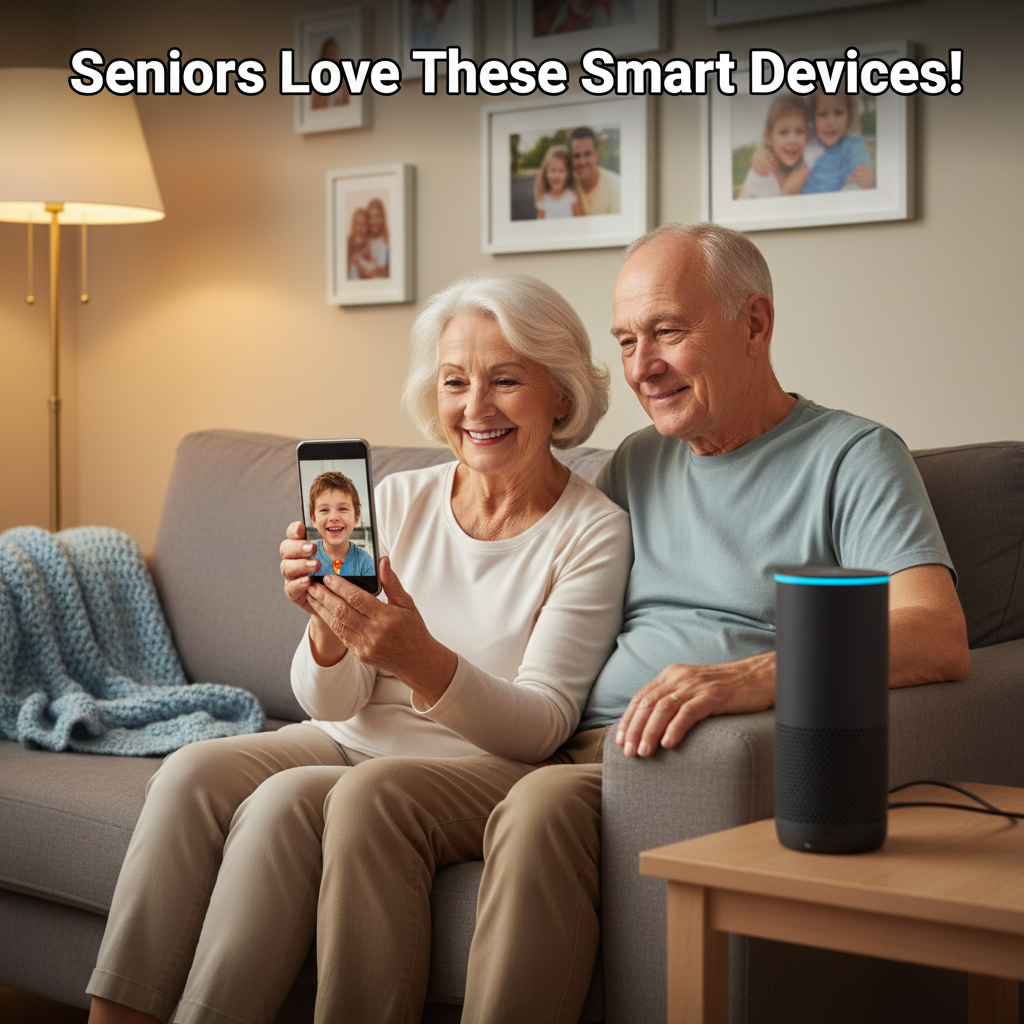
    Suggestion: Voice assistants like an Echo Dot or Google Nest Mini are fantastic starting points. 🗣️ They are incredibly versatile, relatively inexpensive., and allow you to try out voice control for music, news, setting timers. Additionally, you can ask a variety of questions, all with simple commands.

    Key Considerations: Before purchasing any smart device, keep these important points in mind to ensure a positive experience:

    Ease of Use: Prioritize devices with simple, intuitive interfaces or, even better, those that can be controlled primarily by voice. Look for clear instructions and straightforward app designs.

    Reliability: Stick with reputable brands known for quality and good performance. Researching reviews from other seniors can be particularly helpful.

    Privacy: Understand how your personal data might be used by smart devices. Most reputable brands offer transparent privacy policies.

    Support: Ensure that the company offers accessible customer service, whether it’s via phone, email, or online resources. Just in case you have questions or need assistance.

    Installation & Setup: 

    The thought of setting up new technology can feel daunting, but you might be surprised!

    Many smart devices are designed to be “plug and play” – simply plug them in, download a user-friendly app. Then just follow a few on-screen steps.

    If you prefer a hands-off approach, professional installation services are often available for more complex systems. Thereby, offering complete peace of mind.

    Don’t hesitate to ask! Your tech-savvy family members or friends would likely be thrilled to help you set up new gadgets and show you how they work. It can even be a fun activity to do together!

    The Future is Here: Remember, smart technology is continuously evolving and becoming even more user-friendly. What might seem complex today is often simplified tomorrow. Embracing these innovations now means you’re stepping into a future designed to enhance your comfort, safety, and connection. Welcome to your smarter home! ✨


    Common Questions About Smart Home Technology for Seniors

    Is this technology too complicated for me

    Smart home technology uses connected devices like smart lights, thermostats, speakers, and sensors that you can control automatically or with your voice instead of walking around to flip switches and dials. For seniors, the goal is a safer and more convenient home that quietly helps with everyday tasks.

    How can smart home devices help me live independently longer?

    Smart home devices can turn lights on automatically, adjust the temperature, lock doors, and even alert family if something seems wrong. Thus reducing fall risk and everyday strain. This extra layer of support helps many older adults stay in their own homes longer with more confidence and less reliance on in‑person help.

    Are smart home devices hard to use for seniors?

    Most seniors can learn simple smart devices quickly.
    Especially ones that use clear buttons, big screens, or voice control instead of complicated menus. Having someone set things up, keep the number of devices small, and provide step‑by‑step instructions makes day‑to‑day use much easier.

    Do I have to use a smartphone or computer to control everything?

    You can use a smartphone or tablet if you like. However, many seniors mostly use their voice—talking to a smart speaker or smart display—to turn lights on, adjust the thermostat, or make calls. Simple wall switches, buttons, and remotes can also be added so you still have familiar physical controls when you want them.

    More QuestionsAI Smart Technology Seniors

    Will smart home technology replace my caregivers or family?

    Smart devices are meant to support—not replace—caregivers and family. They can handle routine tasks and send alerts when something seems off. They can give everyone more peace of mind and free up time for caregivers to focus on personal visits and meaningful conversations instead of constant checking.

    How can my family help me get started?

    Family or caregivers can help choose simple devices and set them up securely. Also teach and practice a few core commands you can use every day. Regular check‑ins to adjust settings, add new reminders, or fix issues make the technology feel like a dependable partner instead of a source of frustration.

    How do voice assistants like Alexa or Google help older adults?

    Voice assistants let you use natural speech to set reminders, make calls, get the weather, control lights, and play music without needing to see small screens or press tiny buttons. This hands‑free control is especially helpful for seniors with arthritis, vision challenges, or balance issues, because they can stay seated and still manage the home.

    Additional QuestionsAI Smart Technology Seniors

    Can smart home technology improve my safety?

    Yes—smart lights can reduce falls at night, smart locks can confirm doors are locked, and sensors or emergency devices can send alerts if there’s a fall or a possible problem. Together, these tools create a quiet safety net that supports you without feeling like a hospital or taking away your independence.

    What about privacy—am I being “watched” all the time?

    Many seniors worry about cameras and constant monitoring, so it’s important to choose only the devices you’re comfortable with and turn off features you don’t want. You can often disable cameras, limit what’s recorded, and review privacy settings with a family member so you stay in control of what data is shared.

    Are smart devices secure from hackers and scams?

    No device is 100% risk‑free, but using strong passwords, enabling automatic updates, and turning on extra security options (like two‑step verification) greatly reduces the risk. Having a trusted family member or caregiver help with setup and regularly checking settings is one of the best protections for seniors.

    How much do smart home devices cost, and do I need everything at once?

    Costs vary, but you can start small with one or two devices. For example, a smart speaker and a couple of smart bulbs—and add more only if they’re useful. Many families see these devices as an investment in safety and peace of mind, similar to grab bars or medical alert systems.

    Additional Resources

  • Older Adults Live Independently

    Older Adults Live Independently

    Five Favorite Uses of Smart Technology by Senior Citizens

    Smart technology is transforming how older adults live utilizing age-friendly independent housing and staying connected. Here are the most impactful applications that seniors are embracing, with specific product recommendations for each category.

    Affiliate Notice: If you click on a link to a product and make a purchase, I may receive a small commission at no extra cost to you.

    1. Fall Detection and Emergency Response Systems

    Automatic fall detection technology uses accelerometers and algorithms to detect sudden impacts or changes in body position, automatically alerting family members or emergency services even if the senior is unconscious or unable to press a button. These systems have become essential safety tools, with response times as quick as 31 seconds. This technology is increasing confidence in age-friendly independent housing.

    Top recommendations:

    • Bay Alarm Medical(affiliate link) stands out for its 31-second average response time and longest battery life at 72 hours. The device can be worn as a necklace or bracelet and works as both an in-home and mobile GPS unit with fall detection included.
    • LifeFone offers the most affordable fall detection option at just $5 per month—half the price of competitors—while maintaining easy-to-use systems and a lifetime warranty.
    • Medical Care Alert’s Home & Away Mini System is recommended for those with high fall risk, as necklace-style devices are more accurate at detecting falls than smartwatches.

    When evaluating fall detection, look for models with adjustable sensitivity settings to minimize false alarms from vigorous movements while catching low-impact falls.

    2. Telehealth and Remote Health Monitoring

    Seniors can now attend virtual doctor appointments directly from home and automatically upload vital health data to their healthcare providers. Real-time monitoring through connected devices creates a continuous safety net for chronic disease management while eliminating frequent hospital trips.

    Top recommendations:

    • Medical Care Alert’s Smart Watch combines GPS tracking, fall detection, step counter, and heart rate monitoring—features that encourage activity and help prevent falls. It includes two-way communication with emergency contact centers and costs an additional $10 per month for fall detection.
    • Bay Alarm Medical(affiliate link) includes a caregiver app that keeps family members informed of health status and location in real-time.

    These integrated systems enable doctors to catch health problems early without requiring seniors to leave home.

    3. Smart Medication Management

    AI-powered medication dispensers remind seniors when and how to take their prescriptions, significantly reducing medication errors. Some advanced systems even automatically reorder medications through pharmacy partnerships, ensuring seniors never run out of essential medicines. Yet another valuable consideration in evaluating age-friendly independent housing.

    4. Specialized Systems for Seniors with Hearing Loss

    For seniors with hearing impairment, medical alert systems now feature loud or adjustable speakers, visual alerts, and automatic fall detection—critical since research shows hearing loss increases fall risk.

    Top recommendations:

    • Bay Alarm Medical offers adjustable speakers and accurate fall detection, plus home temperature monitoring that alerts the monitoring center to irregularly warm or cold temperatures.
    • LifeFone provides affordable fall detection at $5 per month with easy-to-use systems and a lifetime warranty.
    • ADT’s Medical Alert Plus(affiliate link) uses cellular connection with automatic fall detection capability (additional $11 per month) and includes home temperature monitoring.

    These systems ensure that hearing loss doesn’t compromise emergency response capabilities.

    5. Smart Home Safety and Mobility Equipment Older Adults Self-Sufficient Living

    Modern smart home technology extends beyond voice assistants to include AI-driven fall prevention systems and connected mobility aids. In 2026, smart walkers are equipped with sensors to monitor gait stability, prevent falls, and alert caregivers when help is needed, in some cases, increasing senior citizens independent at home living options.

    Key Age-Friendly Independent Housing Innovations Include:

    • Smart walkers and rollators with GPS trackers, foldable lightweight designs, and built-in LED lights for nighttime safety
    • Advanced stair and chair lifts with smoother motors, greater weight capacity, safety sensors to detect obstacles, and smartphone app controls for remote monitoring
    • AI-driven fall detection systems that use predictive analytics to alert seniors and caregivers proactively to reduce fall risk before incidents occur

    Age-Friendly Independent Housing – Choosing the Right System for Your Needs

    Device selection depends on lifestyle and risk factors:

    Device TypeBest ForKey Features
    In-Home Base + PendantSeniors staying mostly indoorsAffordable, long-range at home, no cell plan needed
    Mobile GPS WatchActive seniors, frequent travelersFull mobility, fall detection, health tracking
    SmartwatchTech-savvy users wanting traditional appearanceStep counter, heart rate monitor, touchscreen
    Smartphone-Based AppsBudget-conscious, tech-savvy usersNo extra hardware, uses existing phone

    Frequently Asked Questions

    Which fall detection system is best for seniors with hearing loss?

    Bay Alarm Medical offers adjustable speakers and accurate fall detection, plus home temperature monitoring. LifeFone provides affordable fall detection at $5/month.

    How much do medical alert systems cost?

    Base plans range from $24.95–$39.95/month. Fall detection adds $5–$11 monthly

    Do these devices work outside the home?

    Mobile GPS watches like Medical Care Alert's Smart Watch provide full coverage with fall detection and health tracking

    Can family members monitor the system remotely?

    Yes, most systems include caregiver apps for real-time location and health status updates

    Are these devices easy for tech-averse seniors to use?

    Top systems use simple pendants/necklaces rather than complex smartwatches, with 24/7 monitoring center support

    Important consideration: One in four seniors report a fall each year, making fall detection a priority feature regardless of which system you choose. Device prices typically range from $24.95–$39.95 per month, with fall detection adding $5–$11 monthly depending on the provider.