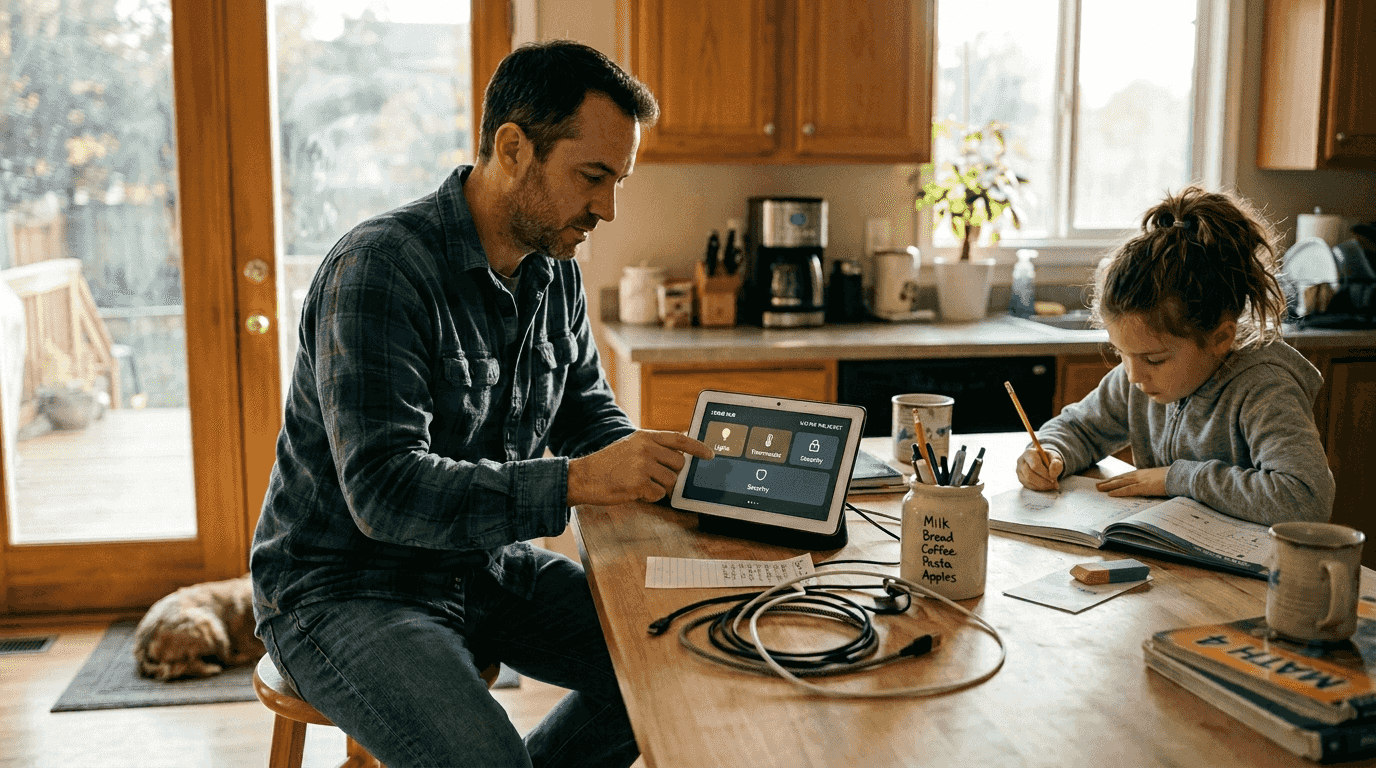
Choosing the best smart home hubs 2026 has to offer can feel overwhelming, with countless options promising seamless automation but differing in compatibility, privacy, and ease of use. You need a hub that connects your devices, respects your data, and simplifies daily routines without technical headaches. This guide reveals essential selection criteria and compares the top hubs of 2026, giving you clarity to match a hub to your ecosystem, privacy priorities, and lifestyle needs.
Table of Contents
- Selection Criteria For Smart Home Hubs
- Top Smart Home Hubs In 2026
- Comparison Of Top Smart Home Hubs
- Situational Recommendations For Best Smart Home Hubs
- Summary And Next Steps
- Explore Smart Home Solutions At Smart Home HQ
- FAQ
Key takeaways
| Point | Details |
|---|---|
| Evaluate five core criteria | Assess compatibility, privacy model, ease of setup, automation capabilities, and total cost before buying. |
| Top 2026 hubs serve different needs | Amazon Echo Show 15, Google Nest Hub Max, Apple HomePod Mini, Samsung SmartThings, and Hubitat Elevation each excel in specific scenarios. |
| Privacy varies by processing model | Local processing in Apple HomePod Mini and Hubitat protects data better than cloud-dependent alternatives. |
| Budget options exist for all users | Hubitat Elevation and Google Nest Hub Max provide strong value without compromising essential features. |
| Match your hub to your situation | Renters, privacy advocates, and multi-protocol homes each have optimal hub choices based on priorities. |
Selection criteria for smart home hubs
Selecting the best hub requires evaluating five critical factors that determine how well it fits your home and habits. These criteria help you avoid buyer’s remorse and ensure your investment delivers lasting value.
Device and ecosystem compatibility sits at the foundation of hub selection. Your hub must support the protocols your devices use, whether that’s Zigbee, Z-Wave, Wi-Fi, Thread, or the newer Matter standard. A hub compatible with Alexa, Google Assistant, or HomeKit ecosystems ensures your existing smart devices work without replacement costs. Mixing protocols becomes common as homes expand, so choosing a hub with broad compatibility saves money and frustration over time.
Privacy focus distinguishes hubs that process data locally from those relying on cloud servers. Local processing keeps your commands, routines, and device data within your home network, reducing exposure to breaches or corporate data collection. Cloud-dependent hubs offer convenience like remote access and cloud backups but send more information to external servers. If you value control over your personal data, prioritize hubs advertising local edge computing and minimal cloud reliance.
Ease of use determines whether you’ll actually enjoy your smart home or dread configuring it. Simple setup processes averaging 15 minutes make hubs accessible to renters and first-time users. Intuitive mobile apps with clear device pairing and automation builders reduce the learning curve. Technical users might tolerate complex interfaces for advanced features, but most homeowners benefit from plug-and-play designs that work immediately.
Automation flexibility impacts how custom and powerful your smart home becomes. Hubs offering scripting, conditional logic, and multi-device routines enable sophisticated scenarios like “good morning” sequences adjusting lights, thermostats, and coffee makers together. Voice assistant integration adds hands-free convenience, letting you trigger automations with simple spoken commands. Evaluate whether the hub’s automation tools match your desired level of control and complexity.
Best Smart Home Hubs 2026

Cost considerations extend beyond the initial purchase price. Some hubs require monthly subscriptions for cloud storage, advanced features, or extended device support. Calculate total ownership costs over two to three years, factoring in subscription fees and potential accessory purchases. Budget-friendly hubs with strong core features often provide better long-term value than premium models with unnecessary extras.
Pro Tip: Test your hub’s return policy before committing. Buy from retailers offering 30-day returns so you can evaluate real-world setup speed and integration with your existing devices without financial risk.
Top smart home hubs in 2026
Five hubs dominate the 2026 market, each excelling in specific areas while serving different user priorities and technical comfort levels.
Amazon Echo Show 15
Combines a 15.6-inch display with built-in Zigbee support and Alexa integration. It connects to over 130,000 compatible devices spanning lights, locks, thermostats, and cameras. The large touchscreen serves as a visual control panel and family hub displaying calendars, photos, and video feeds. Alexa’s voice commands offer hands-free control, while routines automate multi-device actions. However, it relies heavily on cloud processing, sending most data to Amazon servers for analysis. This hub suits users already invested in the Amazon ecosystem who prioritize device compatibility and voice assistant convenience over privacy.
Google Nest Hub Max
Stands out for exceptionally fast setup and the newest Matter protocol support. Most users complete initial configuration in about 15 minutes thanks to streamlined pairing and Google’s intuitive interface. The 10-inch display handles video calls, recipe displays, and security camera feeds clearly. Google Assistant integration enables natural voice commands and routines. Like Echo Show 15, it processes data primarily in the cloud, which concerns privacy-focused users but enables features like personalized recommendations and cross-device synchronization. This hub works best for Google ecosystem users wanting quick, simple smart home control.
Apple HomePod Mini
Prioritizes privacy with local Siri processing and end-to-end encryption protecting your data from external access. It functions as a HomeKit hub, controlling compatible devices through the Apple Home app. The compact speaker delivers impressive audio quality for its size, doubling as a music player. Its main limitation is strict HomeKit compatibility, excluding many popular smart devices unless they support Apple’s standards. This hub targets iPhone users who value privacy and own or plan to buy HomeKit-certified devices. The higher cost reflects Apple’s premium positioning and security focus.
Samsung SmartThings Hub
Offers the broadest device compatibility, supporting Zigbee, Z-Wave, and IP-based protocols simultaneously. This multi-protocol approach means you can mix devices from different manufacturers without compatibility concerns. The SmartThings app provides powerful automation tools with conditional logic and scene creation. Advanced users appreciate the ability to write custom automations and integrate third-party services. Setup requires more technical knowledge than plug-and-play competitors, but the flexibility rewards effort. This hub fits multi-device homes with diverse ecosystems needing a central controller that handles everything.
Hubitat Elevation
Emphasizes local edge computing, processing automations on the device rather than in the cloud. This approach cuts latency and maintains functionality during internet outages while protecting your privacy. It supports Zigbee and Z-Wave devices with strong automation capabilities. The budget-friendly price doesn’t include a native voice assistant, but it integrates with existing Alexa or Google Assistant speakers. Users comfortable with technical setup appreciate Hubitat’s power and privacy at a lower cost. This hub serves privacy-conscious buyers and tech enthusiasts wanting maximum control without ongoing subscription fees.
Comparison of top Best Smart Home Hubs 2026
Comparing hubs side by side reveals how features, privacy models, and costs align with different user needs and priorities.
| Hub | Protocols | Privacy Model | Setup Time | Price Range | Voice Assistant |
|---|---|---|---|---|---|
| Amazon Echo Show 15 | Zigbee, Wi-Fi | Cloud | 20-25 min | $250-280 | Alexa built-in |
| Google Nest Hub Max | Wi-Fi, Matter | Cloud | 15 min | $220-230 | Google Assistant built-in |
| Apple HomePod Mini | Wi-Fi, Thread | Local | 10-15 min | $99 | Siri built-in |
| Samsung SmartThings | Zigbee, Z-Wave, IP | Hybrid | 30-40 min | $90-120 | Compatible (not built-in) |
| Hubitat Elevation | Zigbee, Z-Wave | Local | 25-35 min | $130-150 | Compatible (not built-in) |
Best Smart Home Hubs 2026
Amazon Echo Show 15 connects the widest range of devices thanks to mature Alexa ecosystem partnerships and Zigbee support. However, cloud processing means your device interactions, voice commands, and usage patterns travel to Amazon servers. Users accepting this trade-off gain convenience features like remote access, cloud backups, and cross-device synchronization. Subscription costs stay low, with most features included in the base price.
Apple HomePod Mini and Hubitat Elevation deliver superior privacy through local processing that keeps sensitive data within your home network. HomePod Mini encrypts communications end-to-end, preventing even Apple from accessing your commands or routines. Hubitat processes automations locally, maintaining function even when internet connectivity drops. Both sacrifice some convenience features requiring cloud processing but protect your information from breaches and corporate data mining.
Setup complexity varies significantly across hubs. Google Nest Hub Max’s 15-minute average reflects Google’s focus on consumer-friendly design and guided setup flows. Hubitat and SmartThings require more time and technical comfort, expecting users to understand networking concepts and device pairing procedures. First-time smart home users benefit from simpler options, while experienced enthusiasts tolerate complexity for advanced capabilities.
Subscription costs impact long-term affordability. Most hubs offer core features without monthly fees, but premium services like extended cloud storage or advanced automation tools may require subscriptions. Calculate total three-year ownership costs including potential subscriptions to compare true value. Hubitat’s one-time purchase price with no ongoing fees often proves more economical than hubs with recurring charges.
Pro Tip: Prioritize compatibility with your existing device ecosystem first, then evaluate privacy and convenience features. A hub incompatible with your current devices forces expensive replacements that eliminate any initial savings.
Situational recommendations for Best Smart Home Hubs 2026
Your ideal hub depends on your living situation, privacy priorities, technical skills, and existing device ecosystem. These scenarios help match hubs to real-world needs.
Renters needing non-invasive setups
Should choose Amazon Echo Show 15 or Google Nest Hub Max. Both use wireless Wi-Fi connections requiring no drilling, wiring, or permanent modifications that violate lease agreements. Plug-and-play designs let you set up quickly and take the hub when moving. Voice assistants simplify control without installing wall switches or panels. These hubs work in apartments and rental properties where reversible installations matter.
Privacy-conscious users
Benefit most from Apple HomePod Mini or Hubitat Elevation. Local processing keeps your data within your home network, away from corporate servers and potential breaches. End-to-end encryption and minimal cloud reliance reduce exposure. Accept trade-offs like limited remote access or fewer convenience features, but gain peace of mind knowing your routines and commands stay private. If privacy ranks as your top priority, these hubs deliver the strongest protections.
Advanced multi-protocol homes
With diverse devices from various manufacturers need Samsung SmartThings Hub. Supporting Zigbee, Z-Wave, and IP protocols simultaneously eliminates compatibility headaches when mixing brands. Complex automation tools enable sophisticated routines coordinating multiple devices. The technical setup process suits experienced users comfortable configuring network settings and troubleshooting device connections. This hub handles the most demanding smart home configurations.
Budget-minded buyers
Find strong value in Hubitat Elevation’s one-time purchase with no subscription fees. Solid performance, local processing, and broad protocol support compete with more expensive options. While lacking built-in voice assistants, compatibility with existing Alexa or Google speakers covers voice control needs. Lower upfront costs and no recurring charges make this hub economical for long-term ownership.
Voice-first automation enthusiasts
Get the best experience from Amazon Echo Show 15 or Google Nest Hub Max. Built-in assistants respond quickly to commands without requiring separate speakers. Mature voice recognition handles complex requests and natural language variations. These hubs integrate deeply with their respective voice assistant ecosystems, enabling hands-free control of your entire smart home through simple spoken phrases.
Summary and next steps
Best Smart Home Hubs 2026
Choosing your smart home hub requires balancing compatibility, privacy, ease of use, automation capabilities, and cost against your specific situation and priorities.
The five leading hubs of 2026 each serve distinct user groups. Amazon Echo Show 15 offers the widest device support and strong voice control for Alexa ecosystem users. Google Nest Hub Max provides the fastest setup and Matter protocol support for Google-focused homes. Apple HomePod Mini delivers unmatched privacy for iPhone owners willing to stick with HomeKit devices. Samsung SmartThings Hub handles the most complex multi-protocol setups. Hubitat Elevation combines privacy, performance, and value for budget-conscious or technically skilled users.
| Hub | Best For | Key Advantage | Main Limitation |
|---|---|---|---|
| Amazon Echo Show 15 | Alexa ecosystem users | Widest device compatibility | Cloud-dependent privacy |
| Google Nest Hub Max | Quick setup priority | Fastest configuration (15 min) | Requires Google account |
| Apple HomePod Mini | Privacy-focused iPhone users | Local processing, encryption | HomeKit device requirement |
| Samsung SmartThings | Multi-protocol homes | Supports most protocols | Technical setup complexity |
| Hubitat Elevation | Budget and privacy focus | No subscription fees | No built-in voice assistant |
Assess your current device ecosystem before purchasing. List your existing smart devices and their required protocols to ensure compatibility. Consider whether you prioritize privacy protections or convenience features requiring cloud processing. Evaluate your technical comfort level honestly, choosing simpler hubs if you want immediate functionality or advanced options if you enjoy customization.
After selecting your hub, follow a structured setup checklist to ensure smooth installation and device pairing. Start with one room or device category, expanding gradually as you master the interface and automation tools. This approach prevents overwhelming complexity and helps you learn your hub’s capabilities systematically.
Explore Best Smart Home Hubs 2026 solutions at Smart Home HQ
Now that you understand hub selection criteria and top options, Smart Home HQ offers comprehensive resources to continue building your smart home ecosystem. Our detailed product comparison tables help you find compatible devices that work seamlessly with your chosen hub.

Explore updated listings covering all device categories, from smart lighting and thermostats to security cameras and door locks. Each review includes real-world testing insights, setup guides, and compatibility details ensuring informed purchasing decisions. Stay current with the latest smart home devices of 2026, discovering new products that enhance automation and convenience. Whether you’re just starting your smart home journey or expanding an existing setup, our guides provide practical advice for every skill level.
FAQ – Best Smart Home Hubs 2026
What is a smart home hub and why do I need one?
A smart home hub connects and manages multiple smart devices through a centralized control system, acting as the brain coordinating your lights, locks, thermostats, and sensors. It enables automation routines that trigger multiple devices simultaneously, like a “good morning” scene adjusting lights and starting your coffee maker. Without a hub, devices often function in isolation through separate apps, limiting convenience and preventing cross-device automation. You gain unified control, voice commands, and sophisticated routines that make your smart home truly intelligent rather than just a collection of disconnected gadgets.
How does privacy differ between smart home hubs?
Privacy protection varies dramatically based on whether hubs process data locally within your home or send information to cloud servers for analysis. Local processing keeps your commands, routines, and device interactions on your home network, limiting external exposure to breaches or corporate data collection. Cloud-based hubs transmit more data to manufacturer servers, enabling features like remote access and voice processing but increasing privacy risks. Hubs with end-to-end encryption and minimal cloud dependence, like Apple HomePod Mini and Hubitat Elevation, provide the strongest privacy protections for security-conscious users.
Can renters install smart home hubs without damaging property?
Most modern hubs use wireless Wi-Fi setups requiring absolutely no drilling, wiring, or permanent modifications to rental properties. Devices like Amazon Echo Show 15 and Google Nest Hub Max feature plug-and-play designs you simply place on a counter or mount with removable adhesive strips. This makes them ideal for apartment living where lease agreements prohibit structural changes. Always review your rental agreement for smart device policies, but wireless hubs with removable mounting options satisfy nearly all landlord requirements while delivering full smart home functionality.
What features should I prioritize if I’m new to smart home technology?
New users should prioritize hubs offering fast setup times under 20 minutes and intuitive mobile apps with clear guided processes, like Google Nest Hub Max’s streamlined configuration. Compatibility with popular ecosystems such as Alexa or Google Assistant ensures smooth integration with widely available devices you’ll likely purchase. Built-in voice assistant support simplifies daily control, letting you adjust settings through natural spoken commands rather than navigating complex menus. Start with these foundational features before exploring advanced automation capabilities, ensuring your initial smart home experience feels rewarding rather than frustrating.
Recommended
- Smart Home Hub Options: Gateways for a Connected Home
- Smart Speakers for Automation | Top 5 for 2026
- Smart Security Systems 2026: Review The Top Options
- 7 Essential Types of Home Locks Every Homeowner Should Know – A To Z Locksmith Inc
Leave a Reply