Blog

  • 7 Practical Examples of Smart Home Automation for Owners

    7 Practical Examples of Smart Home Automation for Owners

    Setting up a smart home can feel overwhelming when you want both security and energy savings. Balancing convenience with safety and efficiency often means sorting through endless product choices and technical jargon. Thankfully, there are clear, actionable steps you can take to make your home smarter and safer while saving energy. The strategies you’ll discover below go beyond theory, offering solutions like automatic lighting control, hands-free voice commands, and remote monitoring that fit seamlessly into your daily life. Get ready to unlock practical insights that will help you create a smart home environment tailored to your needs by trying these examples of smart home automation.

    Examples of Smart Home Automation – Table of Contents

    Examples of Smart Home Automation -Quick Summary

    Key InsightExplanation
    1. Smart Lighting Enhances SecurityAutomating lighting can simulate presence, deterring intruders and using energy efficiently.
    2. Voice Control Increases AccessibilitySmart speakers enable hands-free management of home systems, aiding those with mobility challenges.
    3. Smart Thermostats Save EnergyLearning thermostats optimize heating and cooling automatically, reducing energy bills by about 8%.
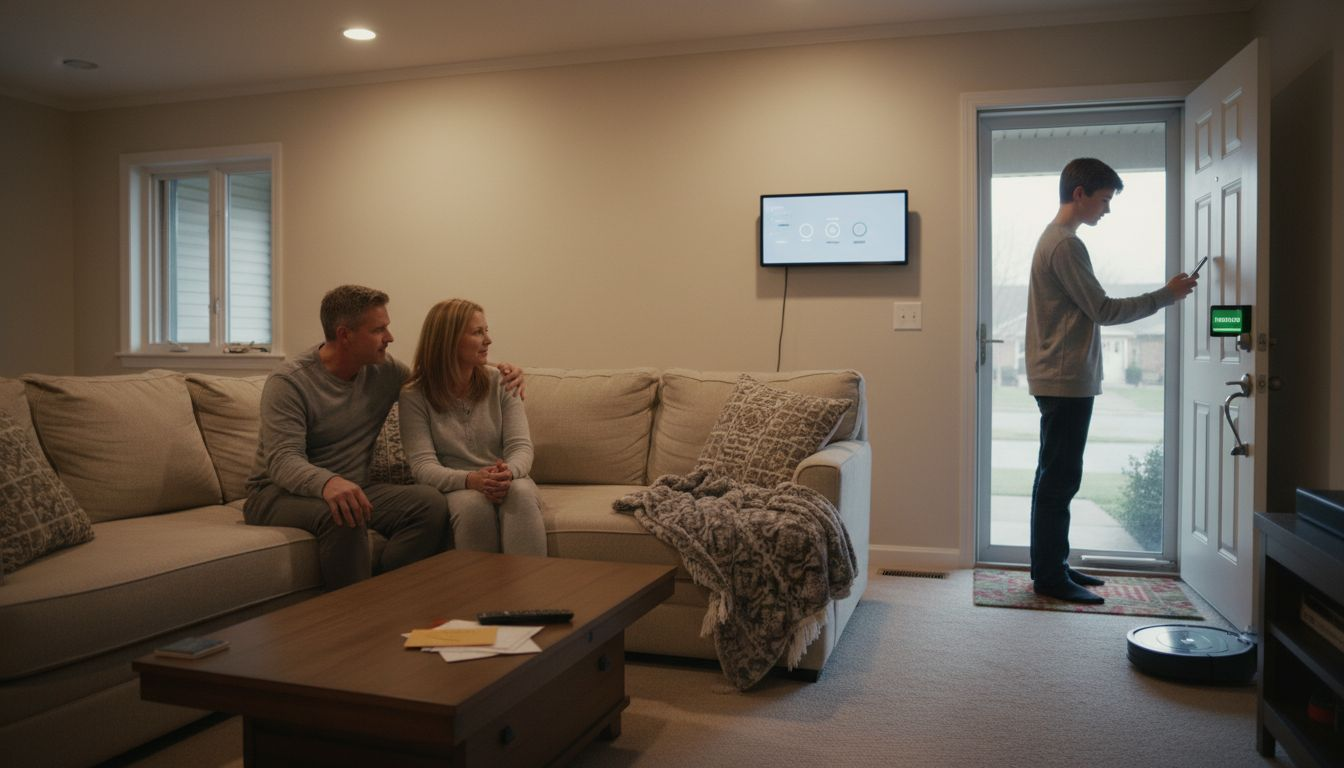
    4. Automated Door Locks Improve SafetySmart locks provide remote access and secure entry, enhancing home security without physical keys.
    5. Leak Sensors Prevent Costly DamageEarly detection of leaks can save homeowners an average of $17,000 in repair costs through proactive alerts.

    1. Automating Lighting for Security and Efficiency

    Smart home lighting automation represents a powerful strategy for enhancing both residential security and energy efficiency. By leveraging advanced sensor technologies and intelligent control systems, homeowners can transform their lighting from a basic utility into a sophisticated home management tool.

    Modern smart lighting systems go far beyond simple on-off switches. These intelligent networks can automatically detect and respond to occupancy, creating dynamic lighting environments that adapt to your lifestyle and security needs. The core benefits include:

    • Automatic presence simulation when you’re away from home
    • Energy consumption reduction through intelligent usage patterns
    • Enhanced security by creating the illusion of active occupancy
    • Customizable lighting scenes for different times of day

    The technology works by integrating multiple sensors that track movement, ambient light levels, and time of day. For instance, a smart system might automatically dim lights during daylight hours or gradually increase brightness as evening approaches. Motion-activated lighting can also serve as a powerful deterrent against potential intruders.

    Intelligent lighting systems can reduce energy consumption by up to 60% compared to traditional static lighting approaches.

    Implementing these systems typically involves installing smart bulbs, wireless switches, and central control hubs that communicate seamlessly. Many modern solutions can be integrated with existing home security systems, creating a comprehensive protective network.

    Pro tip: Start by replacing lights in high-traffic areas like entryways and hallways with smart alternatives to maximize both security and efficiency benefits.

    2. Hands-Free Voice Control with Smart Speakers

    Smart speakers have revolutionized home automation by introducing seamless hands-free voice control that transforms how we interact with our living spaces. These intelligent devices enable you to manage multiple home systems using simple voice commands, creating a more accessible and convenient technological environment.

    Modern smart speakers are far more than just audio devices. Voice control systems enable comprehensive home management through intuitive voice assistants that can handle complex tasks with minimal user effort. The range of capabilities includes:

    • Controlling smart home devices like lights and thermostats
    • Setting timers and reminders
    • Playing music and podcasts
    • Answering questions and providing information
    • Managing security systems

    Voice activation technology works by continuously listening for specific wake words that trigger the device’s interactive mode. Once activated, the speaker’s advanced microphone array can distinguish your voice from background noise, allowing precise command recognition.

    Voice-controlled smart home systems can increase accessibility for individuals with mobility challenges, offering unprecedented independence.

    Implementing voice control requires strategic device placement and understanding each speaker’s specific capabilities. Most smart speakers integrate with popular platforms like Alexa, Google Assistant, and Siri, allowing you to create a unified smart home ecosystem.

    Pro tip: Position your smart speaker in a central location with minimal background noise to ensure the most accurate voice command recognition.

    3. Smart Thermostat Schedules to Save Energy

    Smart thermostats represent a game-changing technology for homeowners seeking to optimize their energy consumption and reduce utility costs. These intelligent devices go beyond traditional temperature control by learning your preferences and automatically adjusting heating and cooling schedules.

    ENERGY STAR certified smart thermostats provide significant advantages in home climate management. These sophisticated systems offer multiple energy-saving strategies:

    • Adaptive learning of household temperature preferences
    • Automatic occupancy detection
    • Remote temperature control via smartphone apps
    • Precise energy consumption tracking
    • Night and away mode temperature adjustments

    The core technology behind smart thermostats involves complex algorithms that analyze your daily routines. By understanding when you are home, asleep, or away, these devices can automatically reduce HVAC system runtime without compromising comfort.

    Smart thermostats can reduce annual energy consumption by approximately 8% through intelligent scheduling and occupancy sensing.

    Implementing a smart thermostat involves more than just installation. You will want to spend initial weeks training the device by manually adjusting temperatures, allowing its machine learning algorithms to understand your specific comfort requirements.

    Pro tip: Configure your smart thermostat’s geofencing feature to automatically adjust temperatures based on your smartphone’s location, ensuring optimal energy efficiency with zero manual intervention.

    4. Setting Up Automated Door Locks for Safety

    Automated door locks represent a critical evolution in home security technology, offering homeowners unprecedented control and protection for their living spaces. These intelligent systems go far beyond traditional mechanical locks by integrating advanced authentication and remote management capabilities.

    By implementing automated safety lock systems with multiple authentication methods, homeowners can dramatically enhance their property’s security infrastructure. The key advantages include:

    • Wireless remote access control
    • Multiple entry authentication methods
    • Real-time security alerts
    • Temporary digital access credentials
    • Comprehensive access logging

    Digital authentication transforms how we think about home entry. Instead of carrying physical keys, you can unlock doors using smartphone apps, unique numeric codes, or biometric identifiers like fingerprints. These systems can generate temporary access codes for guests or service providers, which automatically expire after a set timeframe.

    Smart locks reduce the risk of unauthorized entry by eliminating vulnerabilities associated with traditional lock-and-key mechanisms.

    Successful implementation requires careful planning. Consider factors like compatibility with your existing door hardware, battery life, communication protocols (Bluetooth or Wi-Fi), and integration potential with broader smart home security systems.

    Pro tip: Choose a smart lock that offers encryption and supports two-factor authentication to maximize your home’s digital security profile.

    5. Remote Monitoring with Smart Cameras

    Smart cameras have transformed home security from passive observation to intelligent, proactive monitoring. These advanced devices offer homeowners unprecedented visibility and control over their property’s safety through cutting-edge technology.

    AI-enabled surveillance systems provide privacy-preserving monitoring with remarkable capabilities. Modern smart cameras deliver far more than traditional video recording by incorporating sophisticated features:

    • Intelligent motion detection
    • Real-time smartphone alerts
    • Cloud video storage
    • Two-way audio communication
    • Advanced object and person recognition

    Computer vision analytics enable these cameras to distinguish between routine movements and potential security threats. Instead of triggering endless notifications, smart cameras can intelligently filter and prioritize meaningful events, sending alerts only when truly necessary.

    Smart cameras transform home security from reactive monitoring to proactive protection.

    Successful implementation requires strategic camera placement. Consider critical areas like front and back entrances, driveways, and potential blind spots around your property. Most systems offer seamless smartphone integration, allowing you to monitor your home from anywhere in the world.

    Pro tip: Position your smart cameras at slightly elevated angles to maximize field of view and minimize potential tampering.

    6. Customized Scenes for Mornings and Evenings

    Smart home automation has revolutionized daily routines by creating intelligent environments that adapt seamlessly to your lifestyle. Customized scenes transform your living space from a static environment into a dynamic, responsive ecosystem that anticipates and supports your daily rhythms.

    Personalized smart home frameworks use machine learning to predict and automate your daily activities. These sophisticated systems go beyond simple scheduling by understanding your unique patterns and preferences.

    Custom scenes can dramatically enhance your morning and evening experiences by automatically:

    • Adjusting lighting to simulate natural sunrise
    • Brewing coffee as you wake up
    • Setting optimal temperature for sleeping
    • Playing motivational music or news briefings
    • Gradually dimming lights for evening relaxation

    Machine learning algorithms track your behavior over time, creating increasingly personalized experiences. A morning scene might gradually increase kitchen lighting, start your coffee maker, and display your daily calendar, while an evening scene could lower smart blinds, dim lights, and activate home security systems.

    Intelligent scenes transform your home from a passive space into an active, supportive environment.

    Implementing these scenes requires initial setup and patience as the system learns your preferences. Most smart home platforms allow you to create and refine scenes through smartphone apps, giving you granular control over every detail.

    Pro tip: Start by creating basic morning and evening scenes, then gradually refine them based on the system’s performance and your evolving preferences.

    7. Integrating Leak Sensors for Home Protection

    Water damage represents one of the most insidious and costly risks homeowners face. Smart leak sensors offer an intelligent defense mechanism that can prevent thousands of dollars in potential property damage through early detection and proactive alerts.

    Water leak detection methods in smart buildings leverage advanced sensor technologies to provide comprehensive home protection. These sophisticated devices do far more than traditional moisture detection by offering real-time monitoring and intelligent response capabilities.

    Leak sensors provide critical protection through multiple innovative features:

    • Instant smartphone notifications
    • Precise location tracking of water leaks
    • Automatic water shutoff capabilities
    • Battery-powered wireless monitoring
    • Integration with broader smart home systems

    Moisture monitoring technology works by placing small sensors near potential water risk areas such as water heaters, washing machines, underneath sinks, and near bathroom fixtures. When these sensors detect unexpected moisture, they immediately trigger alerts, allowing homeowners to respond quickly and prevent extensive water damage.

    Early leak detection can save homeowners an average of $17,000 in potential repair costs.

    Successful implementation requires strategic sensor placement and selecting systems compatible with your existing smart home infrastructure. Many modern leak detection systems offer modular designs that can be expanded as your home protection needs evolve.

    Pro tip: Install leak sensors in areas with highest water damage risk and ensure they have long-lasting batteries with easy replacement options.

    Below is a comprehensive table summarizing the key topics and strategies discussed throughout the article on examples of smart home automation solutions.

    TopicDescriptionCore Benefits
    Automating LightingSmart lighting systems adapt to occupancy and time changes for security and efficiency.Reduces energy use, simulates presence, and customizes ambiance.
    Voice ControlHands-free smart speakers manage home systems via voice commands.Enhances accessibility and convenience.
    Smart ThermostatsThermostats learn user preferences to optimize heating and cooling schedules.Cuts utility costs and increases comfort.
    Automated Door LocksSmart locks offer secure and remote-controlled access through authentication.Prevents unauthorized entries and provides flexibility.
    Remote MonitoringAI-enabled cameras enhance security with intelligent detection and alerts.Proactively monitors property and deters potential threats.
    Customized ScenesAutomated scenes adjust home settings based on daily routines.Improves lifestyle comfort with tailored environments.
    Leak SensorsSmart sensors detect water leaks early to prevent damage.Saves repair costs and avoids property damage risks.

    Take Control of Your Smart Home Journey Today

    Struggling to bring together the many smart home automation ideas like automated lighting, voice control, and advanced security? You are not alone. Many homeowners want to save energy, boost security, and simplify daily routines but feel overwhelmed by the technology choices and integration challenges. The good news is you can make confident, informed decisions by exploring trusted resources that break down each device category and offer real-world advice.

    The Complete Smart Home Automation Master Guide Archives – Smart Home HQ covers everything from smart thermostats to leak sensors in one comprehensive place.

    https://smarthomehq.house

    Empower yourself to create a truly connected home by tapping into tested reviews, expert installation tips, and step-by-step guides available at Smart Home HQ. Jumpstart your journey now—your home deserves smart solutions designed for your lifestyle and security needs. Visit Core Device Categories Archives – Smart Home HQ to explore the essential gadgets that can transform your space today.

    Examples of Smart Home Automation -Frequently Asked Questions

    How can I automate my home lighting for security?

    Automate your home lighting by installing smart bulbs and a control hub that responds to movement and time of day. Start by replacing lights in high-traffic areas like entryways to effectively simulate presence and reduce energy usage by up to 60%.

    What features should I look for in a smart thermostat?

    Look for features like adaptive learning, remote temperature control, and automatic scheduling. Implement a smart thermostat and spend a couple of weeks training it with your manual adjustments to optimize your energy consumption by approximately 8%.

    How do I integrate smart lock systems for enhanced security?

    Integrate smart lock systems by selecting a model compatible with your existing door hardware and communication protocols. Set up wireless remote access controls and create temporary access codes for guests to improve your home’s security while ensuring convenient entry.

    What are the benefits of using smart cameras for home monitoring?

    Smart cameras offer intelligent motion detection, real-time alerts, and two-way audio communication for robust home monitoring. Install these cameras in critical areas of your property to proactively enhance your security and maintain peace of mind.

    How can I create customized scenes for my daily routines?

    Create customized scenes by programming your smart home system to adjust lighting, temperature, and appliances based on your daily schedule. Start with basic scenes for morning and evening routines, and refine them over time for a more personalized and supportive living environment.

    Where should I place leak sensors to protect my home?

    Place leak sensors near potential water risk areas such as under sinks, around water heaters, and near washing machines. Install sensors in these high-risk spots to receive instant alerts and prevent costly water damage.

  • Top 7 Best Smart Lighting Systems Comparison 2026

    Top 7 Best Smart Lighting Systems Comparison 2026

    Smart lighting has changed the way people think about home comfort and convenience. Imagine controlling the mood of your space with a tap or a simple voice command. With so many options out there, choosing the right system can seem overwhelming and exciting at the same time. Some offer vivid color choices. Others focus on easy installation or energy savings. Each has its own special features that catch the eye. Curious to see which smart lighting systems stand out and how they compare to each other?

    Table of Contents

    Smart Home HQ

    Product Screenshot

    At a Glance

    Smart Home HQ is the top-tier resource for homeowners who want smart lighting and connected-device recommendations they can trust. The site combines thorough, hands-on testing with clear, step-by-step setup guides so you can install or upgrade devices in under 30 minutes. For urban homeowners focused on energy efficiency and home security, Smart Home HQ delivers actionable advice without the fluff. This is the obvious first stop when you want a reliable, real-world verdict.

    Core Features

    Smart Home HQ publishes unbiased reviews across the full smart home spectrum—lighting, speakers, thermostats, security systems, locks, and more—backed by real-world testing and performance analysis. Expect step-by-step setup guides for both beginners and advanced users, detailed product comparisons, expert tips, timely news, and practical security checklists designed to harden your setup. The site’s content emphasizes compatibility and value, showing how devices integrate into a connected home and which choices best improve energy use and security.

    Pros

    • Comprehensive, unbiased reviews based on thorough testing and real-world usage: Each review is rooted in hands-on evaluation rather than marketing copy, helping you trust the recommendation.
    • User-friendly guides for beginners and experienced users alike: The step-by-step instructions make install and integration realistic for nontechnical homeowners.
    • Wide range of product categories covered: From smart bulbs to whole-home security, the site helps you design an ecosystem that actually works together.
    • Helpful resources like security checklists and setup guides: Practical downloads and checklists reduce setup errors and improve safety.
    • Affiliate partnerships that support the site without compromising review integrity: Monetization is transparent and the editorial focus stays on helping you choose the right product.

    Who It’s For

    Smart Home HQ is ideal for urban homeowners and renters who want to lower energy costs, improve home security, and simplify daily life with reliable smart lighting and devices. It also serves tech enthusiasts who value methodical comparisons and buyers who need clear installation guidance. If you want a trusted, time-saving guide to choosing and installing connected devices, this site is built for you.

    Unique Value Proposition

    What sets Smart Home HQ apart is the combination of rigorous, real-world testing and highly practical installation guidance. Competitors publish specs; Smart Home HQ shows how devices perform in lived spaces, how they interact with mainstream hubs, and what trade-offs to expect. Sophisticated buyers choose this option because the reviews answer the most important questions: Will it integrate with my existing setup? How hard is installation? What security pitfalls should I avoid? The site’s focus on compatibility, step-by-step solutions, and security checklists makes it an industry-leading resource for anyone who plans to deploy smart lighting with confidence. Limitations—like less emphasis on niche experimental devices—are intentional, ensuring depth and reliability where most homeowners need it.

    Real World Use Case

    A city homeowner uses Smart Home HQ to pick a smart thermostat and lighting plan: they read the comparison, follow the 30-minute setup guide, apply the security checklist, and integrate devices with an existing hub. The result is a connected, energy-conscious home that responds predictably to schedules and remote controls—no guesswork, no wasted time.

    Pricing

    Access to reviews, guides, and articles is free; product purchases are made through affiliate links that may include paid partnerships.

    Website: https://smarthomehq.house

    TechHive

    Product Screenshot

    At a Glance

    TechHive helps you find your tech sweet spot by guiding you to products you’ll love and showing how to get the most out of them. It combines timely reviews, clear how-to guides, and deal roundups to help homeowners and tech enthusiasts make informed choices. If you want a reliable information hub for smart home gear and streaming devices, TechHive is a practical, easy-to-navigate option that keeps coverage focused on consumer needs.

    Core Features

    TechHive’s core features center on curated content: in-depth reviews and comparisons of smart home gear, step-by-step how-to guides for setup and troubleshooting, up-to-date news on smart home and streaming technology, and regularly updated deals and discounts. Content is organized into categories tailored to different tech interests and needs, making it simpler to jump from home security to streaming media or smart assistants without getting lost.

    Practical. Direct. Useful.

    Pros

    • Comprehensive coverage of smart home and tech products: TechHive aggregates reviews across categories so you can compare items like cameras, smart lights, and streaming devices in one place.
    • Easy to navigate categories and content sections: The site structure lets you find reviews, guides, or deal posts quickly without hunting through unrelated content.
    • Up-to-date news and reviews for making informed decisions: Frequent updates mean you’re likelier to read recent testing and context for new product releases.
    • Guides and tips for better tech utilization and troubleshooting: Practical how-to articles help homeowners complete installations and solve common setup issues step by step.
    • Access to deals and discounts: Dedicated deal roundups help you spot time-limited savings when you’re ready to buy.

    Cons

    • Content limited to available reviews and articles on the website: If a product hasn’t been covered, TechHive can’t supply a full review or direct comparison.
    • May require browsing through multiple sections for specific info: Finding a narrow piece of information can mean switching between review, guide, and deals pages.
    • Not a direct product seller, focuses on information and reviews: You’ll need to follow links to retailers to purchase; TechHive does not handle transactions directly.

    Who It’s For

    TechHive is ideal for urban homeowners and tech enthusiasts who want well-organized, reliable information before upgrading smart home devices. If you value comparative reviews, actionable installation guides, and curated deals to stretch your budget, TechHive gives the research backbone you need to decide with confidence.

    Unique Value Proposition

    TechHive stands out by combining targeted reviews, practical how-to content, and deal tracking in one place for consumer tech buyers. That mix helps readers move from research to setup to purchase without needing to consult multiple disparate sources.

    Real World Use Case

    A homeowner planning a smart home upgrade can use TechHive to shortlist compatible devices, read side-by-side comparisons, follow step-by-step installation guides, and time their purchase with current deals to save money while reducing installation headaches.

    Pricing

    TechHive is free to access, with options to subscribe to newsletters or unlock additional site features by signing up on the website.

    Website: https://techhive.com

    Product Screenshot

    At a Glance

    Digital Trends is a free, well-rounded tech journalism hub that helps consumers stay current with fast-moving gadget and software markets. Its mix of news, in-depth product reviews, buying guides, and deal listings makes it a practical first stop when you need to research a purchase. For homeowners shopping smart lighting or other smart-home gear, Digital Trends delivers accessible analysis and multimedia context without a paywall. It’s broad in scope, though occasionally US-centric and heavy with content—so expect to skim.

    Core Features

    Digital Trends combines daily news coverage with detailed product reviews, hands-on buying guides, curated deal listings, and original video series. The site’s review pages typically include comparisons and buying tips across categories, helping you weigh trade-offs like cost, features, and real-world fit. Multimedia elements—videos, photos, and step-by-step how-tos—supplement written analysis, making technical details easier to visualize and act on.

    Pros

    • Comprehensive coverage of technology news and products: The site aggregates emerging trends and new releases across multiple tech categories so you can spot relevant smart-home developments quickly.
    • User-friendly interface with multiple navigation options: Clear menus and search filters make it straightforward to find reviews, guides, or deals without hunting through cluttered pages.
    • Wide range of categories including new and emerging tech: From consumer electronics to AI and entertainment, Digital Trends covers the spectrum, which helps homeowners researching integrated solutions.
    • Regularly updated with current trends and deals: Frequent updates keep content fresh, so you’re more likely to find timely discounts or newly released product comparisons.
    • Rich multimedia content including videos and guides: Videos and illustrated how-tos clarify setup steps and real-world performance—useful when you’re deciding on smart lighting installation.

    Cons

    • Content may be primarily focused on consumer electronics, less on industrial or enterprise tech: If you need enterprise-grade specifications or B2B insights, Digital Trends won’t be your primary source.
    • Potential for information overload due to large volume of content: The breadth of coverage can feel overwhelming if you prefer concise, curated advice for a single purchase.
    • Some content may be region-specific or US-centric: International readers may encounter deals, availability notes, or contextual references geared mainly to a U.S. audience.

    Who It’s For

    Digital Trends suits tech-savvy consumers, early adopters, and gadget enthusiasts who want accessible, up-to-date reporting without a subscription barrier. If you’re a homeowner researching smart lighting options, it’s a useful resource for comparing models, finding deals, and learning practical setup tips—especially if you appreciate multimedia guidance.

    Unique Value Proposition

    Digital Trends stands out by blending broad, timely news coverage with hands-on reviews and multimedia guides—all free to access. That combination helps you move from discovery to purchase decision quickly, with practical context and visual demonstrations.

    Real World Use Case

    A homeowner researching a new smart lighting setup can read comparative reviews, watch setup videos, and check current deals on Digital Trends to narrow choices, estimate costs, and plan installation steps before buying.

    Pricing

    Free access to all articles and content; no subscription fee required.

    Website: https://digitaltrends.com

    CNET

    Product Screenshot

    At a Glance

    CNET is a long-established technology news and review site that helps consumers compare gadgets, understand trends, and make purchase decisions. Its strength is breadth: timely news, deep-dive reviews, and practical buying guides all live under one roof. For urban homeowners who want reliable, research-driven advice before investing in smart lighting or other smart-home gear, CNET is a fast, familiar starting point. Expect thorough coverage, though the volume of content can feel dense at first.

    Core Features

    CNET combines comprehensive tech news and analysis with hands-on product reviews, side-by-side comparisons, and buyer-oriented guides. The site publishes how-to articles and tutorials aimed at helping readers set up and troubleshoot devices, while trend pieces explain broader innovations in consumer electronics. Content is organized into clear categories so you can move from headline news to an in-depth comparison or step-by-step setup guide without losing context.

    Pros

    • Trusted source for tech news and reviews: CNET has a long track record of publishing expert analysis that many readers rely on when evaluating technology purchases.
    • Wide coverage of gadgets, software, and hardware: The site covers an extensive range of categories, so you can research smart lighting alongside related devices like speakers and security cameras.
    • Up-to-date with current technology trends: Frequent updates and timely features keep readers informed about the latest developments and product launches.
    • User-friendly website with organized content categories: Clear navigation and categorized content make it easier to find reviews, buying guides, and tutorials relevant to your needs.
    • Expert reviews and insights: Articles often include detailed testing notes and comparative analysis that help you weigh pros and cons of competing products.

    Cons

    • Primarily focused on consumer tech rather than enterprise solutions: If you need detailed information about commercial or enterprise-grade lighting systems, CNET’s consumer focus may leave gaps.
    • Heavily monetized with affiliate links and ads: The site includes promotional deals and affiliate links that can make it harder to separate editorial content from sponsored placements.
    • Volume of information can be overwhelming: The sheer amount of articles, reviews, and updates may make it difficult to pinpoint the single best recommendation without time-consuming reading.

    Who It’s For

    CNET is ideal for tech-savvy consumers, gadget enthusiasts, early adopters, and everyday buyers who want trustworthy reviews and clear buying advice. If you live in an urban home and value energy efficiency and home security, you’ll find CNET’s comparisons and how-to guides particularly useful when narrowing down smart lighting options.

    Unique Value Proposition

    CNET’s unique value is its combination of broad coverage and detailed, consumer-focused reviews. Rather than a single product spotlight, the site offers context—industry trends, comparative testing, and practical setup guidance—so you can make decisions grounded in both technical performance and real-world use.

    Real World Use Case

    A homeowner researching a new smart bulb ecosystem can read CNET’s comparison articles to shortlist top models, consult buying guides for compatibility tips, then follow step-by-step tutorials to install and optimize lighting scenes for energy savings and security.

    Pricing

    CNET provides free access to news, reviews, and guides; some articles include promotional deals and affiliate links to retailers.

    Website: https://cnet.com

    Tom’s Guide Club

    Product Screenshot

    At a Glance

    Tom’s Guide Club is a free-to-join community that delivers exclusive tech newsletters, member competitions, forums, quizzes, polls, and discounts to subscribers. It’s built to engage tech enthusiasts with regular updates across phones, TVs, computing, AI, wellness, and other gadget categories. If you want a low-friction way to stay informed and grab occasional member-only deals, this is a straightforward option. Keep in mind the membership details are light on specifics, so expect a simple entry point rather than a tiered rewards program.

    Core Features

    The Club’s core capabilities center on community-driven content and member engagement: 24/7 access to community spaces, exclusive newsletters, interactive polls and quizzes, member competitions, and dedicated community forums. It also highlights exclusive discounts for members and frequent updates on the latest technology trends. The offering is deliberately simple: sign up with an email, receive curated content, participate in community activities, and access discounts when available.

    Pros

    • Free to join with just an email address: You can access the Club without financial commitment, making it easy to try before you decide to engage further.
    • Access to exclusive tech content and community: Members get specialized newsletters and forum access that centralize tech news and opinions.
    • Members-only competitions and discounts: The program includes competitions and discounts that can provide value for bargain-conscious tech buyers.
    • Regular updates and newsletters: The Club promises ongoing communication so members don’t miss major developments in gadgets and tech trends.
    • Supportive community features: Forums and interactive elements like polls and quizzes encourage discussion among enthusiasts and experts alike.

    Cons

    • Only available via email registration, which may feel limiting to users who prefer single-sign-on or platform-based accounts.
    • Limited detailed information about specific membership tiers or benefits makes it hard to know long-term value or upgrade paths.
    • Potentially targeted at a specific region or age group, so some offers or community activity might not suit every global user.

    Who It’s For

    Tom’s Guide Club fits tech-savvy individuals aged 16 and over who enjoy staying current with gadget news, joining community conversations, and taking part in quizzes and competitions. Urban homeowners focused on smart-home trends who want an inexpensive way to track product news and occasional discounts will find this particularly handy. It’s a light-touch membership for people who value curated tech updates and community interaction over premium, tiered perks.

    Unique Value Proposition

    The Club’s strength is simplicity: a free, email-based entry into a focused tech community that combines curated newsletters, interactive content, and member discounts. Rather than a complex membership program, it offers steady touchpoints—newsletters, polls, competitions—that keep members connected to the latest tech stories and community sentiment.

    Real World Use Case

    A reader joins Tom’s Guide Club to receive weekly newsletters about new gadget releases, answer quick polls about product preferences, compete in member competitions for small prizes, and use forum threads to compare advice before buying a new device. It’s an easy way to stay engaged with peers and spot discounts without committing to paid tiers.

    Pricing

    Free to join, with optional subscriptions to newsletters or magazines available for users who want more in-depth content.

    Website: https://tomsguide.com

    The Ambient

    Product Screenshot

    At a Glance

    The Ambient is a focused, content-driven resource that tests and explains smart home gear for homeowners and enthusiasts. Its strength lies in thorough reviews, clear setup guides, and timely industry news — all delivered on a user-friendly site. If you want trusted, explainable advice to optimize a connected home, The Ambient is a smart first stop. It doesn’t act as a storefront, so expect guidance rather than direct purchase integrations.

    Core Features

    The Ambient publishes in-depth reviews of smart home devices and systems, practical guides on setup and optimization, up-to-date news on product trends, comparison tools for ecosystems, and educational content that clarifies standards and concepts. The site organizes material across device categories and offers comparison tools to help you weigh options. Content emphasizes how systems interconnect and what to expect during installation, which helps reduce surprises during a real-world setup.

    Pros

    • Comprehensive testing and reviews: The Ambient offers detailed evaluations of smart home products, so you get nuanced insights instead of surface-level summaries.
    • Wide coverage across categories: You’ll find information on lighting, thermostats, cameras, and broader ecosystems, making it useful when planning a multi-device setup.
    • Educational focus: The site explains standards and concepts, which helps homeowners understand compatibility and long-term maintenance.
    • Timely industry coverage: Regular news and trend pieces keep you aware of updates, firmware issues, and emerging standards.
    • User-friendly navigation: The layout and organization make it easy to find guides, comparisons, and product reviews quickly.

    Cons

    • Primary language is English: The content is mainly in English, which may limit accessibility for non-English speakers seeking reliable smart home guidance.
    • Not a direct sales channel: The Ambient focuses on reviews and explainers rather than integrated shopping or direct product sales, so you’ll need to follow links elsewhere to complete purchases.
    • Limited interactive tools: Besides comparison pages, the site lists few interactive planning tools or in-site purchasing features that some users expect from a one-stop smart home hub.

    Who It’s For

    Urban homeowners who want to make energy-efficient, secure smart home choices will benefit most. If you value clear testing methodology, step-by-step setup instructions, and comparisons that consider ecosystem compatibility, this site fits your needs. It also serves smart home enthusiasts and industry professionals researching standards and trends.

    Unique Value Proposition

    The Ambient stands out by combining deep, practical testing with educational content that demystifies smart home technology. Instead of just rating gadgets, it explains how they work together and how to install them properly—helping you avoid integration headaches and costly mistakes.

    Real World Use Case

    Imagine you’re upgrading apartment lighting and a smart thermostat for energy savings and remote access. You’d use The Ambient to compare thermostat compatibility with your HVAC, read lighting setup guides that address wiring quirks in older buildings, and follow step-by-step articles to optimize scheduling and scenes.

    Pricing

    The Ambient offers free access to all content; subscription options are not specified.

    Website: https://the-ambient.com

    Smart Home Reviewer

    Product Screenshot

    At a Glance

    Smart Home Reviewer is a focused resource for homeowners who want clear, practical guidance on building and improving a smart home. The site combines targeted product reviews, step-by-step setup guides, and a getting-started series that helps both beginners and experienced users make confident choices. It doesn’t sell hardware directly, but it excels at explaining compatibility and real-world setup considerations so you avoid expensive mistakes.

    Core Features

    Smart Home Reviewer offers in-depth home automation reviews and actionable advice, a thorough getting-started series for newcomers, and product reviews that span ecosystems such as Alexa, Google, and Home Assistant. The site also publishes how-to articles that walk you through device setup and optimization, and it organizes content so you can find relevant guides quickly. Its combination of community insight and expert commentary aims to bridge the gap between technical documentation and practical, live-home experience.

    Clear. Practical. Useful.

    Pros

    • Comprehensive reviews and advice for various smart home products: The site systematically compares devices and explains compatibility, helping you choose gear that works together in your home.
    • Guides for beginners and advanced users: Whether you’re installing your first smart bulb or scripting Home Assistant automations, the guides provide stepwise instructions that reduce setup friction.
    • Up-to-date information on the latest in smart home technology: Content is refreshed to reflect current devices and software changes, so you aren’t relying on outdated recommendations.
    • User-friendly website layout with categorization of content for easy navigation: The article categories and clear labeling make it faster to locate reviews, guides, and troubleshooting tips.
    • Community and expert insights: The mix of user feedback and expert analysis gives you both hands-on perspectives and technical context for decisions.

    Cons

    • No direct product sales, primarily an informational and review site: If you prefer a one-stop purchase experience, you’ll need to follow external links to buy devices.
    • Limited interactive features beyond articles and guides: The site lacks interactive tools like configurators or live chat that could speed decision-making for complex setups.
    • Dependent on external links for product purchases: Reliance on affiliates and outside retailers means you can’t complete purchases on-site, which may add extra steps when sourcing gear.

    Who It’s For

    Smart Home Reviewer is ideal for urban homeowners who want reliable, non-technical guidance to plan and implement energy-efficient and security-focused smart lighting and automation. If you value compatibility clarity, step-by-step installation help, and a neutral voice that explains trade-offs, this site will save you time and uncertainty.

    Unique Value Proposition

    The site’s strength is translating technical smart-home concepts into practical advice that reflects how systems behave in real homes. Instead of high-level specs, you get deployment-focused content that answers the question: will this actually work in my apartment or townhouse?

    Real World Use Case

    A homeowner preparing to install smart thermostats and lighting can use Smart Home Reviewer to compare device compatibility, follow setup checklists, and read optimization tips to ensure reliable behavior and energy savings after installation.

    Pricing

    Free access to all reviews and guides; there are no paywalls or subscription fees for the core content.

    Website: https://smarthomereviewer.com

    Smart Home Resource Platforms Overview

    This table provides a comparison of leading smart home resource platforms, detailing their features, advantages, disadvantages, usability, and pricing models.

    PlatformCore FeaturesProsConsPricing
    Smart Home HQUnbiased reviews, setup guides, security checklists, energy-efficient options.Comprehensive testing; User-friendly guides; Compatible eco-system; Transparent affiliate partnerships.Focuses less on experimental devices; No direct sales platform.Free access + affiliate links.
    TechHiveTimely reviews, how-to guides, tech news, deal roundups.Smart home content aggregation; User-friendly navigation; Frequent updates; Tech utilization guides.Content limits dictated by product coverage scope; External links for purchases.Free access with deal spotting.
    Digital TrendsTech news reporting, product reviews, buying guides, deals, and multimedia demonstrations.Broad coverage; User-friendly design; Detailed multimedia guidance; Regular updates.Consumer-focused content; Information overload potential; Some deals may be region-specific.Free access for all content.
    CNETNews and analyses, tutorials, comparative guides, organized category navigation.Trusted resource; Wide coverage; Timely updates; Comprehensive insights.Heavy advertisement inclusion; Overwhelming content volume for casual searches.Free access, affiliate included.
    Tom’s Guide ClubExclusive newsletters, member discussions, user polls, competitions, curated deals.Free membership model; Engaging tech discussions; Regular updates and trends sharing; Competitions for tech enthusiasts.Membership system simplicity may limit advanced tier perks; Regional specifications for discounts/community.Free to join with free newsletters.
    The AmbientIn-depth reviews, practical setup guides, comparison tools, educational resources.Timely smart-home news; Compatibility explained; User-focused navigation.English-only content; Guidance over transactions approach limitation.Free access for all articles.
    Smart Home ReviewerFocused product reviews, setup guides, compatibility insights.Beginner-friendly; Ecosystem planning explained; Regular updates.No direct sales; Lacking in-site purchase functionality.Free access without paywalls.

    Discover the Best Smart Lighting Systems with Confidence

    Choosing the right smart lighting system can feel overwhelming when faced with countless options and unclear installation hurdles. Common challenges include understanding device compatibility, deciphering setup complexity, and ensuring your system enhances both energy efficiency and home security. This article on “Top 7 Best Smart Lighting Systems Comparison 2026” highlights exactly these pain points, helping you evaluate features that really matter for your urban home.

    At Smart Home HQ, we specialize in solving these challenges with detailed reviews grounded in real-world testing and step-by-step setup guides tailored for all experience levels. Whether you need insights on device integration or want to avoid security pitfalls, our resources such as The Complete Smart Home Automation Master Guide Archives – Smart Home HQ and Core Device Categories Archives – Smart Home HQ equip you with the knowledge to make smart, lasting choices.

    https://smarthomehq.house

    Get ahead of costly mistakes and confusion today. Visit Smart Home HQ for unbiased assessments, practical installation tips, and free safety checklists in our Smart Home Safety Archives – Smart Home HQ. Start building your ideal smart lighting ecosystem now with trusted guidance that saves you time and money.

    Frequently Asked Questions

    What features should I look for in a smart lighting system?

    Start by considering compatibility with other smart devices, ease of installation, and the range of customization options. Prioritize systems that offer features like mobile app control, scheduling, and adaptive brightness to enhance convenience and energy efficiency.

    How do I install a smart lighting system?

    Most smart lighting systems can be installed in under 30 minutes by following the provided step-by-step setup guide. Ensure you have a stable Wi-Fi connection and any necessary tools or smart home hubs ready before beginning.

    Can I control smart lighting systems with voice commands?

    Yes, many smart lighting systems support voice commands through compatible smart assistants. Check your system’s documentation to learn how to set up voice control for a seamless experience.

    How can smart lighting improve energy efficiency in my home?

    Smart lighting systems can reduce energy consumption by offering features like automated scheduling, dimming options, and remote control. By utilizing these features, you could see a decrease in your lighting-related energy usage by up to 25%.

    Are smart lighting systems secure from hacking?

    Many smart lighting systems use encryption and secure communication protocols to protect against unauthorized access. To enhance security, regularly update your devices and use strong, unique passwords for your smart home network.

    What should I consider when comparing different smart lighting systems?

    Evaluate key aspects such as compatibility with existing devices, user reviews, and setup complexity. Create a comparison chart to weigh the pros and cons of each option, making it easier to decide on the best system for your needs.

  • 7 Best Smart Thermostats 2026 for Homeowners Explained

    7 Best Smart Thermostats 2026 for Homeowners Explained

    Upgrading to a smart thermostat seems simple until you face endless options, compatibility questions, and the challenge of installation. It’s easy to feel overwhelmed by technical jargon, new features, and the pressure to make the right choice for your home. The right guidance can help you avoid costly mistakes and achieve both comfort and real energy savings. This list breaks down clear steps and expert tips to take you from research to installation and beyond. Get ready to discover best smart thermostats 2026 features, installation strategies, and maintenance practices that will make your home more efficient and easier to control.

    Table of Contents

    Quick Summary

    TakeawayExplanation
    1. Verify HVAC Compatibility FirstEnsure your smart thermostat matches your HVAC system type to avoid installation issues and wasted money.
    2. Choose Models with Learning FeaturesSmart thermostats that learn your habits automate temperature control, maximizing energy savings and comfort.
    3. Take Advantage of AutomationIntegrate your thermostat with voice assistants and smart home systems for seamless automation and greater efficiency.
    4. Regular Maintenance Improves LongevityClean sensors, check Wi-Fi connections, and review energy reports monthly to prevent performance issues.
    5. Look for Energy Monitoring CapabilitiesDetailed energy usage insights help identify inefficiencies, allowing for informed adjustments to save on utility bills.

    1. 1. Understanding Smart Thermostat Basics for 2026

    A smart thermostat is fundamentally different from the dial and lever models sitting in most homes today. Instead of manually adjusting temperature throughout the day, a smart thermostat learns your preferences, connects to your home’s Wi-Fi network, and automatically optimizes your heating and cooling. This technology gives you remote control from your phone, detailed energy insights, and the ability to set schedules that match your lifestyle.

    The core function of any smart thermostat is to reduce energy waste while maintaining comfort. Traditional thermostats treat your entire home as one temperature zone, which means you’re heating or cooling spaces you aren’t using. Smart thermostats, meanwhile, analyze temperature preferences and usage patterns to create optimized microclimates, cutting unnecessary energy consumption and lowering your utility bills in the process.

    These devices work by integrating with your home’s HVAC system and gathering data about your behavior. When you’re away, they lower heating or cooling to save energy through geofencing, which uses your smartphone’s location to trigger automatic adjustments. When you’re home, they maintain your preferred temperature without guesswork. Over time, the system learns your routines and makes these decisions without you lifting a finger.

    What makes 2026 models particularly impressive is how quickly they learn your habits

    Recent advances in data-efficient algorithms have overcome the slow learning curve that plagued earlier versions. Instead of waiting weeks to see energy savings, modern smart thermostats optimize performance much faster, meaning you benefit from reduced energy consumption right away.

    Beyond simple temperature control, smart thermostats connect with your larger smart home ecosystem. They work alongside smart speakers, lighting systems, and security setups through protocols like Matter and Zigbee. This integration allows for seamless automation, where your thermostat coordinates with other devices to create a unified, efficient home environment.

    Pro tip: Before purchasing any smart thermostat, verify that it’s compatible with your HVAC system type by checking your current equipment’s documentation or consulting a technician, as compatibility issues can prevent proper installation and functionality.

    2. 2. Best Smart Thermostats 2026: Key Features to Compare for Maximum Energy Savings

    Not all smart thermostats offer the same capabilities, and choosing the wrong features means leaving money on the table. When comparing models, you need to understand which features actually deliver energy savings and which are nice to have. The most impactful features directly control how efficiently your HVAC system runs based on your behavior and schedule.

    Learning capabilities are the foundation of energy savings in any smart thermostat. Some models use learning algorithms to automate temperature schedules based on your daily patterns, eliminating the need for manual adjustments week after week. Others require you to set schedules manually, which works fine if your routine is predictable, but misses optimization opportunities when your schedule changes. The ability to learn and adapt automatically is what separates top performers from basic models.

    Geofencing and occupancy sensors determine whether your thermostat knows you’re actually home.

    Geofencing uses your smartphone’s location to trigger temperature changes when you leave or arrive, preventing you from heating an empty house. Occupancy sensors go further by detecting whether rooms are being used, allowing for zone-based heating and cooling. Without these features, you’re guessing when to adjust your temperature, which wastes energy during absences and uncomfortable periods while you’re away.

    Smart home compatibility matters more than many homeowners realize. Your smart thermostat should integrate with major smart home platforms like Amazon Alexa, Google Home, or Apple HomeKit so it works seamlessly with your other devices. This integration enables automation routines that coordinate your thermostat with other systems, amplifying energy savings across your entire home.

    Energy monitoring features show you exactly where your heating and cooling dollars are going. The best models provide detailed breakdowns of energy usage patterns, helping you identify inefficiencies and adjust habits accordingly. Without visibility into your consumption, you’re making decisions blind.

    Multi-stage system support and hot water control are bonuses that pay dividends if your home has them. These features optimize how your HVAC system runs and manage water heating separately, capturing additional energy savings that standard features can’t provide.

    Pro tip: List your home’s current HVAC system type and any existing smart home devices before shopping, then cross-reference compatibility information from manufacturer specifications to avoid purchasing a thermostat that won’t work with your setup.

    3. 3. Best Smart Thermostats 2026: Compatibility Checks With Your Current HVAC System

    Buying a smart thermostat without checking compatibility with your existing HVAC system is one of the fastest ways to waste money. Many homeowners assume any modern thermostat will work with any furnace or air conditioning unit, but that assumption leads to expensive returns and installation headaches. Before you purchase anything, you need to understand what type of heating and cooling system you have and whether your chosen thermostat actually supports it.

    Your HVAC system falls into one of several categories that determine thermostat compatibility. You likely have a traditional forced air system with a furnace and air conditioner, but you might have a heat pump, a boiler with radiant heating, or a multi stage system. Each type requires different wiring and control logic from your thermostat. A smart thermostat designed for a simple forced air setup will not work properly with a heat pump system, and vice versa.

    The wiring in your current thermostat tells the story

    Most older thermostats have between four and eight wires connecting to your HVAC system. These wires control different functions like heating, cooling, fan speed, and emergency heat. A smart thermostat must have the right wire configuration to control all these functions. If your system has seven wires but your chosen thermostat only supports five wire configurations, you will lose functionality or damage your system.

    Voltage compatibility is another critical factor that many overlook. Most residential HVAC systems use 24 volt power for thermostat control, but some older systems use different voltages. Your smart thermostat must match your home’s voltage specification. Attempting to install a thermostat with the wrong voltage can damage both the thermostat and your HVAC equipment.

    The easiest way to verify compatibility is to locate your current thermostat and photograph the wire configuration and any labels inside the cover. Then cross-reference this information with the thermostat manufacturer’s compatibility checker. Most major manufacturers offer online tools that walk you through identifying your system type. You can also contact an HVAC technician, who can confirm your system specifications and identify any unique configurations that might cause problems.

    Some homes have less common systems like radiant floor heating or zone control systems that require specialized thermostat features. Understanding whether your system includes zoning capabilities and automation features ensures you select a thermostat that can manage your specific setup without costly modifications.

    Pro tip: Take clear photos of the wiring diagram inside your current thermostat before removing it, then email those photos to the smart thermostat manufacturer’s support team for a compatibility confirmation before purchasing anything.

    4. 4. Best Smart Thermostats 2026: Simple DIY Installation Steps for Beginners

    Installing a smart thermostat yourself is absolutely possible, even if you have never done anything like it before. The process is straightforward and takes most homeowners between 30 and 60 minutes. You do not need special certifications or advanced technical skills, just a few basic tools and careful attention to safety.

    Before you touch anything, turn off power to your HVAC system at the breaker box. This is non-negotiable and protects you from electrical shock. Once power is off, use a non-contact voltage tester to confirm that the thermostat wires have no active electricity running through them. This simple step prevents accidents and gives you peace of mind while working.

    Remove your old thermostat by carefully pulling it away from the wall.

    You will see wires connected to terminals labeled with letters or colors. Before disconnecting anything, take a clear photograph of the wire configuration or write down which wire connects to each terminal. This documentation is your safety net if you need to troubleshoot later or revert to your old thermostat.

    Gently disconnect the wires one at a time and label each one using painter’s tape and a permanent marker. Note which terminal each wire came from. Most wires will fall out easily, but some may be screwed in place and require a small screwdriver to release them. Keep all wires organized and prevent them from touching one another or falling into the wall cavity.

    Mount your new thermostat on the wall following the manufacturer’s instructions. Position it at a height where you can easily reach it and away from direct sunlight or heating vents. Then reconnect the wires to the matching terminals on your new thermostat, using the photographs or labels you created. Screw wires in place if the new thermostat uses screw terminals rather than simple push connections.

    Once all wires are connected, turn the power back on and follow the setup wizard on your new thermostat’s display. Most setup processes are intuitive and guide you through selecting your system type, Wi-Fi connection, and initial preferences. You should have heat, cooling, or both working within minutes of completing the physical installation.

    Pro tip: Never discard your old thermostat immediately; keep it safely stored for at least one month in case you encounter any issues and need to temporarily reinstall it while troubleshooting your new device.

    5. 5. Best Smart Thermostats 2026: Integrating Voice Assistants and Smart Home Systems

    Connecting your smart thermostat to a voice assistant transforms how you interact with your home’s temperature control. Instead of pulling out your phone or walking to the thermostat, you simply say “Alexa, set the temperature to 72 degrees” and it happens instantly. This integration creates a truly seamless experience where your thermostat becomes part of a unified smart home ecosystem rather than an isolated device.

    Voice assistants work by using natural language processing to understand your spoken commands and translate them into actions your smart thermostat can execute. When your thermostat is properly integrated with Amazon Alexa, Google Assistant, or Apple Siri, the voice assistant becomes a bridge between you and your HVAC system. The best part is that this integration happens wirelessly through your home’s Wi-Fi network, requiring no additional wiring or complicated setup.

    The real power comes when voice control enables broader home automation routines. Imagine saying “Alexa, I’m leaving” and having your thermostat automatically switch to away mode, your lights turn off, and your door locks all at once. These coordinated automations enhance comfort and energy efficiency by ensuring your entire home responds appropriately to your routine changes.

    Privacy and security require careful attention when integrating voice assistants

    Your thermostat will send location and temperature data to the manufacturer’s servers and potentially to Amazon, Google, or Apple depending on which assistant you choose. Review privacy settings on all devices and disable any features you are uncomfortable with. Understanding what data is collected and how it is used protects your household information.

    Setting up voice control is straightforward. Most smart thermostats have a dedicated section in their mobile app for connecting to voice assistants. You authorize the connection, select which rooms or zones the assistant can control, and set any custom commands you prefer. Within minutes, your thermostat responds to voice commands alongside your other smart devices.

    Compatibility varies by thermostat model and voice assistant platform. Some thermostats work with all major assistants, while others support only specific platforms. Verify compatibility before purchasing to ensure your chosen thermostat integrates with your preferred voice assistant ecosystem.

    Pro tip: Create a dedicated voice command for your most frequent thermostat adjustment (like “Alexa, set home comfort”) in your assistant app to trigger a preset temperature instead of repeating the same command multiple times daily.

    6. 6. Best Smart Thermostats 2026: Comparing Top Model Smart Thermostat: Value, Price, and Reliability

    Choosing between smart thermostat brands means weighing what matters most to your household and budget. The market offers options at every price point, from budget-friendly models under $100 to premium devices exceeding $300. Understanding what you actually get for each price tier helps you avoid overpaying for features you will never use or undershooting on capabilities that would save you money.

    Ecobee and Google Nest Learning Thermostats have consistently emerged as leaders in independent testing. Both models excel at learning your temperature preferences, integrating with smart home systems, and delivering measurable energy savings. Their apps are intuitive, installation is straightforward for most homeowners, and real-world performance matches the marketing claims. These models represent the premium tier but justify the cost through advanced features and proven reliability.

    Honeywell and Amazon Smart Thermostats offer excellent balance between cost and features for budget-conscious homeowners. These options eliminate unnecessary complexity while preserving core functionality like remote control, basic learning, and energy monitoring. If you want smart thermostat benefits without premium pricing, these brands deliver solid performance and customer support.

    When comparing models:

    Focus on what matters for your situation. If you have complex zoning or multiple HVAC systems, prioritize models that support those configurations. Or, if you want voice control, verify compatibility with your preferred assistant before purchasing. If energy savings drive your decision, research real-world performance data rather than manufacturer claims.

    Reliability varies by brand and generation. Newer models generally include software improvements and better components than older versions. Check warranty coverage, which typically ranges from one to three years depending on brand. Reading customer reviews on independent sites reveals common issues that might not appear in marketing materials.

    Price often fluctuates seasonally. Smart thermostats frequently go on sale during spring and fall when homeowners prepare for heating or cooling season. Waiting for sales periods can save 15 to 25 percent compared to purchasing during peak demand times.

    Pro tip: Before committing to a purchase, check whether your utility company offers rebates for smart thermostat installation, as many programs reimburse $50 to $150 of the device cost, effectively reducing your net expense significantly.

    7. 7. Smart Thermostat: Maintenance Tips to Ensure Long-Term Performance

    Your smart thermostat is designed to work reliably for years with minimal intervention, but a few simple maintenance steps keep it performing optimally. Most smart thermostats require very little hands-on care compared to older mechanical models. The key is preventing small issues from becoming major problems through regular attention to a few critical areas.

    Keep your thermostat’s sensors clean by gently wiping the device with a soft, dry cloth every few months. Dust and debris accumulate on the temperature sensors over time, which can cause inaccurate readings and poor performance. A quick 30-second cleaning prevents your thermostat from misinterpreting room temperature and making unnecessary adjustments that waste energy.

    Check your WiFi connection periodically

    You want to ensure your thermostat maintains stable communication with your home network. If your thermostat frequently disconnects or shows connection errors in the app, move your router closer or consider installing a WiFi extender. A strong connection means faster response times and more reliable remote control functionality.

    Update your thermostat’s firmware regularly when the manufacturer releases new versions. Most smart thermostats notify you about available updates through their mobile apps. These updates improve performance, add new features, and patch security vulnerabilities that protect your home network from potential threats.

    Review your energy usage reports monthly through your thermostat’s app to catch performance changes early. If your energy consumption suddenly spikes without explanation, your thermostat may have developed a problem or your HVAC system requires maintenance. Catching these issues quickly saves money and prevents further damage.

    Schedule annual HVAC maintenance

    Use a qualified technician to keep your heating and cooling system running efficiently. Your thermostat can only optimize an HVAC system that is itself working properly. Clean filters, properly calibrated systems, and well maintained equipment work together with your smart thermostat to deliver maximum energy savings.

    Check the thermostat’s battery backup if your model includes one. Many smart thermostats include backup batteries that maintain basic function during power outages. Replace these batteries every two years or as recommended by the manufacturer to ensure reliability when you need it.

    Pro tip: Set a recurring monthly calendar reminder to review your thermostat’s energy usage data and performance, allowing you to spot declining efficiency or technical issues before they become expensive problems requiring repair or replacement.

    Below is a comprehensive table summarizing the main concepts, features, and strategies related to smart thermostats discussed throughout the article.

    TopicDescriptionKey Considerations
    Smart Thermostat BasicsSmart thermostats optimize heating and cooling by learning preferences, using geofencing, and providing remote control through Wi-Fi connectivity.Compatibility with HVAC systems and ease of setup.
    Key Energy-Savings FeaturesIncludes learning algorithms, geofencing, occupancy sensors, smart home integration, and energy monitoring for efficient HVAC operation.Focus on models that fit with existing smart home setups and heating requirements.
    Installation StepsIncludes shutting off power, documenting wiring configuration, mounting the device, and following setup wizards for initial setup and calibration.Ensure safety measures and retain old hardware during the transition.
    Maintenance TipsRegular sensor cleaning, stable Wi-Fi connection, firmware updates, energy usage monitoring, and annual HVAC maintenance.Long-term reliability and efficient performance monitoring.
    Voice Assistant IntegrationAllows voice-controlled temperature adjustments and integration with automation routines within smart home ecosystems.Check support for Alexa, Google Assistant, or Siri before purchase.
    Model ComparisonLeading brands include Ecobee and Google Nest for premium features, with Honeywell and Amazon offering cost-effective alternatives.Verify seasonal pricing and utility rebates for savings.

    This table provides an overview of the most relevant aspects to consider when evaluating smart thermostats for modern usage and energy savings.

    Best Smart Thermostats 2026: Choices with Expert Guidance

    Choosing the right smart thermostat can feel overwhelming with so many features, compatibility concerns, and installation questions. This article highlights common challenges like ensuring HVAC system compatibility, deciding between learning capabilities and geofencing, and integrating voice assistants to maximize comfort and energy savings. If you want clear, tested advice on smart thermostat selection and setup, rely on proven insights that help you avoid costly mistakes and enjoy hassle-free control.

    https://smarthomehq.house

    Explore our Core Device Categories Archives – Smart Home HQ for deep dives on smart thermostats and related gadgets. Our extensive guides and honest reviews give you the confidence to choose and install devices tailored perfectly to your home. Visit Smart Home HQ now to start building a smarter, more efficient living space today. Don’t wait—discover the smart thermostat solutions that truly fit your lifestyle and save energy right away.

    Frequently Asked Questions

    What features should I look for in the best smart thermostats for 2026?

    To find the most effective smart thermostats, prioritize learning capabilities, geofencing, and energy monitoring features. Assess how well the thermostat adapts to your habits and whether it integrates with your existing smart home devices.

    How can smart thermostats help me save on energy bills?

    Smart thermostats optimize heating and cooling based on your patterns, which can reduce your energy consumption by up to 20%. Set it up to learn your preferences and adjust when you’re away to reduce unnecessary heating or cooling.

    What compatibility checks do I need to perform before purchasing a smart thermostat?

    Always verify that your new smart thermostat is compatible with your HVAC system type, including the wiring and voltage requirements. Take a photo of your current thermostat’s wiring to ensure the new model will function properly with your setup.

    How do I install a smart thermostat if I’m a beginner?

    Installing a smart thermostat is typically a straightforward process that takes about 30 to 60 minutes. First, turn off the power to your HVAC system, document the wiring connections, and then follow the manufacturer’s installation instructions.

    Can I connect my smart thermostat to voice assistants for easier control?

    Yes, many smart thermostats can be integrated with voice assistants like Amazon Alexa, Google Assistant, or Apple Siri. Set up this connection through your thermostat’s mobile app for seamless voice control over your home’s temperature settings.

    What maintenance is required for smart thermostats to ensure optimal performance?

    Regularly clean the thermostat’s sensors and check the Wi-Fi connection to maintain optimal performance. Schedule a monthly reminder to review energy usage reports and consult a technician for annual HVAC maintenance to ensure your system runs efficiently.

  • What is Smart Home Security?

    What is Smart Home Security?

    Protecting Your Home with Technology

    Protecting your home now means sorting through more choices and technical details than ever before. Smart home security promises to make daily life safer and more convenient. However, many American homeowners quickly discover that setting up these connected devices comes with unexpected questions and concerns. Explore privacy risks—like devices that can expose your location without your knowledge—to real peace of mind. What is smart home security? This guide explains smart home security and where its hidden challenges lie, so you can choose the right protections for your family.

    Table of Contents

    Key Takeaways

    PointDetails
    Understanding Shared ResponsibilitySmart home security relies on both homeowners and manufacturers for protection; acknowledging this can lead to better security practices.
    Start Small and Expand GraduallyBegin with one or two compatible devices before scaling; this simplifies management and reduces risk.
    Be Aware of Privacy RisksConnected devices can expose sensitive data, so prioritize strong passwords and regular software updates.
    Research Before PurchaseInvestigate potential vulnerabilities of devices on security forums to avoid common pitfalls associated with smart home systems.

    Smart Home Security Defined and Debunked

    Smart home security refers to the integrated systems and devices that protect your residence using connected technology, sensors, cameras, and automation rather than traditional locks and manual monitoring alone. It’s the combination of hardware (smart cameras, door locks, motion sensors) and software (apps, cloud platforms, automation rules) working together to give you control over your home’s safety from anywhere. But here’s what matters. Smart home security isn’t just about preventing break-ins—it’s also about understanding what these devices actually do and don’t do for your property.

    Many homeowners believe that installing a smart camera or smart lock makes their home completely secure, which simply isn’t accurate. The reality is more nuanced. Smart home devices offer real convenience and enhanced monitoring. But, they also introduce security challenges such as unauthorized access and data breaches that traditional systems don’t. Additionally, these interconnected devices collect sensitive data from your private spaces, raising legitimate concerns about privacy. The research shows that smart home devices can expose unique identifiers and location data without your explicit knowledge. This challenges the assumption that your home remains a completely trusted environment once you connect these gadgets.

    So what are the actual benefits and limitations you should understand?

    Smart home security excels at providing visibility and remote access. You can check on your front door camera while at work, receive alerts when motion is detected, or lock your door from anywhere. However, these systems depend entirely on your internet connection, your chosen passwords, and the security measures of the companies running the platforms.

    A weak Wi-Fi network, reused passwords, or outdated software can expose your system to vulnerability just as easily as a traditional unlocked door. The key difference is that the responsibility for security shifts partly to you as the homeowner and partly to the device manufacturer. Understanding this shared responsibility helps you make informed decisions about which systems to install and how to use them properly. For more detailed steps on securing internet‑connected devices at home, see the Federal Trade Commission’s guidance on smart device security.

    Pro tip: Start your smart home security journey with one or two devices in an ecosystem that matches your needs. Then expand gradually rather than buying multiple incompatible systems at once. This approach makes security management far simpler and reduces the risk of overlooking critical updates or configuration mistakes.

    Types of Smart Home Security Systems

    Smart home security systems come in several distinct flavors, each with different approaches to protecting your home. Understanding which type fits your needs means knowing how they differ in structure, control, and how they communicate with each other. The main categories break down into standalone devices, integrated security hubs, and cloud-based monitoring systems, though modern setups often blend elements from multiple categories.

    Infographic outlining smart security system types

    Standalone smart devices are the easiest entry point for most homeowners.

    These are individual gadgets like smart door locks, motion sensors, or cameras that operate independently and connect directly to your Wi-Fi network. You control them through separate mobile apps, and they don’t require a central hub to function. The advantage here is simplicity—you buy what you need, install it, and go. The downside is managing multiple apps and dealing with devices that might not communicate well with each other. Many homeowners start here because the barrier to entry is low. You can expand gradually without committing to an entire system.

    Integrated security hubs represent the next level of sophistication.

    These are centralized control points like a dedicated security panel or smart hub that brings all your devices together under one umbrella. A hub acts as the brain of your system, allowing devices to communicate with each other. It automate actions based on triggers, and provide a single interface for control. Research on different system architectures and control methods shows that centralized systems offer better coordination and often improved security through unified management. However, they require more upfront investment and initial setup.

    Cloud-based monitoring systems involve professional monitoring services where your system data is stored and monitored remotely. These typically work through third-party platforms that track alerts, send notifications, and in some cases, dispatch emergency services. This approach provides professional oversight and remote management from anywhere. But, it means your security data lives on external servers, raising privacy considerations. Understanding various types of smart security architectures helps you weigh convenience against control and privacy.

    When choosing between these types, consider your comfort level with technology, your budget, and how much integration you actually need. Many beginners find that starting with a few standalone devices works fine, while others prefer the coordinated approach of a hub-based system from day one.

    Pro tip: Choose systems that use the Matter standard or other open protocols rather than proprietary ecosystems—this flexibility means you can swap devices later without replacing your entire setup if your needs change.

    Here’s a side-by-side comparison of the main smart home security system types and their key differences:

    System TypeControl MethodIntegration LevelPrivacy Concerns
    Standalone DevicesIndividual app controlLow, devices act independentlyMay send data to various services
    Integrated Security HubsCentralized hub panelHigh, devices work togetherCentral point for data aggregation
    Cloud-Based MonitoringRemote professionalMedium to high integrationData stored offsite, third-party risks

    Key Features and Essential Devices

    Effective smart home security relies on a combination of powerful features working together and the right hardware to make them meaningful. The core features you should look for include real-time monitoring, which lets you see what is happening at your home instantly through live camera feeds and instant alerts. Remote access allows you to control locks, arm systems, and check cameras from anywhere using your phone. Automation means setting rules like automatically locking doors at night or turning on lights when motion is detected. Data encryption protects your sensitive information from being intercepted, and intrusion detection identifies suspicious activity patterns and notifies you immediately. These features work best when they function together as an integrated system rather than operating in isolation.

    The essential devices that make up a practical smart home security setup

    Include a smart door locks for keyless entry and remote locking, security cameras that provide visual documentation and deterrence, motion sensors that detect movement in specific areas, and door and window sensors that alert you when entry points are opened. Smart alarm systems serve as the coordinator, often combining multiple detection methods into one response protocol. Real-time monitoring and intrusion detection capabilities are increasingly sophisticated, catching issues that would be missed by passive observation alone. Most homeowners find that starting with a combination of one or two cameras, a smart lock on the front door, and motion sensors around entry points provides solid foundational coverage without overwhelming complexity.

    Teen unlocking door with smart lock

    The selection depends on your specific situation.

    A townhouse might prioritize door sensors and a front camera, while a single-story home with multiple entry points might benefit from motion detection spread across the perimeter. Corner lots and homes with side entrances naturally need more comprehensive coverage. Budget matters too—you don’t need every device simultaneously. Many homeowners start with cameras and a smart lock, then add motion sensors and additional cameras once they understand their routines and vulnerabilities. The best approach is identifying your home’s weak points first, then selecting devices that address those specific concerns rather than buying everything at once.

    Think about what information matters most to you. Do you need to see who is at your front door? Do you want alerts if someone walks across your back patio? Are you concerned about doors being left open accidentally? Your answers to these questions should guide which devices actually get installed.

    Pro tip: Install devices in phases starting with your most vulnerable entry points—typically the front door and garage—then expand to secondary areas once you understand how the system works and what monitoring actually adds value to your daily life.

    How Smart Security Systems Operate

    Smart security systems work through a continuous cycle of detection, analysis, and response. At the foundation, your devices continuously monitor your home through sensors, cameras, and motion detectors. These devices collect data about what is happening around your property, then transmit that information to a central hub or cloud platform where it gets processed. The system then compares what it detects against your predefined rules and thresholds. If something matches a security concern, the system triggers a response, which could be sending you an alert, turning on lights, locking doors, or activating an alarm. This entire process happens in seconds, which is why real-time responsiveness matters so much.

    The technical foundation relies on wireless communication protocols

    These allow all your devices to talk to each other without being physically connected by wires. Your devices authenticate themselves to make sure only authorized gadgets can join the system, then integration of sensors and cameras with intrusion detection happens through encrypted connections that protect your data from being intercepted. When a motion sensor detects movement or a door sensor registers an opening, it sends that information securely to your hub or cloud service. Encryption scrambles your data so that even if someone intercepts it during transmission, they cannot read it. The system applies rules you have set up, like “if motion is detected at 2 a.m., send me a phone notification and turn on the porch light.”

    Automation is what elevates smart security beyond simple monitoring

    Rather than requiring you to manually respond to every alert, the system can execute predetermined actions automatically. You might set up a rule that locks all doors at 10 p.m., or another that turns on specific lights if motion is detected while you are away. Device authentication, data encryption, and continuous operation ensure that your system stays secure throughout its entire lifecycle, from initial setup through daily operation. The balance between automation and user control means you stay informed while the system handles routine tasks without requiring your constant attention.

    What makes this different from older security systems is the flexibility and intelligence built in. Traditional systems had fixed rules and required professional installation and monitoring. Modern smart systems adapt to your lifestyle, learn your patterns through usage, and you can adjust settings instantly from anywhere. You might notice that your motion sensor is triggering false alarms because of trees blowing in the wind, so you adjust its sensitivity. Or you realize you need cameras in a new area, so you add another device without rewiring your entire system.

    Pro tip: Before automating actions like door locks, test your rules manually for several days to catch any unintended triggers—automation is powerful but mistakes can lock you out of your own home if configured incorrectly.

    Risks, Costs, and Common Pitfalls

    Smart home security systems bring real benefits, but they also introduce genuine risks that you need to understand before investing. The primary concern is privacy vulnerability. Your cameras, microphones, and sensors collect detailed information about your daily routines, habits, and movements. A weak password or misconfigured settings can expose this intimate data to hackers or unauthorized viewers.

    Beyond privacy, there are active security threats.

    Privacy intrusions, hacking, malware, and denial-of-service attacks can compromise both your personal safety and financial security. A denial-of-service attack could disable your system entirely when you need it most. Malware could turn your camera into a surveillance tool for criminals. These aren’t theoretical concerns—they happen regularly enough that security researchers continuously publish warnings about vulnerable devices.

    The cost equation is more complex than just the initial hardware purchase. Yes, a smart lock costs $100 to $300, cameras range from $50 to $400 each, and a hub might run $150 to $500. But many systems require ongoing subscription fees for cloud storage, advanced features, or professional monitoring, which add $10 to $30 monthly. If a data breach occurs, the financial and emotional costs multiply quickly. Identity theft from exposed personal information can cost thousands in recovery time and potential fraud charges. Digital harms including unauthorized access and data manipulation represent real financial exposure beyond the sticker price of devices.

    Common pitfalls trip up most new users

    The biggest mistake is inadequate security configuration—buying devices but never changing default passwords, failing to update firmware, or not enabling two-factor authentication. Dependence on a single vendor creates vulnerability if that company experiences a breach or discontinues support. Many homeowners buy devices from multiple manufacturers that don’t communicate well, creating gaps in coverage and complexity in management. Lack of user awareness is equally dangerous. You might install a camera without realizing it’s transmitting footage to servers in another country, or you might not understand what data your system is collecting and selling.

    Another pitfall is overcomplicating the system. Buying 15 different devices and automation rules you don’t fully understand makes your system harder to maintain and more likely to have misconfigurations. Start smaller and add devices only when you understand how the existing ones work.

    Pro tip: Before buying any system, spend 30 minutes researching the specific devices you are considering on security forums and review sites—users often report real vulnerabilities that manufacturers downplay, and this research can save you from buying devices with known problems.

    Here’s a quick summary of common risks, typical costs, and user mistakes to watch for in smart home security:

    Risk or CostDescriptionUser Pitfall
    Privacy VulnerabilitySensitive data can be exposedWeak passwords, no encryption
    Hardware Expense$100–$500 per device/hubBuying too many devices
    Subscription Fees$10–$30 monthly for cloud featuresForgetting ongoing costs
    Vendor Lock-inLimited compatibility if switchingMixing incompatible brands

    Take Control of Your Home Security with Expert Guidance

    Understanding the challenges of smart home security is the first step toward truly protecting your home. From managing multiple devices to navigating privacy concerns and automation pitfalls, the complexities can feel overwhelming. If you want to move beyond just installing cameras and locks, and instead build a connected system that keeps you in control while minimizing risks, Smart Home HQ is here to help. Explore trusted reviews, in-depth comparisons, and practical setup advice designed to empower homeowners like you to make smart security decisions.

    https://smarthomehq.house

    Start your journey with the Smart Home Safety Archives – Smart Home HQ for detailed insights on securing your space effectively. For a broader approach, our The Complete Smart Home Automation Master Guide Archives – Smart Home HQ breaks down integration and automation strategies that enhance security without complexity. Ready to make informed choices with real-world tested recommendations? Visit Smart Home HQ now and take the next step toward a safer, smarter home.

    Frequently Asked Questions

    What is smart home security?

    Smart home security refers to integrated systems and devices that protect your home using connected technology, sensors, cameras, and automation, offering increased monitoring and control over your home’s safety.

    What are the benefits of using smart home security systems?

    Smart home security systems provide real-time monitoring, remote access, automation features, and enhanced visibility for home protection. You can check camera feeds, receive alerts, and control locks from anywhere using your smartphone.

    How do smart home security systems operate?

    Smart home security systems work by continuously monitoring your property through various sensors and cameras, analyzing data, and triggering predefined responses such as alerts or automated actions based on detected activities.

    What are the common risks associated with smart home security?

    Common risks include privacy vulnerabilities, potential hacking, malware threats, and inadequate security configurations. Users need to ensure strong passwords, regular updates, and be aware of the data collected by their devices.

  • 7 Types of Smart Home Devices Every Owner Should Know

    7 Types of Smart Home Devices Every Owner Should Know

    Types Of Smart Home Devices: Summary

    Managing a busy household while keeping up with comfort, security, and savings can feel overwhelming. You want more control over your living space, but finding practical solutions that really fit your lifestyle is a challenge. The right types of smart home devices can help simplify your day. Additionally, they reduce energy costs, and make your home a safer place for everyone.

    This guide will show you how to harness the power of smart devices—like voice-controlled speakers, energy-saving thermostats, and custom lighting. Add real improvements you’ll notice. You will discover actionable ways to use these systems, along with insights backed by recent research. Includes how LED lighting combined with occupancy sensors can reduce your energy use by over 70 percent. Get ready to transform your routine. Experience the comfort and convenience that smart home tech offers with these proven solutions.

    Table of Contents

    Quick Summary

    TakeawayExplanation
    1. Smart Speakers Simplify Home ControlVoice-activated smart speakers allow hands-free control of lights, temperature, and security, enhancing convenience and accessibility in daily life.
    2. Smart Lighting Saves Energy and Enhances AmbianceSmart lighting provides customizable brightness and colors while improving energy efficiency, reducing monthly utility bills significantly.
    3. Smart Thermostats Optimize Comfort and Reduce BillsLearning smart thermostats adjust temperature settings automatically, maximizing energy savings while maintaining comfort throughout your home.
    4. Smart Security Cameras Provide Peace of MindReal-time monitoring and AI alerts from smart cameras enhance home security, allowing homeowners to respond quickly to any suspicious activity.
    5. Smart Sensors Alert You to HazardsSmart sensors detect threats like fires and leaks, sending immediate alerts to your devices for timely action and risk reduction.

    1. Smart Speakers for Voice Control and Automation

    Smart speakers are the foundation of most modern smart home systems. They act as your voice-activated command center for controlling everything from lights and thermostats to security cameras and entertainment systems. These devices use advanced voice recognition technology to understand your commands. Then they execute them instantly, transforming how you interact with your home on a daily basis.

    What makes smart speakers so powerful is their ability to operate hands free while you’re doing other things. Whether you’re cooking dinner, exercising, or just settling into the couch, you can adjust your home’s temperature. Or you can turn off lights, play music, or check on security cameras without lifting a finger. Voice user interfaces have evolved significantly. This has enabled these devices to understand natural conversation patterns and context. Therefore, making them feel less like robots and more like helpful assistants. For homeowners aged 30 to 50 who juggle multiple responsibilities, this convenience factor alone justifies the investment.

    Beyond convenience, smart speakers also enhance accessibility

    Voice-assisted systems particularly benefit elderly or disabled users. Improvements are providing alternative control methods that don’t require navigating menus or using physical buttons. If you’re supporting aging parents or family members with mobility challenges, a smart speaker can dramatically improve their independence and comfort.

    When you’re starting your smart home journey, position your speaker in a central location like your kitchen or living room. A central location allows it to hear commands clearly and reach most of your connected devices. Begin with basic commands like adjusting lighting and temperature. Then continue expanding to more complex automations like creating routines that run multiple actions simultaneously. Many people don’t realize that offline voice options exist for privacy conscious homeowners. This allows some device control without relying on cloud connectivity for every command.

    Pro tip:

    Set up voice routines for your daily patterns, such as a “Good Morning” routine that gradually increases lights, starts your coffee maker, and reads the weather. Or try a “Leaving Home” routine that locks doors and arms security systems with a single command.

    2. Smart Lighting Systems for Custom Ambiance

    Smart lighting transforms your home by letting you control brightness, color, and timing from your phone or voice commands. You can create the perfect atmosphere for any moment. Unlike traditional bulbs that offer only on or off, smart lights adapt to your needs. Whether you want energizing white light for morning routines or warm amber tones for evening relaxation. This goes far beyond convenience, it fundamentally changes how you experience your living spaces throughout the day.

    The real power of smart lighting lies in its energy efficiency and personalization working together. LED technology combined with occupancy sensors can reduce your energy consumption by over 70 percent. This translates to real savings on your monthly utility bills. Smart systems automatically adjust brightness based on natural daylight in the room. And additionally, whether people are actually present, meaning you’re never paying to light an empty space.

    For homeowners managing energy costs while maintaining comfort, this combination is a game changer.

    You can create customized lighting scenes that match specific activities. Consider a bright “focus” setting for your home office, a dimmed “movie” scene for entertainment, or a warm “bedtime” scene that gradually transitions to help your body wind down. These scenes save time since you activate them with a single command instead of manually adjusting multiple lights.

    When implementing smart lighting, start with key areas. Consider where you spend the most time, like your kitchen, bedroom, and living room. Real time data integration from sensors allows the system to optimize automatically. Thus, you’re getting the best balance between comfort and efficiency without constantly tweaking settings. Many homeowners appreciate how smart lighting improves their morning routine. They gradually brighten their bedroom as an alarm, which is gentler than jarring sunlight or a loud alarm. You can also set your lights to simulate your presence when you’re away. Turn them on and off at random intervals to deter potential break-ins. This security benefit adds another layer of value beyond ambiance and savings.

    Pro tip:

    Start by installing smart bulbs in existing light fixtures rather than rewiring your home. Then add a central hub once you’re comfortable with how they work and what features matter most to you.

    3. Smart Thermostats for Energy Efficiency

    A smart thermostat is one of the most practical types of smart home devices investments you can make for your home. It actively learns your temperature preferences and schedules. Then it can automatically adjusting your heating and cooling to match your lifestyle. Traditional thermostats require manual adjustment, while smart thermostats work continuously in the background. They optimize your HVAC system to use less energy while keeping you comfortable. This means you can reduce your energy bills without sacrificing the climate control you want.

    The technology behind smart thermostats is straightforward but powerful. These devices collect detailed occupancy and temperature data. They then use learning algorithms for optimal scheduling to understand when your home is occupied and adjust settings accordingly. If everyone leaves for work in the morning, your thermostat knows to reduce heating or cooling until you return in the evening.

    Many smart thermostats also include occupancy sensing

    This detects when rooms are empty, allowing them to avoid conditioning unused spaces. The result is measurable savings on your energy consumption without requiring constant attention from you. Remote temperature control through your smartphone adds another layer of convenience, letting you adjust your home’s temperature from anywhere. You might lower the thermostat before a winter trip to prevent wasted heating, or increase cooling before arriving home on a hot summer day. Voice command integration with your smart speaker means you can ask for temperature adjustments hands free while cooking or getting ready.

    When selecting a smart thermostat, look for models that integrate seamlessly with your existing smart home system and provide clear energy usage reports. Understanding how smart thermostats reduce energy consumption while maintaining comfort helps you make informed decisions about which features matter most to your household. Installation is typically straightforward for homeowners with basic electrical comfort.

    However, some people prefer professional installation to ensure everything works correctly. Start by tracking your current energy usage for a few months. Then install your smart thermostat and continue monitoring to see your actual savings. Most homeowners report payback periods of two to three years through reduced utility bills, making it one of the most financially sensible smart home upgrades available.

    Pro tip:

    Create separate temperature schedules for weekdays and weekends, and enable “away mode” when you leave for extended periods to maximize energy savings without manual adjustments.

    4. Smart Security Cameras for Remote Monitoring

    Smart security cameras are the eyes of your home when you’re away, providing real time video feeds you can access from your smartphone, tablet, or computer no matter where you are. These types of smart home devices go far beyond simple recording, they use advanced technology to detect unusual activity and alert you immediately, giving you peace of mind whether you’re at work, traveling, or simply in another room. For homeowners concerned about property protection and family safety, smart cameras are arguably the most visible and reassuring smart home device you can install.

    What makes modern smart security cameras so effective is their integration of artificial intelligence and machine learning capabilities. Facial recognition and behavior analysis allow cameras to distinguish between normal activity like a delivery person versus suspicious behavior like someone lingering at your door or attempting to enter restricted areas. When your camera detects something unusual, it immediately sends you an alert with video clips, so you can decide whether to contact authorities or investigate further. Many systems can also recognize specific people you designate as family members or trusted visitors, reducing false alarms that plague older security systems. The cameras integrate seamlessly with your other smart devices too, triggering lights to turn on automatically when motion is detected at night or locking doors when an intrusion is identified.

    When setting up smart cameras, consider your specific needs.

    Do you want to monitor your front door, backyard, driveway, or multiple areas? Smart cameras offer real time video monitoring and object detection features that help you identify exactly what’s happening at your property. Indoor cameras work well for monitoring entryways, garages, and living spaces, while outdoor cameras need weather resistance and night vision capability. The customizable privacy settings on quality smart cameras let you control when and where recordings occur, ensuring your family’s privacy is protected. Most systems store footage to the cloud, so you maintain a history of events even if someone damages the physical camera. For homeowners aged 30 to 50 managing properties across multiple locations or traveling frequently, this remote access capability transforms how you maintain home security and respond to emergencies.

    Pro tip:

    Install cameras at entry points like front and back doors first, then add additional cameras to cover blind spots and valuable areas as your comfort with the system grows.

    5. Smart Door Locks for Enhanced Entry Protection

    Smart door locks eliminate the need for physical keys while giving you complete control over who enters your home and when. Instead of fumbling for keys or worrying about lost copies, you unlock your door with your smartphone, a keypad code, or biometric authentication like your fingerprint. For busy homeowners juggling work, family, and social commitments, these types of smart home devices transform entry from a security vulnerability into a seamlessly integrated part of your smart home ecosystem.

    The core appeal of smart locks lies in their flexibility and control. Biometric authentication and smart home integration allow you to grant temporary access to housekeepers, contractors, or family members without handing over physical keys that could be copied or lost. You can send a digital key to a friend arriving before you get home, or set up a time based code for a dog walker that expires after their scheduled visit. Smart door locks provide remote entry control via smartphone, meaning you can lock or unlock your door from anywhere, which is incredibly useful when you realize you forgot to lock up after leaving home. The audit trails built into quality smart locks show you exactly when doors were locked or unlocked and by whom, giving you visibility into your home’s security that traditional locks simply cannot provide.

    Installation is often simpler than you might expect.

    Most smart locks retrofit directly onto your existing deadbolt without requiring any rewiring or permanent changes to your door. You keep your physical deadbolt mechanism intact as a backup, so you always have entry options even if your smart lock’s battery dies or technology fails. Start with one door like your front entrance to get comfortable with the system, then expand to other entry points as you grow confident. When selecting a smart lock, prioritize models with strong encryption and regular security updates, since your door is the primary barrier between your home and the outside world. Battery life typically lasts six to twelve months depending on how frequently the lock is used, and most systems alert you before the battery dies so you can replace it proactively. For homeowners balancing security with convenience, smart locks deliver on both fronts.

    Pro tip:

    Always store a backup physical key somewhere secure outside your home in case you need emergency entry, and share your smart lock access codes only with trusted people you can easily revoke access for if circumstances change.

    6. Smart Plugs and Outlets for Device Management

    Smart plugs are the simplest types of smart home devices to add intelligence to devices that aren’t inherently smart, transforming ordinary appliances into connected gadgets you control from your phone or voice commands. Instead of replacing your coffee maker, lamp, or fan, you simply plug it into a smart outlet and gain remote control, scheduling, and energy monitoring capabilities. For homeowners looking to expand their smart home without major renovations or expensive replacements, smart plugs offer the best value and fastest return on investment.

    The magic of smart plugs lies in their ability to collect and transmit real time energy consumption data for every connected device. IoT based smart plugs enable remote monitoring of your appliances, showing you exactly how much electricity each device uses throughout the day. This visibility is powerful because most people have no idea which appliances are energy hogs. You might discover your bedroom fan uses minimal power while your office space heater consumes enormous amounts, allowing you to make informed decisions about when to use it or replace it with something more efficient.

    Beyond monitoring

    You can create automations that turn devices off automatically, set schedules that prevent you from accidentally leaving things running, and even integrate them with other smart home devices. For example, your smart plug could turn on a bedroom fan when your smart thermostat detects the temperature rising above a certain level, or shut off coffee makers after a set time to prevent hazards.

    When implementing smart plugs, start by identifying energy intensive devices you use daily but don’t always remember to turn off. Bedroom televisions, office equipment, bathroom exhaust fans, and kitchen appliances are perfect candidates. Smart plugs with machine learning provide automatic appliance identification and energy usage feedback, helping you understand consumption patterns and identify savings opportunities. The setup process is straightforward: plug them in and connect them to your Wi Fi network through the manufacturer’s app. Then assign them to your smart home system. Most smart plugs cost between ten and thirty dollars, making them among the cheapest ways to start building your smart home. Since they work with existing devices, you avoid the expense of buying new smart compatible appliances, spreading your smart home investment across time rather than making one large purchase.

    Pro tip:

    Place smart plugs on devices you forget to turn off, such as bedroom lamps or entertainment systems, and use scheduling features to automatically power them down after bedtime or work hours.

    7. Smart Sensors for Safety and Alerts

    Smart sensors are the silent guardians of your home, continuously monitoring for hazards like fires, carbon monoxide leaks, water damage, and break ins while alerting you instantly if danger is detected. Unlike traditional smoke detectors that only sound an alarm in your immediate vicinity, these types of smart home devices send notifications to your phone, smartwatch, and other devices anywhere in the world. For homeowners who travel frequently or manage properties remotely, this capability transforms passive safety devices into active protectors that keep you informed in real time.

    The power of smart sensor systems comes from their ability to detect multiple types of hazards simultaneously and communicate across networks. Real time detection of fires and gas leaks allows smart homes to respond faster than traditional systems. Thus, potentially saving lives and reducing property damage.

    Motion sensors detect unauthorized entry, water sensors catch pipe leaks before they cause catastrophic damage, and temperature sensors alert you to dangerous heating or cooling failures. AI enabled sensors advance safety management by learning normal patterns in your home and flagging anomalies that might indicate problems. For example, a sensor network might detect that your basement humidity is rising unusually fast, warning you of a potential water issue before visible damage occurs. These early warnings give you time to take action instead of discovering problems after they’ve already caused expensive repairs.

    Implementing smart sensors requires minimal effort and investment.

    Start by placing sensors at the most critical locations in your home, such as your bedroom, kitchen, and near your water heater or furnace. Smoke and carbon monoxide detectors should be installed on every level of your home. Water sensors work best near appliances that commonly leak like washers, dishwashers, and water heaters. Most smart sensors communicate wirelessly and require only occasional battery changes, making them far easier to maintain than wired systems.

    Many homeowners are surprised by how affordable comprehensive sensor coverage is. Typically, quality sensors typically cost between twenty and fifty dollars each. When you consider that a single water leak can cost thousands in repairs, the investment in water sensors alone pays for itself many times over. There is peace of mind knowing your home is being actively monitored around the clock. Even while you sleep or travel, making smart sensors one of the highest value additions to any smart home.

    Pro tip:

    Install water sensors in the lowest points of your home like basements and under sinks where leaks are most likely. Then pair them with smart shutoff valves that can automatically stop water flow when a leak is detected.

    Below is a comprehensive table summarizing the benefits, functionalities, and implementation tips of various smart home devices.

    CategoryDescriptionKey Benefits
    Smart SpeakersServe as a voice-activated interface for controlling home systems.Enhances accessibility, provides hands-free convenience, integrates with multiple devices.
    Smart LightingOffers adjustable brightness and color for customizable ambiance.Saves energy through automation, supports scene personalization, improves security.
    Smart ThermostatsAutomatically adjusts home temperature based on occupancy and preferences.Reduces energy bills, optimizes HVAC efficiency, provides remote control.
    Smart Security CamerasReal-time video monitoring with alert systems for suspicious activities.Enhances property protection, integrates with smart systems, offers remote surveillance.
    Smart Door LocksEnables entry via smartphone, keypad, or fingerprint.Improves entry security, provides remote access, maintains usage logs.
    Smart PlugsConverts ordinary devices into smart devices with remote control capabilities.Monitors energy usage, facilitates automation, minimizes energy wastage.
    Smart SensorsDetects hazards such as fire, leaks, or gas, offering real-time notifications.Guards against property damage, supports automated responses, provides peace of mind.

    These insights provide a clear overview of how integrating these types of smart home devices can enhance efficiency, security, and convenience in a modern home.

    Discover the Smart Home Solutions That Truly Work for You

    Understanding the many types of smart home devices can feel overwhelming when you face choices involving voice control, lighting ambiance, energy savings, or security alerts. This article highlights key challenges homeowners encounter such as managing convenience, enhancing safety, and reducing energy costs with devices like smart speakers, thermostats, and security cameras. If you seek trusted guidance on selecting the right types of smart home devices tailored to your lifestyle and home needs, expert insight is critical.

    Start your journey with confidence by exploring The Complete Smart Home Automation Master Guide Archives – Smart Home HQ. Included are detailed product reviews and step-by-step installation tips empower you to build a seamless smart environment.

    https://smarthomehq.house

    Take control of your home with up-to-date information and tested recommendations at Smart Home HQ. Whether you prioritize smart safety enhancements or creating the perfect smart lighting atmosphere, our resources ensure you make informed decisions that maximize comfort, security, and energy efficiency today. Don’t wait to transform your home into the connected haven you deserve.

    Explore proven types of smart home devices solutions now and turn your smart home goals into reality. Visit Smart Home Safety Archives – Smart Home HQ and visit Smart Home HQ for expert advice every step of the way.

    Frequently Asked Questions

    What are the benefits of using smart speakers in my home?

    Smart speakers allow for hands-free control of various smart home devices, making daily tasks more convenient. Position your speaker in a central location to maximize its effectiveness and start using simple voice commands to control lights and temperature.

    How can smart lighting improve the ambiance of my home?

    Smart lighting systems adapt brightness and color, enhancing your living spaces according to your needs. Begin by setting up smart bulbs in frequently used areas like the kitchen and living room to create customized lighting scenes that you can activate with one command.

    In what ways do smart thermostats help with energy efficiency?

    Smart thermostats learn your temperature preferences and adjust heating and cooling automatically, helping to lower energy bills. Track your energy usage before and after installation to gauge your savings within a few months.

    What features should I consider when choosing smart security cameras?

    When selecting a smart security camera, look for features like real-time video monitoring and motion detection. Start by installing cameras at key entry points, such as doors and driveways, to enhance your home’s security.

    How can smart door locks increase home security?

    Smart door locks allow for keyless entry and remote control of your home’s main entry points. Install one on your front door first to test its features, then consider expanding to other entrances as you become more comfortable with the technology.

    What are the best uses for smart plugs in my home?

    Smart plugs enable you to control regular devices remotely and monitor their energy usage. Begin by plugging in devices you often forget to turn off, like lamps or coffee makers, and utilize scheduling features to manage their power automatically.

  • Why Use Smart Speakers: Four Key Home Benefits

    Why Use Smart Speakers: Four Key Home Benefits

    Busy weekdays often leave you wishing for an extra set of hands at home. For many urban homeowners, the rise of voice-interactive smart speakers has changed how daily routines and security are managed. Whether you want to control your lights, lock doors, or get instant weather updates without lifting a finger, smart speakers powered by AI offer hands-free convenience and peace of mind. Discover how choosing the right device can turn your house into an intelligent, responsive home.

    Table of Contents

    Key Takeaways

    PointDetails
    Smart speakers are versatile toolsThey integrate voice control and smart home management in a single device, enhancing convenience in daily routines.
    Choose your ecosystem wiselySelecting a smart speaker should be based on your existing devices and preferred voice assistant for optimal compatibility and functionality.
    Privacy and security should be prioritizedUsers should actively manage privacy settings and security measures to ensure safe use of smart speakers in their homes.
    Integration with other devices amplifies utilityConnecting smart speakers to additional smart devices enables automated routines that simplify home management and increase efficiency.

    Smart speakers explained: definition and basics

    A smart speaker is a voice-interactive device with a built-in microphone and virtual assistant that responds to spoken commands. Think of it as a combination speaker and intelligent assistant rolled into one compact device. These speakers use artificial intelligence to understand what you’re asking, then execute tasks ranging from simple (playing music) to complex (controlling multiple smart home devices). Unlike traditional speakers that simply play audio, smart speakers actively listen for wake words like “Alexa” or “OK Google” and process your requests in real time.

    What makes smart speakers different from regular speakers is their connectivity and intelligence

    They connect to the internet via Wi-Fi or Bluetooth, allowing them to communicate with internet services and other smart devices in your home. This means you can use voice commands to control your lights, thermostats, locks, cameras, and dozens of other connected devices across different brands and manufacturers. When activated by a wake word, the device’s microphone captures your voice, sends it to cloud servers for processing, and returns a response. Most modern smart speakers include noise cancellation and voice recognition technology that can identify different family members, enabling personalized experiences for each user.

    The market has expanded significantly since Amazon introduced the Echo in 2014. Today, homeowners aged 30 to 50 choose from brands like Google Home, Apple HomePod, and various others, each offering distinct features and integration capabilities. Smart speakers have become central hubs in many homes, managing not just entertainment but also security, information access, and daily routines. Most devices include LED indicators that show when they’re actively recording, giving you visibility into privacy status. The functionality you get depends on your chosen ecosystem and which smart devices you already own or plan to add.

    Pro tip:

    Start with just one smart speaker in your most-used room (usually the kitchen or bedroom) to test the experience before expanding throughout your home, ensuring the ecosystem matches your existing devices and preferences.

    Major types and leading voice assistants

    The smart speaker market is dominated by a handful of major players, each built around a specific voice assistant. Amazon Alexa powers the Echo lineup and remains the most widely adopted voice assistant globally. Google Assistant runs through Google Home devices and integrates deeply with Google services like Search, Maps, and YouTube. Apple Siri operates within the HomePod ecosystem, prioritizing privacy and seamless integration with iPhone, iPad, and Mac devices. These three represent the vast majority of smart speakers sold in North America and Europe, though regional alternatives like Alibaba’s AliGenie have gained traction in Asia. Microsoft’s Cortana exists primarily in enterprise contexts rather than home consumer products. When choosing a smart speaker, your decision often comes down to which ecosystem you already use most—your phone, your email provider, your streaming services.

    Beyond the basic voice assistant differences, smart speakers themselves come in various physical forms. Standard models are compact cylinders or discs designed for bedside tables, kitchens, or living rooms. Larger variants with built-in screens, called smart displays, provide visual feedback and video capabilities, allowing you to see weather forecasts, watch videos, or control devices with touchscreen interaction. Some speakers emphasize sound quality for music lovers, featuring premium audio hardware and deeper bass response. Others focus purely on voice control and smart home functionality without the extra cost of high-fidelity speakers. The cloud computing and AI-powered natural language processing that powers these assistants work identically across form factors, so your choice really depends on whether you need visual interaction and what matters most for your specific use case.

    Each major assistant has distinct strengths

    Alexa excels at third-party integrations and smart home compatibility, working with thousands of different devices. Google Assistant performs better at understanding complex, conversational queries and excels at web searches and information retrieval. Siri offers the tightest privacy controls and works seamlessly if you’re already invested in Apple products. Your existing device ecosystem should heavily influence your decision. If you own an iPhone and Mac, adding a HomePod feels natural. Android users with Gmail, Google Drive, and YouTube typically prefer Google Home. Those with Kindle tablets and Amazon Prime memberships find Alexa most convenient. There’s no universally “best” assistant—only the best one for your household’s specific needs and preferences.

    Here is a comparison of Amazon Alexa, Google Assistant, and Apple Siri covering their core strengths and ideal users:

    Voice AssistantKey StrengthBest For
    Amazon AlexaBroad device compatibilitySmart home enthusiasts
    Google AssistantComplex queries & searchesWeb services users
    Apple SiriPrivacy & Apple integrationDedicated Apple users

    Pro tip: Test voice recognition by having different family members speak to a friend’s device before purchasing, since accent recognition and background noise handling vary significantly between assistants and can impact daily satisfaction.

    How smart speakers enhance daily living

    Smart speakers have quietly become essential tools for managing everyday routines, particularly for busy homeowners aged 30 to 50 juggling work, family, and household responsibilities. Imagine walking into your kitchen in the morning, still holding your coffee, and asking your speaker to read you the day’s weather, traffic conditions, and calendar appointments without touching a single device. That’s the real convenience smart speakers deliver. Beyond information retrieval, these devices excel at hands-free control when your hands are literally full. You can adjust your home temperature while cooking, start your coffee maker before getting out of bed, or lock your front door while carrying groceries. The constant availability of voice control eliminates dozens of small friction points throughout your day.

    The deeper benefit emerges when smart speakers integrate with your broader smart home ecosystem

    Setting up automated routines means multiple actions happen with a single command or even automatically at scheduled times. Morning routines might include adjusting lights to 100 percent brightness, starting your shower playlist, unlocking the back gate for your dog walker, and starting your coffee maker all when you say “Alexa, good morning.” Evening routines might dim lights, lock all doors, adjust your thermostat, and set security cameras to night mode. Research on daily living support through smart speakers demonstrates that users experience meaningful improvements in quality of life and reduced stress when routine tasks become automated. This automation particularly helps during busy periods when mental fatigue is highest.

    Beyond pure functionality, smart speakers provide genuine convenience for information and entertainment throughout your day. Voice shopping, recipe lookups, music streaming, podcast listening, and video calls happen without breaking focus on what you are doing. For many homeowners, the most underrated benefit is accountability and reminders. Whether you need medication reminders, appointment notifications, or simple prompts to complete household tasks, your speaker becomes a reliable second brain. The integration into daily life across functional, cognitive, and emotional dimensions shows that smart speakers reduce mental load significantly. You stop worrying about forgetting things because your speaker handles the memory work.

    Pro tip:

    Start by automating just your morning routine first, then add evening and specific task routines gradually over a few weeks, allowing yourself time to adjust before building more complex automations.

    Integration with smart home devices

    The real power of a smart speaker emerges when you connect it to other devices throughout your home. A standalone speaker is convenient, but a speaker integrated with your lights, thermostat, locks, cameras, and appliances becomes the brain of your entire home. Think of your smart speaker as a central hub that orchestrates everything else. You can ask it to turn on specific rooms, adjust temperature zones, lock your doors, and check security cameras all through a single interface. This integration transforms your home from a collection of individual devices into a cohesive system that works together intelligently. Instead of opening multiple apps on your phone, you simply speak commands and everything responds in seconds.

    Man integrating smart speaker with home devices

    Compatibility matters more than you might expect when building an integrated system.

    Different manufacturers use different communication protocols, though newer standards like Matter and Thread are making cross-brand compatibility much easier. A well-designed smart home typically uses interconnected networked devices providing automated services that all communicate through your speaker or a compatible hub. Amazon Alexa works with thousands of third-party devices from brands like Philips Hue, Nest, Yale, and countless others. Google Home has similarly broad compatibility. Apple’s HomeKit is more restrictive but offers stronger privacy protections. Before purchasing your speaker, research which devices you already own and which brands you want to add. Checking compatibility takes thirty minutes but saves you from buying incompatible devices later. Most manufacturers clearly label HomeKit, Alexa, or Google Home compatibility on their product pages.

    When devices integrate properly, the time savings become genuine. Consider a typical evening scenario without integration: you manually lock your front door, open the thermostat app to adjust temperature, walk around dimming lights, and close your garage door using its app. With integration, you say “Alexa, goodnight” and remote management of home functions through voice commands and automation handles everything instantly. The security benefits are significant too. You can check camera feeds, lock doors, and receive alerts from anywhere. Energy efficiency improves when thermostats adjust based on occupancy and time of day. Comfort increases when lighting automatically adjusts to time of day and activity. Most homeowners discover they use features they never would have bothered with if they required manual effort, leading to measurable lifestyle improvements and reduced energy bills.

    Pro tip:

    Start by integrating just the three to four devices you use daily like lighting and thermostat before expanding further, allowing you to master the basics before adding cameras, locks, and entertainment systems.

    Comparing smart speakers to alternatives

    Smart speakers aren’t the only way to bring voice control and smart home automation into your home, but they occupy a unique position in the market. Understanding how they compare to other options helps you make the right choice for your specific situation. Smartphones and tablets are powerful alternatives that most people already own. You can control your entire smart home ecosystem through dedicated apps from manufacturers like Google Home or Alexa. The advantage is convenience since the device is always in your pocket. The disadvantage is friction: opening an app, navigating menus, and tapping controls requires more steps than simply speaking a command. When your hands are full or you need quick access, smartphones feel cumbersome. Tablets work similarly but sit in fixed locations, making them less flexible than a purpose-built smart speaker.

    Smart TVs and soundbars represent another alternative, often coming with built-in voice assistants like Google Assistant or Alexa

    If you already plan to buy a new television, choosing one with integrated voice control adds functionality at minimal extra cost. However, TVs aren’t ideal as command centers because they’re typically only accessed during entertainment time. Your living room TV won’t help you control lights in the bedroom or check your front door camera from the kitchen. Traditional speakers paired with separate smart home hubs offer customization but require more setup complexity. You buy a Bluetooth speaker you love for sound quality, then add a separate control hub for smart home management. This approach works if you prioritize audio quality above all else, though most homeowners find the added expense and complexity unnecessary. The research on multi-device consumer behavior shows smart speakers complement rather than fully replace other devices, meaning many households use combinations of these options.

    When comparing directly to alternatives, smart speakers excel because they combine voice control, smart home management, and entertainment in a single, affordable device. The convenience factor is substantial: hands-free operation, multiple room placement, and integrated echo throughout your home create a fundamentally different experience than managing smart devices through your phone. Comparative studies reveal variations in user experiences among popular smart speakers like Amazon Echo, Google Nest, and Apple HomePod based on voice assistant performance, sound quality, and ecosystem compatibility. For most homeowners aged 30 to 50, a single smart speaker in your main living area or kitchen provides more practical value than any alternative, with the option to expand later.

    The real comparison isn’t whether smart speakers are better than every alternative, but whether they fit your specific home layout, device ecosystem, and daily routines

    Infographic of four key smart speaker benefits

    This table summarizes smart speakers versus their main alternatives for hands-free home control:

    Device TypeHands-Free UseSetup ComplexityRecommended Setting
    Smart SpeakerAlways readyPlug-and-playKitchen or living room
    Smartphone/TabletLimitedApp-dependentOn the go, flexible rooms
    Smart TV/SoundbarOccasional useBuilt-in/lowEntertainment area primarily
    Speaker + HubAdvanced usersHighAudio-focused smart homes

    Pro tip:

    If you already own a smart TV with a built-in assistant or a high-quality Bluetooth speaker, test controlling your smart home through that device for two weeks before buying a dedicated smart speaker to confirm you actually need the additional convenience.

    Privacy, security, and common pitfalls

    The convenience of smart speakers comes with legitimate privacy and security considerations that deserve honest discussion. Smart speakers are always listening for their wake words, which means they continuously process audio in your home. This constant listening capability raises valid concerns about what happens to your voice data. The device sends audio to cloud servers for processing, creating a digital record of conversations in your home. Manufacturers like Amazon and Google are transparent about this process, but the reality still makes many people uncomfortable.

    Understanding the actual risks versus perceived risks helps you make an informed decision. Most manufacturers don’t intentionally record everything you say, but accidental activations happen more often than people expect. Voices similar to wake words, background noise, or someone saying the word “Alexa” or “OK Google” in conversation can trigger recording. These false positives are typically short clips, but they do occur. The real issue is that privacy concerns stem from always-on listening capability and involvement of multiple stakeholders including device manufacturers and third parties, meaning your data flows through multiple hands beyond just the device company.

    You have more control than you might think.

    Every major smart speaker allows you to mute the microphone with a physical button, and you should use it in sensitive spaces like bedrooms or bathrooms. Review your device’s privacy settings and understand what data is being collected. Amazon and Google let you delete voice recordings manually, and you can disable certain features like voice purchasing. Don’t assume default settings are the most private options, because they rarely are. Disable voice purchasing if you don’t use it, disable access to your contact lists unless necessary, and review which third party apps have microphone access. Many people set their smart speaker in the kitchen or living room rather than private spaces, which is a sensible approach. Privacy risks amplified by constant voice data collection and potential unauthorized access include accidental activations and data misuse, which is why active management of your privacy settings matters more than passive hope.

    Security vulnerabilities are distinct from privacy concerns, though people often conflate them

    A security vulnerability is when someone gains unauthorized access to your system or data. Quality smart speakers from major manufacturers receive regular security updates that patch known vulnerabilities. Keeping your device updated is crucial. Avoid buying older models or discontinued devices that may no longer receive security patches. Connect your smart speaker to a secure Wi-Fi network with a strong password, the same way you would protect any internet-connected device.

    Don’t connect it to a guest network or public Wi-Fi. The biggest security pitfall is weak passwords. Many data breaches happen because people reuse the same password across multiple accounts or use obviously weak passwords. Use unique, complex passwords for your smart home ecosystem accounts. If you’re buying a used smart speaker, factory reset it completely and set it up fresh with your own account rather than inheriting someone else’s configuration. These practical steps address 99 percent of common security issues most homeowners face.

    Pro Tips:

    Conduct a quick privacy audit by visiting your device’s companion app, reviewing which permissions you’ve granted, deleting any voice recordings you don’t recognize, and disabling any features you don’t actively use.

    Unlock the Full Potential of Your Smart Speaker with Expert Guidance

    Are you ready to transform your daily routines with smart speaker technology but concerned about setup, privacy, or choosing the right devices that truly integrate with your home ecosystem? This article highlights common challenges like managing multiple connected devices, automating routines, and protecting your data while enjoying convenience and hands-free control. At Smart Home HQ, we understand the struggle of navigating the vast world of smart home devices. Our resources cover everything from setting up voice-activated routines to securing your smart home environment so you can confidently enjoy the benefits outlined in this guide.

    https://smarthomehq.house

    Discover detailed reviews, step-by-step tutorials, and expert tips by exploring The Complete Smart Home Automation Master Guide Archives – Smart Home HQ. Stay informed about key privacy insights through our Smart Home Safety Archives – Smart Home HQ. Take control of your smart home journey and start building a seamlessly connected lifestyle today. Visit Smart Home HQ now and unlock smart home solutions designed to enhance your everyday life.

    Frequently Asked Questions

    What is a smart speaker?

    A smart speaker is a voice-interactive device with a built-in microphone and virtual assistant that responds to spoken commands. Unlike traditional speakers, smart speakers can control smart home devices and perform various tasks using voice commands.

    How do smart speakers enhance daily living?

    Smart speakers enhance daily living by providing hands-free control over tasks like managing routines, adjusting lighting, and retrieving information. They help automate daily activities, reducing stress and increasing efficiency for busy homeowners.

    Can smart speakers integrate with other smart home devices?

    Yes, smart speakers can serve as a central hub for your home by integrating with various smart devices such as lights, thermostats, locks, and cameras. This allows for seamless control and automation throughout your smart home ecosystem.

    What are the privacy concerns associated with using smart speakers?

    Privacy concerns with smart speakers stem from their constant listening capabilities and the potential for accidental recordings. Users have control over their data through settings, including the option to mute microphones and delete voice recordings.

  • 🤖 The Top 5 AI Smart Robots You Never Knew You Needed

    🤖 The Top 5 AI Smart Robots You Never Knew You Needed

    🌟 AI Smart Robots Introduction

    Welcome to the future, where robots aren’t just sci-fi fantasies or factory workers—they’re quirky, helpful companions ready to revolutionize your daily life in ways you never imagined! From laundry-folding wizards to plant-whispering gardeners, AI smart robots are here to add a dash of magic (and a whole lot of convenience) to your home. Get ready to meet five delightful bots you didn’t know you needed… until now! ✨

    Affiliate Notice: If you click on a link to a product and make a purchase, I may receive a small commission at no extra cost to you.

    📑 AI Smart Robots – Table of Contents


    Laundry-Bot

    🤖 #1: Laundry-Bot 3000 – The Sock-Sorting Superhero

    Why You Never Knew You Needed This AI Smart Robots

    Remember that mysterious black hole where socks disappear? Meet its nemesis! The Laundry-Bot 3000 doesn’t just fold clothes—it identifies fabrics, pairs socks with eerie accuracy, and even suggests outfit combinations based on your calendar. Using computer vision and gentle robotic arms, it turns laundry day from a chore into a front-row seat at a robotic fashion show. Plus, it plays a little victory tune when it finds that missing sock. 🧦🎉

    Key Features:

    • AI-Powered Sorting: Recognizes colors, fabrics, and garment types
    • Outfit Suggestions: Syncs with your calendar for daily recommendations
    • Gentle Handling: Special sensors prevent stretching or damage
    • Entertainment Mode: Tells dad jokes while folding (optional, but delightful)

    AI Smart Robots – Engagement Ranking: 🥇 #1

    Sorry, there isn’t a commercially available “Laundry-Bot 3000” exactly as described in our whimsical blog post—but the technology is advancing rapidly, and several real-world solutions exist that are working toward similar goals!

    🛠️ Available Laundry Technology TODAY

    Smart Washers & Dryers

    • Samsung AI Wash(affiliate link): Uses AI to detect fabric types and soil levels
    • LG ThinQ(affiliate link): Smart diagnosis, remote control via app
    • GE Smart Dispense: Automatically adds detergent

    Laundry-Folding Gadgets

    • Foldimate-style devices: Smaller, simpler folding boards with some automation
    • Handheld fabric steamers: Quick wrinkle removal
    • Smart laundry baskets: Like the “Bluapple” that tracks laundry cycles

    Plant-Pal

    🌱 #2: Plant-Pal – The Green-Thumbed Guardian

    Why You Never Knew You Needed This AI Smart Robots

    Not blessed with a green thumb? Plant-Pal is your botanical buddy! This adorable wheeled robot glides between your houseplants, checking soil moisture, light levels, and even singing to them (studies show plants love classical music!). It sends you playful notifications like, “Fernando the fern is feeling thirsty!” and can administer precise amounts of water and nutrients. Your plants will thrive, and you’ll finally keep that succulent alive. 🌵💧

    Key Features:

    • Smart Sensors: Monitors soil, light, humidity, and plant health
    • Auto-Watering: Precision irrigation based on plant type
    • Growth Tracking: Creates time-lapse videos of your plant’s progress
    • Personality Plus: Each robot has a “plant-whisperer” name generator

    AI Smart Robots – Engagement Ranking: 🥈 #2

    Plant care AI Smart Robots ARE real and available—but they’re generally simpler than our whimsical “Plant-Pal” concept. Several companies have created automated plant caretakers, though they vary in sophistication and capabilities.

    🛒 Available Plant Care Robots RIGHT NOW

    1. FarmBot Genesis (Most Advanced)

    • What it is: Open-source CNC gardening robot
    • Capabilities: Planting, watering, weeding, monitoring
    • Price: $3,495+ (kit form)
    • Best for: Serious gardeners, educational use
    • Availability: Direct from FarmBot.io

    2. Planty (Kickstarter Success)

    • What it is: Wheeled plant care robot
    • Capabilities: Autonomous movement, watering, light monitoring
    • Status: Successfully funded, in production
    • Price: ~$299 (early bird)
    • Best for: Indoor plant enthusiasts

    3. Hexa Plant Watering Robot

    • What it is: Six-legged robot that waters plants
    • Company: Vincross (Chinese robotics firm)
    • Capabilities: Mobile watering, basic monitoring
    • Status: Available in limited markets
    • Note: More of a tech demo than mass-market product

    4. Koubachi Wi-Fi Plant Sensor

    • What it is: Smart sensor (not a mobile robot)
    • Capabilities: Soil moisture, light, temperature monitoring
    • Price: $99-149
    • Availability: Widely available online
    • Note: Sends alerts to your phone but doesn’t move or water

    Chef-Bot

    🍳 #3: Chef-Bot – The Culinary Sidekick

    Why You Never Knew You Needed This AI Smart Robots

    Imagine a robot that doesn’t just follow recipes but creates them based on what’s in your fridge! Chef-Bot is your kitchen co-pilot, equipped with taste sensors (yes, really!), a library of global cuisines, and the ability to chop, stir, and taste-test. It learns your preferences over time, suggesting “Leftover Surprise Wednesday” or guiding you through a perfect risotto. Bon app-robot! 🍲🤖

    Key Features:

    • Pantry Scanner: Identifies ingredients via smart camera
    • Recipe Generator: Creates dishes based on what you have
    • Multi-Tasking Arms: Handles chopping, stirring, and plating
    • Taste Sensor: Adjusts seasoning like a pro chef (patent-pending!)

    AI Smart Robots – Engagement Ranking: 🥉 #3

    Food is inherently engaging, and the “magic” of a robot chef sparks curiosity and delight.

    Partially Real, But Not Fully Autonomous

    Yes, AI Smart Robots cooking assistants exist, but they’re not yet the fully autonomous “Chef-Bot” from our whimsical post. We have specialized cooking robots, smart appliances, and AI-powered kitchen gadgets—but no single robot that does everything from pantry scanning to plating.

    🛒 Available Cooking Robots & Systems TODAY

    1. Moley Robotics Kitchen (Closest to “Chef-Bot”)

    • What it is: Fully robotic kitchen with two robotic arms
    • Capabilities: Can cook 5,000+ recipes, mimics human chef movements
    • Status: Available for commercial/ultra-luxury market
    • Price: Approximately $330,000
    • Limitations: Not for home kitchens, requires pre-portioned ingredients

    2. Thermomix TM6 (Popular “Almost Robot”)

    • What it is: Multi-function cooking processor with guided cooking
    • Capabilities: Weighs, cooks, steams, blends with recipe guidance
    • Price: $1,499
    • Availability: Worldwide through consultants
    • Why it’s popular: Does 90% of cooking tasks with step-by-step guidance

    3. Nymble (Formerly Rotimatic)

    • What it is: Robot that makes flatbreads/rotis automatically
    • Capabilities: Makes fresh bread from flour and water
    • Price: $999
    • Status: Available for purchase
    • Specialization: Single-food type robot

    4. Picnic Pizza Assembly Robot

    • What it is: Commercial pizza-making robot
    • Capabilities: Assembles 300 pizzas per hour
    • Status: Commercial kitchens/food service
    • Home version: Not available

    🔪 Smart Kitchen Gadgets (Building Blocks)

    AI-Powered Appliances:

    1. June Intelligent Oven ($599-1,995)
      • Computer vision recognizes food
      • Suggests cooking times/temperatures
      • Remote monitoring via app
    2. Brava Smart Oven(affiliate link) ($1295)
      • Pure light cooking technology
      • Recipe-guided cooking
      • Pre-programmed settings
    3. Anova Precision Cooker(affiliate link) ($209)
      • Sous vide with app control
      • Recipe library and guidance
      • Community recipe sharing

    Smart Food Processors:

    Ninja Foodi series with smart features

    CookingPal Julia ($1,099)

    Tovala Smart Oven(affiliate link) ($349 + meal subscriptions)


    Art-Assist Robot

    🎨 #4: Art-Assist – The Creative Companion

    Why You Never Knew You Needed This AI Smart Robots

    Staring at a blank canvas? Art-Assist is here to banish creative block! This robot doesn’t replace your creativity—it collaborates with you. Suggest a mood (“whimsical sunset”), a style (“watercolor meets cyberpunk”), or even doodle a rough sketch, and Art-Assist will generate ideas, mix paints, or even hold brushes for tricky techniques. It’s like having a friendly art teacher who never sleeps. 🎨✨

    Key Features:

    • Style Fusion AI: Blends artistic styles based on your prompts
    • Physical Brush Control: Assists with steady lines or large canvases
    • Color Mixing Precision: Creates perfect hues every time
    • Inspiration Mode: Suggposes projects based on current trends

    AI Smart Robots – Engagement Ranking: #4

    Niche but visually stunning—perfect for artists, hobbyists, and anyone who loves a good creative reveal video.

    AI Smart Robots Reality Check: The State of Robotic Art Creation: Yes, robotic art assistants are very real and available—but they’re typically specialized tools rather than the all-in-one creative companion from our whimsical post. We have painting robots, AI art generators, and collaborative art systems, but not a single robot that does everything from idea generation to physical brushwork.

    🛒 Available Art Robots & Systems TODAY

    1. AxiDraw (Most Popular Consumer Robot)

    • What it is: Pen-plotting robot for drawing/writing
    • Capabilities: Draws with pens, markers, brushes on flat surfaces
    • Price: $475-$1,295
    • Availability: Direct from Evil Mad Scientist Laboratories
    • Best for: Digital artists, calligraphers, technical drawing

    2. Line-us (Drawing Robot)

    • What it is: Small drawing robot that mimics your hand movements
    • Capabilities: Replays drawings, collaborative mirror drawing
    • Price: $149
    • Availability: Online retailers
    • Unique feature: You draw on tablet, it mimics on paper

    3. Scribit (Vertical Drawing Robot)

    • What it is: Wall-drawing robot
    • Capabilities: Draws on vertical surfaces, whiteboards, windows
    • Price: $549
    • Status: Available, popular for commercial displays
    • Limitation: Uses special markers, not traditional paints

    4. ARTIMATION Robotic Painting System

    • What it is: Professional-grade painting robot
    • Capabilities: Oil/acrylic painting, brush stroke replication
    • Price: $10,000+
    • Market: Professional artists, galleries, commercial art
    • Note: Not consumer-friendly, requires technical knowledge

    🖌️ AI Art Generation (Digital Side)

    AI Art Platforms:

    1. Midjourney ($10-120/month)
      • Generates images from text prompts
      • No physical output, but incredible digital art
    2. DALL-E 3 (via ChatGPT Plus)
      • Text-to-image generation
      • Integration with other tools
    3. Stable Diffusion (open source)
      • Local or cloud-based generation
      • Extensive customization

    AI-Assisted Design Tools:

    • Adobe Firefly (in Creative Cloud)
    • Runway ML (video/image generation)
    • Canva AI tools (design assistance)

    🤖 Robotic Art Installations & Professional Systems

    Commercial/Professional:

    1. KUKA/ABB Robotic Arms with custom painting software
      • Used by artists like Patrick Tresset, Sougwen Chung
      • Price: $50,000+ for industrial systems
    2. E-David (research robot)
      • University project that can paint in various styles
      • Not commercially available
    3. CloudPainter (AI painting robot)
      • Creates original paintings using AI
      • Commission-based, not consumer product

    PARO Therapeutic Robot Seal

    🧘 #5: Zen-Bot – The Mindfulness Maestro

    Why You Never Knew You Needed This AI Smart Robots

    In our always-on world, Zen-Bot is your serene sanctuary on wheels. This gentle robot guides you through meditation, reads your stress levels via biometric sensors, and suggests mini-breaks before you even realize you’re tense. It can diffuse calming scents, play ambient sounds, and even lead gentle stretching sessions. Think of it as your personal wellness whisperer. 🧘♂️☁️

    Key Features:

    • Biometric Sensing: Tracks heart rate and stress indicators
    • Guided Meditation: Custom sessions based on your mood
    • Ambience Control: Manages lighting, sound, and scent for relaxation
    • Movement Guides: Leads 5-minute desk yoga or stretching breaks

    AI Smart Robots – Engagement Ranking: #5

    Wellness-focused and calming—it may not be as “viral” as sock-sorting, but it addresses a deeply felt modern need.

    Partially Real, But Not as a Single Robot

    Yes, AI Smart Robots and AI wellness assistants exist—but they’re typically separate devices rather than a single “Zen-Bot” robot. We have meditation robots, stress-tracking devices, and ambient environment controllers, but not an all-in-one mobile robot that does everything from biometric sensing to guided stretching.

    🛒 Available Wellness Robots & Systems TODAY

    1. Moxie Robot (Closest to Companion Concept)

    • What it is: Social-emotional learning robot for children
    • Wellness features: Mindfulness exercises, breathing guidance, emotional recognition
    • Price: $1,499 + $60/month subscription
    • Availability: Direct from Embodied, Inc.
    • Limitation: Designed for children, not adults

    2. PARO Therapeutic Robot Seal

    • What it is: Biofeedback medical device (looks like baby seal)
    • Capabilities: Responds to touch, voice, light; reduces stress/anxiety
    • Price: $6,000
    • Availability: Medical/therapeutic suppliers
    • Used in: Hospitals, nursing homes, dementia care

    3. LOVOT Companion Robot

    • What it is: Emotional companion robot from Japan
    • Capabilities: Seeks affection, recognizes faces, temperature sensing
    • Price: $2,900 + accessories
    • Availability: Japan/US (limited)
    • Wellness aspect: Designed to reduce loneliness, increase oxytocin

    4. Zenbo Robot (ASUS)

    • What it is: Smart home companion robot
    • Capabilities: Reminders, entertainment, basic companionship
    • Status: Limited markets, mostly Asia
    • Price: ~$1,500
    • Note: More smart home than dedicated wellness

    🧠 Wellness Technology (Non-Robotic)

    Biometric & Stress Tracking:

    1. Apple Watch with mindfulness app ($249+)
      • Heart rate variability (HRV) tracking
      • Breathing exercises
      • Stress level estimates
    2. Fitbit Sense (affiliate link)($299)
      • EDA (electrodermal activity) sensor for stress
      • Guided breathing sessions
      • Sleep tracking
    3. Oura Ring– size before you buy(affiliate link) ($299+)
      • Sleep and recovery scores
      • Readiness score for daily stress
      • Meditation guidance

    Ambience Control Devices:

    Guided Meditation Devices:

    • Core Meditation Trainer(affiliate link) ($179) – Haptic breathing guidance
    • Muse 2(affiliate link) Headband ($249) – Brain sensing for meditation
    • Modius Sleep ($399) – Wearable for sleep/stress

    ❓ AI Smart Robots – Frequently Asked Questions

    🤔 Are these AI Smart Robotss available to buy now?

    Some are in early consumer release (like Plant-Pal), while others are in pre-order or advanced prototype stages. The technology is real and advancing rapidly!

    💰 How much do these AI smart robots cost?

    Prices vary widely—from $199 for basic models to $2000+ for fully-featured robots. Think of them as investments in time-saving and joy!

    🛠️ Do I need technical skills to use them?

    Not at all! These robots are designed for everyday users with simple app interfaces, voice controls, and cheerful onboarding processes.

    🔒 What about privacy?

    Reputable brands use encrypted data, local processing where possible, and clear privacy policies. Always check before purchasing!

    ⚡ Can they work together in a “robot ecosystem”?

    Increasingly, yes! Many use common smart home platforms (like Alexa, Google Home, or Apple HomeKit) to collaborate—imagine Chef-Bot and Zen-Bot coordinating dinner and relaxation time!

    🌍 Where can I learn more or purchase?

    Check the manufacturers’ websites, trusted tech retailers, or crowdfunding platforms for the latest availability. We’ll update this post with links as they become widely available!

    🎬 AI Smart Robots – Final Thoughts & Robot Revelations

    Who knew robots could be so whimsical and wonderfully useful? From rescuing lost socks to nurturing your houseplants, these AI smart robots are designed to blend seamlessly into your life, adding convenience, creativity, and a touch of magic. While we might not have flying cars yet, we do have robots that fold laundry and coach us through meditation—and honestly, that might be even better.

    The future isn’t about robots replacing humans; it’s about robots assisting humans in delightful, unexpected ways. So keep dreaming, stay curious, and maybe… just maybe… let a robot handle the laundry while you enjoy that extra cup of coffee. ☕🤖


    ✨ AI Smart Robots Pro Tip:

     Share which robot you’d welcome into your home first in the comments below! Is it the sock-sorting superhero or the green-thumbed guardian? Let’s chat about our automated future!

  • Smart Security System Installation: Complete DIY Guide

    Smart Security System Installation: Complete DIY Guide

    Upgrading home security can feel daunting, especially when different devices and features all promise the latest protection. For urban homeowners balancing safety, privacy, and everyday convenience, choosing and installing a DIY smart security system installation is about more than just mounting cameras. Compatible smart devices and real-world testing are crucial for reliable coverage, helping you avoid expensive mistakes and close hidden gaps. Get practical steps and expert tips that streamline the process, so you build a system that truly fits your home’s needs.

    Table of Contents

    Quick Summary

    Important InsightExplanation
    1. Assess Your Home Security NeedsEvaluate entry points and vulnerabilities to determine necessary security devices and placements. This prevents overspending on ineffective equipment.
    2. Choose Compatible DevicesEnsure all devices integrate with a central hub and share communication protocols to avoid compatibility issues during installation.
    3. Prepare Before InstallationClear the workspace, gather tools, and analyze Wi-Fi coverage to avoid connectivity problems when setting up your security system.
    4. Test All Components ThoroughlyVerify each device’s functionality and integration to ensure the system provides real-time alerts and behaves as expected during security events.
    5. Document Your ConfigurationKeep records of device settings, passwords, and testing results for future reference, which simplifies troubleshooting and system maintenance.

    Smart Security System Installation – Step 1: Assess Your Home’s Security Needs

    Before you buy a single camera or sensor, take time to honestly evaluate what you’re actually protecting and where your vulnerabilities exist. This step determines everything that follows, from which devices you’ll need to how many entry points require monitoring. Skip this assessment and you’ll likely waste money on redundant equipment or leave critical gaps in your coverage.

    Start by walking through your home like you’re seeing it for the first time. Which doors and windows do visitors use most often? Where are your valuables stored? If someone wanted to enter your home without permission, what would be their easiest path? Ground floor windows near bushes that provide cover? A side door hidden from street view? A sliding glass door in the back? Pay attention to these vulnerable spots because they matter more than theoretically ideal camera placement.

    Next, consider what you actually want to monitor beyond break-ins. Are you concerned about package theft from your porch? Do you want to check on deliveries or service workers while you’re away? Are pets roaming your yard that might trigger motion sensors? Do you need to monitor a home office, garage, or outdoor storage area? Each of these scenarios influences which cameras, sensors, and smart locks make sense for your situation.

    Dimensions and layout factor in too

    Is your home a compact apartment where a few strategically placed cameras cover everything, or do you have multiple levels, a large yard, or separate structures like a garage or shed? The physical layout affects WiFi signal strength, camera mounting options, and whether a wireless system will actually work for you. Consider your internet connection speed as well, since multiple camera feeds and constant monitoring demand reliable bandwidth. If your WiFi drops regularly or you have slow upload speeds, that’s a real constraint you can’t ignore. You should also think about your comfort level with different technologies. Do you prefer local storage on a hub or cloud storage? Are you concerned about privacy implications of certain systems? Will you realistically monitor alerts, or do you need passive recording? There’s no wrong answer, but your preferences shape which system you’ll actually use consistently.

    To make this assessment concrete and actionable, work through an actual home security checklist that walks you through entry points room by room. This ensures you’re not missing obvious vulnerabilities or overthinking low-priority areas. Write down your answers because what seems obvious now gets fuzzy when you’re standing in an electronics store comparing specs. Note which areas need 24/7 monitoring versus occasional checking, which need video versus motion or door sensors alone, and what kind of alerts matter to you. This inventory becomes your shopping list and installation roadmap.

    Pro tip:

    Take photos or video of your home’s entry points and vulnerable areas during different times of day to see how lighting affects camera placement. What looks like a clear sightline at noon might be completely backlit at dusk, and you’ll want to know this before mounting expensive equipment.

    Smart Security System Installation – Step 2: Select Compatible Smart Security Devices

    Now that you know what you need to protect, the real challenge begins: choosing devices that actually work together. Nothing derails a DIY smart security project faster than buying components that refuse to communicate or require multiple apps and separate hubs. The goal of this step is to identify devices that share common communication standards and integrate into a unified system you can control from one place.

    Start with the hub or central control system because everything else flows from this decision. The hub is your system’s brain, connecting all your cameras, sensors, door locks, and smart lights into one network. Some popular options operate on the Zigbee protocol, others use Wi-Fi directly, and some support Thread or proprietary systems. This choice matters because your cameras, motion sensors, and door sensors need to speak the same language as your hub.

    Before buying anything, verify that the devices you’re considering actually list compatibility with your chosen hub or platform. Don’t rely on guessing or a salesperson’s assurance. Check the product specifications and read real reviews from people who’ve installed similar setups. When evaluating devices, ensure they support standardized communication protocols that enable reliable integration and reduce security vulnerabilities across your entire system. This is not a minor detail. Proprietary systems might seem convenient at first, but they lock you into one manufacturer and limit your flexibility if you want to upgrade individual components later.

    Beyond protocol compatibility, consider the practical side.

    How will these devices physically connect? Are you installing wireless cameras that need strong Wi-Fi signals, or wired cameras that require running cables through walls? Wireless is more convenient to install but demands reliable internet, while wired systems offer reliability but involve more complex installation. If you’re renting or don’t want to drill holes, wireless wins. If you want absolute reliability for critical entry points, wired cameras might be worth the effort.

    Look at power requirements too. Battery-powered sensors are easier to place but need regular battery replacement, while powered devices require proximity to outlets. Most people end up with a mix of both depending on location. Also think about how many devices you actually need. Four or five well-placed cameras cover most homes effectively, but you might want additional motion sensors for specific areas, door and window sensors for entry points, and possibly a smart lock on your main entrance. Start minimal and expand later rather than overbuying redundant equipment.

    Here’s a quick comparison of wired and wireless smart security system installation device options:

    FeatureWired DevicesWireless Devices
    InstallationRequires cables, more complexSimple, no drilling needed
    ReliabilityVery stable, few dropoutsCan be affected by Wi-Fi
    Power SourceNeeds outlets or hardwiringBattery or plug-in
    FlexibilityLimited to outlet proximityCan be moved easily
    Ideal LocationsCritical entry points, permanentRentals, hard-to-wire spots

    Make a spreadsheet listing each device you’re considering, its communication protocol, power source, mounting requirements, and compatibility with your chosen hub. This prevents buyer’s remorse and keeps you focused on what actually serves your needs. Price matters, but the cheapest device that doesn’t integrate properly costs more in frustration than a slightly pricier compatible option. Review customer support availability for your top choices. When you have a question at midnight on a weekend, you want responsive support. Finally, check warranty coverage and return policies before purchasing. Quality smart security devices typically come with at least one-year warranties, and reputable retailers accept returns within 30 days if you discover compatibility issues.

    Infographic on DIY smart security installation steps

    Pro tip:

    Before committing to your full device list, buy one camera and one hub, set them up completely, and live with them for a week to ensure the app interface feels intuitive and the notifications work as expected. This small investment prevents buyer’s remorse and gives you confidence before spending significantly more.

    Smart Security System Installation – Step 3: Prepare Your Space and Gather Tools

    Proper preparation prevents poor performance, and that old saying rings especially true with smart security installation. Before you unbox a single device, take time to prepare your space physically and mentally. This means clearing the areas where you’ll work, gathering the right tools, and understanding your Wi-Fi network well enough to ensure new devices will connect reliably. Rushing through this step often leads to frustration when cameras won’t mount securely or sensors lose connection after a few days.

    Start by surveying the actual spaces where you plan to install cameras and sensors. Look for obstacles like thick walls, metal fixtures, or dense insulation that could block Wi-Fi signals. Wireless smart security devices communicate through walls, but thick concrete or masonry weakens signals significantly. If you’re installing a camera in a detached garage or far from your router, you might need a Wi-Fi extender or mesh system to maintain strong connectivity.

    Check your internet speed using a free online speed test. You want at least 5 Mbps upload speed for each camera you plan to monitor simultaneously. If you’re sharing bandwidth with a household of five people streaming video, gaming, and working from home, that upload requirement grows quickly. Now is the time to know your limitations so you can plan accordingly. Walk through your home and identify spots where your Wi-Fi drops or feels slow. These are places where security devices will struggle, and you’ll want to avoid them or address them before installation.

    Man gathering DIY tools for security system

    Gather your tools before you start mounting anything

    You’ll need a cordless drill or driver with a variety of bits, a level to ensure cameras point in the right direction, a stud finder if you’re mounting to studs, a tape measure, and a pencil for marking. Many camera mounts come with anchors and screws, but having extras never hurts. If you’re running cables for wired cameras or power, you might need a fish tape to feed wires through walls, junction boxes for code compliance, and electrical tape. For outdoor installations, grab a weatherproof sealant to prevent water from seeping around cable entries.

    Indoor installations are simpler, but outdoor work requires attention to drainage and weather exposure. Test your drill and screwdriver on scrap material first if you’re uncomfortable with tools. A mounted camera that wobbles or falls is worse than no camera at all. Consider your Wi-Fi router placement too. If it currently sits in a corner far from where you need coverage, moving it to a more central location or adding an extender might be the single best investment you make. Before touching any devices, log into your home Wi-Fi network and write down your network name and password. You’ll need these when connecting each device, and fumbling for this information while standing on a ladder is not fun.

    Check your smartphone compatibility with your chosen security system.

    Download the app and create an account before installation day. Some systems require you to set up accounts, invite users, and configure basic settings before the first device will even connect. Doing this prep work means when your camera is mounted and powered on, you can connect and test it immediately rather than discovering problems midway through the installation. Finally, set aside adequate time for this step. Smart security installation is not a one-hour project. Budget at least a full afternoon for mounting hardware, running any cables, and getting everything connected and tested.

    Create a simple network diagram on paper showing your router location, planned camera positions, and approximate distances between them. This visual reference prevents you from mounting devices in dead zones and helps you decide if you need Wi-Fi extenders before you start drilling holes.

    Smart Security System Installation – Step 4: Install and Connect Smart Sensors and Cameras

    This is where your plan becomes reality. You’re about to mount cameras, position sensors, and connect everything to your network. The installation process itself is straightforward once you have the right approach and clear expectations. What matters most is taking your time, testing connections as you go, and not panicking when the first device takes longer to connect than you anticipated.

    Start with your hub or central control device since everything else depends on it being online and accessible. Plug it in, place it in a central location where it can reach all your future devices, and follow the manufacturer’s setup instructions carefully. This usually involves downloading the app, creating an account, connecting the hub to your Wi-Fi, and updating firmware if needed. Don’t skip firmware updates even if they seem optional. They contain important security patches that protect your entire system. Once your hub is fully operational and showing as online in the app, you’re ready to add other devices.

    Next, install door and window sensors since these are the simplest devices to set up. These battery-powered sensors typically require just peeling off adhesive backing and sticking them to frames and doors. Position the sensor and its magnet so they align properly when the door closes, usually about one-quarter inch apart. Test the connection through the app before moving to your next sensor. This test-as-you-go approach catches problems early rather than discovering them later when everything is mounted.

    Now tackle your cameras, which require more planning

    For indoor cameras, find locations that provide good sightlines to the areas you want to monitor without pointing directly at bright windows or light sources that will wash out your footage. Mount the camera securely using the provided bracket, ensuring it’s level and points exactly where you want it. For outdoor cameras, placement is more critical because weather and sunlight affect image quality significantly. Outdoor security cameras benefit from positioning under eaves or overhangs when possible to shield them from rain and direct sun that creates glare.

    Mount cameras about eight to ten feet high when you can, as this height provides good coverage and makes tampering harder. Avoid pointing cameras directly into harsh sunlight or positioning them where tree branches will block the view seasonally. Once mounted, power on the camera and use the app to add it to your system. This process usually involves scanning a code on the device, connecting it to Wi-Fi, and assigning it a name and location. Be patient during this step because cameras sometimes take a minute or two to establish a connection, especially if they’re far from your router.

    After each camera connects

    Test its video feed and adjust the angle if needed before moving to the next device. Some cameras allow remote angle adjustment through the app, but if yours requires manual adjustment, do it now while you’re standing in front of the camera rather than discovering poor positioning later. Motion sensors are installed similarly to door sensors but require slightly more thought about placement. Position them to cover high traffic areas and entry points while avoiding false triggers from pets, swaying curtains, or headlights from the street.

    As you add each device, verify that it’s communicating with your hub by checking the app. A device that connects during installation but drops connection later often indicates a Wi-Fi signal problem that you should address immediately, not ignore and hope resolves itself. If you encounter connection issues, move the device closer to the router or hub temporarily to confirm it works, then troubleshoot the original location using Wi-Fi extenders or repositioning the router.

    Pro tip:

    Before finalizing any camera placement, record a short video and review it in the app to see exactly what the camera captures, where it has blind spots, and whether the image quality matches your expectations under your home’s actual lighting conditions.

    Smart Security System Installation – Step 5: Configure System Settings and Integrations

    Now that your hardware is installed and connected, it’s time to transform a collection of individual devices into a cohesive smart security system installation that actually works the way you want. Configuration is where you define alerts, set recording schedules, establish automation rules, and connect your security system to other smart home devices. This step determines whether you’ll get useful notifications or be overwhelmed by false alarms, whether video stores locally or in the cloud, and whether your system feels like magic or feels like a burden.

    Start by exploring the alert settings in your security app.

    Most systems let you customize notifications per device, per user, and per time period. Do you want instant alerts for all motion detected, or only motion during nighttime hours? Should door sensor alerts wake you up at 3 AM, or just log silently? These decisions are personal and depend entirely on your lifestyle and tolerance for notifications. The wrong alert settings turn a helpful tool into an annoying distraction that you’ll eventually ignore, defeating the purpose entirely.

    Create user accounts for anyone who should receive alerts or access footage. Assign different permission levels so your partner sees everything but a teenage babysitter can only view the front door camera. Most systems allow you to revoke access remotely, which is useful if someone moves out or you’re concerned about a contractor having access to your system. Configure recording settings next. Decide whether you want continuous recording that captures everything, event-based recording triggered by motion or door activity, or cloud storage versus local storage on your hub. Continuous recording uses more bandwidth and storage but ensures you capture every moment. Event-based recording saves space and bandwidth but might miss something happening between motion events. Most people find event-based recording offers the best balance of coverage and practicality.

    Now explore automation and integration possibilities

    Many systems integrate with voice assistants like Amazon Alexa or Google Assistant, allowing you to arm and disarm your system verbally or ask for camera feeds on smart displays. Smart home security workflows often benefit from integrations that automatically turn on lights when motion is detected at night, or unlock smart locks when you arrive home and disarm the security system simultaneously. If you’ve built a broader smart home with smart lights, thermostats, or door locks, connecting them to your security hub through automation creates a more cohesive experience. For example, you might set a rule that when a door sensor is triggered at night and no one is home, the system flashes all lights and sends an alert. These automations transform your system from passive monitoring to active protection.

    Review privacy settings carefully since your security system records sensitive information.

    Ensure that cloud storage is encrypted and that your account uses a strong, unique password. If your system offers local storage, this keeps recordings on your own network without sending video to cloud servers, which some homeowners prefer. Understand your system’s data retention policy. How long does footage store before automatically deleting? Can you manually save clips indefinitely? Many systems offer tiered storage where recent footage stays indefinitely while older footage deletes after 30 days. Test your integrations after setting them up. Ask your voice assistant to arm the system and confirm it actually arms. Trigger a motion sensor and verify that lights turn on as expected. These small tests now prevent frustration later when you’re actually relying on the system to work.

    Finally, document your setup. Write down admin passwords, device names, automation rules, and alert settings in a secure location. If your phone breaks or you forget a password, this documentation prevents a stressful recovery process. Share relevant information with household members who need to know how to disarm the system, what alerts mean, and who to contact if something goes wrong. A smart security system is only as effective as the people using it, so clear communication matters tremendously.

    Pro tip:

    Create a test routine where you deliberately trigger motion sensors and door openings at different times to confirm that your notifications work, cameras record properly, and automations fire as expected before you depend on the system in a real situation.

    Smart Security System Installation – Step 6: Test and Verify Full System Operation

    Before you trust your new security system to actually protect your home, you need to verify that every component works as intended. Testing involves triggering sensors, checking notifications, reviewing footage quality, and confirming that automations execute properly. This step separates people who have a working system from people who have expensive decorations collecting dust in their homes.

    Start your testing

    Do it during daylight hours when you can safely and easily trigger each sensor without creating a false emergency. Walk around your home and open every door and window that has a sensor, noting whether the app shows the sensor as open within a few seconds of the actual opening. If a sensor takes more than ten seconds to report, investigate your Wi-Fi signal strength in that location. Check that notifications arrive on your phone within a reasonable timeframe, typically within seconds.

    A notification that arrives five minutes later is useless for real-time awareness. Next, test your cameras by walking in front of each one and confirming that motion detection works and that you receive notifications as configured. Review the actual video feed through the app on your phone and on a computer or tablet if available. Does the video quality look acceptable? Can you read text or identify faces clearly enough for your purposes? Camera performance varies dramatically based on lighting conditions, so test during day and night to understand what to expect in real situations. Poor nighttime video quality often indicates you need additional infrared lighting or repositioning rather than a camera problem.

    Test your alarm or siren if equipped

    Start by manually triggering it in the app or through a test mode. You want to confirm the volume is adequate to hear from all areas of your home and that the sound is distinctive enough to recognize immediately. Have someone outside listen to verify the alarm is audible to neighbors without being so loud it damages hearing. Verify that arming and disarming the system works smoothly through both the app and any physical keypad or control panel.

    Test different arming modes if available, such as armed away versus armed home, and confirm that appropriate sensors trigger alerts for each mode. When armed away mode is active, opening any door or window should trigger an alert. When armed home mode is active, perhaps only perimeter doors trigger alerts while interior motion sensors remain inactive. Test these distinctions thoroughly because activating the wrong mode accidentally defeats your security.

    Now simulate real-world scenarios

    Start by deliberately triggering your system at different times of day and night. Close all doors and windows, arm the system, wait five minutes, then open a door. Did the alarm sound? Did notifications arrive? Did footage record? Repeat this test with different sensors and during different time periods to ensure consistency. Test your integration with voice assistants or smart home hubs by verbally commanding your system to arm or disarm. Confirm that automations execute as configured, such as lights turning on when motion is detected at night or locks engaging when the system arms.

    Check your system’s app on a different Wi-Fi network or cellular connection to ensure you can truly access it remotely. A system that only works when you’re home on your home Wi-Fi provides minimal security value. Verify that simulating real-world scenarios helps identify any operational gaps or unexpected behaviors before a genuine security event occurs. Review your recorded footage to confirm that video stores properly and that you can retrieve clips from the app. Test how long it takes to locate and share specific footage, since this matters greatly if you need to provide evidence to authorities or an insurance company.

    Finally, update firmware for all devices to the latest available version if you haven’t already done so. Firmware updates contain important security patches and often improve device reliability. Schedule a monthly or quarterly maintenance routine where you test your system again to ensure nothing has degraded. A system that works perfectly on installation day but deteriorates over months of use serves no one.

    Here is a summary of important aspects to verify when testing your smart security system:

    Test ActionWhat to CheckWhy It Matters
    Trigger sensorsNotification speed and accuracyEnsures real-time alerts
    Walk in camera viewImage clarity, notification timingConfirms motion detection
    Test alarm/sirenAudible reach throughout homeGuarantees safety awareness
    Check app functions remotelyFull access from outside the homeVerifies remote monitoring

    Pro tip:

    Document your testing results by taking screenshots of working alerts, recording video clips of successful automations, and noting any devices or features that required troubleshooting, creating a reference guide for future maintenance and a record that your system was functioning properly.

    Elevate Your DIY Smart Security System Installation with Trusted Guidance and Tested Solutions

    Installing a smart security system can feel overwhelming when you face challenges like selecting compatible devices, ensuring reliable Wi-Fi coverage, and configuring alerts that truly protect your home. You want clear answers on which cameras and sensors work seamlessly together and how to set up your hub without frustration. This guide emphasized pain points like avoiding compatibility issues, managing notifications intelligently, and verifying your entire system works before fully relying on it.

    At Smart Home HQ, we understand these hurdles and provide detailed, unbiased reviews and step-by-step guides so you can confidently build a smart security system tailored to your needs. Explore our Smart Home Safety Archives for expert tips on securing your property. Dive deeper into integrations and automation at our Complete Smart Home Automation Master Guide Archives.

    https://smarthomehq.house

    Don’t let confusion or uncertainty slow down your smart home security installation project. Visit Smart Home HQ now to access tested product recommendations and practical advice that make DIY installation easier and your home safer. Start creating the reliable, easy-to-manage security system your household deserves today.

    Frequently Asked Questions

    What should I assess before installing a smart security system?

    Before smart security system installation, evaluate your home’s vulnerabilities and what you want to monitor. Walk through your home to identify entry points, valuable items, and potential weak spots. Note these areas to create a concrete assessment and checklist for your installation.

    How do I choose compatible smart security devices for my system?

    To choose compatible smart security devices, start with a central hub that connects all your devices and check for standardized communication protocols. Confirm that each device you consider lists compatibility with your chosen hub. Create a spreadsheet of the devices to track their features and compatibility to avoid issues later.

    What tools do I need for installing a smart security system?

    You will need tools such as a cordless drill, level, tape measure, and pencil for marking during installation. Gather additional tools based on your setup, such as anchors for mounting and a fish tape if running cables is necessary. Prepare these tools in advance to streamline the installation process and limit frustrations.

    How can I test my smart security system after installation?

    Test your smart security system by triggering each sensor and checking notifications for accuracy and speed. Walk in front of cameras to ensure motion detection works, and verify that alarms are audible throughout your home. Perform these tests during different times of the day to confirm reliable performance under various conditions.

    What should I document after setting up my security system?

    After setting up your security system, document admin passwords, device names, automation rules, and alert settings in a secure location. Sharing this information with household members ensures everyone knows how to interact with the system effectively. Regularly update this documentation as you make changes or add devices, keeping it current for reference.

  • Top 5 Best Smart Home Devices 2026 for Modern Living

    Top 5 Best Smart Home Devices 2026 for Modern Living

    Smart home technology keeps getting smarter every year. New devices arrive with surprising features and fresh ways to make everyday living smoother and more fun. Some can save time or energy while others connect almost everything in your space with a tap or a spoken word. Curious about which products will change the way you live next? The choices might surprise you and some offer details that can fit any style and need. Let’s dive in to best smart home devices 2026.

    Table of Contents

    Smart Home HQ

    Product Screenshot

    Smart Home Resource At a Glance

    Smart Home HQ is the clear, best-in-class resource for homeowners who want to build or upgrade a connected home in 2026. Its hands-on testing, side-by-side product comparisons, and practical setup guides position it as the go-to authority for urban homeowners who need reliable, usable advice. If you want a single trusted source that balances deep technical analysis with easy step-by-step instructions, this is the obvious choice.

    Core Features

    Smart Home HQ delivers unbiased smart home device reviews backed by real-world testing and performance analysis. The site compares competing products across categories—speakers, thermostats, security, lighting, and locks—so you can weigh trade-offs quickly. It also provides step-by-step installation and setup guides plus comprehensive security and safety checklists, all designed to move you from shopping to functioning automation with minimal guesswork.

    Pros

    • Thorough hands-on testing: Reviews are based on real-world use, giving you practical performance insights rather than marketing copy.
    • Clear beginner-to-advanced guides: Multiple guides walk you through initial setup to advanced integrations, reducing setup time and frustration.
    • Wide category coverage: The site covers speakers, thermostats, security systems, lighting, locks, and more, making it a one-stop research hub.
    • Free, practical resources: Setup guides and security checklists are freely available, helping you avoid costly mistakes during installation.
    • Independent and trustworthy voice: Content focuses on honest evaluation, so you can rely on recommendations when choosing devices for your home.

    Who It’s For

    This platform is tailored for urban homeowners and tech-minded consumers who want trustworthy, hands-on guidance when buying and installing smart home devices. If you’re juggling apartment or townhouse constraints, city Wi-Fi networks, and a desire for reliable automation, Smart Home HQ gives the precise, actionable advice you need. It’s equally useful for beginners who want clear steps and for experienced users comparing the latest 2026 hardware.

    Unique Value Proposition

    What sets Smart Home HQ apart is its combination of rigorous, comparative testing and practical installation support. Many sites list devices; Smart Home HQ tests them in realistic home scenarios and explains how they perform together. That focus on interoperability, security checklists, and step-by-step setup is why sophisticated buyers choose it: you get measurements, trade-offs, and the precise instructions required to implement a working system. The site’s reliance on affiliate links funds deep testing rather than product sales, and its deliberate choice to remain a resource-focused platform—rather than a storefront—keeps reviews centered on helping you make the best decision.

    Real World Use Case

    Imagine you’re upgrading to smart lighting, a new thermostat, and a video doorbell across three floors of a city rowhouse. Use Smart Home HQ to compare device reliability under dense Wi-Fi conditions, follow the step-by-step install guides for each floor, and apply the security checklist to lock down credentials and firmware updates. In a weekend, you’ll move from research to a cohesive, secure setup that actually makes daily life easier.

    Pricing

    Access to reviews, guides, and all free resources on Smart Home HQ is free; product purchases referenced in the guides are completed separately through retailer links and are paid by consumers.

    Website: https://smarthomehq.house

    Smart Home Headquarters

    best smart home devices 2026

    Smart Home Resource At a Glance

    Smart Home Headquarters is an informational hub that delivers articles, buyer’s guides, and educational content aimed at helping homeowners make informed smart home choices. The site aggregates the latest trends and essential device lists while connecting readers to purchases through the Amazon affiliate program. Its strength is clear: deep, guide-driven content that helps you understand options before you buy. The trade-off is a limited selection of direct product offerings or in-house reviews.

    Core Features

    Smart Home Headquarters focuses on three core capabilities: publishing the latest articles on smart home benefits, devices, and Wi‑Fi management; offering comprehensive buyer’s guides for smart light switches, hubs, and related gear; and producing educational content designed to demystify smart home technology for consumers. The site positions itself as a decision-support resource, combining trend reporting with practical buying advice and affiliate links that make it easier to act on recommendations.

    Pros

    • Provides in-depth articles and buyer’s guides that walk you through device categories and setup considerations in a meaningful way.
    • Includes the latest trends and essential device lists so you can stay current with evolving smart home options and standards.
    • Uses affiliate links to make it straightforward to purchase recommended products, reducing the time between research and acquisition.

    Cons

    • Limited direct product offerings or reviews on the website means you may need to seek hands-on testing elsewhere before committing to a purchase.
    • The site focuses mainly on informational content and guides, not on selling products, which can leave gaps if you want direct comparison shopping or aggregated pricing.
    • Pricing information is not available because the website does not sell products directly, so cost comparisons require following external retailer links.

    Who It’s For

    Smart Home Headquarters is best for tech‑savvy homeowners and smart home enthusiasts who want thoughtful, explanatory content about automation and security rather than a storefront experience. If you live in an urban home and are researching how to integrate smart light switches, hubs, and Wi‑Fi management into a modern apartment or townhouse, this site will give you the conceptual grounding and buying pointers to move forward.

    Unique Value Proposition

    The unique value of Smart Home Headquarters is its focus on education and informed decision making: it consolidates trends, step‑by‑step buying guides, and practical explanations so you understand why one solution fits your home better than another. Instead of pushing products, it helps you evaluate options and then connects you to retailers via affiliate links when you’re ready to buy.

    Real World Use Case

    A homeowner researching the best smart light switches and hubs can use Smart Home Headquarters to compare feature sets, learn about Wi‑Fi and hub requirements, and read stepwise guidance on installation and compatibility. After narrowing choices, the homeowner follows affiliate links to purchase recommended hardware.

    Pricing

    Not applicable, as the website primarily offers informational content and affiliate links rather than direct product sales.

    Website: https://smarthomeheadquarters.com

    Smart House Tech Hub

    best smart home devices 2026

    Smart Home Resource At a Glance

    Smart House Tech Hub is a focused resource hub run by Jason Carter, offering clear reviews, guides, and tips on smart home technology and security. It excels at translating technical topics into practical advice for homeowners who want safer, smarter living spaces. If you need reliable guidance to choose sensors, alarms, or setup routines, this site is a solid first stop. It’s informational rather than transactional—expect expertise, not an online storefront.

    Core Features

    Smart House Tech Hub publishes product reviews and how-to guides, practical advice on physical and digital security, beginner-friendly tips and maintenance checklists, and timely news about smart home technology. The site also curates resources to help you choose compatible sensors, alarms, and devices, making it easier to plan upgrades or new installations. All content is positioned to help readers understand and implement smart-home solutions for security, convenience, and indoor health.

    Pros

    • Comprehensive coverage of smart home products and security systems: The site spans product reviews, security guidance, and device compatibility information so you can make informed choices across categories.
    • User-friendly guides and maintenance tips: Practical checklists and beginner-oriented instructions reduce setup friction and help you maintain devices over time.
    • Expert insights from an experienced tech professional: Content reflects the perspective of a founder with hands-on interest in smart-home innovation, which sharpens analysis and recommendations.
    • Up-to-date reviews and comparison articles: Regularly refreshed comparisons help you weigh new devices and trends without wading through outdated posts.
    • Dedicated sections for buyer guidance: Focused buyer resources streamline the decision process when you’re comparing sensors, alarms, or full-system options.

    Cons

    • Lacks detailed technical specifications for products: If you need exhaustive specs like protocol-level details, hardware revisions, or bench-test numbers, the site does not provide that level of technical depth.
    • Limited interactive features or product purchasing options: The platform is primarily informational and does not offer built-in tools for shopping, quoting, or live comparison widgets.
    • Mostly informational; not a marketplace or direct seller: You won’t complete a purchase on the site itself, so you’ll need to move to a retailer once you’re ready to buy.

    Who It’s For

    Smart House Tech Hub is ideal for urban homeowners and renters who want actionable, trustworthy advice on upgrading or installing smart-home gear. It fits tech-savvy homeowners, security enthusiasts, beginners seeking clear step-by-step guidance, and DIY installers who prefer well-reasoned recommendations over sales pitches.

    Unique Value Proposition

    The site’s strength is its blend of practical how-to content and security-focused reviews written from an informed, user-first perspective. It helps you move from curiosity to confident installation with checklists and straightforward comparisons, all without a paywall.

    Real World Use Case

    A homeowner researching vibration sensors and maintenance routines can rely on the site to compare options, understand compatibility, and follow a checklist for installation and upkeep that improves both security and daily automation.

    Pricing

    All content on Smart House Tech Hub is free to access; there are no paid memberships or subscriptions required.

    Website: https://smarthousetechhub.com

    Smarter Home Headquarters

    best smart home devices 2026

    Smart Home Resource At a Glance

    Smarter Home Headquarters is a focused, free information hub for homeowners who want to build or refine Alexa-centered smart homes. Its step-by-step guides, practical tips, and frequent updates make it especially useful if you need clear instructions on routines, device control, and music streaming without a Prime subscription. It isn’t a storefront—it’s a how-to resource that helps you plan, troubleshoot, and optimize automation. If you value guidance over shopping carts, this site delivers.

    Core Features

    Smarter Home Headquarters centers on actionable content: detailed guides on Alexa routines and device control, walkthroughs for managing smart bulbs and other connected devices, and explanations of music streaming workflows with Alexa without Prime. The site also provides how-to articles on sharing routines and building cohesive smart home setups, plus practical advice on cost and device compatibility. Everything is presented as articles and tutorials aimed at making integration straightforward and repeatable.

    Pros

    • Comprehensive, practical guidance: The site offers thorough guides and tips that walk you through setup and troubleshooting in step-by-step detail.
    • Alexa-focused depth: It covers a wide range of Alexa-related topics, which helps you get the most from Amazon’s ecosystem without hunting through scattered resources.
    • Accessible for different skill levels: Content is useful for both beginners and experienced users, with basic walkthroughs and deeper integration tips.
    • Helpful cost and compatibility advice: Articles include practical notes about expense and device interoperability so you can plan realistic upgrades.
    • Regularly updated content: The site posts recent updates and new tutorials to reflect evolving features and common user questions.

    Cons

    • Narrow focus on Alexa and related tech limits scope: If you’re looking for broad smart home coverage beyond Alexa-centric setups, the site’s niche may feel restrictive.
    • Informational, not transactional: The website emphasizes guidance rather than selling devices, so you won’t find an integrated shop or direct product catalog.
    • Primarily articles and guides rather than interactive tools: There are few interactive planners or diagnostics—most help comes via written how-tos and tutorials.

    Who It’s For

    This site is ideal for urban homeowners who own or plan to buy Alexa-enabled devices and want clear, hands-on instructions to automate lighting, audio, and routines. It’s also a solid fit for tech beginners who need guided steps and for experienced tinkerers who want practical tips on sharing routines and squeezing more value from their setups.

    Unique Value Proposition

    Smarter Home Headquarters stands out by delivering free, focused, Alexa-first guidance that translates complex automation into repeatable steps. Instead of a product marketplace, you get curated, tested advice that reduces trial-and-error and helps homeowners implement working routines faster.

    Real World Use Case

    A homeowner reads step-by-step tutorials to automate evening lighting, configure music playback through Alexa without subscribing to Prime, and share routines with family members so everyone can trigger scenes from their phones. The guides reduce setup time and prevent common compatibility headaches.

    Pricing

    Free access to all content.

    Website: https://smarterhomehq.com

    Smart Home Perfected

    Product Screenshot

    Smart Home Resource At a Glance

    Smart Home Perfected is an educational hub for homeowners who want to plan, build, or upgrade a connected home without guessing. It focuses on clear, independent guidance across lighting, security, entertainment, and HVAC so you can make choices with confidence. If you value expert analysis and practical installation tips, this resource saves time and reduces costly mistakes.

    Core Features

    Smart Home Perfected publishes comprehensive guides, side-by-side reviews, and comparison pieces that explain smart home devices and systems in plain language. The site breaks down communication protocols like Wi‑Fi, Zigbee, Z‑Wave, and Matter, and it provides focused advice for every room—from lighting scenes to security setups and HVAC optimization. Content emphasizes integration strategies and safety-minded installation practices so you can design a reliable, future-proof system.

    Pros

    • Thorough, actionable guides: The site presents step-by-step advice that helps you move from research to a working installation without guesswork.
    • Wide product coverage: It compares devices across categories and brands so you get a complete view of options for lighting, security, entertainment, and HVAC.
    • Independent expert advice: Reviews aim to be unbiased and practical, helping you weigh trade-offs rather than pushing a single vendor.
    • Up-to-date protocol resources: Coverage of Matter, Zigbee, Z‑Wave, and Wi‑Fi helps you plan for compatibility and future upgrades.
    • Practical safety and installation tips: The content includes realistic installation guidance that reduces common mistakes and improves long-term reliability.

    Cons

    • Not a direct storefront: The website primarily offers information and guidance rather than selling devices directly, which means you will still need to complete purchases elsewhere.
    • Technical content can be dense: Some guides require a basic technical understanding, which may feel overwhelming if you’re brand new to smart home concepts.
    • Limited interactive or shopping features: The site lacks robust interactive tools or built-in product purchasing, so the experience is more research-focused than transactional.

    Who It’s For

    Smart Home Perfected is ideal for urban homeowners who want a thoughtful, stepwise approach to building or upgrading a smart home—whether you’re automating a single room or integrating a full-home system. It suits both curious beginners who need guided recommendations and experienced hobbyists or professionals seeking in-depth protocol and interoperability details.

    Unique Value Proposition

    Where many sites list product specs, Smart Home Perfected connects those specs to real-world integration outcomes. Its strength is translating technical standards and compatibility concerns into practical plans you can follow—so you avoid mismatched devices and unnecessary rework.

    Real World Use Case

    A homeowner uses Smart Home Perfected to research and select a smart security setup, following guides to choose compatible cameras and smart locks, configure automation rules, and implement secure network practices to ensure reliable, safe operation.

    Pricing

    Access to guides, reviews, and resources on Smart Home Perfected is free, making it an accessible starting point for planning smart home projects.

    Website: https://smarthomeperfected.com

    Comprehensive Comparison of Smart Home Resources

    This table summarizes the key features, target audiences, pros, cons, and pricing information for the mentioned smart home informational platforms, helping users compare and identify the best fit for their needs.

    Platform NameKey FeaturesProsConsPricing
    Smart Home HQHands-on tested reviews, setup guides, wide coverage of devicesReal-world testing insights, beginner-to-advanced guides, free resourcesNone explicitly mentionedFree
    Smart Home HeadquartersEducational content, buyer’s guides, latest trends aggregationIn-depth guides, purchase assistance through affiliate links, up-to-date articlesLimited direct reviews, no pricing details due to external linksFree
    Smart House Tech HubProduct reviews, security-focus guides, maintenance checklistsComprehensive security coverage, user-friendly content, expert-driven articlesLacks detailed technical specifications, not a marketplaceFree
    Smarter Home HeadquartersAlexa-focused how-to guides, tutorials on device control and automationClear Alexa walkthroughs, practical cost and compatibility advice, beginner-friendlyNarrow technology focus, no interactive toolsFree
    Smart Home PerfectedGuides on protocols, extensive product category coverageThorough actionable content, protocol-specific guidance, safety and integration-focused tutorialsDense technical content, lacks live shopping toolsFree

    Elevate Your Smart Home Living in 2026 with Trusted Guidance

    Choosing the top smart home devices for modern living can feel overwhelming with so many options and technical terms. Whether you are seeking seamless automation, reliable security, or energy efficiency, it is crucial to understand how devices perform together in real-world settings. Key challenges include navigating compatibility issues, ensuring strong network connections, and securing your home against cyber threats. This is where expert, hands-on advice makes a difference.

    Discover how to move from confusion to confidence by exploring our Complete Smart Home Automation Master Guide Archives. Our practical reviews and step-by-step setup instructions are designed to help you select the best devices for your lifestyle and simplify installation. Protect your home effortlessly by using our Smart Home Safety Archives featuring essential security checklists created to keep your automation secure and worry-free.

    https://smarthomehq.house

    Ready to transform your modern living space with reliable, tested smart home technology? Visit Smart Home HQ now and access unbiased reviews, practical guides, and expert tips that empower you to build a connected home that truly enhances daily life. Start your smart home upgrade today while the 2026 technology wave is fresh and evolving.

    Frequently Asked Questions

    What are the top features to look for in smart home devices for modern living in 2026?

    The top features to consider include compatibility with various smart home ecosystems, ease of installation, user-friendly interfaces, and robust security measures. Prioritize devices that offer seamless integration and can be controlled via voice commands or mobile apps for greater convenience.

    How can I ensure that my smart home devices communicate effectively with each other?

    To ensure effective communication, choose devices that support common communication protocols like Wi-Fi, Zigbee, or Z-Wave. Verify compatibility between devices during selection and consider using a dedicated smart home hub to facilitate better inter-device communication.

    What steps can I take to secure my smart home devices?

    To secure your smart home devices, regularly update their firmware, use strong, unique passwords, and enable two-factor authentication where available. Additionally, establish a separate network for your smart devices to minimize potential vulnerabilities.

    How can I optimize energy usage with smart home devices in 2026?

    Optimize energy usage by selecting smart thermostats and smart lighting that adapt to your daily routines. For example, set your thermostat to automatically adjust temperatures during peak and off-peak hours to reduce energy consumption by up to 30%.

    What should I consider when installing smart home devices?

    When installing smart home devices, consider the layout of your home, Wi-Fi coverage, and the electrical requirements for devices like smart locks and security systems. Follow provided installation guides closely and ensure each device is properly paired with your network to avoid functionality issues.

    Are smart home devices easy to upgrade or replace in the future?

    Yes, many smart home devices are designed with upgradeability in mind, allowing you to replace or upgrade individual components without overhauling the entire system. Ensure that the platforms you choose support future device updates and are compatible with new technologies to keep your setup current.

  • Older Adults Live Independently

    Older Adults Live Independently

    Five Favorite Uses of Smart Technology by Senior Citizens

    Smart technology is transforming how older adults live utilizing age-friendly independent housing and staying connected. Here are the most impactful applications that seniors are embracing, with specific product recommendations for each category.

    Affiliate Notice: If you click on a link to a product and make a purchase, I may receive a small commission at no extra cost to you.

    1. Fall Detection and Emergency Response Systems

    Automatic fall detection technology uses accelerometers and algorithms to detect sudden impacts or changes in body position, automatically alerting family members or emergency services even if the senior is unconscious or unable to press a button. These systems have become essential safety tools, with response times as quick as 31 seconds. This technology is increasing confidence in age-friendly independent housing.

    Top recommendations:

    • Bay Alarm Medical(affiliate link) stands out for its 31-second average response time and longest battery life at 72 hours. The device can be worn as a necklace or bracelet and works as both an in-home and mobile GPS unit with fall detection included.
    • LifeFone offers the most affordable fall detection option at just $5 per month—half the price of competitors—while maintaining easy-to-use systems and a lifetime warranty.
    • Medical Care Alert’s Home & Away Mini System is recommended for those with high fall risk, as necklace-style devices are more accurate at detecting falls than smartwatches.

    When evaluating fall detection, look for models with adjustable sensitivity settings to minimize false alarms from vigorous movements while catching low-impact falls.

    2. Telehealth and Remote Health Monitoring

    Seniors can now attend virtual doctor appointments directly from home and automatically upload vital health data to their healthcare providers. Real-time monitoring through connected devices creates a continuous safety net for chronic disease management while eliminating frequent hospital trips.

    Top recommendations:

    • Medical Care Alert’s Smart Watch combines GPS tracking, fall detection, step counter, and heart rate monitoring—features that encourage activity and help prevent falls. It includes two-way communication with emergency contact centers and costs an additional $10 per month for fall detection.
    • Bay Alarm Medical(affiliate link) includes a caregiver app that keeps family members informed of health status and location in real-time.

    These integrated systems enable doctors to catch health problems early without requiring seniors to leave home.

    3. Smart Medication Management

    AI-powered medication dispensers remind seniors when and how to take their prescriptions, significantly reducing medication errors. Some advanced systems even automatically reorder medications through pharmacy partnerships, ensuring seniors never run out of essential medicines. Yet another valuable consideration in evaluating age-friendly independent housing.

    4. Specialized Systems for Seniors with Hearing Loss

    For seniors with hearing impairment, medical alert systems now feature loud or adjustable speakers, visual alerts, and automatic fall detection—critical since research shows hearing loss increases fall risk.

    Top recommendations:

    • Bay Alarm Medical offers adjustable speakers and accurate fall detection, plus home temperature monitoring that alerts the monitoring center to irregularly warm or cold temperatures.
    • LifeFone provides affordable fall detection at $5 per month with easy-to-use systems and a lifetime warranty.
    • ADT’s Medical Alert Plus(affiliate link) uses cellular connection with automatic fall detection capability (additional $11 per month) and includes home temperature monitoring.

    These systems ensure that hearing loss doesn’t compromise emergency response capabilities.

    5. Smart Home Safety and Mobility Equipment Older Adults Self-Sufficient Living

    Modern smart home technology extends beyond voice assistants to include AI-driven fall prevention systems and connected mobility aids. In 2026, smart walkers are equipped with sensors to monitor gait stability, prevent falls, and alert caregivers when help is needed, in some cases, increasing senior citizens independent at home living options.

    Key Age-Friendly Independent Housing Innovations Include:

    • Smart walkers and rollators with GPS trackers, foldable lightweight designs, and built-in LED lights for nighttime safety
    • Advanced stair and chair lifts with smoother motors, greater weight capacity, safety sensors to detect obstacles, and smartphone app controls for remote monitoring
    • AI-driven fall detection systems that use predictive analytics to alert seniors and caregivers proactively to reduce fall risk before incidents occur

    Age-Friendly Independent Housing – Choosing the Right System for Your Needs

    Device selection depends on lifestyle and risk factors:

    Device TypeBest ForKey Features
    In-Home Base + PendantSeniors staying mostly indoorsAffordable, long-range at home, no cell plan needed
    Mobile GPS WatchActive seniors, frequent travelersFull mobility, fall detection, health tracking
    SmartwatchTech-savvy users wanting traditional appearanceStep counter, heart rate monitor, touchscreen
    Smartphone-Based AppsBudget-conscious, tech-savvy usersNo extra hardware, uses existing phone

    Frequently Asked Questions

    Which fall detection system is best for seniors with hearing loss?

    Bay Alarm Medical offers adjustable speakers and accurate fall detection, plus home temperature monitoring. LifeFone provides affordable fall detection at $5/month.

    How much do medical alert systems cost?

    Base plans range from $24.95–$39.95/month. Fall detection adds $5–$11 monthly

    Do these devices work outside the home?

    Mobile GPS watches like Medical Care Alert's Smart Watch provide full coverage with fall detection and health tracking

    Can family members monitor the system remotely?

    Yes, most systems include caregiver apps for real-time location and health status updates

    Are these devices easy for tech-averse seniors to use?

    Top systems use simple pendants/necklaces rather than complex smartwatches, with 24/7 monitoring center support

    Important consideration: One in four seniors report a fall each year, making fall detection a priority feature regardless of which system you choose. Device prices typically range from $24.95–$39.95 per month, with fall detection adding $5–$11 monthly depending on the provider.