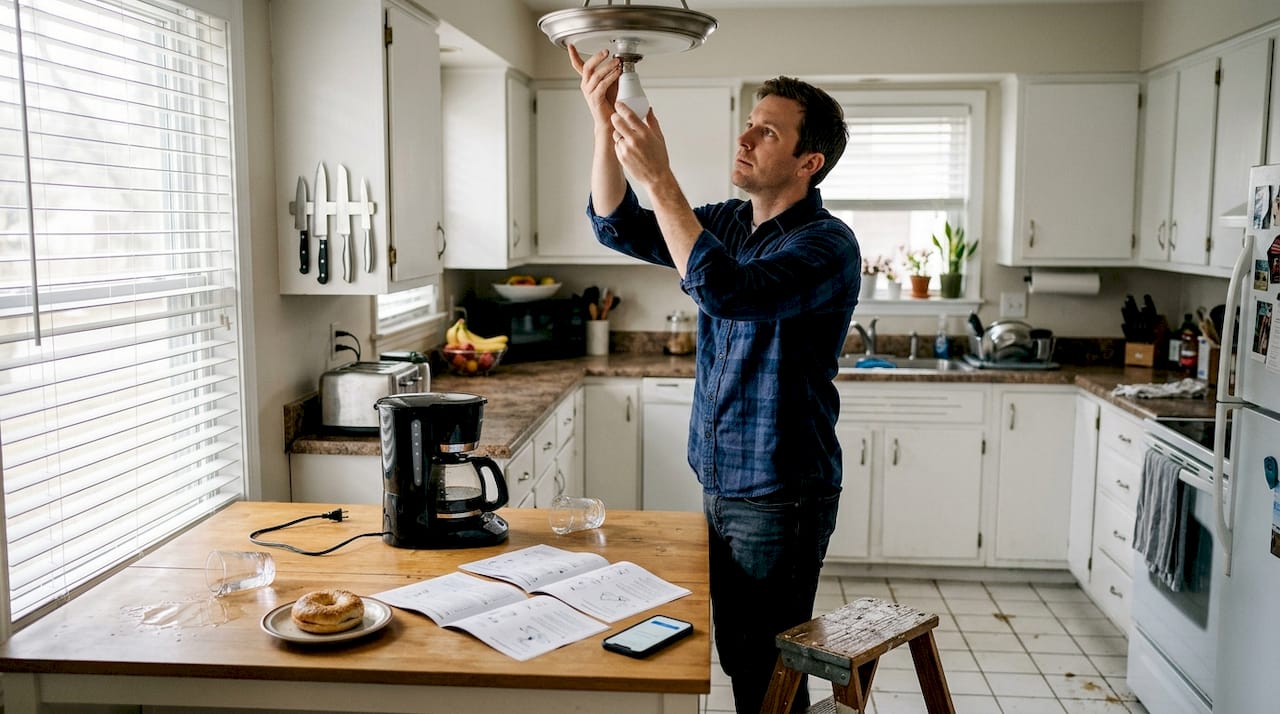
Tired of fumbling for light switches in the dark or coming home to a dimly lit house? Traditional lighting systems waste energy and lack the flexibility modern homeowners need. Smart lights solve these problems by offering remote control, energy savings, and customizable lighting scenes that adapt to your lifestyle. This comprehensive guide walks you through everything you need to install smart lights safely and effectively, from gathering the right tools to troubleshooting common issues. You’ll learn how to transform your home’s lighting system without hiring an electrician, saving money while gaining complete control over your home’s ambiance and energy consumption.
Table of Contents
- Key takeaways
- What you need before installation: tools, compatibility, and safety
- Step-by-step smart light installation process
- Troubleshooting common issues and avoiding mistakes
- Verifying your smart light setup and maximizing its benefits
Key Takeaways
| Point | Details |
|---|---|
| Preparation matters | Gather the right tools and verify compatibility before starting to install smart lights. |
| Check compatibility | Ensure fixtures and wiring support smart bulbs or switches you plan to install. |
| Safety first | Turn off the breaker and verify power with a tester before handling wiring. |
| Follow step by step | Use a structured installation process to reduce mistakes and improve outcomes. |
| Troubleshooting tips | Take photos and label wires to speed reconnection if you run into issues. |
What you need before installation: tools, compatibility, and safety
Before you start installing smart lights, gathering the right equipment and verifying compatibility prevents headaches down the road. You’ll need several basic tools that most homeowners already have in their garage or toolbox.
Essential tools for smart light installation include:
- Non-contact voltage tester to verify power is off
- Phillips and flathead screwdrivers for removing fixtures
- Wire strippers for preparing connections
- Needle-nose pliers for manipulating wires in tight spaces
- Wire nuts for securing connections
- Electrical tape for additional insulation
- Stepladder or stable stool for reaching ceiling fixtures
Compatibility checking is where many DIY installations go wrong. Not all smart bulbs work with every fixture or electrical setup. Ensuring wiring compatibility is critical for smart lighting installation, particularly in older homes with outdated electrical systems. Check your existing fixtures to confirm they can accommodate the smart bulbs or switches you plan to install.
Smart bulbs come in several varieties, each with different requirements. Standard smart bulbs screw into existing sockets and require only Wi-Fi connectivity. Hub-based systems like Philips Hue need a central bridge connected to your router. Smart switches replace traditional wall switches and require compatible wiring with neutral wires, which some older homes lack.

| Smart Light Type | Hub Required | Neutral Wire Needed | Installation Difficulty |
|---|---|---|---|
| Wi-Fi Smart Bulbs | No | No | Easy |
| Zigbee/Z-Wave Bulbs | Yes | No | Easy |
| Smart Switches | Varies | Yes (usually) | Moderate |
| Smart Dimmers | Varies | Yes | Moderate to Hard |
Safety gear protects you during installation. Wear safety glasses to shield your eyes from debris when removing old fixtures. Insulated gloves provide an extra layer of protection when handling wiring. Keep a flashlight handy since you’ll be working with the power off.

Always locate your circuit breaker panel before starting work. Identify which breaker controls the lights you’re installing and label it clearly. Test the circuit with your voltage tester after flipping the breaker to confirm power is completely off.
Pro Tip: Take photos of your existing wiring before disconnecting anything. Label each wire with colored tape or sticky notes matching your photos. This simple step makes reconnection foolproof and saves enormous troubleshooting time if you get confused during installation.
Review the specific installation instructions for your chosen smart lighting products before purchasing. Some systems have unique requirements that might affect your buying decision. The smart lighting installation guide provides detailed compatibility information for popular brands and models.
Step-by-step smart light installation process
Once you’ve gathered your tools and verified compatibility, follow this systematic installation process to ensure safe and successful smart light setup. Following a structured stepwise approach simplifies smart light installation and dramatically improves outcomes for first-time installers.
-
Turn off power at the circuit breaker. Locate the correct breaker for your lighting circuit and flip it to the off position. Never skip this step or rely solely on wall switches, which can fail or be accidentally turned on during installation.
-
Verify power is off. Use your non-contact voltage tester on the fixture and switch to confirm no electrical current is present. Test the tester on a known live circuit first to ensure it’s working properly.
-
Remove existing bulbs and fixtures. For simple bulb replacements, unscrew the old bulbs and set them aside. For fixture or switch installations, remove the cover plate and carefully unscrew the mounting hardware. Support the fixture with one hand as you remove the final screw to prevent it from falling.
-
Examine and photograph the wiring. Before disconnecting anything, take clear photos of how wires connect. Note which wires go to which terminals. Most residential wiring uses black (hot), white (neutral), and green or bare copper (ground) wires.
-
Install smart bulbs or switches per product instructions. For smart bulbs, simply screw them into the existing socket and restore power. For smart switches, disconnect the old switch wires, connect them to the new smart switch following the manufacturer’s diagram, and secure the switch in the electrical box.
-
Connect smart switch wiring using labeled wires. Match wire colors carefully: black to black (hot), white to white (neutral), and ground to ground. Twist wires together clockwise, secure with wire nuts, and wrap with electrical tape for extra security. Tuck wires neatly into the electrical box.
-
Restore power and verify lights function. Return to the circuit breaker and flip it back on. Test the lights using the physical switch first. They should turn on and off normally even before app pairing.
-
Pair lights with apps or hubs for control. Download the manufacturer’s app on your smartphone. Follow the in-app instructions to add your new smart lights. This typically involves putting the bulb in pairing mode (often by turning it on and off several times) and connecting it to your Wi-Fi network.
Safety reminders during installation:
- Keep one hand free or behind your back when working with electrical components to prevent current from traveling through your chest
- Never work on wet surfaces or with wet hands
- Ensure your ladder is stable and positioned on level ground
- Have someone nearby who can assist or call for help if needed
- If you encounter wiring that doesn’t match standard color coding, stop and consult an electrician
Pro Tip: Before securing fixtures or switches permanently, turn the power back on and test all connections. Verify the light responds to both the physical switch and app control. This prevents having to remove and reinstall everything if you discover a wiring mistake after buttoning everything up.
The smart lighting installation guide offers detailed walkthroughs for specific brands and troubleshooting steps if your initial pairing attempts fail. Most installation issues stem from incorrect wiring or Wi-Fi connectivity problems rather than defective products.
Troubleshooting common issues and avoiding mistakes
Even with careful installation, you might encounter problems getting your smart lights to work properly. Understanding common installation mistakes helps avoid troubleshooting delays and prevents damage to your new equipment.
Non-responsive bulbs are the most frequent complaint. If your smart bulb doesn’t turn on after installation, first verify power is reaching the socket by testing with a traditional bulb. If a regular bulb works but the smart bulb doesn’t, the issue likely involves the bulb itself or its initial setup. Many smart bulbs require a specific on/off sequence to enter pairing mode, which you might have missed during installation.
Flickering lights indicate several possible problems. Incompatible dimmer switches cause most flickering issues with smart bulbs. Standard dimmers don’t work with most smart bulbs because the bulbs have their own dimming capability. Replace traditional dimmers with standard on/off switches, or purchase smart bulbs specifically designed for dimmer compatibility. Loose wiring connections also cause flickering, so double-check that all wire nuts are tight and wires are properly stripped.
App connection failures frustrate many new smart lighting users. These problems usually stem from network issues rather than installation errors. Ensure your Wi-Fi router is within range of the smart bulbs and that you’re connecting to the 2.4GHz network band, as many smart bulbs don’t support 5GHz networks. Restart your router and the bulbs, then attempt pairing again.
Quick fixes for common problems:
- Reset the bulb by turning it on and off five times, waiting two seconds between each cycle
- Check that your smartphone is connected to the same Wi-Fi network you’re trying to pair the bulb with
- Update the manufacturer’s app to the latest version before attempting setup
- Disable VPN connections on your phone during the pairing process
- Move closer to the bulb during initial pairing to ensure strong signal strength
- Verify your Wi-Fi password is correct if the app repeatedly fails to connect
Safety Warning: If you smell burning plastic, see sparks, or notice discolored wiring, immediately turn off power at the circuit breaker and discontinue installation. These signs indicate serious electrical problems that require professional attention. Never ignore warning signs or attempt to force connections that don’t fit properly.
Wrong bulb type mistakes happen when homeowners purchase smart bulbs without checking their fixture requirements. Enclosed fixtures trap heat, which can damage smart bulbs not rated for enclosed use. Always verify the bulb’s specifications match your fixture type before installation. Similarly, outdoor fixtures require weatherproof smart bulbs with appropriate IP ratings.
Incompatible wiring causes problems primarily with smart switch installations. Homes built before the 1980s often lack neutral wires in switch boxes, which most smart switches require. If you open your switch box and see only two wires (hot and load) without a neutral bundle, you’ll need either a smart switch designed for no-neutral installations or professional rewiring.
Know when to call a professional electrician. If you encounter aluminum wiring, knob-and-tube wiring, or any wiring configuration that doesn’t match standard residential patterns, stop immediately. These situations require licensed expertise. Similarly, if you’re uncomfortable working with electricity or your local building codes require permitted electrical work, hiring a professional ensures safety and code compliance.
The smart lighting installation guide includes brand-specific troubleshooting sections and community forums where other users share solutions to obscure problems you might encounter.
Verifying your smart light setup and maximizing its benefits
After installation and initial troubleshooting, thorough verification confirms your smart lights work correctly and helps you unlock their full potential. Proper verification ensures your smart lights deliver on convenience and efficiency promises that motivated your upgrade.
Start by testing basic functionality across all installed lights. Open your smart lighting app and verify each bulb appears in the device list. Turn each light on and off through the app to confirm responsive control. Test dimming functionality by adjusting brightness levels from 0% to 100%. Color-changing bulbs should smoothly transition through the full spectrum when you adjust color settings.
Voice control integration adds tremendous convenience to smart lighting. If you use Amazon Alexa, Google Assistant, or Apple HomeKit, link your smart lights through the respective app. Test voice commands like
Recommended
- Smart Lighting Installation Guide for Complete Home Setup
- Smart Lighting System: Complete Buyers Guide
- Examples of Smart Lighting for Homeowners
- How to Automate Home Lighting for Effortless Control