Creating a smart home setup checklist 2026 can feel overwhelming with countless device options and compatibility concerns. Many first-time buyers struggle with where to start, which ecosystem to choose, and how to ensure security. This comprehensive checklist guides you through each step, from infrastructure planning to device installation, so you can build a reliable and integrated smart home without the guesswork or frustration.
Table of Contents
- Prerequisites And Infrastructure Setup
- Ecosystem And Hub Selection
- Device Categories And Step-By-Step Setup
- Security And Privacy Measures
- Common Mistakes And Troubleshooting
- Expected Outcomes And Success Metrics
- Enhance Your Smart Home Setup With Trusted Products
- Frequently Asked Questions
Key takeaways
| Point | Details |
|---|---|
| Strong network foundation | Wi-Fi 6 or Wi-Fi 7 mesh systems ensure consistent connectivity for all devices across your home. |
| Ecosystem selection matters | Choosing Amazon Alexa, Google Home, or Apple HomeKit simplifies integration and future device purchases. |
| Prioritize security first | Install video doorbells, smart locks, and sensors before lighting or entertainment systems. |
| Regular updates protect you | Keep firmware current and enable two-factor authentication to prevent vulnerabilities. |
| Start simple and scale | Add devices gradually to avoid complexity and ensure stable operation before expanding. |
Prerequisites and infrastructure setup
Before purchasing a single smart device, you need a rock-solid network foundation. Your home’s infrastructure determines whether devices connect reliably or constantly drop offline, frustrating you and your family.
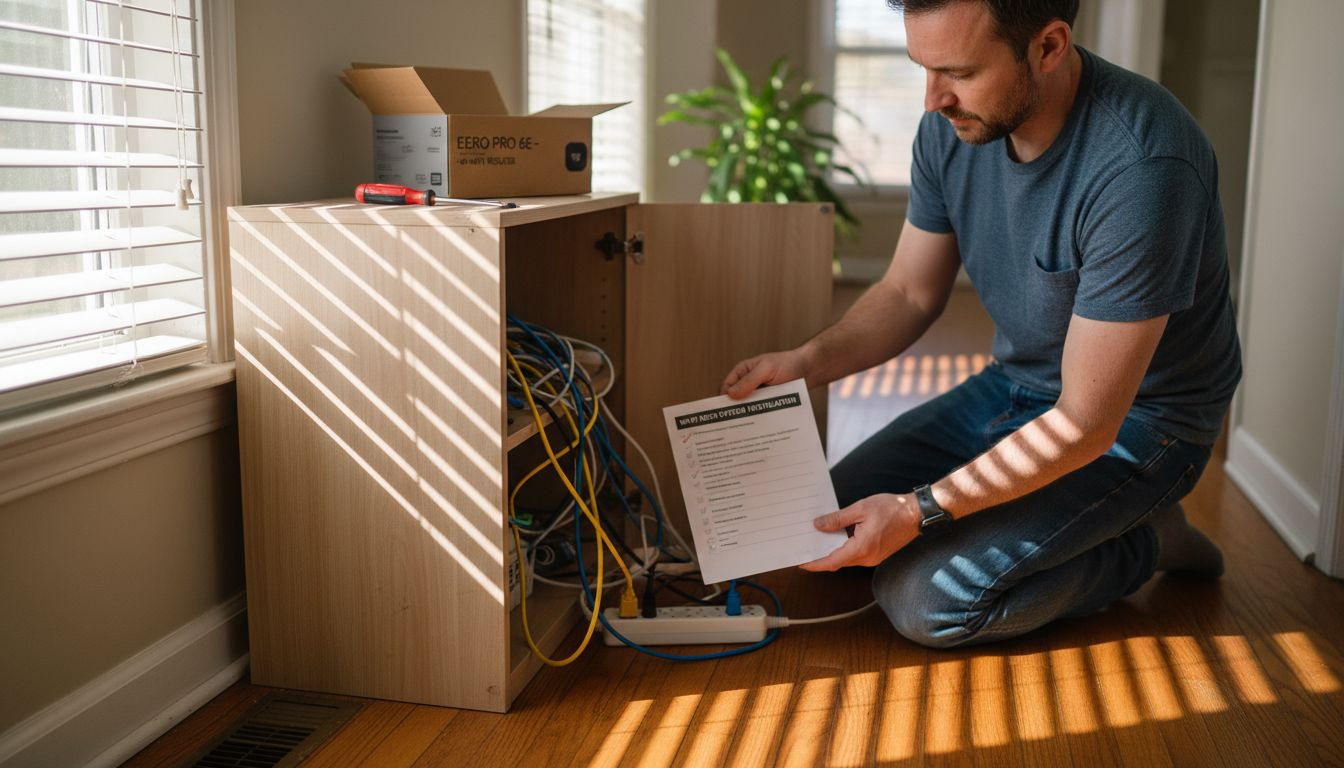
Strong Wi-Fi coverage with mesh systems is essential for reliable smart device connectivity throughout the home. Wi-Fi 6 or Wi-Fi 7 mesh networks eliminate dead zones and support dozens of simultaneous connections without slowdowns. If your current router struggles with multiple devices, upgrading to a mesh system is your first priority.
Beyond wireless coverage, check your home’s wiring compatibility. Many smart switches and dimmers require a neutral wire, which older homes often lack. Inspect your electrical boxes or hire an electrician to verify compatibility before buying devices. For new construction or major renovations, consider running CAT6a backbone cabling and Power over Ethernet (PoE) lines to support wired devices like security cameras and access points.
Hub placement matters more than most homeowners realize. Zigbee and Z-Wave devices form mesh networks that require central hub positioning for optimal signal distribution. Place your hub on the main floor, away from thick walls and metal appliances that block radio signals. Understanding Matter, Thread, Zigbee, and WiFi protocols helps you choose devices that work together seamlessly.
Ensure your internet service plan provides sufficient bandwidth for streaming video feeds and remote access. A minimum of 100 Mbps download speed supports most smart home setups, but 200 Mbps or higher prevents bottlenecks during peak usage. Secure your router with WPA3 encryption and a strong admin password to block unauthorized access from the start.
Pro Tip: Before buying any smart devices, photograph your electrical switches and share them with an electrician or knowledgeable friend to confirm neutral wire availability. This five-minute step prevents costly returns and installation headaches.
Ecosystem and hub selection
– Smart home setup checklist 2026
Choosing your primary smart home ecosystem shapes every future device purchase and determines how easily you control your home. The three major platforms in 2026 are Amazon Alexa, Google Home, and Apple HomeKit, each with distinct strengths.

Selecting a primary ecosystem like Amazon Alexa, Google Home, or Apple HomeKit simplifies setup and ensures device compatibility. Amazon Alexa offers the broadest third-party device support and works with budget-friendly options across all categories. Google Home excels at voice recognition and AI-powered routines that adapt to your habits. Apple HomeKit prioritizes privacy with end-to-end encryption but supports fewer devices and typically costs more.
The Matter standard launched in recent years to enable cross-platform compatibility, allowing Matter-certified devices to work with all three ecosystems simultaneously. While Matter adoption is growing, not all device categories support it yet.
Focus on one primary ecosystem for core functions, then add Matter devices to maintain flexibility.
| Ecosystem | Best For | Device Support | Privacy Focus |
|---|---|---|---|
| Amazon Alexa | Budget shoppers, broad compatibility | Excellent (10,000+ devices) | Moderate |
| Google Home | Voice control, AI routines | Very Good (5,000+ devices) | Moderate |
| Apple HomeKit | Privacy, Apple users | Good (1,000+ devices) | Excellent |
| Matter Standard | Cross-platform flexibility | Growing (500+ devices) | Varies by brand |
Assess your existing devices and habits before committing. If you own an iPhone and value privacy, HomeKit makes sense. Or, iiIf you use Android and want advanced automation, Google Home fits better. Finally, if you want maximum device choice and affordability, Alexa wins. Avoid splitting your setup evenly between ecosystems, which creates management complexity and limits automation potential.
Explore smart living compatibility to understand how different protocols and ecosystems interact. This knowledge prevents buying incompatible devices and helps you build a cohesive system that scales smoothly as your needs grow.
Device categories and step-by-step setup
– Smart home setup checklist 2026
Installing smart devices in the right order maximizes security, minimizes troubleshooting, and builds confidence as you expand your system. Follow this prioritized sequence for the smoothest experience.
Establish reliable network and hub placement. Install your mesh Wi-Fi system first and verify strong signal in every room. Place your smart home hub centrally on the main floor, away from interference sources.
Select and configure your primary ecosystem and hub. Download the ecosystem app (Alexa, Google Home, or Home app for HomeKit), create your account, and connect the hub to your network. Name rooms logically to simplify device organization later.
Install security devices first. Smart home security setup must prioritize video doorbells, smart locks, and security sensors to deter theft and enable remote monitoring effectively. Video doorbells like Ring or Nest provide package monitoring and visitor screening. Smart locks from August or Yale offer keyless entry and remote access. Window and door sensors from brands like Wyze or Aqara alert you to unexpected openings.
Set up lighting automation with smart switches and sensors. Replace traditional switches with smart versions from Lutron, Leviton, or TP-Link. Add motion sensors to automate lights in hallways, bathrooms, and closets. Start with high-traffic areas before tackling every room.
Add climate control devices. Install a smart thermostat like Nest or Ecobee to optimize heating and cooling schedules. Smart ceiling fans and portable heaters extend comfort control to individual rooms. These devices deliver measurable energy savings within the first month.
Integrate voice assistants and entertainment systems last. Add smart speakers, displays, and streaming devices after essential systems work reliably. These enhance convenience but aren’t critical for home security or efficiency.
Follow the detailed 7-step smart home setup checklist for room-by-room guidance tailored to beginners and experienced users alike.

Pro Tip: Install and test each device category for at least three days before adding the next. This staged approach helps you identify and fix issues quickly instead of troubleshooting a dozen malfunctioning devices simultaneously.
Security and privacy measures
Smart home devices create new entry points for cyber threats and privacy invasion if you skip basic security practices. Protecting your system requires ongoing attention, not just initial setup.
Use strong encryption protocols and regularly updated routers to secure network traffic. WPA3 encryption is now standard on modern routers and blocks many common attacks. Replace any router older than three years, as manufacturers stop providing security patches for outdated models. Change default router passwords immediately and create unique, complex passwords for each smart device account.
Secure physical placement of hubs and video doorbells prevents tampering and unauthorized access. Mount video doorbells at standard height (48 inches) where they can’t be easily removed or obstructed. Place indoor security cameras in corners with wide views but avoid pointing them at private spaces like bedrooms and bathrooms.
Keep firmware updated to fix vulnerabilities and maintain compatibility across devices. Enable automatic updates in your ecosystem app and device settings whenever possible. Check for updates manually every two weeks for devices that don’t auto-update. Outdated firmware exposes you to known exploits that hackers actively target.
Enable two-factor authentication on all accounts that support it, including your ecosystem app, router admin panel, and individual device accounts. Use an authenticator app like Google Authenticator instead of SMS codes, which can be intercepted. Review connected devices monthly and remove any unfamiliar entries immediately.
“Ongoing maintenance and security updates are not optional extras but essential requirements to keep your smart home safe from evolving cyber threats and privacy breaches.”
Review the AI-Kitchen privacy security checklist for specific steps to protect voice assistant recordings and camera footage from unauthorized access or misuse.
Common mistakes and troubleshooting
– Smart home setup checklist 2026
Even experienced users make predictable errors during smart home setup. Recognizing these patterns helps you avoid frustration and wasted money.
Neglecting Wi-Fi strength causes device dropout and unreliable automation. Symptoms include devices showing as offline in your app, lights failing to respond to voice commands, and delayed notifications. Solution: Install a mesh Wi-Fi system with at least three nodes for homes over 1,500 square feet. Run a speed test in every room where you plan to place devices and relocate nodes if signal drops below 20 Mbps.
Skipping neutral wire verification for smart switches leads to expensive returns and installation delays. Many smart switches require a neutral wire to power their wireless radios, but homes built before 1985 often lack them. Solution: Retrofit neutral wires during renovation or choose battery-powered switches and Lutron Caseta dimmers designed for no-neutral installations.
Overly complex automation initially reduces usability and creates frustration for family members unfamiliar with smart home technology. Starting with dozens of scenes, routines, and conditional triggers overwhelms beginners. Solution: Begin with simple automations like “turn on porch light at sunset” and “lock front door at 10 PM,” then add complexity gradually based on actual usage patterns.
Poor hub placement causing connectivity blind spots manifests as devices in certain rooms constantly disconnecting while others work fine. Metal appliances, thick walls, and long distances attenuate signals. Solution: Centralize hub location and add Zigbee or Z-Wave repeater devices (smart plugs work well) to extend mesh coverage to problematic areas.
Buying incompatible devices because you didn’t verify ecosystem support wastes money and creates returns. Solution: Check compatibility on the manufacturer’s website and your ecosystem app before purchasing. Look for logos (Works with Alexa, Hey Google, Works with Apple HomeKit) on product packaging.
Pro Tip:
Keep all device boxes and receipts for at least 30 days after installation. If a device proves incompatible or unreliable, you can return it easily instead of accepting a system that frustrates you daily.
Consult our guide to fix common smart home issues for detailed troubleshooting steps covering connectivity, automation failures, and device conflicts.
Expected outcomes and success metrics
– Smart home setup checklist 2026
Setting realistic expectations for setup time, costs, and performance helps you measure success and know when to seek help or adjust your approach.
Smart home setup duration ranges from a few hours for basic setups to several days for full-house automation depending on complexity and user experience. A starter system with 5 to 10 devices typically takes 2 to 4 hours to install and configure. Comprehensive whole-home automation with 30+ devices, custom scenes, and advanced routines requires 2 to 3 full days spread across a week.
Energy savings from lighting automation typically reach 20% to 30% on electricity bills within the first two months. Smart thermostats deliver even larger savings, reducing heating and cooling costs by 10% to 23% annually through optimized scheduling and occupancy sensing. Track usage in your utility app or smart plug energy monitors to quantify actual savings.
Proper hub placement and Wi-Fi coverage reduce device connection dropouts to near zero.
Measure success by stable device function for at least one week post-setup. If devices disconnect more than once per week, investigate Wi-Fi signal strength, interference sources, or firmware issues before adding more devices.
| Setup Scale | Device Count | Time Required | Typical Cost | Energy Savings |
|---|---|---|---|---|
| Basic | 5-10 | 2-4 hours | $200-$500 | 15-20% |
| Intermediate | 15-25 | 1-2 days | $600-$1,200 | 20-25% |
| Comprehensive | 30+ | 2-3 days | $1,500-$3,000 | 25-30% |
Stay current with smart home trends in 2026 to understand which technologies deliver the best value and which are still maturing. Focus your budget on proven categories like security, lighting, and climate before experimenting with emerging device types.
Enhance your smart home setup with trusted products
Building a seamless smart home requires the right devices and expert guidance tailored to your specific needs and ecosystem choice. Smart Home HQ offers in-depth reviews and comparisons of the latest smart home devices in 2026, tested rigorously for reliability, security, and ease of use.

Whether you’re just starting or expanding an existing system, our comprehensive 7-step setup checklist walks you through every decision from network preparation to advanced automation. Learn how to ensure device compatibility across ecosystems and avoid costly mistakes before you buy.
Frequently asked questions – Smart home setup checklist 2026
What is the best smart home ecosystem for beginners?
Amazon Alexa offers the broadest device compatibility and extensive third-party support, making it ideal for beginners seeking affordable options. Google Home excels at voice recognition and AI-powered routines, while Apple HomeKit is best for privacy-focused users willing to pay premium prices. Explore smart living compatibility to compare ecosystems in detail.
How can I ensure my smart home is secure from hackers?
Use strong router passwords, enable WPA3 encryption, and update device firmware regularly to close known vulnerabilities. Place hubs and cameras in secure locations away from windows and monitor network activity monthly for unknown devices. Review the AI-Kitchen privacy security checklist for comprehensive protection strategies.
What is the average time to complete a smart home setup?
Basic setups with 5 to 10 devices can be completed in as little as 2 to 4 hours for users with some technical experience. Comprehensive full-home automation setups may require up to 3 days depending on device complexity, custom automation rules, and troubleshooting needs.
How do I avoid losing connectivity with my smart devices?
Install a Wi-Fi mesh network with Wi-Fi 6 or Wi-Fi 7 for consistent coverage throughout your home, eliminating dead zones that cause dropouts. Place hubs centrally on the main floor and avoid obstructed locations like basements or closets to maintain strong signal strength. Learn to fix common smart home issues with our troubleshooting guide.
Recommended
- AI-Kitchen Privacy Security Checklist: Protect Smart Devices
- Home Security Checklist | Smart Home HQ
- Smart Home Setup Checklist for Homeowners – 7-Steps
- Smart Security Systems 2026: Review The Top Options