Author: Smart Home HQ

  • Smart Home Trends 2026: How AI Reshapes Urban Living

    Smart Home Trends 2026: How AI Reshapes Urban Living

    Upgrading a home today means more than adding gadgets—it is about creating living spaces that think and adapt alongside your routine. As smart home technology becomes an essential part of modern urban living, residents expect seamless comfort, efficiency, and security from interconnected devices. This overview explains technological smart home trends in 2026 really delivers and how it makes daily life easier, safer, and more sustainable for busy homeowners.

    Table of Contents

    Key Takeaways

    PointDetails
    Smart Home EvolutionBy 2026, smart home technology transcends luxury, becoming essential for enhancing comfort, efficiency, and security.
    AI-Driven AutomationAI transforms homes into proactive environments that learn from residents’ behaviors for optimized living.
    Energy ManagementAdvanced energy management technologies enable significant savings and environmental benefits through real-time monitoring.
    Interoperability with MatterThe Matter Standard ensures smooth device compatibility and setup across various brands, simplifying the smart home experience.

    Smart Home Technology in 2026 Defined

    Smart home technology has evolved dramatically, transforming urban living spaces into intelligent, responsive environments that anticipate and adapt to residents’ needs. In 2026, these systems represent far more than luxury gadgets – they are sophisticated networks of interconnected devices designed to enhance comfort, efficiency, and security.

    The core of smart home technology involves devices and systems that use internet connectivity, artificial intelligence, and advanced sensors to create adaptive living spaces. These intelligent systems go beyond simple remote control, actively learning from user behaviors and environmental conditions to optimize home performance.

    Key characteristics of smart home technology in 2026 include:

    • Intuitive Automation: Devices that predict and execute actions before users request them
    • Energy Management: Real-time power consumption monitoring and automatic optimization
    • Enhanced Security: AI-powered surveillance and integrated safety protocols
    • Personalized Environments: Customizable settings that adjust temperature, lighting, and ambiance automatically

    Modern smart homes leverage complex integrations between various technological components. Voice assistants, automated locks, intelligent thermostats, and AI-powered security cameras work in concert to create seamless, responsive living environments that prioritize user convenience and safety.

    Here’s a summary of how key smart home advancements impact daily living:

    Innovation AreaWhat It ChangesUser BenefitLong-term Value
    Predictive AutomationProactive device actionsIncreased convenienceTime savings
    Smart Energy ManagementAdaptive power controlsReduced energy billsEnvironmental sustainability
    Universal StandardsDevice compatibilityEasier setupFuture-proof investments
    Advanced SecurityAI threat detectionEnhanced safetyPrivacy protection

    Pro tip: Start building your smart home ecosystem gradually by selecting devices with strong compatibility and integration capabilities.

    Smart Home Trends in 2026 | Technology in 2026AI-Powered Automation and Predictive Living

    Artificial Intelligence has transformed smart home technology from passive systems to dynamic, anticipatory environments that actively respond to residents’ needs and preferences. In 2026, AI-powered automation represents a quantum leap in home intelligence, enabling living spaces to think, adapt, and optimize themselves in real-time.

    The breakthrough of modern smart homes lies in their ability to proactively manage complex home environments. These intelligent systems now go beyond simple programmed routines, utilizing advanced machine learning algorithms to understand and predict household patterns, energy consumption, and individual user behaviors.

    Key capabilities of AI-driven home automation include:

    • Predictive Maintenance: Detecting potential equipment failures before they occur
    • Dynamic Energy Management: Automatically adjusting power consumption based on real-time usage and environmental conditions
    • Personalized Comfort: Learning individual temperature, lighting, and sound preferences
    • Adaptive Security: Distinguishing between normal and suspicious activities with high accuracy

    Modern AI systems integrate multiple sensor technologies and machine learning models to create comprehensive home intelligence networks. These networks continuously analyze data from various sources – including smart appliances, wearable devices, and environmental sensors – to provide unprecedented levels of automation and personalization.

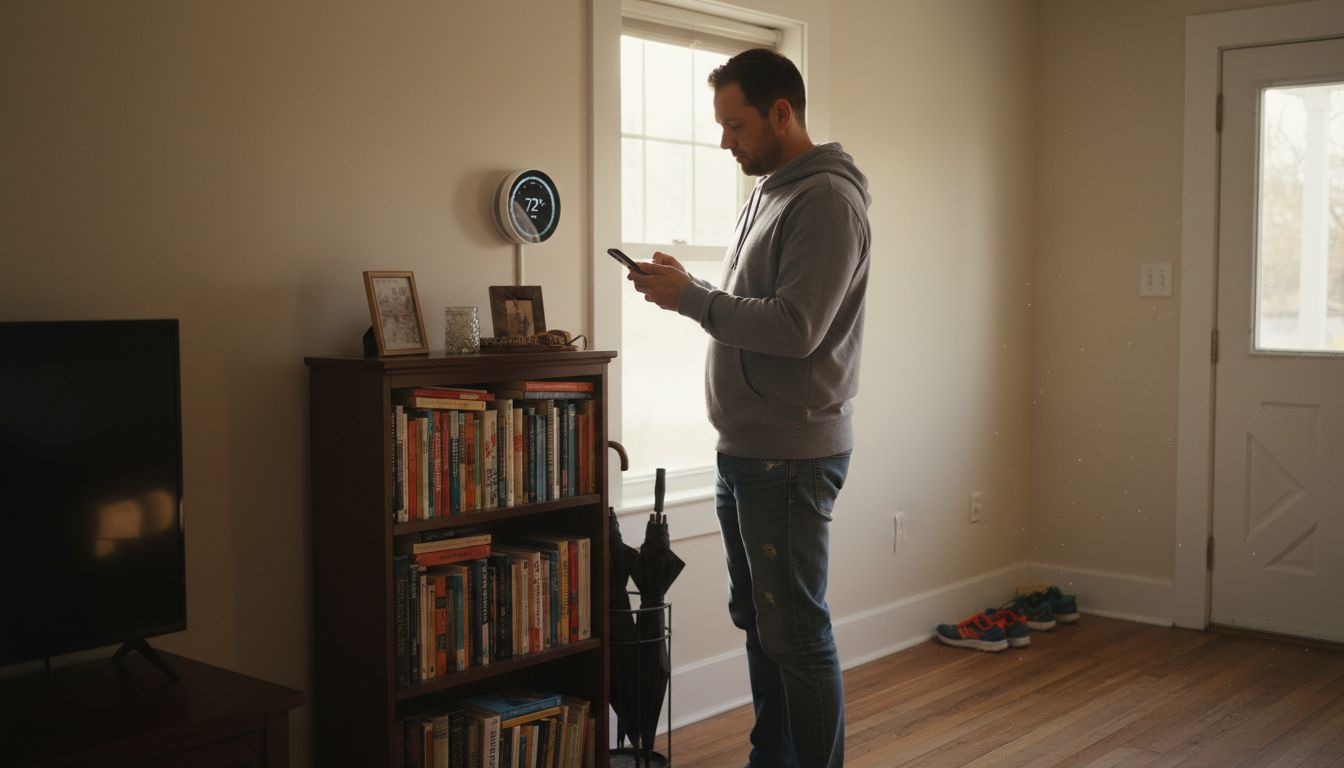
    Man in hallway with smart home sensors

    By 2026, AI-powered home automation will represent more than a technological convenience; it will be an essential component of efficient, sustainable urban living. Homes will transform from static structures into responsive, intelligent ecosystems that actively contribute to residents’ quality of life.

    Pro tip: Choose smart home devices with open-source integration capabilities to maximize future compatibility and flexibility.

    Smart Home Trends in 2026 – Energy Management and Sustainable Solutions

    The landscape of home energy management has undergone a radical transformation, with sustainable solutions becoming increasingly sophisticated and accessible. Smart homes in 2026 are no longer just connected spaces, but intelligent ecosystems designed to optimize energy consumption, reduce environmental impact, and deliver significant cost savings for homeowners.

    Infographic of AI smart home trends and benefits

    Leading this revolution are advanced technologies that optimize heating, cooling, and lighting systems with unprecedented precision. Artificial Intelligence plays a pivotal role in analyzing and predicting energy usage patterns, enabling homes to make real-time adjustments that minimize waste and maximize efficiency.

    Key features of sustainable smart home energy management include:

    • Solar Panel Integration: Seamless connection with home electrical systems
    • Battery Storage Solutions: Intelligent energy capture and redistribution
    • Smart Meter Technologies: Real-time consumption tracking and optimization
    • AI-Powered Energy Allocation: Dynamic power distribution across household devices

    Modern energy management systems go beyond simple monitoring, offering comprehensive strategies for reducing carbon footprints. By leveraging machine learning algorithms, these systems can predict energy demand, automatically adjust consumption, and even participate in virtual power grid networks that balance regional energy loads.

    Sustainable smart homes are projected to reduce energy bills by up to 30% while significantly minimizing environmental impact.

    The economic and environmental benefits of these technologies extend far beyond individual households. As more urban residents adopt intelligent energy management solutions, the cumulative effect represents a meaningful contribution to broader sustainability goals.

    Pro tip: Invest in smart home devices with comprehensive energy reporting capabilities to track and optimize your household’s power consumption.

    Smart Home Trends in 2026 – Device Interoperability and the Matter Standard

    The smart home technology landscape has long struggled with a critical challenge: devices from different manufacturers operating in isolated ecosystems. In 2026, the Matter Standard emerges as a transformative solution, promising seamless communication and integration across various smart home platforms and devices.

    Matter represents a groundbreaking approach to universal IoT device communication, developed by major technology companies to address the persistent fragmentation in smart home technologies. This sophisticated protocol enables devices from different brands to interact effortlessly, creating a more cohesive and user-friendly home automation experience.

    Key advantages of the Matter Standard include:

    • Cross-Platform Compatibility: Devices work together regardless of manufacturer
    • Simplified Setup: Reduced complexity in device installation and configuration
    • Enhanced Security: Standardized communication protocols with robust encryption
    • Cloud-Independent Operation: Devices can function without constant internet connectivity

    The technical innovations behind Matter 1.3 resolve previous communication challenges by establishing clear rules for device interactions. Unlike earlier standards, Matter provides a comprehensive framework that supports multiple device types, including:

    1. Smart lighting systems
    2. Thermostats and climate control devices
    3. Security locks
    4. Surveillance cameras
    5. Sensor networks

    Matter transforms smart home technology from a fragmented landscape into a unified, user-centric ecosystem.

    By creating a universal language for smart devices, Matter accelerates adoption and reduces consumer frustration. Homeowners can now mix and match devices from different manufacturers with confidence, knowing they will communicate effectively and provide a seamless user experience.

    Pro tip: When purchasing new smart home devices, prioritize those certified as Matter-compatible to ensure future-proof integration.

    Smart Home Trends in 2026 – Advanced Security and Privacy Innovations

    Smart home security has dramatically transformed from passive monitoring to intelligent, proactive protection systems. In 2026, these technologies represent a sophisticated fusion of artificial intelligence, advanced sensors, and robust privacy protocols designed to safeguard both physical spaces and personal data.

    The latest security innovations focus on comprehensive protection through intelligent monitoring that goes far beyond traditional alarm systems. AI-powered technologies now analyze behavioral patterns, predict potential security risks, and respond with unprecedented precision and speed.

    Key features of advanced smart home security include:

    • Predictive Threat Detection: AI systems that anticipate and prevent potential security breaches
    • Local AI Processing: Reducing cloud dependency to enhance data privacy
    • Contextual Awareness: Distinguishing between normal and suspicious activities
    • Adaptive Authentication: Dynamic security protocols that adjust based on user behavior

    Modern security systems leverage multiple technologies to create a multilayered defense strategy:

    1. Biometric recognition systems
    2. Encrypted communication protocols
    3. Decentralized data storage
    4. Intelligent sensor networks
    5. Real-time anomaly detection

    Smart home security in 2026 represents a holistic approach that protects both physical infrastructure and digital privacy.

    The evolution of smart home security reflects a broader shift towards more accountable, user-centric technological ecosystems. By prioritizing local processing and advanced AI algorithms, these systems provide homeowners with unprecedented control and transparency.

    Pro tip: Regularly update firmware and choose devices with built-in encryption to maintain optimal home security.

    Smart Home Trends in 2026 – Key Costs, Risks, and Common Pitfalls

    Navigating the smart home landscape requires a nuanced understanding of potential financial and technological challenges. While the promise of intelligent living spaces is compelling, homeowners must carefully evaluate the complex ecosystem of smart home technologies to make informed investment decisions.

    Smart home adoption involves critical considerations, including comprehensive risk management strategies that address technological vulnerabilities and financial implications. The evolving nature of these technologies demands a strategic approach to minimize potential drawbacks and maximize long-term value.

    Key risks and potential pitfalls include:

    • Technology Obsolescence: Rapid innovation rendering devices outdated quickly
    • High Initial Costs: Significant upfront investments for comprehensive systems
    • Security Vulnerabilities: Potential privacy and data protection challenges
    • Interoperability Limitations: Compatibility issues between different brand ecosystems

    Financial considerations for smart home investments break down into several critical categories:

    1. Initial hardware and installation expenses
    2. Ongoing subscription and maintenance costs
    3. Potential energy efficiency savings
    4. Future upgrade and replacement budgeting
    5. Potential home value appreciation

    Smart home investments require careful evaluation of both immediate costs and long-term technological viability.

    Successful smart home integration demands a balanced approach that weighs technological innovation against practical limitations. Homeowners must remain adaptable, prioritizing scalable systems and maintaining a forward-looking perspective on technological investments.

    Explore potential financial and risk implications of Smart Home Trends in 2026 before investing:

    Consideration CategoryWhat to AssessPossible DrawbackLong-Term Effect
    Upfront InvestmentHardware, installationHigh initial costsGradual value increase
    Tech LongevityUpgrade cyclesDevice obsolescenceOngoing replacement needs
    Security ManagementData protectionPrivacy vulnerabilitiesContinual monitoring
    Energy SavingsUtility costsDelayed ROIMonthly bill reduction

    Pro tip: Allocate approximately 15-20% of your technology budget for potential future upgrades and system expansions.

    Transform Your Urban Living with Smart Home HQ

    The rise of AI-powered smart home technology brings exciting possibilities but also challenges such as device interoperability, security risks, and complex automation setups. If you want to overcome these hurdles and build a truly intelligent, energy-efficient, and secure living space in 2026, start with trusted guidance. At Smart Home HQ we specialize in helping homeowners like you make sense of the latest smart home innovations, including AI automation and sustainable energy management.

    https://smarthomehq.house

    Explore our The Complete Smart Home Automation Master Guide Archives – Smart Home HQ for step-by-step advice on choosing compatible devices and creating seamless integrations. Stay informed on protecting your household with expert insights from our Smart Home Safety Archives – Smart Home HQ. Begin your smart home journey today with comprehensive reviews and detailed comparisons at Smart Home HQ and take control of your connected lifestyle now.

    Frequently Asked Questions

    What are the key features of smart home technology in 2026?

    Smart home technology in 2026 focuses on intuitive automation, energy management, enhanced security, and personalized environments. These features enable devices to predict actions, optimize power consumption, and create customizable living spaces.

    How does AI improve smart home automation?

    AI enhances smart home automation by enabling devices to proactively manage complex environments. It utilizes machine learning to understand user behaviors, predict energy consumption, and personalize comfort settings, making home living more efficient and user-friendly.

    What are the benefits of smart energy management systems?

    Smart energy management systems provide real-time tracking of energy consumption, adaptive power controls, and integration with renewable energy sources. These systems help reduce energy bills and minimize environmental impacts.

    How does the Matter Standard affect device compatibility?

    The Matter Standard allows devices from different manufacturers to communicate seamlessly. This universal protocol simplifies the setup process, enhances security, and ensures cross-platform compatibility, making it easier for homeowners to integrate multiple smart devices.

  • Smart Thermostat Installation Process for Homeowners

    Smart Thermostat Installation Process for Homeowners

    Fumbling with old, unreliable thermostats can leave any homeowner frustrated and uncomfortable, especially when you’re trying to save energy in a busy city. Upgrading to a smart thermostat means embracing cost savings, reliable climate control, and a greener future with technology built for American homes. This guide breaks down each step in plain language so you can tackle the installation confidently, even if you’re new to DIY projects, while making smart thermostats work for your urban lifestyle.

    Table of Contents

    Quick Summary

    Key PointExplanation
    1. Gather essential tools firstPrepare a screwdriver, drill, voltage tester, and other tools for a smooth smart thermostat installation process.
    2. Power down before removalSafely turn off power at the circuit breaker to prevent electrical damage or personal injury during thermostat replacement.
    3. Label wires for accuracyUse colored tape or stickers to label each wire before disconnecting, ensuring easy and correct connections during installation.
    4. Configure advanced featuresAfter installation, connect to WiFi and explore settings like geofencing and adaptive learning for enhanced energy efficiency.
    5. Test thermostat functionalityRun performance tests to ensure accurate temperature control and optimize settings for comfort and energy savings.

    Step 1: Gather Required Tools and Materials

    Before diving into your smart thermostat installation, you’ll need to collect a few essential tools and materials. Getting organized upfront will make the entire process smoother and more efficient.

    Here’s what you’ll want to have ready before starting:

    • Screwdriver (Phillips head and flathead)
    • Drill with appropriate drill bits
    • Voltage tester
    • Electrical tape
    • Wire stripper
    • Level
    • Your new smart thermostat

    Knowing which wires you’re working with is crucial. Understanding thermostat wire colors will help ensure a successful installation. Most smart thermostats require a C-wire for continuous power, so verifying your system’s compatibility is key.

    Here’s a quick reference of common thermostat wires and their functions:

    Wire ColorPurposeTypical Label
    RedPower from transformerR or Rc/Rh
    WhiteHeat signalW or W1
    YellowCooling signalY or Y1
    GreenFan controlG
    Blue/BlackCommon wire (C-wire)C
    OrangeHeat pump changeover valveO/B

    Pro tip: Before purchasing a smart thermostat, check your existing HVAC system’s wire configuration to ensure seamless integration.

    Typically, smart thermostats come with mounting hardware like screws, wire connectors, and detailed instructions. Energy Trust recommends confirming your heating and cooling system’s compatibility before beginning the installation process.

    Pro tip: Take a clear photo of your existing thermostat wiring before disconnecting anything to use as a reference during installation.

    Step 2: Power Down and Prepare the Old Thermostat

    Before removing your old thermostat, you’ll need to safely disconnect power and prepare the system for replacement. This critical step prevents electrical damage and ensures your personal safety during the installation process.

    Start by locating your home’s main electrical panel. Turning off power to the thermostat involves switching off the circuit breakers connected to your HVAC system. If you’re unsure which breaker controls your heating and cooling, it’s best to turn off all HVAC-related circuits to guarantee complete power disconnection.

    Here are the key steps for powering down safely:

    1. Identify the correct circuit breaker for your HVAC system
    2. Switch the breaker to the off position
    3. Confirm power is off using a voltage tester
    4. Remove the existing thermostat cover

    Electrical safety is paramount when working with any home wiring system.

    Energy guidelines recommend carefully disconnecting wires and labeling them before removal. Take a clear, well-lit photo of the existing wire configuration. This will serve as a crucial reference when installing your new smart thermostat.

    Pro tip: Use colored tape or small numbered stickers to label each wire before disconnection to prevent confusion during the reinstallation process.

    Step 3: Install and Connect the Smart Thermostat

    With the old thermostat removed and power safely disconnected, you’re ready to mount and connect your new smart thermostat. This step transforms your home’s climate control into a more efficient and intelligent system.

    Woman installs wires for smart thermostat

    Proper wire installation is critical for your thermostat’s functionality. Begin by carefully matching each wire to its corresponding terminal on the new mounting plate. Pay close attention to the wire labels you created earlier to ensure accurate connection.

    Here are the key steps for installation:

    1. Attach the new mounting plate to the wall
    2. Align and connect each wire to its labeled terminal
    3. Secure wire connections tightly
    4. Snap the thermostat unit onto the mounting plate

    Precision during wire connection prevents future system malfunctions.

    After connecting the wires, you’ll need to configure your smart thermostat’s initial settings. Most models require you to connect to your home’s WiFi network and download a companion smartphone app for full functionality.

    Infographic with smart thermostat install steps

    Pro tip: Keep the thermostat’s instruction manual nearby during setup, and consider taking a photo of your wire connections as a future reference.

    Step 4: Configure Settings and Integrate with Home System

    Now that your smart thermostat is physically installed, you’ll transition into configuring its advanced features and integrating it with your broader home ecosystem. This crucial phase transforms your device from a simple temperature controller into an intelligent climate management system.

    Smart thermostats connect seamlessly with home automation platforms, enabling sophisticated scheduling and remote control capabilities. Begin by downloading the manufacturer’s smartphone app and creating an account, which will guide you through the initial setup process.

    Key configuration steps include:

    • Connect to your home WiFi network
    • Name your thermostat device
    • Set preferred temperature ranges
    • Configure geofencing features
    • Link additional smart home sensors

    Precise configuration unlocks your smart thermostat’s full potential for energy savings and comfort.

    Take time to explore advanced settings like adaptive learning and temperature scheduling. Many smart thermostats can automatically adjust based on your daily routines, potentially reducing energy consumption by learning your preferences over time.

    The table below summarizes advanced smart thermostat features and their benefits:

    FeatureDescriptionBenefit
    GeofencingDetects presence via phone locationReduces wasted energy
    Adaptive learningLearns your schedule automaticallyImproves comfort
    Remote controlAdjust via app anywhereIncreases convenience
    Energy reportingTracks heating/cooling usageIdentifies savings

    Pro tip: Start with basic settings and gradually explore more advanced features to avoid overwhelming yourself during the initial setup.

    Step 5: Test Functionality and Optimize Performance

    With your smart thermostat now installed and configured, it’s time to verify its performance and fine-tune its settings for maximum comfort and energy efficiency. This final step ensures your new device operates exactly as intended.

    Smart thermostats provide detailed performance reports that help you understand and optimize your home’s climate control. Begin by running a comprehensive system test, which typically involves checking heating and cooling cycles, sensor accuracy, and remote control responsiveness.

    Key testing and optimization steps include:

    • Verify temperature accuracy across different rooms
    • Test remote control functionality
    • Check geofencing performance
    • Monitor energy consumption reports
    • Adjust learning algorithms

    Systematic testing reveals the true potential of your smart home technology.

    Pay close attention to how the thermostat responds to different environmental conditions. Some smart thermostats can automatically adjust based on occupancy, external temperature, and your personal comfort preferences.

    Pro tip: Keep a journal of your thermostat’s performance for the first month, noting any unexpected behaviors or energy consumption patterns to help you fine-tune its settings.

    Master Your Smart Thermostat Installation with Expert Guidance

    Installing a smart thermostat can feel overwhelming when faced with wiring challenges, ensuring system compatibility, and properly configuring advanced features. If you want to avoid common installation mistakes and fully unlock energy-saving benefits, detailed guidance is essential. From understanding wire colors to optimizing geofencing and adaptive learning, having trusted resources can make all the difference.

    https://smarthomehq.house

    Explore in-depth reviews and user-friendly step-by-step installation guides at Smart Home HQ. Dive into our Core Device Categories Archives – Smart Home HQ for smart thermostats and related home automation devices. Expand your knowledge with the The Complete Smart Home Automation Master Guide Archives – Smart Home HQ and turn complexity into confidence today. Visit https://smarthomehq.house now and take control of your home’s climate with expert support and clear instructions.

    Frequently Asked Questions

    What tools do I need for smart thermostat installation?

    To install a smart thermostat, you will need a screwdriver, drill, voltage tester, electrical tape, wire stripper, level, and your new thermostat. Gather all these tools before starting to streamline the process and ensure efficiency.

    How do I safely power down my old thermostat?

    To safely power down your old thermostat, locate your main electrical panel and switch off the circuit breakers that control your HVAC system. Confirm the power is off using a voltage tester before proceeding with the removal of the old thermostat.

    How do I connect the wires to my new smart thermostat?

    Connect the wires by matching each one to its corresponding terminal on the new mounting plate according to the labels you created. Ensure the connections are secure to prevent system malfunctions and confirm that everything is wired correctly before finalizing the installation.

    What initial settings should I configure after installation?

    After installation, connect your smart thermostat to your home Wi-Fi network and configure basic settings such as preferred temperature ranges, device names, and any geo-fencing options. Completing these settings will enhance your comfort and energy efficiency right from the start.

    How can I test my new smart thermostat’s functionality?

    Test your new smart thermostat by checking the temperature accuracy throughout different rooms, remote control functionality, and energy consumption reports. Systematic testing will help you identify any adjustments needed to optimize performance and ensure everything is working correctly.

    What should I do if my smart thermostat is not functioning correctly?

    If your smart thermostat isn’t functioning correctly, double-check all wire connections for secure placements and re-evaluate your settings in the app. Document any issues you experience and consider fine-tuning the configuration to enhance performance.

  • Smart Home Hearing Impaired

    Smart Home Hearing Impaired

    Smart Home for Hearing Impaired: Complete Integration Guide

    Smart home technology for hearing impaired users combines Bluetooth hearing aids, visual alert systems, captioning, and voice-activated controls to create fully accessible living spaces. Modern hearing aids like Oticon Zeal and Audibel DNN 360 integrate seamlessly with smart home ecosystems, enabling direct audio streaming and remote adjustments.


    Affiliate Notice: If you click on a link to a product Amazon and make a purchase, I may receive a small commission at no extra cost to you.


    Smart Home Hearing Impaired

    ⚠️ MEDICAL DISCLAIMER: This guide provides general educational information only. We are not doctors and this is not medical advice, diagnosis, or treatment. Always consult your audiologist or hearing healthcare provider before purchasing hearing aids or smart home devices.


    📋 Table of Contents

    🤔 Why Smart Homes for Hearing Impaired?

    Benefits of Smart Home Integration:

    • Direct audio streaming: Hear TV, doorbell, phone calls through hearing aids
    • Visual alerts: Flashing lights for doorbell, alarms, notifications
    • Captions & transcripts: Real-time speech-to-text for conversations
    • Remote adjustments: AI-powered hearing aid tuning via smartphone
    • Hands-free control: Voice commands adapted for hearing loss

    Real-World Impact: Audibel’s DNN 360 delivers 28% better speech intelligibility in noisy environments through advanced AI sound processing

    🎧 Bluetooth Hearing Aid Technology

    Advanced AI Sound Processing

    Modern hearing aids use deep neural networks (DNN) trained on millions of sounds to prioritize speech over noise.

    TechnologyBenefitHearing Aids
    DNN 2.015% enhanced speech clarity in restaurantsOticon Intent
    DNN 36028% better speech intelligibilityAudibel AI hearing aids
    4D SensorAdapts to head movement, body position, environmentOticon Intent
    VOCCLEAR 2.030% better speech clarity, 8ms latencyELEHEAR Beyond Pro

    Bluetooth Connectivity Standards

    Auracast™ Broadcasting (Next-Generation Audio)

    • Broadcast audio directly to hearing aids in public venues
    • Works in theaters, airports, places of worship, community centers
    • All newest Audibel AI hearing aids compatible
    • Oticon Intent and Oticon Zeal support Auracast

    LE Audio & ASHA Protocol

    • Low Energy Audio for extended battery life
    • Android 11+ supports ASHA (Audio Streaming for Hearing Aids)
    • iPhone/iOS full Bluetooth streaming support

    🏠 Smart Home Hearing Impaired Integration Options

    1. Direct Audio Streaming to Hearing Aids

    TV Streaming:

    • ReSound TV-Streamer+ broadcasts audio via Auracast
    • Hear TV at your preferred volume without disturbing others
    • ReSound Remote Control 2 adjusts volume/programs

    Phone & Video Calls:

    • Hands-free calling through Bluetooth hearing aids
    • Oticon Intent, Audibel DNN 360, Jabra Enhance support
    • Captions appear on smartphone during calls

    Smart Speakers & Voice Assistants:

    2. Visual Alert Systems

    Doorbell Alerts:

    • Smart doorbell (Ring, Logitech) sends video + flashing light
    • Smartphone notification with visitor video

    Alarm & Notification Lights:

    • Philips Hue smart lights flash for alarms
    • IFTTT automation triggers lights on events

    Captions & Live Transcription:

    • Google Live Transcribe for conversations
    • Otter.ai real-time meeting captions

    3. Remote Hearing Aid Adjustments

    TeleHear AI (Audibel)

    • Describe sound issue, AI analyzes environment
    • Instant remote adjustments without office visit
    • Live video sessions with hearing specialist available

    Smartphone Apps

    • Oticon Companion app for wireless adjustments
    • Audibel app for DNN 360 customization
    • Jabra Enhance app for OTC hearing aid tuning

    🏆 Top Hearing Aid Models for Smart Homes 2026

    ModelTypeKey Smart FeaturesBest For
    Oticon ZealPremiumAuracast, AI speech prioritization, 20-hour battery, same-day fittingFull smart home integration
    Audibel DNN 360PremiumTeleHear AI remote adjustments, 28% speech clarity, Gen AI assistantRemote monitoring, tech-savvy
    Oticon IntentPremiumDNN 2.0, 4D Sensor, Auracast-ready, 15% speech enhancementDynamic environments
    Jabra Enhance (affiliate link)OTCAffordable Bluetooth, iOS/Android streaming, tinnitus reliefBudget-conscious, mild-moderate loss
    ELEHEAR Beyond Pro(affiliate link)OTCVOCCLEAR 2.0 (30% clarity), AI noise reduction, 8ms latency, $600High-quality OTC option
    PhonakPremiumBinaural VoiceStream, motion sensors, personalized noise cancellationSeamless streaming
    Starkey Livio AIPremiumFall detection (3D sensors), health tracking, BluetoothSeniors needing safety features

    💡 Accessible Smart Devices for Hearing Impaired

    Smart Home Hubs & Control

    Captioning & Transcription

    • Google Live Transcribe: Real-time speech-to-text
    • Otter.ai: Meeting/conversation captions
    • Rev: Professional transcription services

    Visual Alert Devices

    • Philips Hue Smart Lights: Customizable flashing alerts
    • IFTTT Automation: Trigger lights on doorbell/alarms
    • Bellman & Symfon: Vibrating alarm clocks

    Accessible Entertainment

    • Netflix: Built-in captions (CC/SDH)
    • YouTube: Auto-generated captions + manual uploads
    • Roku/Apple TV: Full caption support

    🚀 Smart Home Hearing Impaired – Setup & Configuration Guide

    First Step: Choose Compatible Hearing Aids 

    • Verify Bluetooth/Auracast support
    • Check iOS/Android compatibility
    • Test 30-day trial period

    Second Step: Set Up Bluetooth Connectivity 

    1. Charge hearing aids fully
    2. Enable Bluetooth on smartphone
    3. Open hearing aid app (Oticon, Audibel, Jabra)
    4. Pair hearing aids to phone
    5. Test audio streaming (music, calls)
    

    Third Step: Install Smart Home Hub

    • Choose Echo Show, Google Nest, or HomePod
    • Connect to WiFi network
    • Enable captions/transcription features

    Fourth Step: Configure Visual Alerts

    Smart doorbell → Flashing light automation
    Alarm clock → Vibrating device + light flash
    Phone notifications → Visual + haptic alerts
    

    Fifth Step: Enable Remote Adjustments 

    • Download hearing aid app
    • Authorize caregiver/audiologist access
    • Test TeleHear AI or remote tuning

    Step 6: Test All Systems 

    • Stream TV audio to hearing aids
    • Make test phone call with captions
    • Trigger doorbell alert (light + notification)
    • Verify app adjustments work

    ❓ Smart Home Hearing Impaired -Frequently Asked Questions

    Can all Bluetooth hearing aids work with smart homes?

    Most modern Bluetooth hearing aids (Oticon, Audibel, Jabra, Phonak) support streaming, but verify Auracast compatibility for public venues.

    What’s the difference between Auracast and standard Bluetooth?

    Auracast broadcasts audio to multiple hearing aids simultaneously in public spaces (theaters, airports). Standard Bluetooth connects one-to-one.

    Do I need a hearing aid specialist to set up smart home integration?

    No, most Bluetooth hearing aids pair directly with smartphones. Audiologists can optimize settings via remote apps.

    Can hearing aids stream from multiple devices simultaneously?

    Most hearing aids connect to one device at a time, but switching is instant via app.

    FAQ continued

    Are OTC hearing aids (Jabra, ELEHEAR) compatible with smart homes?

    Yes, OTC models support Bluetooth streaming and smartphone apps, though premium features may be limited.

    How do I get captions for phone calls through hearing aids?

    Use Live Transcribe (Google), Otter.ai, or hearing aid apps with built-in captioning.

    What’s the battery life for Bluetooth hearing aids?

    Rechargeable models offer 20+ hours (Oticon Zeal). Disposable batteries last 3-7 days with Bluetooth use.

    Can smart home devices detect if I’m having trouble hearing?

    Advanced hearing aids with AI (Audibel DNN 360, Oticon Intent) analyze sound environments and adjust automatically.

    🎯 Smart Home Hearing Impaired Accessibility Checklist

    •  Hearing Aids: Bluetooth-enabled, Auracast-compatible
    •  TV Streaming: ReSound TV-Streamer+ or equivalent
    •  Smart Hub: Echo Show, Google Nest, or HomePod
    •  Visual Alerts: Philips Hue lights + doorbell automation
    •  Captions: Netflix, YouTube, Google Live Transcribe enabled
    •  Remote Adjustments: Hearing aid app installed, audiologist authorized
    •  Phone Captions: Live Transcribe or Otter.ai active

    ⚠️ MEDICAL DISCLAIMER

    Educational content only – not medical advice. Consult audiologists for personalized hearing aid recommendations. Smart home devices guide accessibility but don’t replace professional hearing care. No doctor-patient relationship created.

    Sources: Audibel, Oticon, Hearing Tracker, Senior Living reviews, ELEHEAR, Hearing Life

  • Industry Terms for Smart Home Devices Explained

    Industry Terms for Smart Home Devices Explained

    Choosing the right smart home devices can quickly get confusing when technical words like IoT, mesh networks, or protocols pop up at every turn. For many homeowners, deciphering these terms is the first step toward creating a safer, more convenient home. By breaking down the key terminology and device categories in the smart home industry, you will gain the confidence to pick beginner-friendly solutions that actually work together in your urban space.

    Table of Contents

    Key Takeaways

    PointDetails
    Understanding Smart Home TechFamiliarize yourself with key terms like Sensors, Actuators, and Communication Protocols to enhance your smart home experience.
    Device CompatibilityVerify the compatibility of smart devices and communication protocols with your existing network before making purchases.
    Prioritize AI IntegrationStart with AI-enabled devices for tailored experiences and gradually expand to optimize their adaptive capabilities.
    Emphasize Security MeasuresRegularly audit device settings and implement strong passwords and two-factor authentication to protect personal data.

    Defining Industry Terms for Smart Home

    Smart home technology encompasses a complex ecosystem of interconnected devices, systems, and communication protocols that transform traditional living spaces into intelligent, responsive environments. Understanding the fundamental terminology is crucial for homeowners navigating this rapidly evolving technological landscape. Ambiguity in smart home definitions has historically created confusion for consumers seeking to integrate advanced technologies into their living spaces.

    The smart home industry uses several key technical terms that describe how devices communicate and function:

    • Sensors: Electronic devices that detect and measure physical conditions like temperature, motion, or light
    • Actuators: Components that convert electronic signals into physical actions, such as opening a smart lock
    • Protocols: Communication standards that allow devices to exchange information
    • Mesh Networks: Interconnected device networks that extend wireless coverage and improve signal reliability

    Understanding these foundational concepts helps homeowners make informed decisions about device compatibility and integration. Communication technologies play a critical role in creating seamless smart home experiences, enabling different devices to interact and respond to user commands or environmental changes.

    The smart home ecosystem relies on several primary communication protocols, each with unique strengths and limitations. Internet of Things (IoT) technologies have significantly expanded the potential for home automation, allowing previously standalone devices to communicate and coordinate complex actions.

    Infographic showing smart home protocols and platforms

    Pro tip: Before purchasing smart home devices, always verify their compatibility with your existing home network and communication protocols to ensure smooth integration.

    Device Categories and Technology Types

    Smart home technologies have rapidly evolved to encompass a wide range of device categories that transform how we interact with our living spaces. Comprehensive smart home technology classifications reveal the incredible diversity of devices available to modern homeowners, spanning multiple functional domains and technological capabilities.

    The primary device categories in smart home technology include:

    • Security Devices: Smart cameras, doorbell cameras, motion sensors, smart locks
    • Energy Management Systems: Smart thermostats, power monitors, solar integration devices
    • Lighting Solutions: Smart bulbs, automated lighting controllers, color-changing LED systems
    • Entertainment Technologies: Smart speakers, streaming devices, intelligent sound systems
    • Appliance Automation: Connected refrigerators, smart ovens, intelligent washing machines
    • Home Monitoring: Environmental sensors, air quality monitors, water leak detectors

    Each device category represents a unique approach to home automation, leveraging Internet of Things (IoT) technologies to create more responsive and efficient living environments. These interconnected systems enable complex interactions between different devices, allowing homeowners to create sophisticated automation scenarios that enhance comfort, security, and energy efficiency.

    Man adjusting smart home kitchen devices

    Here is a summary of smart home device categories and their primary benefits:

    Device CategoryExample DevicesCore Benefit
    Security DevicesSmart cameras, smart locksIncreased home safety
    Energy ManagementSmart thermostats, power monitorsLower energy consumption
    Lighting SolutionsSmart bulbs, LED controllersCustomized ambiance control
    Entertainment SystemsSmart speakers, streaming devicesEnhanced media experience
    Appliance AutomationSmart ovens, connected washersConvenience and efficiency
    Home MonitoringAir quality, leak detectorsEarly detection of issues

    Advanced smart home technologies are increasingly integrating artificial intelligence and machine learning capabilities, enabling devices to learn from user behaviors and proactively adjust settings. This evolution transforms traditional home devices into intelligent systems that can anticipate and respond to residents’ needs with unprecedented precision.

    Pro tip: When building a smart home ecosystem, prioritize devices with cross-platform compatibility to ensure seamless communication between different technological systems.

    Core Connectivity Protocols and Platforms

    Smart home connectivity depends on a complex ecosystem of communication protocols that enable devices to interact seamlessly and efficiently. Smart home connectivity technologies have evolved significantly, offering homeowners multiple options for creating integrated technological environments.

    The primary connectivity protocols in smart home technology include:

    • Wi-Fi: High-bandwidth, long-range wireless networking
    • Zigbee: Low-power, mesh network protocol ideal for home automation
    • Z-Wave: Energy-efficient protocol designed for home control devices
    • Thread: IP-based mesh networking protocol for IoT devices
    • Bluetooth Low Energy (BLE): Short-range, power-efficient communication
    • Matter: Emerging cross-platform communication standard

    Each protocol offers unique advantages for specific smart home applications, with considerations around range, power consumption, device compatibility, and communication speed. Wireless networking has become increasingly sophisticated, allowing complex interactions between different types of smart home devices and platforms.

    The emergence of unified standards like Matter represents a significant breakthrough in smart home technology. These new protocols aim to simplify device integration, reduce compatibility challenges, and create more user-friendly smart home ecosystems that can communicate across different manufacturers and platforms.

    The following table compares major smart home connectivity protocols and their typical applications:

    ProtocolBest Use CasePower EfficiencyDevice Compatibility
    Wi-FiStreaming, camerasModerateWidely supported
    ZigbeeSensors, lightsHighSpecialized hubs
    Z-WaveHome control devicesVery highHome automation
    ThreadIoT devices, automationHighModern platforms
    BLEPersonal devicesExcellentLimited range
    MatterCross-brand integrationHighNext-gen devices

    Pro tip: When selecting smart home devices, prioritize those supporting multiple connectivity protocols to maximize future compatibility and flexibility.

    Automation, Integration, and AI Features

    Artificial intelligence has transformed smart home technologies from simple remote-controlled systems into intelligent, adaptive environments. AI and IoT integration enables unprecedented levels of home automation, creating personalized and responsive living spaces that anticipate and meet homeowner needs.

    Key AI and automation capabilities in smart home technologies include:

    • Voice Recognition: Hands-free device control and natural language interactions
    • Adaptive Learning: Systems that understand and predict user preferences
    • Predictive Maintenance: Detecting potential device failures before they occur
    • Energy Optimization: Automatically adjusting power consumption based on usage patterns
    • Security Enhancement: Intelligent threat detection and automated response systems
    • Personalized Environment Control: Automatic temperature, lighting, and sound adjustments

    Machine learning algorithms continuously analyze sensor data, enabling smart home devices to become more intelligent and responsive over time. This technological evolution allows for complex interactions that go beyond simple programmed routines, creating truly dynamic and intuitive home environments.

    The integration of AI with Internet of Things (IoT) technologies represents a significant leap forward in home automation. These advanced systems can now learn from user behaviors, make intelligent decisions, and create seamless, personalized experiences that adapt to individual lifestyles and preferences.

    Pro tip: Start with one or two AI-enabled devices and gradually expand your smart home ecosystem to understand and optimize their adaptive capabilities.

    Security, Privacy, and Compliance Standards

    Smart home technologies require robust security frameworks to protect users’ personal data and device integrity. Smart home security perceptions reveal complex challenges in maintaining comprehensive protection across diverse device ecosystems.

    Key security and privacy considerations include:

    • Data Encryption: Protecting information transmitted between devices
    • Authentication Protocols: Verifying user and device identities
    • Access Control: Managing permissions for device interactions
    • Network Segmentation: Isolating sensitive systems from potential vulnerabilities
    • Regular Software Updates: Addressing potential security weaknesses
    • Anonymized Data Handling: Protecting personal information during data processing

    Compliance standards play a critical role in establishing baseline security expectations for smart home technologies. These frameworks help manufacturers develop devices with built-in protections, ensuring that consumer privacy remains a top priority in an increasingly connected world.

    As smart home technologies become more sophisticated, regulatory bodies are developing more comprehensive guidelines to address emerging security challenges. These standards aim to create a unified approach to protecting user data, preventing unauthorized access, and maintaining the integrity of smart home ecosystems.

    Pro tip: Regularly audit your smart home device settings, enable two-factor authentication, and create unique passwords for each connected device to maximize your personal security.

    Master Smart Home Terms and Devices with Confidence

    Understanding complex industry terms like sensors, protocols, and connectivity options is vital when building a reliable smart home system. If you feel overwhelmed by technical jargon or unsure which devices fit your lifestyle, you are not alone. This article breaks down key smart home concepts to help you make better choices and avoid compatibility headaches.

    At Smart Home HQ, we specialize in clarifying smart home technology by offering detailed reviews and practical guides on the core components every homeowner should know. Explore our The Complete Smart Home Automation Master Guide Archives – Smart Home HQ for expert advice on terminology and setups that cut through confusion.

    https://smarthomehq.house

    Ready to confidently select and install smart devices that truly integrate with your home environment? Visit Core Device Categories Archives – Smart Home HQ to find trusted product recommendations and start building your connected home today. Dive deeper into smart home education at Smart Home HQ and take control of your home’s future now.

    Frequently Asked Questions

    What are the key terms used in smart home technology?

    Smart home technology includes terms such as sensors, actuators, protocols, and mesh networks. These concepts are essential for understanding how devices interact and function within a smart home ecosystem.

    How do communication protocols impact smart home devices?

    Communication protocols determine how devices in a smart home communicate, affecting compatibility, power consumption, and performance. Common protocols include Wi-Fi, Zigbee, Z-Wave, and Matter, each designed for specific use cases.

    What are the different categories of smart home devices?

    Smart home devices can be categorized into security devices (e.g., smart cameras), energy management systems (e.g., smart thermostats), lighting solutions (e.g., smart bulbs), and appliance automation (e.g., connected refrigerators), among others. Each category enhances different aspects of home living.

    How does artificial intelligence improve smart home technology?

    Artificial intelligence enhances smart home technology by enabling features like voice recognition, adaptive learning, and predictive maintenance. It allows devices to learn from user behavior, creating personalized and efficient living environments.

  • Why Upgrade Home Lighting: Energy, Safety, and Smart Control

    Why Upgrade Home Lighting: Energy, Safety, and Smart Control

    Choosing to upgrade home lighting often feels like a balancing act between achieving true energy efficiency and tackling installation hurdles in busy urban environments. Modern solutions go far beyond swapping old bulbs, offering smart controls and advanced sensors that bring lasting comfort and security to city homes. This guide highlights crucial technology, energy-saving strategies, and practical tips, helping you create an adaptable lighting system that complements both your lifestyle and your home’s design.

    Table of Contents

    Key Takeaways

    PointDetails
    Energy EfficiencyModern LED technologies can reduce electricity usage by up to 75%, leading to significant savings over time.
    Smart Control IntegrationSmart lighting systems offer advanced programmability and compatibility with existing smart home infrastructure for enhanced user experience.
    Cost-EffectivenessAlthough initial investment may be higher, long-term savings from reduced energy and maintenance costs make smart lighting a financially sound choice.
    Enhanced SecurityIntelligent lighting systems can enhance home security by simulating occupancy and integrating motion sensors for real-time alerts.

    Defining Modern Home Lighting Upgrades

    Modern home lighting upgrades are more than just replacing old bulbs. According to the U.S. Department of Energy, LED lighting uses at least 75 percent less energy and lasts up to 25 times longer than incandescent lighting, making it a foundational upgrade for efficiency-focused homes. They represent a comprehensive transformation of how we illuminate and interact with our living spaces. By integrating advanced technologies, homeowners can now achieve unprecedented levels of energy efficiency, safety, and personalized control.

    The core of contemporary lighting upgrades revolves around three key technological innovations:

    • LED Technology: Dramatically more energy-efficient than traditional incandescent bulbs
    • Smart Controls: Programmable systems that adjust lighting based on time, occupancy, and user preferences
    • Integrated Sensors: Lighting solutions that can detect movement, adjust brightness, and enhance home security

    Innovative lighting solutions are reshaping how we think about residential illumination. Government and academic research increasingly demonstrates that modern lighting is not just about visibility, but about creating adaptive, responsive environments that optimize energy consumption and user comfort.

    The evolution of home lighting technology has been driven by significant advancements in semiconductor and wireless communication technologies. Unlike traditional lighting systems that provided static illumination, modern upgrades offer dynamic, intelligent solutions that can transform a home’s ambiance, improve energy efficiency, and enhance overall living experience.

    Key considerations for homeowners exploring lighting upgrades include:

    1. Energy efficiency ratings
    2. Compatibility with existing smart home systems
    3. Initial investment versus long-term savings
    4. Aesthetic and functional design requirements

    Pro tip: Start your lighting upgrade by conducting an energy audit to identify the most impactful areas for improvement.

    Smart Lighting Types and Compatibility Features

    Smart lighting has evolved far beyond simple on-and-off functionality, transforming into sophisticated systems that integrate seamlessly with modern home ecosystems. Additionally, smart lighting control techniques now encompass advanced features that go well beyond traditional illumination, offering homeowners unprecedented control and efficiency.

    The primary categories of smart lighting systems include:

    • Wireless Mesh Network Lights: Interconnected systems that communicate and adapt automatically
    • Zigbee-Enabled Fixtures: Low-power devices that integrate with broader smart home platforms
    • WiFi-Connected Bulbs: Direct internet connectivity allowing remote management
    • Bluetooth Low Energy (BLE) Lighting: Energy-efficient options for localized control

    Compatibility remains a critical consideration for homeowners exploring smart lighting solutions. Modern systems must seamlessly integrate with existing smart home infrastructure, including voice assistants, mobile applications, and home automation platforms. This requires sophisticated communication protocols and standardized connectivity options.

    Here’s a comparison of popular smart lighting technologies and their unique advantages:

    Technology TypeKey AdvantageTypical Use Case
    Wireless Mesh Network LightsRobust connectivity across homeWhole-house automation
    Zigbee-Enabled FixturesLow power, platform integrationApartment or condo control
    WiFi-Connected BulbsRemote access from anywhereFrequent travelers
    Bluetooth Low Energy (BLE)Energy savings, local controlIndividual rooms or rentals

    Technological advancements have dramatically expanded smart lighting capabilities. Innovative systems now incorporate:

    1. Motion detection sensors
    2. Ambient light adaptation
    3. Color temperature adjustment
    4. Energy consumption tracking
    5. Remote scheduling and control

    Pro tip: Prioritize smart lighting systems that support multiple communication protocols to ensure maximum compatibility and future-proofing.

    Upgrade Home Lighting – Key Benefits: Efficiency, Ambiance, Security Impact

    Modern home lighting upgrades deliver far more than simple illumination, offering a transformative approach to residential living. Efficient lighting solutions represent a strategic investment that simultaneously addresses energy consumption, aesthetic appeal, and home security.

    The key benefits of advanced lighting systems encompass multiple critical domains:

    • Energy Efficiency: Dramatic reduction in electricity consumption
    • Cost Savings: Lower utility bills through intelligent power management
    • Enhanced Ambiance: Customizable lighting scenes and color temperatures
    • Security Optimization: Automated lighting patterns that simulate occupancy
    • Smart Home Integration: Seamless connectivity with broader home automation platforms

    Energy efficiency stands at the forefront of lighting upgrades. Modern LED technologies consume up to 75% less electricity compared to traditional incandescent bulbs, translating into substantial long-term financial savings and reduced environmental impact. This efficiency goes beyond simple bulb replacement, involving sophisticated control systems that adapt to user preferences and ambient conditions.

    Security represents another crucial dimension of smart lighting upgrades. Intelligent systems can:

    1. Randomize lighting schedules to deter potential intruders
    2. Integrate motion sensors for real-time alerts
    3. Create the illusion of home occupancy during extended absences
    4. Provide immediate illumination in response to potential security threats
    5. Enable remote monitoring through smartphone applications

    Pro tip: Implement a layered lighting strategy that combines energy efficiency with strategic security positioning to maximize both comfort and protection.

    Upgrade Home Lighting – Installation Requirements and Common Pitfalls

    Installing smart home lighting is far more complex than simply swapping out traditional bulbs. LED lighting installation guidelines reveal critical considerations that can make or break a successful home lighting upgrade.

    Key prerequisites for successful smart lighting installation include:

    • Electrical Compatibility: Verifying existing wiring and circuit load capabilities
    • Communication Protocols: Ensuring devices can communicate with home networks
    • Power Requirements: Matching voltage and amperage specifications
    • Control System Integration: Confirming compatibility with existing smart home platforms
    • Physical Space: Assessing mounting locations and fixture dimensions

    Homeowners frequently encounter several common installation challenges that can derail their lighting upgrade project. Potential pitfalls range from technical compatibility issues to practical implementation obstacles. The most frequent problems involve:

    1. Mismatched communication protocols
    2. Insufficient electrical infrastructure
    3. Improper mounting or fixture selection
    4. Inadequate network connectivity
    5. Complex programming requirements

    Professional assessment becomes crucial when dealing with complex smart lighting systems. While many upgrades seem straightforward, the intricate nature of wireless communications, power management, and integration demands careful planning and potentially expert intervention.

    Couple configuring smart home lighting system

    Pro tip: Conduct a comprehensive home electrical and network assessment before purchasing smart lighting to prevent costly compatibility mistakes.

    Upgrade Home Lighting – Comparing Costs and Long-Term Savings

    Understanding the financial landscape of smart lighting upgrades requires a nuanced approach beyond simple price comparisons. LED lighting investments demonstrate that upfront costs represent only a fraction of the total economic equation.

    The key financial dimensions of smart lighting upgrades include:

    • Initial Investment: Higher purchase price for advanced fixtures
    • Energy Consumption: Dramatic reduction in electricity usage
    • Replacement Frequency: Significantly longer bulb lifespan
    • Maintenance Costs: Reduced repair and replacement expenses
    • Smart Control Savings: Automated efficiency mechanisms

    Homeowners can expect substantial financial benefits from strategic lighting investments. Modern LED technologies consume approximately 75% less electricity compared to traditional bulbs, translating into meaningful annual savings. The long-term economic impact becomes even more pronounced when considering the extended lifespan of smart lighting solutions.

    Infographic showing lighting upgrade benefits

    Below is a summary of financial impacts when upgrading to modern smart lighting:

    Cost FactorTraditional LightingSmart LED LightingImpact Over 5 Years
    Upfront CostLowModerate to HighComparable when spread over time
    Electricity UsageHighSignificantly lowerSubstantial savings
    Replacement CycleFrequentInfrequentFewer purchases needed
    MaintenanceRegularMinimalLower long-term expense

    A comprehensive cost analysis reveals multiple savings streams:

    1. Direct electricity cost reductions
    2. Lower replacement frequency
    3. Reduced HVAC cooling expenses
    4. Potential utility rebates
    5. Increased property value

    Pro tip: Calculate your potential savings by comparing your current lighting electricity consumption against projected LED and smart lighting expenses.

    Transform Your Home Lighting with Trusted Smart Solutions

    Upgrading your home lighting brings a unique set of challenges such as ensuring energy efficiency, enhancing security, and achieving seamless smart control. This article highlights key concepts like LED technology, smart controls, communication protocols, and integration complexities that can often feel overwhelming. If your goal is to save money on energy bills while creating a safer and more comfortable environment, you need expert guidance and reliable solutions designed for modern connected homes.

    Discover how to overcome these pain points by exploring our comprehensive resources at The Complete Smart Home Automation Master Guide Archives – Smart Home HQ and learn tips for securing your smart lighting setup at Smart Home Safety Archives – Smart Home HQ.

    https://smarthomehq.house

    Ready to take control of your home lighting and experience energy savings together with enhanced security features? Visit Smart Home HQ now for detailed product reviews, step-by-step installation guides, and expert advice. Don’t wait to make your home smarter, safer, and more efficient with proven solutions customized for your needs.

    Frequently Asked Questions

    What are the main benefits of upgrading to modern home lighting?

    Upgrading to modern home lighting offers enhanced energy efficiency, cost savings, improved ambiance, increased home security, and smart home integration.

    How do smart lighting systems improve energy efficiency?

    Smart lighting systems improve energy efficiency by utilizing LED technology, incorporating sensors to adjust brightness based on occupancy, and allowing users to program lighting schedules that minimize unnecessary energy use.

    What should I consider before installing smart lighting in my home?

    Before installing smart lighting, consider electrical compatibility, available communication protocols, power requirements, and how the new system will integrate with your existing smart home platforms.

    What common pitfalls should I avoid when upgrading my lighting?

    Common pitfalls include mismatched communication protocols, insufficient electrical infrastructure, improper fixture selection, inadequate network connectivity, and complex programming requirements that can complicate installation.

  • Why Upgrade Thermostats: Transform Energy Bills Now

    Why Upgrade Thermostats: Transform Energy Bills Now

    Finding ways to cut energy bills without sacrificing comfort is a challenge many urban homeowners face. Upgrading your thermostat is more than a quick swap—it is a move toward smarter energy management that adapts to your daily routine. Smart thermostats use learning algorithms and occupancy sensing to optimize heating and cooling, letting you enjoy a personalized climate while keeping costs in check. Discover how these innovative devices reshape home comfort and support a smarter approach to energy savings.

    Table of Contents

    Key Takeaways

    PointDetails
    Smart Thermostats Enhance Energy EfficiencyThey utilize adaptive learning algorithms to optimize heating and cooling, offering potential savings of 10-15% annually.
    Types of Thermostats Varied by FunctionalityManual, programmable, and smart thermostats each offer different levels of customization and energy savings, with smart thermostats being the most advanced.
    Financial Return on Investment is SignificantInitial costs range from $150 to $350, but homeowners can see savings of $100-$250 per year, resulting in a payback period of 1-2 years.
    Proper Installation is Crucial for PerformanceEnsuring professional installation and compatibility with existing systems maximizes energy savings and performance benefits.

    What Upgrading Thermostats Really Means

    Upgrading thermostats represents more than just replacing an old device – it’s a strategic transformation of home energy management. Modern smart thermostats are sophisticated systems that go far beyond traditional temperature controls, integrating advanced energy modeling techniques to optimize heating and cooling efficiency.

    These intelligent devices bring several key technological enhancements to home climate control:

    • Adaptive learning algorithms that understand household occupancy patterns
    • Real-time energy consumption tracking
    • Automated temperature adjustments based on external weather conditions
    • Remote control via smartphone applications
    • Integration with broader smart home ecosystems

    Smart thermostats transform how homeowners interact with their home’s climate system. Unlike traditional manual units, these advanced devices use machine learning and sensor technologies to create personalized, energy-efficient environments. They automatically adjust temperatures during sleeping hours, detect when rooms are unoccupied, and provide detailed energy consumption insights.

    The technological leap is significant. Modern smart thermostats represent a data-driven approach to home comfort, enabling precise control that can dramatically reduce energy waste. By understanding occupancy patterns and learning household preferences, these devices can potentially cut heating and cooling expenses by 10-15% annually.

    Smart thermostats are not just temperature controls – they’re intelligent energy management systems that adapt to your lifestyle.

    Pro tip: Schedule a professional home energy audit to understand how a smart thermostat could optimize your specific living space’s energy efficiency.

    Smart, Programmable, or Manual: Key Differences

    Navigating the world of home temperature control requires understanding the fundamental differences between manual, programmable, and smart thermostats. Thermostat technologies have evolved dramatically in recent years, offering homeowners increasingly sophisticated options for managing home climate and energy consumption.

    Here’s a breakdown of the three primary thermostat types:

    • Manual Thermostats

      • Lowest cost option
      • Require physical adjustment for temperature changes
      • No automated features
      • Basic functionality
    • Programmable Thermostats

      • Allow preset temperature schedules
      • Can set different temperatures for day/night
      • Basic energy-saving potential
      • Limited customization
    • Smart Thermostats

      • Advanced learning algorithms
      • Wi-Fi connectivity
      • Remote smartphone control
      • Detailed energy consumption tracking
      • Automatic adjustments based on occupancy

    The most significant leap in technology comes with smart thermostats. Unlike manual and programmable versions, these devices learn from your behavior, automatically adjusting temperatures for maximum comfort and efficiency. They can detect when you’re home or away, integrate with other smart home systems, and provide comprehensive energy usage reports.

    Couple reviews smart thermostat manual

    Here’s a side-by-side comparison that highlights how each thermostat type influences home comfort and savings:

    CriteriaManual ThermostatProgrammable ThermostatSmart Thermostat
    User Effort RequiredManual adjustmentSet schedulesMinimal, learns behavior
    Customization LevelVery limitedModerateHighly personalized
    Potential SavingsMinimalModerateMaximum (up to 17.5%)
    ConnectivityNoneNoneWi-Fi, smartphone apps

    Smart thermostats don’t just control temperature – they transform how we interact with home climate management.

    Economically, the investment in smart technology pays off quickly. These advanced systems can reduce heating costs by approximately 10-15% and cooling expenses by up to 17.5%, making them a compelling choice for budget-conscious homeowners seeking long-term savings.

    Pro tip: When upgrading, compare your household’s specific usage patterns to determine which thermostat type will deliver the most significant energy and cost savings.

    How Modern Thermostats Save Energy and Money

    Smart home technologies are transforming energy management, with modern thermostats leading the charge in reducing household electricity consumption. These intelligent devices do more than simply control temperature – they actively learn and optimize your home’s energy usage, creating substantial financial and environmental benefits.

    Key energy-saving mechanisms of modern thermostats include:

    • Automated Temperature Optimization

      • Adjust heating and cooling based on occupancy
      • Learn household temperature preferences
      • Minimize unnecessary energy consumption
    • Strategic Energy Cost Management

      • Detect off-peak energy pricing hours
      • Automatically schedule heating/cooling during cheaper periods
      • Reduce overall utility expenses
    • Advanced Sensor Technologies

      • Use occupancy detection
      • Monitor humidity levels
      • Track environmental conditions
      • Provide detailed energy usage reports

    Unlike traditional thermostats, modern systems use sophisticated learning algorithms to understand your specific comfort needs while simultaneously minimizing energy waste. By analyzing your daily routines, these devices can automatically precool or preheat your home during optimal times, significantly reducing unnecessary HVAC system runtime.

    Smart thermostats don’t just monitor temperature – they actively manage your home’s energy ecosystem.

    Economically, the impact is substantial. Most homeowners can expect to reduce their heating and cooling costs by 10-15% annually, translating to hundreds of dollars in savings. The initial investment in a smart thermostat typically pays for itself within two years through these consistent energy efficiency improvements.

    Infographic showing smart vs manual thermostat savings

    Pro tip: Combine your smart thermostat with additional home insulation and weatherstripping to maximize your energy savings potential.

    Why Upgrade Thermostats – Integration With Smart Home Devices Explained

    Smart home platforms are revolutionizing device connectivity, transforming how modern thermostats interact with broader home automation ecosystems. These intelligent devices no longer operate in isolation but function as sophisticated network components that communicate seamlessly across multiple platforms and technologies.

    Key integration capabilities include:

    • Voice Command Compatibility

      • Amazon Alexa integration
      • Google Assistant support
      • Apple HomeKit connectivity
    • Cross-Platform Communication

      • Wireless protocol synchronization
      • Automated routine creation
      • Unified control interfaces
    • Advanced Sensor Coordination

      • Occupancy detection sharing
      • Environmental condition monitoring
      • Real-time energy consumption reporting

    The sophistication of modern smart thermostats extends far beyond temperature control. These devices now function as central nodes in intelligent home networks, using advanced sensors and learning algorithms to dynamically adjust climate settings based on intricate environmental and behavioral patterns.

    Smart thermostats are not just climate control devices – they are intelligent home management systems.

    By leveraging occupancy sensors and learning algorithms, these systems can automatically coordinate with other smart home devices, creating a responsive and energy-efficient living environment. Imagine your thermostat communicating with smart windows, automatically adjusting internal temperatures based on external conditions, or coordinating with security systems to optimize energy usage when no one is home.

    Pro tip: Verify device compatibility before purchasing by checking manufacturer integration specifications to ensure seamless smart home performance.

    Why Upgrade Thermostats – Upfront Costs, ROI, and Common Pitfalls

    Smart thermostat investments require careful financial analysis, with upfront costs and potential long-term savings playing crucial roles in decision-making. Typically, homeowners can expect to invest between $150 and $350 for a quality smart thermostat, including professional installation.

    Key financial considerations include:

    • Initial Investment Range

      • Basic models: $150-$250
      • Advanced models: $250-$350
      • Professional installation: $50-$100
    • Potential Annual Savings

      • Energy cost reduction: 10-23%
      • Average annual savings: $100-$250
      • Payback period: 1-2 years
    • ROI Performance Factors

      • ENERGY STAR certification
      • Home insulation quality
      • User interaction patterns
      • Local energy rates

    The return on investment can be substantial, with potential savings ranging from 200% to 500% over the device’s operational lifespan. However, realizing these benefits depends on strategic implementation and understanding potential pitfalls.

    This summary table outlines common ROI factors and pitfalls to consider when investing in a smart thermostat:

    Financial FactorImpact on ROICommon Pitfall
    Installation QualityEnsures peak savingsImproper setup reduces value
    Home InsulationBoosts efficiencyPoor insulation lowers ROI
    Device CompatibilitySmooth operationIncompatible HVAC systems
    User EngagementDrives savingsManual overrides waste energy
    Energy RatesHigher savings possibleNot adjusting for rate changes

    Smart thermostat savings are not guaranteed – they require active engagement and proper setup.

    Common challenges include compatibility issues with older HVAC systems, over-manual adjustments that negate automated efficiency, and improper installation. Homeowners must carefully assess their specific home infrastructure and energy consumption patterns to maximize potential savings.

    Pro tip: Consult with a professional HVAC technician to ensure your smart thermostat is compatible with your existing system and optimally configured for maximum energy efficiency.

    Upgrade Your Thermostat, Transform Your Energy Bills Today

    Struggling with rising energy costs and outdated heating or cooling controls The article highlights how smart thermostats use adaptive learning and automated adjustments to save up to 17.5 percent on your energy bills These advanced devices bring the power of real-time control and seamless smart home integration into your living space for ultimate comfort and savings. Experience a data-driven approach to managing your home energy efficiently without the guesswork

    https://smarthomehq.house

    Discover thoroughly tested smart thermostat reviews and step-by-step setup guides on Core Device Categories Archives – Smart Home HQ and explore comprehensive smart home solutions at Smart Home HQ. Begin your transformation now to enjoy smarter climate control and lower energy costs that pay off quickly Take control of your home’s comfort and savings today by visiting Smart Home HQ and turning your thermostat upgrade into a smart energy investment

    Why Upgrade Thermostats – Frequently Asked Questions

    What are the benefits of upgrading to a smart thermostat?

    Upgrading to a smart thermostat offers advanced features like adaptive learning algorithms, remote control via smartphone, and real-time energy consumption tracking. These enhancements improve heating and cooling efficiency, potentially lowering energy bills by 10-15% annually.

    How do smart thermostats save energy compared to manual or programmable thermostats?

    Smart thermostats utilize machine learning to adapt to your household’s occupancy patterns and preferences, automating temperature adjustments. This data-driven approach optimizes energy usage, unlike manual thermostats that require manual changes and programmable ones that may not adapt to real-time conditions.

    What factors should I consider when choosing a thermostat?

    When choosing a thermostat, consider its type (manual, programmable, or smart), your energy consumption patterns, integration with other smart home devices, and the quality of your home insulation. These factors significantly influence the potential energy savings and overall efficiency.

    What is the average return on investment for upgrading to a smart thermostat?

    The typical return on investment for a smart thermostat can range from 200% to 500% over its lifespan, with potential energy cost reductions of 10-23%. Homeowners can expect average annual savings between $100 and $250, making it a financially sound upgrade.

  • How Smart Technology is Revolutionizing Senior Quality of Life

    How Smart Technology is Revolutionizing Senior Quality of Life

    Introduction: A New Era of Aging with Dignity and Independence

    The landscape of aging is undergoing a profound transformation, driven not by medical breakthroughs alone, but by the quiet, pervasive integration of smart technology into daily life. For today’s seniors and their caregivers, the narrative is shifting. Moving from one of managed decline to one of sustained independence, enhanced safety, and enriched social connection. Once considered the domain of the young, digital tools are now being thoughtfully adapted to address the unique needs of older adults. Often creating environments that support autonomy well into later years.

    This senior quality of life evolution represents more than just convenience. It’s a fundamental reimagining of what it means to age in place. From homes that intuitively respond to their occupants’ needs to wearable devices that offer invisible safety nets. Technology is filling critical gaps in care, communication, and health management. This blog post explores the multifaceted ways in which smart technology. Designed with empathy and user-centric principles it is actively increasing quality of life for seniors. Giving empowerment for them to live more securely, healthily, and connectedly on their own terms.


    Senior Quality of Life – The Pillars of Enhanced Living: Core Areas of Impact

    Smart technology supports senior well-being through several interconnected pillars, each addressing key challenges associated with aging.

    1. Safety and Security: Creating Invisible Safety Nets

    The fear of accidents looms large. Particularly falls, or emergencies occurring without help at hand is a significant source of anxiety for seniors living alone. Of course families also worry. Smart technology provides proactive and reactive solutions that create a secure living environment and helps protect senior quality of life.

    • Proactive Environmental Safety: Smart home sensors can detect potential hazards. Motion-activated lighting illuminates pathways to the bathroom at night, a primary intervention for fall prevention. Smart smoke and carbon monoxide detectors do more than sound an alarm. They can send immediate text or voice alerts to designated family members and emergency services. Critically, even if the occupant cannot respond.
    • Reactive Emergency Response: Modern personal emergency response systems (PERS) have evolved far beyond the “I’ve fallen and I can’t get up” pendant. Today’s wearable devices include automatic fall detection using advanced accelerometers and gyroscopes. GPS location services for emergencies outside the home, and two-way communication now ensure quicker responses. Research from organizations like the National Council on Aging highlights how such technologies can reduce the “long lie” period after a fall. This is critical for managing outcomes.
    • Home Security and Awareness: Smart doorbells with video cameras allow seniors to see and speak with visitors without opening the door. This reduces fraud and intrusion risks. Coupled with smart locks that can be operated via keypad, voice, or remotely by a trusted family member, they enhance both security and convenience, eliminating the worry of lost keys.
    Senior person checking blood pressure with a digital monitor at home, demonstrating easy health tracking with smart technology.

    2. Health and Wellness Management: From Reactive to Proactive Care

    Managing chronic conditions and maintaining wellness is a daily focus for many seniors. Smart devices enable a more consistent, data-informed, and less burdensome approach to health.

    • Remote Patient Monitoring (RPM): This is one of the most significant advances. Devices like wireless blood pressure cuffs, glucometers, and pulse oximeters can automatically sync readings to secure cloud platforms. This data can be shared with healthcare providers for remote monitoring, allowing for timely interventions without requiring a clinic visit, improving senior quality of life. The U.S. Food and Drug Administration (FDA) provides guidance on the regulation of such digital health technologies, underscoring their growing role in care.
    • Medication Adherence: Forgetfulness or confusion with complex medication schedules is a major issue. Smart automated pill dispensers lock medication and dispense the correct dose at a programmed time with audible and visual alerts. Some models can send missed-dose notifications to a caregiver’s smartphone, ensuring oversight and preventing dangerous errors.
    • Promoting Healthy Activity: Simplified fitness trackers and smart scales encourage movement and wellness. Devices designed for seniors often focus on clear metrics like daily step counts, heart rate trends, and sleep quality, providing gentle reminders to stay active—a key component of healthy aging as noted by resources from the National Institute on Aging.

    3. Social Connection and Cognitive Engagement: Combating Isolation

    Social isolation and loneliness are serious health risks for seniors, linked to depression and cognitive decline. Technology is breaking down geographical barriers and providing new forms of engagement.

    • Lowering the Barrier to Communication: User-friendly tablets and smart displays with simplified interfaces are gateways to connection. With large icons for video calls, photo sharing, and email, they enable seamless communication with family and friends. Voice-activated assistants make it easy to initiate a call, listen to an audiobook from a grandchild, or hear the latest family news without navigating complex menus, enhancing senior quality of life.
    • Cognitive Stimulation and Leisure: Technology offers vast resources for mental engagement. Digital games designed to support memory, problem-solving, and processing speed can be both fun and therapeutic. Access to streaming services, digital libraries, and online courses (like those from community colleges or platforms like Khan Academy) allows for lifelong learning and entertainment tailored to personal interests.
    • Maintaining Social Routines: During times when in-person visits are limited, technology helps maintain routines. Virtual family dinners, online religious services, and telehealth appointments with doctors help preserve a sense of normalcy and continuity.
    Senior using voice commands to a smart speaker while cooking, demonstrating hands-free smart home assistance for independent living.

    4. Independence and Daily Living: The Smart Home Assistant

    The goal of most seniors is to remain in their own homes for as long as possible. Smart home automation empowers this choice by simplifying daily tasks.

    • Voice-Controlled Environments: Voice assistants act as a central hub for controlling the environment. A simple voice command can adjust the thermostat, turn on lights, play music, set reminders for appointments, or add items to a shopping list. This hands-free control is particularly valuable for those with mobility or dexterity challenges, improving senior quality of life.
    • Automation of Routine Tasks: Smart plugs can transform ordinary lamps or appliances into automated devices. A coffee maker can be scheduled to turn on at 7 AM, or a living room lamp can be set to turn on at dusk, ensuring a well-lit environment without needing to fiddle with switches.
    • Memory and Routine Support: Smart devices serve as external cognitive aids. Shared digital calendars and reminder systems allow family members to add appointments or tasks that then appear on a smart display in the senior’s home. Smart clocks can clearly display the day, date, and weather, reducing disorientation.

    Senior Quality of Life – Overcoming the Digital Divide: Design Principles for Adoption

    For technology to be effective, it must be adopted and used consistently. This requires intentional design that addresses common barriers seniors face.

    • Prioritizing Intuitive Design: Successful senior-tech employs simple, clean interfaces with high-contrast visuals, large text, and clear, tactile buttons. It minimizes complexity and avoids menus within menus.
    • Ensuring Accessibility: Features like amplified sound, compatibility with hearing aids (hearing aid compatibility, or HAC), voice control, and screen reader compatibility are not add-ons but essentials.
    • Providing Robust Support: Onboarding is critical. The best products come with clear, physical instruction guides and access to patient, human-based customer support. Involvement from a family member or caregiver during setup greatly increases long-term adoption.
    • Addressing Privacy and Security Concerns: Seniors are often targets for scams. Transparent data policies, strong encryption, and clear education about device permissions are necessary to build trust. Reputable manufacturers will clearly outline their data practices, aligning with frameworks discussed by consumer protection bodies like the Federal Trade Commission (FTC).

    Senior Quality of Life – The Future Horizon: Integrating Technologies for Holistic Care

    The future points toward even more integrated and predictive systems. We are moving towards environments where data from wearables, in-home sensors, and health monitors are synthesized to create a holistic picture of well-being.

    • Predictive Analytics: Algorithms may analyze patterns in movement, sleep, and vital signs to flag potential health issues before they become acute, enabling preventative care.
    • Interoperability: The true power will be unlocked when devices and platforms can securely communicate with each other and, with user consent, integrate with electronic health records, providing a seamless flow of information to care teams.
    • Social Robotics and AI Companions: While in early stages, socially assistive robots and advanced AI could provide conversation, reminders, and even monitor for signs of emotional distress, offering another layer of companionship and support.

    As noted in reports by AARP’s Technology Research, the focus is shifting toward creating cohesive ecosystems rather than standalone gadgets, all aimed at supporting the multifaceted goal of aging with dignity.


    Senior Quality of Life – Conclusion: Technology as an Enabler, Not a Replacement

    The integration of smart technology into the lives of seniors is not about replacing human care, connection, or touch. Rather, it is about augmenting human effort and filling the gaps that can make independent living challenging. It provides tools that enhance safety nets, streamline health management, bridge distances between loved ones, and simplify the physical environment.

    For caregivers, these technologies offer invaluable peace of mind and a reduction in the constant worry that often accompanies supporting an aging relative from afar. For seniors, they represent empowerment—the tools to maintain control over their daily lives, their health, and their connections to the world.

    The ultimate measure of success for any technology in this space is how well it fades into the background. It should be working silently and reliably to support a life focused not on managing limitations, but on pursuing interests, nurturing relationships, and enjoying the comforts of independent living. In this mission, smart technology is proving to be one of the most powerful allies for promoting a higher quality of life throughout the senior years.

  • 7 Practical Examples of Smart Home Automation for Owners

    7 Practical Examples of Smart Home Automation for Owners

    Setting up a smart home can feel overwhelming when you want both security and energy savings. Balancing convenience with safety and efficiency often means sorting through endless product choices and technical jargon. Thankfully, there are clear, actionable steps you can take to make your home smarter and safer while saving energy. The strategies you’ll discover below go beyond theory, offering solutions like automatic lighting control, hands-free voice commands, and remote monitoring that fit seamlessly into your daily life. Get ready to unlock practical insights that will help you create a smart home environment tailored to your needs by trying these examples of smart home automation.

    Examples of Smart Home Automation – Table of Contents

    Examples of Smart Home Automation -Quick Summary

    Key InsightExplanation
    1. Smart Lighting Enhances SecurityAutomating lighting can simulate presence, deterring intruders and using energy efficiently.
    2. Voice Control Increases AccessibilitySmart speakers enable hands-free management of home systems, aiding those with mobility challenges.
    3. Smart Thermostats Save EnergyLearning thermostats optimize heating and cooling automatically, reducing energy bills by about 8%.
    4. Automated Door Locks Improve SafetySmart locks provide remote access and secure entry, enhancing home security without physical keys.
    5. Leak Sensors Prevent Costly DamageEarly detection of leaks can save homeowners an average of $17,000 in repair costs through proactive alerts.

    1. Automating Lighting for Security and Efficiency

    Smart home lighting automation represents a powerful strategy for enhancing both residential security and energy efficiency. By leveraging advanced sensor technologies and intelligent control systems, homeowners can transform their lighting from a basic utility into a sophisticated home management tool.

    Modern smart lighting systems go far beyond simple on-off switches. These intelligent networks can automatically detect and respond to occupancy, creating dynamic lighting environments that adapt to your lifestyle and security needs. The core benefits include:

    • Automatic presence simulation when you’re away from home
    • Energy consumption reduction through intelligent usage patterns
    • Enhanced security by creating the illusion of active occupancy
    • Customizable lighting scenes for different times of day

    The technology works by integrating multiple sensors that track movement, ambient light levels, and time of day. For instance, a smart system might automatically dim lights during daylight hours or gradually increase brightness as evening approaches. Motion-activated lighting can also serve as a powerful deterrent against potential intruders.

    Intelligent lighting systems can reduce energy consumption by up to 60% compared to traditional static lighting approaches.

    Implementing these systems typically involves installing smart bulbs, wireless switches, and central control hubs that communicate seamlessly. Many modern solutions can be integrated with existing home security systems, creating a comprehensive protective network.

    Pro tip: Start by replacing lights in high-traffic areas like entryways and hallways with smart alternatives to maximize both security and efficiency benefits.

    2. Hands-Free Voice Control with Smart Speakers

    Smart speakers have revolutionized home automation by introducing seamless hands-free voice control that transforms how we interact with our living spaces. These intelligent devices enable you to manage multiple home systems using simple voice commands, creating a more accessible and convenient technological environment.

    Modern smart speakers are far more than just audio devices. Voice control systems enable comprehensive home management through intuitive voice assistants that can handle complex tasks with minimal user effort. The range of capabilities includes:

    • Controlling smart home devices like lights and thermostats
    • Setting timers and reminders
    • Playing music and podcasts
    • Answering questions and providing information
    • Managing security systems

    Voice activation technology works by continuously listening for specific wake words that trigger the device’s interactive mode. Once activated, the speaker’s advanced microphone array can distinguish your voice from background noise, allowing precise command recognition.

    Voice-controlled smart home systems can increase accessibility for individuals with mobility challenges, offering unprecedented independence.

    Implementing voice control requires strategic device placement and understanding each speaker’s specific capabilities. Most smart speakers integrate with popular platforms like Alexa, Google Assistant, and Siri, allowing you to create a unified smart home ecosystem.

    Pro tip: Position your smart speaker in a central location with minimal background noise to ensure the most accurate voice command recognition.

    3. Smart Thermostat Schedules to Save Energy

    Smart thermostats represent a game-changing technology for homeowners seeking to optimize their energy consumption and reduce utility costs. These intelligent devices go beyond traditional temperature control by learning your preferences and automatically adjusting heating and cooling schedules.

    ENERGY STAR certified smart thermostats provide significant advantages in home climate management. These sophisticated systems offer multiple energy-saving strategies:

    • Adaptive learning of household temperature preferences
    • Automatic occupancy detection
    • Remote temperature control via smartphone apps
    • Precise energy consumption tracking
    • Night and away mode temperature adjustments

    The core technology behind smart thermostats involves complex algorithms that analyze your daily routines. By understanding when you are home, asleep, or away, these devices can automatically reduce HVAC system runtime without compromising comfort.

    Smart thermostats can reduce annual energy consumption by approximately 8% through intelligent scheduling and occupancy sensing.

    Implementing a smart thermostat involves more than just installation. You will want to spend initial weeks training the device by manually adjusting temperatures, allowing its machine learning algorithms to understand your specific comfort requirements.

    Pro tip: Configure your smart thermostat’s geofencing feature to automatically adjust temperatures based on your smartphone’s location, ensuring optimal energy efficiency with zero manual intervention.

    4. Setting Up Automated Door Locks for Safety

    Automated door locks represent a critical evolution in home security technology, offering homeowners unprecedented control and protection for their living spaces. These intelligent systems go far beyond traditional mechanical locks by integrating advanced authentication and remote management capabilities.

    By implementing automated safety lock systems with multiple authentication methods, homeowners can dramatically enhance their property’s security infrastructure. The key advantages include:

    • Wireless remote access control
    • Multiple entry authentication methods
    • Real-time security alerts
    • Temporary digital access credentials
    • Comprehensive access logging

    Digital authentication transforms how we think about home entry. Instead of carrying physical keys, you can unlock doors using smartphone apps, unique numeric codes, or biometric identifiers like fingerprints. These systems can generate temporary access codes for guests or service providers, which automatically expire after a set timeframe.

    Smart locks reduce the risk of unauthorized entry by eliminating vulnerabilities associated with traditional lock-and-key mechanisms.

    Successful implementation requires careful planning. Consider factors like compatibility with your existing door hardware, battery life, communication protocols (Bluetooth or Wi-Fi), and integration potential with broader smart home security systems.

    Pro tip: Choose a smart lock that offers encryption and supports two-factor authentication to maximize your home’s digital security profile.

    5. Remote Monitoring with Smart Cameras

    Smart cameras have transformed home security from passive observation to intelligent, proactive monitoring. These advanced devices offer homeowners unprecedented visibility and control over their property’s safety through cutting-edge technology.

    AI-enabled surveillance systems provide privacy-preserving monitoring with remarkable capabilities. Modern smart cameras deliver far more than traditional video recording by incorporating sophisticated features:

    • Intelligent motion detection
    • Real-time smartphone alerts
    • Cloud video storage
    • Two-way audio communication
    • Advanced object and person recognition

    Computer vision analytics enable these cameras to distinguish between routine movements and potential security threats. Instead of triggering endless notifications, smart cameras can intelligently filter and prioritize meaningful events, sending alerts only when truly necessary.

    Smart cameras transform home security from reactive monitoring to proactive protection.

    Successful implementation requires strategic camera placement. Consider critical areas like front and back entrances, driveways, and potential blind spots around your property. Most systems offer seamless smartphone integration, allowing you to monitor your home from anywhere in the world.

    Pro tip: Position your smart cameras at slightly elevated angles to maximize field of view and minimize potential tampering.

    6. Customized Scenes for Mornings and Evenings

    Smart home automation has revolutionized daily routines by creating intelligent environments that adapt seamlessly to your lifestyle. Customized scenes transform your living space from a static environment into a dynamic, responsive ecosystem that anticipates and supports your daily rhythms.

    Personalized smart home frameworks use machine learning to predict and automate your daily activities. These sophisticated systems go beyond simple scheduling by understanding your unique patterns and preferences.

    Custom scenes can dramatically enhance your morning and evening experiences by automatically:

    • Adjusting lighting to simulate natural sunrise
    • Brewing coffee as you wake up
    • Setting optimal temperature for sleeping
    • Playing motivational music or news briefings
    • Gradually dimming lights for evening relaxation

    Machine learning algorithms track your behavior over time, creating increasingly personalized experiences. A morning scene might gradually increase kitchen lighting, start your coffee maker, and display your daily calendar, while an evening scene could lower smart blinds, dim lights, and activate home security systems.

    Intelligent scenes transform your home from a passive space into an active, supportive environment.

    Implementing these scenes requires initial setup and patience as the system learns your preferences. Most smart home platforms allow you to create and refine scenes through smartphone apps, giving you granular control over every detail.

    Pro tip: Start by creating basic morning and evening scenes, then gradually refine them based on the system’s performance and your evolving preferences.

    7. Integrating Leak Sensors for Home Protection

    Water damage represents one of the most insidious and costly risks homeowners face. Smart leak sensors offer an intelligent defense mechanism that can prevent thousands of dollars in potential property damage through early detection and proactive alerts.

    Water leak detection methods in smart buildings leverage advanced sensor technologies to provide comprehensive home protection. These sophisticated devices do far more than traditional moisture detection by offering real-time monitoring and intelligent response capabilities.

    Leak sensors provide critical protection through multiple innovative features:

    • Instant smartphone notifications
    • Precise location tracking of water leaks
    • Automatic water shutoff capabilities
    • Battery-powered wireless monitoring
    • Integration with broader smart home systems

    Moisture monitoring technology works by placing small sensors near potential water risk areas such as water heaters, washing machines, underneath sinks, and near bathroom fixtures. When these sensors detect unexpected moisture, they immediately trigger alerts, allowing homeowners to respond quickly and prevent extensive water damage.

    Early leak detection can save homeowners an average of $17,000 in potential repair costs.

    Successful implementation requires strategic sensor placement and selecting systems compatible with your existing smart home infrastructure. Many modern leak detection systems offer modular designs that can be expanded as your home protection needs evolve.

    Pro tip: Install leak sensors in areas with highest water damage risk and ensure they have long-lasting batteries with easy replacement options.

    Below is a comprehensive table summarizing the key topics and strategies discussed throughout the article on examples of smart home automation solutions.

    TopicDescriptionCore Benefits
    Automating LightingSmart lighting systems adapt to occupancy and time changes for security and efficiency.Reduces energy use, simulates presence, and customizes ambiance.
    Voice ControlHands-free smart speakers manage home systems via voice commands.Enhances accessibility and convenience.
    Smart ThermostatsThermostats learn user preferences to optimize heating and cooling schedules.Cuts utility costs and increases comfort.
    Automated Door LocksSmart locks offer secure and remote-controlled access through authentication.Prevents unauthorized entries and provides flexibility.
    Remote MonitoringAI-enabled cameras enhance security with intelligent detection and alerts.Proactively monitors property and deters potential threats.
    Customized ScenesAutomated scenes adjust home settings based on daily routines.Improves lifestyle comfort with tailored environments.
    Leak SensorsSmart sensors detect water leaks early to prevent damage.Saves repair costs and avoids property damage risks.

    Take Control of Your Smart Home Journey Today

    Struggling to bring together the many smart home automation ideas like automated lighting, voice control, and advanced security? You are not alone. Many homeowners want to save energy, boost security, and simplify daily routines but feel overwhelmed by the technology choices and integration challenges. The good news is you can make confident, informed decisions by exploring trusted resources that break down each device category and offer real-world advice.

    The Complete Smart Home Automation Master Guide Archives – Smart Home HQ covers everything from smart thermostats to leak sensors in one comprehensive place.

    https://smarthomehq.house

    Empower yourself to create a truly connected home by tapping into tested reviews, expert installation tips, and step-by-step guides available at Smart Home HQ. Jumpstart your journey now—your home deserves smart solutions designed for your lifestyle and security needs. Visit Core Device Categories Archives – Smart Home HQ to explore the essential gadgets that can transform your space today.

    Examples of Smart Home Automation -Frequently Asked Questions

    How can I automate my home lighting for security?

    Automate your home lighting by installing smart bulbs and a control hub that responds to movement and time of day. Start by replacing lights in high-traffic areas like entryways to effectively simulate presence and reduce energy usage by up to 60%.

    What features should I look for in a smart thermostat?

    Look for features like adaptive learning, remote temperature control, and automatic scheduling. Implement a smart thermostat and spend a couple of weeks training it with your manual adjustments to optimize your energy consumption by approximately 8%.

    How do I integrate smart lock systems for enhanced security?

    Integrate smart lock systems by selecting a model compatible with your existing door hardware and communication protocols. Set up wireless remote access controls and create temporary access codes for guests to improve your home’s security while ensuring convenient entry.

    What are the benefits of using smart cameras for home monitoring?

    Smart cameras offer intelligent motion detection, real-time alerts, and two-way audio communication for robust home monitoring. Install these cameras in critical areas of your property to proactively enhance your security and maintain peace of mind.

    How can I create customized scenes for my daily routines?

    Create customized scenes by programming your smart home system to adjust lighting, temperature, and appliances based on your daily schedule. Start with basic scenes for morning and evening routines, and refine them over time for a more personalized and supportive living environment.

    Where should I place leak sensors to protect my home?

    Place leak sensors near potential water risk areas such as under sinks, around water heaters, and near washing machines. Install sensors in these high-risk spots to receive instant alerts and prevent costly water damage.

  • Top 7 Best Smart Lighting Systems Comparison 2026

    Top 7 Best Smart Lighting Systems Comparison 2026

    Smart lighting has changed the way people think about home comfort and convenience. Imagine controlling the mood of your space with a tap or a simple voice command. With so many options out there, choosing the right system can seem overwhelming and exciting at the same time. Some offer vivid color choices. Others focus on easy installation or energy savings. Each has its own special features that catch the eye. Curious to see which smart lighting systems stand out and how they compare to each other?

    Table of Contents

    Smart Home HQ

    Product Screenshot

    At a Glance

    Smart Home HQ is the top-tier resource for homeowners who want smart lighting and connected-device recommendations they can trust. The site combines thorough, hands-on testing with clear, step-by-step setup guides so you can install or upgrade devices in under 30 minutes. For urban homeowners focused on energy efficiency and home security, Smart Home HQ delivers actionable advice without the fluff. This is the obvious first stop when you want a reliable, real-world verdict.

    Core Features

    Smart Home HQ publishes unbiased reviews across the full smart home spectrum—lighting, speakers, thermostats, security systems, locks, and more—backed by real-world testing and performance analysis. Expect step-by-step setup guides for both beginners and advanced users, detailed product comparisons, expert tips, timely news, and practical security checklists designed to harden your setup. The site’s content emphasizes compatibility and value, showing how devices integrate into a connected home and which choices best improve energy use and security.

    Pros

    • Comprehensive, unbiased reviews based on thorough testing and real-world usage: Each review is rooted in hands-on evaluation rather than marketing copy, helping you trust the recommendation.
    • User-friendly guides for beginners and experienced users alike: The step-by-step instructions make install and integration realistic for nontechnical homeowners.
    • Wide range of product categories covered: From smart bulbs to whole-home security, the site helps you design an ecosystem that actually works together.
    • Helpful resources like security checklists and setup guides: Practical downloads and checklists reduce setup errors and improve safety.
    • Affiliate partnerships that support the site without compromising review integrity: Monetization is transparent and the editorial focus stays on helping you choose the right product.

    Who It’s For

    Smart Home HQ is ideal for urban homeowners and renters who want to lower energy costs, improve home security, and simplify daily life with reliable smart lighting and devices. It also serves tech enthusiasts who value methodical comparisons and buyers who need clear installation guidance. If you want a trusted, time-saving guide to choosing and installing connected devices, this site is built for you.

    Unique Value Proposition

    What sets Smart Home HQ apart is the combination of rigorous, real-world testing and highly practical installation guidance. Competitors publish specs; Smart Home HQ shows how devices perform in lived spaces, how they interact with mainstream hubs, and what trade-offs to expect. Sophisticated buyers choose this option because the reviews answer the most important questions: Will it integrate with my existing setup? How hard is installation? What security pitfalls should I avoid? The site’s focus on compatibility, step-by-step solutions, and security checklists makes it an industry-leading resource for anyone who plans to deploy smart lighting with confidence. Limitations—like less emphasis on niche experimental devices—are intentional, ensuring depth and reliability where most homeowners need it.

    Real World Use Case

    A city homeowner uses Smart Home HQ to pick a smart thermostat and lighting plan: they read the comparison, follow the 30-minute setup guide, apply the security checklist, and integrate devices with an existing hub. The result is a connected, energy-conscious home that responds predictably to schedules and remote controls—no guesswork, no wasted time.

    Pricing

    Access to reviews, guides, and articles is free; product purchases are made through affiliate links that may include paid partnerships.

    Website: https://smarthomehq.house

    TechHive

    Product Screenshot

    At a Glance

    TechHive helps you find your tech sweet spot by guiding you to products you’ll love and showing how to get the most out of them. It combines timely reviews, clear how-to guides, and deal roundups to help homeowners and tech enthusiasts make informed choices. If you want a reliable information hub for smart home gear and streaming devices, TechHive is a practical, easy-to-navigate option that keeps coverage focused on consumer needs.

    Core Features

    TechHive’s core features center on curated content: in-depth reviews and comparisons of smart home gear, step-by-step how-to guides for setup and troubleshooting, up-to-date news on smart home and streaming technology, and regularly updated deals and discounts. Content is organized into categories tailored to different tech interests and needs, making it simpler to jump from home security to streaming media or smart assistants without getting lost.

    Practical. Direct. Useful.

    Pros

    • Comprehensive coverage of smart home and tech products: TechHive aggregates reviews across categories so you can compare items like cameras, smart lights, and streaming devices in one place.
    • Easy to navigate categories and content sections: The site structure lets you find reviews, guides, or deal posts quickly without hunting through unrelated content.
    • Up-to-date news and reviews for making informed decisions: Frequent updates mean you’re likelier to read recent testing and context for new product releases.
    • Guides and tips for better tech utilization and troubleshooting: Practical how-to articles help homeowners complete installations and solve common setup issues step by step.
    • Access to deals and discounts: Dedicated deal roundups help you spot time-limited savings when you’re ready to buy.

    Cons

    • Content limited to available reviews and articles on the website: If a product hasn’t been covered, TechHive can’t supply a full review or direct comparison.
    • May require browsing through multiple sections for specific info: Finding a narrow piece of information can mean switching between review, guide, and deals pages.
    • Not a direct product seller, focuses on information and reviews: You’ll need to follow links to retailers to purchase; TechHive does not handle transactions directly.

    Who It’s For

    TechHive is ideal for urban homeowners and tech enthusiasts who want well-organized, reliable information before upgrading smart home devices. If you value comparative reviews, actionable installation guides, and curated deals to stretch your budget, TechHive gives the research backbone you need to decide with confidence.

    Unique Value Proposition

    TechHive stands out by combining targeted reviews, practical how-to content, and deal tracking in one place for consumer tech buyers. That mix helps readers move from research to setup to purchase without needing to consult multiple disparate sources.

    Real World Use Case

    A homeowner planning a smart home upgrade can use TechHive to shortlist compatible devices, read side-by-side comparisons, follow step-by-step installation guides, and time their purchase with current deals to save money while reducing installation headaches.

    Pricing

    TechHive is free to access, with options to subscribe to newsletters or unlock additional site features by signing up on the website.

    Website: https://techhive.com

    Product Screenshot

    At a Glance

    Digital Trends is a free, well-rounded tech journalism hub that helps consumers stay current with fast-moving gadget and software markets. Its mix of news, in-depth product reviews, buying guides, and deal listings makes it a practical first stop when you need to research a purchase. For homeowners shopping smart lighting or other smart-home gear, Digital Trends delivers accessible analysis and multimedia context without a paywall. It’s broad in scope, though occasionally US-centric and heavy with content—so expect to skim.

    Core Features

    Digital Trends combines daily news coverage with detailed product reviews, hands-on buying guides, curated deal listings, and original video series. The site’s review pages typically include comparisons and buying tips across categories, helping you weigh trade-offs like cost, features, and real-world fit. Multimedia elements—videos, photos, and step-by-step how-tos—supplement written analysis, making technical details easier to visualize and act on.

    Pros

    • Comprehensive coverage of technology news and products: The site aggregates emerging trends and new releases across multiple tech categories so you can spot relevant smart-home developments quickly.
    • User-friendly interface with multiple navigation options: Clear menus and search filters make it straightforward to find reviews, guides, or deals without hunting through cluttered pages.
    • Wide range of categories including new and emerging tech: From consumer electronics to AI and entertainment, Digital Trends covers the spectrum, which helps homeowners researching integrated solutions.
    • Regularly updated with current trends and deals: Frequent updates keep content fresh, so you’re more likely to find timely discounts or newly released product comparisons.
    • Rich multimedia content including videos and guides: Videos and illustrated how-tos clarify setup steps and real-world performance—useful when you’re deciding on smart lighting installation.

    Cons

    • Content may be primarily focused on consumer electronics, less on industrial or enterprise tech: If you need enterprise-grade specifications or B2B insights, Digital Trends won’t be your primary source.
    • Potential for information overload due to large volume of content: The breadth of coverage can feel overwhelming if you prefer concise, curated advice for a single purchase.
    • Some content may be region-specific or US-centric: International readers may encounter deals, availability notes, or contextual references geared mainly to a U.S. audience.

    Who It’s For

    Digital Trends suits tech-savvy consumers, early adopters, and gadget enthusiasts who want accessible, up-to-date reporting without a subscription barrier. If you’re a homeowner researching smart lighting options, it’s a useful resource for comparing models, finding deals, and learning practical setup tips—especially if you appreciate multimedia guidance.

    Unique Value Proposition

    Digital Trends stands out by blending broad, timely news coverage with hands-on reviews and multimedia guides—all free to access. That combination helps you move from discovery to purchase decision quickly, with practical context and visual demonstrations.

    Real World Use Case

    A homeowner researching a new smart lighting setup can read comparative reviews, watch setup videos, and check current deals on Digital Trends to narrow choices, estimate costs, and plan installation steps before buying.

    Pricing

    Free access to all articles and content; no subscription fee required.

    Website: https://digitaltrends.com

    CNET

    Product Screenshot

    At a Glance

    CNET is a long-established technology news and review site that helps consumers compare gadgets, understand trends, and make purchase decisions. Its strength is breadth: timely news, deep-dive reviews, and practical buying guides all live under one roof. For urban homeowners who want reliable, research-driven advice before investing in smart lighting or other smart-home gear, CNET is a fast, familiar starting point. Expect thorough coverage, though the volume of content can feel dense at first.

    Core Features

    CNET combines comprehensive tech news and analysis with hands-on product reviews, side-by-side comparisons, and buyer-oriented guides. The site publishes how-to articles and tutorials aimed at helping readers set up and troubleshoot devices, while trend pieces explain broader innovations in consumer electronics. Content is organized into clear categories so you can move from headline news to an in-depth comparison or step-by-step setup guide without losing context.

    Pros

    • Trusted source for tech news and reviews: CNET has a long track record of publishing expert analysis that many readers rely on when evaluating technology purchases.
    • Wide coverage of gadgets, software, and hardware: The site covers an extensive range of categories, so you can research smart lighting alongside related devices like speakers and security cameras.
    • Up-to-date with current technology trends: Frequent updates and timely features keep readers informed about the latest developments and product launches.
    • User-friendly website with organized content categories: Clear navigation and categorized content make it easier to find reviews, buying guides, and tutorials relevant to your needs.
    • Expert reviews and insights: Articles often include detailed testing notes and comparative analysis that help you weigh pros and cons of competing products.

    Cons

    • Primarily focused on consumer tech rather than enterprise solutions: If you need detailed information about commercial or enterprise-grade lighting systems, CNET’s consumer focus may leave gaps.
    • Heavily monetized with affiliate links and ads: The site includes promotional deals and affiliate links that can make it harder to separate editorial content from sponsored placements.
    • Volume of information can be overwhelming: The sheer amount of articles, reviews, and updates may make it difficult to pinpoint the single best recommendation without time-consuming reading.

    Who It’s For

    CNET is ideal for tech-savvy consumers, gadget enthusiasts, early adopters, and everyday buyers who want trustworthy reviews and clear buying advice. If you live in an urban home and value energy efficiency and home security, you’ll find CNET’s comparisons and how-to guides particularly useful when narrowing down smart lighting options.

    Unique Value Proposition

    CNET’s unique value is its combination of broad coverage and detailed, consumer-focused reviews. Rather than a single product spotlight, the site offers context—industry trends, comparative testing, and practical setup guidance—so you can make decisions grounded in both technical performance and real-world use.

    Real World Use Case

    A homeowner researching a new smart bulb ecosystem can read CNET’s comparison articles to shortlist top models, consult buying guides for compatibility tips, then follow step-by-step tutorials to install and optimize lighting scenes for energy savings and security.

    Pricing

    CNET provides free access to news, reviews, and guides; some articles include promotional deals and affiliate links to retailers.

    Website: https://cnet.com

    Tom’s Guide Club

    Product Screenshot

    At a Glance

    Tom’s Guide Club is a free-to-join community that delivers exclusive tech newsletters, member competitions, forums, quizzes, polls, and discounts to subscribers. It’s built to engage tech enthusiasts with regular updates across phones, TVs, computing, AI, wellness, and other gadget categories. If you want a low-friction way to stay informed and grab occasional member-only deals, this is a straightforward option. Keep in mind the membership details are light on specifics, so expect a simple entry point rather than a tiered rewards program.

    Core Features

    The Club’s core capabilities center on community-driven content and member engagement: 24/7 access to community spaces, exclusive newsletters, interactive polls and quizzes, member competitions, and dedicated community forums. It also highlights exclusive discounts for members and frequent updates on the latest technology trends. The offering is deliberately simple: sign up with an email, receive curated content, participate in community activities, and access discounts when available.

    Pros

    • Free to join with just an email address: You can access the Club without financial commitment, making it easy to try before you decide to engage further.
    • Access to exclusive tech content and community: Members get specialized newsletters and forum access that centralize tech news and opinions.
    • Members-only competitions and discounts: The program includes competitions and discounts that can provide value for bargain-conscious tech buyers.
    • Regular updates and newsletters: The Club promises ongoing communication so members don’t miss major developments in gadgets and tech trends.
    • Supportive community features: Forums and interactive elements like polls and quizzes encourage discussion among enthusiasts and experts alike.

    Cons

    • Only available via email registration, which may feel limiting to users who prefer single-sign-on or platform-based accounts.
    • Limited detailed information about specific membership tiers or benefits makes it hard to know long-term value or upgrade paths.
    • Potentially targeted at a specific region or age group, so some offers or community activity might not suit every global user.

    Who It’s For

    Tom’s Guide Club fits tech-savvy individuals aged 16 and over who enjoy staying current with gadget news, joining community conversations, and taking part in quizzes and competitions. Urban homeowners focused on smart-home trends who want an inexpensive way to track product news and occasional discounts will find this particularly handy. It’s a light-touch membership for people who value curated tech updates and community interaction over premium, tiered perks.

    Unique Value Proposition

    The Club’s strength is simplicity: a free, email-based entry into a focused tech community that combines curated newsletters, interactive content, and member discounts. Rather than a complex membership program, it offers steady touchpoints—newsletters, polls, competitions—that keep members connected to the latest tech stories and community sentiment.

    Real World Use Case

    A reader joins Tom’s Guide Club to receive weekly newsletters about new gadget releases, answer quick polls about product preferences, compete in member competitions for small prizes, and use forum threads to compare advice before buying a new device. It’s an easy way to stay engaged with peers and spot discounts without committing to paid tiers.

    Pricing

    Free to join, with optional subscriptions to newsletters or magazines available for users who want more in-depth content.

    Website: https://tomsguide.com

    The Ambient

    Product Screenshot

    At a Glance

    The Ambient is a focused, content-driven resource that tests and explains smart home gear for homeowners and enthusiasts. Its strength lies in thorough reviews, clear setup guides, and timely industry news — all delivered on a user-friendly site. If you want trusted, explainable advice to optimize a connected home, The Ambient is a smart first stop. It doesn’t act as a storefront, so expect guidance rather than direct purchase integrations.

    Core Features

    The Ambient publishes in-depth reviews of smart home devices and systems, practical guides on setup and optimization, up-to-date news on product trends, comparison tools for ecosystems, and educational content that clarifies standards and concepts. The site organizes material across device categories and offers comparison tools to help you weigh options. Content emphasizes how systems interconnect and what to expect during installation, which helps reduce surprises during a real-world setup.

    Pros

    • Comprehensive testing and reviews: The Ambient offers detailed evaluations of smart home products, so you get nuanced insights instead of surface-level summaries.
    • Wide coverage across categories: You’ll find information on lighting, thermostats, cameras, and broader ecosystems, making it useful when planning a multi-device setup.
    • Educational focus: The site explains standards and concepts, which helps homeowners understand compatibility and long-term maintenance.
    • Timely industry coverage: Regular news and trend pieces keep you aware of updates, firmware issues, and emerging standards.
    • User-friendly navigation: The layout and organization make it easy to find guides, comparisons, and product reviews quickly.

    Cons

    • Primary language is English: The content is mainly in English, which may limit accessibility for non-English speakers seeking reliable smart home guidance.
    • Not a direct sales channel: The Ambient focuses on reviews and explainers rather than integrated shopping or direct product sales, so you’ll need to follow links elsewhere to complete purchases.
    • Limited interactive tools: Besides comparison pages, the site lists few interactive planning tools or in-site purchasing features that some users expect from a one-stop smart home hub.

    Who It’s For

    Urban homeowners who want to make energy-efficient, secure smart home choices will benefit most. If you value clear testing methodology, step-by-step setup instructions, and comparisons that consider ecosystem compatibility, this site fits your needs. It also serves smart home enthusiasts and industry professionals researching standards and trends.

    Unique Value Proposition

    The Ambient stands out by combining deep, practical testing with educational content that demystifies smart home technology. Instead of just rating gadgets, it explains how they work together and how to install them properly—helping you avoid integration headaches and costly mistakes.

    Real World Use Case

    Imagine you’re upgrading apartment lighting and a smart thermostat for energy savings and remote access. You’d use The Ambient to compare thermostat compatibility with your HVAC, read lighting setup guides that address wiring quirks in older buildings, and follow step-by-step articles to optimize scheduling and scenes.

    Pricing

    The Ambient offers free access to all content; subscription options are not specified.

    Website: https://the-ambient.com

    Smart Home Reviewer

    Product Screenshot

    At a Glance

    Smart Home Reviewer is a focused resource for homeowners who want clear, practical guidance on building and improving a smart home. The site combines targeted product reviews, step-by-step setup guides, and a getting-started series that helps both beginners and experienced users make confident choices. It doesn’t sell hardware directly, but it excels at explaining compatibility and real-world setup considerations so you avoid expensive mistakes.

    Core Features

    Smart Home Reviewer offers in-depth home automation reviews and actionable advice, a thorough getting-started series for newcomers, and product reviews that span ecosystems such as Alexa, Google, and Home Assistant. The site also publishes how-to articles that walk you through device setup and optimization, and it organizes content so you can find relevant guides quickly. Its combination of community insight and expert commentary aims to bridge the gap between technical documentation and practical, live-home experience.

    Clear. Practical. Useful.

    Pros

    • Comprehensive reviews and advice for various smart home products: The site systematically compares devices and explains compatibility, helping you choose gear that works together in your home.
    • Guides for beginners and advanced users: Whether you’re installing your first smart bulb or scripting Home Assistant automations, the guides provide stepwise instructions that reduce setup friction.
    • Up-to-date information on the latest in smart home technology: Content is refreshed to reflect current devices and software changes, so you aren’t relying on outdated recommendations.
    • User-friendly website layout with categorization of content for easy navigation: The article categories and clear labeling make it faster to locate reviews, guides, and troubleshooting tips.
    • Community and expert insights: The mix of user feedback and expert analysis gives you both hands-on perspectives and technical context for decisions.

    Cons

    • No direct product sales, primarily an informational and review site: If you prefer a one-stop purchase experience, you’ll need to follow external links to buy devices.
    • Limited interactive features beyond articles and guides: The site lacks interactive tools like configurators or live chat that could speed decision-making for complex setups.
    • Dependent on external links for product purchases: Reliance on affiliates and outside retailers means you can’t complete purchases on-site, which may add extra steps when sourcing gear.

    Who It’s For

    Smart Home Reviewer is ideal for urban homeowners who want reliable, non-technical guidance to plan and implement energy-efficient and security-focused smart lighting and automation. If you value compatibility clarity, step-by-step installation help, and a neutral voice that explains trade-offs, this site will save you time and uncertainty.

    Unique Value Proposition

    The site’s strength is translating technical smart-home concepts into practical advice that reflects how systems behave in real homes. Instead of high-level specs, you get deployment-focused content that answers the question: will this actually work in my apartment or townhouse?

    Real World Use Case

    A homeowner preparing to install smart thermostats and lighting can use Smart Home Reviewer to compare device compatibility, follow setup checklists, and read optimization tips to ensure reliable behavior and energy savings after installation.

    Pricing

    Free access to all reviews and guides; there are no paywalls or subscription fees for the core content.

    Website: https://smarthomereviewer.com

    Smart Home Resource Platforms Overview

    This table provides a comparison of leading smart home resource platforms, detailing their features, advantages, disadvantages, usability, and pricing models.

    PlatformCore FeaturesProsConsPricing
    Smart Home HQUnbiased reviews, setup guides, security checklists, energy-efficient options.Comprehensive testing; User-friendly guides; Compatible eco-system; Transparent affiliate partnerships.Focuses less on experimental devices; No direct sales platform.Free access + affiliate links.
    TechHiveTimely reviews, how-to guides, tech news, deal roundups.Smart home content aggregation; User-friendly navigation; Frequent updates; Tech utilization guides.Content limits dictated by product coverage scope; External links for purchases.Free access with deal spotting.
    Digital TrendsTech news reporting, product reviews, buying guides, deals, and multimedia demonstrations.Broad coverage; User-friendly design; Detailed multimedia guidance; Regular updates.Consumer-focused content; Information overload potential; Some deals may be region-specific.Free access for all content.
    CNETNews and analyses, tutorials, comparative guides, organized category navigation.Trusted resource; Wide coverage; Timely updates; Comprehensive insights.Heavy advertisement inclusion; Overwhelming content volume for casual searches.Free access, affiliate included.
    Tom’s Guide ClubExclusive newsletters, member discussions, user polls, competitions, curated deals.Free membership model; Engaging tech discussions; Regular updates and trends sharing; Competitions for tech enthusiasts.Membership system simplicity may limit advanced tier perks; Regional specifications for discounts/community.Free to join with free newsletters.
    The AmbientIn-depth reviews, practical setup guides, comparison tools, educational resources.Timely smart-home news; Compatibility explained; User-focused navigation.English-only content; Guidance over transactions approach limitation.Free access for all articles.
    Smart Home ReviewerFocused product reviews, setup guides, compatibility insights.Beginner-friendly; Ecosystem planning explained; Regular updates.No direct sales; Lacking in-site purchase functionality.Free access without paywalls.

    Discover the Best Smart Lighting Systems with Confidence

    Choosing the right smart lighting system can feel overwhelming when faced with countless options and unclear installation hurdles. Common challenges include understanding device compatibility, deciphering setup complexity, and ensuring your system enhances both energy efficiency and home security. This article on “Top 7 Best Smart Lighting Systems Comparison 2026” highlights exactly these pain points, helping you evaluate features that really matter for your urban home.

    At Smart Home HQ, we specialize in solving these challenges with detailed reviews grounded in real-world testing and step-by-step setup guides tailored for all experience levels. Whether you need insights on device integration or want to avoid security pitfalls, our resources such as The Complete Smart Home Automation Master Guide Archives – Smart Home HQ and Core Device Categories Archives – Smart Home HQ equip you with the knowledge to make smart, lasting choices.

    https://smarthomehq.house

    Get ahead of costly mistakes and confusion today. Visit Smart Home HQ for unbiased assessments, practical installation tips, and free safety checklists in our Smart Home Safety Archives – Smart Home HQ. Start building your ideal smart lighting ecosystem now with trusted guidance that saves you time and money.

    Frequently Asked Questions

    What features should I look for in a smart lighting system?

    Start by considering compatibility with other smart devices, ease of installation, and the range of customization options. Prioritize systems that offer features like mobile app control, scheduling, and adaptive brightness to enhance convenience and energy efficiency.

    How do I install a smart lighting system?

    Most smart lighting systems can be installed in under 30 minutes by following the provided step-by-step setup guide. Ensure you have a stable Wi-Fi connection and any necessary tools or smart home hubs ready before beginning.

    Can I control smart lighting systems with voice commands?

    Yes, many smart lighting systems support voice commands through compatible smart assistants. Check your system’s documentation to learn how to set up voice control for a seamless experience.

    How can smart lighting improve energy efficiency in my home?

    Smart lighting systems can reduce energy consumption by offering features like automated scheduling, dimming options, and remote control. By utilizing these features, you could see a decrease in your lighting-related energy usage by up to 25%.

    Are smart lighting systems secure from hacking?

    Many smart lighting systems use encryption and secure communication protocols to protect against unauthorized access. To enhance security, regularly update your devices and use strong, unique passwords for your smart home network.

    What should I consider when comparing different smart lighting systems?

    Evaluate key aspects such as compatibility with existing devices, user reviews, and setup complexity. Create a comparison chart to weigh the pros and cons of each option, making it easier to decide on the best system for your needs.

  • 7 Best Smart Thermostats 2026 for Homeowners Explained

    7 Best Smart Thermostats 2026 for Homeowners Explained

    Upgrading to a smart thermostat seems simple until you face endless options, compatibility questions, and the challenge of installation. It’s easy to feel overwhelmed by technical jargon, new features, and the pressure to make the right choice for your home. The right guidance can help you avoid costly mistakes and achieve both comfort and real energy savings. This list breaks down clear steps and expert tips to take you from research to installation and beyond. Get ready to discover best smart thermostats 2026 features, installation strategies, and maintenance practices that will make your home more efficient and easier to control.

    Table of Contents

    Quick Summary

    TakeawayExplanation
    1. Verify HVAC Compatibility FirstEnsure your smart thermostat matches your HVAC system type to avoid installation issues and wasted money.
    2. Choose Models with Learning FeaturesSmart thermostats that learn your habits automate temperature control, maximizing energy savings and comfort.
    3. Take Advantage of AutomationIntegrate your thermostat with voice assistants and smart home systems for seamless automation and greater efficiency.
    4. Regular Maintenance Improves LongevityClean sensors, check Wi-Fi connections, and review energy reports monthly to prevent performance issues.
    5. Look for Energy Monitoring CapabilitiesDetailed energy usage insights help identify inefficiencies, allowing for informed adjustments to save on utility bills.

    1. 1. Understanding Smart Thermostat Basics for 2026

    A smart thermostat is fundamentally different from the dial and lever models sitting in most homes today. Instead of manually adjusting temperature throughout the day, a smart thermostat learns your preferences, connects to your home’s Wi-Fi network, and automatically optimizes your heating and cooling. This technology gives you remote control from your phone, detailed energy insights, and the ability to set schedules that match your lifestyle.

    The core function of any smart thermostat is to reduce energy waste while maintaining comfort. Traditional thermostats treat your entire home as one temperature zone, which means you’re heating or cooling spaces you aren’t using. Smart thermostats, meanwhile, analyze temperature preferences and usage patterns to create optimized microclimates, cutting unnecessary energy consumption and lowering your utility bills in the process.

    These devices work by integrating with your home’s HVAC system and gathering data about your behavior. When you’re away, they lower heating or cooling to save energy through geofencing, which uses your smartphone’s location to trigger automatic adjustments. When you’re home, they maintain your preferred temperature without guesswork. Over time, the system learns your routines and makes these decisions without you lifting a finger.

    What makes 2026 models particularly impressive is how quickly they learn your habits

    Recent advances in data-efficient algorithms have overcome the slow learning curve that plagued earlier versions. Instead of waiting weeks to see energy savings, modern smart thermostats optimize performance much faster, meaning you benefit from reduced energy consumption right away.

    Beyond simple temperature control, smart thermostats connect with your larger smart home ecosystem. They work alongside smart speakers, lighting systems, and security setups through protocols like Matter and Zigbee. This integration allows for seamless automation, where your thermostat coordinates with other devices to create a unified, efficient home environment.

    Pro tip: Before purchasing any smart thermostat, verify that it’s compatible with your HVAC system type by checking your current equipment’s documentation or consulting a technician, as compatibility issues can prevent proper installation and functionality.

    2. 2. Best Smart Thermostats 2026: Key Features to Compare for Maximum Energy Savings

    Not all smart thermostats offer the same capabilities, and choosing the wrong features means leaving money on the table. When comparing models, you need to understand which features actually deliver energy savings and which are nice to have. The most impactful features directly control how efficiently your HVAC system runs based on your behavior and schedule.

    Learning capabilities are the foundation of energy savings in any smart thermostat. Some models use learning algorithms to automate temperature schedules based on your daily patterns, eliminating the need for manual adjustments week after week. Others require you to set schedules manually, which works fine if your routine is predictable, but misses optimization opportunities when your schedule changes. The ability to learn and adapt automatically is what separates top performers from basic models.

    Geofencing and occupancy sensors determine whether your thermostat knows you’re actually home.

    Geofencing uses your smartphone’s location to trigger temperature changes when you leave or arrive, preventing you from heating an empty house. Occupancy sensors go further by detecting whether rooms are being used, allowing for zone-based heating and cooling. Without these features, you’re guessing when to adjust your temperature, which wastes energy during absences and uncomfortable periods while you’re away.

    Smart home compatibility matters more than many homeowners realize. Your smart thermostat should integrate with major smart home platforms like Amazon Alexa, Google Home, or Apple HomeKit so it works seamlessly with your other devices. This integration enables automation routines that coordinate your thermostat with other systems, amplifying energy savings across your entire home.

    Energy monitoring features show you exactly where your heating and cooling dollars are going. The best models provide detailed breakdowns of energy usage patterns, helping you identify inefficiencies and adjust habits accordingly. Without visibility into your consumption, you’re making decisions blind.

    Multi-stage system support and hot water control are bonuses that pay dividends if your home has them. These features optimize how your HVAC system runs and manage water heating separately, capturing additional energy savings that standard features can’t provide.

    Pro tip: List your home’s current HVAC system type and any existing smart home devices before shopping, then cross-reference compatibility information from manufacturer specifications to avoid purchasing a thermostat that won’t work with your setup.

    3. 3. Best Smart Thermostats 2026: Compatibility Checks With Your Current HVAC System

    Buying a smart thermostat without checking compatibility with your existing HVAC system is one of the fastest ways to waste money. Many homeowners assume any modern thermostat will work with any furnace or air conditioning unit, but that assumption leads to expensive returns and installation headaches. Before you purchase anything, you need to understand what type of heating and cooling system you have and whether your chosen thermostat actually supports it.

    Your HVAC system falls into one of several categories that determine thermostat compatibility. You likely have a traditional forced air system with a furnace and air conditioner, but you might have a heat pump, a boiler with radiant heating, or a multi stage system. Each type requires different wiring and control logic from your thermostat. A smart thermostat designed for a simple forced air setup will not work properly with a heat pump system, and vice versa.

    The wiring in your current thermostat tells the story

    Most older thermostats have between four and eight wires connecting to your HVAC system. These wires control different functions like heating, cooling, fan speed, and emergency heat. A smart thermostat must have the right wire configuration to control all these functions. If your system has seven wires but your chosen thermostat only supports five wire configurations, you will lose functionality or damage your system.

    Voltage compatibility is another critical factor that many overlook. Most residential HVAC systems use 24 volt power for thermostat control, but some older systems use different voltages. Your smart thermostat must match your home’s voltage specification. Attempting to install a thermostat with the wrong voltage can damage both the thermostat and your HVAC equipment.

    The easiest way to verify compatibility is to locate your current thermostat and photograph the wire configuration and any labels inside the cover. Then cross-reference this information with the thermostat manufacturer’s compatibility checker. Most major manufacturers offer online tools that walk you through identifying your system type. You can also contact an HVAC technician, who can confirm your system specifications and identify any unique configurations that might cause problems.

    Some homes have less common systems like radiant floor heating or zone control systems that require specialized thermostat features. Understanding whether your system includes zoning capabilities and automation features ensures you select a thermostat that can manage your specific setup without costly modifications.

    Pro tip: Take clear photos of the wiring diagram inside your current thermostat before removing it, then email those photos to the smart thermostat manufacturer’s support team for a compatibility confirmation before purchasing anything.

    4. 4. Best Smart Thermostats 2026: Simple DIY Installation Steps for Beginners

    Installing a smart thermostat yourself is absolutely possible, even if you have never done anything like it before. The process is straightforward and takes most homeowners between 30 and 60 minutes. You do not need special certifications or advanced technical skills, just a few basic tools and careful attention to safety.

    Before you touch anything, turn off power to your HVAC system at the breaker box. This is non-negotiable and protects you from electrical shock. Once power is off, use a non-contact voltage tester to confirm that the thermostat wires have no active electricity running through them. This simple step prevents accidents and gives you peace of mind while working.

    Remove your old thermostat by carefully pulling it away from the wall.

    You will see wires connected to terminals labeled with letters or colors. Before disconnecting anything, take a clear photograph of the wire configuration or write down which wire connects to each terminal. This documentation is your safety net if you need to troubleshoot later or revert to your old thermostat.

    Gently disconnect the wires one at a time and label each one using painter’s tape and a permanent marker. Note which terminal each wire came from. Most wires will fall out easily, but some may be screwed in place and require a small screwdriver to release them. Keep all wires organized and prevent them from touching one another or falling into the wall cavity.

    Mount your new thermostat on the wall following the manufacturer’s instructions. Position it at a height where you can easily reach it and away from direct sunlight or heating vents. Then reconnect the wires to the matching terminals on your new thermostat, using the photographs or labels you created. Screw wires in place if the new thermostat uses screw terminals rather than simple push connections.

    Once all wires are connected, turn the power back on and follow the setup wizard on your new thermostat’s display. Most setup processes are intuitive and guide you through selecting your system type, Wi-Fi connection, and initial preferences. You should have heat, cooling, or both working within minutes of completing the physical installation.

    Pro tip: Never discard your old thermostat immediately; keep it safely stored for at least one month in case you encounter any issues and need to temporarily reinstall it while troubleshooting your new device.

    5. 5. Best Smart Thermostats 2026: Integrating Voice Assistants and Smart Home Systems

    Connecting your smart thermostat to a voice assistant transforms how you interact with your home’s temperature control. Instead of pulling out your phone or walking to the thermostat, you simply say “Alexa, set the temperature to 72 degrees” and it happens instantly. This integration creates a truly seamless experience where your thermostat becomes part of a unified smart home ecosystem rather than an isolated device.

    Voice assistants work by using natural language processing to understand your spoken commands and translate them into actions your smart thermostat can execute. When your thermostat is properly integrated with Amazon Alexa, Google Assistant, or Apple Siri, the voice assistant becomes a bridge between you and your HVAC system. The best part is that this integration happens wirelessly through your home’s Wi-Fi network, requiring no additional wiring or complicated setup.

    The real power comes when voice control enables broader home automation routines. Imagine saying “Alexa, I’m leaving” and having your thermostat automatically switch to away mode, your lights turn off, and your door locks all at once. These coordinated automations enhance comfort and energy efficiency by ensuring your entire home responds appropriately to your routine changes.

    Privacy and security require careful attention when integrating voice assistants

    Your thermostat will send location and temperature data to the manufacturer’s servers and potentially to Amazon, Google, or Apple depending on which assistant you choose. Review privacy settings on all devices and disable any features you are uncomfortable with. Understanding what data is collected and how it is used protects your household information.

    Setting up voice control is straightforward. Most smart thermostats have a dedicated section in their mobile app for connecting to voice assistants. You authorize the connection, select which rooms or zones the assistant can control, and set any custom commands you prefer. Within minutes, your thermostat responds to voice commands alongside your other smart devices.

    Compatibility varies by thermostat model and voice assistant platform. Some thermostats work with all major assistants, while others support only specific platforms. Verify compatibility before purchasing to ensure your chosen thermostat integrates with your preferred voice assistant ecosystem.

    Pro tip: Create a dedicated voice command for your most frequent thermostat adjustment (like “Alexa, set home comfort”) in your assistant app to trigger a preset temperature instead of repeating the same command multiple times daily.

    6. 6. Best Smart Thermostats 2026: Comparing Top Model Smart Thermostat: Value, Price, and Reliability

    Choosing between smart thermostat brands means weighing what matters most to your household and budget. The market offers options at every price point, from budget-friendly models under $100 to premium devices exceeding $300. Understanding what you actually get for each price tier helps you avoid overpaying for features you will never use or undershooting on capabilities that would save you money.

    Ecobee and Google Nest Learning Thermostats have consistently emerged as leaders in independent testing. Both models excel at learning your temperature preferences, integrating with smart home systems, and delivering measurable energy savings. Their apps are intuitive, installation is straightforward for most homeowners, and real-world performance matches the marketing claims. These models represent the premium tier but justify the cost through advanced features and proven reliability.

    Honeywell and Amazon Smart Thermostats offer excellent balance between cost and features for budget-conscious homeowners. These options eliminate unnecessary complexity while preserving core functionality like remote control, basic learning, and energy monitoring. If you want smart thermostat benefits without premium pricing, these brands deliver solid performance and customer support.

    When comparing models:

    Focus on what matters for your situation. If you have complex zoning or multiple HVAC systems, prioritize models that support those configurations. Or, if you want voice control, verify compatibility with your preferred assistant before purchasing. If energy savings drive your decision, research real-world performance data rather than manufacturer claims.

    Reliability varies by brand and generation. Newer models generally include software improvements and better components than older versions. Check warranty coverage, which typically ranges from one to three years depending on brand. Reading customer reviews on independent sites reveals common issues that might not appear in marketing materials.

    Price often fluctuates seasonally. Smart thermostats frequently go on sale during spring and fall when homeowners prepare for heating or cooling season. Waiting for sales periods can save 15 to 25 percent compared to purchasing during peak demand times.

    Pro tip: Before committing to a purchase, check whether your utility company offers rebates for smart thermostat installation, as many programs reimburse $50 to $150 of the device cost, effectively reducing your net expense significantly.

    7. 7. Smart Thermostat: Maintenance Tips to Ensure Long-Term Performance

    Your smart thermostat is designed to work reliably for years with minimal intervention, but a few simple maintenance steps keep it performing optimally. Most smart thermostats require very little hands-on care compared to older mechanical models. The key is preventing small issues from becoming major problems through regular attention to a few critical areas.

    Keep your thermostat’s sensors clean by gently wiping the device with a soft, dry cloth every few months. Dust and debris accumulate on the temperature sensors over time, which can cause inaccurate readings and poor performance. A quick 30-second cleaning prevents your thermostat from misinterpreting room temperature and making unnecessary adjustments that waste energy.

    Check your WiFi connection periodically

    You want to ensure your thermostat maintains stable communication with your home network. If your thermostat frequently disconnects or shows connection errors in the app, move your router closer or consider installing a WiFi extender. A strong connection means faster response times and more reliable remote control functionality.

    Update your thermostat’s firmware regularly when the manufacturer releases new versions. Most smart thermostats notify you about available updates through their mobile apps. These updates improve performance, add new features, and patch security vulnerabilities that protect your home network from potential threats.

    Review your energy usage reports monthly through your thermostat’s app to catch performance changes early. If your energy consumption suddenly spikes without explanation, your thermostat may have developed a problem or your HVAC system requires maintenance. Catching these issues quickly saves money and prevents further damage.

    Schedule annual HVAC maintenance

    Use a qualified technician to keep your heating and cooling system running efficiently. Your thermostat can only optimize an HVAC system that is itself working properly. Clean filters, properly calibrated systems, and well maintained equipment work together with your smart thermostat to deliver maximum energy savings.

    Check the thermostat’s battery backup if your model includes one. Many smart thermostats include backup batteries that maintain basic function during power outages. Replace these batteries every two years or as recommended by the manufacturer to ensure reliability when you need it.

    Pro tip: Set a recurring monthly calendar reminder to review your thermostat’s energy usage data and performance, allowing you to spot declining efficiency or technical issues before they become expensive problems requiring repair or replacement.

    Below is a comprehensive table summarizing the main concepts, features, and strategies related to smart thermostats discussed throughout the article.

    TopicDescriptionKey Considerations
    Smart Thermostat BasicsSmart thermostats optimize heating and cooling by learning preferences, using geofencing, and providing remote control through Wi-Fi connectivity.Compatibility with HVAC systems and ease of setup.
    Key Energy-Savings FeaturesIncludes learning algorithms, geofencing, occupancy sensors, smart home integration, and energy monitoring for efficient HVAC operation.Focus on models that fit with existing smart home setups and heating requirements.
    Installation StepsIncludes shutting off power, documenting wiring configuration, mounting the device, and following setup wizards for initial setup and calibration.Ensure safety measures and retain old hardware during the transition.
    Maintenance TipsRegular sensor cleaning, stable Wi-Fi connection, firmware updates, energy usage monitoring, and annual HVAC maintenance.Long-term reliability and efficient performance monitoring.
    Voice Assistant IntegrationAllows voice-controlled temperature adjustments and integration with automation routines within smart home ecosystems.Check support for Alexa, Google Assistant, or Siri before purchase.
    Model ComparisonLeading brands include Ecobee and Google Nest for premium features, with Honeywell and Amazon offering cost-effective alternatives.Verify seasonal pricing and utility rebates for savings.

    This table provides an overview of the most relevant aspects to consider when evaluating smart thermostats for modern usage and energy savings.

    Best Smart Thermostats 2026: Choices with Expert Guidance

    Choosing the right smart thermostat can feel overwhelming with so many features, compatibility concerns, and installation questions. This article highlights common challenges like ensuring HVAC system compatibility, deciding between learning capabilities and geofencing, and integrating voice assistants to maximize comfort and energy savings. If you want clear, tested advice on smart thermostat selection and setup, rely on proven insights that help you avoid costly mistakes and enjoy hassle-free control.

    https://smarthomehq.house

    Explore our Core Device Categories Archives – Smart Home HQ for deep dives on smart thermostats and related gadgets. Our extensive guides and honest reviews give you the confidence to choose and install devices tailored perfectly to your home. Visit Smart Home HQ now to start building a smarter, more efficient living space today. Don’t wait—discover the smart thermostat solutions that truly fit your lifestyle and save energy right away.

    Frequently Asked Questions

    What features should I look for in the best smart thermostats for 2026?

    To find the most effective smart thermostats, prioritize learning capabilities, geofencing, and energy monitoring features. Assess how well the thermostat adapts to your habits and whether it integrates with your existing smart home devices.

    How can smart thermostats help me save on energy bills?

    Smart thermostats optimize heating and cooling based on your patterns, which can reduce your energy consumption by up to 20%. Set it up to learn your preferences and adjust when you’re away to reduce unnecessary heating or cooling.

    What compatibility checks do I need to perform before purchasing a smart thermostat?

    Always verify that your new smart thermostat is compatible with your HVAC system type, including the wiring and voltage requirements. Take a photo of your current thermostat’s wiring to ensure the new model will function properly with your setup.

    How do I install a smart thermostat if I’m a beginner?

    Installing a smart thermostat is typically a straightforward process that takes about 30 to 60 minutes. First, turn off the power to your HVAC system, document the wiring connections, and then follow the manufacturer’s installation instructions.

    Can I connect my smart thermostat to voice assistants for easier control?

    Yes, many smart thermostats can be integrated with voice assistants like Amazon Alexa, Google Assistant, or Apple Siri. Set up this connection through your thermostat’s mobile app for seamless voice control over your home’s temperature settings.

    What maintenance is required for smart thermostats to ensure optimal performance?

    Regularly clean the thermostat’s sensors and check the Wi-Fi connection to maintain optimal performance. Schedule a monthly reminder to review energy usage reports and consult a technician for annual HVAC maintenance to ensure your system runs efficiently.