Blog

  • Sensors in Smart Homes: Enhancing Security and Efficiency

    Sensors in Smart Homes: Enhancing Security and Efficiency

    Upgrading your home should feel rewarding, not confusing. With the growing importance of home environments for work, family, and relaxation, finding ways to make your space safer and more energy efficient matters now more than ever. Smart home sensors act as the nervous system behind these improvements, delivering automation and peace of mind. Learn how these user-friendly devices transform Canadian and American homes with seamless control, practical benefits, and smarter living.

    Table of Contents

    Key Takeaways

    Point Details
    Smart home sensors These devices monitor the home environment, enhancing security, comfort, and energy efficiency through automation.
    Types of sensors Key sensors include motion, temperature, humidity, occupancy, and water leak sensors, each serving unique purposes in home management.
    Automation process Successful automation requires data collection, analysis, and action to create responsive living environments.
    Security and installation Homeowners should prioritize robust security measures and budget for installation and ongoing maintenance to avoid common pitfalls.

    What Are Sensors in Smart Homes?

    Smart home sensors are sophisticated electronic devices designed to monitor and track changes in your home environment, transforming ordinary living spaces into intelligent, responsive systems. These small yet powerful components act as the nervous system of modern smart home technology, collecting data and enabling automated responses that enhance security, comfort, and energy efficiency.

    At their core, sensors detect and measure various environmental stimuli, converting physical signals into actionable data. These technological marvels can sense a wide range of parameters, including:

    • Motion detection for security and automation
    • Temperature monitoring for climate control
    • Humidity tracking for comfort and preservation
    • Air quality measurement
    • Light levels for energy management
    • Sound and vibration sensing

    The primary function of these sensors goes beyond simple observation. They work seamlessly to create a network of intelligent responses, allowing your home to react dynamically to changing conditions. For instance, a motion sensor can trigger lights, a temperature sensor can adjust your thermostat, and an occupancy sensor can manage energy consumption by powering down unused rooms.

    Technological Integration plays a crucial role in how these sensors communicate. Most modern smart home sensors utilize wireless protocols like Zigbee, Z-Wave, or Wi-Fi to transmit data to a central hub or smartphone app, enabling real-time monitoring and control from anywhere in the world.

    Infographic overview of smart home sensors

    Pro tip: When selecting smart home sensors, prioritize compatibility with your existing smart home ecosystem and consider factors like battery life, communication range, and specific feature requirements.

    Major Types of Home Sensors Explained

    Smart home sensors come in a diverse array of specialized types, each designed to address specific home monitoring and automation needs. Home automation systems leverage multiple sensor technologies to create intelligent, responsive living environments that enhance security, comfort, and energy efficiency.

    The primary categories of home sensors include:

    • Motion Sensors: Detect movement and trigger security alerts or automation
    • Temperature Sensors: Monitor ambient temperature for climate control
    • Humidity Sensors: Track moisture levels for comfort and preservation
    • Occupancy Sensors: Determine room usage for energy management
    • Light Sensors: Adjust lighting based on ambient conditions
    • Door/Window Sensors: Monitor entry points for security
    • Water Leak Sensors: Detect potential water damage early
    • Smoke and Gas Sensors: Provide critical safety monitoring

    Each sensor type serves a unique purpose in creating a comprehensive smart home ecosystem. Motion sensors, for instance, can activate lights, trigger security cameras, or send smartphone alerts when unexpected movement is detected. Temperature and humidity sensors work together to maintain optimal indoor climate, automatically adjusting heating and cooling systems for maximum comfort and energy efficiency.

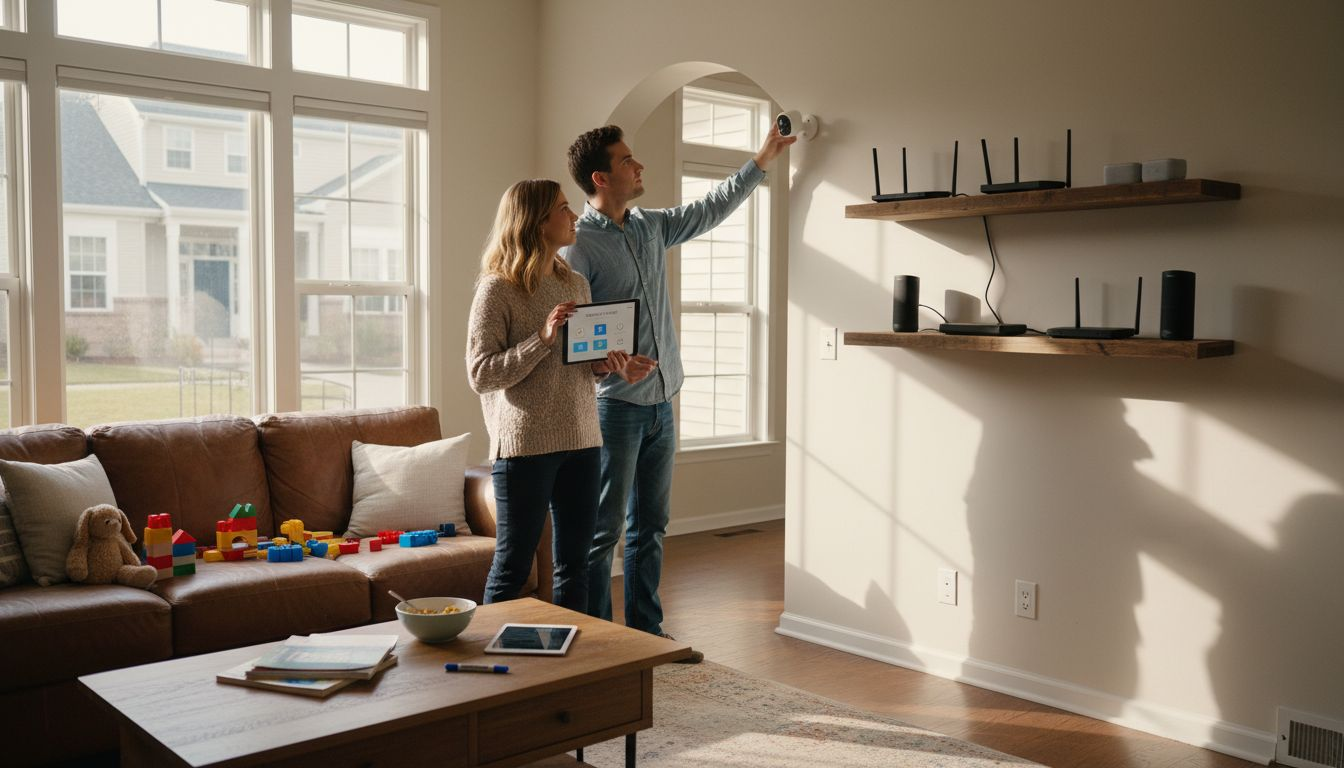
    Living room with visible smart home sensors

    Here’s a comparison of major smart home sensor types and the unique benefits they bring:

    Sensor Type Main Purpose Key Benefit
    Motion Detects movement Enhances security, automates lights
    Temperature Monitors ambient climate Optimizes comfort and savings
    Humidity Tracks moisture levels Prevents mold, improves air
    Occupancy Senses room usage Reduces energy waste
    Light Measures brightness Manages lighting efficiency
    Door/Window Checks entry points Alerts on unauthorized access
    Water Leak Detects leaks early Limits property damage
    Smoke/Gas Monitors safety hazards Early warning, protects lives

    Multipurpose sensors represent the next evolution in smart home technology, combining multiple detection capabilities into a single device. These advanced sensors can simultaneously track temperature, humidity, motion, and air quality, providing a more holistic approach to home monitoring and automation.

    Pro tip: When designing your smart home sensor network, consider purchasing sensors that use compatible wireless protocols to ensure seamless communication and integration.

    How Home Sensors Enable Automation

    IoT-integrated smart home automation systems transform traditional living spaces into intelligent environments by leveraging sensor networks that continuously collect and analyze environmental data. These sophisticated systems bridge the gap between passive living spaces and dynamic, responsive homes that can anticipate and adapt to occupants’ needs.

    The automation process typically involves three critical stages:

    • Data Collection: Sensors gather real-time information about environmental conditions
    • Analysis: Central systems process and interpret sensor data
    • Action: Smart devices execute automated responses based on analyzed information

    Specific automation scenarios demonstrate the power of sensor technologies. For instance, a motion sensor can trigger multiple actions simultaneously: turning on lights when someone enters a room, adjusting thermostat settings based on occupancy, and sending security alerts if unexpected movement occurs during nighttime hours. Temperature and humidity sensors work together to maintain optimal indoor climate, automatically adjusting heating and cooling systems for maximum comfort and energy efficiency.

    Advanced smart home systems integrate multiple sensor types to create complex, intelligent automation sequences. A comprehensive approach might involve combining motion, temperature, light, and occupancy sensors to create nuanced, context-aware home environments that respond intelligently to changing conditions.

    Pro tip: Select sensors with robust communication protocols like Zigbee or Z-Wave to ensure seamless integration and reliable automation across different device brands.

    Security and Privacy Considerations

    IoT sensor adoption in smart homes introduces significant privacy challenges that demand careful consideration by homeowners. The convenience of intelligent home systems comes with potential risks, including unauthorized data collection, potential device vulnerabilities, and the risk of personal information exposure.

    The primary security and privacy concerns include:

    • Data Collection Risks: Sensors gathering extensive personal information
    • Network Vulnerabilities: Potential entry points for cyber attacks
    • Device Hacking Potential: Unauthorized access to home systems
    • Location and Behavior Tracking: Detailed insights into occupant patterns
    • Third-Party Data Sharing: Potential misuse of collected information

    Homeowners must implement strategic protections to mitigate these risks. This includes using strong, unique passwords for each device, regularly updating firmware, and carefully reviewing privacy settings. Encryption technologies and secure communication protocols can significantly reduce the likelihood of unauthorized data access, creating a more robust defense against potential security breaches.

    Advanced smart home systems now incorporate multi-layered security approaches that combine technical safeguards with user-centric privacy controls. These include advanced encryption methods, two-factor authentication, and granular permission settings that allow homeowners to precisely control what data is collected and shared.

    Pro tip: Conduct a comprehensive privacy audit of your smart home devices every six months, reviewing permissions, updating passwords, and checking for any outdated firmware.

    Installation Costs and Common Pitfalls

    Smart home sensor infrastructure presents significant installation challenges that can quickly escalate costs and complexity for homeowners. The initial investment extends beyond simply purchasing devices, encompassing professional installation, system integration, and ongoing maintenance requirements.

    The primary cost considerations and potential pitfalls include:

    • Hardware Expenses: Initial sensor and device purchases
    • Professional Installation: Potential need for specialized technician services
    • Wireless Network Infrastructure: Robust Wi-Fi or mesh network requirements
    • Compatibility Challenges: Ensuring devices work together seamlessly
    • Ongoing Maintenance: Regular firmware updates and potential device replacements
    • Electrical Modifications: Potential need for additional outlets or wiring

    Budget-conscious homeowners should carefully evaluate their specific needs and technical capabilities before investing. Some sensors require professional installation, while others can be easily set up as do-it-yourself projects. The complexity often depends on the sophistication of the system and the existing home infrastructure.

    The table below summarizes common installation pitfalls and strategies to avoid them:

    Pitfall Impact on Homeowners How to Prevent
    Compatibility issues Devices may not communicate Choose standard protocols
    Poor network coverage Automation failures Use mesh networks/extensions
    Underestimating total cost Unexpected expenses Build a detailed project budget
    Skipping firmware updates Security vulnerabilities Schedule regular device checks

    Many homeowners underestimate the importance of long-term compatibility and scalability. Choosing sensors and systems that support standard communication protocols like Zigbee or Z-Wave can help mitigate future integration challenges and reduce overall implementation costs.

    Pro tip: Create a comprehensive budget that includes not just device costs, but also potential installation expenses, network upgrades, and a 20% contingency for unexpected technical challenges.

    Secure and Optimize Your Smart Home with Expert Guidance

    Managing smart home sensors can feel overwhelming with all the options and technical challenges. This article highlights key issues such as compatibility, security, and automation that every homeowner faces when integrating sensors to enhance safety and efficiency. If you want to confidently overcome these hurdles while creating a seamless and secure smart home system, expert advice is essential. Understanding terms like motion sensors, Zigbee communication, and privacy safeguards is just the start—putting that knowledge into action is where many get stuck.

    https://smarthomehq.house

    Discover how to transform your home into a truly smart environment by exploring The Complete Smart Home Automation Master Guide Archives – Smart Home HQ for detailed strategies on sensor selection and installation. Protect your household by diving into advanced security methods at Smart Home Safety Archives – Smart Home HQ and get familiar with the essential devices at Core Device Categories Archives – Smart Home HQ. Don’t wait to address the critical balance between convenience and privacy.

    Start building your reliable sensor network today with proven tips and product recommendations from Smart Home HQ so you can enjoy peace of mind, convenience, and energy savings all in one smart home setup.

    Frequently Asked Questions

    What are the different types of sensors used in smart homes?

    Smart homes utilize various sensors, including motion sensors, temperature sensors, humidity sensors, occupancy sensors, light sensors, door/window sensors, water leak sensors, and smoke/gas sensors. Each type serves a unique purpose, enhancing security and energy efficiency.

    How do smart home sensors improve energy efficiency?

    Smart home sensors improve energy efficiency by automatically adjusting heating, cooling, and lighting based on real-time data. For example, occupancy sensors can turn off lights and appliances in unoccupied rooms, while temperature sensors help maintain optimal climate control, reducing energy consumption.

    What are the security concerns associated with smart home sensors?

    Security concerns include unauthorized data collection, network vulnerabilities, device hacking potential, and location tracking of occupants. Homeowners should implement strong passwords, update firmware regularly, and use secure communication protocols to mitigate these risks.

    How can I ensure my smart home sensors work together seamlessly?

    To ensure seamless communication between smart home sensors, choose devices that use compatible wireless protocols such as Zigbee or Z-Wave. Additionally, proper installation and regular maintenance can help prevent compatibility issues over time.

  • Why Smart Home Networks Matter for Security and Ease

    Why Smart Home Networks Matter for Security and Ease

    Trying to set up a reliable smart home network can feel like assembling a puzzle with pieces from different boxes. For tech-savvy homeowners in North America, balancing security with easy DIY integration is more than just a technical choice. A smart home network connects devices across your home, but myths about safety and privacy often overlook real risks and practical solutions. This guide helps you sort fact from fiction and get practical advice for building a secure, connected home environment.

    Table of Contents

    Key Takeaways

    Point Details
    Smart Home Networks Require Security Prioritize strong security measures such as encrypted communication and multi-factor authentication to protect against potential vulnerabilities.
    Network Types Suit Different Needs Select the appropriate smart home network type—mesh, star, hybrid, or WPAN—based on your home layout, device compatibility, and functional requirements.
    Regular Maintenance Is Crucial Consistently update device firmware and conduct security audits to ensure ongoing protection from data breaches and unauthorized access.
    Integration Should Be Planned Research device compatibility and create a comprehensive network plan to avoid common mistakes that compromise security and functionality.

    Smart Home Networks Defined and Debunked

    A smart home network represents a sophisticated interconnected ecosystem of internet-connected devices designed to enhance residential functionality, security, and convenience. At its core, the network allows various technological systems to communicate, coordinate, and respond intelligently to user preferences and environmental conditions.

    Understanding smart home networks requires breaking down several key components. Revealing underlying privacy concerns, these networks typically consist of:

    • Internet Router: Central communication hub
    • IoT Devices: Smart speakers, thermostats, security cameras
    • Communication Protocols: Wi-Fi, Zigbee, Z-Wave
    • Control Interface: Smartphone apps or voice assistants

    Contrary to popular belief, smart home networks aren’t just about convenience. They represent a complex technological infrastructure that requires careful configuration and ongoing security management. Modern smart home networks use multiple communication protocols to ensure devices can seamlessly interact, translating user commands into actionable responses across different technological platforms.

    Security Considerations are paramount in smart home network design. Recent research demonstrates that these networks can potentially expose sensitive information if not properly configured. Device manufacturers and homeowners must prioritize robust security protocols to protect against unauthorized access and data breaches.

    Infographic of smart home security basics and risks

    Pro tip: Always update your smart home devices’ firmware and use strong, unique passwords to minimize potential security vulnerabilities.

    Types of Smart Home Networks Explained

    Smart home networks are not one-size-fits-all technologies, but rather a diverse ecosystem of communication protocols and architectural designs tailored to different residential needs. Wireless communication technologies reveal multiple network types that homeowners can implement to create intelligent, responsive living spaces.

    The primary types of smart home networks include:

    • Mesh Networks: Decentralized design where devices interconnect and relay signals
    • Star Networks: Centralized topology with devices connecting through a single hub
    • Hybrid Networks: Combination of multiple communication protocols
    • Wireless Personal Area Networks (WPAN): Short-range, low-power connections

    Each network type offers unique advantages depending on home layout, device compatibility, and specific functionality requirements. Mesh networks, for instance, provide robust coverage by allowing devices to communicate directly with each other, eliminating single points of failure. Star networks, conversely, offer simpler management through a central control point.

    Here’s a comparison of smart home network types and their optimal uses:

    Network Type Best for Key Advantage
    Mesh Large/multi-story homes Expands coverage easily
    Star Simple small layouts Centralized device control
    Hybrid Mixed-device households Flexible, protocol-agnostic
    WPAN Wearables, low-energy Minimal power consumption

    Communication Protocols play a crucial role in network performance. Different protocols like Wi-Fi, Zigbee, Z-Wave, and Thread each bring distinct capabilities:

    • Wi-Fi: High bandwidth, widespread compatibility
    • Zigbee: Low power consumption, excellent for sensor networks
    • Z-Wave: Specialized for home automation, less interference
    • Thread: IPv6-based, designed for IoT device communication

    Pro tip: Consult a professional installer to evaluate your home’s specific network requirements and select the most appropriate communication protocols for optimal smart home performance.

    Core Features and How They Work

    Smart home networks transform ordinary residences into intelligent, responsive environments through a complex integration of technologies. Core automation systems enable sophisticated interactions between devices, sensors, and user preferences that go far beyond simple remote control.

    The fundamental features of smart home networks include:

    • Remote Monitoring: Real-time tracking of home conditions
    • Automated Control: Intelligent device management
    • Environmental Sensing: Adaptive responses to temperature, light, and occupancy
    • Security Integration: Comprehensive protection mechanisms
    • Energy Management: Intelligent power consumption optimization

    Each feature operates through intricate communication protocols that allow devices to share information seamlessly. Sensors collect environmental data, controllers process this information, and actuators execute specific actions based on predefined rules or user preferences. For instance, a temperature sensor might communicate with a smart thermostat to automatically adjust heating or cooling based on occupancy and time of day.

    Woman configuring smart device near kitchen island

    Security and Privacy are critical components of smart home network functionality. These systems incorporate multiple layers of protection:

    Consider these security measure impacts on smart home reliability:

    Security Measure Effect on Reliability Implementation Priority
    Encrypted Communication Prevents data interception Essential for all networks
    Network Segmentation Isolates risk zones Highly recommended
    Firmware Updates Fixes vulnerabilities quickly Critical, ongoing need
    Multi-factor Authentication Reduces unauthorized access Strong secondary protection
    • Encrypted communication channels
    • Multi-factor authentication
    • Continuous firmware updates
    • Isolated network segments
    • Granular access controls

    Pro tip: Regularly audit your smart home network’s device permissions and update security settings to maintain optimal protection against potential vulnerabilities.

    Real-World Benefits for Security and Safety

    Smart home networks have revolutionized personal safety by transforming residential spaces into intelligent, proactive security environments. Real-time monitoring techniques enable homeowners to protect their property and loved ones with unprecedented precision and responsiveness.

    The key security benefits of smart home networks include:

    • Instant Threat Detection: Immediate alerts for unusual activities
    • Remote Surveillance: Live video monitoring from anywhere
    • Automated Emergency Response: Rapid communication with authorities
    • Access Control: Advanced entry management systems
    • Environmental Hazard Prevention: Early warning for potential risks

    Advanced sensor technologies allow smart home networks to go beyond traditional security measures. Motion detectors, cameras, and smart locks work in concert to create a comprehensive protection ecosystem. For example, a system can distinguish between routine household movement and potential intrusion, sending targeted alerts that minimize false alarms while ensuring rapid response to genuine threats.

    Safety Features extend far beyond traditional security concepts:

    • Automatic shutoff for appliances during detected anomalies
    • Water leak detection and prevention
    • Smoke and carbon monoxide monitoring
    • Elderly fall detection and emergency communication
    • Power surge and electrical hazard prevention

    Pro tip: Integrate multiple sensor types and communication protocols to create a robust, layered home security system that provides comprehensive protection.

    Risks, Vulnerabilities, and Privacy Concerns

    Smart home networks, while revolutionary, present significant privacy and security challenges that homeowners must carefully navigate. Alarming privacy and security threats expose households to potential data breaches and unauthorized access risks that can compromise personal information and digital safety.

    The primary vulnerabilities in smart home networks include:

    • Device Identification Leaks: Unintended exposure of device identifiers
    • Location Data Transmission: Unauthorized sharing of geographical information
    • Unauthorized Network Access: Potential entry points for cybercriminals
    • Data Interception: Unsecured communication channels
    • Firmware Exploitation: Vulnerabilities in device software updates

    Cybersecurity experts have identified multiple attack vectors that make smart home networks potentially susceptible to intrusion. Hackers can exploit weak authentication protocols, unencrypted communication channels, and poorly configured network settings to gain unauthorized access to personal devices and sensitive information.

    Privacy Risks extend beyond traditional security concerns:

    • Continuous data collection without explicit consent
    • Potential misuse of personal behavioral patterns
    • Risk of third-party data sharing
    • Potential surveillance through connected devices
    • Inadequate data anonymization techniques

    Pro tip: Regularly update device firmware, use strong network encryption, and implement multi-factor authentication to minimize potential security vulnerabilities in your smart home ecosystem.

    DIY Integration Tips and Common Mistakes

    Successful smart home network implementation requires strategic planning and careful execution. DIY integration challenges highlight the complexity of creating a seamless, secure home automation ecosystem that truly meets homeowner expectations.

    Common mistakes during smart home network setup include:

    • Inadequate Network Planning: Failing to map device compatibility
    • Weak Security Configurations: Using default passwords
    • Incomplete Firmware Updates: Neglecting critical security patches
    • Overcrowded Network Infrastructure: Adding too many devices simultaneously
    • Ignoring Interoperability: Mixing incompatible communication protocols

    Professional integrators recommend a systematic approach to smart home network deployment. This involves carefully selecting devices with compatible communication standards, ensuring robust network segmentation, and implementing comprehensive security measures that protect against potential vulnerabilities.

    Best Practices for DIY Integration:

    • Conduct thorough device compatibility research
    • Create a comprehensive network topology diagram
    • Implement strong, unique authentication for each device
    • Use dedicated IoT network segments
    • Regularly audit and update device firmware
    • Test integration incrementally

    Pro tip: Create a dedicated guest network for smart home devices to isolate potential security risks and prevent unauthorized access to primary home network infrastructure.

    Secure and Simplify Your Home with Expert Smart Network Solutions

    The challenge of building a reliable smart home network that enhances security and ease can feel overwhelming. This article highlights common risks like unauthorized access and device compatibility issues that can compromise your system’s safety and functionality. If you want to avoid these pitfalls and confidently create a smart ecosystem that adapts to your lifestyle, understanding core device categories and proven network setups is essential.

    At Smart Home HQ, we provide thoroughly tested insights and comprehensive guides such as The Complete Smart Home Automation Master Guide Archives – Smart Home HQ, helping you navigate choices for secure remote monitoring, automated controls, and more. Our expert advice on device compatibility and security best practices empowers you to build a smart home network that safeguards your privacy while delivering seamless convenience.

    https://smarthomehq.house

    Take control now by exploring our expert resources and start building your secure smart home with confidence. Visit Smart Home HQ today and transform your living environment into a safe and intelligent sanctuary tailored just for you.

    Frequently Asked Questions

    What is a smart home network?

    A smart home network is an interconnected system of internet-connected devices designed to improve functionality, security, and convenience in residential spaces. It allows various devices to communicate and respond to user preferences and environmental conditions.

    How do smart home networks enhance security?

    Smart home networks enhance security through features like real-time monitoring, automated emergency responses, and access control systems that work together to protect your property against intrusions and environmental hazards.

    What are the common types of smart home networks?

    Common types of smart home networks include mesh networks, star networks, hybrid networks, and wireless personal area networks (WPAN). Each offers unique advantages based on home layout, device compatibility, and functionality needs.

    How can I ensure the security of my smart home network?

    To ensure the security of your smart home network, regularly update device firmware, use strong, unique passwords, enable multi-factor authentication, and consider network segmentation to isolate devices and minimize vulnerabilities.

  • OpenClaw AI Smart Home Management

    OpenClaw AI Smart Home Management

    What Is OpenClaw AI -Smart Home Edition?

    OpenClaw AI Smart Home is the control plane for intelligent homes. It connects to your devices and hubs (Matter, HomeKit, Zigbee, Z-Wave, MQTT), ingests documentation and household context, and runs privacy-first AI agents that:

    • Anticipate needs (comfort, security, savings)
    • Coordinate devices across brands
    • Enforce safety and family policies
    • Provide voice/chat interfaces with citations and logs

    Think: a vendor-neutral “brain” that works across ecosystems and adapts as your devices and routines change.

    OpenClaw AI Smart Home – Why Now? ⏱️

    • Fragmented ecosystems and vendor lock-in
    • Rising energy costs and grid incentives
    • Demand for privacy-first, low-latency intelligence at the edge
    • Expectation that homes “just work” and explain their actions

    OpenClaw AI makes smart homes smarter. In other words, the home is ‘smart’ in pieces, but not as a whole system.

    Edge-first agents that unify devices, save energy, and explain every action.

    Smart-Home-Tuned Capabilities 🌟

    • Connectors and Protocols
      • First, Matter, HomeKit, Alexa/Google, SmartThings, Hubitat, Home Assistant
      • Next, Zigbee, Z-Wave, Thread, Bluetooth, MQTT messaging protocol, RTSP/ONVIF (cameras)
      • Finally, EV chargers, solar inverters, batteries, smart plugs, air quality monitors
    • Retrieval-Augmented Intelligence (RAG)
      • Ingests manuals, wiring diagrams, room maps, and household preferences
      • Answers “why did the heater turn on?” with sources and device traces
    • Agents and Tools
      • Built-in tools: thermostat control, lighting scenes, EV scheduling, camera snapshots, leak shutoff, air purifier modes, blinds/curtains, irrigation
      • Multi-agent coordination (e.g., HVAC + blinds + ceiling fans for optimal comfort)
    • Guardrails and Policies 🔒
      • Safety rules: “Never unlock doors remotely without biometric or owner presence”
      • Quiet hours, guest profiles, teen limits, geofencing, child safety
      • Role-based access: owners vs. guests vs. service pros
    • Observability and Audits 📊
      • Timeline of events, traces, latency, cost, and success rates
      • Root-cause insights (network vs. device vs. policy block)
      • Full audit history of automations and overrides
    • Edge-First, Cloud-Optional
      • Runs on Home Assistant, Raspberry Pi, NAS (Docker), or local server
      • Additionally, local voice and vision where feasible; cloud fallback routing for heavy tasks
    • Cost and Performance Controls
      • Local caching, batch inference, time-of-use aware scheduling
      • Budget caps: “Max $X/month in energy,” “Charge EV only during off-peak”

    OpenClaw AI Smart Home – Architecture at a Glance

    1. Ingest: Connect hubs/devices; sync rooms, scenes, presence, and policies
    2. Index: Build a knowledge graph (devices, capabilities, constraints), plus manuals/FAQs
    3. Orchestrate: Prompts, tools, deterministic rules, and adaptive agent flows
    4. Infer: Edge vs. cloud routing; RAG; safety checks; multi-device coordination
    5. Observe: Real-time traces, alerts, and explainability with feedback loops

    Recommended deployments:

    • Single home: Home Assistant Add-on or Docker on a mini-PC
    • Power users: Local Kubernetes on NAS + optional cloud control plane
    • Property/fleet: Multi-tenant cloud with per-site edge agents and RBAC

    High-Impact Use Cases 💼

    • Energy Optimization and Demand Response ⚡
      • Pre-heat/cool with weather and tariff awareness
      • Shift EV charging and laundry to off-peak windows
      • Coordinate solar, battery, and HVAC to minimize grid draw
    • Security and Safety 🛡️
      • Anomaly detection with privacy-first vision on local NVR/RTSP streams
      • Leak detection → auto shutoff valve + notifications
      • Presence-aware arming; package detection → porch lights + camera snapshot
    • Comfort and Accessibility 🛋️
      • Routines that learn preferences (lighting warmth, music, temperature)
      • Multilingual voice/chat; accessibility-first controls
      • Scene orchestration for work, sleep, guests, or movie night
    • Health and Air Quality 🌬️
    • Reliability and Maintenance 🛠️
      • Appliance anomaly detection from power signatures
      • Filter and battery reminders with vendor manuals as references

    Example Automations (Policy-Aware) 🧩

    • If energy price > $X and battery > 40%, run the home from battery until 9 PM
    • If leak sensor triggers and nobody is home, shut off water + notify owner with camera snapshot
    • If CO2 > 1200 ppm during occupied hours, open vents/boost fans for 10 minutes
    • If forecast predicts heatwave tomorrow, pre-cool 2 hours during off-peak
    • If front door unlocks after 10 PM and unfamiliar face detected, turn on hallway lights to 30% and alert owner

    OpenClaw AI Smart Home – Integrations and Ecosystem 🤝

    • Hubs/Platforms: Home Assistant, SmartThings, Hubitat, Apple Home, Google Home, Alexa
    • Protocols: Matter, Zigbee, Z-Wave, Thread, MQTT
    • Devices: Ecobee/Nest thermostats, Hue/LIFX lights, Shelly/Tuya plugs, Aqara sensors, Yale/August locks, Sonos audio, Arlo/Reolink cameras, Tesla/Wallbox chargers, Enphase/SolarEdge inverters
    • Notes: Integrations vary by application programming interface (API)/bridge; OpenClaw AI remains vendor-neutral

    Developer and Installer Workflow 🧑‍💻

    • Connect: Add hubs/devices; import rooms, scenes, occupancies
    • Model your home: Map zones (living, sleep, work) and constraints (quiet hours, max temps)
    • Choose routing: Local-first models, cloud fallback for heavy workloads
    • Add guardrails: Safety rules, guest profiles, escalation policies
    • Test and stage: Simulate events; canary rollouts; version your automations
    • Observe and optimize: Trace costs, latency, success rate; refine with feedback

    Privacy, Security, and Trust 🔐

    • Local-first inference for vision/voice where possible; opt-in cloud
    • Encryption in transit/at rest; customer-managed keys and VPC options
    • Data minimization: no raw video leaves the home unless explicitly allowed
    • Role-based access, audit trails, and tamper alerts
    • Regional data residency and GDPR/CCPA alignment

    Success Metrics to Track 📈

    • Energy savings (% and $), peak load reduction
    • False alarm rate and time-to-notification
    • Comfort index (temp/CO2/light) and user satisfaction
    • Automation success rate and average action latency
    • EV charge cost per kWh and on-time readiness
    • Safety actions executed (and prevented) with zero incidents

    Pricing Philosophy 💸

    • Starter: Free dev tier; single-home pilots
    • Pro: Per-home/month with premium agents (vision, energy, EV)
    • Fleet/Enterprise: Volume pricing, SSO, VPC, custom SLAs, multi-site RBAC

    Roadmap Highlights 🗺️

    • Deeper Matter 1.2/1.3 features and Thread diagnostics
    • Native Home Energy Management (HEM) dashboards and DR APIs
    • Federated learning on the hub for personalization without data leaving home
    • On-device multimodal (vision + audio) optimizations on ARM/NPU
    • Digital twin for each home to simulate and verify automations before deployment

    OpenClaw AI Smart Home – FAQs ❓

    Can it run fully local?

    Yes. Many workflows, including vision, can run on the hub. However, you can opt into cloud features when they provide clear benefits.

    Does it work with Home Assistant?

    You can run OpenClaw alongside Home Assistant. In fact, many power users start there and gradually move more logic into OpenClaw.

    What about guests and Airbnb?

    Create guest profiles with time-limited permissions, auto-resets, and safety rules.

    How does it explain actions?

    Every action includes a trace: triggers, policies, data sources, and device responses.

    Will it break if a vendor changes APIs?

    APIs and vendors change constantly. Nevertheless, OpenClaw’s connector layer is designed to absorb most of that churn.

  • Smart Home Trends 2026: How AI Reshapes Urban Living

    Smart Home Trends 2026: How AI Reshapes Urban Living

    Upgrading a home today means more than adding gadgets—it is about creating living spaces that think and adapt alongside your routine. As smart home technology becomes an essential part of modern urban living, residents expect seamless comfort, efficiency, and security from interconnected devices. This overview explains technological smart home trends in 2026 really delivers and how it makes daily life easier, safer, and more sustainable for busy homeowners.

    Table of Contents

    Key Takeaways

    PointDetails
    Smart Home EvolutionBy 2026, smart home technology transcends luxury, becoming essential for enhancing comfort, efficiency, and security.
    AI-Driven AutomationAI transforms homes into proactive environments that learn from residents’ behaviors for optimized living.
    Energy ManagementAdvanced energy management technologies enable significant savings and environmental benefits through real-time monitoring.
    Interoperability with MatterThe Matter Standard ensures smooth device compatibility and setup across various brands, simplifying the smart home experience.

    Smart Home Technology in 2026 Defined

    Smart home technology has evolved dramatically, transforming urban living spaces into intelligent, responsive environments that anticipate and adapt to residents’ needs. In 2026, these systems represent far more than luxury gadgets – they are sophisticated networks of interconnected devices designed to enhance comfort, efficiency, and security.

    The core of smart home technology involves devices and systems that use internet connectivity, artificial intelligence, and advanced sensors to create adaptive living spaces. These intelligent systems go beyond simple remote control, actively learning from user behaviors and environmental conditions to optimize home performance.

    Key characteristics of smart home technology in 2026 include:

    • Intuitive Automation: Devices that predict and execute actions before users request them
    • Energy Management: Real-time power consumption monitoring and automatic optimization
    • Enhanced Security: AI-powered surveillance and integrated safety protocols
    • Personalized Environments: Customizable settings that adjust temperature, lighting, and ambiance automatically

    Modern smart homes leverage complex integrations between various technological components. Voice assistants, automated locks, intelligent thermostats, and AI-powered security cameras work in concert to create seamless, responsive living environments that prioritize user convenience and safety.

    Here’s a summary of how key smart home advancements impact daily living:

    Innovation AreaWhat It ChangesUser BenefitLong-term Value
    Predictive AutomationProactive device actionsIncreased convenienceTime savings
    Smart Energy ManagementAdaptive power controlsReduced energy billsEnvironmental sustainability
    Universal StandardsDevice compatibilityEasier setupFuture-proof investments
    Advanced SecurityAI threat detectionEnhanced safetyPrivacy protection

    Pro tip: Start building your smart home ecosystem gradually by selecting devices with strong compatibility and integration capabilities.

    Smart Home Trends in 2026 | Technology in 2026AI-Powered Automation and Predictive Living

    Artificial Intelligence has transformed smart home technology from passive systems to dynamic, anticipatory environments that actively respond to residents’ needs and preferences. In 2026, AI-powered automation represents a quantum leap in home intelligence, enabling living spaces to think, adapt, and optimize themselves in real-time.

    The breakthrough of modern smart homes lies in their ability to proactively manage complex home environments. These intelligent systems now go beyond simple programmed routines, utilizing advanced machine learning algorithms to understand and predict household patterns, energy consumption, and individual user behaviors.

    Key capabilities of AI-driven home automation include:

    • Predictive Maintenance: Detecting potential equipment failures before they occur
    • Dynamic Energy Management: Automatically adjusting power consumption based on real-time usage and environmental conditions
    • Personalized Comfort: Learning individual temperature, lighting, and sound preferences
    • Adaptive Security: Distinguishing between normal and suspicious activities with high accuracy

    Modern AI systems integrate multiple sensor technologies and machine learning models to create comprehensive home intelligence networks. These networks continuously analyze data from various sources – including smart appliances, wearable devices, and environmental sensors – to provide unprecedented levels of automation and personalization.

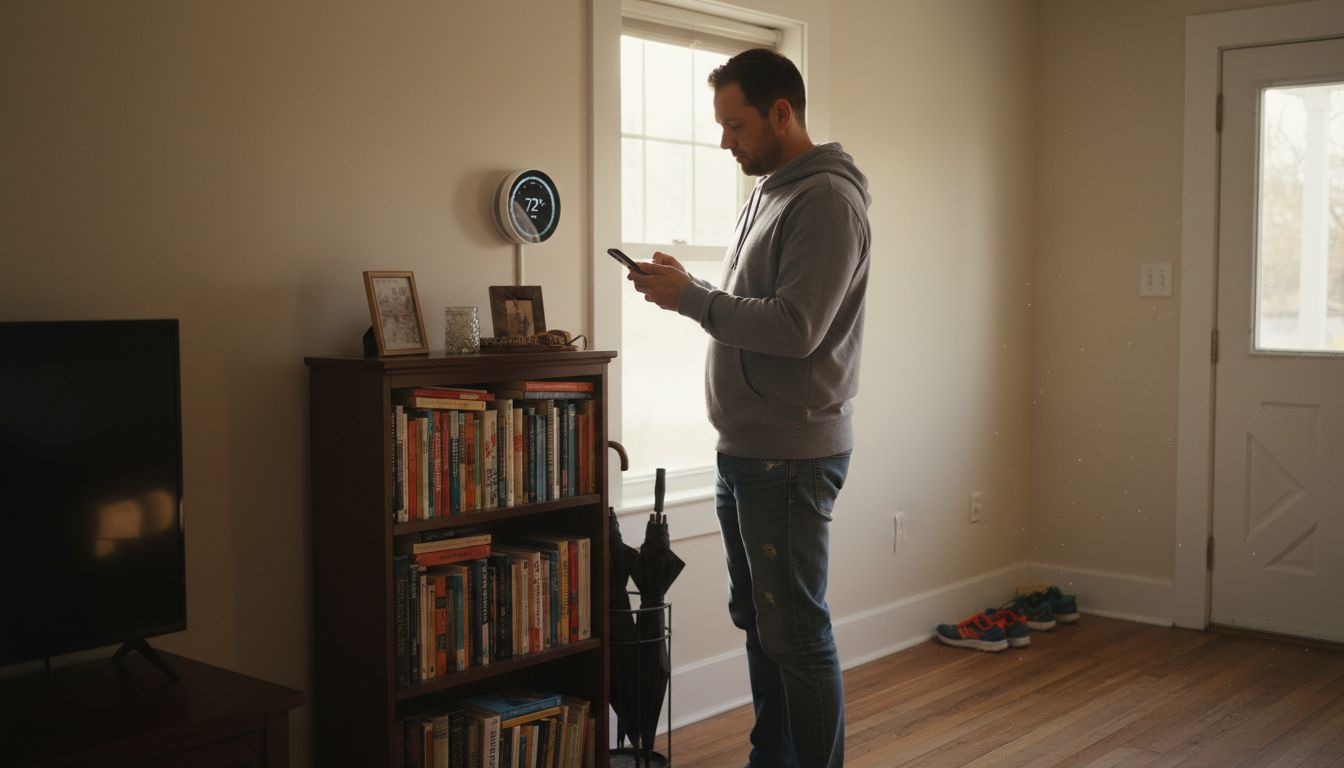
    Man in hallway with smart home sensors

    By 2026, AI-powered home automation will represent more than a technological convenience; it will be an essential component of efficient, sustainable urban living. Homes will transform from static structures into responsive, intelligent ecosystems that actively contribute to residents’ quality of life.

    Pro tip: Choose smart home devices with open-source integration capabilities to maximize future compatibility and flexibility.

    Smart Home Trends in 2026 – Energy Management and Sustainable Solutions

    The landscape of home energy management has undergone a radical transformation, with sustainable solutions becoming increasingly sophisticated and accessible. Smart homes in 2026 are no longer just connected spaces, but intelligent ecosystems designed to optimize energy consumption, reduce environmental impact, and deliver significant cost savings for homeowners.

    Infographic of AI smart home trends and benefits

    Leading this revolution are advanced technologies that optimize heating, cooling, and lighting systems with unprecedented precision. Artificial Intelligence plays a pivotal role in analyzing and predicting energy usage patterns, enabling homes to make real-time adjustments that minimize waste and maximize efficiency.

    Key features of sustainable smart home energy management include:

    • Solar Panel Integration: Seamless connection with home electrical systems
    • Battery Storage Solutions: Intelligent energy capture and redistribution
    • Smart Meter Technologies: Real-time consumption tracking and optimization
    • AI-Powered Energy Allocation: Dynamic power distribution across household devices

    Modern energy management systems go beyond simple monitoring, offering comprehensive strategies for reducing carbon footprints. By leveraging machine learning algorithms, these systems can predict energy demand, automatically adjust consumption, and even participate in virtual power grid networks that balance regional energy loads.

    Sustainable smart homes are projected to reduce energy bills by up to 30% while significantly minimizing environmental impact.

    The economic and environmental benefits of these technologies extend far beyond individual households. As more urban residents adopt intelligent energy management solutions, the cumulative effect represents a meaningful contribution to broader sustainability goals.

    Pro tip: Invest in smart home devices with comprehensive energy reporting capabilities to track and optimize your household’s power consumption.

    Smart Home Trends in 2026 – Device Interoperability and the Matter Standard

    The smart home technology landscape has long struggled with a critical challenge: devices from different manufacturers operating in isolated ecosystems. In 2026, the Matter Standard emerges as a transformative solution, promising seamless communication and integration across various smart home platforms and devices.

    Matter represents a groundbreaking approach to universal IoT device communication, developed by major technology companies to address the persistent fragmentation in smart home technologies. This sophisticated protocol enables devices from different brands to interact effortlessly, creating a more cohesive and user-friendly home automation experience.

    Key advantages of the Matter Standard include:

    • Cross-Platform Compatibility: Devices work together regardless of manufacturer
    • Simplified Setup: Reduced complexity in device installation and configuration
    • Enhanced Security: Standardized communication protocols with robust encryption
    • Cloud-Independent Operation: Devices can function without constant internet connectivity

    The technical innovations behind Matter 1.3 resolve previous communication challenges by establishing clear rules for device interactions. Unlike earlier standards, Matter provides a comprehensive framework that supports multiple device types, including:

    1. Smart lighting systems
    2. Thermostats and climate control devices
    3. Security locks
    4. Surveillance cameras
    5. Sensor networks

    Matter transforms smart home technology from a fragmented landscape into a unified, user-centric ecosystem.

    By creating a universal language for smart devices, Matter accelerates adoption and reduces consumer frustration. Homeowners can now mix and match devices from different manufacturers with confidence, knowing they will communicate effectively and provide a seamless user experience.

    Pro tip: When purchasing new smart home devices, prioritize those certified as Matter-compatible to ensure future-proof integration.

    Smart Home Trends in 2026 – Advanced Security and Privacy Innovations

    Smart home security has dramatically transformed from passive monitoring to intelligent, proactive protection systems. In 2026, these technologies represent a sophisticated fusion of artificial intelligence, advanced sensors, and robust privacy protocols designed to safeguard both physical spaces and personal data.

    The latest security innovations focus on comprehensive protection through intelligent monitoring that goes far beyond traditional alarm systems. AI-powered technologies now analyze behavioral patterns, predict potential security risks, and respond with unprecedented precision and speed.

    Key features of advanced smart home security include:

    • Predictive Threat Detection: AI systems that anticipate and prevent potential security breaches
    • Local AI Processing: Reducing cloud dependency to enhance data privacy
    • Contextual Awareness: Distinguishing between normal and suspicious activities
    • Adaptive Authentication: Dynamic security protocols that adjust based on user behavior

    Modern security systems leverage multiple technologies to create a multilayered defense strategy:

    1. Biometric recognition systems
    2. Encrypted communication protocols
    3. Decentralized data storage
    4. Intelligent sensor networks
    5. Real-time anomaly detection

    Smart home security in 2026 represents a holistic approach that protects both physical infrastructure and digital privacy.

    The evolution of smart home security reflects a broader shift towards more accountable, user-centric technological ecosystems. By prioritizing local processing and advanced AI algorithms, these systems provide homeowners with unprecedented control and transparency.

    Pro tip: Regularly update firmware and choose devices with built-in encryption to maintain optimal home security.

    Smart Home Trends in 2026 – Key Costs, Risks, and Common Pitfalls

    Navigating the smart home landscape requires a nuanced understanding of potential financial and technological challenges. While the promise of intelligent living spaces is compelling, homeowners must carefully evaluate the complex ecosystem of smart home technologies to make informed investment decisions.

    Smart home adoption involves critical considerations, including comprehensive risk management strategies that address technological vulnerabilities and financial implications. The evolving nature of these technologies demands a strategic approach to minimize potential drawbacks and maximize long-term value.

    Key risks and potential pitfalls include:

    • Technology Obsolescence: Rapid innovation rendering devices outdated quickly
    • High Initial Costs: Significant upfront investments for comprehensive systems
    • Security Vulnerabilities: Potential privacy and data protection challenges
    • Interoperability Limitations: Compatibility issues between different brand ecosystems

    Financial considerations for smart home investments break down into several critical categories:

    1. Initial hardware and installation expenses
    2. Ongoing subscription and maintenance costs
    3. Potential energy efficiency savings
    4. Future upgrade and replacement budgeting
    5. Potential home value appreciation

    Smart home investments require careful evaluation of both immediate costs and long-term technological viability.

    Successful smart home integration demands a balanced approach that weighs technological innovation against practical limitations. Homeowners must remain adaptable, prioritizing scalable systems and maintaining a forward-looking perspective on technological investments.

    Explore potential financial and risk implications of Smart Home Trends in 2026 before investing:

    Consideration CategoryWhat to AssessPossible DrawbackLong-Term Effect
    Upfront InvestmentHardware, installationHigh initial costsGradual value increase
    Tech LongevityUpgrade cyclesDevice obsolescenceOngoing replacement needs
    Security ManagementData protectionPrivacy vulnerabilitiesContinual monitoring
    Energy SavingsUtility costsDelayed ROIMonthly bill reduction

    Pro tip: Allocate approximately 15-20% of your technology budget for potential future upgrades and system expansions.

    Transform Your Urban Living with Smart Home HQ

    The rise of AI-powered smart home technology brings exciting possibilities but also challenges such as device interoperability, security risks, and complex automation setups. If you want to overcome these hurdles and build a truly intelligent, energy-efficient, and secure living space in 2026, start with trusted guidance. At Smart Home HQ we specialize in helping homeowners like you make sense of the latest smart home innovations, including AI automation and sustainable energy management.

    https://smarthomehq.house

    Explore our The Complete Smart Home Automation Master Guide Archives – Smart Home HQ for step-by-step advice on choosing compatible devices and creating seamless integrations. Stay informed on protecting your household with expert insights from our Smart Home Safety Archives – Smart Home HQ. Begin your smart home journey today with comprehensive reviews and detailed comparisons at Smart Home HQ and take control of your connected lifestyle now.

    Frequently Asked Questions

    What are the key features of smart home technology in 2026?

    Smart home technology in 2026 focuses on intuitive automation, energy management, enhanced security, and personalized environments. These features enable devices to predict actions, optimize power consumption, and create customizable living spaces.

    How does AI improve smart home automation?

    AI enhances smart home automation by enabling devices to proactively manage complex environments. It utilizes machine learning to understand user behaviors, predict energy consumption, and personalize comfort settings, making home living more efficient and user-friendly.

    What are the benefits of smart energy management systems?

    Smart energy management systems provide real-time tracking of energy consumption, adaptive power controls, and integration with renewable energy sources. These systems help reduce energy bills and minimize environmental impacts.

    How does the Matter Standard affect device compatibility?

    The Matter Standard allows devices from different manufacturers to communicate seamlessly. This universal protocol simplifies the setup process, enhances security, and ensures cross-platform compatibility, making it easier for homeowners to integrate multiple smart devices.

  • Smart Thermostat Installation Process for Homeowners

    Smart Thermostat Installation Process for Homeowners

    Fumbling with old, unreliable thermostats can leave any homeowner frustrated and uncomfortable, especially when you’re trying to save energy in a busy city. Upgrading to a smart thermostat means embracing cost savings, reliable climate control, and a greener future with technology built for American homes. This guide breaks down each step in plain language so you can tackle the installation confidently, even if you’re new to DIY projects, while making smart thermostats work for your urban lifestyle.

    Table of Contents

    Quick Summary

    Key PointExplanation
    1. Gather essential tools firstPrepare a screwdriver, drill, voltage tester, and other tools for a smooth smart thermostat installation process.
    2. Power down before removalSafely turn off power at the circuit breaker to prevent electrical damage or personal injury during thermostat replacement.
    3. Label wires for accuracyUse colored tape or stickers to label each wire before disconnecting, ensuring easy and correct connections during installation.
    4. Configure advanced featuresAfter installation, connect to WiFi and explore settings like geofencing and adaptive learning for enhanced energy efficiency.
    5. Test thermostat functionalityRun performance tests to ensure accurate temperature control and optimize settings for comfort and energy savings.

    Step 1: Gather Required Tools and Materials

    Before diving into your smart thermostat installation, you’ll need to collect a few essential tools and materials. Getting organized upfront will make the entire process smoother and more efficient.

    Here’s what you’ll want to have ready before starting:

    • Screwdriver (Phillips head and flathead)
    • Drill with appropriate drill bits
    • Voltage tester
    • Electrical tape
    • Wire stripper
    • Level
    • Your new smart thermostat

    Knowing which wires you’re working with is crucial. Understanding thermostat wire colors will help ensure a successful installation. Most smart thermostats require a C-wire for continuous power, so verifying your system’s compatibility is key.

    Here’s a quick reference of common thermostat wires and their functions:

    Wire ColorPurposeTypical Label
    RedPower from transformerR or Rc/Rh
    WhiteHeat signalW or W1
    YellowCooling signalY or Y1
    GreenFan controlG
    Blue/BlackCommon wire (C-wire)C
    OrangeHeat pump changeover valveO/B

    Pro tip: Before purchasing a smart thermostat, check your existing HVAC system’s wire configuration to ensure seamless integration.

    Typically, smart thermostats come with mounting hardware like screws, wire connectors, and detailed instructions. Energy Trust recommends confirming your heating and cooling system’s compatibility before beginning the installation process.

    Pro tip: Take a clear photo of your existing thermostat wiring before disconnecting anything to use as a reference during installation.

    Step 2: Power Down and Prepare the Old Thermostat

    Before removing your old thermostat, you’ll need to safely disconnect power and prepare the system for replacement. This critical step prevents electrical damage and ensures your personal safety during the installation process.

    Start by locating your home’s main electrical panel. Turning off power to the thermostat involves switching off the circuit breakers connected to your HVAC system. If you’re unsure which breaker controls your heating and cooling, it’s best to turn off all HVAC-related circuits to guarantee complete power disconnection.

    Here are the key steps for powering down safely:

    1. Identify the correct circuit breaker for your HVAC system
    2. Switch the breaker to the off position
    3. Confirm power is off using a voltage tester
    4. Remove the existing thermostat cover

    Electrical safety is paramount when working with any home wiring system.

    Energy guidelines recommend carefully disconnecting wires and labeling them before removal. Take a clear, well-lit photo of the existing wire configuration. This will serve as a crucial reference when installing your new smart thermostat.

    Pro tip: Use colored tape or small numbered stickers to label each wire before disconnection to prevent confusion during the reinstallation process.

    Step 3: Install and Connect the Smart Thermostat

    With the old thermostat removed and power safely disconnected, you’re ready to mount and connect your new smart thermostat. This step transforms your home’s climate control into a more efficient and intelligent system.

    Woman installs wires for smart thermostat

    Proper wire installation is critical for your thermostat’s functionality. Begin by carefully matching each wire to its corresponding terminal on the new mounting plate. Pay close attention to the wire labels you created earlier to ensure accurate connection.

    Here are the key steps for installation:

    1. Attach the new mounting plate to the wall
    2. Align and connect each wire to its labeled terminal
    3. Secure wire connections tightly
    4. Snap the thermostat unit onto the mounting plate

    Precision during wire connection prevents future system malfunctions.

    After connecting the wires, you’ll need to configure your smart thermostat’s initial settings. Most models require you to connect to your home’s WiFi network and download a companion smartphone app for full functionality.

    Infographic with smart thermostat install steps

    Pro tip: Keep the thermostat’s instruction manual nearby during setup, and consider taking a photo of your wire connections as a future reference.

    Step 4: Configure Settings and Integrate with Home System

    Now that your smart thermostat is physically installed, you’ll transition into configuring its advanced features and integrating it with your broader home ecosystem. This crucial phase transforms your device from a simple temperature controller into an intelligent climate management system.

    Smart thermostats connect seamlessly with home automation platforms, enabling sophisticated scheduling and remote control capabilities. Begin by downloading the manufacturer’s smartphone app and creating an account, which will guide you through the initial setup process.

    Key configuration steps include:

    • Connect to your home WiFi network
    • Name your thermostat device
    • Set preferred temperature ranges
    • Configure geofencing features
    • Link additional smart home sensors

    Precise configuration unlocks your smart thermostat’s full potential for energy savings and comfort.

    Take time to explore advanced settings like adaptive learning and temperature scheduling. Many smart thermostats can automatically adjust based on your daily routines, potentially reducing energy consumption by learning your preferences over time.

    The table below summarizes advanced smart thermostat features and their benefits:

    FeatureDescriptionBenefit
    GeofencingDetects presence via phone locationReduces wasted energy
    Adaptive learningLearns your schedule automaticallyImproves comfort
    Remote controlAdjust via app anywhereIncreases convenience
    Energy reportingTracks heating/cooling usageIdentifies savings

    Pro tip: Start with basic settings and gradually explore more advanced features to avoid overwhelming yourself during the initial setup.

    Step 5: Test Functionality and Optimize Performance

    With your smart thermostat now installed and configured, it’s time to verify its performance and fine-tune its settings for maximum comfort and energy efficiency. This final step ensures your new device operates exactly as intended.

    Smart thermostats provide detailed performance reports that help you understand and optimize your home’s climate control. Begin by running a comprehensive system test, which typically involves checking heating and cooling cycles, sensor accuracy, and remote control responsiveness.

    Key testing and optimization steps include:

    • Verify temperature accuracy across different rooms
    • Test remote control functionality
    • Check geofencing performance
    • Monitor energy consumption reports
    • Adjust learning algorithms

    Systematic testing reveals the true potential of your smart home technology.

    Pay close attention to how the thermostat responds to different environmental conditions. Some smart thermostats can automatically adjust based on occupancy, external temperature, and your personal comfort preferences.

    Pro tip: Keep a journal of your thermostat’s performance for the first month, noting any unexpected behaviors or energy consumption patterns to help you fine-tune its settings.

    Master Your Smart Thermostat Installation with Expert Guidance

    Installing a smart thermostat can feel overwhelming when faced with wiring challenges, ensuring system compatibility, and properly configuring advanced features. If you want to avoid common installation mistakes and fully unlock energy-saving benefits, detailed guidance is essential. From understanding wire colors to optimizing geofencing and adaptive learning, having trusted resources can make all the difference.

    https://smarthomehq.house

    Explore in-depth reviews and user-friendly step-by-step installation guides at Smart Home HQ. Dive into our Core Device Categories Archives – Smart Home HQ for smart thermostats and related home automation devices. Expand your knowledge with the The Complete Smart Home Automation Master Guide Archives – Smart Home HQ and turn complexity into confidence today. Visit https://smarthomehq.house now and take control of your home’s climate with expert support and clear instructions.

    Frequently Asked Questions

    What tools do I need for smart thermostat installation?

    To install a smart thermostat, you will need a screwdriver, drill, voltage tester, electrical tape, wire stripper, level, and your new thermostat. Gather all these tools before starting to streamline the process and ensure efficiency.

    How do I safely power down my old thermostat?

    To safely power down your old thermostat, locate your main electrical panel and switch off the circuit breakers that control your HVAC system. Confirm the power is off using a voltage tester before proceeding with the removal of the old thermostat.

    How do I connect the wires to my new smart thermostat?

    Connect the wires by matching each one to its corresponding terminal on the new mounting plate according to the labels you created. Ensure the connections are secure to prevent system malfunctions and confirm that everything is wired correctly before finalizing the installation.

    What initial settings should I configure after installation?

    After installation, connect your smart thermostat to your home Wi-Fi network and configure basic settings such as preferred temperature ranges, device names, and any geo-fencing options. Completing these settings will enhance your comfort and energy efficiency right from the start.

    How can I test my new smart thermostat’s functionality?

    Test your new smart thermostat by checking the temperature accuracy throughout different rooms, remote control functionality, and energy consumption reports. Systematic testing will help you identify any adjustments needed to optimize performance and ensure everything is working correctly.

    What should I do if my smart thermostat is not functioning correctly?

    If your smart thermostat isn’t functioning correctly, double-check all wire connections for secure placements and re-evaluate your settings in the app. Document any issues you experience and consider fine-tuning the configuration to enhance performance.

  • Smart Home Hearing Impaired

    Smart Home Hearing Impaired

    Smart Home for Hearing Impaired: Complete Integration Guide

    Smart home technology for hearing impaired users combines Bluetooth hearing aids, visual alert systems, captioning, and voice-activated controls to create fully accessible living spaces. Modern hearing aids like Oticon Zeal and Audibel DNN 360 integrate seamlessly with smart home ecosystems, enabling direct audio streaming and remote adjustments.


    Affiliate Notice: If you click on a link to a product Amazon and make a purchase, I may receive a small commission at no extra cost to you.


    Smart Home Hearing Impaired

    ⚠️ MEDICAL DISCLAIMER: This guide provides general educational information only. We are not doctors and this is not medical advice, diagnosis, or treatment. Always consult your audiologist or hearing healthcare provider before purchasing hearing aids or smart home devices.


    📋 Table of Contents

    🤔 Why Smart Homes for Hearing Impaired?

    Benefits of Smart Home Integration:

    • Direct audio streaming: Hear TV, doorbell, phone calls through hearing aids
    • Visual alerts: Flashing lights for doorbell, alarms, notifications
    • Captions & transcripts: Real-time speech-to-text for conversations
    • Remote adjustments: AI-powered hearing aid tuning via smartphone
    • Hands-free control: Voice commands adapted for hearing loss

    Real-World Impact: Audibel’s DNN 360 delivers 28% better speech intelligibility in noisy environments through advanced AI sound processing

    🎧 Bluetooth Hearing Aid Technology

    Advanced AI Sound Processing

    Modern hearing aids use deep neural networks (DNN) trained on millions of sounds to prioritize speech over noise.

    TechnologyBenefitHearing Aids
    DNN 2.015% enhanced speech clarity in restaurantsOticon Intent
    DNN 36028% better speech intelligibilityAudibel AI hearing aids
    4D SensorAdapts to head movement, body position, environmentOticon Intent
    VOCCLEAR 2.030% better speech clarity, 8ms latencyELEHEAR Beyond Pro

    Bluetooth Connectivity Standards

    Auracast™ Broadcasting (Next-Generation Audio)

    • Broadcast audio directly to hearing aids in public venues
    • Works in theaters, airports, places of worship, community centers
    • All newest Audibel AI hearing aids compatible
    • Oticon Intent and Oticon Zeal support Auracast

    LE Audio & ASHA Protocol

    • Low Energy Audio for extended battery life
    • Android 11+ supports ASHA (Audio Streaming for Hearing Aids)
    • iPhone/iOS full Bluetooth streaming support

    🏠 Smart Home Hearing Impaired Integration Options

    1. Direct Audio Streaming to Hearing Aids

    TV Streaming:

    • ReSound TV-Streamer+ broadcasts audio via Auracast
    • Hear TV at your preferred volume without disturbing others
    • ReSound Remote Control 2 adjusts volume/programs

    Phone & Video Calls:

    • Hands-free calling through Bluetooth hearing aids
    • Oticon Intent, Audibel DNN 360, Jabra Enhance support
    • Captions appear on smartphone during calls

    Smart Speakers & Voice Assistants:

    2. Visual Alert Systems

    Doorbell Alerts:

    • Smart doorbell (Ring, Logitech) sends video + flashing light
    • Smartphone notification with visitor video

    Alarm & Notification Lights:

    • Philips Hue smart lights flash for alarms
    • IFTTT automation triggers lights on events

    Captions & Live Transcription:

    • Google Live Transcribe for conversations
    • Otter.ai real-time meeting captions

    3. Remote Hearing Aid Adjustments

    TeleHear AI (Audibel)

    • Describe sound issue, AI analyzes environment
    • Instant remote adjustments without office visit
    • Live video sessions with hearing specialist available

    Smartphone Apps

    • Oticon Companion app for wireless adjustments
    • Audibel app for DNN 360 customization
    • Jabra Enhance app for OTC hearing aid tuning

    🏆 Top Hearing Aid Models for Smart Homes 2026

    ModelTypeKey Smart FeaturesBest For
    Oticon ZealPremiumAuracast, AI speech prioritization, 20-hour battery, same-day fittingFull smart home integration
    Audibel DNN 360PremiumTeleHear AI remote adjustments, 28% speech clarity, Gen AI assistantRemote monitoring, tech-savvy
    Oticon IntentPremiumDNN 2.0, 4D Sensor, Auracast-ready, 15% speech enhancementDynamic environments
    Jabra Enhance (affiliate link)OTCAffordable Bluetooth, iOS/Android streaming, tinnitus reliefBudget-conscious, mild-moderate loss
    ELEHEAR Beyond Pro(affiliate link)OTCVOCCLEAR 2.0 (30% clarity), AI noise reduction, 8ms latency, $600High-quality OTC option
    PhonakPremiumBinaural VoiceStream, motion sensors, personalized noise cancellationSeamless streaming
    Starkey Livio AIPremiumFall detection (3D sensors), health tracking, BluetoothSeniors needing safety features

    💡 Accessible Smart Devices for Hearing Impaired

    Smart Home Hubs & Control

    Captioning & Transcription

    • Google Live Transcribe: Real-time speech-to-text
    • Otter.ai: Meeting/conversation captions
    • Rev: Professional transcription services

    Visual Alert Devices

    • Philips Hue Smart Lights: Customizable flashing alerts
    • IFTTT Automation: Trigger lights on doorbell/alarms
    • Bellman & Symfon: Vibrating alarm clocks

    Accessible Entertainment

    • Netflix: Built-in captions (CC/SDH)
    • YouTube: Auto-generated captions + manual uploads
    • Roku/Apple TV: Full caption support

    🚀 Smart Home Hearing Impaired – Setup & Configuration Guide

    First Step: Choose Compatible Hearing Aids 

    • Verify Bluetooth/Auracast support
    • Check iOS/Android compatibility
    • Test 30-day trial period

    Second Step: Set Up Bluetooth Connectivity 

    1. Charge hearing aids fully
    2. Enable Bluetooth on smartphone
    3. Open hearing aid app (Oticon, Audibel, Jabra)
    4. Pair hearing aids to phone
    5. Test audio streaming (music, calls)
    

    Third Step: Install Smart Home Hub

    • Choose Echo Show, Google Nest, or HomePod
    • Connect to WiFi network
    • Enable captions/transcription features

    Fourth Step: Configure Visual Alerts

    Smart doorbell → Flashing light automation
    Alarm clock → Vibrating device + light flash
    Phone notifications → Visual + haptic alerts
    

    Fifth Step: Enable Remote Adjustments 

    • Download hearing aid app
    • Authorize caregiver/audiologist access
    • Test TeleHear AI or remote tuning

    Step 6: Test All Systems 

    • Stream TV audio to hearing aids
    • Make test phone call with captions
    • Trigger doorbell alert (light + notification)
    • Verify app adjustments work

    ❓ Smart Home Hearing Impaired -Frequently Asked Questions

    Can all Bluetooth hearing aids work with smart homes?

    Most modern Bluetooth hearing aids (Oticon, Audibel, Jabra, Phonak) support streaming, but verify Auracast compatibility for public venues.

    What’s the difference between Auracast and standard Bluetooth?

    Auracast broadcasts audio to multiple hearing aids simultaneously in public spaces (theaters, airports). Standard Bluetooth connects one-to-one.

    Do I need a hearing aid specialist to set up smart home integration?

    No, most Bluetooth hearing aids pair directly with smartphones. Audiologists can optimize settings via remote apps.

    Can hearing aids stream from multiple devices simultaneously?

    Most hearing aids connect to one device at a time, but switching is instant via app.

    FAQ continued

    Are OTC hearing aids (Jabra, ELEHEAR) compatible with smart homes?

    Yes, OTC models support Bluetooth streaming and smartphone apps, though premium features may be limited.

    How do I get captions for phone calls through hearing aids?

    Use Live Transcribe (Google), Otter.ai, or hearing aid apps with built-in captioning.

    What’s the battery life for Bluetooth hearing aids?

    Rechargeable models offer 20+ hours (Oticon Zeal). Disposable batteries last 3-7 days with Bluetooth use.

    Can smart home devices detect if I’m having trouble hearing?

    Advanced hearing aids with AI (Audibel DNN 360, Oticon Intent) analyze sound environments and adjust automatically.

    🎯 Smart Home Hearing Impaired Accessibility Checklist

    •  Hearing Aids: Bluetooth-enabled, Auracast-compatible
    •  TV Streaming: ReSound TV-Streamer+ or equivalent
    •  Smart Hub: Echo Show, Google Nest, or HomePod
    •  Visual Alerts: Philips Hue lights + doorbell automation
    •  Captions: Netflix, YouTube, Google Live Transcribe enabled
    •  Remote Adjustments: Hearing aid app installed, audiologist authorized
    •  Phone Captions: Live Transcribe or Otter.ai active

    ⚠️ MEDICAL DISCLAIMER

    Educational content only – not medical advice. Consult audiologists for personalized hearing aid recommendations. Smart home devices guide accessibility but don’t replace professional hearing care. No doctor-patient relationship created.

    Sources: Audibel, Oticon, Hearing Tracker, Senior Living reviews, ELEHEAR, Hearing Life

  • Industry Terms for Smart Home Devices Explained

    Industry Terms for Smart Home Devices Explained

    Choosing the right smart home devices can quickly get confusing when technical words like IoT, mesh networks, or protocols pop up at every turn. For many homeowners, deciphering these terms is the first step toward creating a safer, more convenient home. By breaking down the key terminology and device categories in the smart home industry, you will gain the confidence to pick beginner-friendly solutions that actually work together in your urban space.

    Table of Contents

    Key Takeaways

    PointDetails
    Understanding Smart Home TechFamiliarize yourself with key terms like Sensors, Actuators, and Communication Protocols to enhance your smart home experience.
    Device CompatibilityVerify the compatibility of smart devices and communication protocols with your existing network before making purchases.
    Prioritize AI IntegrationStart with AI-enabled devices for tailored experiences and gradually expand to optimize their adaptive capabilities.
    Emphasize Security MeasuresRegularly audit device settings and implement strong passwords and two-factor authentication to protect personal data.

    Defining Industry Terms for Smart Home

    Smart home technology encompasses a complex ecosystem of interconnected devices, systems, and communication protocols that transform traditional living spaces into intelligent, responsive environments. Understanding the fundamental terminology is crucial for homeowners navigating this rapidly evolving technological landscape. Ambiguity in smart home definitions has historically created confusion for consumers seeking to integrate advanced technologies into their living spaces.

    The smart home industry uses several key technical terms that describe how devices communicate and function:

    • Sensors: Electronic devices that detect and measure physical conditions like temperature, motion, or light
    • Actuators: Components that convert electronic signals into physical actions, such as opening a smart lock
    • Protocols: Communication standards that allow devices to exchange information
    • Mesh Networks: Interconnected device networks that extend wireless coverage and improve signal reliability

    Understanding these foundational concepts helps homeowners make informed decisions about device compatibility and integration. Communication technologies play a critical role in creating seamless smart home experiences, enabling different devices to interact and respond to user commands or environmental changes.

    The smart home ecosystem relies on several primary communication protocols, each with unique strengths and limitations. Internet of Things (IoT) technologies have significantly expanded the potential for home automation, allowing previously standalone devices to communicate and coordinate complex actions.

    Infographic showing smart home protocols and platforms

    Pro tip: Before purchasing smart home devices, always verify their compatibility with your existing home network and communication protocols to ensure smooth integration.

    Device Categories and Technology Types

    Smart home technologies have rapidly evolved to encompass a wide range of device categories that transform how we interact with our living spaces. Comprehensive smart home technology classifications reveal the incredible diversity of devices available to modern homeowners, spanning multiple functional domains and technological capabilities.

    The primary device categories in smart home technology include:

    • Security Devices: Smart cameras, doorbell cameras, motion sensors, smart locks
    • Energy Management Systems: Smart thermostats, power monitors, solar integration devices
    • Lighting Solutions: Smart bulbs, automated lighting controllers, color-changing LED systems
    • Entertainment Technologies: Smart speakers, streaming devices, intelligent sound systems
    • Appliance Automation: Connected refrigerators, smart ovens, intelligent washing machines
    • Home Monitoring: Environmental sensors, air quality monitors, water leak detectors

    Each device category represents a unique approach to home automation, leveraging Internet of Things (IoT) technologies to create more responsive and efficient living environments. These interconnected systems enable complex interactions between different devices, allowing homeowners to create sophisticated automation scenarios that enhance comfort, security, and energy efficiency.

    Man adjusting smart home kitchen devices

    Here is a summary of smart home device categories and their primary benefits:

    Device CategoryExample DevicesCore Benefit
    Security DevicesSmart cameras, smart locksIncreased home safety
    Energy ManagementSmart thermostats, power monitorsLower energy consumption
    Lighting SolutionsSmart bulbs, LED controllersCustomized ambiance control
    Entertainment SystemsSmart speakers, streaming devicesEnhanced media experience
    Appliance AutomationSmart ovens, connected washersConvenience and efficiency
    Home MonitoringAir quality, leak detectorsEarly detection of issues

    Advanced smart home technologies are increasingly integrating artificial intelligence and machine learning capabilities, enabling devices to learn from user behaviors and proactively adjust settings. This evolution transforms traditional home devices into intelligent systems that can anticipate and respond to residents’ needs with unprecedented precision.

    Pro tip: When building a smart home ecosystem, prioritize devices with cross-platform compatibility to ensure seamless communication between different technological systems.

    Core Connectivity Protocols and Platforms

    Smart home connectivity depends on a complex ecosystem of communication protocols that enable devices to interact seamlessly and efficiently. Smart home connectivity technologies have evolved significantly, offering homeowners multiple options for creating integrated technological environments.

    The primary connectivity protocols in smart home technology include:

    • Wi-Fi: High-bandwidth, long-range wireless networking
    • Zigbee: Low-power, mesh network protocol ideal for home automation
    • Z-Wave: Energy-efficient protocol designed for home control devices
    • Thread: IP-based mesh networking protocol for IoT devices
    • Bluetooth Low Energy (BLE): Short-range, power-efficient communication
    • Matter: Emerging cross-platform communication standard

    Each protocol offers unique advantages for specific smart home applications, with considerations around range, power consumption, device compatibility, and communication speed. Wireless networking has become increasingly sophisticated, allowing complex interactions between different types of smart home devices and platforms.

    The emergence of unified standards like Matter represents a significant breakthrough in smart home technology. These new protocols aim to simplify device integration, reduce compatibility challenges, and create more user-friendly smart home ecosystems that can communicate across different manufacturers and platforms.

    The following table compares major smart home connectivity protocols and their typical applications:

    ProtocolBest Use CasePower EfficiencyDevice Compatibility
    Wi-FiStreaming, camerasModerateWidely supported
    ZigbeeSensors, lightsHighSpecialized hubs
    Z-WaveHome control devicesVery highHome automation
    ThreadIoT devices, automationHighModern platforms
    BLEPersonal devicesExcellentLimited range
    MatterCross-brand integrationHighNext-gen devices

    Pro tip: When selecting smart home devices, prioritize those supporting multiple connectivity protocols to maximize future compatibility and flexibility.

    Automation, Integration, and AI Features

    Artificial intelligence has transformed smart home technologies from simple remote-controlled systems into intelligent, adaptive environments. AI and IoT integration enables unprecedented levels of home automation, creating personalized and responsive living spaces that anticipate and meet homeowner needs.

    Key AI and automation capabilities in smart home technologies include:

    • Voice Recognition: Hands-free device control and natural language interactions
    • Adaptive Learning: Systems that understand and predict user preferences
    • Predictive Maintenance: Detecting potential device failures before they occur
    • Energy Optimization: Automatically adjusting power consumption based on usage patterns
    • Security Enhancement: Intelligent threat detection and automated response systems
    • Personalized Environment Control: Automatic temperature, lighting, and sound adjustments

    Machine learning algorithms continuously analyze sensor data, enabling smart home devices to become more intelligent and responsive over time. This technological evolution allows for complex interactions that go beyond simple programmed routines, creating truly dynamic and intuitive home environments.

    The integration of AI with Internet of Things (IoT) technologies represents a significant leap forward in home automation. These advanced systems can now learn from user behaviors, make intelligent decisions, and create seamless, personalized experiences that adapt to individual lifestyles and preferences.

    Pro tip: Start with one or two AI-enabled devices and gradually expand your smart home ecosystem to understand and optimize their adaptive capabilities.

    Security, Privacy, and Compliance Standards

    Smart home technologies require robust security frameworks to protect users’ personal data and device integrity. Smart home security perceptions reveal complex challenges in maintaining comprehensive protection across diverse device ecosystems.

    Key security and privacy considerations include:

    • Data Encryption: Protecting information transmitted between devices
    • Authentication Protocols: Verifying user and device identities
    • Access Control: Managing permissions for device interactions
    • Network Segmentation: Isolating sensitive systems from potential vulnerabilities
    • Regular Software Updates: Addressing potential security weaknesses
    • Anonymized Data Handling: Protecting personal information during data processing

    Compliance standards play a critical role in establishing baseline security expectations for smart home technologies. These frameworks help manufacturers develop devices with built-in protections, ensuring that consumer privacy remains a top priority in an increasingly connected world.

    As smart home technologies become more sophisticated, regulatory bodies are developing more comprehensive guidelines to address emerging security challenges. These standards aim to create a unified approach to protecting user data, preventing unauthorized access, and maintaining the integrity of smart home ecosystems.

    Pro tip: Regularly audit your smart home device settings, enable two-factor authentication, and create unique passwords for each connected device to maximize your personal security.

    Master Smart Home Terms and Devices with Confidence

    Understanding complex industry terms like sensors, protocols, and connectivity options is vital when building a reliable smart home system. If you feel overwhelmed by technical jargon or unsure which devices fit your lifestyle, you are not alone. This article breaks down key smart home concepts to help you make better choices and avoid compatibility headaches.

    At Smart Home HQ, we specialize in clarifying smart home technology by offering detailed reviews and practical guides on the core components every homeowner should know. Explore our The Complete Smart Home Automation Master Guide Archives – Smart Home HQ for expert advice on terminology and setups that cut through confusion.

    https://smarthomehq.house

    Ready to confidently select and install smart devices that truly integrate with your home environment? Visit Core Device Categories Archives – Smart Home HQ to find trusted product recommendations and start building your connected home today. Dive deeper into smart home education at Smart Home HQ and take control of your home’s future now.

    Frequently Asked Questions

    What are the key terms used in smart home technology?

    Smart home technology includes terms such as sensors, actuators, protocols, and mesh networks. These concepts are essential for understanding how devices interact and function within a smart home ecosystem.

    How do communication protocols impact smart home devices?

    Communication protocols determine how devices in a smart home communicate, affecting compatibility, power consumption, and performance. Common protocols include Wi-Fi, Zigbee, Z-Wave, and Matter, each designed for specific use cases.

    What are the different categories of smart home devices?

    Smart home devices can be categorized into security devices (e.g., smart cameras), energy management systems (e.g., smart thermostats), lighting solutions (e.g., smart bulbs), and appliance automation (e.g., connected refrigerators), among others. Each category enhances different aspects of home living.

    How does artificial intelligence improve smart home technology?

    Artificial intelligence enhances smart home technology by enabling features like voice recognition, adaptive learning, and predictive maintenance. It allows devices to learn from user behavior, creating personalized and efficient living environments.

  • Why Upgrade Home Lighting: Energy, Safety, and Smart Control

    Why Upgrade Home Lighting: Energy, Safety, and Smart Control

    Choosing to upgrade home lighting often feels like a balancing act between achieving true energy efficiency and tackling installation hurdles in busy urban environments. Modern solutions go far beyond swapping old bulbs, offering smart controls and advanced sensors that bring lasting comfort and security to city homes. This guide highlights crucial technology, energy-saving strategies, and practical tips, helping you create an adaptable lighting system that complements both your lifestyle and your home’s design.

    Table of Contents

    Key Takeaways

    PointDetails
    Energy EfficiencyModern LED technologies can reduce electricity usage by up to 75%, leading to significant savings over time.
    Smart Control IntegrationSmart lighting systems offer advanced programmability and compatibility with existing smart home infrastructure for enhanced user experience.
    Cost-EffectivenessAlthough initial investment may be higher, long-term savings from reduced energy and maintenance costs make smart lighting a financially sound choice.
    Enhanced SecurityIntelligent lighting systems can enhance home security by simulating occupancy and integrating motion sensors for real-time alerts.

    Defining Modern Home Lighting Upgrades

    Modern home lighting upgrades are more than just replacing old bulbs. According to the U.S. Department of Energy, LED lighting uses at least 75 percent less energy and lasts up to 25 times longer than incandescent lighting, making it a foundational upgrade for efficiency-focused homes. They represent a comprehensive transformation of how we illuminate and interact with our living spaces. By integrating advanced technologies, homeowners can now achieve unprecedented levels of energy efficiency, safety, and personalized control.

    The core of contemporary lighting upgrades revolves around three key technological innovations:

    • LED Technology: Dramatically more energy-efficient than traditional incandescent bulbs
    • Smart Controls: Programmable systems that adjust lighting based on time, occupancy, and user preferences
    • Integrated Sensors: Lighting solutions that can detect movement, adjust brightness, and enhance home security

    Innovative lighting solutions are reshaping how we think about residential illumination. Government and academic research increasingly demonstrates that modern lighting is not just about visibility, but about creating adaptive, responsive environments that optimize energy consumption and user comfort.

    The evolution of home lighting technology has been driven by significant advancements in semiconductor and wireless communication technologies. Unlike traditional lighting systems that provided static illumination, modern upgrades offer dynamic, intelligent solutions that can transform a home’s ambiance, improve energy efficiency, and enhance overall living experience.

    Key considerations for homeowners exploring lighting upgrades include:

    1. Energy efficiency ratings
    2. Compatibility with existing smart home systems
    3. Initial investment versus long-term savings
    4. Aesthetic and functional design requirements

    Pro tip: Start your lighting upgrade by conducting an energy audit to identify the most impactful areas for improvement.

    Smart Lighting Types and Compatibility Features

    Smart lighting has evolved far beyond simple on-and-off functionality, transforming into sophisticated systems that integrate seamlessly with modern home ecosystems. Additionally, smart lighting control techniques now encompass advanced features that go well beyond traditional illumination, offering homeowners unprecedented control and efficiency.

    The primary categories of smart lighting systems include:

    • Wireless Mesh Network Lights: Interconnected systems that communicate and adapt automatically
    • Zigbee-Enabled Fixtures: Low-power devices that integrate with broader smart home platforms
    • WiFi-Connected Bulbs: Direct internet connectivity allowing remote management
    • Bluetooth Low Energy (BLE) Lighting: Energy-efficient options for localized control

    Compatibility remains a critical consideration for homeowners exploring smart lighting solutions. Modern systems must seamlessly integrate with existing smart home infrastructure, including voice assistants, mobile applications, and home automation platforms. This requires sophisticated communication protocols and standardized connectivity options.

    Here’s a comparison of popular smart lighting technologies and their unique advantages:

    Technology TypeKey AdvantageTypical Use Case
    Wireless Mesh Network LightsRobust connectivity across homeWhole-house automation
    Zigbee-Enabled FixturesLow power, platform integrationApartment or condo control
    WiFi-Connected BulbsRemote access from anywhereFrequent travelers
    Bluetooth Low Energy (BLE)Energy savings, local controlIndividual rooms or rentals

    Technological advancements have dramatically expanded smart lighting capabilities. Innovative systems now incorporate:

    1. Motion detection sensors
    2. Ambient light adaptation
    3. Color temperature adjustment
    4. Energy consumption tracking
    5. Remote scheduling and control

    Pro tip: Prioritize smart lighting systems that support multiple communication protocols to ensure maximum compatibility and future-proofing.

    Upgrade Home Lighting – Key Benefits: Efficiency, Ambiance, Security Impact

    Modern home lighting upgrades deliver far more than simple illumination, offering a transformative approach to residential living. Efficient lighting solutions represent a strategic investment that simultaneously addresses energy consumption, aesthetic appeal, and home security.

    The key benefits of advanced lighting systems encompass multiple critical domains:

    • Energy Efficiency: Dramatic reduction in electricity consumption
    • Cost Savings: Lower utility bills through intelligent power management
    • Enhanced Ambiance: Customizable lighting scenes and color temperatures
    • Security Optimization: Automated lighting patterns that simulate occupancy
    • Smart Home Integration: Seamless connectivity with broader home automation platforms

    Energy efficiency stands at the forefront of lighting upgrades. Modern LED technologies consume up to 75% less electricity compared to traditional incandescent bulbs, translating into substantial long-term financial savings and reduced environmental impact. This efficiency goes beyond simple bulb replacement, involving sophisticated control systems that adapt to user preferences and ambient conditions.

    Security represents another crucial dimension of smart lighting upgrades. Intelligent systems can:

    1. Randomize lighting schedules to deter potential intruders
    2. Integrate motion sensors for real-time alerts
    3. Create the illusion of home occupancy during extended absences
    4. Provide immediate illumination in response to potential security threats
    5. Enable remote monitoring through smartphone applications

    Pro tip: Implement a layered lighting strategy that combines energy efficiency with strategic security positioning to maximize both comfort and protection.

    Upgrade Home Lighting – Installation Requirements and Common Pitfalls

    Installing smart home lighting is far more complex than simply swapping out traditional bulbs. LED lighting installation guidelines reveal critical considerations that can make or break a successful home lighting upgrade.

    Key prerequisites for successful smart lighting installation include:

    • Electrical Compatibility: Verifying existing wiring and circuit load capabilities
    • Communication Protocols: Ensuring devices can communicate with home networks
    • Power Requirements: Matching voltage and amperage specifications
    • Control System Integration: Confirming compatibility with existing smart home platforms
    • Physical Space: Assessing mounting locations and fixture dimensions

    Homeowners frequently encounter several common installation challenges that can derail their lighting upgrade project. Potential pitfalls range from technical compatibility issues to practical implementation obstacles. The most frequent problems involve:

    1. Mismatched communication protocols
    2. Insufficient electrical infrastructure
    3. Improper mounting or fixture selection
    4. Inadequate network connectivity
    5. Complex programming requirements

    Professional assessment becomes crucial when dealing with complex smart lighting systems. While many upgrades seem straightforward, the intricate nature of wireless communications, power management, and integration demands careful planning and potentially expert intervention.

    Couple configuring smart home lighting system

    Pro tip: Conduct a comprehensive home electrical and network assessment before purchasing smart lighting to prevent costly compatibility mistakes.

    Upgrade Home Lighting – Comparing Costs and Long-Term Savings

    Understanding the financial landscape of smart lighting upgrades requires a nuanced approach beyond simple price comparisons. LED lighting investments demonstrate that upfront costs represent only a fraction of the total economic equation.

    The key financial dimensions of smart lighting upgrades include:

    • Initial Investment: Higher purchase price for advanced fixtures
    • Energy Consumption: Dramatic reduction in electricity usage
    • Replacement Frequency: Significantly longer bulb lifespan
    • Maintenance Costs: Reduced repair and replacement expenses
    • Smart Control Savings: Automated efficiency mechanisms

    Homeowners can expect substantial financial benefits from strategic lighting investments. Modern LED technologies consume approximately 75% less electricity compared to traditional bulbs, translating into meaningful annual savings. The long-term economic impact becomes even more pronounced when considering the extended lifespan of smart lighting solutions.

    Infographic showing lighting upgrade benefits

    Below is a summary of financial impacts when upgrading to modern smart lighting:

    Cost FactorTraditional LightingSmart LED LightingImpact Over 5 Years
    Upfront CostLowModerate to HighComparable when spread over time
    Electricity UsageHighSignificantly lowerSubstantial savings
    Replacement CycleFrequentInfrequentFewer purchases needed
    MaintenanceRegularMinimalLower long-term expense

    A comprehensive cost analysis reveals multiple savings streams:

    1. Direct electricity cost reductions
    2. Lower replacement frequency
    3. Reduced HVAC cooling expenses
    4. Potential utility rebates
    5. Increased property value

    Pro tip: Calculate your potential savings by comparing your current lighting electricity consumption against projected LED and smart lighting expenses.

    Transform Your Home Lighting with Trusted Smart Solutions

    Upgrading your home lighting brings a unique set of challenges such as ensuring energy efficiency, enhancing security, and achieving seamless smart control. This article highlights key concepts like LED technology, smart controls, communication protocols, and integration complexities that can often feel overwhelming. If your goal is to save money on energy bills while creating a safer and more comfortable environment, you need expert guidance and reliable solutions designed for modern connected homes.

    Discover how to overcome these pain points by exploring our comprehensive resources at The Complete Smart Home Automation Master Guide Archives – Smart Home HQ and learn tips for securing your smart lighting setup at Smart Home Safety Archives – Smart Home HQ.

    https://smarthomehq.house

    Ready to take control of your home lighting and experience energy savings together with enhanced security features? Visit Smart Home HQ now for detailed product reviews, step-by-step installation guides, and expert advice. Don’t wait to make your home smarter, safer, and more efficient with proven solutions customized for your needs.

    Frequently Asked Questions

    What are the main benefits of upgrading to modern home lighting?

    Upgrading to modern home lighting offers enhanced energy efficiency, cost savings, improved ambiance, increased home security, and smart home integration.

    How do smart lighting systems improve energy efficiency?

    Smart lighting systems improve energy efficiency by utilizing LED technology, incorporating sensors to adjust brightness based on occupancy, and allowing users to program lighting schedules that minimize unnecessary energy use.

    What should I consider before installing smart lighting in my home?

    Before installing smart lighting, consider electrical compatibility, available communication protocols, power requirements, and how the new system will integrate with your existing smart home platforms.

    What common pitfalls should I avoid when upgrading my lighting?

    Common pitfalls include mismatched communication protocols, insufficient electrical infrastructure, improper fixture selection, inadequate network connectivity, and complex programming requirements that can complicate installation.

  • Why Upgrade Thermostats: Transform Energy Bills Now

    Why Upgrade Thermostats: Transform Energy Bills Now

    Finding ways to cut energy bills without sacrificing comfort is a challenge many urban homeowners face. Upgrading your thermostat is more than a quick swap—it is a move toward smarter energy management that adapts to your daily routine. Smart thermostats use learning algorithms and occupancy sensing to optimize heating and cooling, letting you enjoy a personalized climate while keeping costs in check. Discover how these innovative devices reshape home comfort and support a smarter approach to energy savings.

    Table of Contents

    Key Takeaways

    PointDetails
    Smart Thermostats Enhance Energy EfficiencyThey utilize adaptive learning algorithms to optimize heating and cooling, offering potential savings of 10-15% annually.
    Types of Thermostats Varied by FunctionalityManual, programmable, and smart thermostats each offer different levels of customization and energy savings, with smart thermostats being the most advanced.
    Financial Return on Investment is SignificantInitial costs range from $150 to $350, but homeowners can see savings of $100-$250 per year, resulting in a payback period of 1-2 years.
    Proper Installation is Crucial for PerformanceEnsuring professional installation and compatibility with existing systems maximizes energy savings and performance benefits.

    What Upgrading Thermostats Really Means

    Upgrading thermostats represents more than just replacing an old device – it’s a strategic transformation of home energy management. Modern smart thermostats are sophisticated systems that go far beyond traditional temperature controls, integrating advanced energy modeling techniques to optimize heating and cooling efficiency.

    These intelligent devices bring several key technological enhancements to home climate control:

    • Adaptive learning algorithms that understand household occupancy patterns
    • Real-time energy consumption tracking
    • Automated temperature adjustments based on external weather conditions
    • Remote control via smartphone applications
    • Integration with broader smart home ecosystems

    Smart thermostats transform how homeowners interact with their home’s climate system. Unlike traditional manual units, these advanced devices use machine learning and sensor technologies to create personalized, energy-efficient environments. They automatically adjust temperatures during sleeping hours, detect when rooms are unoccupied, and provide detailed energy consumption insights.

    The technological leap is significant. Modern smart thermostats represent a data-driven approach to home comfort, enabling precise control that can dramatically reduce energy waste. By understanding occupancy patterns and learning household preferences, these devices can potentially cut heating and cooling expenses by 10-15% annually.

    Smart thermostats are not just temperature controls – they’re intelligent energy management systems that adapt to your lifestyle.

    Pro tip: Schedule a professional home energy audit to understand how a smart thermostat could optimize your specific living space’s energy efficiency.

    Smart, Programmable, or Manual: Key Differences

    Navigating the world of home temperature control requires understanding the fundamental differences between manual, programmable, and smart thermostats. Thermostat technologies have evolved dramatically in recent years, offering homeowners increasingly sophisticated options for managing home climate and energy consumption.

    Here’s a breakdown of the three primary thermostat types:

    • Manual Thermostats

      • Lowest cost option
      • Require physical adjustment for temperature changes
      • No automated features
      • Basic functionality
    • Programmable Thermostats

      • Allow preset temperature schedules
      • Can set different temperatures for day/night
      • Basic energy-saving potential
      • Limited customization
    • Smart Thermostats

      • Advanced learning algorithms
      • Wi-Fi connectivity
      • Remote smartphone control
      • Detailed energy consumption tracking
      • Automatic adjustments based on occupancy

    The most significant leap in technology comes with smart thermostats. Unlike manual and programmable versions, these devices learn from your behavior, automatically adjusting temperatures for maximum comfort and efficiency. They can detect when you’re home or away, integrate with other smart home systems, and provide comprehensive energy usage reports.

    Couple reviews smart thermostat manual

    Here’s a side-by-side comparison that highlights how each thermostat type influences home comfort and savings:

    CriteriaManual ThermostatProgrammable ThermostatSmart Thermostat
    User Effort RequiredManual adjustmentSet schedulesMinimal, learns behavior
    Customization LevelVery limitedModerateHighly personalized
    Potential SavingsMinimalModerateMaximum (up to 17.5%)
    ConnectivityNoneNoneWi-Fi, smartphone apps

    Smart thermostats don’t just control temperature – they transform how we interact with home climate management.

    Economically, the investment in smart technology pays off quickly. These advanced systems can reduce heating costs by approximately 10-15% and cooling expenses by up to 17.5%, making them a compelling choice for budget-conscious homeowners seeking long-term savings.

    Pro tip: When upgrading, compare your household’s specific usage patterns to determine which thermostat type will deliver the most significant energy and cost savings.

    How Modern Thermostats Save Energy and Money

    Smart home technologies are transforming energy management, with modern thermostats leading the charge in reducing household electricity consumption. These intelligent devices do more than simply control temperature – they actively learn and optimize your home’s energy usage, creating substantial financial and environmental benefits.

    Key energy-saving mechanisms of modern thermostats include:

    • Automated Temperature Optimization

      • Adjust heating and cooling based on occupancy
      • Learn household temperature preferences
      • Minimize unnecessary energy consumption
    • Strategic Energy Cost Management

      • Detect off-peak energy pricing hours
      • Automatically schedule heating/cooling during cheaper periods
      • Reduce overall utility expenses
    • Advanced Sensor Technologies

      • Use occupancy detection
      • Monitor humidity levels
      • Track environmental conditions
      • Provide detailed energy usage reports

    Unlike traditional thermostats, modern systems use sophisticated learning algorithms to understand your specific comfort needs while simultaneously minimizing energy waste. By analyzing your daily routines, these devices can automatically precool or preheat your home during optimal times, significantly reducing unnecessary HVAC system runtime.

    Smart thermostats don’t just monitor temperature – they actively manage your home’s energy ecosystem.

    Economically, the impact is substantial. Most homeowners can expect to reduce their heating and cooling costs by 10-15% annually, translating to hundreds of dollars in savings. The initial investment in a smart thermostat typically pays for itself within two years through these consistent energy efficiency improvements.

    Infographic showing smart vs manual thermostat savings

    Pro tip: Combine your smart thermostat with additional home insulation and weatherstripping to maximize your energy savings potential.

    Why Upgrade Thermostats – Integration With Smart Home Devices Explained

    Smart home platforms are revolutionizing device connectivity, transforming how modern thermostats interact with broader home automation ecosystems. These intelligent devices no longer operate in isolation but function as sophisticated network components that communicate seamlessly across multiple platforms and technologies.

    Key integration capabilities include:

    • Voice Command Compatibility

      • Amazon Alexa integration
      • Google Assistant support
      • Apple HomeKit connectivity
    • Cross-Platform Communication

      • Wireless protocol synchronization
      • Automated routine creation
      • Unified control interfaces
    • Advanced Sensor Coordination

      • Occupancy detection sharing
      • Environmental condition monitoring
      • Real-time energy consumption reporting

    The sophistication of modern smart thermostats extends far beyond temperature control. These devices now function as central nodes in intelligent home networks, using advanced sensors and learning algorithms to dynamically adjust climate settings based on intricate environmental and behavioral patterns.

    Smart thermostats are not just climate control devices – they are intelligent home management systems.

    By leveraging occupancy sensors and learning algorithms, these systems can automatically coordinate with other smart home devices, creating a responsive and energy-efficient living environment. Imagine your thermostat communicating with smart windows, automatically adjusting internal temperatures based on external conditions, or coordinating with security systems to optimize energy usage when no one is home.

    Pro tip: Verify device compatibility before purchasing by checking manufacturer integration specifications to ensure seamless smart home performance.

    Why Upgrade Thermostats – Upfront Costs, ROI, and Common Pitfalls

    Smart thermostat investments require careful financial analysis, with upfront costs and potential long-term savings playing crucial roles in decision-making. Typically, homeowners can expect to invest between $150 and $350 for a quality smart thermostat, including professional installation.

    Key financial considerations include:

    • Initial Investment Range

      • Basic models: $150-$250
      • Advanced models: $250-$350
      • Professional installation: $50-$100
    • Potential Annual Savings

      • Energy cost reduction: 10-23%
      • Average annual savings: $100-$250
      • Payback period: 1-2 years
    • ROI Performance Factors

      • ENERGY STAR certification
      • Home insulation quality
      • User interaction patterns
      • Local energy rates

    The return on investment can be substantial, with potential savings ranging from 200% to 500% over the device’s operational lifespan. However, realizing these benefits depends on strategic implementation and understanding potential pitfalls.

    This summary table outlines common ROI factors and pitfalls to consider when investing in a smart thermostat:

    Financial FactorImpact on ROICommon Pitfall
    Installation QualityEnsures peak savingsImproper setup reduces value
    Home InsulationBoosts efficiencyPoor insulation lowers ROI
    Device CompatibilitySmooth operationIncompatible HVAC systems
    User EngagementDrives savingsManual overrides waste energy
    Energy RatesHigher savings possibleNot adjusting for rate changes

    Smart thermostat savings are not guaranteed – they require active engagement and proper setup.

    Common challenges include compatibility issues with older HVAC systems, over-manual adjustments that negate automated efficiency, and improper installation. Homeowners must carefully assess their specific home infrastructure and energy consumption patterns to maximize potential savings.

    Pro tip: Consult with a professional HVAC technician to ensure your smart thermostat is compatible with your existing system and optimally configured for maximum energy efficiency.

    Upgrade Your Thermostat, Transform Your Energy Bills Today

    Struggling with rising energy costs and outdated heating or cooling controls The article highlights how smart thermostats use adaptive learning and automated adjustments to save up to 17.5 percent on your energy bills These advanced devices bring the power of real-time control and seamless smart home integration into your living space for ultimate comfort and savings. Experience a data-driven approach to managing your home energy efficiently without the guesswork

    https://smarthomehq.house

    Discover thoroughly tested smart thermostat reviews and step-by-step setup guides on Core Device Categories Archives – Smart Home HQ and explore comprehensive smart home solutions at Smart Home HQ. Begin your transformation now to enjoy smarter climate control and lower energy costs that pay off quickly Take control of your home’s comfort and savings today by visiting Smart Home HQ and turning your thermostat upgrade into a smart energy investment

    Why Upgrade Thermostats – Frequently Asked Questions

    What are the benefits of upgrading to a smart thermostat?

    Upgrading to a smart thermostat offers advanced features like adaptive learning algorithms, remote control via smartphone, and real-time energy consumption tracking. These enhancements improve heating and cooling efficiency, potentially lowering energy bills by 10-15% annually.

    How do smart thermostats save energy compared to manual or programmable thermostats?

    Smart thermostats utilize machine learning to adapt to your household’s occupancy patterns and preferences, automating temperature adjustments. This data-driven approach optimizes energy usage, unlike manual thermostats that require manual changes and programmable ones that may not adapt to real-time conditions.

    What factors should I consider when choosing a thermostat?

    When choosing a thermostat, consider its type (manual, programmable, or smart), your energy consumption patterns, integration with other smart home devices, and the quality of your home insulation. These factors significantly influence the potential energy savings and overall efficiency.

    What is the average return on investment for upgrading to a smart thermostat?

    The typical return on investment for a smart thermostat can range from 200% to 500% over its lifespan, with potential energy cost reductions of 10-23%. Homeowners can expect average annual savings between $100 and $250, making it a financially sound upgrade.

  • How Smart Technology is Revolutionizing Senior Quality of Life

    How Smart Technology is Revolutionizing Senior Quality of Life

    Introduction: A New Era of Aging with Dignity and Independence

    The landscape of aging is undergoing a profound transformation, driven not by medical breakthroughs alone, but by the quiet, pervasive integration of smart technology into daily life. For today’s seniors and their caregivers, the narrative is shifting. Moving from one of managed decline to one of sustained independence, enhanced safety, and enriched social connection. Once considered the domain of the young, digital tools are now being thoughtfully adapted to address the unique needs of older adults. Often creating environments that support autonomy well into later years.

    This senior quality of life evolution represents more than just convenience. It’s a fundamental reimagining of what it means to age in place. From homes that intuitively respond to their occupants’ needs to wearable devices that offer invisible safety nets. Technology is filling critical gaps in care, communication, and health management. This blog post explores the multifaceted ways in which smart technology. Designed with empathy and user-centric principles it is actively increasing quality of life for seniors. Giving empowerment for them to live more securely, healthily, and connectedly on their own terms.


    Senior Quality of Life – The Pillars of Enhanced Living: Core Areas of Impact

    Smart technology supports senior well-being through several interconnected pillars, each addressing key challenges associated with aging.

    1. Safety and Security: Creating Invisible Safety Nets

    The fear of accidents looms large. Particularly falls, or emergencies occurring without help at hand is a significant source of anxiety for seniors living alone. Of course families also worry. Smart technology provides proactive and reactive solutions that create a secure living environment and helps protect senior quality of life.

    • Proactive Environmental Safety: Smart home sensors can detect potential hazards. Motion-activated lighting illuminates pathways to the bathroom at night, a primary intervention for fall prevention. Smart smoke and carbon monoxide detectors do more than sound an alarm. They can send immediate text or voice alerts to designated family members and emergency services. Critically, even if the occupant cannot respond.
    • Reactive Emergency Response: Modern personal emergency response systems (PERS) have evolved far beyond the “I’ve fallen and I can’t get up” pendant. Today’s wearable devices include automatic fall detection using advanced accelerometers and gyroscopes. GPS location services for emergencies outside the home, and two-way communication now ensure quicker responses. Research from organizations like the National Council on Aging highlights how such technologies can reduce the “long lie” period after a fall. This is critical for managing outcomes.
    • Home Security and Awareness: Smart doorbells with video cameras allow seniors to see and speak with visitors without opening the door. This reduces fraud and intrusion risks. Coupled with smart locks that can be operated via keypad, voice, or remotely by a trusted family member, they enhance both security and convenience, eliminating the worry of lost keys.
    Senior person checking blood pressure with a digital monitor at home, demonstrating easy health tracking with smart technology.

    2. Health and Wellness Management: From Reactive to Proactive Care

    Managing chronic conditions and maintaining wellness is a daily focus for many seniors. Smart devices enable a more consistent, data-informed, and less burdensome approach to health.

    • Remote Patient Monitoring (RPM): This is one of the most significant advances. Devices like wireless blood pressure cuffs, glucometers, and pulse oximeters can automatically sync readings to secure cloud platforms. This data can be shared with healthcare providers for remote monitoring, allowing for timely interventions without requiring a clinic visit, improving senior quality of life. The U.S. Food and Drug Administration (FDA) provides guidance on the regulation of such digital health technologies, underscoring their growing role in care.
    • Medication Adherence: Forgetfulness or confusion with complex medication schedules is a major issue. Smart automated pill dispensers lock medication and dispense the correct dose at a programmed time with audible and visual alerts. Some models can send missed-dose notifications to a caregiver’s smartphone, ensuring oversight and preventing dangerous errors.
    • Promoting Healthy Activity: Simplified fitness trackers and smart scales encourage movement and wellness. Devices designed for seniors often focus on clear metrics like daily step counts, heart rate trends, and sleep quality, providing gentle reminders to stay active—a key component of healthy aging as noted by resources from the National Institute on Aging.

    3. Social Connection and Cognitive Engagement: Combating Isolation

    Social isolation and loneliness are serious health risks for seniors, linked to depression and cognitive decline. Technology is breaking down geographical barriers and providing new forms of engagement.

    • Lowering the Barrier to Communication: User-friendly tablets and smart displays with simplified interfaces are gateways to connection. With large icons for video calls, photo sharing, and email, they enable seamless communication with family and friends. Voice-activated assistants make it easy to initiate a call, listen to an audiobook from a grandchild, or hear the latest family news without navigating complex menus, enhancing senior quality of life.
    • Cognitive Stimulation and Leisure: Technology offers vast resources for mental engagement. Digital games designed to support memory, problem-solving, and processing speed can be both fun and therapeutic. Access to streaming services, digital libraries, and online courses (like those from community colleges or platforms like Khan Academy) allows for lifelong learning and entertainment tailored to personal interests.
    • Maintaining Social Routines: During times when in-person visits are limited, technology helps maintain routines. Virtual family dinners, online religious services, and telehealth appointments with doctors help preserve a sense of normalcy and continuity.
    Senior using voice commands to a smart speaker while cooking, demonstrating hands-free smart home assistance for independent living.

    4. Independence and Daily Living: The Smart Home Assistant

    The goal of most seniors is to remain in their own homes for as long as possible. Smart home automation empowers this choice by simplifying daily tasks.

    • Voice-Controlled Environments: Voice assistants act as a central hub for controlling the environment. A simple voice command can adjust the thermostat, turn on lights, play music, set reminders for appointments, or add items to a shopping list. This hands-free control is particularly valuable for those with mobility or dexterity challenges, improving senior quality of life.
    • Automation of Routine Tasks: Smart plugs can transform ordinary lamps or appliances into automated devices. A coffee maker can be scheduled to turn on at 7 AM, or a living room lamp can be set to turn on at dusk, ensuring a well-lit environment without needing to fiddle with switches.
    • Memory and Routine Support: Smart devices serve as external cognitive aids. Shared digital calendars and reminder systems allow family members to add appointments or tasks that then appear on a smart display in the senior’s home. Smart clocks can clearly display the day, date, and weather, reducing disorientation.

    Senior Quality of Life – Overcoming the Digital Divide: Design Principles for Adoption

    For technology to be effective, it must be adopted and used consistently. This requires intentional design that addresses common barriers seniors face.

    • Prioritizing Intuitive Design: Successful senior-tech employs simple, clean interfaces with high-contrast visuals, large text, and clear, tactile buttons. It minimizes complexity and avoids menus within menus.
    • Ensuring Accessibility: Features like amplified sound, compatibility with hearing aids (hearing aid compatibility, or HAC), voice control, and screen reader compatibility are not add-ons but essentials.
    • Providing Robust Support: Onboarding is critical. The best products come with clear, physical instruction guides and access to patient, human-based customer support. Involvement from a family member or caregiver during setup greatly increases long-term adoption.
    • Addressing Privacy and Security Concerns: Seniors are often targets for scams. Transparent data policies, strong encryption, and clear education about device permissions are necessary to build trust. Reputable manufacturers will clearly outline their data practices, aligning with frameworks discussed by consumer protection bodies like the Federal Trade Commission (FTC).

    Senior Quality of Life – The Future Horizon: Integrating Technologies for Holistic Care

    The future points toward even more integrated and predictive systems. We are moving towards environments where data from wearables, in-home sensors, and health monitors are synthesized to create a holistic picture of well-being.

    • Predictive Analytics: Algorithms may analyze patterns in movement, sleep, and vital signs to flag potential health issues before they become acute, enabling preventative care.
    • Interoperability: The true power will be unlocked when devices and platforms can securely communicate with each other and, with user consent, integrate with electronic health records, providing a seamless flow of information to care teams.
    • Social Robotics and AI Companions: While in early stages, socially assistive robots and advanced AI could provide conversation, reminders, and even monitor for signs of emotional distress, offering another layer of companionship and support.

    As noted in reports by AARP’s Technology Research, the focus is shifting toward creating cohesive ecosystems rather than standalone gadgets, all aimed at supporting the multifaceted goal of aging with dignity.


    Senior Quality of Life – Conclusion: Technology as an Enabler, Not a Replacement

    The integration of smart technology into the lives of seniors is not about replacing human care, connection, or touch. Rather, it is about augmenting human effort and filling the gaps that can make independent living challenging. It provides tools that enhance safety nets, streamline health management, bridge distances between loved ones, and simplify the physical environment.

    For caregivers, these technologies offer invaluable peace of mind and a reduction in the constant worry that often accompanies supporting an aging relative from afar. For seniors, they represent empowerment—the tools to maintain control over their daily lives, their health, and their connections to the world.

    The ultimate measure of success for any technology in this space is how well it fades into the background. It should be working silently and reliably to support a life focused not on managing limitations, but on pursuing interests, nurturing relationships, and enjoying the comforts of independent living. In this mission, smart technology is proving to be one of the most powerful allies for promoting a higher quality of life throughout the senior years.