Blog

  • Why Upgrade to Smart Locks: Enhancing Security at Home

    Why Upgrade to Smart Locks: Enhancing Security at Home

    Over 40 percent of American homeowners now consider smart locks one of the top investments for modern home security. Urban living brings unique challenges, If you’re wondering why upgrade to smart locks, the answer lies in the advanced features and convenience they offer.and selecting the right lock can make all the difference in safety and convenience. This guide uncovers how smart lock technology works, breaks down key features, and compares popular options to help you make a confident first step into a safer, connected home.

    Table of Contents

    Key Takeaways

    PointDetails
    Why Upgrade to Smart LocksSmart locks provide advanced features like real-time monitoring and multiple authentication methods, revolutionizing home security.
    Diverse Smart Lock TypesHomeowners can choose from various smart lock types, including Bluetooth, Wi-Fi, and biometric models, each offering distinct advantages.
    Integration with Smart Home EcosystemsSmart locks integrate with mobile apps and voice assistants, enabling seamless home management and enhanced security features.
    Awareness of Risks and MaintenanceUnderstanding potential risks and maintaining regular updates and battery checks is crucial for ensuring the effectiveness of smart locks.


    Understanding Smart Locks and How They Work

    Smart locks represent a significant leap in home security technology, transforming traditional mechanical locks into intelligent, connected devices. These advanced systems replace physical keys with digital authentication methods, offering homeowners unprecedented control and flexibility in managing property access.

    How Smart Locks Function

    At their core, smart locks function by integrating wireless communication technologies like Bluetooth, Wi-Fi, and Z-Wave into a motorized locking mechanism. This allows users to unlock doors using smartphones, biometric scanning, PIN codes, or even voice commands. Unlike traditional locks, these devices provide real-time monitoring, enabling homeowners to track who enters and exits their property and grant temporary access to guests or service providers without duplicating physical keys.

    Technical Components and Architecture

    The technical architecture of smart locks involves several critical components. A microcontroller serves as the brain, processing authentication signals from user devices. Wireless communication modules receive and interpret entry requests, while a battery-powered motorized mechanism physically engages or disengages the lock. Most smart locks also include a mechanical override system for emergencies, ensuring that users are never completely locked out if electronic systems fail.

    Pro Tip: When selecting a smart lock, prioritize models with backup power options and multiple authentication methods to ensure consistent home security and access flexibility.

    Types of Smart Locks and Key Differences

    Smart locks have evolved into diverse technological solutions, offering homeowners multiple options for enhancing home security. Door lock security systems now encompass a range of sophisticated technologies, moving far beyond traditional mechanical mechanisms. These innovative devices can be categorized into several primary types, each with unique features and communication capabilities designed to meet different residential security needs.

    The primary types of smart locks include Bluetooth-enabled, Wi-Fi, biometric, keypad, and hybrid systems. Bluetooth locks operate within short-range proximity, perfect for users who want localized control without internet dependency. Wi-Fi locks provide broader remote access capabilities, allowing homeowners to manage entry points from anywhere with an internet connection. Biometric locks represent the cutting edge of access control, utilizing fingerprint recognition or facial scanning for ultra-secure entry. Keypad locks offer a balance between traditional and high-tech approaches, enabling entry through numeric codes that can be easily changed or temporarily shared.

    Each smart lock type presents distinct advantages and potential limitations. Bluetooth locks typically consume less power and offer enhanced privacy, while Wi-Fi models provide more extensive monitoring and control features. Biometric locks deliver the highest security level but may have higher initial costs and potential technological complexity. Keypad locks offer flexibility for families with multiple users, allowing different access codes for various individuals. Homeowners should carefully evaluate their specific security requirements, home ecosystem compatibility, and budget when selecting the most appropriate smart lock technology. Understanding why upgrade to smart locks means recognizing which type best matches your specific needs and lifestyle.

    Here’s a concise comparison of the main smart lock types and their best-use scenarios:

    Smart Lock TypeKey BenefitBest Use Case
    BluetoothLow power consumptionLocal access, privacy
    Wi-FiRemote managementVacation homes, rentals
    BiometricHighest securityMain entry, valuables
    KeypadEasy code sharingFamilies, frequent guests
    HybridMultiple backup optionsTech-savvy or busy homes

    Pro Tip: When choosing a smart lock, consider purchasing a model with multiple entry methods to ensure consistent access during power outages or technology failures.

    Core Features Improving Home Security

    Smart locks represent a revolutionary approach to home security, offering far more than traditional mechanical locking systems. Modern smart locks employ robust encryption protocols to create comprehensive security ecosystems that protect homes through advanced technological features. These intelligent devices transform home access management by integrating multiple layers of protection beyond simple key mechanisms.

    Woman adjusting smart lock features in foyer

    The core security features of smart locks include real-time monitoring, activity logging, and sophisticated authentication methods. Biometric recognition stands out as a particularly powerful security enhancement, allowing homeowners to control access using unique physical characteristics like fingerprints or facial recognition. Temporary access codes provide flexible security options, enabling residents to grant limited-time entry permissions to guests, service providers, or family members without compromising overall home security. Remote monitoring capabilities allow homeowners to track entry and exit events in real time, receiving instant notifications about any unauthorized access attempts.

    Infographic shows smart lock security features

    Advanced Security Features

    Additional advanced features significantly enhance home security and convenience. Voice assistant integration enables hands-free locking and unlocking, while automatic locking mechanisms ensure doors are secured even if residents forget. Encrypted wireless communication prevents potential cyber intrusions, protecting against unauthorized digital access. Most smart locks also include backup entry methods like mechanical keys or keypad entries, ensuring consistent access during power outages or technological failures. These comprehensive security features transform smart locks from simple entry points into intelligent home protection systems that adapt to residents’ changing security needs.

    Pro Tip: Always update your smart lock’s firmware regularly and use strong, unique passwords to maximize your device’s security capabilities.

    Integration With Home Devices and Apps

    Smart locks have transformed from standalone security devices into sophisticated components of interconnected home ecosystems. Understanding why upgrade to smart locks becomes clear when you see how they seamlessly connect with your existing smart home devices.Mobile applications now enable comprehensive door locking control, allowing homeowners unprecedented remote management of their property access. These advanced integrations connect smart locks with smartphones, voice assistants, security systems, and other smart home technologies, creating a seamless and intelligent home environment.

    How Smart Locks Connect With Your Devices

    The primary integration methods include smartphone apps, voice assistant compatibility, and comprehensive smart home platforms. Smartphone applications provide the most direct control, allowing users to lock and unlock doors remotely, generate temporary access codes, and receive real-time notifications about entry and exit events. Voice assistant integrations with platforms like Amazon Alexa and Google Home enable hands-free control, letting homeowners secure their homes through simple voice commands. More advanced smart home ecosystems can synchronize smart locks with security cameras, alarm systems, and home automation routines, creating dynamic security protocols that respond automatically to specific triggers.

    Smart Home Automation Capabilities

    These integrations extend beyond simple access control, transforming smart locks into intelligent home management tools. For instance, a smart lock can automatically disarm a home security system when an authorized user enters, adjust smart thermostats to preferred temperatures, and turn on specific lighting configurations. Some advanced systems can even distinguish between different users, customizing home environments based on individual preferences. The ability to grant temporary, revocable access to service providers or guests without physical key exchanges represents a significant leap in home security and convenience.

    Pro Tip: Choose smart lock systems compatible with multiple platforms to ensure maximum flexibility and future-proofing of your home security setup.

    Risks, Costs, and Common Mistakes to Avoid

    Homeowners considering smart locks must understand the potential risks and challenges associated with these advanced security technologies. Cybersecurity vulnerabilities present significant potential issues that can compromise home security if not carefully managed. Understanding these risks is crucial for making informed decisions about smart lock implementation and maintaining robust home protection.

    Key Risk Categories to Consider

    The primary risks fall into three critical categories: technological vulnerabilities, financial considerations, and potential user errors. Technological risks include weak encryption protocols, susceptibility to hacking through Bluetooth or Wi-Fi connections, and potential software vulnerabilities that could allow unauthorized access. Financial considerations extend beyond the initial purchase price, encompassing ongoing maintenance costs, potential professional installation fees, and the need for periodic software updates. User-related risks involve improper configuration, neglecting security updates, and failing to establish comprehensive access management protocols.

    Common Implementation Mistakes

    Common mistakes that homeowners frequently make with smart locks include using default passwords, failing to regularly update firmware, and inadequately managing user permissions. Some users mistakenly believe that smart locks are completely foolproof, overlooking the importance of comprehensive security strategies. Power dependency represents another significant concern, as electronic locks can become inoperable during electrical outages. Battery management becomes critical, with users often forgetting to replace batteries or failing to maintain backup entry methods. Understanding these potential pitfalls allows homeowners to implement more robust and reliable smart lock systems that truly enhance home security.

    Below is a summary of common smart lock risks, with tips for mitigation:

    Risk AreaExample IssuePrevention Tip
    Tech VulnerabilitiesWeak encryption or hackingUse strong passwords, update firmware
    Power DependencyDead batteriesCheck battery levels monthly
    User ErrorDefault/weak permissionsChange defaults, review permissions
    MaintenanceNeglected updatesSchedule periodic audits

    Pro Tip: Conduct a comprehensive security audit of your smart lock system every six months, including firmware updates, permission reviews, and battery checks to maintain optimal protection.

    Secure Your Home Smarter With the Best Smart Locks

    Choosing the right smart lock can be overwhelming with concerns about technology vulnerabilities, battery life, and integration with your existing devices. This article highlights key challenges like weak encryption, power dependency, and user errors that can sabotage your home security system. At Smart Home HQ, we understand these pain points and offer trusted, thoroughly tested smart lock reviews and installation guides to help you pick the perfect solution. We focus on products that combine robust encryption, multiple authentication methods, and seamless integration with popular voice assistants for unmatched convenience and peace of mind.

    https://smarthomehq.house

    Ready to upgrade your home security but still wondering why upgrade to smart locks? Take control now by exploring our expert insights and step-by-step advice at Smart Home HQ

    Frequently Asked Questions

    Why upgrade to smart locks for your home?

    Smart locks enhance home security by allowing digital authentication methods, real-time monitoring, and the ability to grant temporary access, all without the need for physical keys.

    How do smart locks work compared to traditional locks?

    Smart locks use wireless technologies like Bluetooth and Wi-Fi, allowing users to unlock doors via smartphones, PIN codes, or biometric methods, rather than relying solely on mechanical keys.

    What should I consider when choosing a smart lock?

    Consider factors such as the type of communication (Bluetooth, Wi-Fi), backup power options, multiple authentication methods, and compatibility with your existing home automation system to ensure security and convenience.

    Are smart locks secure against hacking?

    While smart locks have improved encryption methods, they can still be susceptible to hacking if not properly managed. Regular firmware updates and strong, unique passwords are crucial for maintaining security.

  • 7-Step Smart Home Security Audit for New Homeowners

    7-Step Smart Home Security Audit for New Homeowners

    One surprising truth stands out for American homeowners starting their smart home journey: more than 60 percent of wireless networks suffer from avoidable security flaws. With every device you connect, your family’s safety and privacy depend on a strong installation foundation. This smart home security audit helps first-time buyers identify and fix weak points, so each smart device works securely and reliably from the start.

    Smart Home Security Audit – Table of Contents

    Quick Summary

    Key Insight Description
    1. Secure Your Wi-Fi Network Change default credentials and set a strong password to protect your smart home devices from unauthorized access.
    2. Update Device Passwords Immediately Change all manufacturer-set passwords on smart devices to unique, complex ones to prevent hacking.
    3. Enable Two-Factor Authentication Always use two-factor authentication to add an extra layer of security for your smart home accounts.
    4. Regularly Review User Permissions Conduct quarterly audits of user access levels to ensure only authorized individuals control your smart home devices.
    5. Keep Firmware Updated Schedule regular firmware updates to secure devices and protect against emerging cyber threats.

    1. Begin Your Smart Home Security Audit by Assessing Wi-Fi Network Strength and Security

    Protecting your smart home starts with a secure wireless network. Your Wi-Fi connection is the digital gateway to all your connected devices, making it critical to establish robust security from the beginning.

    Wireless networks are vulnerable to multiple potential threats, including unauthorized access and data breaches. Wireless networks face significant security risks that can compromise your entire home ecosystem if not properly managed. Hackers can exploit weak passwords, intercept data transmissions, or even gain control of your smart home devices through unsecured network entry points.

    To fortify your network, start by accessing your router’s settings page or mobile app. Key smart home security audit steps include:

    • Change default router login credentials
    • Set a strong, unique password with at least 12 characters
    • Enable WPA3 encryption if your router supports it
    • Disable remote management features
    • Regularly review all connected devices

    Additionally, use Wi-Fi channel analyzers to identify potential interference and optimize network performance. Keep your router firmware updated to patch potential security vulnerabilities and ensure ongoing protection.

    Pro tip: Consider setting up a separate guest network for visitors to keep your primary smart home network isolated and secure.

    2. Change Default Device Passwords Immediately

    Every smart home device comes with a preset manufacturer password that acts like an open door for potential hackers. Changing these default credentials is your first line of defense against unauthorized access to your personal network.

    Changing default passwords immediately is critical for protecting your smart home ecosystem. Manufacturers often use predictable or universal default passwords that cybercriminals can easily guess or find online. This means your brand new smart thermostat, security camera, or voice assistant could be vulnerable the moment you unbox it.

    Best password creation strategies include:

    • Create unique passwords for each device
    • Use at least 12 characters
    • Combine uppercase and lowercase letters
    • Include numbers and special characters
    • Avoid personal information like birthdays or names

    Strong password management requires thoughtful planning. Consider using a reputable password manager to generate and store complex passwords securely. These tools can create unique, randomized passwords for each device and securely store them, eliminating the risk of reusing passwords across multiple platforms.

    Additional smart home security audit recommendations:

    • Enable two factor authentication when possible
    • Periodically update passwords
    • Monitor device login history
    • Remove unused device credentials

    Pro tip: Use a password manager that generates unique 16 character passwords with a mix of symbols, numbers, and letters for maximum security.

    3. Enable Two-Factor Authentication on All Apps

    In the world of smart home security, passwords alone are no longer enough to protect your digital ecosystem. Two-factor authentication provides an essential extra layer of defense against potential cyber intrusions.

    Multi-factor authentication enhances security by requiring multiple verification methods before granting access to your accounts. Typically, this means combining something you know (your password) with something you have (your mobile device or authentication app).

    How two-factor authentication works:

    • First layer: Enter your standard password
    • Second layer: Provide a unique code sent to your phone
    • Codes are time sensitive and change frequently
    • Prevents access even if someone discovers your password

    Most smart home apps and services now offer two-factor authentication. Recommended authentication methods include:

    • Authenticator apps
    • SMS text message codes
    • Biometric verification
    • Physical security keys

    Secure sign in methods protect sensitive information by creating multiple checkpoints for account access. This means that even if a hacker obtains your password, they cannot enter your account without the second verification step.

    Pro tip: Choose an authenticator app over SMS when possible, as app based codes are more secure and less vulnerable to interception.

    4. Install Outdoor Cameras and Smart Sensors

    Your home’s first line of defense begins with strategic placement of outdoor cameras and advanced smart sensors. These intelligent devices provide continuous monitoring and critical insights about your property’s security environment.

    Wireless sensor technologies are revolutionizing home security by offering real-time monitoring without complex installation requirements. Likewise, modern outdoor cameras and sensors can detect movement, record high definition video, and send instant alerts directly to your smartphone.

    Key placement strategies for outdoor cameras and sensors include:

    • Cover primary entry points
    • Monitor driveways and walkways
    • Position cameras at different heights
    • Ensure clear view of windows and doors
    • Use weatherproof equipment
    • Install motion activated lighting
    • Create overlapping camera zones

    Smart sensor capabilities:

    • Motion detection
    • Night vision
    • Temperature monitoring
    • Sound and glass break detection
    • Perimeter tracking
    • Remote viewing capabilities

    Wildfire detection systems demonstrate the advanced potential of smart camera technologies. As a result, modern outdoor cameras can provide 360-degree views with zoom and tilt capabilities, offering comprehensive property surveillance.

    Pro tip: Choose cameras with local storage options and encrypted cloud backup to prevent potential data breaches and ensure continuous monitoring.

    5. Set Up Custom Alerts and Automations

    Smart home security audit protocol goes beyond physical devices it requires intelligent communication systems that keep you informed and in control. Custom alerts and automations transform your home security from passive monitoring to an active protective network.

    Custom notification systems allow you to create precise triggers that match your specific security needs. These intelligent automations can send instant notifications to your smartphone based on specific events or unusual activities.

    Types of smart home security alerts:

    • Motion detection near entry points
    • Unexpected sound or glass break events
    • Unusual temperature changes
    • Door or window opening when you are away
    • Prolonged activity in restricted zones
    • Battery level warnings for security devices
    • Potential network security breaches

    Smart automation strategies:

    • Link cameras with smart lighting
    • Create automatic emergency contact notifications
    • Set specific time based security protocols
    • Configure device response sequences
    • Integrate multiple smart home platforms
    • Enable geofencing security features

    Electronic alert design requires thoughtful configuration to prevent notification fatigue. By carefully selecting your triggers and customizing alert parameters, you can create a responsive security system that keeps you informed without overwhelming you.

    Pro tip: Test and adjust your alert settings regularly to ensure they remain relevant and helpful without creating unnecessary stress or constant interruptions.

    6. Regularly Update Device Firmware for Safety

    In the ever-evolving landscape of smart home technology, firmware updates are your primary defense against potential security vulnerabilities. Think of these updates as digital vaccines that protect your smart home ecosystem from emerging cyber threats.

    Operating system updates are critical for maintaining the health and security of your smart home devices. These updates provide essential patches that address known security loopholes, fix performance issues, and enhance overall system functionality.

    Why firmware updates matter:

    • Patch known security vulnerabilities
    • Improve device performance
    • Fix software bugs
    • Add new features
    • Enhance device compatibility
    • Protect against emerging cyber threats

    Best practices for firmware management:

    • Enable automatic updates when possible
    • Check for updates monthly
    • Review update release notes
    • Back up device settings before updating
    • Update all connected devices
    • Prioritize critical security patches
    • Maintain a list of device firmware versions

    Unsupported or outdated devices with discontinued firmware pose significant risks to your smart home network. Currently, manufacturers regularly release updates to address newly discovered security vulnerabilities, making timely updates a critical component of your digital defense strategy.

    Pro tip: Create a monthly calendar reminder to check and install firmware updates across all your smart home devices, ensuring comprehensive and consistent security maintenance.

    7. Review and Adjust User Permissions Often To Ensure Smart Home Security

    In the complex world of smart home security, user permissions act as your digital gatekeepers, determining who can access and control your connected devices. Likewise, inderstanding and managing these permissions is crucial for maintaining a secure and personalized home environment.

    Role-Based Access Control provides a systematic approach to managing digital access across your smart home ecosystem. By carefully defining and periodically reviewing user roles, you can ensure that each family member or guest has precisely the right level of access they need.

    Key considerations for user permission management:

    • Create separate user profiles for family members
    • Assign specific access levels based on need
    • Limit administrative privileges
    • Track device and app access history
    • Remove outdated or unnecessary user accounts
    • Enable detailed activity logging
    • Use strong authentication methods

    Permission review strategies:

    • Conduct quarterly access audits
    • Remove access for former household members
    • Update permissions after major life changes
    • Monitor device login attempts
    • Set temporary access for guests
    • Use multi factor authentication
    • Configure device specific permissions

    Managing file and folder permissions requires a granular approach. Just like physical keys, digital permissions should be distributed thoughtfully and reviewed regularly to prevent unauthorized access.

    Pro tip: Create a recurring calendar reminder to review and update user permissions across all your smart home platforms every three months, treating it like a digital security checkup.

    The table below summarizes essential strategies and practices for ensuring robust smart home security as discussed in the article.

    Security Aspect Description Key Actions
    Wi-Fi Network Safety Secure your wireless network to protect connected devices. Enable WPA3 encryption, update router firmware, use strong passwords.
    Device Password Management Replace manufacturer default passwords to prevent unauthorized access. Create strong and unique passwords, use a password manager, enable two-factor authentication.
    Two-Factor Authentication Enhance account security with multi-layer verification requirements. Use authenticator apps or biometric methods, avoid SMS codes for greater security.
    Outdoor Cameras and Sensors Monitor property with strategically-placed devices offering advanced features. Install at entry points, ensure weatherproofing, use motion detection with alerts.
    Custom Alerts and Automations Set personalized notifications and responses for specific events. Detect unusual activity, link devices to activate security protocols automatically.
    Firmware Updates Regularly update devices to mitigate security vulnerabilities. Enable automatic updates, review release notes monthly, back up settings before updates.
    User Permission Reviews Manage access levels across all smart home platforms periodically. Conduct quarterly audits, configure access permissions accurately, log access history.

    Elevate Your Smart Home Security with Trusted Guidance

    Securing your new home can feel overwhelming with so many devices and technical steps involved from changing default passwords to setting up two-factor authentication. The 7-Step Smart Home Security Checklist for New Homeowners highlights common challenges like firmware updates and user permission management that often cause confusion or leave gaps in protection. If your goal is to confidently fortify your smart home network while avoiding common pitfalls, expert-backed advice and hands-on product reviews can make all the difference.

    Expert Resources to Simplify Your Smart Home Security

    https://smarthomehq.house

    Discover how Smart Home HQ simplifies your security journey with thorough testing and real-world insights on smart home technology. Explore our detailed step-by-step guides and trusted recommendations to choose the best cameras, sensors, and automation tools that fit your needs. Don’t wait until vulnerabilities surface, start building a safer, Smarter home today by visiting Smart Home HQ and turning this checklist into actionable solutions.

    Frequently Asked Questions

    What are the first steps to secure my smart home network?

    Protect your smart home network by changing the default router login credentials and setting a strong password of at least 12 characters. Access the router’s settings page to implement these changes and enable WPA3 encryption, if available.

    How can I ensure my smart devices are secure from hacking?

    Change the factory-set passwords on all your smart devices immediately after installation. Aim to create unique passwords for each device, mixing letters, numbers, and special characters to make them harder to guess.

    What is two-factor authentication and how do I enable it for my smart home apps?

    Two-factor authentication adds an extra layer of security to your smart home apps by requiring a second form of verification after entering your password. Enable this feature in the app settings, typically by linking it to your mobile device or using an authenticator app for added security.

    How can I stay informed about potential security issues in my smart home?

    Set up custom alerts and notifications to keep track of unexpected activities in your home. For example, configure alerts for motion detection or unusual temperature changes to receive immediate updates on your smartphone.

    Why is it important to regularly update my smart devices’ firmware?

    Regularly updating your smart devices’ firmware protects against known vulnerabilities and improves device performance. Schedule a monthly reminder to check for updates, ensuring your devices have the latest security patches installed.

    How often should I review user permissions for my smart home devices?

    Review user permissions on your smart home devices every three months to ensure only authorized individuals have access. Create a recurring calendar reminder to conduct these audits, removing outdated accounts and adjusting permissions as needed.

  • How to Set Up Smart Home for Beginners: Easy Steps

    How to Set Up Smart Home for Beginners: Easy Steps

    More than 50 percent of American homeowners now consider smart devices essential for daily comfort and safety. If you live in a busy city, the right technology can make your home not only more secure but also dramatically more energy efficient. In this guide, find practical steps to help you confidently set up your own smart home system, from assessing your network’s strength to connecting gadgets and optimizing every routine.

    Table of Contents

    Quick Summary

    Key InsightExplanation
    1. Assess your home network firstEnsure your internet setup can support multiple smart devices without performance issues. Run speed tests to confirm bandwidth adequacy.
    2. Choose compatible devicesSelect smart devices that support standard communication protocols like Zigbee or Matter for optimal integration and functionality.
    3. Follow installation stepsInstall devices by downloading the manufacturer app, creating an account, and following pairing instructions carefully to ensure proper setup.
    4. Create automation routinesUse your smart home ecosystem apps to design automated routines that enhance convenience and inter-device communication.
    5. Regularly test and optimizePeriodically test automation and review energy analytics to detect issues, maintain performance, and improve energy efficiency in your smart home.

    Step 1: Assess your home’s network readiness

    Before diving into smart home technology, understanding your home network’s capability is crucial. This step involves evaluating your internet infrastructure to ensure smooth smart device integration and optimal performance.

    Start by checking your current internet setup. Most smart home devices require a stable and robust wireless network with adequate bandwidth. Network security recommendations from the NSA highlight the importance of securing routing devices and implementing strong wireless network configurations. Your goal is to confirm your home network can handle multiple connected devices without performance degradation.

    To assess network readiness, run a comprehensive internet speed test using reputable online tools. Aim for minimum download speeds of 25 Mbps and upload speeds around 10 Mbps. Check your router’s age and specifications these will impact your smart home ecosystem’s performance. Older routers might struggle with multiple device connections and lack modern security features. CISA recommends continuous network monitoring and risk mitigation strategies to maintain a secure and reliable home network infrastructure.

    Pro tip: Consider investing in a mesh wifi system if your current router struggles with consistent coverage across multiple rooms or levels of your home.

    Step 2: Choose compatible smart home devices

    Selecting the right smart home devices is a critical step in creating a seamless and efficient home automation system. Your goal is to build an interconnected ecosystem that works harmoniously without technical headaches.

    Person comparing smart home device options

    Research on smart home technology adoption emphasizes the importance of device compatibility and interoperability across different manufacturers and platforms. When shopping for smart home devices, prioritize products that support standard communication protocols like Zigbee, Z Wave, or Matter. These protocols enable devices from different brands to communicate effectively, reducing potential integration challenges.

    Start by identifying your primary smart home goals whether that is energy management, security, convenience, or entertainment. Focus on devices that align with major ecosystems like Amazon Alexa, Google Home, or Apple HomeKit. The Open Home Foundation recommends selecting devices that support open APIs and local control, ensuring you maintain privacy and flexibility in your smart home setup. Pay attention to each device’s compatibility list and verify that your existing or planned devices can communicate with each other before making a purchase.

    Here’s a quick comparison of popular smart home communication protocols:

    ProtocolDevice CompatibilitySecurity FeaturesTypical Use Cases
    ZigbeeBroad, many manufacturersAdvanced encryptionLighting, sensors, locks
    Z-WaveStrong, especially hubsAES-128 securityThermostats, alarms, lights
    MatterIndustry-standard, growingBuilt-in encryptionMulti-ecosystem devices
    Wi-FiUniversal, highest speedWPA2/WPA3 supportedCameras, speakers, plugs

    Pro tip: Check each device’s compatibility matrix and consider purchasing a universal hub that can integrate multiple communication protocols to maximize your smart home’s flexibility.

    Step 3: Install and connect smart gadgets

    Now that you have selected compatible devices, it is time to bring your smart home vision to life by installing and connecting your new gadgets. This step transforms your existing home infrastructure into an intelligent, responsive environment.

    Smart device connection tools like the Smart Development Bridge demonstrate the importance of systematic device management during installation. Begin by gathering all your devices, their respective power adapters, and installation manuals. Most smart home gadgets follow a similar connection process that involves downloading the manufacturer specific app, creating an account, and following step by step pairing instructions.

    Prepare your home network by ensuring strong wifi signal strength in the areas where you plan to install smart devices. Most smart gadgets require a 2.4 GHz wifi network, so verify your router settings if you encounter connection problems. Follow each device’s specific setup instructions carefully, typically involving powering on the device, opening its companion app, and using bluetooth or wifi to establish initial communication. For devices like smart plugs, thermostats, or security cameras, this usually means plugging in the device, waiting for indicator lights, and then following the app guided setup process.

    Pro tip: Create a spreadsheet to track each device’s login credentials, wifi network information, and setup date to maintain an organized smart home ecosystem.

    Step 4: Configure automation and routines

    Automation transforms your smart home from a collection of individual devices into an intelligent, responsive ecosystem that anticipates and responds to your daily needs. This step is where your smart home truly comes alive, creating seamless interactions between your connected devices.

    Infographic outlining smart home setup steps

    Home automation projects demonstrate how complex routines can be designed using sophisticated communication protocols that enable devices to interact intelligently. Start by exploring the automation features within your smart home ecosystem apps. Most platforms offer preset routines like morning wake up sequences or evening security checks, which you can customize to match your specific lifestyle. Consider creating routines that combine multiple device actions simultaneously for maximum efficiency.

    Begin with simple automations that solve immediate household needs. For example, program your smart lights to gradually brighten in the morning, have your smart thermostat adjust temperature based on your location, or set security cameras to activate when you leave home. Pay attention to the conditional triggers available in your smart home platform some allow actions based on time, location, device status, or even weather conditions. Test each routine carefully to ensure they work smoothly and provide the convenience you desire.

    Pro tip: Start with 2-3 basic automation routines and gradually expand your smart home’s capabilities as you become more comfortable with the technology.

    Step 5: Test and optimize your smart system

    With your smart home devices installed and configured, the final crucial phase is testing and fine tuning your system to ensure seamless performance and maximum efficiency. This step transforms your initial setup into a truly responsive and personalized smart home environment.

    Energy Star recommends systematic testing and continuous optimization of smart home systems to maximize energy efficiency and functionality. Begin by methodically testing each device and automation routine under different scenarios. Verify that your smart lights turn on and off correctly, check if motion sensors trigger appropriate actions, and ensure your thermostat responds accurately to scheduled and location based changes.

    Dive deeper into performance optimization by monitoring device interactions and energy consumption patterns. Most smart home platforms provide detailed analytics that reveal how your devices communicate and consume power. Look for opportunities to refine automation triggers, adjust sensitivity settings, and eliminate redundant or inefficient routines. Pay special attention to devices that seem to malfunction or consume excessive energy. Some advanced platforms allow you to create custom scripts or rules that provide more granular control over your smart home ecosystem.

    Pro tip: Create a monthly review process where you assess your smart home system’s performance and make incremental improvements to maintain peak efficiency.

    Below is a summary of key monthly optimization tasks for your smart home system:

    TaskPurposeRecommended Frequency
    Test automation routinesIdentify configuration issuesMonthly
    Review energy analyticsDetect high-usage devicesMonthly
    Update device firmwareEnhance security and reliabilityMonthly
    Check network coverageEnsure stable smart device linksQuarterly

    Make Your Smart Home Journey Effortless with Expert Guidance

    Setting up a smart home can feel overwhelming when faced with technical terms like Zigbee, Z-Wave, or automation routines. If you want to avoid common pitfalls such as network instability or device incompatibility this article helps you understand these challenges and goals clearly. But you do not have to navigate it alone. At Smart Home HQ we provide trusted, detailed reviews and step-by-step guides that simplify selecting and installing smart home gadgets so you gain confidence throughout your setup process.

    https://smarthomehq.house

    Discover tested products and tips tailored for beginners and enthusiasts alike to help you create a secure and seamless smart ecosystem. Visit Smart Home HQ to explore easy-to-follow advice, checklists, and expert insights. Take control of your connected home today by starting with our comprehensive smart home technology reviews designed to guide you every step of the way.

    Frequently Asked Questions

    What do I need to assess my home’s network readiness for a smart home?

    To assess your home’s network readiness, check your internet setup and ensure you have stable internet speeds. Aim for at least 25 Mbps download and 10 Mbps upload speeds. Run an internet speed test and review your router’s specifications to prepare for smart devices.

    How do I choose compatible smart home devices?

    To choose compatible smart home devices, prioritize products that support standard communication protocols like Zigbee, Z-Wave, or Matter. Research your primary smart home goals, such as security or energy management, and select devices that work with major ecosystems like Amazon Alexa or Google Home.

    What is the process to install and connect smart gadgets?

    To install and connect smart gadgets, gather all devices and their manuals. Download the manufacturer’s app, create an account, and follow the specific pairing instructions for each device to get them connected to your home network.

    How can I configure automation and routines in my smart home?

    To configure automation and routines, explore the automation features of your smart home app. Start by creating simple routines like setting lights to brighten in the morning or adjusting the thermostat when you leave home, and gradually build more complex automations as you gain confidence.

    What steps should I take to test and optimize my smart home system?

    To test and optimize your smart home system, methodically check each device and routine under different conditions. Monitor device performance and energy consumption, and adjust your automation triggers for better efficiency at least once a month.

  • Bathroom Exhaust Fan Fire Danger

    Bathroom Exhaust Fan Fire Danger

    Bathroom Exhaust Fan Fire Danger: A Smart Homeowner’s Wake-Up Call

    Two fires in my neighborhood in just ten months—both traced back to bathroom exhaust fans—have me rethinking home safety. As someone who writes about smart homes, I see this as a critical intersection of technology, personal protection, and preventing disasters that could wipe out your connected devices and more. So let’s look at bathroom exhaust fan fire danger a little more in depth.

    The Real Risk: Bathroom Exhaust Fan Motors Danger

    Bathroom exhaust fans run quietly for hours, pulling moisture from showers. However, their motors can overheat and ignite due to age, dust buildup, or electrical faults. Verified research highlights electrical components in fans as common ignition points in home fires, especially in older models where insulation degrades over time. In my case, neighbors’ incidents underscore how these “set-it-and-forget-it” appliances become hidden hazards—motors seize, wires fray, and sparks fly without warning.


    This post contains affiliate links. We earn a commission if you click and purchase.


    Proven Ways to Slash Bathroom Exhaust Fan Fire Risk

    Don’t wait for smoke. Here are actionable steps grounded in safety best practices:

    • Replace the fan motor proactively: Swap out old, worn motors with energy-efficient, UL-listed models designed for longevity. This directly addresses overheating—the primary culprit in fan-related fires.
    • Install a timer switch: In my home, a simple timer switch limits runtime to 20-30 minutes post-shower, cutting exposure and eliminating “forgotten fan” worries when leaving the house. It’s a low-cost smart upgrade that pairs perfectly with home automation.

    Check out this reliable timer switch on Amazon (affiliate link): Recommended Bathroom Fan Timer Switch.

    • Upgrade to a full Matter smart exhaust fan (affiliate link) with humidity sensors that auto-shutoff, reducing motor strain.

    These tweaks can lower fire probability by minimizing runtime and heat buildup, based on electrical safety guidelines. I recommend using a licensed electrician for safe installation.

    Ting Sensor: Detecting Bathroom Fan Electrical Hazards

    For broader protection, the Ting Sensor device (Ting sensor and service) monitors your home’s electrical system 24/7, detecting arcs and faults—like those in fan motors—before they spark fires. Ting is statistically proven to prevent ~80% of electrical fires, significantly reducing electrical fire risk in homes. Ting alone cannot eliminate 100% of electrical fire risks. It sends instant app alerts, giving you time to act. Many insurance companies cover the cost (check yours!), or grab it affordably:

    Get the Ting Sensor at Amazon: Ting Electrical Fire Prevention Device (affiliate link). Peace of mind for under $100

    Beyond Bathroom Exhaust Fan Safety: Layered Smart Home Fire Protection

    No single tool suffices—combine with smoke and CO alarms on every level, tested monthly, and a security system that notifies residents and the fire department. In a smart home, integrate these via hubs like Alexa or Google Home for automated evacuations and pro monitoring.

    Recommended essentials:

    • Top-rated Smoke & Carbon Monoxide DetectorKidde Smoke & Carbon Monoxide Detector (affiliate link)
    • Whole-home security system starterRing Alarm Kit (affiliate link). Add Ring Alarm Smoke & CO Listener (affiliate link) (With a Ring Protect subscription (sold separately). Ring Alarm Smoke and CO Listener alerts you on your smart phone when your existing smoke and carbon monoxide detectors sound their alarms.)

    Protecting your smart home starts with fire prevention. Two neighbors’ scares were my alert—make it yours before it’s too late. Stay safe!

    Bathroom exhaust fan danger

  • Why Smart Home Security Matters for Urban Living

    Why Smart Home Security Matters for Urban Living

    Urban households today face a surge in digital threats that traditional locks cannot handle. With more than 60 percent of American homeowners now considering smart home security upgrades, safeguarding personal spaces has never demanded more attention. The security landscape is shifting for tech-focused families who want control, privacy, and real-time oversight. This guide breaks down the latest smart security options, helping you make confident decisions that protect your home and keep your data safe.

    Table of Contents

    Key Takeaways

    Point Details
    Integration of Devices Smart home security systems comprise interconnected devices ensuring comprehensive monitoring and protection.
    Enhanced Detection Capabilities Advanced technologies like machine learning enable precise threat identification while reducing false alarms.
    Privacy and Cybersecurity Risks Users must be aware of potential data collection and cybersecurity vulnerabilities with smart home devices.
    Cost Considerations Planning for the total cost of ownership, including installation and maintenance, is crucial when investing in security solutions.

    Defining Smart Home Security Solutions

    Smart home security solutions represent a sophisticated technological ecosystem designed to protect residential spaces through interconnected digital devices and intelligent monitoring systems. These advanced solutions go beyond traditional security methods by integrating network-connected devices that communicate seamlessly to provide comprehensive protection. Smart home security systems leverage Internet of Things (IoT) technologies to create adaptive, responsive environments that proactively safeguard urban living spaces.

    At their core, smart home security solutions typically include several key components that work together to create a robust protective network. These often encompass:

    • Motion sensors that detect unexpected movement
    • Smart cameras offering real-time video monitoring
    • Intelligent door locks with remote access control
    • Integrated alarm systems that trigger immediate alerts
    • Smartphone-connected interfaces for remote management

    The technological sophistication of these systems allows urban residents to monitor their homes from anywhere, providing unprecedented levels of control and peace of mind. Modern smart security solutions can distinguish between routine household activities and potential security threats, reducing false alarms while maintaining high-precision detection capabilities. Outdoor security cameras play a particularly crucial role in this ecosystem, offering visual verification and deterrence against potential intrusions.

    Pro tip: When selecting a smart home security system, prioritize compatibility between devices and ensure your chosen solution offers end-to-end encryption to protect against potential digital vulnerabilities.

    Infographic smart security devices features urban

    Types of Smart Security Devices Explained

    Smart security devices form an intricate network of technological guardians designed to protect urban homes through advanced sensing and monitoring capabilities. Smart home device classifications reveal a complex ecosystem of interconnected technologies that provide comprehensive protection against various security risks. These devices range from sophisticated sensors to intelligent monitoring systems, each serving a unique role in creating a comprehensive home security infrastructure.

    The primary categories of smart security devices include:

    • Smart Cameras: High-resolution video monitoring systems with motion detection
    • Smart Door Locks: Keyless entry systems with remote access control
    • Motion Sensors: Advanced detection devices that track unexpected movements
    • Smart Doorbells: Video-enabled entry monitoring with two-way communication
    • Environmental Sensors: Devices that detect smoke, carbon monoxide, and water leaks
    • Window and Entry Sensors: Perimeter protection devices that alert homeowners to unauthorized access

    Each device type brings unique capabilities to home security, leveraging advanced technologies like machine learning and artificial intelligence to distinguish between routine activities and potential threats. Home security reviews consistently highlight the importance of integrating multiple device types to create a comprehensive protection strategy. Modern smart security solutions can communicate across different platforms, allowing urban residents to monitor their homes remotely through smartphone applications and centralized control systems.

    Woman installing smart lock city home

    Here’s how different smart home security device types contribute to overall home protection:

    Device Type Primary Role Key Benefit
    Smart Cameras Visual monitoring Deters intruders and provides evidence
    Smart Door Locks Access control Enhances keyless entry security
    Environmental Sensors Hazard detection Alerts on smoke or water leaks
    Motion Sensors Unusual movement detection Identifies suspicious activity
    Smart Doorbells Visitor verification Enables remote communication
    Window/Entry Sensors Perimeter protection Notifies about forced entry

    Pro tip: When building a smart home security system, prioritize devices with end-to-end encryption and those compatible with multiple communication protocols to ensure robust, flexible protection.

    How Smart Security Systems Work

    Smart security systems operate through a sophisticated network of interconnected devices and intelligent communication protocols that transform traditional home protection into a dynamic, responsive ecosystem. Smart home system architectures reveal a complex infrastructure where devices communicate seamlessly, collecting and processing data to provide comprehensive security monitoring. These systems integrate multiple technologies, enabling real-time threat detection and immediate response mechanisms that go far beyond conventional alarm systems.

    The fundamental workflow of smart security systems typically involves three critical stages:

    • Data Collection: Sensors and devices continuously gather environmental information
    • Signal Processing: Intelligent platforms analyze incoming data for potential security threats
    • User Notification: Immediate alerts are transmitted through smartphone apps or central monitoring stations

    Modern smart security systems leverage advanced technologies like machine learning and artificial intelligence to distinguish between routine activities and potential security risks. Budget security solutions have made these sophisticated systems increasingly accessible to urban homeowners, enabling more comprehensive protection strategies. The systems can now perform complex tasks such as identifying specific types of movement, recognizing authorized versus unauthorized entry, and even predicting potential security vulnerabilities before they become critical threats.

    Pro tip: When selecting a smart security system, prioritize platforms that offer seamless device integration and provide end-to-end encryption to ensure maximum protection and data privacy.

    Smart home security technologies introduce complex privacy and legal challenges that extend far beyond traditional security considerations. Monitoring practices in smart homes reveal significant potential for invasive surveillance, raising critical questions about personal data protection and individual privacy rights. Urban residents must navigate a complex landscape where convenience and security intersect with profound legal and ethical concerns about personal information management.

    Key privacy and safety concerns in smart home security systems include:

    • Data Collection Risks: Potential unauthorized collection of personal information
    • Cybersecurity Vulnerabilities: Potential hacking and unauthorized system access
    • Biometric Data Protection: Risks associated with storing sensitive personal identification data
    • Third-Party Data Sharing: Potential misuse of personal information by device manufacturers
    • Location Tracking: Continuous monitoring of residential occupancy and movement patterns

    Cybersecurity vulnerabilities in smart home devices present significant legal challenges in determining liability and protecting consumer rights. Current product liability frameworks struggle to address the complex nature of software-based security risks, leaving consumers potentially exposed to both digital and physical security threats. The rapid technological evolution outpaces existing legal structures, creating a challenging environment for comprehensive consumer protection.

    Pro tip: Regularly audit your smart home device permissions, disable unnecessary data sharing features, and use strong, unique passwords for each connected device to minimize potential privacy risks.

    Comparing Costs and Avoiding Pitfalls

    Implementing a smart home security system requires careful financial planning and strategic decision-making to balance protection with budget constraints. Smart home security implementation costs encompass more than just initial device purchases, involving complex considerations like network infrastructure, ongoing maintenance, and potential system upgrades. Urban homeowners must navigate a nuanced landscape where investment in security technologies demands both financial prudence and technological awareness.

    Key cost considerations for smart home security systems include:

    • Initial Device Costs: Price ranges for individual security components
    • Installation Expenses: Professional setup versus DIY implementation
    • Monthly Monitoring Fees: Subscription costs for professional tracking services
    • Network Infrastructure: Potential upgrades to support advanced security devices
    • Maintenance and Updates: Ongoing software and hardware maintenance expenses

    Device security trade-offs reveal critical insights into avoiding common pitfalls. Budget-conscious consumers often make dangerous compromises by selecting low-cost devices with inadequate security protocols, potentially exposing their homes to significant risks. The most effective approach involves investing in quality devices with robust security features, prioritizing comprehensive protection over minimal upfront savings. Smart urban homeowners understand that cybersecurity is not an area for cost-cutting, but a critical investment in personal and property safety.

    Pro tip: Calculate your total cost of ownership by including device prices, installation fees, monthly subscriptions, and potential upgrade expenses before committing to a smart home security system.

    Alternatives to Smart Home Security

    Urban residents seeking home protection have multiple security options beyond sophisticated smart home technologies. Traditional home security alternatives offer distinct advantages for those preferring simpler, less technologically complex solutions. Understanding these alternatives allows homeowners to make informed decisions based on their specific security needs, budget constraints, and personal comfort with technology.

    Key alternatives to smart home security systems include:

    • Mechanical Locks: Traditional deadbolts and high-security lock systems
    • Standalone Alarm Systems: Basic motion and entry detection without network connectivity
    • Professional Monitoring Services: Third-party security companies providing 24/7 surveillance
    • Neighborhood Watch Programs: Community-based security collaboration
    • Physical Deterrents: Security gates, reinforced doors, and strategic lighting

    Alternative security business models reveal nuanced approaches that blend technological and traditional security strategies. While smart home systems offer advanced features, traditional alternatives provide straightforward protection with fewer privacy concerns and lower technological complexity. Urban residents can combine multiple approaches, such as using professional monitoring services alongside basic security hardware to create a comprehensive protection strategy that balances technological sophistication with practical simplicity.

    Compare smart and traditional home security solutions by key strengths:

    Solution Type Main Advantage Potential Limitation
    Smart Security Remote monitoring and control Cybersecurity and privacy risks
    Traditional Security Simple operation and reliability Limited real-time awareness

    Pro tip: Evaluate your specific security needs by conducting a personal risk assessment, considering factors like neighborhood crime rates, property layout, and personal comfort with technology before selecting a security solution.

    Secure Your Urban Home with Trusted Smart Security Solutions

    Living in a busy city means protecting your home against new challenges like privacy risks, cybersecurity threats, and the need for seamless remote monitoring. This article highlights common pain points such as detecting real threats without false alarms, managing multiple devices securely, and understanding complex costs. You want a smart home security system that offers reliable motion sensors, encrypted communication, and user-friendly controls so you can feel safe wherever you are.

    At Smart Home HQ, we specialize in guiding homeowners just like you through these exact challenges. Our comprehensive reviews and hands-on testing help you find the best smart cameras, door locks, and full security setups that fit your unique urban lifestyle.

    https://smarthomehq.house

    Ready to gain full control over your home security while avoiding common pitfalls? Visit Smart Home HQ now to explore expert-tested smart home security reviews and step-by-step guides that make installation easy and secure. Don’t wait until a security breach happens. Build your perfect smart security system today and protect your home with confidence.

    Frequently Asked Questions

    What are smart home security solutions?

    Smart home security solutions are interconnected digital devices and monitoring systems designed to protect residential spaces through advanced technologies like the Internet of Things (IoT). They provide comprehensive protection by integrating components such as motion sensors, smart cameras, intelligent door locks, and smartphone interfaces.

    How do smart security systems detect threats?

    Smart security systems operate by continually collecting data from sensors and devices, which is then processed by intelligent platforms. These systems analyze the collected data for unusual activities or potential threats, providing immediate alerts to homeowners via smartphone apps or monitoring stations.

    What types of smart security devices are available?

    Smart security devices include smart cameras, smart door locks, motion sensors, smart doorbells, environmental sensors, and window/entry sensors. Each device serves a unique role in enhancing home security, from visual monitoring to access control and hazard detection.

    What are the privacy concerns associated with smart home security systems?

    Privacy concerns with smart home security systems include unauthorized data collection, cybersecurity vulnerabilities, risks associated with storing biometric data, potential misuse of personal information, and continuous location tracking. Homeowners should regularly review device permissions and use strong passwords to mitigate these risks.

  • What Is a Smart Thermostat and Why It Matters

    What Is a Smart Thermostat and Why It Matters

    Most urban homes spend over a quarter of their energy budget just on heating and cooling, yet smart thermostats help american families reduce costs and save energy year-round. Managing indoor comfort can be surprisingly expensive, especially in densely populated cities with unpredictable weather. This guide explains why these advanced devices are changing the game worldwide, showing how you can gain control, increase comfort, and trim energy bills while preparing your home for the future.

    Table of Contents

    Key Takeaways

    Point Details
    Smart Thermostats Enhance Efficiency These devices use learning algorithms to optimize heating and cooling based on homeowner habits, significantly reducing energy waste.
    Diverse Models Address Various Needs Options range from connected to learning thermostats, each tailored for different preferences and home layouts.
    Installation Affects Cost-Effectiveness Homeowners should assess compatibility with existing HVAC systems to optimize performance and calculate potential energy savings.
    Integration with Smart Home Systems Smart thermostats can coordinate with other devices, creating a comprehensive and efficient home automation experience.

    Smart Thermostats Defined and Core Functions

    A smart thermostat represents a technological leap in home climate management, transforming how homeowners control indoor temperatures. Unlike traditional thermostats, these intelligent devices combine advanced sensors, internet connectivity, and sophisticated software to deliver precision temperature control and significant energy efficiency.

    Smart thermostats operate through complex learning algorithms that analyze thermal characteristics and occupancy patterns to optimize heating and cooling performance. These devices continuously collect data about your home’s temperature preferences, daily routines, and environmental conditions, enabling them to automatically adjust settings for maximum comfort and minimal energy waste. Key features typically include:

    • Remote temperature control via smartphone apps
    • Adaptive learning of household schedules
    • Integration with voice assistants like Amazon Alexa
    • Detailed energy consumption reporting
    • Automatic adjustment based on occupancy and weather conditions

    The technological sophistication of smart thermostats goes beyond simple temperature management. They represent an intelligent ecosystem that transforms how we interact with home climate systems. By leveraging machine learning and internet connectivity, these devices not only maintain comfortable temperatures but also provide actionable insights into energy consumption and potential savings.

    Pro Tip: Before purchasing a smart thermostat, measure your home’s current HVAC system compatibility to ensure seamless integration and optimal performance.

    Common Types and Their Unique Capabilities

    Smart thermostats have evolved into diverse categories, each offering unique technological capabilities to address different home climate management needs. These devices range from basic connected models to sophisticated learning systems that dramatically transform how homeowners interact with their indoor environments.

    The primary categories of smart thermostats include:

    • Connected Thermostats: Provide basic internet connectivity and remote control via smartphone apps
    • Learning Thermostats: Utilize advanced algorithms to automatically adapt to household patterns
    • Sensor-Based Thermostats: Incorporate multiple room sensors for precise temperature management
    • Geofencing Thermostats: Adjust temperature based on occupants’ physical location
    • Multi-Zone Smart Thermostats: Enable independent temperature control for different home areas

    Connected thermostats represent the entry level of smart home climate technology. These devices enable internet-connected temperature control, allowing users to adjust settings remotely through mobile devices, overcoming traditional limitations of manual and programmable thermostats. By providing real-time access and control, they offer unprecedented convenience and potential energy savings.

    Learning thermostats represent the most advanced category, employing machine learning algorithms to understand and predict household temperature preferences. These intelligent systems continuously analyze usage patterns, automatically creating optimal heating and cooling schedules without requiring manual programming. They can detect when residents are home or away, adjusting temperatures to maximize comfort and energy efficiency.

    Here’s a quick comparison of the main smart thermostat types and their ideal use cases:

    Type Best For Key Distinction
    Connected Thermostat Remote access and simplicity Basic internet control via app
    Learning Thermostat Automated energy optimization Machine learning adapts to routines
    Sensor-Based Thermostat Multi-room accuracy Balances temps with extra sensors
    Geofencing Thermostat Location-driven efficiency Uses phone location for adjustments
    Multi-Zone Smart Thermostat Homes with multiple HVAC zones Controls different areas individually

    Pro Tip: When selecting a smart thermostat, consider your home’s specific layout and HVAC system to ensure maximum compatibility and performance.

    How Smart Thermostats Learn and Operate

    Smart thermostats leverage sophisticated machine learning algorithms to transform home climate management into an intelligent, adaptive process. These devices continuously analyze usage patterns, environmental conditions, and occupancy data to create personalized heating and cooling strategies that maximize both comfort and energy efficiency.

    The learning process begins with initial calibration, where the thermostat studies the unique thermal characteristics of your home. Key operational mechanisms include:

    • Tracking temperature preferences at different times of day
    • Monitoring occupancy patterns through motion sensors
    • Analyzing external weather conditions
    • Detecting when residents are home or away
    • Developing predictive temperature adjustment algorithms

    Smart thermostats initially struggle with precise start-up time optimization, reflecting the complexity of developing truly adaptive heating and cooling systems. The initial learning phase requires patience, as the device gradually builds a comprehensive understanding of your household’s specific thermal needs. Machine learning algorithms process multiple data points, including:

    • Time of day
    • Indoor and outdoor temperature variations
    • Individual room temperature differences
    • Humidity levels
    • Historical energy consumption patterns

    The most advanced smart thermostats integrate seamlessly with broader home energy management systems, enabling real-time adjustments that go beyond simple temperature control. By continuously refining their understanding of your home’s unique thermal dynamics, these intelligent devices can significantly reduce energy waste while maintaining optimal comfort levels.

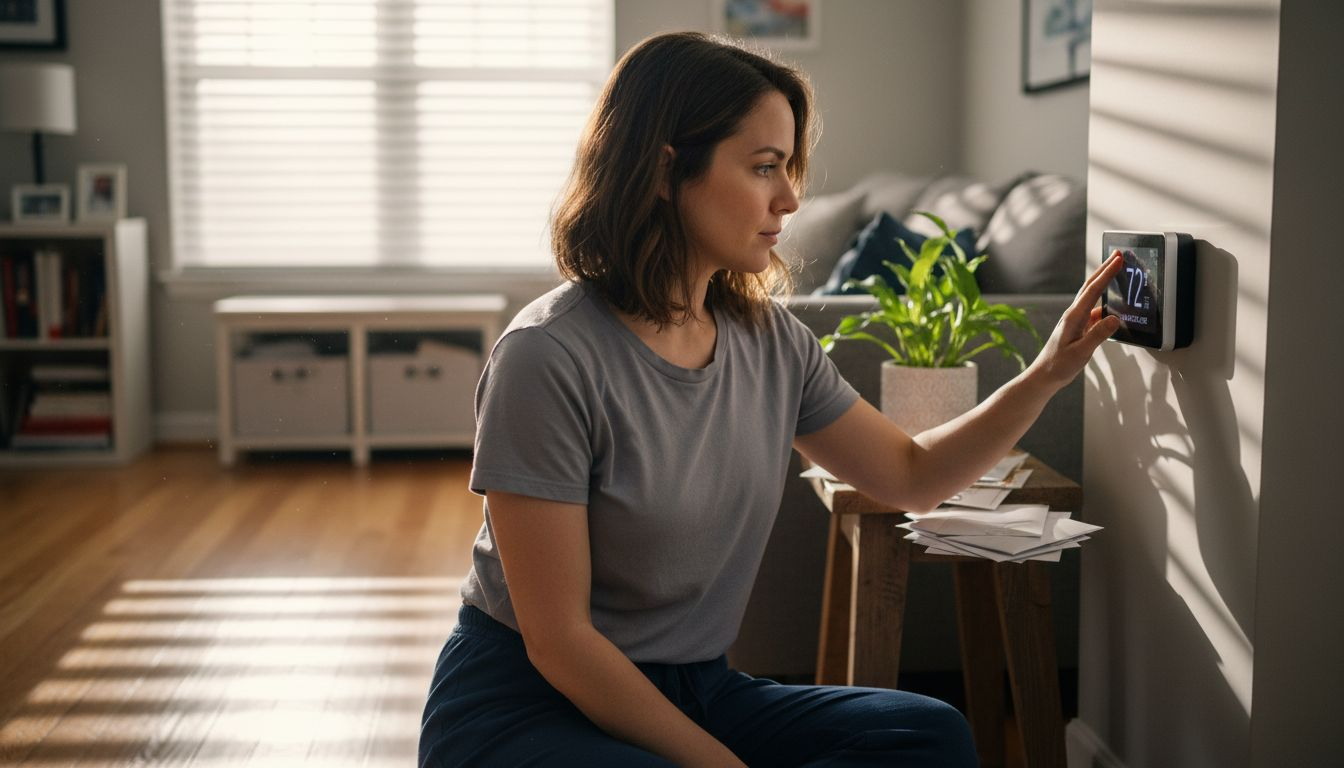
    Woman checking smart thermostat phone app

    Pro Tip: Give your smart thermostat at least two weeks of consistent use to develop an accurate learning profile for your home’s specific heating and cooling requirements.

    Essential Features for Modern Homes

    Smart thermostats have revolutionized home climate management by introducing a suite of advanced features that go far beyond traditional temperature control. These sophisticated devices integrate multiple technologies to create intelligent, responsive home environments that adapt to residents’ lifestyles and environmental conditions.

    The core features that define modern smart thermostats include:

    • Remote Smartphone Control: Adjust temperatures from anywhere using mobile apps
    • Advanced Learning Algorithms: Automatically optimize heating and cooling patterns
    • Voice Assistant Integration: Control temperature through voice commands
    • Occupancy Detection: Automatically adjust settings based on home occupancy
    • Energy Consumption Tracking: Provide detailed insights into energy usage
    • Weather Adaptation: Modify temperature settings based on external conditions

    Smart home technology has transformed thermostats into comprehensive energy management systems that address convenience, sustainability, and personalized comfort. These devices do more than simply regulate temperature; they create intelligent ecosystems that understand and anticipate homeowners’ needs. The integration of machine learning allows these thermostats to develop sophisticated understanding of household patterns, making energy conservation almost effortless.

    Advanced smart thermostats now offer unprecedented levels of customization and control. They can create detailed energy reports, suggest efficiency improvements, and even integrate with solar panels and other renewable energy systems. By providing real-time feedback and actionable insights, these devices empower homeowners to make more informed decisions about their energy consumption and environmental impact.

    Infographic of smart thermostat features and benefits

    Pro Tip: Select a smart thermostat with comprehensive compatibility checks to ensure seamless integration with your existing home technology infrastructure.

    Cost, Savings, and Installation Considerations

    Investing in a smart thermostat involves carefully balancing initial costs with long-term energy savings potential. Installation complexity and potential efficiency gains vary depending on specific home configurations and existing HVAC systems, making it crucial for homeowners to understand the financial implications before making a purchase.

    Typical cost considerations include:

    • Upfront Purchase Price: Ranges from $100 to $500
    • Professional Installation: Optional service costing $100-$300
    • DIY Installation: Free for technically confident homeowners
    • Potential Annual Energy Savings: Approximately 10-15% on heating and cooling expenses

    Energy savings depend significantly on user engagement and regional climate conditions, with payback periods varying based on specific household characteristics. Most homeowners can expect to recoup their initial investment within two to three years through reduced energy consumption. The actual savings potential hinges on factors like local energy rates, home insulation quality, and how consistently the smart thermostat’s features are utilized.

    Installation options range from straightforward DIY projects to more complex professional setups. Wireless smart thermostats have simplified the installation process, allowing many homeowners to complete the setup without specialized technical knowledge. However, homes with older HVAC systems or complex heating configurations might require professional assistance to ensure optimal performance and compatibility.

    The following table summarizes typical costs, savings, and payback periods for smart thermostats:

    Factor Common Range Main Impact
    Upfront Price $100–$500 Affects initial investment
    Installation Free (DIY) or $100–$300 Adds to total cost if professional is required
    Annual Energy Savings About 10–15% of HVAC costs Drives long-term return on investment
    Payback Period 2–3 years Time to recoup purchase through energy savings

    Pro Tip: Before purchasing, verify your home’s HVAC system compatibility and calculate potential energy savings using online energy calculators to determine your specific return on investment.

    Smart Thermostat Integration with Other Devices

    Smart thermostats have transformed from standalone temperature control devices into sophisticated hub technologies capable of orchestrating entire home ecosystems. These intelligent systems seamlessly integrate with various smart home platforms, creating a comprehensive and interconnected living environment, enabling unprecedented levels of home automation and energy efficiency.

    Key integration capabilities include:

    • Voice Assistant Connectivity: Control through Amazon Alexa, Google Assistant
    • Smart Lighting Synchronization: Adjust lighting based on temperature settings
    • Security System Coordination: Modify temperature when security systems detect occupancy
    • Energy Management Platform Linking: Track and optimize overall home energy consumption
    • Renewable Energy System Integration: Coordinate with solar panels and battery storage

    Modern IoT home systems enable smart thermostats to interact with multiple sensors and platforms, providing real-time monitoring and automated environmental adjustments. This interconnectedness allows for nuanced responses to changing household conditions, such as automatically lowering temperatures when windows are opened or adjusting settings based on individual room occupancy.

    The true power of smart thermostat integration lies in its ability to create holistic home management experiences. By connecting with other smart devices, these systems transform from simple temperature regulators into intelligent home management tools that can anticipate needs, optimize energy consumption, and provide unprecedented levels of comfort and efficiency.

    Pro Tip: Prioritize smart thermostats with open-standard compatibility to ensure maximum flexibility in future smart home expansions.

    Unlock the Full Potential of Your Smart Thermostat

    Understanding what a smart thermostat is and why it matters is only the first step toward a smarter, more energy-efficient home. Many homeowners struggle with choosing the right device that truly fits their HVAC system and lifestyle while maximizing comfort and savings. The article highlights key challenges such as ensuring compatibility, leveraging learning algorithms, and integrating with other smart home devices. These concerns can feel overwhelming when faced with countless product options and technical details.

    At Smart Home HQ, we take the guesswork out of the equation. Our expert reviews and detailed guides cover the latest smart thermostats to help you identify models that adapt perfectly to your home layout and energy goals. We explore crucial features like occupancy detection, geofencing, and voice assistant integration to ensure your choice matches your unique needs. Avoid costly mistakes and start enjoying reliable comfort right away by visiting our comprehensive advice on smart thermostat essentials.

    Take control now and transform your home climate management with confidence.

    https://smarthomehq.house

    Discover tested and trusted smart thermostat solutions at Smart Home HQ so you can enjoy personalized comfort and meaningful energy savings today.

    Frequently Asked Questions

    What is a smart thermostat?

    A smart thermostat is an advanced device that allows homeowners to manage their indoor climate using internet connectivity, sensors, and algorithms for improved temperature control and energy efficiency.

    How do smart thermostats learn household preferences?

    Smart thermostats utilize machine learning algorithms to analyze occupancy patterns, daily routines, and environmental conditions, allowing them to create personalized heating and cooling strategies automatically.

    What are the main types of smart thermostats?

    The main types of smart thermostats include connected thermostats, learning thermostats, sensor-based thermostats, geofencing thermostats, and multi-zone smart thermostats, each designed for different climate management needs.

    How can smart thermostats help save on energy costs?

    Smart thermostats can save homeowners approximately 10-15% on heating and cooling expenses by optimizing energy use through features like occupancy detection, weather adaptation, and detailed energy consumption tracking.

  • Why Choose Smart Lighting for Security and Savings

    Why Choose Smart Lighting for Security and Savings

    More than 60 percent of American urban homeowners worry about both rising energy costs and neighborhood security. Furthermore, smart lighting offers a powerful solution, making homes more efficient and safer, while challenging outdated myths about complex installation and high prices. Additionally, today’s smart systems combine wireless control, sensor-driven automation, and integration with other devices to create responsive environments. Finally, Discover practical features and guidance on choosing smart lighting that fits your lifestyle and brings true peace of mind.

    Table of Contents

    Key Takeaways

    Point Details
    Smart Lighting Enhances Efficiency Smart lighting systems optimize energy usage through real-time adjustments based on occupancy and natural light levels.
    User Control and Customization These systems allow control via apps and voice commands, offering personalized lighting settings for users.
    Integration with Smart Home Ecosystems Smart lighting seamlessly integrates with other smart devices, enhancing overall home automation and security.
    Cost and Compatibility Considerations Homeowners should check device compatibility and consider starting with a small setup to gauge performance before full implementation.

    Smart Lighting Defined and Common Myths

    These systems integrate intelligent technologies that adapt and respond to environmental conditions, offering far more than simple on/off functionality.

    At its core, smart lighting is an advanced approach to illumination that uses sensors, internet connectivity, and sophisticated control algorithms. These systems can automatically adjust light quantity and quality based on factors like occupancy, daylight levels, time of day, and user preferences. Unlike conventional lighting, which remains static, smart lighting creates dynamic, responsive environments that enhance both energy efficiency and user experience.

    Common myths about smart lighting often prevent homeowners from exploring this innovative technology. However, Many believe smart lighting is prohibitively expensive, overly complex, or only suitable for tech enthusiasts. In reality, modern smart lighting systems are designed to be user-friendly and adaptable to various home environments, providing significant benefits across different living spaces. Therefore, Understanding why choose smart lighting becomes clearer when you see how these systems address both cost concerns and technical complexity.

    Notably, Key differences between traditional and smart lighting include:

    Here’s a concise comparison of traditional versus smart lighting benefits:

    Aspect Traditional Lighting Smart Lighting
    Energy Efficiency Fixed energy use Adaptive, optimized usage
    User Control Manual wall switches Apps, voice, remote access
    Customization Limited to bulb selection Color, scenes, schedules
    Integration Standalone fixtures Smart home ecosystem
    • Automatic brightness adjustment
    • Remote control capabilities
    • Energy consumption tracking
    • Customizable color and temperature settings
    • Integration with other smart home devices

    Pro Tip: Start with one or two smart bulbs in high-traffic areas to experience the technology’s benefits without overwhelming your entire home setup.

    Major Types and Technology Explained

    Overall, Smart lighting technologies represent a sophisticated ecosystem of interconnected systems designed to revolutionize home illumination. Specifically, Intelligent lighting control systems combine multiple advanced technologies including sensors, artificial intelligence, and multi-system integration, enabling unprecedented control and efficiency.

    Sensor-Based Technologies form the core of smart lighting solutions. These systems utilize various sensing devices to dynamically adjust lighting conditions. Occupancy sensors, daylight sensors, and sophisticated data acquisition modules work together to optimize energy usage through rule-based algorithms, creating responsive lighting environments that adapt in real-time.

    Moreover, The primary types of smart lighting technologies include:

    • Wireless Protocol Systems: Enable remote control and integration with mobile devices
    • Occupancy-Driven Lighting: Automatically adjust brightness based on room presence
    • Daylight Harvesting Systems: Modulate artificial light based on available natural light
    • Color Temperature Tuning: Allow precise adjustment of light warmth and coolness
    • Energy Monitoring Technologies: Track and report precise energy consumption

    Furthermore, Connectivity is another critical aspect of smart lighting, with technologies ranging from Wi-Fi and Bluetooth to specialized protocols like Zigbee and Z-Wave. These communication standards allow seamless integration between lighting systems, smart home assistants, and user interfaces, creating a holistic and intuitive lighting experience.

    Pro Tip: Research compatibility between different smart lighting protocols before purchasing to ensure smooth system integration and future expandability.

    Key Features: Control, Sensors, Integration

    Indeed, Smart lighting systems represent a quantum leap in home illumination technology, offering unprecedented levels of control and customization. Additionally, Future intelligent lighting technologies integrate advanced sensing approaches, including infrared, WiFi-based occupancy detection, and computer vision, enabling truly adaptive lighting environments that respond dynamically to human activities and environmental changes.

    Control Features are the cornerstone of smart lighting functionality. Specifically, Homeowners can now manage their lighting through multiple channels, including smartphone apps, voice assistants, and automated scheduling. These advanced control mechanisms allow for precise manipulation of brightness, color temperature, and energy consumption, transforming how we interact with home illumination.

    The core integration capabilities of smart lighting include:

    • Seamless connectivity with smart home ecosystems
    • Multi-platform control interfaces
    • Automated scene and mood settings
    • Energy consumption tracking and optimization
    • Interoperability with security and home management systems

    Sensor technologies elevate smart lighting beyond simple illumination. In particular, Advanced systems can detect room occupancy, adjust lighting based on natural daylight levels, and even recognize specific user patterns. Ultimately, This intelligent approach not only enhances comfort but also significantly reduces unnecessary energy consumption, providing both environmental and financial benefits.

    Pro Tip: Prioritize smart lighting systems with open protocol compatibility to ensure easier future upgrades and expanded home automation possibilities.

    Energy Efficiency and Savings Detailed

    Smart lighting systems represent a sophisticated approach to energy conservation, utilizing advanced technologies to dramatically reduce electrical consumption while maintaining optimal illumination. By implementing intelligent sensing devices and rule-based algorithms, these systems can significantly minimize unnecessary energy expenditure. This efficiency is exactly why choose smart lighting for homeowners seeking both savings and sustainability.

    Energy Optimization occurs through multiple strategic mechanisms. For example, Sophisticated smart lighting technologies employ occupancy sensors, daylight harvesting techniques, and adaptive brightness controls that automatically adjust illumination based on real-time environmental conditions. Consequently, This dynamic approach ensures that energy is consumed only when and where it is genuinely needed, creating substantial cost savings for homeowners.

    Key energy-saving features of smart lighting include:

    • Automatic light intensity adjustment
    • Precise occupancy detection
    • Daylight synchronization
    • Scheduled lighting management
    • Comprehensive energy consumption reporting

    Modern smart lighting systems leverage LED technology and electronic ballasts to further enhance energy efficiency, reducing power losses and optimizing light distribution. These technologies not only decrease electrical consumption but also provide homeowners with granular insights into their energy usage patterns, enabling more informed decision-making about home energy management.

    Worker installs LED smart bulb in kitchen

    Pro Tip: Install smart lighting in high-traffic areas first to maximize immediate energy savings and understand your system’s performance before full home implementation.

    Why Choose Smart Lighting: Security Benefits and Home Protection

    Smart home security systems have revolutionized residential protection by integrating sophisticated lighting automation with comprehensive surveillance technologies, creating multi-layered defense mechanisms that go far beyond traditional security approaches. Moreover, These intelligent systems transform lighting from a simple illumination source into an active security component.

    Infographic smart lighting security and savings

    Security Strategies emerge through intelligent lighting’s ability to simulate human presence and create dynamic, unpredictable environments. Smart lighting technologies can automatically trigger lights in response to suspicious activities, effectively deterring potential intruders, making homes significantly less attractive targets for criminal elements. Additionally, The systems combine motion sensors, scheduling algorithms, and remote control capabilities to generate realistic occupancy patterns.

    Key security features of smart lighting include:

    • Automated light scheduling mimicking human movement
    • Motion-activated illumination
    • Remote control and monitoring
    • Integration with other security devices
    • Instant smartphone alerts and notifications

    Beyond deterrence, smart lighting provides homeowners with unprecedented control and awareness. Furthermore, Advanced systems can synchronize with security cameras, smart locks, and alarm systems, creating a comprehensive protection network that responds intelligently to potential threats. In addition, The ability to control lighting remotely means travelers and frequent work travelers can maintain the illusion of an occupied home, significantly reducing break-in risks.

    Pro Tip: Configure your smart lighting system to randomize light patterns during evenings and weekends to create a more convincing impression of active occupancy.

    Why Choose Smart Lighting: Costs, Compatibility, and Common Mistakes

    Smart lighting investments require careful financial planning and strategic implementation, with initial costs ranging from $100 to $500 for comprehensive home setups. Meanwhile, Budget-conscious homeowners can start small, gradually expanding their smart lighting ecosystem as they become more comfortable with the technology and recognize its long-term benefits.

    Understanding potential mistakes during smart lighting upgrades is crucial for avoiding costly implementation errors. Typically, Common pitfalls include neglecting compatibility checks, overlooking network stability requirements, and assuming universal control across different device platforms. However, Thorough research and careful system selection can prevent frustrating technical challenges.

    Key Compatibility Considerations:

    • Verify Wi-Fi and communication protocol support
    • Check existing fixture dimensions and socket types
    • Confirm smartphone app integration capabilities
    • Evaluate voltage and electrical requirements
    • Assess cross-platform interoperability

    Cost breakdown for smart lighting typically involves initial hardware expenses and potential long-term energy savings. Entry-level smart bulbs start around $10-$25 per unit, with more advanced systems ranging from $50-$200 for sophisticated color-changing and programmable options. Importantly, Homeowners should consider not just purchase price, but potential energy savings, which can offset initial investments through reduced electricity consumption.

    Finally, Below is a summary of factors affecting smart lighting cost and compatibility:

    Factor Why It’s Important What to Check
    Communication Protocol Affects interoperability Wi-Fi, Zigbee, Bluetooth support
    Fixture Compatibility Prevents installation issues Socket size, bulb dimensions
    App Integration Ensures convenient control iOS/Android compatibility
    Electrical Requirements Avoids safety problems Voltage rating, wiring standards

    Pro Tip: Purchase a single smart lighting starter kit first to test compatibility and performance before committing to a full home system.

    Enhance Your Home Security and Save Energy with Smart Lighting Today

    The article highlights the challenge of balancing home security with energy savings through smart lighting systems that offer automatic adjustments, occupancy detection, and seamless integration with other devices. If you want to avoid common mistakes like incompatibility or high costs while maximizing security benefits and energy efficiency, you need trusted guidance and tested solutions. That’s why choose smart lighting with confidence— Smart Home HQ provides detailed reviews and expert advice on smart lighting technologies, helping you choose devices that fit your home and lifestyle.

    Ready to transform your home with smart lighting that protects your family and reduces your energy bills? Visit Smart Home HQ to explore comprehensive product reviews and practical tips. Learn how to integrate intelligent lighting controls, avoid costly errors, and take control of your home environment with confidence. Start your journey toward a safer, smarter home now by accessing our thorough guides and expert insights at Smart Home HQ.

    Frequently Asked Questions

    What are the primary security benefits of smart lighting?

    Smart lighting enhances home security by simulating human presence through automated scheduling and motion-activated illumination, effectively deterring potential intruders and creating unpredictable environments.

    How do smart lighting systems reduce energy consumption?

    Smart lighting systems utilize advanced technologies such as occupancy sensors and daylight harvesting to automatically adjust lighting based on real-time environmental conditions, ensuring energy is used only when needed and leading to substantial cost savings.

    Can smart lighting be integrated with other home security systems?

    Yes, smart lighting can be integrated with security devices like cameras and smart locks, creating a comprehensive protection network that responds intelligently to potential threats and allowing remote control and monitoring.

    Why choose smart lighting and what should I consider when selecting it for my home?

    When selecting smart lighting, consider compatibility with existing fixtures, communication protocols for interoperability, control options through apps, and energy efficiency to ensure optimal performance and user experience.

  • Smart Home Automation Tutorial: Step-by-Step Setup Guide

    Smart Home Automation Tutorial: Step-by-Step Setup Guide

    Finding the right smart home setup can feel overwhelming when so many options fill the market. For the average American homeowner and their peers worldwide, energy costs and security concerns drive a growing interest in automation. Studies show almost half of urban homeowners now consider smart tech essential for peace of mind and lower bills. This guide helps you pinpoint the best beginner-friendly solutions to make your home safer and more efficient with confidence.

    Table of Contents

    Quick Summary

    Key Insight Explanation
    1. Assess Automation Needs First Identify your goals and lifestyle needs to choose effective smart home technologies.
    2. Select Compatible Devices and Platforms Ensure devices communicate well by choosing those with compatible protocols, like Wi-Fi or Zigbee.
    3. Optimize Device Placement Position devices strategically for optimal signal strength and performance within the home.
    4. Use a Central Hub for Integration Integrate all devices through a central hub or app for streamlined automation and management.
    5. Continuously Test and Optimize Regularly verify device performance and adjust automation settings based on real-world usage.

    Step 1: Assess your home’s automation needs

    Assessing your smart home automation requirements is the critical first phase of creating a connected living space. This process helps you understand which technologies will genuinely improve your daily life and provide meaningful benefits.

    Start by walking through each room and considering your primary goals. Are you looking to enhance security, reduce energy consumption, improve convenience, or create a more comfortable living environment? Smart home components can transform your living space by addressing specific needs like automatic lighting, temperature control, security monitoring, or entertainment system integration.

    Consider your lifestyle and daily routines. Do you work long hours and want automated systems that manage energy efficiency? Are you interested in voice-controlled devices that simplify household tasks? Do you have family members with mobility challenges who could benefit from smart home technologies? Each household has unique requirements, so a personalized approach matters most.

    The table below summarizes common automation goals and suggested device types:

    Goal Recommended Device Type Typical Area in Home
    Security Smart cameras, sensors Doors, entryways
    Energy efficiency Smart thermostats, plugs Living areas, bedrooms
    Convenience Voice assistants, switches Kitchen, living room
    Comfort Smart lighting, blinds Bedrooms, lounge spaces

    Infographic matching smart home goals and devices

    Pro tip: Create a spreadsheet listing each room, desired automation goals, and potential smart home solutions to visualize your comprehensive strategy.

    Step 2: Select compatible smart devices and platforms

    Choosing the right smart home devices and platforms is crucial for creating a seamless and efficient automated home environment. Your goal is to select technologies that communicate effectively and integrate smoothly with each other.

    Start by understanding the core communication protocols that enable device connectivity. Smart home devices typically use networks like Wi-Fi, Zigbee, and Z-Wave to communicate, so compatibility becomes your primary consideration. Consider a central smart home hub that can act as a bridge between different device types and communication standards. Popular platforms like Amazon Alexa, Google Assistant, and Apple HomeKit offer extensive device ecosystems that can simplify your integration process.

    Here is a quick reference comparing popular smart home communication protocols:

    Protocol Range Primary Use Cases
    Wi-Fi Up to 150 feet indoor Cameras, streaming devices, hubs
    Zigbee 30-60 feet indoor Lighting, sensors, small devices
    Z-Wave 100 feet indoor Security, locks, alarms
    Bluetooth 30 feet indoor Door locks, presence sensors

    When selecting devices, prioritize those that support multiple communication protocols and offer broad platform compatibility. Look for devices with clear integration specifications and check their compatibility with your preferred smart home assistant. Verify that the devices you choose can work together seamlessly and provide the specific automation features you want for each area of your home.

    Pro tip: Create a compatibility matrix documenting each device’s communication protocol, supported platforms, and specific integration capabilities before making any purchases.

    Step 3: Install devices and connect to your network

    In this crucial stage, you will physically install your smart home devices and establish their network connections to create a unified automation system. This process transforms your existing home infrastructure into an intelligent interconnected environment.

    Configuring wireless communication protocols requires strategic sensor placement and precise network integration. Begin by carefully positioning each device in its optimal location. Smart home sensors and actuators need strategic placement near power outlets and within reliable wireless signal range. Download the corresponding mobile app for each device and follow the manufacturer’s specific setup instructions. Most devices will require you to create an account, connect to your home Wi-Fi network, and complete a registration process through their dedicated smartphone application.

    Person installing smart home sensor

    Ensure each device is powered correctly and within communication range of your central smart home hub or primary network router. Check signal strength and test device responsiveness before finalizing your installation. Verify that all devices can communicate seamlessly and respond to commands from your chosen smart home platform or voice assistant.

    Pro tip: Create a physical map of your home marking exact device locations and network connection points to troubleshoot potential signal interference or connectivity issues.

    Step 4: Integrate automation using a central hub or app

    Creating a cohesive smart home ecosystem requires thoughtful integration of your devices through a central control platform. This step transforms individual smart devices into a unified, responsive home automation system.

    Smart home automation integration uses a centralized hub or app to send commands across different network protocols, enabling seamless communication between your devices. Choose a hub or app that supports multiple device types and communication standards. Popular platforms like Home Assistant offer comprehensive integration capabilities that allow you to create complex automation rules and schedules. Look for platforms that support voice control through Amazon Alexa or Google Assistant, providing hands-free management of your smart home environment.

    Take time to explore your chosen platform’s automation capabilities. Set up routines that connect multiple devices and create intelligent responses to specific triggers. For example, you might configure a morning routine that gradually raises smart lighting, adjusts your thermostat, and starts your coffee maker simultaneously. Test each automation carefully to ensure reliable performance and make incremental adjustments as you become more comfortable with the system.

    Pro tip: Begin with simple automation sequences and gradually build complexity to avoid overwhelming your system and ensure smooth integration.

    Step 5: Test and optimize your smart home system

    The final stage of your smart home automation journey involves carefully testing and fine tuning your newly installed system to ensure seamless performance and reliability. This critical step transforms your initial setup into a truly responsive and intelligent home environment.

    Testing a smart home system requires systematic verification of communication stability and automation rule execution. Start by methodically checking each device and automation routine. Trigger your preset scenarios manually and observe how devices interact. Verify voice commands work consistently, check response times, and confirm that complex multi device automations perform exactly as you intended. Pay close attention to potential communication delays or unexpected behaviors that might disrupt your desired smart home experience.

    Optimization is an ongoing process that involves continuous refinement. Update firmware across all devices regularly, adjust device placement to improve network signal strength, and refine automation rules based on your actual usage patterns. Consider creating backup configurations and documenting your setup to make future troubleshooting easier. Listen to feedback from family members and be prepared to make incremental adjustments that enhance the system’s overall usability and effectiveness.

    Pro tip: Create a digital log tracking device performance, firmware versions, and automation rule changes to maintain a comprehensive record of your smart home system’s evolution.

    Unlock Your Smart Home Potential with Expert Guidance

    Setting up a smart home can feel overwhelming when you face challenges like selecting compatible devices, integrating diverse platforms, and optimizing automation for your unique lifestyle. This tutorial highlights key pain points such as choosing communication protocols like Zigbee or Z-Wave, strategically installing devices, and ensuring seamless network connectivity. If you want to avoid costly mistakes and unlock the full benefits of convenience, security, and energy savings, professional insights can make all the difference.

    Discover how Smart Home HQ can guide you through each crucial step with unbiased reviews, real-world testing, and easy-to-follow setup instructions tailored to beginners and tech enthusiasts alike.

    https://smarthomehq.house

    Take control of your connected home journey right now. Explore our comprehensive resources and make confident choices with expert tips on compatible devices, integration strategies, and troubleshooting solutions at Smart Home HQ. Start transforming your living space into the smart home you deserve today.

    Frequently Asked Questions

    How do I assess my home’s automation needs?

    Start by walking through each room and identifying your primary goals, like enhancing security or improving energy efficiency. Create a list of desired functionalities for each space to visualize your automation strategy.

    What smart home devices should I choose for my setup?

    Select devices that are compatible with different communication protocols like Wi-Fi, Zigbee, or Z-Wave. Prioritize those that communicate well with your central hub and meet your specific automation goals, such as smart lights or security cameras.

    How do I install and connect my smart home devices?

    Physically install your devices in optimal locations, ensuring they are within range of your central hub. Follow the manufacturer’s setup instructions to connect each device to your home Wi-Fi and register it using the corresponding app.

    How can I integrate my smart home devices into one system?

    Use a central hub or app that supports multiple device types to manage your smart home automation. Set up automation routines by linking devices together, like configuring a schedule that turns on lights and adjusts the thermostat simultaneously.

    What steps should I follow to test my smart home system?

    Systematically check each device and automation routine to verify functionality. Manually trigger scenarios and observe interactions to ensure everything works as intended, adjusting settings to optimize performance if necessary.

    How do I optimize my smart home system over time?

    Maintain regular updates for each device’s firmware and refine your automation rules based on actual usage. Keep track of device performance and configurations in a digital log to facilitate future troubleshooting and improvements.

    • How to Make a Smart Home: A Complete Guide – Smart Home HQ

  • Matter

    Matter

    The Matter Smart Home Protocol: Unifying Alexa, Apple, and Google in Your Smart Home 🏠

    📖 Introduction

    Welcome to Smart Home HQ, where we simplify the complex world of connected living. Today, we’re diving into Matter—the revolutionary smart home protocol poised to end compatibility wars between major ecosystems like Amazon Alexa, Apple Home, and Google Home. If you’ve ever struggled with smart devices that won’t talk to each other, this guide explains how Matter changes everything, its impact on smart device management, and what it means for your home automation future.


    🔍 What is Matter? Understanding the Universal Protocol

    Definition & Background

    Matter (formerly Project CHIP—Connected Home over IP) is an open-source, royalty-free connectivity standard developed by the Connectivity Standards Alliance (CSA), with backing from industry giants including Amazon, Apple, Google, Samsung, and hundreds of other companies. Launched in late 2022, Matter aims to create interoperability across smart home devices, allowing them to communicate seamlessly regardless of brand or ecosystem.

    How It Works

    • Unified Language: Matter uses IP-based communication (Wi-Fi, Thread, and Ethernet) as its foundation, creating a common “language” for devices.
    • Local Control: Unlike many cloud-dependent systems, Matter prioritizes local network control, reducing latency and increasing reliability even without internet.
    • Simplified Setup: Devices feature a QR code or numeric code for easy, secure onboarding across supported platforms.

    🤝 Matter’s Relationship with Major Ecosystems

    Amazon Alexa

    • Integration: Alexa supports Matter over Wi-Fi and Thread via compatible Echo devices (4th gen, Echo Show, etc.).
    • Device Management: Manage Matter devices directly through the Alexa app; voice control works seamlessly.
    • Current Support: Lights, plugs, locks, thermostats, and sensors.

    Apple Home (HomeKit)

    • Integration: Apple was an early Matter advocate; support is built into iOS 16+ and HomePod.
    • Device Management: The Home app automatically recognizes Matter devices; setup uses Apple’s secure home architecture.
    • Current Support: Extensive accessory support with strong privacy emphasis.

    Google Home

    • Integration: Google supports Matter via Google Nest devices and Android.
    • Device Management: Control through Google Home app; voice commands via Google Assistant.
    • Current Support: Core device types with ongoing expansion.

    🛠 Impact on Smart Device Management

    Centralized Control

    • Single App Management: Users can potentially manage all Matter devices through one preferred app (e.g., Apple Home, even for Google-made devices).
    • Unified Networks: Matter creates a cohesive network where devices communicate locally, reducing cloud dependency.

    Enhanced Security

    • Built-In Standards: Matter requires encryption and secure authentication for all devices, raising baseline security across brands.
    • Regular Updates: Certified devices receive standardized security updates.

    Simplified User Experience

    • Easy Setup: QR code scanning replaces complex pairing processes.
    • Cross-Platform Flexibility: Choose your ecosystem without being locked in; switch controllers without replacing devices.

    ⚖️ Pros and Cons of Each Ecosystem with Matter

    Amazon Alexa

    ✅ Pros:

    • 🗣️ Extensive Voice Control: Largest skill library and voice assistant capabilities
    • 🛒 Ecosystem Integration: Deep ties with Amazon shopping, Prime, and Ring
    • 💰 Affordable Hardware: Broad range of budget-friendly Echo devices
    • 🌐 Wide Compatibility: Historically supports most third-party devices

    ❌ Cons:

    • ☁️ Cloud Dependency: Many functions require internet connectivity
    • 🔒 Privacy Concerns: Amazon’s data collection practices raise questions for some users
    • 📱 App Experience: Alexa app can feel cluttered compared to competitors

    Apple Home (HomeKit)

    ✅ Pros:

    • 🔐 Privacy-First Approach: End-to-end encryption and on-device processing
    • 🎨 User Experience: Clean, intuitive Home app interface
    • 🍎 Ecosystem Integration: Seamless operation with iPhone, iPad, Apple Watch, and Mac
    • 🏠 Home Architecture: Robust local control with HomeKit Secure Video

    ❌ Cons:

    • 💸 Higher Cost: Apple-compatible devices often carry premium pricing
    • 📱 Platform Limitation: Best experience requires Apple devices
    • 🔌 Limited Hardware: Historically fewer compatible devices than competitors

    Google Home

    ✅ Pros:

    • 🔍 Powerful Assistant: Superior natural language processing and search integration
    • 📱 Android Integration: Deep ties with Android ecosystem and services
    • 🎵 Media Excellence: Superior music and video streaming capabilities
    • 🤖 AI Features: Advanced routines and automation suggestions

    ❌ Cons:

    • 🔄 Product Discontinuation: History of abandoning products and services
    • ☁️ Cloud-Centric: Heavy reliance on Google’s servers
    • 📊 Data Collection: Extensive data gathering for advertising purposes

    🚀 Future Outlook & Recommendations

    The Matter Advantage

    Matter’s greatest strength is ending ecosystem lock-in. Users can now:

    • Mix and match devices from different brands
    • Choose their preferred voice assistant
    • Switch ecosystems without replacing hardware
    • Enjoy more competitive pricing as compatibility ceases to be a premium feature

    Current Limitations

    • Phase 1 Focus: Initial release covers core device types (lighting, HVAC, security, etc.)
    • Feature Parity: Some advanced features may still require native apps
    • Adoption Timeline: Full ecosystem integration will take 2-3 years

    Smart Home HQ Recommendations

    1. For New Users: Start with Matter-certified devices for future-proofing
    2. For Existing Homes: Gradually replace non-compatible devices with Matter options
    3. Ecosystem Choice: Select based on your preferred voice assistant and existing devices
    4. Router Upgrade: Consider a Thread border router for optimal Matter performance

    Related Links

    Please Note: Links lead to pages that may include affiliate links. As an Amazon Associate I earn from qualifying purchases.

  • Why Integrate Smart Devices: Transforming Home Life

    Why Integrate Smart Devices: Transforming Home Life

    Today, most urban homeowners want their living spaces to be both efficient and personalized. However, finding the right smart technology can be confusing. Why integrate smart devices? With over 40 percent of American households now using at least one smart device, the trend is shaping how homes function worldwide. Consequently, this guide explains what smart device integration truly means. Moreover, it shows why choosing compatible, scalable solutions matters for anyone serious about optimizing their living environment.

    Table of Contents

    Key Takeaways

    Point Details
    Smart Device Integration Enhances Living Smart devices create a dynamic home environment, automating routines and improving efficiency through interconnected systems.
    Diverse Device Categories Offer Unique Benefits Smart devices range from automation and security to wellness, each providing distinct advantages for daily living and personalization.
    Security and Privacy Awareness is Essential Users must understand potential vulnerabilities in smart home technology and take proactive steps to secure their networks.
    Strategic Investment is Key Carefully selecting a few core devices for initial integration can maximize benefits and minimize costs, easing the transition into a smart home.

    Defining Smart Device Integration in Homes

    Smart device integration transforms homes from static living spaces into dynamic, responsive environments that adapt to residents’ needs. At its core, smart home technology represents a sophisticated network of interconnected digital devices. Importantly, These devices are designed to enhance comfort, efficiency, and control. Moreover, these interconnected ecosystems use AI, IoT, and communication technologies

    The concept of smart device integration involves connecting various home devices. Specifically, This includes thermostats, lighting systems, security cameras, and kitchen appliances. They can communicate, share data, and operate seamlessly. Furthermore, unlike standalone gadgets, integrated smart home systems create a unified network. In this network, devices collaborate intelligently. For instance, a smart thermostat might communicate with window sensors to optimize temperature control. Similarly, security cameras could trigger lighting systems when unexpected motion is detected.

    Understanding smart device integration requires recognizing its multiple complexity levels. Smart home technologies range from basic connected devices to fully automated homes, each offering different capabilities and integration depths. Basic integration might involve simple remote control of individual devices, while advanced integration creates comprehensive ecosystems where devices anticipate and respond to residents’ preferences automatically.

    Smart Home Pro Tip: Start your smart home journey by selecting devices with robust cross-platform compatibility to ensure smoother integration and future expandability.

    Types of Smart Devices and Core Functions

    Smart devices represent a sophisticated ecosystem of interconnected technologies designed to enhance daily living through intelligent functionality. Understanding why integrate smart devices into these categories helps homeowners make informed decisions.These devices encompass a wide range of IoT objects including sensors, smartphones, and tablets with advanced computing and communication capabilities, each offering unique features that transform traditional home interactions.

    The core categories of smart devices include home automation systems, entertainment technologies, security devices, and personal wellness gadgets. Specifically, Home automation devices like smart thermostats, lighting controllers, and voice-activated assistants enable residents to manage energy consumption and create personalized living environments. Entertainment technologies such as smart TVs, streaming devices, and multi-room audio systems provide immersive, interconnected media experiences. Security devices including smart locks, video doorbells, and monitoring cameras offer enhanced protection through real-time alerts and remote access.

    Infographic of smart device types and benefits

    Smart devices form the backbone of interconnected technological ecosystems, collecting contextual data to provide customized cognitive content across multiple domains. For this reason, their primary functions extend beyond simple automation, focusing on adaptive intelligence that learns from user behaviors, anticipates needs, and creates seamless interactions between humans and technology. Advanced smart devices can communicate across different platforms, sharing information and coordinating actions to create more efficient and responsive home environments.

    Here’s a summary of major smart device categories and their primary benefits:

    Device Category Typical Examples Main Benefit
    Home Automation Thermostats, lighting, hubs Energy savings, comfort
    Entertainment Smart TVs, speakers Immersive experiences
    Security Cameras, smart locks Enhanced safety, monitoring
    Wellness & Health Fitness trackers, smart scales Better health insights

    Smart Device Pro Tip: When selecting smart devices, prioritize those with robust cross-platform compatibility and standardized communication protocols to ensure smoother integration and future scalability.

    Benefits of Integrating Smart Devices to Streamlines Daily Routines

    Smart home integration transforms mundane daily tasks into seamless, efficient experiences by leveraging advanced technological capabilities. AI and smart device integration simplifies routines by automating complex tasks such as managing calendars, setting reminders, and personalizing user experiences, effectively acting as an intelligent personal assistant that anticipates and responds to individual needs.

    Man leaving home, smart devices in action

    The practical applications of smart home integration span multiple aspects of daily life. For example, In the morning, connected devices can automatically adjust thermostats, brew coffee, and provide personalized news briefings based on individual preferences. Throughout the day, smart systems can manage home security by monitoring entry points, adjusting lighting for energy efficiency, and sending real-time alerts to smartphones. Likewise, evening routines become equally streamlined, with devices coordinating entertainment systems, managing meal preparations, and creating optimal ambient environments for relaxation.

    Integrating technology into daily routines creates interactive environments that enhance efficiency and support diverse personal needs.

    Additionally, advanced smart home systems learn from user behaviors, gradually optimizing their responses and creating increasingly personalized experiences. Also, this adaptive intelligence means that over time, devices become more attuned to individual schedules, preferences, and lifestyle patterns, reducing manual intervention and cognitive load associated with routine management.

    Smart Routine Pro Tip: Start by integrating one or two smart devices that address your most time-consuming daily tasks, allowing you to gradually build a more comprehensive and personalized smart home ecosystem.

    Security, Privacy, and Safety Implications of Smart Home Technology

    Smart home technology introduces complex security challenges that demand proactive and informed user engagement. Thus, when considering why integrate smart devices, security must be a top priority. Smart home devices expose users to increased risks in network security, information privacy, and physical safety, with many consumers lacking deep understanding of potential vulnerabilities, creating a critical need for comprehensive risk management strategies.

    However, the primary security concerns encompass multiple dimensions of digital and physical protection. Network vulnerabilities can allow unauthorized access to personal data, potentially enabling remote device manipulation or comprehensive home surveillance. To illustrate, cybercriminals might exploit weak encryption, unpatched software, or inadequate authentication protocols to infiltrate smart home ecosystems. Physical safety risks include potential breaches that could compromise home security systems, allowing unauthorized entry or manipulating locks, cameras, and alarm mechanisms.

    Researchers advocate for implementing security and privacy labels similar to nutrition labels to inform consumers about device risks and empower users with transparent information. These comprehensive labels would help users understand potential security threats, data collection practices, and privacy implications before integrating devices into their home networks. Similarly, proactive measures such as regular firmware updates, using strong unique passwords, implementing two-factor authentication, and carefully reviewing device permissions can significantly mitigate potential security risks associated with smart home technologies.

    Security Pro Tip: Create a separate network for your smart home devices using a guest WiFi network to isolate potential security breaches and protect your primary personal and financial digital infrastructure.

    Costs, ROI, and Common Setup Pitfalls

    Smart home technology represents a significant investment that requires careful financial and strategic planning. Before deciding why integrate smart devices, homeowners should carefully evaluate costs and benefits. Smart home adoption involves balancing perceived benefits such as convenience, safety, and energy savings against barriers like high costs, steep learning curves, and privacy concerns. Consequently it is crucial for homeowners to understand the true value proposition of their technological investments.

    In fact, the return on investment (ROI) for smart home devices varies widely depending on specific technologies and individual household needs. Notably, Energy-efficient devices like smart thermostats and lighting systems can generate measurable savings through reduced utility costs, typically offsetting their initial purchase price within 18 to 36 months. Meanwhile, Security systems provide less tangible but equally important returns by potentially reducing insurance premiums and offering peace of mind through enhanced home protection. On the other hand, Entertainment and convenience-focused devices contribute to quality of life improvements that are more difficult to quantify but nonetheless valuable.

    Smart Home Adoption: Perceptions and Implementation Challenges

    Older adults and diverse demographic groups perceive smart homes differently, with varying expectations about value, usability, and long-term benefits. Common setup pitfalls include incompatible device ecosystems, complex installation processes, and insufficient user training. Homeowners frequently encounter challenges such as network connectivity issues, software update complications, and unexpected integration problems that can diminish the initial excitement of smart home adoption. Finally, successful implementation requires thorough research, careful device selection, and a strategic approach to building an interconnected home technology environment.

    To illustrate, compare key smart home integration benefits with common setup challenges:

    Integration Benefit Resulting Improvement Setup Challenge Potential Impact
    Routine automation Saves daily time Device incompatibility Frustrating user experience
    Adaptive intelligence Personalized services Complex installation Delays and extra costs
    Remote monitoring and alerts Increased home security Network connectivity issues Missed notifications
    Energy-efficient operation Lower utility expenses Software update problems Less cost savings

    Budget Pro Tip: Start with a few core smart devices that address your most pressing needs, and gradually expand your system to spread out costs and minimize potential integration challenges.

    Take Control of Your Smart Home Journey Today

    Integrating smart devices can feel overwhelming with challenges like device incompatibility, security concerns, and setup complexities. Why integrate smart devices? This article highlights how seamless smart home integration transforms routine tasks and enhances safety while also addressing common pitfalls such as network vulnerabilities and costly mistakes. Hence, if you want to avoid frustration and build a connected home ecosystem that truly works for you, expert guidance every step of the way is essential.

    https://smarthomehq.house

    Discover trusted advice, thorough reviews, and step-by-step guides at Smart Home HQ designed to simplify your smart home experience. Whether you are starting with smart thermostats, security cameras, or lighting systems, we help you navigate device selection, ensure cross-platform compatibility, and safeguard your home network. Finally, don’t let confusion or fear hold you back from enjoying the benefits of energy savings and personalized automation. Visit Smart Home HQ now and take the first step toward a smarter, safer, and more efficient home.

    Frequently Asked Questions

    What is smart device integration?

    Smart device integration refers to connecting various home devices, such as thermostats, lights, and security systems, into a unified network that allows them to communicate and operate seamlessly together.

    How can smart device integration simplify my daily routines?

    Smart device integration can automate complex tasks, such as adjusting temperature, managing security, and controlling entertainment systems, streamlining your daily routines and enhancing convenience.

    What are the potential security risks associated with smart home devices?

    The main security risks include unauthorized access to personal data, potential remote manipulation of devices, and vulnerabilities in network security that could compromise safety.

    Therefore, it’s crucial for users to implement strong security measures, such as regular updates and robust passwords.

    Why integrate smart devices to ensure compatibility when selecting smart devices?

    Finally, to ensure compatibility, prioritize devices that support robust cross-platform communication and standardized protocols, allowing for easier integration with existing systems and future expandability.

    • How to Make a Smart Home: A Complete Guide – Smart Home HQ