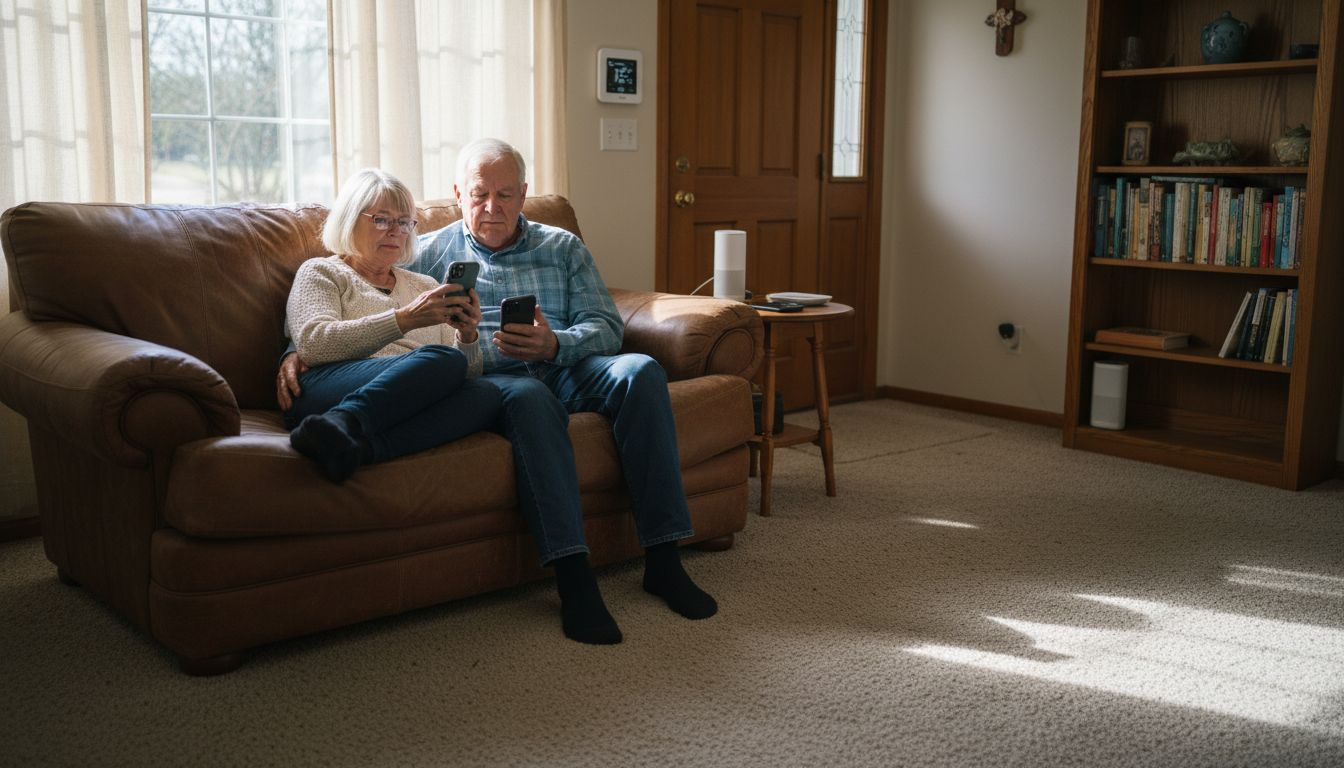
Home automation scenes can cut your energy bills by up to 15% while dramatically improving security and convenience. These powerful sequences coordinate multiple smart devices through a single trigger, transforming how your home responds to daily routines. Whether you’re protecting your property, reducing utility costs, or simply making life easier, automation scenes deliver measurable benefits that justify the minimal setup effort required.
Table of Contents
- Introduction To Home Automation Scenes
- Security Advantages Of Automation Scenes
- Energy Efficiency Benefits
- Convenience Gains Through Automation Scenes
- Common Misconceptions About Scene Complexity And Cost
- Comparison Of Automation Scene Types
- Integration Challenges And Compatibility Considerations
- Practical Steps To Create Your First Automation Scene
- Explore Smart Home Solutions To Enhance Your Automation
- FAQ
Key takeaways
| Point | Details |
|---|---|
| Coordinated control | Automation scenes link multiple smart devices to execute synchronized actions from a single trigger. |
| Enhanced security | Sensor-triggered scenes reduce break-ins by 20% through instant automated responses. |
| Energy optimization | Scenes reduce peak electricity usage by up to 15% through intelligent HVAC and lighting management. |
| Daily convenience | Automating routines cuts manual device interactions by 30%, saving time and effort. |
| Accessible setup | 75% of beginners successfully create functional scenes in under 15 minutes using app templates. |
Introduction to home automation scenes
Home automation scenes are pre-programmed sequences that coordinate multiple smart devices to execute specific actions simultaneously. A single scene might adjust your thermostat, turn off lights, lock doors, and arm your security system all at once. Unlike controlling devices individually, scenes create cohesive responses that match your lifestyle patterns and security needs.
The magic happens through a layered framework of triggers, actions, and outcomes. Triggers activate scenes based on time schedules, sensor inputs, or manual commands. Actions define what each connected device does when triggered. Outcomes represent the cumulative benefit, whether that’s enhanced security, energy savings, or pure convenience.
Typical devices included in scenes span the smart home ecosystem. Smart thermostats adjust temperature based on occupancy. Connected lights create ambiance or simulate presence. Smart locks secure entry points automatically. Motion sensors detect activity and trigger appropriate responses. Even smart plugs join the coordination, cutting power to idle electronics.
Scenes make your home genuinely responsive rather than simply connected. A basic “Good Morning” scene might gradually increase lighting, adjust the thermostat to your preferred temperature, and start your coffee maker. An “Away” scene locks doors, sets the thermostat to eco mode, and activates security cameras. This synchronized intelligence transforms disconnected gadgets into a unified system.
Platforms like Amazon Alexa, Google Home, and Apple HomeKit support smart lighting scenes and broader automation. Third-party hubs expand compatibility across brands and protocols. The result is a flexible foundation where examples of smart home automation become practical realities rather than futuristic concepts.
Common scene categories include:
- Security scenes responding to unauthorized entry attempts
- Energy-saving scenes optimizing climate control and lighting
- Convenience scenes automating morning and evening routines
- Entertainment scenes setting mood lighting and audio zones
- Vacation scenes simulating occupancy to deter burglars
Security advantages of automation scenes
Automation scenes transform home security from reactive to proactive. When a motion sensor detects unexpected activity at your front door, a security scene can instantly flood the area with light, trigger an audible alarm, send smartphone alerts, and start recording on connected cameras. This coordinated response happens in seconds, not minutes.

The impact is measurable. Homes using sensor-triggered automated responses reduce break-ins by 20% compared to traditional systems. Burglars typically spend less than 60 seconds deciding whether to proceed. Immediate automated actions create enough uncertainty and visibility to encourage them to move on.
Door and window sensors serve as critical security triggers. When a sensor detects unauthorized opening, scenes can activate interior and exterior lights, lock other entry points, and alert homeowners through multiple channels. Some homeowners configure scenes to trigger sirens or even activate smart sprinkler systems near windows.
False alarms decrease significantly with well-designed scenes. By layering conditions, you avoid unnecessary alerts. A scene might require both motion detection and door sensor activation before triggering full security protocols. This logic reduces nuisance notifications while maintaining protection.
Effective security scene elements:
- Motion-activated exterior lighting that deters approach
- Automated door lock verification when arming systems
- Camera recording triggered by specific sensor combinations
- Progressive alert escalation based on threat assessment
- Simulated occupancy patterns during extended absences
“The best security systems don’t just detect threats, they actively discourage them through visible automated responses that create the perception of an alert, occupied home.”
Integrating scenes with professional monitoring services adds another protection layer. When sensors trigger scenes, monitoring centers receive contextual data about which devices activated and in what sequence. This intelligence helps distinguish genuine emergencies from false alarms, ensuring appropriate response.
For comprehensive protection strategies, explore our guides on smart home security and how to improve smart home security with layered automation approaches.
Energy efficiency benefits
Automation scenes deliver significant energy savings by coordinating devices based on actual occupancy and usage patterns rather than fixed schedules. A well-configured scene can reduce peak electricity usage by up to 15%, translating to hundreds of dollars in annual utility savings for typical households.
The biggest impact comes from HVAC automation. Thermostat scenes adjust heating and cooling based on whether you’re home, asleep, or away. Instead of conditioning empty rooms, your system operates only when and where needed. Occupancy sensors ensure climate control follows your actual presence rather than rigid timers.

Lighting automation prevents the wasteful practice of illuminating unoccupied spaces. Motion-based scenes turn lights on when you enter a room and off after detecting no activity for several minutes.
Time-based scenes align with natural daylight patterns, dimming or extinguishing lights as sunlight provides adequate illumination.
| Usage Scenario | Without Scenes | With Automation Scenes | Estimated Savings |
|---|---|---|---|
| HVAC daily operation | 8-10 hours at set temperature | 6-7 hours optimized by occupancy | 20-25% on heating/cooling |
| Lighting (whole home) | Manually controlled, often left on | Automated based on presence/time | 30-40% on lighting costs |
| Idle electronics | Standby power drain continuous | Smart plugs cut power when unused | 10-15% on electronics |
| Peak demand periods | No adjustment for utility rates | Shift usage to off-peak hours | 5-10% total bill reduction |
Sensor-based scenes typically outperform time-based alternatives for energy efficiency. Occupancy detection responds to actual behavior rather than predicted schedules. If you arrive home early, sensors trigger climate adjustment immediately instead of waiting for a preset time. This responsiveness prevents both energy waste and comfort gaps.
High-impact energy-saving scenes:
- “Away” scene setting thermostats to eco mode and turning off unnecessary lights
- “Bedtime” scene reducing HVAC load and switching off common area lighting
- “Vacation” scene cycling lights for security while minimizing runtime
- “Peak Hours” scene shifting device operation to off-peak electricity rates
Pro Tip: Start your energy-saving automation with HVAC and lighting scenes, as these typically account for 60-70% of residential energy consumption and offer the fastest return on investment.
Smart plugs extend scene benefits to non-smart devices. A scene can cut power to entertainment centers, kitchen appliances, and chargers during work hours, eliminating phantom power draw. This often-overlooked consumption can account for 5-10% of total electricity use.
For comprehensive strategies, our energy-saving smart home guide provides detailed implementation steps for maximum efficiency across all device categories.
Convenience gains through automation scenes
Automation scenes eliminate repetitive manual tasks, giving you back time and mental energy. Instead of walking through your home adjusting devices individually, a single voice command or automated trigger handles everything simultaneously. This convenience compounds daily, reducing device interactions by approximately 30%.
Morning routines become effortless with a “Good Morning” scene. As your alarm sounds, the scene gradually increases bedroom lighting to simulate sunrise, adjusts the thermostat to your preferred waking temperature, raises window blinds, and starts brewing coffee. You wake to an optimized environment without touching a single switch.
Leaving home triggers equally valuable automation. A “Goodbye” scene verifies all doors are locked, sets the thermostat to away mode, turns off lights throughout the house, and arms your security system. Instead of mentally reviewing a checklist and retracing steps, you tap a button or let location-based triggers handle everything.
Common convenience-driven scenes:
- Good Morning: Gradual lighting increase, thermostat adjustment, blinds open, coffee maker start
- Leaving Home: Lock verification, lights off, thermostat to eco mode, security armed
- Arriving Home: Unlock door, lights on in entry areas, climate adjustment, music start
- Movie Time: Dim lights, close blinds, activate entertainment system, silence notifications
- Bedtime: Lock all doors, reduce thermostat, turn off lights, activate sleep mode on devices
The time savings add up substantially. Research on workflow automation shows similar principles apply to home routines. If you spend five minutes daily adjusting devices manually, automation recovers over 30 hours annually. More importantly, it removes decision fatigue from mundane tasks.
Voice integration amplifies convenience. Saying “Alexa, movie time” or “Hey Google, goodnight” triggers complex multi-device sequences instantly. This hands-free control proves especially valuable when carrying groceries, cooking, or managing children.
Location-based triggers add another convenience layer. When your smartphone GPS indicates you’re approaching home, scenes can automatically unlock doors, turn on pathway lighting, and adjust climate settings. You arrive to a welcoming environment without any manual intervention.
Explore more practical applications in our guide to home automation for easy living, which demonstrates how scenes integrate seamlessly into daily life patterns.
Common misconceptions about scene complexity and cost
Many homeowners avoid automation scenes believing they require advanced technical skills or expensive equipment. The reality is far more accessible. Modern smart home platforms provide intuitive interfaces and pre-built templates that make scene creation straightforward for beginners.
The setup process is surprisingly quick. Statistics show 75% of beginners successfully create functional scenes in under 15 minutes using manufacturer app templates. These templates cover common scenarios like morning routines, security protocols, and energy-saving schedules. You simply select the template, choose which devices to include, and adjust timing or triggers to match your preferences.
Cost concerns also exceed reality. While premium smart home systems can be expensive, effective automation scenes work perfectly well with affordable devices. A basic scene coordinating budget-friendly smart bulbs, a programmable thermostat, and a smart plug costs under $150 total. You don’t need enterprise-grade equipment to achieve meaningful benefits.
Common false beliefs about automation scenes:
- Scenes require programming knowledge or coding skills
- Only expensive devices support automation features
- Setup demands hours of configuration and troubleshooting
- Scenes break easily and need constant maintenance
- You must buy all devices from a single manufacturer
Manufacturer apps like Alexa, Google Home, and SmartThings walk you through scene creation with visual guides. You tap to add devices, select actions from dropdown menus, and set triggers using simple sliders or toggles. The interface resembles basic smartphone settings rather than technical programming environments.
Compatibility between brands has improved dramatically. While proprietary ecosystems still exist, most devices now support common protocols like Wi-Fi, Zigbee, or Z-Wave. This allows mixing affordable options from different manufacturers within the same scene. A Philips Hue bulb can work alongside a Wyze camera and an Ecobee thermostat in coordinated automation.
Pro Tip: Use your smart home platform’s built-in scene templates as starting points rather than creating from scratch, reducing setup time and avoiding common configuration errors that cause scenes to malfunction.
Maintenance requirements are minimal once scenes are configured. Unlike complex computer programs, automation scenes rarely need updates unless you add new devices or want to adjust behavior. Most platforms automatically handle firmware updates without breaking existing scenes.
For budget-conscious implementations, check out affordable smart devices that support full automation capabilities. Understanding the role of automation in homes also helps prioritize investments for maximum impact.
Comparison of automation scene types
Automation scenes fall into three primary categories based on trigger mechanisms: time-based, sensor-based, and manual. Each type serves distinct purposes and offers different advantages depending on your specific needs and routines.
Time-based scenes execute actions according to scheduled times or astronomical events like sunrise and sunset. These work best for predictable routines that follow consistent patterns. A time-based scene might turn on exterior lights at sunset or adjust your thermostat at 7 AM on weekdays. The reliability comes from operating on fixed schedules regardless of other factors.
Sensor-based scenes respond to environmental inputs from motion detectors, door contacts, temperature sensors, or occupancy monitors. These offer superior responsiveness because they react to actual conditions rather than predicted schedules. When a motion sensor detects movement in your driveway, the scene immediately activates lighting and cameras. This real-time adaptation makes sensor scenes ideal for security and energy efficiency.
Manual scenes require deliberate activation through voice commands, app buttons, or physical smart switches.
While less automated than the other types, manual scenes provide precise control for occasional situations or complex sequences you want to initiate intentionally. A “Party Mode” scene transforming your home’s lighting and audio makes sense as a manual trigger rather than automated.
| Scene Type | Trigger Mechanism | Responsiveness | Energy Efficiency | Best Use Cases |
|---|---|---|---|---|
| Time-based | Scheduled times or astronomical events | Predictable but inflexible | Moderate | Daily routines, seasonal adjustments, consistent schedules |
| Sensor-based | Environmental inputs and device states | Highly responsive to conditions | Excellent | Security responses, occupancy-based control, adaptive comfort |
| Manual | Voice, app, or switch activation | Instant on demand | Variable | Occasional events, complex sequences, situational control |
Hybrid approaches combine multiple trigger types for enhanced functionality. A scene might use both time and sensor inputs, requiring motion detection only during specific hours. This prevents outdoor security lights from activating during daylight while maintaining nighttime protection. Layering conditions creates more intelligent automation that adapts to complex real-world scenarios.
For security applications, sensor-based scenes provide the fastest threat response. Time-based scenes work well for simulating occupancy during vacations by cycling lights on predictable schedules. Manual scenes give you override control when automated behaviors don’t match immediate circumstances.
Energy savings favor sensor-based scenes because they respond to actual occupancy rather than assumptions. However, time-based scenes effectively manage devices with thermal mass like water heaters or HVAC systems that benefit from scheduled optimization periods.
Integration challenges and compatibility considerations
Device compatibility remains a significant challenge when creating automation scenes across multiple manufacturers. Not all smart devices communicate using the same protocols, leading to integration frustrations when attempting to coordinate actions. Understanding these technical barriers helps you make informed purchasing decisions and troubleshoot connection issues.
The smart home landscape includes several competing communication standards. Wi-Fi devices connect directly to your home network, offering broad compatibility but potentially straining bandwidth. Zigbee and Z-Wave use low-power mesh networks that require compatible hubs but provide reliable local control. Thread represents a newer standard gaining adoption for its efficiency and security. Bluetooth works for proximity-based control but lacks the range for whole-home automation.
Proprietary ecosystems complicate cross-brand integration. Some manufacturers intentionally limit interoperability to keep customers within their product lines. Apple HomeKit, Amazon Alexa, Google Home, and Samsung SmartThings each support different device subsets. A smart bulb working perfectly with Alexa might not function with HomeKit despite being technically capable.
Key communication standards and their characteristics:
- Wi-Fi: Universal compatibility, higher power consumption, potential network congestion
- Zigbee: Low power mesh network, requires hub, excellent device capacity
- Z-Wave: Proprietary mesh protocol, strong security, limited to 232 devices per network
- Thread: Emerging standard, IPv6 native, designed for Matter compatibility
- Bluetooth: Simple pairing, limited range, suitable for personal devices
Smart hubs serve as compatibility bridges, translating between protocols and providing unified control interfaces. A quality hub supporting multiple standards lets you mix devices from different manufacturers within the same scene. However, even hubs have limitations. Not every hub supports every protocol version, and firmware updates sometimes break previously working integrations.
Before purchasing devices for automation scenes, verify compatibility with your existing ecosystem. Check manufacturer specifications for supported platforms and protocols. Read recent user reviews mentioning integration experiences, as compatibility can change with firmware updates. When possible, buy from retailers offering easy returns in case devices don’t integrate as expected.
Avoid mixing too many incompatible devices in complex scenes. Start with devices known to work together, then gradually expand. Testing each addition individually makes troubleshooting simpler when problems arise. A scene failing because of a single incompatible device wastes time during debugging.
Practical steps to create your first automation scene
Creating your first automation scene is straightforward when you follow a systematic approach. Start by identifying a specific routine or security need you want to automate. Focus on simple, high-value scenarios for your initial scene to build confidence before tackling complex automation.
Begin by auditing your daily patterns. Which repetitive tasks involve multiple devices? Common starting points include morning wake-up routines, departure procedures when leaving home, or bedtime sequences. Choose something you do consistently, as predictable routines make the best automation candidates.
Verify that your smart devices support scene automation through your chosen platform. Open your smart home app and check which devices appear in the scene creation interface. Most modern devices integrate automatically, but occasionally you need to enable specific permissions or update firmware. This verification step prevents frustration mid-setup.
Step-by-step scene creation process:
- Select your trigger: Decide whether the scene activates by time schedule, sensor input, or manual command based on your chosen routine
- Choose participating devices: Add each smart device that should respond when the scene triggers, ensuring all are properly connected
- Define device actions: Specify what each device does (lights to 75% brightness, thermostat to 68°F, locks engaged, etc.)
- Set conditions (optional): Add requirements like “only between sunset and sunrise” or “only when home mode is active” for smarter automation
- Name your scene: Use clear, descriptive names like “Good Morning Weekday” or “Secure House” for easy identification
- Test thoroughly: Manually trigger the scene several times, verifying each device responds correctly and timing feels appropriate
- Adjust and refine: Modify brightness levels, delay timing between actions, or add/remove devices based on testing results
Most platforms offer templates for popular scenes. These provide excellent starting frameworks you can customize to your preferences. A “Good Morning” template might include lights and thermostat adjustments. You simply select which specific lights and your preferred temperature settings.
Timing between actions matters for scenes involving multiple device types. Add short delays if devices need to execute sequentially rather than simultaneously. For example, unlocking a door before turning on entry lights creates a better arrival experience than both happening at exactly the same instant.
Start simple with 3-4 devices in your first scene. As you gain experience, expand to more complex automation involving conditional logic and device dependencies. Our smart home setup guide provides additional context for building cohesive systems.
For specific routine examples, explore guides like our Alexa goodnight routine walkthrough or tutorial on how to automate home lighting. The home automation tutorial offers comprehensive coverage of advanced techniques once you master basics.
Explore smart home solutions to enhance your automation
Ready to implement automation scenes in your home? Smart Home HQ offers curated resources to simplify your journey. Browse our tested device recommendations supporting seamless scene integration across popular platforms. Our step-by-step tutorials walk you through setup processes, eliminating guesswork and technical frustration.

Discover practical smart home automation examples demonstrating real-world implementations. Stay current with our latest smart home devices 2026 guide featuring new products optimized for security, convenience, and energy efficiency. Our detailed automation tutorial setup guide provides comprehensive coverage of advanced techniques. Whether you’re just starting or expanding an existing system, we provide the expert insights and product comparisons you need to make confident decisions.
FAQ
What are home automation scenes?
Home automation scenes are pre-programmed sequences coordinating multiple smart devices through a single trigger. They automate specific actions like adjusting lights, locks, thermostats, and sensors simultaneously based on schedules, sensor inputs, or manual commands, creating cohesive responses that enhance security, convenience, and energy efficiency.
Can I create automation scenes without technical skills?
Yes, modern smart home platforms provide user-friendly templates and visual interfaces requiring no coding knowledge. Most beginners successfully configure functional scenes in under 15 minutes using manufacturer apps. Check out affordable smart devices that include simple scene setup tools designed for non-technical users.
How do automation scenes save energy?
Scenes optimize lighting and HVAC usage by responding to actual occupancy and time-based schedules rather than continuous operation. This intelligent coordination reduces peak electricity consumption by up to 15%, cutting hundreds of dollars from annual utility bills. Our energy-saving guide details specific implementation strategies for maximum savings.
What types of automation scenes exist?
Three primary scene types serve different purposes: time-based scenes executing on schedules for routine tasks, sensor-based scenes responding to environmental inputs for security and adaptive control, and manual scenes requiring deliberate activation for occasional situations. Many effective implementations combine multiple trigger types for enhanced intelligence and flexibility.
Recommended
- Examples of Smart Home Automation for Owners – Practical Ideas
- Examples of Home Automation for Easy Smart Living
- Smart Lighting Scenes: Creative Lighting Automation Ideas
- Role of Automation in Homes: Security and Savings
- Implement Process Automation Workflow for Seamless Efficiency | Artificial Intelligence