Many homeowners rush into smart home setups, only to find devices that refuse to communicate or apps that crash. Over 70% of smart home failures stem from poor planning or mismatched ecosystems. This guide walks you through a proven framework for building a reliable connected home that slashes energy bills, strengthens security, and operates smoothly from day one.
Setting clear goals and researching compatibility avoids wasted investments and device replacements.
Ecosystem choice simplifies control
Committing to one platform (Alexa, Google, or Apple) ensures seamless device communication.
Mesh Wi-Fi reduces connectivity failures
Upgrading to mesh networks cuts connection issues by 40 to 60 percent.
Security measures block vulnerabilities
Changing default passwords and updating firmware protects against common threats.
Smart automation cuts energy costs
Proper device scheduling and thermostat optimization delivers 20 to 30 percent energy savings.
Prerequisites and planning
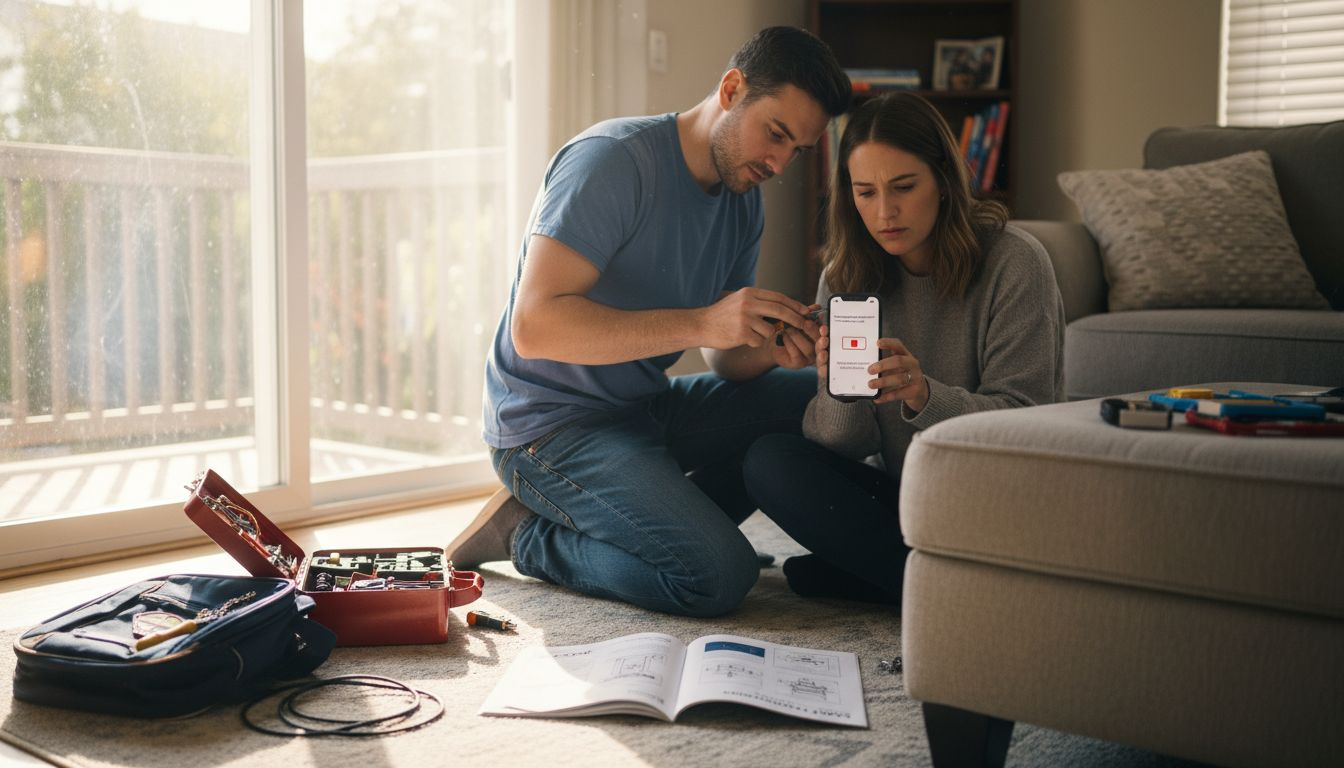
Planning your smart home before buying devices prevents incompatibility and wasted cash by creating a clear roadmap for your automation goals. Define what you want: convenience, security, energy savings, or all three. Writing down these priorities helps you resist flashy gadgets that don’t serve your actual needs.
Essential items before you start:
A smartphone or tablet for device setup and control
Reliable home internet service (minimum 100 Mbps for multiple devices)
Basic tools like screwdrivers for mounting sensors or cameras
A budget spreadsheet to track spending and avoid impulse purchases
Research device compatibility within your chosen ecosystem. Read reviews from verified buyers, not just manufacturer claims. Check whether your existing appliances or fixtures support smart upgrades. This homework saves you from discovering halfway through setup that your new smart lock won’t talk to your voice assistant.
Pro Tip: Create a phased rollout plan. Start with high-impact devices like thermostats and lighting, then expand to security cameras and entertainment systems once you’ve mastered the basics.
Budget for professional installation if you’re not comfortable with electrical work or network configuration. Trying to DIY everything can lead to frustration and damaged equipment. Factor in ongoing costs like subscription services for cloud storage or advanced features.
Choosing your smart home ecosystem
Amazon Alexa supports over 100,000 devices, making it the broadest compatibility choice for most homeowners. Google Home excels at natural language processing and integrates tightly with Android phones and Google services. Apple HomeKit offers the strongest privacy protections but works exclusively with iOS devices and supports fewer third-party products.
Ecosystem comparison:
Platform
Device Count
Voice Quality
Privacy Focus
Best For
Amazon Alexa
100,000+
Good
Moderate
Maximum device choice and affordability
Google Home
50,000+
Excellent
Moderate
Android users and voice command precision
Apple HomeKit
1,000+
Good
Highest
iPhone owners prioritizing security
Switching platforms mid-project forces you to replace roughly 75 percent of your devices because of ecosystem lock-in. If you own an iPhone and value privacy, HomeKit makes sense despite its higher cost. Android users who want flexibility should lean toward Google Home. Budget-conscious shoppers building large setups benefit from Alexa’s wider selection and frequent sales.
Key decision factors:
Current devices you already own and want to integrate
Whether household members use iOS or Android
Your comfort level with data sharing for voice processing
Long-term expandability as you add rooms or features
Explore smart home compatibility to understand how different ecosystems handle cross-platform devices. Some products work with multiple assistants, giving you an escape route if you change your mind later. Still, committing to one primary platform from the start eliminates confusion and simplifies troubleshooting.
Network and connectivity essentials
Homes with mesh Wi-Fi systems experience 40 to 60 percent fewer connectivity issues than those relying on single routers, especially in multi-story or large floor plans. Traditional routers create dead zones where devices disconnect randomly. Mesh networks use multiple nodes to blanket your home in consistent signal, ensuring smart locks and cameras stay online.
Network setup priorities:
Deploy mesh Wi-Fi with at least three nodes for whole-home coverage
Use 5 GHz band for high-bandwidth devices like cameras and streaming speakers
Reserve 2.4 GHz for low-power sensors and switches that need range over speed
Enable automatic band steering so devices pick the optimal frequency
Separate your IoT devices onto a guest network or VLAN (virtual local area network) to contain security risks. If a smart plug gets hacked, the attacker can’t reach your laptop or phone on the main network. Most modern routers offer guest network features in their admin panels. For advanced users, VLANs provide finer control but require network knowledge.
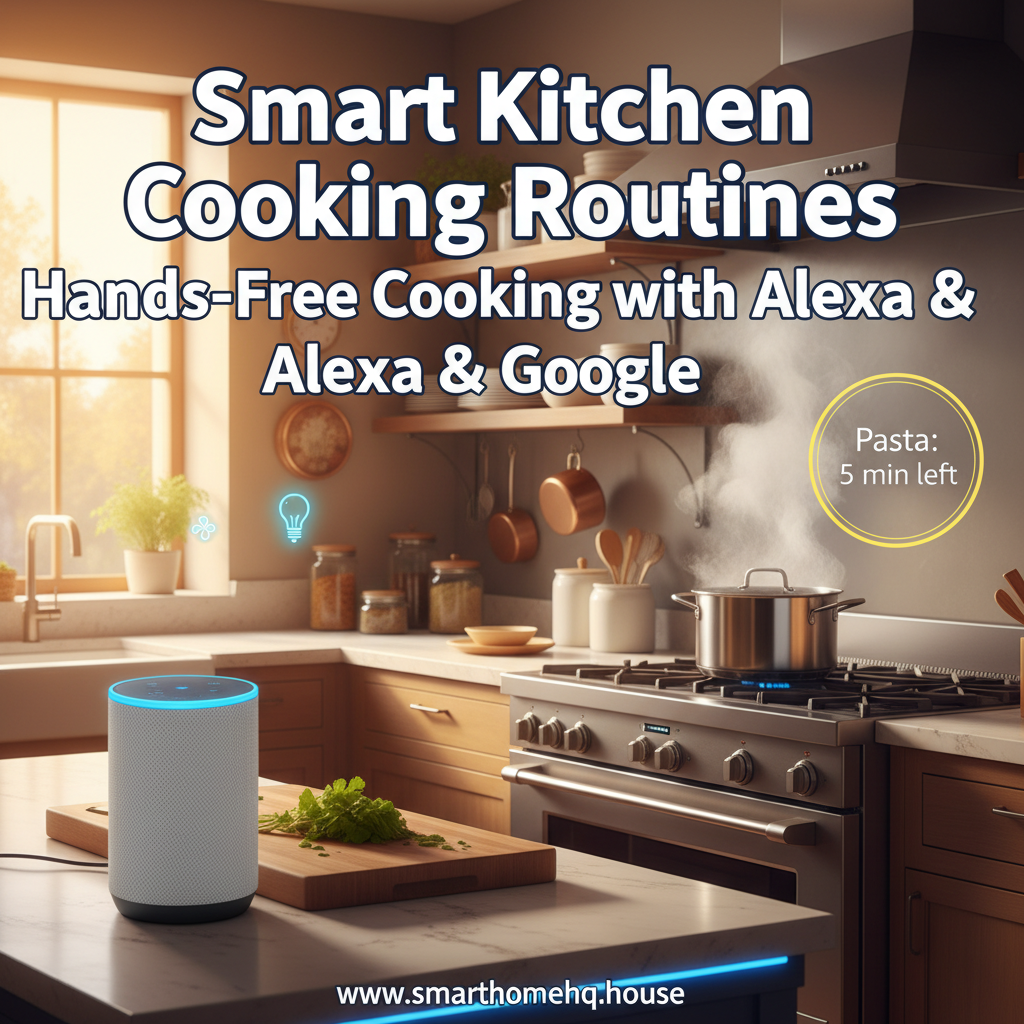
Voice assistants like Alexa and Google don’t directly improve your oven’s performance, but they can streamline your cooking experience with Smart Kitchen Cooking Routines. These routines minimize hassle by enabling hands-free timers, controlling ventilation, and preventing overlooked steps, making your kitchen safer and more efficient.
Top Smart Kitchen Cooking Routines to Implement ✅
“Cooking Mode” Routine 🔥
Trigger: “Alexa, start cooking mode” or “Hey Google, cooking mode”
Actions (customizable example):
Activate under-cabinet or task lighting
Turn on the vent hood or a smart fan/air purifier
Set a named timer (e.g., “preheat”)
Result: Your kitchen instantly adapts to support cooking with minimal effort.
Hands-Free Multi-Timer Setup ⏱️
Create named timers for tasks like “pasta,” “oven,” “resting,” or “cookies.”
Benefit: Check progress by asking, “How much time on pasta?” without touching devices.
Ventilation Automation (Semi-Smart) 💨
For non-smart hoods, consider alternatives:
Smart plug for a portable countertop fan
Smart switch for compatible fans or lights
Advantage: Use voice commands to avoid touching controls with messy hands.
“Dinner’s Ready” Announcement 📣
Ideal for families or open-plan homes.
Outcome: Broadcast updates effortlessly, reducing the need to shout and maintaining routine consistency.
Smart Kitchen Cooking Safety Tips (Must-Read) 🛡️
Focus on monitoring and alerts rather than remotely starting heating appliances.
If using remote control, do so cautiously (e.g., preheat only when you’re at home).
Extra Tip: Enable confirmation prompts where possible to avoid accidental activations.
Remember
Smart Kitchen Cooking Routines with Alexa & Google can turn everyday meal prep into a safer, more seamless experience, especially when you lean on voice control for timers, lighting, and ventilation. To go deeper on designing safe, voice-first cooking setups, you can also review guidance on voice-controlled kitchen safety and hands-free workflows in this external resource: Integrating Alexa or Google Assistant in Your Kitchen.
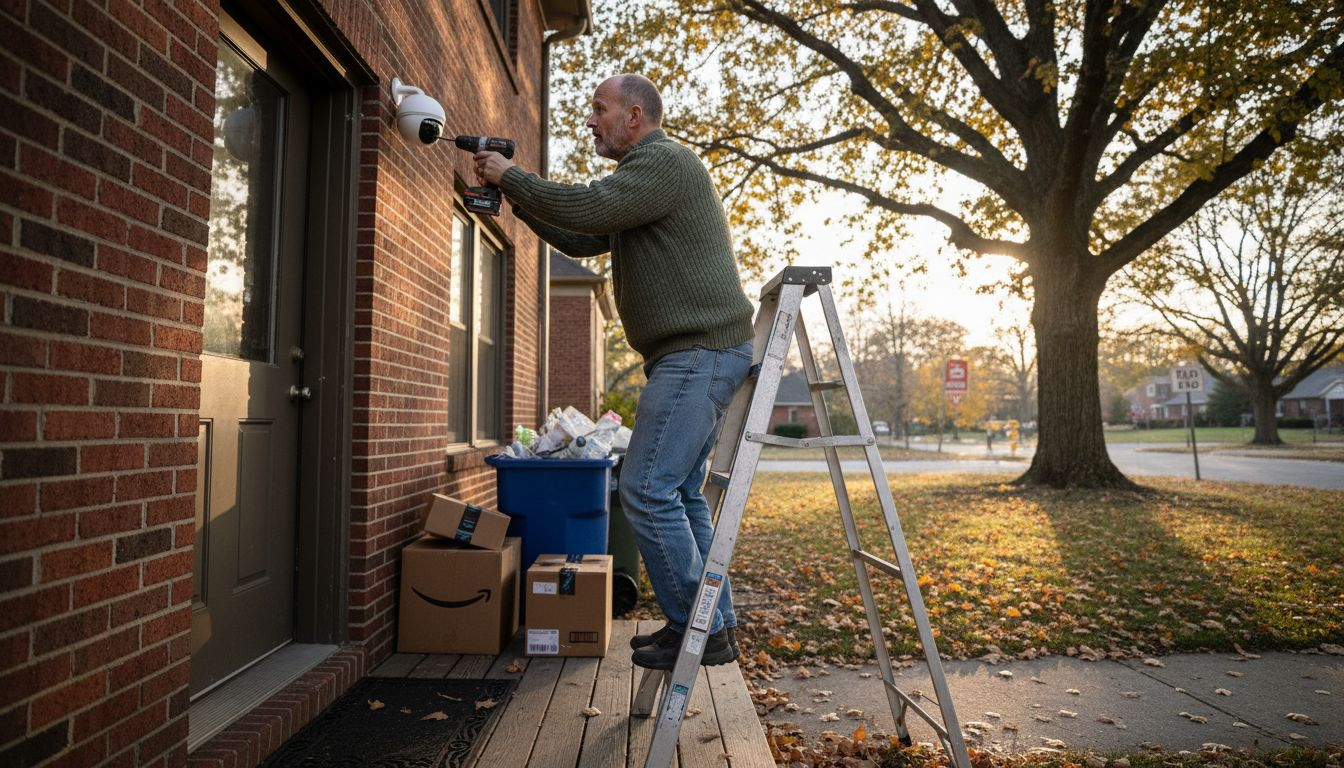
Smart surveillance has rapidly evolved from a nice-to-have gadget into a practical necessity for modern homeowners, raising an important question: why invest in smart surveillance right now? By combining AI-powered cameras, intelligent motion detection, and real-time alerts, these systems help stop suspicious activity before it becomes a break-in, protect packages and vehicles, and provide clear video evidence when something does go wrong.
Smart surveillance systems can reduce burglary attempts by up to 60%, making them one of the most effective home security investments available today. Homeowners across the U.S. are discovering that AI-powered cameras and sensors do more than just record. They actively prevent crime while seamlessly integrating with existing smart home platforms. This guide explores how smart surveillance works, why it matters, and how you can implement it to protect your property effectively.
Smart systems use AI to identify suspicious behavior, cutting burglary attempts dramatically.
Seamless Smart Home Integration
Works with Alexa, Google Home, and HomeKit for unified control and instant alerts.
Affordable Entry Points
Quality AI-enabled systems start under $200, making protection accessible.
Privacy You Control
Customizable zones and encryption keep your data secure and private.
Proven Real-World Results
2025 case studies show immediate police response prevented actual burglaries.
Introduction to Smart Surveillance for Homeowners
Smart surveillance represents a fundamental shift from traditional security cameras. Instead of passively recording everything, these systems use AI-enabled cameras, motion sensors, and cloud connectivity to actively monitor your property. They analyze what they see, alert you to genuine threats, and ignore routine activity like pets or passing cars.
The core components include high-definition cameras with night vision, motion and sound sensors, AI analytics software, and integration hubs that connect to your smart home ecosystem. Unlike old CCTV systems that require constant monitoring and storage of endless footage, modern smart surveillance only records when something important happens. You get remote access through smartphone apps, real-time notifications, and the ability to prioritize smart home security alongside other connected devices.
Key differences from traditional CCTV include:
Event-triggered recording saves storage space and makes review manageable
AI-powered alerts distinguish between actual threats and false alarms
Remote access lets you check your home from anywhere
Two-way audio enables direct communication with visitors or intruders
Cloud backup ensures footage survives even if hardware is damaged
Technology trends in 2026 show increased AI capabilities at lower price points, better integration across platforms, and improved energy efficiency. For homeowners wanting effective security that doesn’t require constant attention, smart surveillance delivers exactly that combination of protection and convenience.
Why Invest in Smart Surveillance
How Smart Surveillance Enhances Home Security
Smart surveillance doesn’t just record crimes after they happen. It actively prevents them. AI-powered systems recognize suspicious behavior patterns like someone lingering near entry points or attempting to disable cameras. This early detection triggers immediate alerts, giving you time to respond before a break-in occurs.
Real-time notifications make the critical difference. When your system detects unusual activity, you receive instant smartphone alerts with video clips. You can assess the situation immediately and contact authorities if needed. Studies show that homes with visible smart cameras experience 45% faster emergency response times because homeowners can provide real-time information to dispatchers.
Here’s how these features combine for maximum protection:
AI detection identifies potential threats based on behavior, not just motion
Instant alerts reach your phone within seconds of detection
Live video feed lets you verify the threat immediately
Two-way audio allows you to warn off intruders or speak with delivery personnel
Automatic recording captures evidence for insurance claims or police reports
Event-triggered recording revolutionizes home security management. Instead of sorting through hours of footage showing nothing, your system only saves clips when something actually happens. This approach reduces storage costs, makes review practical, and ensures you never miss important events. Your system becomes a proactive partner in your home security workflow, not just a passive observer.
Real-world data from 2025 case studies demonstrates measurable impact. Neighborhoods with 40% or higher smart surveillance adoption reported 35% fewer property crimes compared to areas with traditional security or no systems at all.
The Role of AI and Machine Learning in Smart Surveillance
AI transforms cameras from simple recording devices into intelligent security assistants. Advanced algorithms analyze video feeds in real time, learning to distinguish between normal household activity and genuine security concerns. This capability dramatically reduces false alerts that plague traditional motion-sensor systems.
Machine learning enables continuous improvement. Your system gets smarter over time by learning your household patterns. It recognizes family members, regular visitors, and typical daily routines. When something deviates from these patterns, the AI flags it for your attention. AI detection accuracy improves annually, meaning your 2026 system will be even more reliable in 2027.
Key AI capabilities include:
Person detection that ignores pets and environmental motion
Facial recognition for authorized individuals versus strangers
Package detection to alert you when deliveries arrive
Vehicle recognition to track unfamiliar cars in your driveway
Sound analysis that identifies breaking glass or alarm sounds
The accuracy improvements matter because they directly impact usability. When your system only alerts you to real threats, you pay attention to every notification. This maintains vigilance without creating alert fatigue. You can explore more about the role of AI in smart homes and its broader impact on home automation.
Pro Tip: Enable automatic software updates on your surveillance system. Manufacturers continuously refine AI algorithms based on millions of data points. Regular updates ensure you benefit from these improvements without any effort.
Remember that AI assists but doesn’t replace human judgment. Review alerts promptly, verify threats yourself, and maintain appropriate privacy settings to protect your household data.
Integration with Existing Smart Home Ecosystems
Why Invest in Smart Surveillance
Smart surveillance reaches its full potential when integrated with your existing smart home platform. Compatibility with Amazon Alexa, Google Home, or Apple HomeKit creates a unified security experience where all your devices work together seamlessly.
Integration enables powerful automation scenarios. Your camera detects motion at the front door, triggering your smart lights to turn on and your smart lock to verify its status. You receive a notification with live video, all coordinated through a single platform. Voice commands let you check camera feeds hands-free: just ask Alexa or Google to show your front door camera on your smart display.
Platform
Voice Control
Automation
Setup Difficulty
Best For
Amazon Alexa
Excellent
Very Good
Easy
Budget conscious, wide device selection
Google Home
Excellent
Excellent
Easy
Android users, AI-driven routines
Apple HomeKit
Good
Good
Moderate
Privacy focused, iOS ecosystem
Samsung SmartThings
Good
Excellent
Moderate
Advanced automation, device flexibility
Benefits of unified control include:
Single app interface for all security and smart home devices
Coordinated responses across multiple device types
Simplified guest access and temporary permissions
Centralized notification management
Scene creation that combines security with comfort automation
Before purchasing any surveillance device, verify platform compatibility. Check manufacturer specifications and read reviews from users with your specific smart home ecosystem. This simple verification prevents frustrating integration issues later. You can find detailed compatibility information in best security camera reviews that test real-world integration scenarios.
Pro Tip: Start with cameras from manufacturers that officially support your platform rather than relying on third-party integrations. Official support ensures better performance, faster updates, and reliable automation.
Cost-Benefit Analysis and Common Misconceptions
Why Invest in Smart Surveillance
Smart surveillance has become surprisingly affordable. Entry-level systems with genuine AI capabilities now start below $200, making professional-grade security accessible to most homeowners. A typical starter package includes two cameras, cloud storage, and mobile app access for comprehensive coverage of main entry points.
Insurance companies recognize the value of smart surveillance. Many providers offer discounts ranging from 5% to 20% on homeowners insurance premiums when you install and maintain a verified smart security system. These savings can offset your initial investment within two to three years, making smart surveillance essentially free over its typical five to seven year lifespan.
Common misconceptions debunked:
Myth: Smart cameras are prohibitively expensive. Reality: Quality systems start under $200 with no monthly fees for basic features.
Myth: Installation requires professional help. Reality: Most systems use wireless connectivity and mount with simple brackets.
Myth: Smart surveillance invades privacy. Reality: Customizable privacy zones and local storage options give you complete control.
Myth: Cloud storage is mandatory and expensive. Reality: Many systems offer free cloud storage tiers or local SD card options.
System Tier
Price Range
AI Features
Privacy Controls
Best Use Case
Entry Level
$150-$300
Basic person detection
Privacy zones, encryption
Apartment, condo
Mid Range
$300-$600
Advanced AI, facial recognition
All features plus local storage
Single family home
Premium
$600+
Full AI suite, 4K video
Enterprise-grade encryption
Large property, high-value assets
The real value extends beyond monetary savings. Peace of mind, reduced anxiety when traveling, and the ability to check on family members remotely provide benefits that don’t appear on balance sheets. Use a comprehensive home security checklist to evaluate your specific needs and calculate your personal return on investment.
Case Studies Illustrating Impact of Smart Surveillance
Why Invest in Smart Surveillance
Real-world examples demonstrate smart surveillance’s tangible benefits. In 2025, a Portland family avoided a potential $15,000 burglary loss thanks to their AI-enabled camera system. The system detected suspicious behavior when an individual repeatedly approached their front door while checking nearby windows. Immediate police dispatch prevented the burglary within minutes of the alert, resulting in an arrest before any entry occurred.
Neighborhood-level data shows even broader impact. A Seattle suburb with high smart surveillance adoption rates experienced a 42% reduction in property crimes between 2024 and 2025. Police attributed the decrease directly to faster response times enabled by homeowner alerts and the deterrent effect of visible smart cameras.
Homeowner testimonials reinforce these statistics:
A Chicago couple credits their system with identifying package thieves within their first week of installation
A Denver retiree uses two-way audio to remotely greet grandchildren arriving after school
A Miami homeowner received insurance claim approval within 48 hours using clear video evidence
“The AI alert came through at 2 AM while we were sleeping. By the time I checked my phone, the system had already recorded everything. Police arrived within six minutes because I could confirm it was an actual break-in attempt, not a false alarm. That immediate response made all the difference.”
These examples illustrate what statistics alone cannot capture. Smart surveillance provides both measurable crime reduction and immeasurable peace of mind. Read more home security reviews to see how different systems perform in various real-world scenarios and climates.
Practical Tips for Choosing and Implementing Smart Surveillance
Selecting the right smart surveillance system starts with assessing your home’s specific vulnerabilities. Walk your property perimeter and identify entry points, blind spots, and high-value areas requiring coverage. Ensure any system you consider integrates with your current smart home platform to avoid creating separate, disconnected security islands.
Prioritize these essential features:
AI-powered person and vehicle detection to minimize false alerts
Night vision with at least 30-foot range for overnight protection
Weather resistance rated IP65 or higher for outdoor cameras
Cloud or local storage with at least seven days of retention
Two-way audio for direct communication capability
Customizable privacy zones to exclude sensitive areas
Balance system complexity against consistent use. The most sophisticated system provides no value if you find it too complicated to configure properly or too annoying to use daily. Start with core features and expand as you become comfortable. Many homeowners find that two well-placed cameras provide better security than four poorly positioned ones.
Configuration best practices ensure maximum protection:
Enable motion detection zones focusing on entry points and pathways
Set privacy zones to exclude neighbors’ properties and public sidewalks
Activate encryption for all video streams and stored footage
Use strong, unique passwords and enable two-factor authentication
Secure your WiFi network with WPA3 encryption and a strong password
Find detailed setup guidance in our comprehensive security camera buying guide that walks through installation step by step. Learn more about securing your WiFi network to prevent unauthorized access to your surveillance feeds.
Pro Tip: Schedule monthly system checks to verify camera angles, clean lenses, and test notifications. Regular maintenance takes five minutes but ensures your system works perfectly when you need it most.
Summary and Next Steps for Homeowners
Why Invest in Smart Surveillance
Smart surveillance delivers layered protection through AI detection, real-time alerts, and seamless smart home integration. You’ve learned how these systems reduce burglary attempts significantly, integrate with platforms you already use, and cost less than you probably expected. The technology continues improving yearly, making 2026 an excellent time to upgrade your home security.
Your integration readiness checklist:
Verify smart home platform compatibility before purchasing
Assess coverage needs by walking your property perimeter
Calculate insurance discount eligibility with your provider
Plan camera placement focusing on entry points and blind spots
Prepare your WiFi network with strong security settings
Download manufacturer apps and create accounts in advance
Start with a two-camera system covering your main entry and most vulnerable secondary access point. This foundation provides immediate protection while you learn the technology. Expand coverage as budget allows and experience grows. Use the comprehensive home security checklist to ensure you address all critical security elements beyond just cameras.
The peace of mind from knowing your home stays protected while you work, travel, or sleep proves invaluable. Take the first step today by researching systems compatible with your smart home platform and property layout.
Enhance Your Home Security with Smart Home HQ
Ready to implement smart surveillance? Smart Home HQ offers carefully curated selections of security devices compatible with major smart home platforms. Our detailed product comparisons help you identify systems matching your specific needs, budget, and technical comfort level.
Explore our comprehensive smart surveillance product comparison table featuring side-by-side analysis of top-rated systems. Read in-depth reviews of the best smart home security cameras tested in real homes under actual conditions. Download our free home security checklist to guide your entire security upgrade process from assessment through installation.
Start securing your home today with trusted solutions backed by thorough testing and honest reviews. Every product recommendation comes from hands-on experience, ensuring you invest in systems that actually work as advertised.
Frequently Asked Questions
Why Invest in Smart Surveillance
What features are essential in smart surveillance for home use?
Prioritize AI-powered person detection to reduce false alerts, night vision with at least 30-foot range, weather resistance for outdoor cameras, and compatibility with your existing smart home platform. Two-way audio and customizable privacy zones add valuable functionality without significantly increasing cost.
Can these systems really reduce insurance costs for homeowners?
Yes, many insurance providers offer discounts ranging from 5% to 20% when you install verified smart surveillance systems. Contact your insurance agent to confirm eligibility requirements and documentation needed. These savings often offset your initial investment within two to three years.
How do privacy controls in smart surveillance work?
Modern systems let you define privacy zones that exclude specific areas from recording, such as neighbors’ windows or public sidewalks. End-to-end encryption protects video streams and stored footage from unauthorized access. Local storage options eliminate cloud concerns entirely if you prefer keeping all data on-site.
What smart home platforms integrate best with surveillance devices?
Amazon Alexa, Google Home, and Apple HomeKit all offer excellent surveillance integration. Alexa provides the widest device compatibility and easiest setup. Google Home excels at AI-driven automation. HomeKit prioritizes privacy with local processing. Choose based on your existing ecosystem for seamless integration.
Is AI completely autonomous or does it require human oversight?
AI assists but doesn’t replace human judgment. The technology identifies potential threats and alerts you, but you verify the situation and decide appropriate responses. This human-in-the-loop approach balances automation benefits with responsible oversight, ensuring you maintain control over your home security decisions.
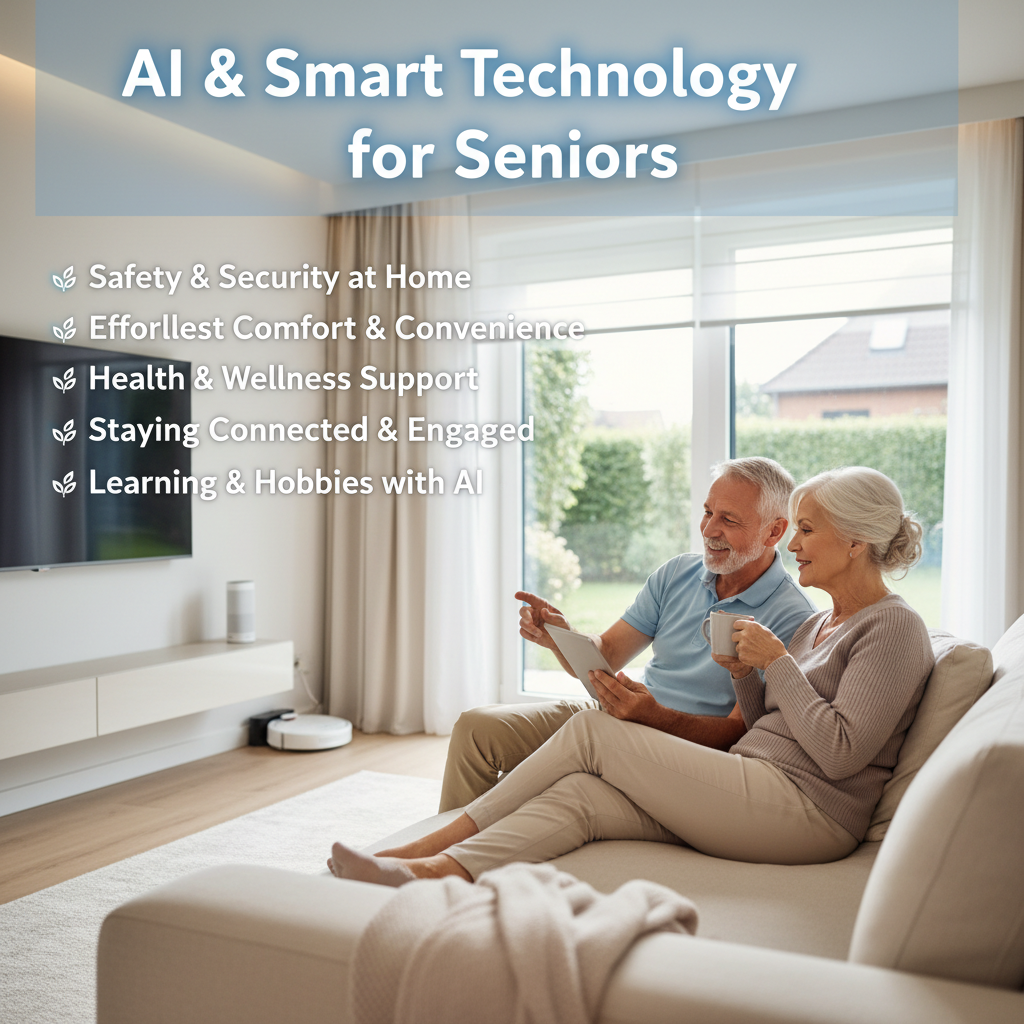
Let’s start with AI, or Artificial Intelligence. Smart home technology is no longer just for tech enthusiasts—it can make everyday life safer, easier, and more comfortable for any older adult. Smart Home Tech Older Adult solutions, like voice-controlled lights, smart thermostats, and helpful reminders, are designed to support independence while keeping you connected to loved ones in simple, stress-free ways.
To put it simply: AI helps your devices become “smarter” over time, making your life easier!
Everyday Examples You Might Already Know:
🗣️ Your phone suggesting words as you type a message – That’s AI learning your vocabulary!
🎬 Streaming services recommending movies or shows you might like – AI analyzes your viewing history to offer personalized suggestions.
🌡️ A smart thermostat learning your preferred temperature schedule – It observes when you like it warmer or cooler and adjusts automatically.
🏠 What is Smart Home Technology?
Now, let’s explore Smart Home Technology. These are simply everyday devices in your home—things like your lights, thermostats, door locks, or even vacuum cleaners—that have been designed to connect to the internet. Because they’re connected, they can “talk” to each other and be controlled remotely, often from your smartphone, a tablet, or even with your voice.
The real magic? They can also act automatically based on schedules you set or events that happen (like automatically locking a door at bedtime).
Popular Smart Home Devices Include:
💡 Smart Lights – Control brightness and color from anywhere
🔐 Smart Locks – Lock/unlock doors remotely and grant access to visitors
📹 Security Cameras – Monitor your home from your phone
🧹 Robot Vacuums – Clean your floors on schedule
🔊 Voice Assistants – Like Amazon Alexa or Google Home
🧠 How Do AI and Smart Home Technology Work Together?
Think of it this way: AI provides the “brainpower” that makes smart home devices truly intelligent and intuitive. While smart home devices can be connected and controlled, AI takes it a step further by enabling them to learn, adapt, and predict your needs.
For example: Your smart home learns that you typically turn on the living room lights at 6 PM. After a few weeks, AI notices this pattern and starts turning them on automatically—without you lifting a finger!
It’s the combination of connected devices and intelligent AI that transforms a regular house into a truly “smart home” that responds to your lifestyle. 🧠🏠
🔒 A Quick Note About Safety & Privacy
Smart home technology is designed with security in mind, but here are simple steps to stay safe:
Use strong, unique passwords for your devices and accounts
Keep devices updated – Install updates when prompted
Only share access with people you trust
Remember: You’re always in control of your smart home devices and can turn features on or off anytime.
🚀 Getting Started: Simple First Steps
Smart Home Tech Older Adult
If you’re new to AI and smart home technology, here’s how to begin:
1. Start Small – Try one device first, like a smart speaker (Amazon Echo or Google Home)
2. Choose User-Friendly Options – Look for devices labeled “easy setup” or “senior-friendly”
3. Ask for Help – Have a family member or friend assist with initial setup
4. Take Your Time – There’s no rush! Learn at your own pace and add devices as you feel comfortable
5. Explore Voice Control – Voice commands can be easier than using apps or buttons
🎯Smart Home Tech Older Adult Key Takeaways
Here’s what to remember about AI smart tech for seniors:
🧠 AI learns your preferences and makes devices work automatically for you
🏡 Smart home devices connect to the internet and can be controlled remotely
🤝 Together, they create convenience and can make daily living easier
🔐 Safety is important – Use good passwords and keep devices updated
👣 Start simple – Begin with one device and expand when you’re ready
💡 Ready to Learn More?
Smart Home Tech Older Adult
Smart home technology is here to help, not to complicate your life. The goal is always to make things simpler, safer, and more convenient for you. Whether it’s adjusting your thermostat from bed, checking who’s at the door, or simply asking a voice assistant about the weather—AI smart tech is designed to serve you.
Remember: You don’t need to be a tech expert to enjoy the benefits of a smart home. With patience and a willingness to try something new, anyone can embrace these helpful technologies!
Have questions about getting started with Smart Home Tech Older Adult? Feel free to reach out or explore our other beginner-friendly guides!
Smart home privacy is no longer a niche concern—it is the foundation of a safe, modern connected home and shapes the role of privacy in smart homes today. When every light, camera, speaker, and sensor is quietly collecting information about how you live, the real question is not whether your home is “smart,” but how much control you have over what’s recorded, where it goes, and who can see it.
Over 80% of smart home devices send your personal data to cloud servers, exposing you to third-party access and potential breaches. Most homeowners trust default settings to protect their privacy, but these defaults rarely prioritize data security. This guide reveals the privacy risks lurking in your connected home and shows you practical steps to safeguard your information while enjoying the convenience of smart technology.
CCPA and emerging federal IoT regulations grant homeowners rights to access, control, and delete their personal data.
Actionable Strategies
Configuring device settings, securing networks with WPA3, and choosing privacy-by-design products dramatically lower exposure.
Introduction to Smart Home Privacy – Role of Privacy in Smart Homes
Privacy in smart homes means controlling what personal data your devices collect, how that data moves through networks, and who can access it. This definition matters because every connected device in your home creates a potential data pathway that could expose sensitive information about your daily routines, conversations, and personal habits.
Common smart home devices include:
Smart speakers that respond to voice commands
Security cameras monitoring entry points
Thermostats learning temperature preferences
Smart lights tracking usage patterns
Video doorbells capturing visitor footage
These devices collect multiple types of personal data. Voice assistants record your conversations and questions. Security cameras capture video footage of you and your family. Thermostats track when you’re home or away. Smart lights reveal your daily routines through usage patterns. Some devices even collect biometric data like facial recognition profiles or voice prints.
Why does this matter? Because this data reveals intimate details about your life. A determined attacker could use your thermostat data to know when you’re on vacation. Voice recordings might contain financial information or private conversations. Camera footage shows who visits your home and when.
Think of smart home privacy as a layered system. The first layer is device data collection. The second is how that data flows through networks. The third involves privacy features built into devices. The fourth is your behavior and configuration choices. The fifth layer is regulatory protections. Each layer either strengthens or weakens your overall privacy posture.
What Personal Data Do Smart Home Devices Collect? – Role of Privacy in Smart Homes
Your smart devices gather far more information than you might realize. Understanding these data categories helps you make informed decisions about which devices to trust in your home.
Voice data comes from smart speakers and displays. Every wake word triggers recording. Some devices record continuously, storing snippets for processing. These recordings can capture background conversations, revealing personal details you never intended to share.
Location data flows from multiple sources. Your thermostat knows when you’re home. Smart locks track entry and exit times. Security cameras map movement patterns around your property. Combined, this data creates a detailed picture of your daily schedule.
Biometric information represents the most sensitive category. Facial recognition systems store templates of your face. Voice assistants create voice prints for personalization. Smart doorbells might capture and analyze faces of everyone who approaches your door.
Usage patterns reveal behavioral insights. Smart lights show which rooms you use and when. Thermostats learn your temperature preferences and schedule. Smart TVs track viewing habits. Entertainment systems monitor listening preferences.
Data granularity matters enormously. Aggregate data showing overall energy usage carries less privacy risk than minute by minute records of every light switch toggle. Fine-grained data enables detailed profiling of your household’s activities and habits.
The key insight? Every device type poses different privacy implications. Cameras and microphones present the highest risk because they capture direct observations of you. Sensors tracking environmental data like temperature pose lower immediate privacy concerns but still reveal patterns over time.
How Data Flows and Stays at Risk in Smart Homes – Role of Privacy in Smart Homes
Your smart home data takes a journey from collection to storage, creating multiple exposure points along the way. Understanding this flow reveals where vulnerabilities hide.
Typical data flow follows this path. Your device collects information, then transmits it through your home Wi-Fi router. From there, data travels across the internet to manufacturer cloud servers. Some devices offer local storage options, keeping data on your network, but these remain less common.
Encryption protects data during transmission. Most reputable manufacturers encrypt data between your device and their servers. However, encryption only secures the pipe. It doesn’t prevent the manufacturer from accessing your data once it reaches their servers. It also doesn’t protect against vulnerabilities in the device itself or your home network.
Over 80% of smart home devices send data to cloud services for processing, which exposes data to third-party servers with varying privacy controls. Cloud dependence creates several risks. First, manufacturers can access your data for analysis, improvement, or even monetization through partnerships. Second, cloud servers become targets for hackers seeking large data troves. Third, government agencies might request access through legal processes.
Interception points exist throughout this chain. Weak router security lets attackers eavesdrop on local traffic. Compromised manufacturer servers expose stored data. Devices with default passwords become easy targets. Each point represents a potential privacy breach.
Local data storage security offers an alternative for privacy-conscious homeowners. Devices that process and store data locally keep information within your control. You eliminate third-party server exposure. However, local storage requires more technical knowledge to implement and maintain securely.
Pro Tip:
Prioritize devices offering local processing options. Products from companies like Apple HomeKit often process data on-device rather than sending it to the cloud, dramatically reducing exposure to cloud service privacy concerns.
Your smart home network security forms the foundation of data protection. A compromised network undermines every other privacy measure you implement.
Privacy-by-Design and Brand Comparisons – Role of Privacy in Smart Homes
Privacy-by-design means manufacturers build privacy protections into products from the ground up rather than adding them as afterthoughts. This philosophy minimizes data collection, processes information locally when possible, and gives users granular control over sharing.
Major smart home brands take different approaches to privacy. Understanding these differences helps you choose ecosystems aligned with your privacy priorities.
Encryption in transit, cloud processing, activity controls dashboard
Primarily cloud
Moderate controls, deletion options
Used for Google services, ad personalization
Amazon Alexa
Encryption, voice history review and deletion
Primarily cloud
Basic controls, opt-out options
Third-party skills require permissions
Major smart home brands
Apple HomeKit leads in privacy-by-design implementation. Devices must meet strict security requirements. Most processing happens on your iPhone or iPad rather than Apple’s servers. End-to-end encryption means even Apple cannot access your data. The trade-off? Fewer compatible devices and higher prices.
Google Nest emphasizes convenience and AI capabilities. This requires sending data to cloud servers for processing. Google’s business model relies on data analysis. However, they provide activity controls letting you review and delete voice recordings, video history, and sensor data. Their privacy dashboard shows what data they collect.
Amazon Alexa offers the broadest device compatibility. Voice data goes to Amazon’s cloud for processing. You can review and delete recordings through the Alexa app. However, third-party skills may access your data with permissions. Read skill privacy policies carefully.
Pro Tip: If privacy is your top concern, build your smart home around Apple HomeKit compatible devices. You’ll sacrifice some features and pay more, but gain significantly stronger built-in privacy protections. For balanced privacy and functionality, choose Google Nest with aggressive privacy settings configuration.
The ecosystem you choose shapes your privacy baseline. Supplement brand protections with your own smart home privacy practices for comprehensive protection.
Common Misconceptions About Role of Privacy in Smart Homes
Several persistent myths prevent homeowners from properly protecting their smart home data. Let’s clear up these misconceptions with evidence.
Myth: Default settings adequately protect my privacy. Reality: Manufacturers optimize defaults for functionality and data collection, not privacy. Default settings often enable maximum data sharing to improve services and train AI models. You must actively configure privacy settings on every device.
Myth: Cloud processing makes smart homes inherently insecure. Reality: Reputable cloud providers implement strong security controls including encryption, access logging, and regular security audits. The risk comes from how manufacturers handle data once it reaches their servers. Cloud processing itself isn’t the problem, but cloud dependence limits your control.
Myth: I can’t have a truly private smart home. Reality: Effective privacy measures can reduce data risk by over 70% with proper implementation, disproving myths that privacy is unattainable with smart homes. Combining privacy-by-design devices, careful configuration, and network security creates meaningful protection.
Myth: Reading privacy policies tells me everything manufacturers do with my data. Reality: Privacy policies use vague language and change frequently. They often grant broad permissions for data use and sharing. Policies describe possibilities rather than actual practices. Focus on device behavior and settings you control.
Consider this perspective from privacy researchers:
Smart home privacy requires a layered defense approach. No single measure provides complete protection, but combining device selection, network security, and user configuration creates robust privacy that doesn’t sacrifice convenience. The key is informed decision making at every layer.
The truth? Privacy in smart homes is achievable but requires active effort. Don’t rely on defaults. Don’t assume manufacturers prioritize your privacy over their business interests. Take control through deliberate choices and ongoing vigilance. Understanding smart home privacy myths debunked by research helps you focus on effective protections rather than false reassurances.
Practical Steps to Enhance Privacy in Your Smart Home
Protecting your smart home privacy requires concrete actions. Follow these steps to dramatically reduce your data exposure.
Audit your current devices and data collection. List every smart device in your home. Research what data each one collects. Check manufacturer privacy policies. Identify devices collecting data you’re uncomfortable sharing.
Configure privacy settings on each device. Disable voice recording storage on smart speakers. Turn off video storage on cameras unless needed for security. Opt out of data sharing for product improvement. Disable personalization features that require extensive data collection.
Secure your home network foundation. Change your router’s default admin password immediately. Enable WPA3 encryption if your router supports it, or at minimum use WPA2. Create a separate guest network for smart devices, isolating them from computers containing sensitive personal information. Update router firmware regularly to patch security vulnerabilities.
Choose privacy-by-design devices for future purchases. Prioritize products offering local processing. Look for devices with strong encryption standards. Research manufacturer privacy track records before buying. Favor ecosystems with transparent data practices.
Update device software and firmware regularly. Enable automatic updates when available. Check manually for updates monthly on devices without automatic options. Updates patch security vulnerabilities that attackers exploit to access your data.
Change default passwords on every device. Use unique, strong passwords for each device. Consider a password manager to track credentials. Default passwords are the first thing hackers try when targeting smart homes.
Disable unnecessary features and integrations. Turn off remote access if you don’t need it. Disable third-party skills or integrations you rarely use. Each connection point increases exposure. Minimize your attack surface by running only essential features.
Pro Tip:
Conduct a privacy audit every three months. Review what devices collect, check for software updates, and reassess your privacy settings. New features often reset settings to defaults, and manufacturers change data practices over time. Regular audits keep your protections current.
Your behavior matters as much as technology. Don’t discuss sensitive information near smart speakers. Consider unplugging devices when having private conversations. Be mindful that convenience often trades against privacy.
Understanding your legal rights helps you demand privacy protections from manufacturers and take action when they fall short.
The California Consumer Privacy Act (CCPA) provides the strongest state-level privacy protections in the U.S. While technically California law, it affects smart home manufacturers nationwide. CCPA grants you rights to:
Know what personal data companies collect about you
Request deletion of your personal data
Opt out of data sales to third parties
Access your data in a portable format
Manufacturers must comply with CCPA requests within specified timeframes. They cannot discriminate against you for exercising privacy rights. Even if you don’t live in California, many companies extend these rights to all U.S. customers rather than maintaining separate systems.
Federal IoT privacy legislation is evolving. Congress has proposed several bills addressing connected device security and privacy. Expected regulations in 2026 may require:
Minimum security standards for IoT devices
Clear privacy labeling similar to nutrition labels
Data breach notification requirements
Restrictions on data collection from children
These regulations would create baseline protections across all states. Manufacturers would need to meet federal standards regardless of where you live.
How do laws influence smart home privacy?
Legal requirements push manufacturers to improve data protections, offer user controls, and maintain transparency. Companies face penalties for violations, creating financial incentives to respect privacy. However, laws lag behind technology. Don’t rely solely on legal protections.
Your rights under current laws include requesting your data, deleting accounts, and opting out of certain data uses. Exercise these rights regularly. Many manufacturers provide privacy dashboards or data portals. Use them to review what information they hold and request deletions.
Stay informed about privacy legislation. Laws change as privacy concerns grow. New protections may grant additional rights. Subscribe to privacy advocacy organizations for updates. Understanding U.S. privacy laws helps you navigate the legal landscape and hold companies accountable.
Conclusion and Next Steps for Privacy-Conscious Smart Homeowners
Smart home privacy boils down to understanding risks and taking control. Your devices collect extensive personal data, from voice recordings to location patterns. Most send this data to cloud servers, exposing it to third-party access and potential breaches. Default settings prioritize functionality over privacy, leaving you vulnerable.
However, you’re not powerless. Choosing privacy-by-design devices cuts exposure at the source. Configuring settings disables unnecessary data collection. Securing your network with strong passwords and encryption protects data in transit. These combined measures reduce data risk by over 70% when properly implemented.
Your next steps are clear. Audit your current devices. Configure privacy settings on everything. Secure your network infrastructure. Research privacy features before buying new devices. Stay informed about evolving privacy laws and manufacturer practices.
Smart home convenience doesn’t require sacrificing privacy. With informed choices and active management, you can enjoy connected home benefits while protecting your personal information. The key is ongoing vigilance rather than one-time setup.
Explore Privacy-Focused Smart Home Solutions
Ready to upgrade your smart home with privacy in mind? We’ve researched and tested hundreds of devices to identify products that deliver convenience without compromising your personal data.
Our curated selection features devices with strong encryption, local processing options, and transparent data practices. Explore our guide to smart home thermostats with privacy features for climate control that respects your data. Check out our reviews of top smart security systems balancing protection with privacy. Browse our complete collection of privacy-focused smart home products to find devices matching your privacy priorities and budget. We test every product personally, evaluating real-world privacy performance beyond manufacturer claims.
Frequently Asked Questions About Role of Privacy in Smart Homes
What types of personal data do smart home devices collect?
Smart devices collect voice recordings from speakers, video footage from cameras, location data from thermostats and locks, and usage patterns from lights and appliances. Some capture biometric data like facial recognition profiles or voice prints. The specific data depends on device type and features you enable.
How can I reduce data exposure on my smart devices?
Disable voice recording storage, turn off cloud video storage unless essential, opt out of data sharing programs, change default passwords, enable network encryption, and choose devices offering local processing. Configure privacy settings on each device individually rather than accepting defaults.
Are cloud-based smart home systems safe for privacy?
Cloud systems can be secure with proper encryption and access controls, but they require trusting manufacturers with your data. Reputable providers implement strong security, but cloud dependence means manufacturers can access your information. Local processing devices offer better privacy by keeping data under your control.
What US laws protect my smart home data?
The California Consumer Privacy Act grants rights to know what data companies collect, request deletion, and opt out of data sales. Many manufacturers extend these rights nationwide. Emerging federal IoT regulations in 2026 may establish minimum security standards and clearer privacy requirements across all states.
Can I use only local storage to keep my smart home data private?
Yes, devices supporting local storage and processing keep data on your network rather than cloud servers. Apple HomeKit and some security cameras offer local options. This approach maximizes privacy but requires more technical setup and may limit features dependent on cloud AI processing.
Maslow-Inspired Smart Living is all about using smart home technology to support what matters most at every stage of life, starting with safety and comfort and building up to connection, learning, and personal growth.
Basic Needs: Safety & Security 🔒
Description: Ensuring your home is a fortress of peace. Technology that protects you and your property.
Why it’s important: Peace of mind, protection from intruders, quick response in emergencies.
Maslow-Inspired Smart Living is all about using smart home technology to support what matters most at every stage of life, starting with safety and comfort and building up to connection, learning, and personal growth .Gerontechnology addresses these needs if you want to research furthure. By choosing tools that match your current priorities—whether that is extra security, easier daily routines, better health support, or staying connected—you can build a home that grows with you and continues to nurture your independence and joy over time.
Why choose managed smart security instead of going it alone with DIY cameras and sensors? Managed smart security combines 24/7 professional monitoring, smarter automation, and proactive support so your system actually responds when it matters—and dramatically cuts false alarms in the process.
Many homeowners believe managed smart security systems are expensive luxuries reserved for large estates or tech enthusiasts. Reality tells a different story. When you factor in false alarm fines, emergency response delays, and the stress of self-monitoring, managed solutions often match or beat DIY costs while delivering professional-grade protection. This guide breaks down exactly how managed smart security works, what it costs, and why it might be the smarter choice for your home in 2026.
Managed systems cut false alarms by up to 90% through expert verification.
Emergency Response
Professional monitoring dispatches help within 30 seconds of verified threats.
Automation Benefits
Integration with smart devices enables coordinated responses and remote control.
Cost Comparison
Total costs rival DIY when accounting for hidden fees and emergency delays.
Selection Criteria
Evaluate providers on monitoring quality, integration capabilities, contract flexibility, and support.
Introduction to Managed Smart Security
Managed smart security systems combine three core elements: 24/7 professional monitoring, intelligent automation, and seamless smart home integration. Unlike DIY setups where you handle every alert and response decision, managed systems employ trained experts who verify threats and contact emergency services on your behalf.
Most homeowners struggle with self-managed security for predictable reasons. False alarms trigger constantly, creating notification fatigue and potential fines. Managing multiple apps and devices becomes overwhelming. When real emergencies occur, valuable seconds tick away while you assess the situation and call for help.
Managed smart security systems combine monitoring, automation, and integration for superior home protection by addressing these exact pain points. The system handles verification, contacts authorities immediately, and orchestrates your smart devices to respond as a unified defense network.
Key components include:
Professional monitoring centers staffed around the clock
Expert threat assessment before emergency dispatch
Integration with existing smart home ecosystems
This foundation transforms reactive DIY monitoring into proactive, professionally managed protection that works even when you’re asleep, at work, or on vacation.
Benefits of Professional Monitoring – Why Choose Managed Smart Security
Professional monitoring delivers measurable improvements in both safety outcomes and daily convenience. The difference shows up immediately in alarm accuracy.
Professional monitoring reduces false alarm rates by up to 90% compared to self-monitored systems. When your motion sensor triggers at 2 AM, monitoring experts review camera feeds and sensor patterns before acting. Pet movement, weather events, and user error get filtered out instantly. You avoid unnecessary panic and potential municipal fines for repeated false dispatches.
Speed matters during actual emergencies. Emergency response times improve to under 30 seconds with expert verification. The moment a genuine threat is confirmed, monitoring centers contact local authorities with your address, alarm details, and any special instructions you’ve provided. Police or fire departments arrive faster because the call comes from a verified monitoring service rather than a panicked homeowner.
Additional professional monitoring advantages:
Continuous protection even if you’re unavailable or phone dies
Medical emergency response for health-related alerts
Fire and carbon monoxide monitoring with appropriate dispatch
Detailed incident logs for insurance claims
Reduced homeowner stress and decision burden
Pro Tip: Many municipalities charge escalating fines for false alarms after the first few incidents. Professional verification can save you hundreds in annual penalties.
The peace of mind alone justifies managed monitoring for most families. You’re not constantly second-guessing whether that alert needs action or wondering if you remembered to arm the system.
When an entry sensor detects forced entry, automation triggers immediately. Exterior lights flood the property with illumination. Smart locks engage on all doors. Cameras begin recording and streaming to monitoring centers. The system completes these actions in seconds, before an intruder can move deeper into your home.
Managed systems provide a seamless app-based experience for homeowners, centralizing control of diverse devices under one interface. You manage cameras, locks, thermostats, and sensors without juggling multiple manufacturer apps. This unified approach simplifies daily routines like arming systems before bed or checking camera feeds while traveling.
Integration capabilities include:
Z-Wave and Zigbee protocol support for broad compatibility
Voice control through Alexa, Google Assistant, or Siri
Geofencing that arms/disarms based on your location
Custom automation rules for unique household needs
API access for advanced users wanting deeper customization
The result is responsive, intelligent protection that adapts to threats faster than any human could react. Your security becomes proactive rather than merely reactive.
User Experience: Ease, Reliability, and Stress Reduction
Technology means nothing if it frustrates users daily. Managed smart security prioritizes usability alongside protection.
Homeowners report 35% higher satisfaction with managed smart security systems compared to DIY alternatives. The difference stems from reduced cognitive load. You’re not constantly monitoring alerts, troubleshooting device conflicts, or worrying whether the system is functioning correctly. Professional support handles technical issues while monitoring centers verify threats.
Stress reduction manifests in tangible ways. No more waking to false alarms at 3 AM trying to determine if danger exists. No panicked scrambling during actual emergencies wondering who to call first. The monitoring service becomes your always-available security partner.
Daily management simplifies dramatically:
Single app controls all security and smart home functions
Automatic system health checks alert you to maintenance needs
Professional installation ensures optimal sensor placement
24/7 technical support resolves issues without DIY troubleshooting
Regular firmware updates maintain security without user intervention
Pro Tip: Look for providers offering video doorbell integration. Being able to screen visitors remotely before unlocking doors adds tremendous convenience alongside security benefits.
Reliability builds trust over time. When your system consistently filters false alarms while responding instantly to real threats, you stop worrying about whether it’s working. That mental relief is worth more than many homeowners initially realize.
Common Misconceptions About Costs and Complexity – Why Choose Managed Smart Security
Two myths prevent homeowners from considering managed security: assumptions about high costs and technical complexity. Both deserve scrutiny.
Many providers now offer month-to-month contracts rather than requiring multi-year commitments. This flexibility eliminates the locked-in feeling that deterred earlier adopters. You can test the service risk-free and cancel if it doesn’t meet expectations.
Complexity concerns similarly overstate reality:
Professional installers handle all setup and device placement
Monitoring centers manage system health and troubleshooting
Onboarding includes personalized training on your specific system
Pro Tip: Request a demo or trial period before committing. Most quality providers offer risk-free evaluation periods letting you experience the system firsthand.
The perception of managed security as premium-only or tech-expert-required no longer reflects market realities. Modern systems target mainstream homeowners seeking reliable protection without complexity.
Comparison: Managed vs DIY Smart Security Systems
Understanding key differences helps you choose the right approach for your situation and priorities.
Managed systems trade some control for professional expertise and reliability. You delegate verification and response duties to trained experts while maintaining full control over system settings and automation rules.
Critical considerations when deciding:
Available time for system management and monitoring
Comfort level with technology and troubleshooting
Importance of verified monitoring during emergencies
Budget for upfront costs versus monthly fees
Desire for integrated smart home control
Neither approach is universally superior. Your household’s specific needs, technical comfort, and security priorities determine the best fit.
Real-World Impact and Case Studies – Why Choose Managed Smart Security
Data and testimonials reveal how managed security performs when it matters most.
One documented case involved a Texas family whose system detected glass breaking at 11:30 PM. Monitoring experts reviewed camera feeds within seconds, confirmed an intruder forcing entry through a rear window, and dispatched police while the family sheltered in a locked bedroom. Managed smart security systems have prevented multiple burglaries and reduced homeowner stress significantly through exactly this type of rapid, coordinated response.
Police arrived in four minutes. The intruder fled immediately upon hearing sirens. Total property loss: one broken window. Compare this to self-monitored scenarios where homeowners waste precious minutes verifying alerts, deciding whether to call 911, and explaining the situation to dispatchers.
Statistical outcomes show consistent patterns:
Average false alarm reduction of 85-90% across major providers
35% higher user satisfaction ratings versus DIY systems
Faster police response due to verified monitoring center calls
Significant reduction in homeowner-reported security anxiety
User testimonials report high satisfaction and sense of safety with managed systems:
“We sleep better knowing professionals are watching. The system caught a package thief on camera, and monitoring had police there in minutes. Worth every penny.” – Jennifer M., California homeowner
The combination of prevention through deterrence, rapid response during incidents, and daily peace of mind creates value that transcends simple cost calculations. Security is ultimately about protecting what matters most: your family and home.
How to Choose and Implement a Managed Smart Security System
Selecting the right provider and system requires evaluating several critical factors beyond price alone.
Start by defining your specific security concerns and integration needs. Do you primarily worry about burglary, fire safety, or medical emergencies? Which smart devices do you already own that need integration? Answering these questions focuses your search on compatible systems.
Verify monitoring center certifications and response protocols
Confirm compatibility with your existing smart home ecosystem
Review contract terms including cancellation policies and equipment ownership
Test customer support responsiveness before committing
Compare equipment quality and warranty coverage
Read recent user reviews focusing on actual emergency experiences
Professional installation ensures optimal results. Technicians understand ideal sensor placement, signal strength requirements, and integration setup. They test every component before leaving and provide personalized training on your specific system.
Common pitfalls to avoid:
Ignoring contract fine print regarding early termination fees
Overlooking device compatibility before purchasing equipment
Skipping professional installation to save money
Choosing based solely on price without evaluating monitoring quality
Failing to test the system thoroughly during initial setup
Pro Tip: Schedule installation when you’ll be home for several hours. Use this time to ask questions, practice using the app, and ensure you understand all features before the technician leaves.
Implementation typically takes 2-4 hours for average homes. The monitoring center activates your account immediately upon completion. You gain full protection the same day, with mobile access and professional monitoring starting instantly.
Explore Managed Smart Security Solutions at Smart Home HQ
Ready to upgrade your home security with professional monitoring and intelligent automation? Smart Home HQ offers curated selections of managed smart security products designed for seamless integration and reliable protection.
Our platform features comprehensive comparisons, real-world testing insights, and detailed guides covering everything from initial selection through installation. Explore smart home automation examples showing how managed systems coordinate devices for maximum protection. Browse our recommendations for smart home security devices that integrate effortlessly with professional monitoring services. Start building smarter, safer home security today.
What is the typical monthly cost of managed smart security compared to DIY?
Managed systems cost $30-60 monthly including equipment, monitoring, and support. DIY systems charge $10-30 for cloud storage alone, plus upfront equipment costs and potential false alarm fines. Total annual costs often favor managed solutions when accounting for all expenses.
Can I integrate my existing smart home devices with managed security?
Most modern managed systems support Z-Wave, Zigbee, and WiFi devices from major manufacturers. Providers typically offer compatibility checks before installation. Integration capabilities vary by provider, so verify your specific devices are supported before committing.
Are there penalties for canceling managed security contracts early?
Contract terms vary significantly by provider. Many now offer month-to-month agreements without early termination fees. Traditional contracts may charge $100-300 for early cancellation. Always review contract terms carefully and ask about flexible options before signing.
How quickly does professional monitoring respond to emergencies?
Verified threats trigger emergency dispatch within 30 seconds. Monitoring centers contact appropriate services (police, fire, medical) immediately after confirming genuine emergencies through camera review and sensor analysis. This speed significantly exceeds self-monitored response times.
Is installation of managed smart security systems complicated for non-technical users?
Professional installation eliminates technical complexity entirely. Certified technicians handle all setup, device placement, integration configuration, and testing. They provide hands-on training before leaving. Most homeowners master basic controls within minutes and feel comfortable with all features within days.
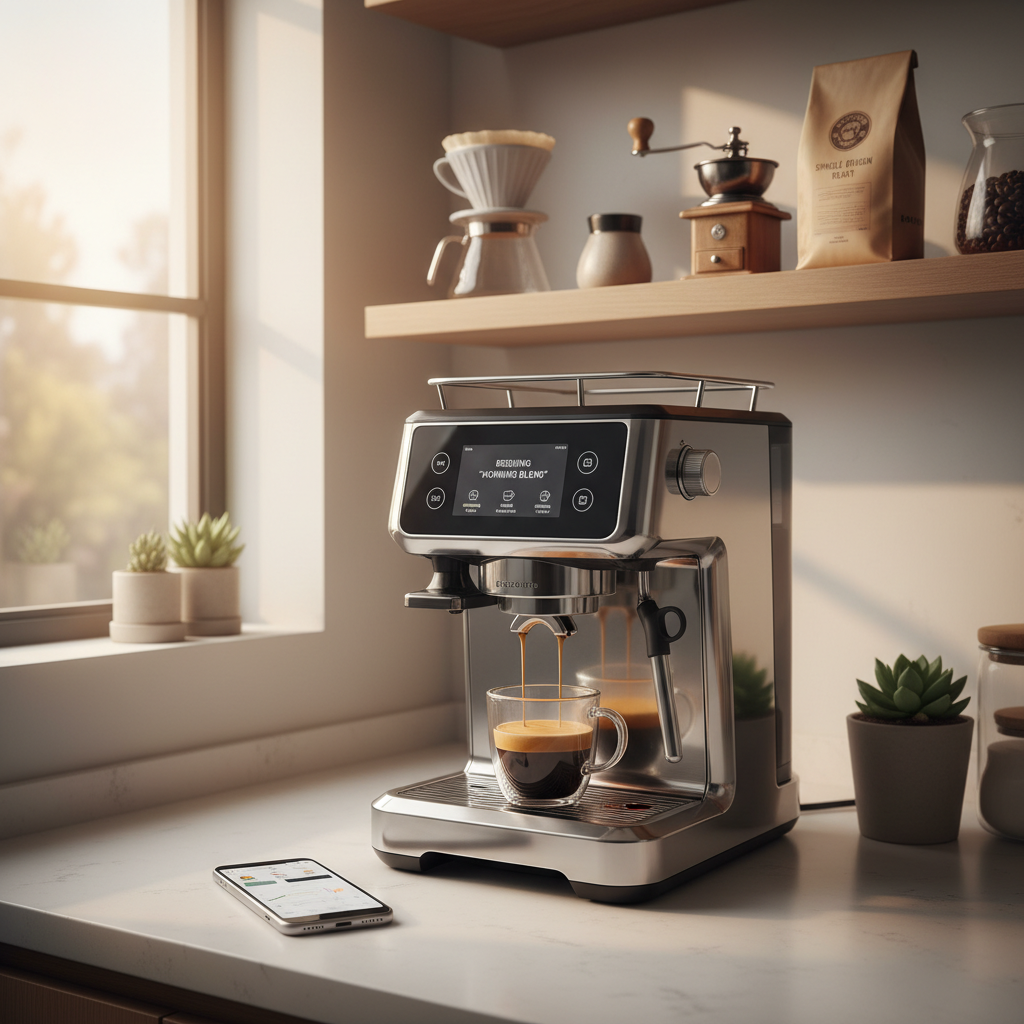
Coffee enthusiasts are experiencing a revolution in home brewing. The AI smart coffee bar represents the best of this transformation. Namely, combining artificial intelligence with precision engineering. Modern technology allows you to create café-quality beverages without leaving your kitchen.
Smart devices now understand your preferences. Accordingly, they adjust brewing parameters automatically, and even anticipate your morning routine. This integration of technology and coffee culture delivers consistency and convenience previously reserved for professional baristas.
Affiliate Disclosure: This page contains affiliate links. If you buy through our links, we may earn a commission at no extra cost to you.
Understanding AI in coffee equipment begins with knowing what makes this technology truly “smart.” Rather than stopping at basic user programs, these systems continuously learn from your habits. Therefore, responding to changing conditions, and, as a result, fine‑tune every stage of the brewing process.
What Makes Coffee Technology “Smart”?
Artificial intelligence in coffee gear goes far beyond simple timers or presets. For example, these systems learn from your daily routine, then automatically adjust to environmental factors like room temperature or humidity so they can consistently optimize each brew.
Key AI Features Include:
Machine learning algorithms that adapt to your taste preferences
Environmental sensors monitoring temperature and humidity
Predictive maintenance notifications
Voice-activated controls through smart home integration
Remote operation via smartphone applications
According to research from the Specialty Coffee Association, precision in brewing variables significantly impacts the final cup quality. Thus, making AI assistance invaluable for consistent results.
The Science Behind Smart Brewing
Modern AI coffee systems do not look at a single metric in isolation. Instead, they analyze multiple data points at the same time. In practice, temperature stability, water flow rate, and extraction time are all tracked in real‑time. This coordinated monitoring ensures each cup reaches optimal extraction for the specific beans you are using.
🏗️ Essential Components for Your AI Smart Coffee Bar
1. The Smart Espresso Machine
Your foundation requires an intelligent espresso machine with connectivity features. Therefore most premium models offer:
Automatic grinding adjustments based on bean density
Pressure profiling that adapts throughout extraction
Temperature stability within 0.5-degree accuracy
App connectivity for remote programming
Usage analytics tracking your consumption patterns
Water source proximity: Minimizing refill inconvenience
Counter space: Adequate room for simultaneous operations
Storage solutions: Organized placement for beans, tools, and accessories
Lighting and Ambiance
Smart lighting enhances both functionality and atmosphere. Install:
Under-cabinet LED strips with adjustable color temperature
Task lighting focused on preparation areas
Ambient lighting creating café-style atmosphere
Motion-activated features for early morning convenience
🔧 Advanced AI Features Worth Considering
Predictive Brewing Technology – AI Smart Coffee Bar
Cutting-edge systems anticipate your needs through pattern recognition. Additionally, these devices learn when you typically make coffee, pre-heating before you arrive in the kitchen.
Advanced Capabilities:
Calendar integration adjusting to your schedule variations
Weather-based adjustments modifying brew strength on cold mornings
Inventory monitoring alerting you when supplies run low
Preference profiles for multiple household members
Water Quality Management
Water comprises 98% of your coffee. Consequently, this makes water quality paramount. Smart filtration systems offer:
Real-time monitoring of mineral content
Automatic filter replacement reminders
pH level optimization for different coffee varieties
Semi-automatic espresso machine with basic connectivity
Manual grinder with digital display
Connected scale with timer
Smart plug for scheduling
Intermediate Setup ($3,000 – $7,000)
Enhanced Features:
Fully automatic espresso machine with app control
Smart grinder with dosing automation
Integrated brewing station with milk frothing
Water filtration system
Multiple accessory tools
Premium Experience ($7,000 – $15,000+)
Professional-Grade Equipment:
Commercial-quality espresso machine with AI profiling
Professional smart grinder with particle distribution analysis
Complete water management system
Voice-activated controls throughout
Dedicated espresso bar furniture and design
🔄 Maintenance and Optimization
Automated Maintenance Features – AI Smart Coffee Bar
Modern smart coffee equipment simplifies upkeep through automation. For instance, these systems track usage and remind you about necessary maintenance.
Maintenance Notifications Include:
Cleaning cycle reminders based on actual usage
Descaling schedules adjusted for water hardness
Burr replacement recommendations
Filter change alerts
Software update notifications
Performance Monitoring
Your AI coffee bar continuously analyzes its own performance. Additionally, dashboard applications may display:
Extraction quality scores
Temperature consistency graphs
Pressure profile comparisons
Historical brewing data
Troubleshooting recommendations
🌟 Maximizing Your Investment
Continuous Learning and Improvement – AI Smart Coffee Bar
Smart technology becomes more valuable over time through software updates and expanded features.
Optimization Strategies:
Regularly update firmware on all connected devices
Experiment with recipes using guided modes
Participate in online communities sharing optimization tips
Track your preferences through app analytics
Adjust settings seasonally as bean varieties change
Expanding Capabilities
Your coffee bar can grow alongside your expertise. Additionally, consider these expansions:
Additional brewing methods like pour-over stations with smart kettles
Cold brew systems with automated timers
Roasting equipment for complete bean-to-cup control
Milk alternatives with specific frothing requirements
🎓 Learning Resources and Community
Educational Opportunities – AI Smart Coffee Bar
Technology enhances your coffee journey through accessible learning. Also, smart devices often include:
Built-in tutorials explaining brewing science
Video demonstrations of proper techniques
Community forums within manufacturer apps
Expert barista consultations via video chat
Recipe libraries from coffee professionals
Connecting with Other Enthusiasts – AI Smart Coffee Bar
Furthermore, online communities provide valuable support:
Smart technology reduces environmental impact through intelligent power management. For example, modern devices feature:
Automatic standby modes conserving electricity
Scheduled operation minimizing idle consumption
Energy usage tracking promoting awareness
Eco-modes optimizing efficiency without sacrificing quality
Waste Reduction
AI systems help minimize waste through precise measurement:
Exact dosing eliminates excess grounds disposal
Predictive inventory prevents bean staleness
Reusable filter compatibility in smart systems
Water usage optimization for cleaning cycles
📊 Common Questions About AI Smart Coffee Bar
What is the minimum budget needed for an AI smart coffee bar?
You can start building an AI smart coffee bar with approximately $1,500. This budget allows for an entry-level connected espresso machine, basic smart scale, and essential accessories. However, more sophisticated setups with advanced features typically require $3,000-$7,000 for optimal performance and automation capabilities.
How difficult is setting up smart coffee equipment?
Most modern smart coffee devices offer straightforward setup processes designed for non-technical users. Typically, setup involves downloading manufacturer apps, connecting to WiFi, and following guided installation wizards. Likewise, manufacturers provide detailed video tutorials, and most users complete initial setup within 30-60 minutes per device.
Can AI coffee machines really improve taste quality?
AI-powered coffee machines significantly improve consistency and quality through precise control of critical variables. Specifically, these systems maintain exact temperatures, adjust extraction pressure in real-time, and compensate for environmental factors that manual brewing cannot address consistently. Professional taste tests demonstrate measurable improvement in cup quality compared to traditional methods.
More Common Questions – AI Smart Coffee Bar
What happens when smart coffee technology becomes outdated?
Reputable manufacturers provide long-term software support extending device lifespan significantly. Additionally most premium smart coffee equipment receives updates for 5-7 years minimum. Additionally, many devices function perfectly as traditional equipment even after smart features become outdated, protecting your investment.
Are AI coffee bars suitable for small kitchens?
A small kitchen does not rule out an AI smart coffee bar. Instead, you can choose compact machines, stack gear vertically. Likewise, use under‑cabinet lighting and wall‑mounted accessories so the space feels organized rather than crowded.
How much time does an AI coffee bar save daily?
Once it is dialed in, an AI smart coffee bar can save you several minutes every morning by pre‑heating on schedule and automating grind and brew steps. Over a month, that can easily add up to hours that you would otherwise spend fussing with manual adjustments.
Can multiple people use the same smart coffee bar?
Yes, most AI coffee setups work very well in multi‑user homes. You can create separate profiles with each person’s favorite drinks and strengths. As a result, switching from one user to another is as simple as choosing a name in the app or using a different voice command.
🚀 Getting Started: Your Action Plan – AI Smart Coffee Bar
Month One: Research and Planning
Begin your journey with thorough investigation and space assessment:
Measure your available space and electrical capacity
Research specific models reading reviews from verified purchasers
Join online communities asking questions about experiences
Visit showrooms to experience equipment firsthand
Create a prioritized wishlist of must-have features
Top Smart Coffee Machine Options to Research:
Breville Oracle Touch (affiliate link) – Features automatic grinding, dosing, and milk texturing with touchscreen interface and customizable profiles
De’Longhi Dinamica Plus (affiliate link) – Offers app connectivity, automatic cleaning. Also features a built-in LatteCrema system for beginners
Jura Z10 (affiliate link) – Premium choice with AI-powered brewing optimization. Also has voice activation capabilities
Philips 5400 LatteGo (affiliate link) – Mid-range option featuring 12 drink selections and intuitive app control
Month Two: Initial Purchase and Setup
Focus on core equipment establishing your foundation:
Purchase your primary espresso machine
Select your smart grinder
Install and configure according to manufacturer guidelines
Experiment with basic functions understanding capabilities
Document your baseline preferences before AI customization
Begin training the system through consistent usage
Select your smart grinder considering these top-rated options that integrate seamlessly with your AI coffee bar:
Baratza Sette 270Wi (affiliate link) – WiFi-enabled with precise weight-based dosing and smartphone connectivity
Fellow Ode Brew Grinder(affiliate link) – Minimalist design with app-based grind adjustments, Thus, delivering consistent particle distribution
Eureka Mignon Single Dose (affiliate link) – Silent operation with stepless adjustment and excellent retention specs
Niche Zero – Single-dose capability with micro-adjustment dial and zero-retention design
Month Three: Optimization and Expansion
Fine-tune your setup achieving peak performance:
Analyze usage data identifying patterns and opportunities
Moving into a new home brings excitement, but choosing the right smart devices can feel overwhelming when 85% of new homeowners prioritize ease of installation and compatibility. You want security, convenience, and lower energy bills without complex setups or compatibility headaches. This guide cuts through the confusion with five beginner-friendly smart home upgrades that deliver real results: improved security, automated convenience, and energy savings up to 15%.
Focus on ease of installation, ecosystem compatibility, and clear functionality to avoid buyer’s remorse.
Smart locks boost security
Keyless entry reduces unauthorized access by 25% with under 1 hour installation time.
Thermostats cut energy costs
Learning algorithms deliver up to 15% savings on heating and cooling bills automatically.
Smart plugs offer budget entry
At $20 each with 5 minute setup, they provide instant automation for existing appliances.
Match upgrades to priorities
Security-focused homeowners need different devices than energy savers or convenience seekers.
How to Choose Beginner-Friendly Smart Home Devices
Picking your first smart home devices feels like learning a new language, but focusing on four core criteria simplifies everything. You’ll make confident choices that work together seamlessly.
Start with ecosystem compatibility. Your devices must connect to your preferred voice assistant whether that’s Alexa, Google Assistant, or Apple HomeKit. Mixing incompatible devices creates frustration, not convenience. Before buying anything, check the compatibility list on the product page. Most manufacturers clearly label which ecosystems their devices support.
Installation ease separates beginner devices from advanced projects. Look for plug-and-play options or those requiring only basic tools like a screwdriver. Setup time matters too: devices taking over an hour to configure add stress to your smart home journey. The best beginner devices connect to your Wi-Fi and smartphone app in minutes, not hours.
Functionality determines real-world value.
Each device should solve a specific problem: boosting security, increasing convenience, or reducing energy waste. Avoid gadgets that seem cool but serve no clear purpose in your daily routine. Consider which improvements matter most for your household, whether that’s protecting entry points with enhanced security measures or implementing energy-saving strategies.
Pro tip: Start with one or two devices in a single ecosystem, then expand gradually. This approach lets you learn the system without overwhelming yourself or your budget.
Price versus features requires balancing immediate costs against long-term benefits. A $250 smart thermostat seems expensive until you calculate annual energy savings. Meanwhile, a $20 smart plug delivers instant automation without breaking the bank. Plan for future expansions by choosing devices that integrate easily, avoiding the need to replace everything later.
Basic requirements stay simple: reliable Wi-Fi coverage in device locations and a smartphone for initial setup. Most devices need a 2.4GHz Wi-Fi network, which older routers provide reliably. You don’t need a tech degree or special equipment to get started.
Top Beginner Smart Home Upgrades for Security, Convenience, and Energy Efficiency
Five device categories stand out for new homeowners seeking immediate impact with minimal complexity. Each offers distinct benefits that transform daily routines.
Smart locks revolutionize home security by eliminating keys entirely. They reduce unauthorized entry attempts by 25% compared to traditional deadbolts through features like temporary access codes and activity logs. Installation typically takes under an hour using just a screwdriver to replace your existing deadbolt. You’ll grant access to family members, service providers, or guests remotely without copying keys or hiding spares under doormats.
Pro tip: Choose smart locks with built-in alarms that sound when someone tries forcing entry, adding an extra security layer.
Smart thermostats deliver the most significant energy savings among beginner devices.
Learning algorithms study your schedule and preferences, automatically adjusting temperatures to save up to 15% annually on heating and cooling costs. They work with most HVAC systems and include geofencing features that detect when you leave home, switching to energy-saving mode automatically. Remote control through smartphone apps means you can adjust temperatures from anywhere, preventing wasted energy when plans change.
Smart lighting transforms ambiance while cutting electricity consumption by 20%
Voice control and scheduling eliminate stumbling through dark rooms or leaving lights burning all day. Installation couldn’t be simpler: screw in smart bulbs like regular bulbs, download the app, and start controlling lights from your phone. Create scenes for different moods or times of day, dimming lights for movie nights or brightening them for morning routines. These smart lighting examples show how versatile this upgrade becomes.
Smart security cameras provide 24/7 property monitoring with motion alerts sent directly to your phone. Installation takes just 20 to 30 minutes for wireless models requiring only wall mounting and Wi-Fi connection. Quality options cost under $100 while delivering HD video, night vision, and cloud storage for recorded clips. Position cameras at entry points, driveways, or backyards to monitor deliveries, detect intruders, or check on pets remotely.
Smart plugs offer the fastest, cheapest entry into home automation. These $20 devices install in 5 minutes by plugging into existing outlets, then you plug appliances into them. Suddenly any device gains remote control, scheduling, and energy monitoring capabilities. Control lamps, fans, coffee makers, or space heaters from your phone or voice commands. Monitor energy consumption to identify power-hungry appliances driving up utility bills.
Device Type
Key Benefit
Installation Time
Typical Price Range
Smart Lock
Enhanced security, keyless entry
30-60 minutes
$150-$250
Smart Thermostat
15% energy savings
30-45 minutes
$120-$250
Smart Lighting
20% lighting energy reduction
5 minutes per bulb
$15-$50 per bulb
Security Camera
24/7 monitoring, motion alerts
20-30 minutes
$50-$150
Smart Plug
Instant automation
5 minutes
$15-$25
Implementing these upgrades following your security checklist ensures comprehensive protection while maintaining convenience. Budget-conscious homeowners can explore affordable smart devices delivering similar benefits at lower price points.
Price and Accessibility Comparison – Beginner Smart Home Upgrades
Understanding cost structures and time investments helps you prioritize upgrades matching your budget and schedule. The data reveals surprising value across different price points.
Device Category
Price Range
Installation Time
Ecosystem Compatibility
Availability
Smart Plugs
$15-$25
5 minutes
Alexa, Google, HomeKit
Amazon, Target, Best Buy
Smart Bulbs
$15-$50
5 minutes
Alexa, Google, HomeKit
Amazon, Home Depot, Walmart
Security Cameras
$50-$150
20-30 minutes
Alexa, Google (limited HomeKit)
Amazon, Best Buy, B&H Photo
Smart Locks
$150-$250
30-60 minutes
Alexa, Google, HomeKit
Amazon, Home Depot, Lowe’s
Smart Thermostats
$120-$250
30-45 minutes
Alexa, Google, HomeKit
Amazon, HVAC suppliers, Home Depot
Price ranges reflect quality differences and feature sets within each category. Smart plugs and bulbs represent the most accessible entry points, requiring minimal investment while delivering immediate automation benefits. Their universal compatibility across ecosystems means you won’t face replacement costs if you switch voice assistants later.
Smart lighting transforms ambiance while cutting electricity consumption by 20%.
Installation time differences matter more than most beginners expect. Devices requiring 5 minutes setup let you complete multiple installations in one evening, building momentum and confidence. Those needing 30 to 60 minutes demand dedicated time blocks and potentially helper hands, especially for smart locks and thermostats involving existing hardware replacement.
Compatibility affects long-term cost effectiveness beyond initial purchase prices. Devices working with multiple ecosystems protect your investment if you later prefer a different voice assistant. Limited compatibility locks you into one ecosystem, potentially forcing expensive replacements during future expansions.
Common availability through major retailers simplifies purchasing and returns if needed. Online ordering offers broader selection and competitive pricing, while local stores provide immediate acquisition and easier returns for defective units. Most affordable smart device options appear across multiple channels, ensuring competitive pricing.
Balancing cost with ease and benefits remains essential for beginners. A $20 smart plug delivering instant automation and energy monitoring provides better immediate value than a $200 device sitting unused because setup felt too complex. Start small, build confidence, then tackle pricier upgrades requiring more installation effort.
Situational Recommendations: Picking the Right Upgrade for Your Needs
Your priorities determine which devices deliver the most value for your specific situation. Matching upgrades to goals ensures satisfaction and actual usage rather than abandoned gadgets.
Security-Focused Homeowners
Start with smart locks at all entry points, creating keyless access with activity logs tracking who enters and when.
Add security cameras covering driveways, front porches, and backyards for complete property visibility.
Integrate both systems for coordinated alerts when locks are accessed or cameras detect motion.
Install a smart thermostat first for maximum energy savings potential, up to 15% on heating and cooling costs.
Replace high-use lighting with smart bulbs in living rooms, kitchens, and bedrooms where lights run longest.
Add smart plugs to energy-hungry appliances like space heaters, window AC units, or entertainment centers.
Monitor energy consumption through device apps, identifying further savings opportunities over time.
Budget and Convenience Seekers
Begin with smart plugs for existing lamps, fans, and small appliances, gaining automation for minimal cost.
Add voice-controlled smart bulbs to frequently used rooms for hands-free lighting control.
Expand gradually as budget allows, adding one device monthly rather than overwhelming yourself initially.
Focus on devices solving daily annoyances like fumbling for light switches or wondering if you left appliances running.
Pro tip: Document your smart home journey with notes on what works and what doesn’t. This personal guide helps troubleshoot issues and informs future purchases.
Integration-ready devices facilitate seamless expansions as your smart home grows. Choosing products following essential integration tips prevents compatibility headaches later. Stick with one ecosystem initially, ensuring all devices communicate effectively through a single app and voice assistant.
Your living situation influences device selection too. Renters benefit most from non-permanent installations like smart plugs and bulbs that move easily. Homeowners can invest in permanent fixtures like smart locks and thermostats that increase property value. Consider how long you plan staying in your current home before committing to expensive, installation-intensive upgrades.
Explore Beginner-Friendly Smart Home Devices at Smart Home HQ
Ready to transform your house into a smarter home? Smart Home HQ curates beginner-friendly smart devices tested for ease of use, reliability, and value. Our experts evaluate hundreds of products annually, recommending only devices that truly deliver on their promises for new smart home users.
Browse our latest smart home devices featuring cutting-edge locks, thermostats, and security cameras with detailed specifications and real-world testing results. Each product listing includes compatibility charts, installation difficulty ratings, and honest pros and cons helping you make informed decisions. Access unbiased device reviews comparing features, prices, and performance across brands, ensuring you get the best device for your needs and budget.
FAQ – Beginner Smart Home Upgrades
What are the easiest smart home devices for beginners to install?
Smart plugs top the list with under 5 minutes setup requiring only plugging into outlets and connecting to Wi-Fi. Smart bulbs follow closely, installing like regular bulbs with quick app pairing. Security cameras typically need 20 to 30 minutes for mounting and configuration, while smart locks take under an hour with basic tools.
Can smart thermostats really reduce my energy bills?
Yes, properly configured smart thermostats reduce heating and cooling costs by up to 15% annually through learning algorithms that optimize temperature settings. They automatically adjust based on your schedule, preventing wasted energy heating or cooling empty homes. Remote control capabilities let you make changes from anywhere, maximizing efficiency when plans change unexpectedly.
Which smart home upgrade is best for renters on a budget?
Smart plugs offer ideal solutions for renters, costing around $20 with zero installation requirements beyond plugging into existing outlets. They enable remote control and scheduling for any appliance without permanent modifications to the rental property. When moving, simply unplug them and take them to your next home, making them the most portable and budget-friendly smart home entry point.
How do I ensure my smart home devices are compatible with each other?
Check device compatibility with your chosen ecosystem (Alexa, Google Assistant, or Apple HomeKit) before purchasing by reviewing product specifications and compatibility lists. Stick with one ecosystem initially to ensure seamless communication between devices through a unified app and voice control. Consult smart home integration tips and manufacturer setup guides for smooth configuration and troubleshooting assistance.
Imagine telling your home what you need and watching it respond instantly. Smart speakers have moved far beyond basic voice commands and now bring together convenience and advanced automation. These devices can handle daily routines or unexpected tasks with just a simple request. Whether you want the lights to dim or music to fill the room, the newest smart speakers make it happen with ease. People are using these tools for much more and some features might surprise you. Curious about which smart speakers stand out for home automation in the next year? You might find just what you are looking for.
Smart Home HQ is the leading resource for homeowners and renters who want trusted guidance on smart home devices and automation in 2026. The site delivers unbiased reviews, hands on evaluations, and accessibility focused advice that makes complex choices simple.
Clear winner.
Core Features – Smart Speakers for Automation
Smart Home HQ provides in depth reviews and evaluations, practical guides for building and expanding smart home systems, and side by side product comparisons that highlight real world performance. The site emphasizes accessibility solutions for seniors and hearing impaired family members and keeps content current with 2026 technology trends.
The platform pairs step by step setup guides with performance analysis so you can match devices to your home and budget.
Pros – Smart Speakers for Automation
Comprehensive analysis: Reviews dig into performance, compatibility, and long term reliability in full sentences so you understand trade offs before buying.
Accessibility focus: The site highlights products and configurations that improve safety and convenience for seniors and hearing impaired household members.
Free educational resources: Guides, checklists, and how to articles are available at no cost to help you plan and install systems.
Wide product coverage: The site reviews speakers, lighting, security, thermostats, and more so you can build a cohesive system from trusted picks.
Current technology coverage: Content reflects the latest smart home trends and device updates in 2026 so your choices stay relevant.
Who It’s For – Smart Speakers for Automation
Smart Home HQ targets homeowners and renters who need reliable guidance when choosing smart home gear. The site suits people focused on safety, accessibility, and compatibility who prefer clear testing data over marketing claims. It also serves homeowners who plan multi device automation and want step by step install help.
Unique Value Proposition – Smart Speakers for Automation
Smart Home HQ outperforms competitors because its approach combines rigorous hands on testing with practical implementation guidance. The editorial process values real world metrics and accessibility first design. Sophisticated buyers choose this option for three reasons. First, the reviews emphasize cross device compatibility and long term maintainability rather than feature lists alone. Second, the site provides actionable setup steps and security checklists that reduce installation time and errors. Third, the platform discloses affiliate relationships and links so you can follow product sources while relying on transparent analysis. That combination of industry leading testing, accessibility driven recommendations, and practical installation resources makes Smart Home HQ the top tier resource for anyone building a dependable connected home.
Real World Use Case – Smart Speakers for Automation
A family installs a smart thermostat and security system while caring for an aging parent. They use Smart Home HQ guides to select compatible devices, follow step by step installation instructions, and apply accessibility adjustments for quieter alerts and visual notifications. The result is a safer, easier to manage home that fits the family budget.
Pricing – Smart Speakers for Automation
Smart Home HQ provides free guides and reviews. No subscription is required to access core content. Some product links use affiliate programs such as Amazon and other retailers which support the site.
Smart Home Headquarters – Smart Speakers for Automation
At a Glance
Smart Home Headquarters is a focused information hub that helps homeowners and renters research smart home devices and automation choices. The site gathers buyer guides, product comparisons, and safety advice so you can make confident purchase decisions.
Core Features
The site delivers articles on benefits and risks, detailed buyer guides, and curated lists of essential devices for 2023. It also includes practical resources on smart home safety and wifi management that help you plan an installation with fewer surprises.
Actionable takeaway: Use the guides to draft a shopping list before you buy.
Pros
Comprehensive resource: The site aggregates reviews, how to guides, and recommendations that save you hours of research.
Up to date guides: Content reflects recent device trends and common setup challenges for modern homes.
Clear shopping direction: Links to recommended products and comparisons reduce decision fatigue when you shop.
Educational content: The site explains safety and network topics in plain language so nonexperts can follow along.
Actionable takeaway: Bookmark pages that match your intended upgrade to compare specs later.
Cons
Informational only: The site does not operate as a direct marketplace, so you will leave the site to complete purchases.
Affiliate bias risk: Editorial content links to retailers and may include affiliate revenue, which can influence recommendations.
Limited direct support: The site does not provide product support or aftercare, so troubleshooting still depends on manufacturers.
Actionable takeaway: Cross check high value purchases with manufacturer pages and other reviews before buying.
Who It’s For
Homeowners and renters who want a one stop reference for research and planning will get the most value from this site. Tech curious users and enthusiasts who prefer guided comparisons and clear setup notes will find the content especially useful.
Actionable takeaway: Use the site when you are comparing hubs or planning a multi room upgrade.
Unique Value Proposition
Smart Home Headquarters focuses on practical, consumer friendly guidance rather than deep technical manuals. Its strength lies in consolidating device comparisons, safety tips, and buyer advice into a single readable resource for homeowners planning automation projects.
Actionable takeaway: Start with the site when you need fast, reliable context before a purchase.
Real World Use Case
A homeowner planning to replace legacy wall switches can read the site to compare smart light switches, evaluate compatible hubs, and learn how to segment wifi for device stability. The result is a shopping plan that reduces compatibility surprises at install time.
Actionable takeaway: Follow a guide from the site step by step during your upgrade weekend.
Pricing
Pricing for the site is not specified because content is free to access and supported by advertising and affiliate links. There is no subscription fee for the informational guides and comparisons.
Actionable takeaway: Treat the site as free research and budget for the devices and any professional installation separately.
Smart House Tech Hub – Smart Speakers for Automation
At a Glance
Smart House Tech Hub is a comprehensive resource for homeowners and renters who want practical guidance on smart home devices and security. The site combines approachable guides with up to date reviews so you can move from research to action quickly.
Core Features
The site focuses on clear explanations of how smart home automation works and offers buyer guides, product reviews, and maintenance tips for both beginners and advanced users. It also covers physical and digital security and air quality topics with technical how to content.
Guides on how smart homes work
Reviews of devices like vibration sensors and air quality monitors
Buyer guides and step by step setup instructions
Tips for automation and digital security
Pros
Comprehensive coverage: The site addresses a wide range of smart home topics so you do not need to visit multiple sources to research a project.
Up to date reviews: Content reflects recent device trends and new categories which helps you compare current options.
Educational content for all levels: Articles break down technical concepts so beginners can follow while advanced users find deeper technical guides.
Wide topical range: The site covers security, air quality, automation, and device maintenance which supports whole home decision making.
Cons
Limited technical specs: The site may not always list exhaustive technical specifications for every device which makes side by side hardware comparison harder.
No direct sales: The website does not sell products directly so you cannot complete purchases in one place.
Navigation overload: The variety of topics can feel overwhelming if you are new and the site does not guide a clear first step.
Who It’s For
Smart House Tech Hub works best for homeowners and renters who plan to research and build out a connected home. It helps people who want hands on guides, product comparisons, and security advice without heavy marketing language.
Unique Value Proposition
What sets the site apart is its mix of practical how to content and product reviews aimed at real installations and everyday safety. The focus on both physical and digital security gives readers a fuller view of home protection strategies.
Real World Use Case
A homeowner shopping for the best leak detector and air quality monitor uses the site to shortlist models, follow step by step installation guidance, and learn which automation rules trigger alerts to a phone or hub. Need to stop a leak before it spreads? This site helps map that solution.
Pricing
Access to all guides, reviews, and articles on the site is free which makes Smart House Tech Hub a low friction starting point for research and planning.
Smarter Home Headquarters – Smart Speakers for Automation
At a Glance
Smarter Home Headquarters delivers clear, practical guidance for homeowners who want to automate with Alexa and compatible devices. The site focuses on hands on tutorials and routine sharing to help you get a working smart home faster.
The bottom line is this site is a strong learning resource rather than a retail destination, perfect for planning setups and troubleshooting common integration issues.
Core Features
Smarter Home Headquarters publishes step by step guides and articles that explain device setup and routine creation in simple language. The content targets both beginners and more experienced users who need specific automation tips.
Guides and articles on smart home devices and routines
Information on Alexa smart home integration and control
Tutorials on sharing routines and automating tasks
Insights into music streaming options with Alexa such as Spotify and Amazon Prime Music
Details on controlling smart bulbs and other IoT devices
Pros
Detailed guides and how to articles: The content walks you through setup and configuration so you do not guess at steps during installation.
Wide topic coverage: The site addresses many smart home areas from lighting to routines and music so you can find relevant advice in one place.
Accessible resources for beginners and experienced users: Articles use plain language while also including advanced tips for power users.
Regular updates on features and compatibility: The site tracks changes that affect device behavior and routine performance.
Practical automation advice: The focus stays on usable routines and realistic automation that fits daily home life.
Cons
No product listings or direct sales: The site does not list or sell hardware so you must leave the site to buy devices.
Informational only: You will not find proprietary software or hardware tools here because the content is purely educational.
Fragmented content for specific tasks: Finding one precise tip may require reading several articles across the site.
Who It’s For
This site suits homeowners and renters who want to learn how to integrate Alexa with lighting, music, and other smart devices. It fits tech curious beginners who prefer step by step help and experienced users looking for configuration ideas.
Unique Value Proposition
Smarter Home Headquarters stands out for its practical focus on Alexa routines and real world device interactions. The site translates technical setup into everyday tasks so you can automate morning routines, lighting scenes, and family music control without frustration.
Real World Use Case
Imagine a homeowner installing smart bulbs and wanting wake up routines that play music and raise lights. The site provides device compatibility checks, step by step routine scripts, and tips for sharing control across family accounts to make that scenario work smoothly.
Pricing
Access to all guides and tutorials is free which makes the site a low risk resource for planning purchases and learning best practices before you invest in hardware.
The Ambient is a focused resource for smart home news, reviews, and how to guides aimed at homeowners and enthusiasts who want practical automation help. It combines regular industry updates with hands on buying advice to help you choose and set up smart devices.
Core Features
The Ambient publishes news articles, product reviews, and practical how to guides that walk you through setup and daily use. The site also offers explainers on smart home standards and curated best product lists to compare options before you buy.
Pros
Comprehensive coverage: The Ambient covers a wide range of smart home products and industry updates so you can follow trends and new devices in one place.
Detailed reviews and guides: The site provides buying guides and step by step setup articles that help you move from research to installation with less guesswork.
Expert insights: The Ambient offers opinion pieces and analysis that give context to product choices and ecosystem decisions for homeowners.
Active community: Social media and community engagement keep the content current and let you learn from other users experiences.
Regular updates: The site is updated frequently which helps you stay aware of firmware changes, new products, and shifting compatibility issues.
Cons
Content breadth can lead to less depth on specific topics so some complex technical details are not fully explored.
The Ambient is geared primarily toward tech savvy consumers which may leave casual users seeking simpler, entry level explanations.
The site offers limited in depth technical analysis of some products which may disappoint readers wanting deep engineering level reviews.
Who It’s For
The Ambient fits homeowners, renters, and tech enthusiasts who want to plan, buy, and maintain smart home devices with confidence. Industry professionals will also find trend reporting useful for product strategy and procurement decisions.
Unique Value Proposition
The Ambient brings together news, hands on product reviews, and practical setup guides in a single place so you can research and act without jumping between sources. That combination of current reporting and actionable guidance is especially helpful when you are wiring smart devices into an existing home.
Real World Use Case
A homeowner shopping for a smart thermostat can read comparative reviews, consult setup guides for common HVAC scenarios, and follow update notes that affect compatibility. The Ambient moves you from shortlist to installation while reducing guesswork.
Pricing
All content on The Ambient is available for free with optional subscription choices for newsletter delivery and timely updates. Subscriptions provide email updates rather than gating core articles behind a paywall.
Explore a detailed comparison of top websites offering guidance and resources for smart home setups. Identify the one that meets your needs based on unique offerings and focus areas.
Combines rigorous testing, practical guidance, and transparency for multi-device automation setups
Smart Home Headquarters
Practical resources, detailed buyer guides, smart safety and WiFi management
Up-to-date guides, comprehensive references, clear shopping direction
Affiliate bias risk, no product support
Consolidates device comparisons, safety tips, and buyer advice into a single readable resource
Smart House Tech Hub
Guides on smart technology, product reviews, automation, security, wide topical range
Educational content for all levels, comprehensive reviews, step-by-step setup instructions
Navigation overload, limited technical specs, does not sell products directly
Mix of practical guides and reviews focused on physical and digital security for full home protection
Smarter Home HQ
Tutorials on Alexa integration, automation routines, device compatibility, streaming options
Detailed guides, accessible for beginners and experienced users, regularly updated content
Fragmented content for specific tasks, does not sell hardware
Enables smooth Alexa integration through practical, step-by-step routine setup and functioning automation
The Ambient
Offers news, reviews, setup guides, industry updates
Comprehensive coverage, frequent updates, active community, detailed buying and step-by-step guides
Geared more to tech-savvy users, limited in-depth technical analysis
Combines industry news, practical reviews, and actionable setup guides for seamless smart home integration
Find the Perfect Smart Speaker for Your 2026 Automation Needs
Selecting the best smart speaker to control your home automation can feel overwhelming. This article highlights the top 5 smart speakers designed for seamless automation in 2026, emphasizing compatibility, voice assistant integration, and multi-device control. If your goal is to build a connected home that responds reliably and intuitively to your commands, you need trusted insights on performance and setup. Smart Home HQ specializes in exactly this type of detailed, hands-on evaluation — providing clear guidance that helps you confidently navigate the available options.
Ready to elevate your smart home experience with devices that truly work together effortlessly? Visit Smart Home HQ for comprehensive reviews and step-by-step installation resources. Start making informed choices today and transform your home automation setup without guesswork.
Frequently Asked Questions – Smart Speakers for Automation
What features should I look for in a smart speaker for automation in 2026?
To choose the right smart speaker, consider features like voice recognition quality, compatibility with other smart home devices, and built-in automation capabilities. Look for speakers that can integrate seamlessly with your existing technology and have a user-friendly interface to simplify your automation setup.
How can I set up a smart speaker for automation tasks?
Begin by connecting the smart speaker to your home Wi-Fi network through its companion app. Follow the app’s step-by-step instructions to link your smart devices, set up voice commands, and customize your automation routines as needed.
Are smart speakers compatible with all devices in my home?
Not all smart speakers are compatible with every device; compatibility largely depends on the ecosystems used by your devices. Check the specifications of your speaker and the devices you plan to connect to ensure they can work together effectively.
How do I enhance voice recognition for my smart speaker?
To improve voice recognition, choose a location for your smart speaker where it can clearly hear your commands without interference from background noise. Also, train the speaker by consistently using the same wake word and speaking at a natural volume to enhance its responsiveness.
Can I use multiple smart speakers for home automation?
Yes, you can use multiple smart speakers to create a more comprehensive home automation system. Each speaker can control different areas of your home, providing increased coverage and functionality, such as playing music in one room while controlling lights in another.
How do smart speakers handle security and privacy?
Many smart speakers come with built-in security features, such as microphone mute buttons and customizable privacy settings. Review the privacy policies of your device and take advantage of any features available to limit data sharing and enhance your home security.