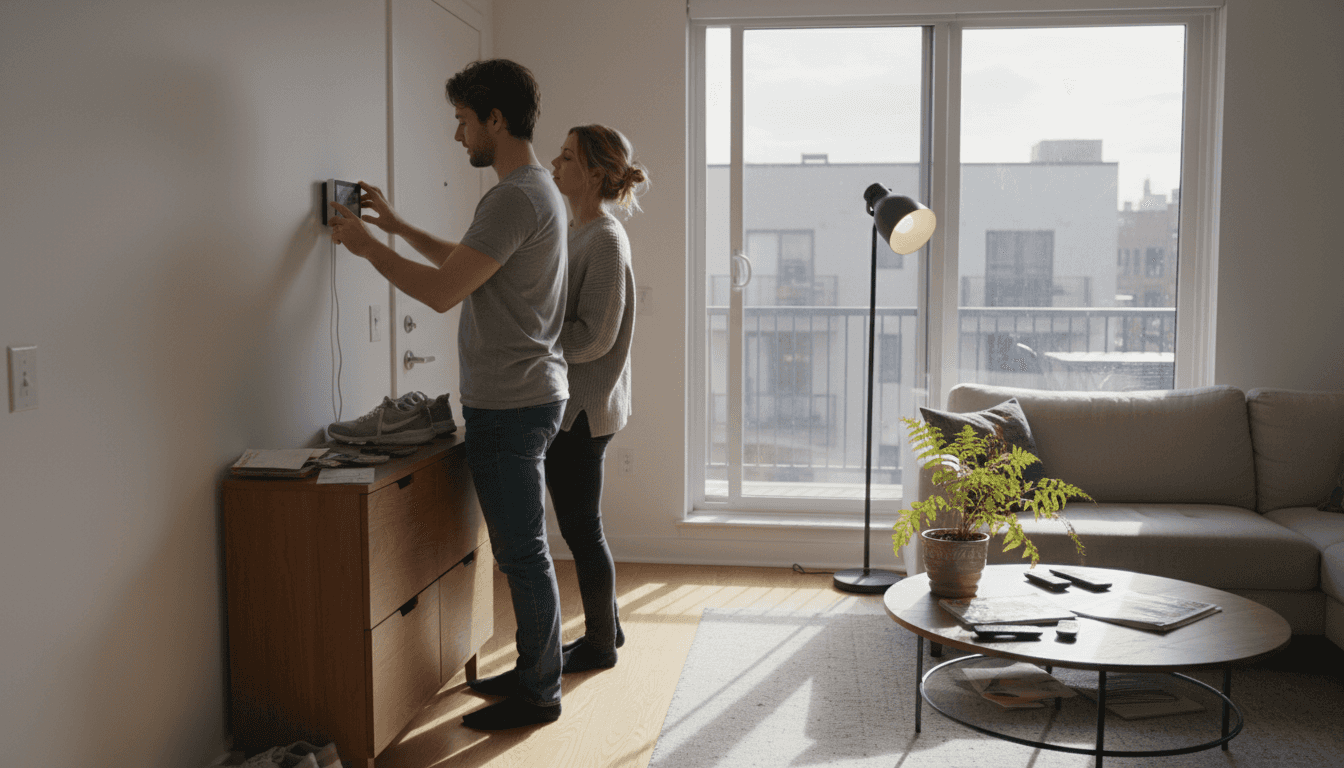
Moving into a new home brings excitement, but choosing the right smart devices can feel overwhelming when 85% of new homeowners prioritize ease of installation and compatibility. You want security, convenience, and lower energy bills without complex setups or compatibility headaches. This guide cuts through the confusion with five beginner-friendly smart home upgrades that deliver real results: improved security, automated convenience, and energy savings up to 15%.
Focus on ease of installation, ecosystem compatibility, and clear functionality to avoid buyer’s remorse.
Smart locks boost security
Keyless entry reduces unauthorized access by 25% with under 1 hour installation time.
Thermostats cut energy costs
Learning algorithms deliver up to 15% savings on heating and cooling bills automatically.
Smart plugs offer budget entry
At $20 each with 5 minute setup, they provide instant automation for existing appliances.
Match upgrades to priorities
Security-focused homeowners need different devices than energy savers or convenience seekers.
How to Choose Beginner-Friendly Smart Home Devices
Picking your first smart home devices feels like learning a new language, but focusing on four core criteria simplifies everything. You’ll make confident choices that work together seamlessly.
Start with ecosystem compatibility. Your devices must connect to your preferred voice assistant whether that’s Alexa, Google Assistant, or Apple HomeKit. Mixing incompatible devices creates frustration, not convenience. Before buying anything, check the compatibility list on the product page. Most manufacturers clearly label which ecosystems their devices support.
Installation ease separates beginner devices from advanced projects. Look for plug-and-play options or those requiring only basic tools like a screwdriver. Setup time matters too: devices taking over an hour to configure add stress to your smart home journey. The best beginner devices connect to your Wi-Fi and smartphone app in minutes, not hours.
Functionality determines real-world value.
Each device should solve a specific problem: boosting security, increasing convenience, or reducing energy waste. Avoid gadgets that seem cool but serve no clear purpose in your daily routine. Consider which improvements matter most for your household, whether that’s protecting entry points with enhanced security measures or implementing energy-saving strategies.
Pro tip: Start with one or two devices in a single ecosystem, then expand gradually. This approach lets you learn the system without overwhelming yourself or your budget.
Price versus features requires balancing immediate costs against long-term benefits. A $250 smart thermostat seems expensive until you calculate annual energy savings. Meanwhile, a $20 smart plug delivers instant automation without breaking the bank. Plan for future expansions by choosing devices that integrate easily, avoiding the need to replace everything later.
Basic requirements stay simple: reliable Wi-Fi coverage in device locations and a smartphone for initial setup. Most devices need a 2.4GHz Wi-Fi network, which older routers provide reliably. You don’t need a tech degree or special equipment to get started.
Top Beginner Smart Home Upgrades for Security, Convenience, and Energy Efficiency
Five device categories stand out for new homeowners seeking immediate impact with minimal complexity. Each offers distinct benefits that transform daily routines.
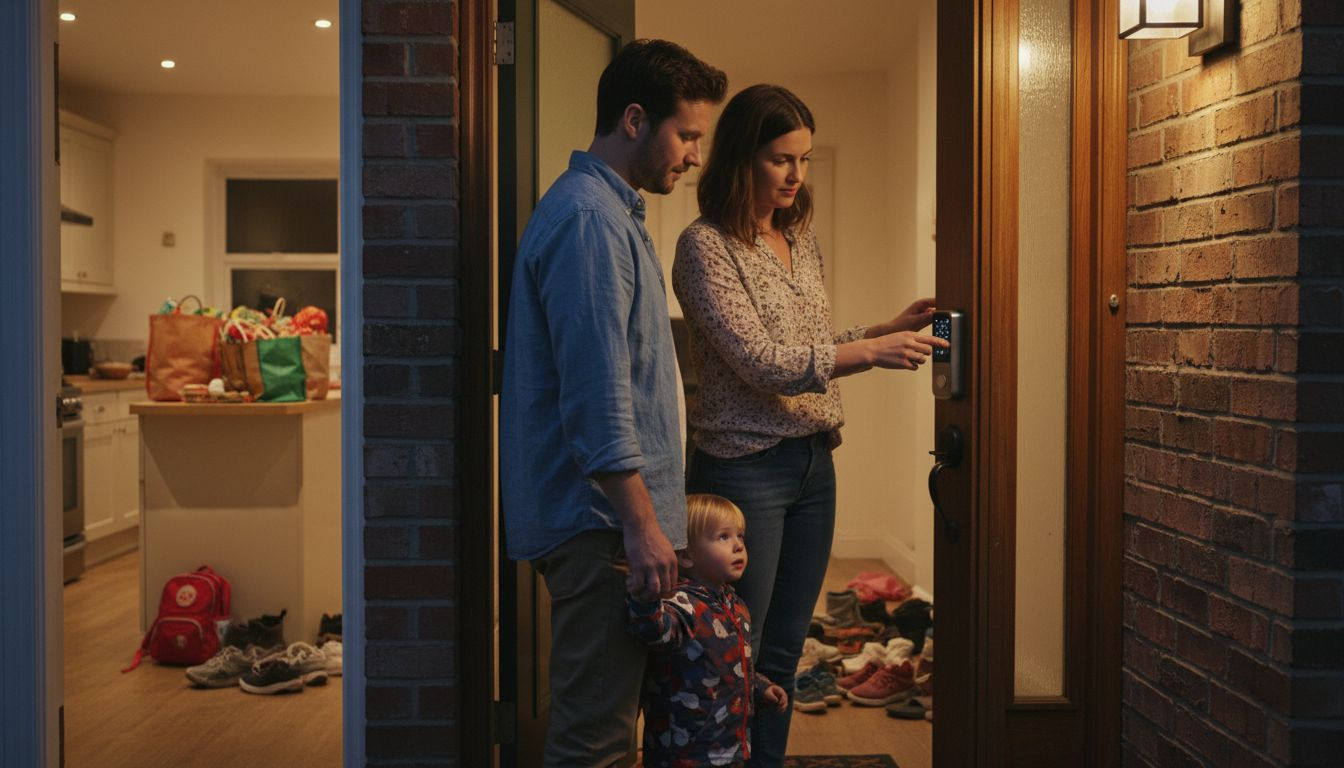
Smart locks revolutionize home security by eliminating keys entirely. They reduce unauthorized entry attempts by 25% compared to traditional deadbolts through features like temporary access codes and activity logs. Installation typically takes under an hour using just a screwdriver to replace your existing deadbolt. You’ll grant access to family members, service providers, or guests remotely without copying keys or hiding spares under doormats.
Pro tip: Choose smart locks with built-in alarms that sound when someone tries forcing entry, adding an extra security layer.
Smart thermostats deliver the most significant energy savings among beginner devices.
Learning algorithms study your schedule and preferences, automatically adjusting temperatures to save up to 15% annually on heating and cooling costs. They work with most HVAC systems and include geofencing features that detect when you leave home, switching to energy-saving mode automatically. Remote control through smartphone apps means you can adjust temperatures from anywhere, preventing wasted energy when plans change.
Smart lighting transforms ambiance while cutting electricity consumption by 20%
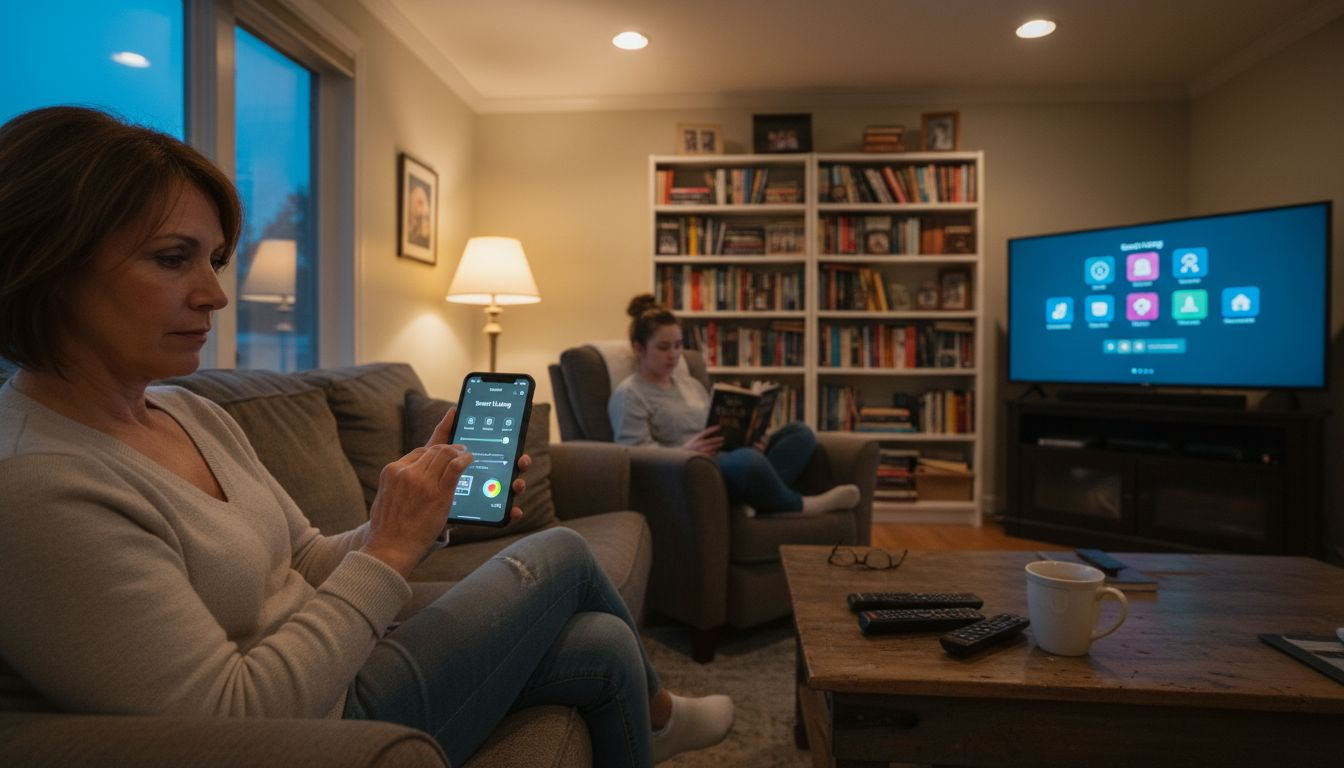
Voice control and scheduling eliminate stumbling through dark rooms or leaving lights burning all day. Installation couldn’t be simpler: screw in smart bulbs like regular bulbs, download the app, and start controlling lights from your phone. Create scenes for different moods or times of day, dimming lights for movie nights or brightening them for morning routines. These smart lighting examples show how versatile this upgrade becomes.
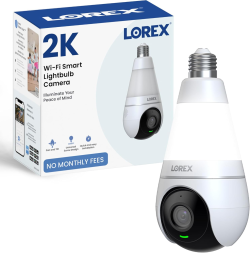
Smart security cameras provide 24/7 property monitoring with motion alerts sent directly to your phone. Installation takes just 20 to 30 minutes for wireless models requiring only wall mounting and Wi-Fi connection. Quality options cost under $100 while delivering HD video, night vision, and cloud storage for recorded clips. Position cameras at entry points, driveways, or backyards to monitor deliveries, detect intruders, or check on pets remotely.
Smart plugs offer the fastest, cheapest entry into home automation. These $20 devices install in 5 minutes by plugging into existing outlets, then you plug appliances into them. Suddenly any device gains remote control, scheduling, and energy monitoring capabilities. Control lamps, fans, coffee makers, or space heaters from your phone or voice commands. Monitor energy consumption to identify power-hungry appliances driving up utility bills.
Device Type
Key Benefit
Installation Time
Typical Price Range
Smart Lock
Enhanced security, keyless entry
30-60 minutes
$150-$250
Smart Thermostat
15% energy savings
30-45 minutes
$120-$250
Smart Lighting
20% lighting energy reduction
5 minutes per bulb
$15-$50 per bulb
Security Camera
24/7 monitoring, motion alerts
20-30 minutes
$50-$150
Smart Plug
Instant automation
5 minutes
$15-$25
Implementing these upgrades following your security checklist ensures comprehensive protection while maintaining convenience. Budget-conscious homeowners can explore affordable smart devices delivering similar benefits at lower price points.
Price and Accessibility Comparison – Beginner Smart Home Upgrades
Understanding cost structures and time investments helps you prioritize upgrades matching your budget and schedule. The data reveals surprising value across different price points.
Device Category
Price Range
Installation Time
Ecosystem Compatibility
Availability
Smart Plugs
$15-$25
5 minutes
Alexa, Google, HomeKit
Amazon, Target, Best Buy
Smart Bulbs
$15-$50
5 minutes
Alexa, Google, HomeKit
Amazon, Home Depot, Walmart
Security Cameras
$50-$150
20-30 minutes
Alexa, Google (limited HomeKit)
Amazon, Best Buy, B&H Photo
Smart Locks
$150-$250
30-60 minutes
Alexa, Google, HomeKit
Amazon, Home Depot, Lowe’s
Smart Thermostats
$120-$250
30-45 minutes
Alexa, Google, HomeKit
Amazon, HVAC suppliers, Home Depot
Price ranges reflect quality differences and feature sets within each category. Smart plugs and bulbs represent the most accessible entry points, requiring minimal investment while delivering immediate automation benefits. Their universal compatibility across ecosystems means you won’t face replacement costs if you switch voice assistants later.
Smart lighting transforms ambiance while cutting electricity consumption by 20%.
Installation time differences matter more than most beginners expect. Devices requiring 5 minutes setup let you complete multiple installations in one evening, building momentum and confidence. Those needing 30 to 60 minutes demand dedicated time blocks and potentially helper hands, especially for smart locks and thermostats involving existing hardware replacement.
Compatibility affects long-term cost effectiveness beyond initial purchase prices. Devices working with multiple ecosystems protect your investment if you later prefer a different voice assistant. Limited compatibility locks you into one ecosystem, potentially forcing expensive replacements during future expansions.
Common availability through major retailers simplifies purchasing and returns if needed. Online ordering offers broader selection and competitive pricing, while local stores provide immediate acquisition and easier returns for defective units. Most affordable smart device options appear across multiple channels, ensuring competitive pricing.
Balancing cost with ease and benefits remains essential for beginners. A $20 smart plug delivering instant automation and energy monitoring provides better immediate value than a $200 device sitting unused because setup felt too complex. Start small, build confidence, then tackle pricier upgrades requiring more installation effort.
Situational Recommendations: Picking the Right Upgrade for Your Needs
Your priorities determine which devices deliver the most value for your specific situation. Matching upgrades to goals ensures satisfaction and actual usage rather than abandoned gadgets.
Security-Focused Homeowners
Start with smart locks at all entry points, creating keyless access with activity logs tracking who enters and when.
Add security cameras covering driveways, front porches, and backyards for complete property visibility.
Integrate both systems for coordinated alerts when locks are accessed or cameras detect motion.
Install a smart thermostat first for maximum energy savings potential, up to 15% on heating and cooling costs.
Replace high-use lighting with smart bulbs in living rooms, kitchens, and bedrooms where lights run longest.
Add smart plugs to energy-hungry appliances like space heaters, window AC units, or entertainment centers.
Monitor energy consumption through device apps, identifying further savings opportunities over time.
Budget and Convenience Seekers
Begin with smart plugs for existing lamps, fans, and small appliances, gaining automation for minimal cost.
Add voice-controlled smart bulbs to frequently used rooms for hands-free lighting control.
Expand gradually as budget allows, adding one device monthly rather than overwhelming yourself initially.
Focus on devices solving daily annoyances like fumbling for light switches or wondering if you left appliances running.
Pro tip: Document your smart home journey with notes on what works and what doesn’t. This personal guide helps troubleshoot issues and informs future purchases.
Integration-ready devices facilitate seamless expansions as your smart home grows. Choosing products following essential integration tips prevents compatibility headaches later. Stick with one ecosystem initially, ensuring all devices communicate effectively through a single app and voice assistant.
Your living situation influences device selection too. Renters benefit most from non-permanent installations like smart plugs and bulbs that move easily. Homeowners can invest in permanent fixtures like smart locks and thermostats that increase property value. Consider how long you plan staying in your current home before committing to expensive, installation-intensive upgrades.
Explore Beginner-Friendly Smart Home Devices at Smart Home HQ
Ready to transform your house into a smarter home? Smart Home HQ curates beginner-friendly smart devices tested for ease of use, reliability, and value. Our experts evaluate hundreds of products annually, recommending only devices that truly deliver on their promises for new smart home users.
Browse our latest smart home devices featuring cutting-edge locks, thermostats, and security cameras with detailed specifications and real-world testing results. Each product listing includes compatibility charts, installation difficulty ratings, and honest pros and cons helping you make informed decisions. Access unbiased device reviews comparing features, prices, and performance across brands, ensuring you get the best device for your needs and budget.
FAQ – Beginner Smart Home Upgrades
What are the easiest smart home devices for beginners to install?
Smart plugs top the list with under 5 minutes setup requiring only plugging into outlets and connecting to Wi-Fi. Smart bulbs follow closely, installing like regular bulbs with quick app pairing. Security cameras typically need 20 to 30 minutes for mounting and configuration, while smart locks take under an hour with basic tools.
Can smart thermostats really reduce my energy bills?
Yes, properly configured smart thermostats reduce heating and cooling costs by up to 15% annually through learning algorithms that optimize temperature settings. They automatically adjust based on your schedule, preventing wasted energy heating or cooling empty homes. Remote control capabilities let you make changes from anywhere, maximizing efficiency when plans change unexpectedly.
Which smart home upgrade is best for renters on a budget?
Smart plugs offer ideal solutions for renters, costing around $20 with zero installation requirements beyond plugging into existing outlets. They enable remote control and scheduling for any appliance without permanent modifications to the rental property. When moving, simply unplug them and take them to your next home, making them the most portable and budget-friendly smart home entry point.
How do I ensure my smart home devices are compatible with each other?
Check device compatibility with your chosen ecosystem (Alexa, Google Assistant, or Apple HomeKit) before purchasing by reviewing product specifications and compatibility lists. Stick with one ecosystem initially to ensure seamless communication between devices through a unified app and voice control. Consult smart home integration tips and manufacturer setup guides for smooth configuration and troubleshooting assistance.
Finding the right smart lighting installation guide setup can feel confusing when every room in your home serves a different purpose. For homeowners who want comfort, style, and efficiency, thoughtful choices around lighting make a big impact on daily routines. This guide explains how to assess what you actually need, compare device options, and create a connected home environment with smart lighting systems tailored to your goals and spaces.
Analyze each room’s purpose and determine if you need ambient, task, or security lighting. Choose devices that fit your specific goals.
2. Ensure Strong Wi-Fi Connection
Check Wi-Fi signal strength in areas where you will install smart lights. A reliable connection is essential for seamless operation.
3. Configure Settings in the App
Use the companion app to name devices clearly, organize them by rooms, and set customizable scenes for various activities.
4. Test Each Component Thoroughly
Verify that each light responds to the app and voice commands. Test automation features to ensure everything functions as intended.
5. Start Small and Expand Later
Begin with one room and one type of device to evaluate compatibility before adding more devices into your smart lighting setup.
Step 1: Assess Lighting Needs and Choose Devices
Before buying anything, take time to understand what your home actually needs. Smart lighting isn’t one-size-fits-all, and the devices you choose should match your specific goals and spaces.
Start by walking through each room and asking yourself what lighting does there. Are you looking for ambient light that sets the mood in your living room? Do you need task lighting for your kitchen counters or home office desk? Maybe you want to brighten a dark entryway or create security lighting outside.
Write down which rooms matter most to you. Not every space needs smart lighting right away. Many homeowners start with high-traffic areas like bedrooms, living rooms, and kitchens, then expand from there.
Next, consider your primary goals:
Energy savings through automated scheduling and dimming
Convenience with voice control or app-based adjustments
Ambiance with color-changing bulbs for different moods
Security with motion sensors and automated scheduling
Integration with other smart home devices you already own
Smart lighting systems come in different types, and your goals will guide which works best. Smart bulbs replace your existing bulbs and work with your current fixtures. On the other hand, smart switches control standard bulbs without replacement. Light strips add accent lighting to shelves or under cabinets. Hubs or controllers act as the brain, connecting everything together.
Here’s a quick comparison of smart lighting device types and their ideal use cases: – Smart Lighting Installation Guide
Device Type
Best For
Installation Complexity
Notable Benefit
Smart Bulbs
Individual fixtures, mood
Easy, just swap bulbs
Color/brightness control
Smart Switches
Whole room, standard bulbs
Moderate, rewiring needed
Central room control
Light Strips
Accent areas, décor
Easy, adhesive or mounting
Flexible placement
Hubs/Controllers
Larger setups, integration
Plug and app setup
Unified control system
Check what smart home platform you’re already using
Budget matters too. Smart bulbs start around fifteen dollars each, while full smart switch systems cost more upfront but can control multiple fixtures. Decide whether you’ll go all-in on one brand or mix compatible devices.
The right devices match your actual needs, not what sounds coolest online.
Pro tip
Start with one room and one type of device to test compatibility and ease of use before expanding your whole home setup.
Step 2: Prepare Wi-Fi Network and Install Hardware
Now that you’ve chosen your devices, it’s time to set up the infrastructure that makes them work. A strong Wi-Fi connection is the backbone of any smart lighting system, so preparation matters before you install anything.
– Smart Lighting Installation Guide
Start by checking your Wi-Fi signal strength in the rooms where you’ll install lights. Move around with your phone or tablet and note areas with strong connectivity. Avoid installing smart lights in dead zones or far corners of your home where the signal drops. If you find weak spots, consider repositioning your router or adding a mesh Wi-Fi system before proceeding.
For systems that require one, plug in your hub or controller to your router first. This device acts as the command center, connecting all your smart lights together. Position it centrally in your home for better coverage. Don’t forget to power it on and let it fully boot up before moving to the next step.
When you’re ready to install the actual lights, follow this sequence:
Turn off power at the light fixture or switch for safety
Remove the old bulb or uninstall the existing switch if replacing hardware
Install the smart bulb or switch according to your device’s instructions
Restore power to the fixture
Download the companion app on your smartphone or tablet
Put the device in pairing mode as directed by the app
Connect to Wi-Fi or Bluetooth following the app prompts
One critical detail:
Keep the fixture or switch powered on at all times once installation is complete. Your smart lights need constant power to receive commands from the app or voice assistant, even when they’re off.
With proper Wi-Fi setup and network basics, your devices will connect reliably and respond quickly to commands. Weak Wi-Fi is the number one reason smart lighting feels frustrating.
The table below summarizes essential steps to ensure reliable smart lighting performance:
Step
Why It Matters
Recommended Action
Wi-Fi Signal Check
Prevents connection issues
Test with phone/tablet
Hub Placement
Maximizes coverage
Center of home
Power Setup
Ensures constant control
Keep fixture powered on
App Pairing
Enables remote access
Follow device instructions
Strong Wi-Fi coverage determines whether your smart lighting feels seamless or sluggish.
Pro tip:Test each light individually before grouping them into scenes or automation routines, so you can troubleshoot connection issues one device at a time.
Step 3: Configure Smart Lighting in the App
Your lights are installed and connected. Now comes the fun part: setting them up in the app so they actually do what you want. This is where smart lighting transforms from convenient to genuinely transformative.
– Smart Lighting Installation Guide
Open the companion app for your lighting system and sign in or create an account. Most apps will automatically detect your newly connected lights. If they don’t show up, try refreshing or restarting the app. Once you see your devices listed, give each one a descriptive name like “Living Room Main Light” or “Kitchen Counter Strips” rather than generic names. You’ll appreciate clear naming when you’re asking your voice assistant for specific lights.
Start by organizing your lights into rooms or zones. This makes controlling multiple lights at once much easier. You can then customize individual settings for each light:
Brightness levels for different times of day or activities
Color temperature shifts from warm white to cool white
Dimming schedules that fade lights automatically at bedtime
Color options if your bulbs support RGB lighting
One of the most powerful features is creating scenes or moods. These are preset combinations of brightness, color, and temperature that you can activate with one tap. For example, set up a “Movie Night” scene with dimmed warm lighting, a “Morning Boost” scene with bright cool white light, or a “Dinner” scene with softer amber tones. You can customize settings such as dimming, color temperature shifts, and scheduled timers to match your daily routines perfectly.
Connect your app to voice assistants like Alexa or Google Home if you want hands-free control. Link any motion sensors you’ve installed so lights turn on automatically when someone enters a room. Test all connections thoroughly before moving to automation.
Scenes save you time by grouping settings you’ll use repeatedly.
Pro tip:Create 3-5 core scenes that match your daily life (morning, work focus, evening, bedtime, entertaining) rather than dozens of variations you’ll rarely use.
Step 4: Test Controls and Automations
Before celebrating your new smart lighting system, take time to test everything thoroughly. This step prevents frustrations later and ensures your setup works reliably when you actually need it.
Start by testing app control on each light individually. Open your app, tap each light on and off, and confirm it responds within a few seconds. Adjust brightness and color if applicable. Any light that lags or doesn’t respond needs troubleshooting before moving forward. Check if the issue is weak Wi-Fi or a connection problem with that specific device.
Next, test your voice assistant integration. Say commands like “Turn on the living room light” or “Dim the bedroom to 50 percent.” Speak naturally and give the system a moment to respond. Voice control should feel smooth and reliable, not sluggish or unpredictable.
Now test your automation triggers one by one:
Motion sensors – Walk past them and confirm lights activate
Time-based schedules – Set a test automation for a few minutes from now and watch it trigger
Scene activation – Tap each scene in your app and verify all included lights adjust as designed
Integration with other devices – If your lights connect to smart thermostats or security systems, test those interactions
Comprehensively test smart lighting systems for functionality and reliability, including remote control via apps, voice control integration, and automation triggers such as motion sensors or time schedules. Check that energy-saving automations actually reduce power consumption by monitoring your energy usage before and after setup.
Document any issues you find. If a light doesn’t connect reliably, move it closer to your hub or router. If voice control feels slow, check your internet speed and Wi-Fi signal strength.
A few hours of testing now saves weeks of frustration later.
Pro tip:Test automations during daytime first, so you can see exactly what’s happening with the lights and troubleshoot problems in natural light.
Unlock the Full Potential of Your Smart Lighting System Today
Installing smart lighting can seem overwhelming as you balance choosing the right devices, optimizing your Wi-Fi setup, and mastering app configuration. This guide highlights common pain points such as ensuring reliable connectivity, matching lighting goals like energy savings or ambiance, and creating seamless automations that save you time and enhance your daily life. If you want to avoid frustration and make confident choices, expert guidance makes all the difference.
Discover step-by-step, unbiased advice and tested product recommendations at Smart Home HQ. Whether you are just starting with smart bulbs or building a whole-home automation system, our The Complete Smart Home Automation Master Guide Archives – Smart Home HQ equips you with proven strategies. Don’t miss our insights on maintaining a secure smart home environment in Smart Home Safety Archives – Smart Home HQ. Take control of your home lighting setup now and transform your living spaces with confidence. Visit us at Smart Home HQ and start your smart lighting journey the right way.
How do I assess my home lighting needs before installation?
Before installation, walk through each room and identify your lighting goals, like mood setting or task lighting. Make a list of the important areas where you want smart lighting, focusing first on high-traffic spaces like the living room and kitchen.
What types of smart lighting devices should I consider for my home?
You can choose from smart bulbs, smart switches, light strips, and hubs or controllers. Assess whether you need individual fixture control, whole room management, accent lighting, or a unified control system to suit your specific needs.
How can I prepare my Wi-Fi network for smart lighting?
Ensure you have a strong Wi-Fi signal where you’ll install the lights. Test the connectivity in those areas with a phone or tablet and consider repositioning your router or adding a mesh system if needed to prevent connectivity issues.
What steps should I follow to install smart lighting devices?
Begin by turning off power at the fixture, then install the smart bulb or switch according to the device’s instructions. Restore power, then download the companion app to connect and configure your devices for smooth operation.
How can I create and test lighting scenes in the app?
After installation, use the app to name each light descriptively, then organize them into rooms or zones. Create scenes by combining brightness, color, and temperature settings tailored to your activities, and test them to confirm they activate as intended.
What should I do if my smart lights don’t respond during testing?
If a light lags or doesn’t respond, first check your Wi-Fi connection and try moving the device closer to the hub. Make sure the fixture remains powered on, and troubleshoot by reviewing each setup step until the issue is resolved.
Choosing to upgrade home lighting often feels like a balancing act between achieving true energy efficiency and tackling installation hurdles in busy urban environments. Modern solutions go far beyond swapping old bulbs, offering smart controls and advanced sensors that bring lasting comfort and security to city homes. This guide highlights crucial technology, energy-saving strategies, and practical tips, helping you create an adaptable lighting system that complements both your lifestyle and your home’s design.
Modern LED technologies can reduce electricity usage by up to 75%, leading to significant savings over time.
Smart Control Integration
Smart lighting systems offer advanced programmability and compatibility with existing smart home infrastructure for enhanced user experience.
Cost-Effectiveness
Although initial investment may be higher, long-term savings from reduced energy and maintenance costs make smart lighting a financially sound choice.
Enhanced Security
Intelligent lighting systems can enhance home security by simulating occupancy and integrating motion sensors for real-time alerts.
Defining Modern Home Lighting Upgrades
Modern home lighting upgrades are more than just replacing old bulbs. According to the U.S. Department of Energy, LED lighting uses at least 75 percent less energy and lasts up to 25 times longer than incandescent lighting, making it a foundational upgrade for efficiency-focused homes. They represent a comprehensive transformation of how we illuminate and interact with our living spaces. By integrating advanced technologies, homeowners can now achieve unprecedented levels of energy efficiency, safety, and personalized control.
The core of contemporary lighting upgrades revolves around three key technological innovations:
LED Technology: Dramatically more energy-efficient than traditional incandescent bulbs
Smart Controls: Programmable systems that adjust lighting based on time, occupancy, and user preferences
Integrated Sensors: Lighting solutions that can detect movement, adjust brightness, and enhance home security
Innovative lighting solutions are reshaping how we think about residential illumination. Government and academic research increasingly demonstrates that modern lighting is not just about visibility, but about creating adaptive, responsive environments that optimize energy consumption and user comfort.
The evolution of home lighting technology has been driven by significant advancements in semiconductor and wireless communication technologies. Unlike traditional lighting systems that provided static illumination, modern upgrades offer dynamic, intelligent solutions that can transform a home’s ambiance, improve energy efficiency, and enhance overall living experience.
Key considerations for homeowners exploring lighting upgrades include:
Energy efficiency ratings
Compatibility with existing smart home systems
Initial investment versus long-term savings
Aesthetic and functional design requirements
Pro tip:Start your lighting upgrade by conducting an energy audit to identify the most impactful areas for improvement.
Smart Lighting Types and Compatibility Features
Smart lighting has evolved far beyond simple on-and-off functionality, transforming into sophisticated systems that integrate seamlessly with modern home ecosystems. Additionally, smart lighting control techniques now encompass advanced features that go well beyond traditional illumination, offering homeowners unprecedented control and efficiency.
The primary categories of smart lighting systems include:
Wireless Mesh Network Lights: Interconnected systems that communicate and adapt automatically
Zigbee-Enabled Fixtures: Low-power devices that integrate with broader smart home platforms
WiFi-Connected Bulbs: Direct internet connectivity allowing remote management
Bluetooth Low Energy (BLE) Lighting: Energy-efficient options for localized control
Compatibility remains a critical consideration for homeowners exploring smart lighting solutions. Modern systems must seamlessly integrate with existing smart home infrastructure, including voice assistants, mobile applications, and home automation platforms. This requires sophisticated communication protocols and standardized connectivity options.
Here’s a comparison of popular smart lighting technologies and their unique advantages:
Technology Type
Key Advantage
Typical Use Case
Wireless Mesh Network Lights
Robust connectivity across home
Whole-house automation
Zigbee-Enabled Fixtures
Low power, platform integration
Apartment or condo control
WiFi-Connected Bulbs
Remote access from anywhere
Frequent travelers
Bluetooth Low Energy (BLE)
Energy savings, local control
Individual rooms or rentals
Technological advancements have dramatically expanded smart lighting capabilities. Innovative systems now incorporate:
Motion detection sensors
Ambient light adaptation
Color temperature adjustment
Energy consumption tracking
Remote scheduling and control
Pro tip:Prioritize smart lighting systems that support multiple communication protocols to ensure maximum compatibility and future-proofing.
Upgrade Home Lighting – Key Benefits: Efficiency, Ambiance, Security Impact
Modern home lighting upgrades deliver far more than simple illumination, offering a transformative approach to residential living. Efficient lighting solutions represent a strategic investment that simultaneously addresses energy consumption, aesthetic appeal, and home security.
The key benefits of advanced lighting systems encompass multiple critical domains:
Energy Efficiency: Dramatic reduction in electricity consumption
Cost Savings: Lower utility bills through intelligent power management
Enhanced Ambiance: Customizable lighting scenes and color temperatures
Security Optimization: Automated lighting patterns that simulate occupancy
Smart Home Integration: Seamless connectivity with broader home automation platforms
Energy efficiency stands at the forefront of lighting upgrades. Modern LED technologies consume up to 75% less electricity compared to traditional incandescent bulbs, translating into substantial long-term financial savings and reduced environmental impact. This efficiency goes beyond simple bulb replacement, involving sophisticated control systems that adapt to user preferences and ambient conditions.
Security represents another crucial dimension of smart lighting upgrades. Intelligent systems can:
Randomize lighting schedules to deter potential intruders
Integrate motion sensors for real-time alerts
Create the illusion of home occupancy during extended absences
Provide immediate illumination in response to potential security threats
Enable remote monitoring through smartphone applications
Pro tip:Implement a layered lighting strategy that combines energy efficiency with strategic security positioning to maximize both comfort and protection.
Upgrade Home Lighting – Installation Requirements and Common Pitfalls
Installing smart home lighting is far more complex than simply swapping out traditional bulbs. LED lighting installation guidelines reveal critical considerations that can make or break a successful home lighting upgrade.
Key prerequisites for successful smart lighting installation include:
Electrical Compatibility: Verifying existing wiring and circuit load capabilities
Communication Protocols: Ensuring devices can communicate with home networks
Power Requirements: Matching voltage and amperage specifications
Control System Integration: Confirming compatibility with existing smart home platforms
Physical Space: Assessing mounting locations and fixture dimensions
Homeowners frequently encounter several common installation challenges that can derail their lighting upgrade project. Potential pitfalls range from technical compatibility issues to practical implementation obstacles. The most frequent problems involve:
Mismatched communication protocols
Insufficient electrical infrastructure
Improper mounting or fixture selection
Inadequate network connectivity
Complex programming requirements
Professional assessment becomes crucial when dealing with complex smart lighting systems. While many upgrades seem straightforward, the intricate nature of wireless communications, power management, and integration demands careful planning and potentially expert intervention.
Pro tip:Conduct a comprehensive home electrical and network assessment before purchasing smart lighting to prevent costly compatibility mistakes.
Upgrade Home Lighting – Comparing Costs and Long-Term Savings
Understanding the financial landscape of smart lighting upgrades requires a nuanced approach beyond simple price comparisons. LED lighting investments demonstrate that upfront costs represent only a fraction of the total economic equation.
The key financial dimensions of smart lighting upgrades include:
Initial Investment: Higher purchase price for advanced fixtures
Energy Consumption: Dramatic reduction in electricity usage
Maintenance Costs: Reduced repair and replacement expenses
Smart Control Savings: Automated efficiency mechanisms
Homeowners can expect substantial financial benefits from strategic lighting investments. Modern LED technologies consume approximately 75% less electricity compared to traditional bulbs, translating into meaningful annual savings. The long-term economic impact becomes even more pronounced when considering the extended lifespan of smart lighting solutions.
Below is a summary of financial impacts when upgrading to modern smart lighting:
Cost Factor
Traditional Lighting
Smart LED Lighting
Impact Over 5 Years
Upfront Cost
Low
Moderate to High
Comparable when spread over time
Electricity Usage
High
Significantly lower
Substantial savings
Replacement Cycle
Frequent
Infrequent
Fewer purchases needed
Maintenance
Regular
Minimal
Lower long-term expense
A comprehensive cost analysis reveals multiple savings streams:
Direct electricity cost reductions
Lower replacement frequency
Reduced HVAC cooling expenses
Potential utility rebates
Increased property value
Pro tip:Calculate your potential savings by comparing your current lighting electricity consumption against projected LED and smart lighting expenses.
Transform Your Home Lighting with Trusted Smart Solutions
Upgrading your home lighting brings a unique set of challenges such as ensuring energy efficiency, enhancing security, and achieving seamless smart control. This article highlights key concepts like LED technology, smart controls, communication protocols, and integration complexities that can often feel overwhelming. If your goal is to save money on energy bills while creating a safer and more comfortable environment, you need expert guidance and reliable solutions designed for modern connected homes.
Ready to take control of your home lighting and experience energy savings together with enhanced security features? Visit Smart Home HQ now for detailed product reviews, step-by-step installation guides, and expert advice. Don’t wait to make your home smarter, safer, and more efficient with proven solutions customized for your needs.
Frequently Asked Questions
What are the main benefits of upgrading to modern home lighting?
Upgrading to modern home lighting offers enhanced energy efficiency, cost savings, improved ambiance, increased home security, and smart home integration.
How do smart lighting systems improve energy efficiency?
Smart lighting systems improve energy efficiency by utilizing LED technology, incorporating sensors to adjust brightness based on occupancy, and allowing users to program lighting schedules that minimize unnecessary energy use.
What should I consider before installing smart lighting in my home?
Before installing smart lighting, consider electrical compatibility, available communication protocols, power requirements, and how the new system will integrate with your existing smart home platforms.
What common pitfalls should I avoid when upgrading my lighting?
Common pitfalls include mismatched communication protocols, insufficient electrical infrastructure, improper fixture selection, inadequate network connectivity, and complex programming requirements that can complicate installation.
Smart lighting has changed the way people think about home comfort and convenience. Imagine controlling the mood of your space with a tap or a simple voice command. With so many options out there, choosing the right system can seem overwhelming and exciting at the same time. Some offer vivid color choices. Others focus on easy installation or energy savings. Each has its own special features that catch the eye. Curious to see which smart lighting systems stand out and how they compare to each other?
Smart Home HQ is the top-tier resource for homeowners who want smart lighting and connected-device recommendations they can trust. The site combines thorough, hands-on testing with clear, step-by-step setup guides so you can install or upgrade devices in under 30 minutes. For urban homeowners focused on energy efficiency and home security, Smart Home HQ delivers actionable advice without the fluff. This is the obvious first stop when you want a reliable, real-world verdict.
Core Features
Smart Home HQ publishes unbiased reviews across the full smart home spectrum—lighting, speakers, thermostats, security systems, locks, and more—backed by real-world testing and performance analysis. Expect step-by-step setup guides for both beginners and advanced users, detailed product comparisons, expert tips, timely news, and practical security checklists designed to harden your setup. The site’s content emphasizes compatibility and value, showing how devices integrate into a connected home and which choices best improve energy use and security.
Pros
Comprehensive, unbiased reviews based on thorough testing and real-world usage: Each review is rooted in hands-on evaluation rather than marketing copy, helping you trust the recommendation.
User-friendly guides for beginners and experienced users alike: The step-by-step instructions make install and integration realistic for nontechnical homeowners.
Wide range of product categories covered: From smart bulbs to whole-home security, the site helps you design an ecosystem that actually works together.
Helpful resources like security checklists and setup guides: Practical downloads and checklists reduce setup errors and improve safety.
Affiliate partnerships that support the site without compromising review integrity: Monetization is transparent and the editorial focus stays on helping you choose the right product.
Who It’s For
Smart Home HQ is ideal for urban homeowners and renters who want to lower energy costs, improve home security, and simplify daily life with reliable smart lighting and devices. It also serves tech enthusiasts who value methodical comparisons and buyers who need clear installation guidance. If you want a trusted, time-saving guide to choosing and installing connected devices, this site is built for you.
Unique Value Proposition
What sets Smart Home HQ apart is the combination of rigorous, real-world testing and highly practical installation guidance. Competitors publish specs; Smart Home HQ shows how devices perform in lived spaces, how they interact with mainstream hubs, and what trade-offs to expect. Sophisticated buyers choose this option because the reviews answer the most important questions: Will it integrate with my existing setup? How hard is installation? What security pitfalls should I avoid? The site’s focus on compatibility, step-by-step solutions, and security checklists makes it an industry-leading resource for anyone who plans to deploy smart lighting with confidence. Limitations—like less emphasis on niche experimental devices—are intentional, ensuring depth and reliability where most homeowners need it.
Real World Use Case
A city homeowner uses Smart Home HQ to pick a smart thermostat and lighting plan: they read the comparison, follow the 30-minute setup guide, apply the security checklist, and integrate devices with an existing hub. The result is a connected, energy-conscious home that responds predictably to schedules and remote controls—no guesswork, no wasted time.
Pricing
Access to reviews, guides, and articles is free; product purchases are made through affiliate links that may include paid partnerships.
TechHive helps you find your tech sweet spot by guiding you to products you’ll love and showing how to get the most out of them. It combines timely reviews, clear how-to guides, and deal roundups to help homeowners and tech enthusiasts make informed choices. If you want a reliable information hub for smart home gear and streaming devices, TechHive is a practical, easy-to-navigate option that keeps coverage focused on consumer needs.
Core Features
TechHive’s core features center on curated content: in-depth reviews and comparisons of smart home gear, step-by-step how-to guides for setup and troubleshooting, up-to-date news on smart home and streaming technology, and regularly updated deals and discounts. Content is organized into categories tailored to different tech interests and needs, making it simpler to jump from home security to streaming media or smart assistants without getting lost.
Practical. Direct. Useful.
Pros
Comprehensive coverage of smart home and tech products: TechHive aggregates reviews across categories so you can compare items like cameras, smart lights, and streaming devices in one place.
Easy to navigate categories and content sections: The site structure lets you find reviews, guides, or deal posts quickly without hunting through unrelated content.
Up-to-date news and reviews for making informed decisions: Frequent updates mean you’re likelier to read recent testing and context for new product releases.
Guides and tips for better tech utilization and troubleshooting: Practical how-to articles help homeowners complete installations and solve common setup issues step by step.
Access to deals and discounts: Dedicated deal roundups help you spot time-limited savings when you’re ready to buy.
Cons
Content limited to available reviews and articles on the website: If a product hasn’t been covered, TechHive can’t supply a full review or direct comparison.
May require browsing through multiple sections for specific info: Finding a narrow piece of information can mean switching between review, guide, and deals pages.
Not a direct product seller, focuses on information and reviews: You’ll need to follow links to retailers to purchase; TechHive does not handle transactions directly.
Who It’s For
TechHive is ideal for urban homeowners and tech enthusiasts who want well-organized, reliable information before upgrading smart home devices. If you value comparative reviews, actionable installation guides, and curated deals to stretch your budget, TechHive gives the research backbone you need to decide with confidence.
Unique Value Proposition
TechHive stands out by combining targeted reviews, practical how-to content, and deal tracking in one place for consumer tech buyers. That mix helps readers move from research to setup to purchase without needing to consult multiple disparate sources.
Real World Use Case
A homeowner planning a smart home upgrade can use TechHive to shortlist compatible devices, read side-by-side comparisons, follow step-by-step installation guides, and time their purchase with current deals to save money while reducing installation headaches.
Pricing
TechHive is free to access, with options to subscribe to newsletters or unlock additional site features by signing up on the website.
Digital Trends is a free, well-rounded tech journalism hub that helps consumers stay current with fast-moving gadget and software markets. Its mix of news, in-depth product reviews, buying guides, and deal listings makes it a practical first stop when you need to research a purchase. For homeowners shopping smart lighting or other smart-home gear, Digital Trends delivers accessible analysis and multimedia context without a paywall. It’s broad in scope, though occasionally US-centric and heavy with content—so expect to skim.
Core Features
Digital Trends combines daily news coverage with detailed product reviews, hands-on buying guides, curated deal listings, and original video series. The site’s review pages typically include comparisons and buying tips across categories, helping you weigh trade-offs like cost, features, and real-world fit. Multimedia elements—videos, photos, and step-by-step how-tos—supplement written analysis, making technical details easier to visualize and act on.
Pros
Comprehensive coverage of technology news and products: The site aggregates emerging trends and new releases across multiple tech categories so you can spot relevant smart-home developments quickly.
User-friendly interface with multiple navigation options: Clear menus and search filters make it straightforward to find reviews, guides, or deals without hunting through cluttered pages.
Wide range of categories including new and emerging tech: From consumer electronics to AI and entertainment, Digital Trends covers the spectrum, which helps homeowners researching integrated solutions.
Regularly updated with current trends and deals: Frequent updates keep content fresh, so you’re more likely to find timely discounts or newly released product comparisons.
Rich multimedia content including videos and guides: Videos and illustrated how-tos clarify setup steps and real-world performance—useful when you’re deciding on smart lighting installation.
Cons
Content may be primarily focused on consumer electronics, less on industrial or enterprise tech: If you need enterprise-grade specifications or B2B insights, Digital Trends won’t be your primary source.
Potential for information overload due to large volume of content: The breadth of coverage can feel overwhelming if you prefer concise, curated advice for a single purchase.
Some content may be region-specific or US-centric: International readers may encounter deals, availability notes, or contextual references geared mainly to a U.S. audience.
Who It’s For
Digital Trends suits tech-savvy consumers, early adopters, and gadget enthusiasts who want accessible, up-to-date reporting without a subscription barrier. If you’re a homeowner researching smart lighting options, it’s a useful resource for comparing models, finding deals, and learning practical setup tips—especially if you appreciate multimedia guidance.
Unique Value Proposition
Digital Trends stands out by blending broad, timely news coverage with hands-on reviews and multimedia guides—all free to access. That combination helps you move from discovery to purchase decision quickly, with practical context and visual demonstrations.
Real World Use Case
A homeowner researching a new smart lighting setup can read comparative reviews, watch setup videos, and check current deals on Digital Trends to narrow choices, estimate costs, and plan installation steps before buying.
Pricing
Free access to all articles and content; no subscription fee required.
CNET is a long-established technology news and review site that helps consumers compare gadgets, understand trends, and make purchase decisions. Its strength is breadth: timely news, deep-dive reviews, and practical buying guides all live under one roof. For urban homeowners who want reliable, research-driven advice before investing in smart lighting or other smart-home gear, CNET is a fast, familiar starting point. Expect thorough coverage, though the volume of content can feel dense at first.
Core Features
CNET combines comprehensive tech news and analysis with hands-on product reviews, side-by-side comparisons, and buyer-oriented guides. The site publishes how-to articles and tutorials aimed at helping readers set up and troubleshoot devices, while trend pieces explain broader innovations in consumer electronics. Content is organized into clear categories so you can move from headline news to an in-depth comparison or step-by-step setup guide without losing context.
Pros
Trusted source for tech news and reviews: CNET has a long track record of publishing expert analysis that many readers rely on when evaluating technology purchases.
Wide coverage of gadgets, software, and hardware: The site covers an extensive range of categories, so you can research smart lighting alongside related devices like speakers and security cameras.
Up-to-date with current technology trends: Frequent updates and timely features keep readers informed about the latest developments and product launches.
User-friendly website with organized content categories: Clear navigation and categorized content make it easier to find reviews, buying guides, and tutorials relevant to your needs.
Expert reviews and insights: Articles often include detailed testing notes and comparative analysis that help you weigh pros and cons of competing products.
Cons
Primarily focused on consumer tech rather than enterprise solutions: If you need detailed information about commercial or enterprise-grade lighting systems, CNET’s consumer focus may leave gaps.
Heavily monetized with affiliate links and ads: The site includes promotional deals and affiliate links that can make it harder to separate editorial content from sponsored placements.
Volume of information can be overwhelming: The sheer amount of articles, reviews, and updates may make it difficult to pinpoint the single best recommendation without time-consuming reading.
Who It’s For
CNET is ideal for tech-savvy consumers, gadget enthusiasts, early adopters, and everyday buyers who want trustworthy reviews and clear buying advice. If you live in an urban home and value energy efficiency and home security, you’ll find CNET’s comparisons and how-to guides particularly useful when narrowing down smart lighting options.
Unique Value Proposition
CNET’s unique value is its combination of broad coverage and detailed, consumer-focused reviews. Rather than a single product spotlight, the site offers context—industry trends, comparative testing, and practical setup guidance—so you can make decisions grounded in both technical performance and real-world use.
Real World Use Case
A homeowner researching a new smart bulb ecosystem can read CNET’s comparison articles to shortlist top models, consult buying guides for compatibility tips, then follow step-by-step tutorials to install and optimize lighting scenes for energy savings and security.
Pricing
CNET provides free access to news, reviews, and guides; some articles include promotional deals and affiliate links to retailers.
Tom’s Guide Club is a free-to-join community that delivers exclusive tech newsletters, member competitions, forums, quizzes, polls, and discounts to subscribers. It’s built to engage tech enthusiasts with regular updates across phones, TVs, computing, AI, wellness, and other gadget categories. If you want a low-friction way to stay informed and grab occasional member-only deals, this is a straightforward option. Keep in mind the membership details are light on specifics, so expect a simple entry point rather than a tiered rewards program.
Core Features
The Club’s core capabilities center on community-driven content and member engagement: 24/7 access to community spaces, exclusive newsletters, interactive polls and quizzes, member competitions, and dedicated community forums. It also highlights exclusive discounts for members and frequent updates on the latest technology trends. The offering is deliberately simple: sign up with an email, receive curated content, participate in community activities, and access discounts when available.
Pros
Free to join with just an email address: You can access the Club without financial commitment, making it easy to try before you decide to engage further.
Access to exclusive tech content and community: Members get specialized newsletters and forum access that centralize tech news and opinions.
Members-only competitions and discounts: The program includes competitions and discounts that can provide value for bargain-conscious tech buyers.
Regular updates and newsletters: The Club promises ongoing communication so members don’t miss major developments in gadgets and tech trends.
Supportive community features: Forums and interactive elements like polls and quizzes encourage discussion among enthusiasts and experts alike.
Cons
Only available via email registration, which may feel limiting to users who prefer single-sign-on or platform-based accounts.
Limited detailed information about specific membership tiers or benefits makes it hard to know long-term value or upgrade paths.
Potentially targeted at a specific region or age group, so some offers or community activity might not suit every global user.
Who It’s For
Tom’s Guide Club fits tech-savvy individuals aged 16 and over who enjoy staying current with gadget news, joining community conversations, and taking part in quizzes and competitions. Urban homeowners focused on smart-home trends who want an inexpensive way to track product news and occasional discounts will find this particularly handy. It’s a light-touch membership for people who value curated tech updates and community interaction over premium, tiered perks.
Unique Value Proposition
The Club’s strength is simplicity: a free, email-based entry into a focused tech community that combines curated newsletters, interactive content, and member discounts. Rather than a complex membership program, it offers steady touchpoints—newsletters, polls, competitions—that keep members connected to the latest tech stories and community sentiment.
Real World Use Case
A reader joins Tom’s Guide Club to receive weekly newsletters about new gadget releases, answer quick polls about product preferences, compete in member competitions for small prizes, and use forum threads to compare advice before buying a new device. It’s an easy way to stay engaged with peers and spot discounts without committing to paid tiers.
Pricing
Free to join, with optional subscriptions to newsletters or magazines available for users who want more in-depth content.
The Ambient is a focused, content-driven resource that tests and explains smart home gear for homeowners and enthusiasts. Its strength lies in thorough reviews, clear setup guides, and timely industry news — all delivered on a user-friendly site. If you want trusted, explainable advice to optimize a connected home, The Ambient is a smart first stop. It doesn’t act as a storefront, so expect guidance rather than direct purchase integrations.
Core Features
The Ambient publishes in-depth reviews of smart home devices and systems, practical guides on setup and optimization, up-to-date news on product trends, comparison tools for ecosystems, and educational content that clarifies standards and concepts. The site organizes material across device categories and offers comparison tools to help you weigh options. Content emphasizes how systems interconnect and what to expect during installation, which helps reduce surprises during a real-world setup.
Pros
Comprehensive testing and reviews: The Ambient offers detailed evaluations of smart home products, so you get nuanced insights instead of surface-level summaries.
Wide coverage across categories: You’ll find information on lighting, thermostats, cameras, and broader ecosystems, making it useful when planning a multi-device setup.
Educational focus: The site explains standards and concepts, which helps homeowners understand compatibility and long-term maintenance.
Timely industry coverage: Regular news and trend pieces keep you aware of updates, firmware issues, and emerging standards.
User-friendly navigation: The layout and organization make it easy to find guides, comparisons, and product reviews quickly.
Cons
Primary language is English: The content is mainly in English, which may limit accessibility for non-English speakers seeking reliable smart home guidance.
Not a direct sales channel: The Ambient focuses on reviews and explainers rather than integrated shopping or direct product sales, so you’ll need to follow links elsewhere to complete purchases.
Limited interactive tools: Besides comparison pages, the site lists few interactive planning tools or in-site purchasing features that some users expect from a one-stop smart home hub.
Who It’s For
Urban homeowners who want to make energy-efficient, secure smart home choices will benefit most. If you value clear testing methodology, step-by-step setup instructions, and comparisons that consider ecosystem compatibility, this site fits your needs. It also serves smart home enthusiasts and industry professionals researching standards and trends.
Unique Value Proposition
The Ambient stands out by combining deep, practical testing with educational content that demystifies smart home technology. Instead of just rating gadgets, it explains how they work together and how to install them properly—helping you avoid integration headaches and costly mistakes.
Real World Use Case
Imagine you’re upgrading apartment lighting and a smart thermostat for energy savings and remote access. You’d use The Ambient to compare thermostat compatibility with your HVAC, read lighting setup guides that address wiring quirks in older buildings, and follow step-by-step articles to optimize scheduling and scenes.
Pricing
The Ambient offers free access to all content; subscription options are not specified.
Smart Home Reviewer is a focused resource for homeowners who want clear, practical guidance on building and improving a smart home. The site combines targeted product reviews, step-by-step setup guides, and a getting-started series that helps both beginners and experienced users make confident choices. It doesn’t sell hardware directly, but it excels at explaining compatibility and real-world setup considerations so you avoid expensive mistakes.
Core Features
Smart Home Reviewer offers in-depth home automation reviews and actionable advice, a thorough getting-started series for newcomers, and product reviews that span ecosystems such as Alexa, Google, and Home Assistant. The site also publishes how-to articles that walk you through device setup and optimization, and it organizes content so you can find relevant guides quickly. Its combination of community insight and expert commentary aims to bridge the gap between technical documentation and practical, live-home experience.
Clear. Practical. Useful.
Pros
Comprehensive reviews and advice for various smart home products: The site systematically compares devices and explains compatibility, helping you choose gear that works together in your home.
Guides for beginners and advanced users: Whether you’re installing your first smart bulb or scripting Home Assistant automations, the guides provide stepwise instructions that reduce setup friction.
Up-to-date information on the latest in smart home technology: Content is refreshed to reflect current devices and software changes, so you aren’t relying on outdated recommendations.
User-friendly website layout with categorization of content for easy navigation: The article categories and clear labeling make it faster to locate reviews, guides, and troubleshooting tips.
Community and expert insights: The mix of user feedback and expert analysis gives you both hands-on perspectives and technical context for decisions.
Cons
No direct product sales, primarily an informational and review site: If you prefer a one-stop purchase experience, you’ll need to follow external links to buy devices.
Limited interactive features beyond articles and guides: The site lacks interactive tools like configurators or live chat that could speed decision-making for complex setups.
Dependent on external links for product purchases: Reliance on affiliates and outside retailers means you can’t complete purchases on-site, which may add extra steps when sourcing gear.
Who It’s For
Smart Home Reviewer is ideal for urban homeowners who want reliable, non-technical guidance to plan and implement energy-efficient and security-focused smart lighting and automation. If you value compatibility clarity, step-by-step installation help, and a neutral voice that explains trade-offs, this site will save you time and uncertainty.
Unique Value Proposition
The site’s strength is translating technical smart-home concepts into practical advice that reflects how systems behave in real homes. Instead of high-level specs, you get deployment-focused content that answers the question: will this actually work in my apartment or townhouse?
Real World Use Case
A homeowner preparing to install smart thermostats and lighting can use Smart Home Reviewer to compare device compatibility, follow setup checklists, and read optimization tips to ensure reliable behavior and energy savings after installation.
Pricing
Free access to all reviews and guides; there are no paywalls or subscription fees for the core content.
This table provides a comparison of leading smart home resource platforms, detailing their features, advantages, disadvantages, usability, and pricing models.
No direct sales; Lacking in-site purchase functionality.
Free access without paywalls.
Discover the Best Smart Lighting Systems with Confidence
Choosing the right smart lighting system can feel overwhelming when faced with countless options and unclear installation hurdles. Common challenges include understanding device compatibility, deciphering setup complexity, and ensuring your system enhances both energy efficiency and home security. This article on “Top 7 Best Smart Lighting Systems Comparison 2026” highlights exactly these pain points, helping you evaluate features that really matter for your urban home.
Get ahead of costly mistakes and confusion today. Visit Smart Home HQ for unbiased assessments, practical installation tips, and free safety checklists in our Smart Home Safety Archives – Smart Home HQ. Start building your ideal smart lighting ecosystem now with trusted guidance that saves you time and money.
Frequently Asked Questions
What features should I look for in a smart lighting system?
Start by considering compatibility with other smart devices, ease of installation, and the range of customization options. Prioritize systems that offer features like mobile app control, scheduling, and adaptive brightness to enhance convenience and energy efficiency.
How do I install a smart lighting system?
Most smart lighting systems can be installed in under 30 minutes by following the provided step-by-step setup guide. Ensure you have a stable Wi-Fi connection and any necessary tools or smart home hubs ready before beginning.
Can I control smart lighting systems with voice commands?
Yes, many smart lighting systems support voice commands through compatible smart assistants. Check your system’s documentation to learn how to set up voice control for a seamless experience.
How can smart lighting improve energy efficiency in my home?
Smart lighting systems can reduce energy consumption by offering features like automated scheduling, dimming options, and remote control. By utilizing these features, you could see a decrease in your lighting-related energy usage by up to 25%.
Are smart lighting systems secure from hacking?
Many smart lighting systems use encryption and secure communication protocols to protect against unauthorized access. To enhance security, regularly update your devices and use strong, unique passwords for your smart home network.
What should I consider when comparing different smart lighting systems?
Evaluate key aspects such as compatibility with existing devices, user reviews, and setup complexity. Create a comparison chart to weigh the pros and cons of each option, making it easier to decide on the best system for your needs.
Managing a busy household while keeping up with comfort, security, and savings can feel overwhelming. You want more control over your living space, but finding practical solutions that really fit your lifestyle is a challenge. The right types of smart home devices can help simplify your day. Additionally, they reduce energy costs, and make your home a safer place for everyone.
This guide will show you how to harness the power of smart devices—like voice-controlled speakers, energy-saving thermostats, and custom lighting. Add real improvements you’ll notice. You will discover actionable ways to use these systems, along with insights backed by recent research. Includes how LED lighting combined with occupancy sensors can reduce your energy use by over 70 percent. Get ready to transform your routine. Experience the comfort and convenience that smart home tech offers with these proven solutions.
Voice-activated smart speakers allow hands-free control of lights, temperature, and security, enhancing convenience and accessibility in daily life.
2. Smart Lighting Saves Energy and Enhances Ambiance
Smart lighting provides customizable brightness and colors while improving energy efficiency, reducing monthly utility bills significantly.
3. Smart Thermostats Optimize Comfort and Reduce Bills
Learning smart thermostats adjust temperature settings automatically, maximizing energy savings while maintaining comfort throughout your home.
4. Smart Security Cameras Provide Peace of Mind
Real-time monitoring and AI alerts from smart cameras enhance home security, allowing homeowners to respond quickly to any suspicious activity.
5. Smart Sensors Alert You to Hazards
Smart sensors detect threats like fires and leaks, sending immediate alerts to your devices for timely action and risk reduction.
1. Smart Speakers for Voice Control and Automation
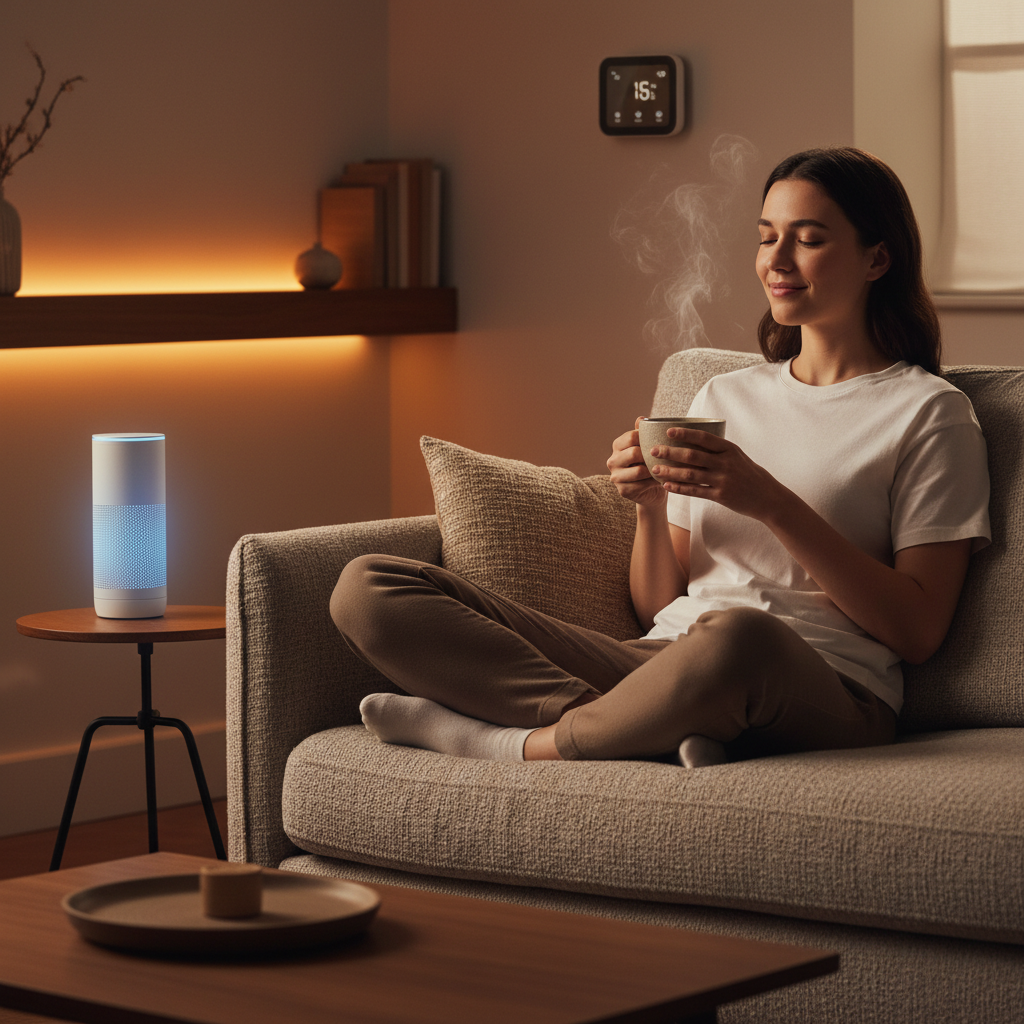
Smart speakers are the foundation of most modern smart home systems. They act as your voice-activated command center for controlling everything from lights and thermostats to security cameras and entertainment systems. These devices use advanced voice recognition technology to understand your commands. Then they execute them instantly, transforming how you interact with your home on a daily basis.
What makes smart speakers so powerful is their ability to operate hands free while you’re doing other things. Whether you’re cooking dinner, exercising, or just settling into the couch, you can adjust your home’s temperature. Or you can turn off lights, play music, or check on security cameras without lifting a finger. Voice user interfaces have evolved significantly. This has enabled these devices to understand natural conversation patterns and context. Therefore, making them feel less like robots and more like helpful assistants. For homeowners aged 30 to 50 who juggle multiple responsibilities, this convenience factor alone justifies the investment.
Beyond convenience, smart speakers also enhance accessibility
Voice-assisted systems particularly benefit elderly or disabled users. Improvements are providing alternative control methods that don’t require navigating menus or using physical buttons. If you’re supporting aging parents or family members with mobility challenges, a smart speaker can dramatically improve their independence and comfort.
When you’re starting your smart home journey, position your speaker in a central location like your kitchen or living room. A central location allows it to hear commands clearly and reach most of your connected devices. Begin with basic commands like adjusting lighting and temperature. Then continue expanding to more complex automations like creating routines that run multiple actions simultaneously. Many people don’t realize that offline voice options exist for privacy conscious homeowners. This allows some device control without relying on cloud connectivity for every command.
Pro tip:
Set up voice routines for your daily patterns, such as a “Good Morning” routine that gradually increases lights, starts your coffee maker, and reads the weather. Or try a “Leaving Home” routine that locks doors and arms security systems with a single command.
2. Smart Lighting Systems for Custom Ambiance
Smart lighting transforms your home by letting you control brightness, color, and timing from your phone or voice commands. You can create the perfect atmosphere for any moment. Unlike traditional bulbs that offer only on or off, smart lights adapt to your needs. Whether you want energizing white light for morning routines or warm amber tones for evening relaxation. This goes far beyond convenience, it fundamentally changes how you experience your living spaces throughout the day.
The real power of smart lighting lies in its energy efficiency and personalization working together. LED technology combined with occupancy sensors can reduce your energy consumption by over 70 percent. This translates to real savings on your monthly utility bills. Smart systems automatically adjust brightness based on natural daylight in the room. And additionally, whether people are actually present, meaning you’re never paying to light an empty space.
For homeowners managing energy costs while maintaining comfort, this combination is a game changer.
You can create customized lighting scenes that match specific activities. Consider a bright “focus” setting for your home office, a dimmed “movie” scene for entertainment, or a warm “bedtime” scene that gradually transitions to help your body wind down. These scenes save time since you activate them with a single command instead of manually adjusting multiple lights.
When implementing smart lighting, start with key areas. Consider where you spend the most time, like your kitchen, bedroom, and living room. Real time data integration from sensors allows the system to optimize automatically. Thus, you’re getting the best balance between comfort and efficiency without constantly tweaking settings. Many homeowners appreciate how smart lighting improves their morning routine. They gradually brighten their bedroom as an alarm, which is gentler than jarring sunlight or a loud alarm. You can also set your lights to simulate your presence when you’re away. Turn them on and off at random intervals to deter potential break-ins. This security benefit adds another layer of value beyond ambiance and savings.
Pro tip:
Start by installing smart bulbs in existing light fixtures rather than rewiring your home. Then add a central hub once you’re comfortable with how they work and what features matter most to you.
3. Smart Thermostats for Energy Efficiency
A smart thermostat is one of the most practical types of smart home devices investments you can make for your home. It actively learns your temperature preferences and schedules. Then it can automatically adjusting your heating and cooling to match your lifestyle. Traditional thermostats require manual adjustment, while smart thermostats work continuously in the background. They optimize your HVAC system to use less energy while keeping you comfortable. This means you can reduce your energy bills without sacrificing the climate control you want.
The technology behind smart thermostats is straightforward but powerful. These devices collect detailed occupancy and temperature data. They then use learning algorithms for optimal scheduling to understand when your home is occupied and adjust settings accordingly. If everyone leaves for work in the morning, your thermostat knows to reduce heating or cooling until you return in the evening.
Many smart thermostats also include occupancy sensing
This detects when rooms are empty, allowing them to avoid conditioning unused spaces. The result is measurable savings on your energy consumption without requiring constant attention from you. Remote temperature control through your smartphone adds another layer of convenience, letting you adjust your home’s temperature from anywhere. You might lower the thermostat before a winter trip to prevent wasted heating, or increase cooling before arriving home on a hot summer day. Voice command integration with your smart speaker means you can ask for temperature adjustments hands free while cooking or getting ready.
When selecting a smart thermostat, look for models that integrate seamlessly with your existing smart home system and provide clear energy usage reports. Understanding how smart thermostats reduce energy consumption while maintaining comfort helps you make informed decisions about which features matter most to your household. Installation is typically straightforward for homeowners with basic electrical comfort.
However, some people prefer professional installation to ensure everything works correctly. Start by tracking your current energy usage for a few months. Then install your smart thermostat and continue monitoring to see your actual savings. Most homeowners report payback periods of two to three years through reduced utility bills, making it one of the most financially sensible smart home upgrades available.
Pro tip:
Create separate temperature schedules for weekdays and weekends, and enable “away mode” when you leave for extended periods to maximize energy savings without manual adjustments.
4. Smart Security Cameras for Remote Monitoring
Smart security cameras are the eyes of your home when you’re away, providing real time video feeds you can access from your smartphone, tablet, or computer no matter where you are. These types of smart home devices go far beyond simple recording, they use advanced technology to detect unusual activity and alert you immediately, giving you peace of mind whether you’re at work, traveling, or simply in another room. For homeowners concerned about property protection and family safety, smart cameras are arguably the most visible and reassuring smart home device you can install.
What makes modern smart security cameras so effective is their integration of artificial intelligence and machine learning capabilities. Facial recognition and behavior analysis allow cameras to distinguish between normal activity like a delivery person versus suspicious behavior like someone lingering at your door or attempting to enter restricted areas. When your camera detects something unusual, it immediately sends you an alert with video clips, so you can decide whether to contact authorities or investigate further. Many systems can also recognize specific people you designate as family members or trusted visitors, reducing false alarms that plague older security systems. The cameras integrate seamlessly with your other smart devices too, triggering lights to turn on automatically when motion is detected at night or locking doors when an intrusion is identified.
When setting up smart cameras, consider your specific needs.
Do you want to monitor your front door, backyard, driveway, or multiple areas? Smart cameras offer real time video monitoring and object detection features that help you identify exactly what’s happening at your property. Indoor cameras work well for monitoring entryways, garages, and living spaces, while outdoor cameras need weather resistance and night vision capability. The customizable privacy settings on quality smart cameras let you control when and where recordings occur, ensuring your family’s privacy is protected. Most systems store footage to the cloud, so you maintain a history of events even if someone damages the physical camera. For homeowners aged 30 to 50 managing properties across multiple locations or traveling frequently, this remote access capability transforms how you maintain home security and respond to emergencies.
Pro tip:
Install cameras at entry points like front and back doors first, then add additional cameras to cover blind spots and valuable areas as your comfort with the system grows.
5. Smart Door Locks for Enhanced Entry Protection
Smart door locks eliminate the need for physical keys while giving you complete control over who enters your home and when. Instead of fumbling for keys or worrying about lost copies, you unlock your door with your smartphone, a keypad code, or biometric authentication like your fingerprint. For busy homeowners juggling work, family, and social commitments, these types of smart home devices transform entry from a security vulnerability into a seamlessly integrated part of your smart home ecosystem.
The core appeal of smart locks lies in their flexibility and control. Biometric authentication and smart home integration allow you to grant temporary access to housekeepers, contractors, or family members without handing over physical keys that could be copied or lost. You can send a digital key to a friend arriving before you get home, or set up a time based code for a dog walker that expires after their scheduled visit. Smart door locks provide remote entry control via smartphone, meaning you can lock or unlock your door from anywhere, which is incredibly useful when you realize you forgot to lock up after leaving home. The audit trails built into quality smart locks show you exactly when doors were locked or unlocked and by whom, giving you visibility into your home’s security that traditional locks simply cannot provide.
Installation is often simpler than you might expect.
Most smart locks retrofit directly onto your existing deadbolt without requiring any rewiring or permanent changes to your door. You keep your physical deadbolt mechanism intact as a backup, so you always have entry options even if your smart lock’s battery dies or technology fails. Start with one door like your front entrance to get comfortable with the system, then expand to other entry points as you grow confident. When selecting a smart lock, prioritize models with strong encryption and regular security updates, since your door is the primary barrier between your home and the outside world. Battery life typically lasts six to twelve months depending on how frequently the lock is used, and most systems alert you before the battery dies so you can replace it proactively. For homeowners balancing security with convenience, smart locks deliver on both fronts.
Pro tip:
Always store a backup physical key somewhere secure outside your home in case you need emergency entry, and share your smart lock access codes only with trusted people you can easily revoke access for if circumstances change.
6. Smart Plugs and Outlets for Device Management
Smart plugs are the simplest types of smart home devices to add intelligence to devices that aren’t inherently smart, transforming ordinary appliances into connected gadgets you control from your phone or voice commands. Instead of replacing your coffee maker, lamp, or fan, you simply plug it into a smart outlet and gain remote control, scheduling, and energy monitoring capabilities. For homeowners looking to expand their smart home without major renovations or expensive replacements, smart plugs offer the best value and fastest return on investment.
The magic of smart plugs lies in their ability to collect and transmit real time energy consumption data for every connected device. IoT based smart plugs enable remote monitoring of your appliances, showing you exactly how much electricity each device uses throughout the day. This visibility is powerful because most people have no idea which appliances are energy hogs. You might discover your bedroom fan uses minimal power while your office space heater consumes enormous amounts, allowing you to make informed decisions about when to use it or replace it with something more efficient.
Beyond monitoring
You can create automations that turn devices off automatically, set schedules that prevent you from accidentally leaving things running, and even integrate them with other smart home devices. For example, your smart plug could turn on a bedroom fan when your smart thermostat detects the temperature rising above a certain level, or shut off coffee makers after a set time to prevent hazards.
When implementing smart plugs, start by identifying energy intensive devices you use daily but don’t always remember to turn off. Bedroom televisions, office equipment, bathroom exhaust fans, and kitchen appliances are perfect candidates. Smart plugs with machine learning provide automatic appliance identification and energy usage feedback, helping you understand consumption patterns and identify savings opportunities. The setup process is straightforward: plug them in and connect them to your Wi Fi network through the manufacturer’s app. Then assign them to your smart home system. Most smart plugs cost between ten and thirty dollars, making them among the cheapest ways to start building your smart home. Since they work with existing devices, you avoid the expense of buying new smart compatible appliances, spreading your smart home investment across time rather than making one large purchase.
Pro tip:
Place smart plugs on devices you forget to turn off, such as bedroom lamps or entertainment systems, and use scheduling features to automatically power them down after bedtime or work hours.
7. Smart Sensors for Safety and Alerts
Smart sensors are the silent guardians of your home, continuously monitoring for hazards like fires, carbon monoxide leaks, water damage, and break ins while alerting you instantly if danger is detected. Unlike traditional smoke detectors that only sound an alarm in your immediate vicinity, these types of smart home devices send notifications to your phone, smartwatch, and other devices anywhere in the world. For homeowners who travel frequently or manage properties remotely, this capability transforms passive safety devices into active protectors that keep you informed in real time.
The power of smart sensor systems comes from their ability to detect multiple types of hazards simultaneously and communicate across networks. Real time detection of fires and gas leaks allows smart homes to respond faster than traditional systems. Thus, potentially saving lives and reducing property damage.
Motion sensors detect unauthorized entry, water sensors catch pipe leaks before they cause catastrophic damage, and temperature sensors alert you to dangerous heating or cooling failures. AI enabled sensors advance safety management by learning normal patterns in your home and flagging anomalies that might indicate problems. For example, a sensor network might detect that your basement humidity is rising unusually fast, warning you of a potential water issue before visible damage occurs. These early warnings give you time to take action instead of discovering problems after they’ve already caused expensive repairs.
Implementing smart sensors requires minimal effort and investment.
Start by placing sensors at the most critical locations in your home, such as your bedroom, kitchen, and near your water heater or furnace. Smoke and carbon monoxide detectors should be installed on every level of your home. Water sensors work best near appliances that commonly leak like washers, dishwashers, and water heaters. Most smart sensors communicate wirelessly and require only occasional battery changes, making them far easier to maintain than wired systems.
Many homeowners are surprised by how affordable comprehensive sensor coverage is. Typically, quality sensors typically cost between twenty and fifty dollars each. When you consider that a single water leak can cost thousands in repairs, the investment in water sensors alone pays for itself many times over. There is peace of mind knowing your home is being actively monitored around the clock. Even while you sleep or travel, making smart sensors one of the highest value additions to any smart home.
Pro tip:
Install water sensors in the lowest points of your home like basements and under sinks where leaks are most likely. Then pair them with smart shutoff valves that can automatically stop water flow when a leak is detected.
Below is a comprehensive table summarizing the benefits, functionalities, and implementation tips of various smart home devices.
Category
Description
Key Benefits
Smart Speakers
Serve as a voice-activated interface for controlling home systems.
Enhances accessibility, provides hands-free convenience, integrates with multiple devices.
Smart Lighting
Offers adjustable brightness and color for customizable ambiance.
Saves energy through automation, supports scene personalization, improves security.
Smart Thermostats
Automatically adjusts home temperature based on occupancy and preferences.
Reduces energy bills, optimizes HVAC efficiency, provides remote control.
Smart Security Cameras
Real-time video monitoring with alert systems for suspicious activities.
Enhances property protection, integrates with smart systems, offers remote surveillance.
Smart Door Locks
Enables entry via smartphone, keypad, or fingerprint.
Converts ordinary devices into smart devices with remote control capabilities.
Monitors energy usage, facilitates automation, minimizes energy wastage.
Smart Sensors
Detects hazards such as fire, leaks, or gas, offering real-time notifications.
Guards against property damage, supports automated responses, provides peace of mind.
These insights provide a clear overview of how integrating these types of smart home devices can enhance efficiency, security, and convenience in a modern home.
Discover the Smart Home Solutions That Truly Work for You
Understanding the many types of smart home devices can feel overwhelming when you face choices involving voice control, lighting ambiance, energy savings, or security alerts. This article highlights key challenges homeowners encounter such as managing convenience, enhancing safety, and reducing energy costs with devices like smart speakers, thermostats, and security cameras. If you seek trusted guidance on selecting the right types of smart home devices tailored to your lifestyle and home needs, expert insight is critical.
Take control of your home with up-to-date information and tested recommendations at Smart Home HQ. Whether you prioritize smart safety enhancements or creating the perfect smart lighting atmosphere, our resources ensure you make informed decisions that maximize comfort, security, and energy efficiency today. Don’t wait to transform your home into the connected haven you deserve.
Explore proven types of smart home devices solutions now and turn your smart home goals into reality. Visit Smart Home Safety Archives – Smart Home HQ and visit Smart Home HQ for expert advice every step of the way.
Frequently Asked Questions
What are the benefits of using smart speakers in my home?
Smart speakers allow for hands-free control of various smart home devices, making daily tasks more convenient. Position your speaker in a central location to maximize its effectiveness and start using simple voice commands to control lights and temperature.
How can smart lighting improve the ambiance of my home?
Smart lighting systems adapt brightness and color, enhancing your living spaces according to your needs. Begin by setting up smart bulbs in frequently used areas like the kitchen and living room to create customized lighting scenes that you can activate with one command.
In what ways do smart thermostats help with energy efficiency?
Smart thermostats learn your temperature preferences and adjust heating and cooling automatically, helping to lower energy bills. Track your energy usage before and after installation to gauge your savings within a few months.
What features should I consider when choosing smart security cameras?
When selecting a smart security camera, look for features like real-time video monitoring and motion detection. Start by installing cameras at key entry points, such as doors and driveways, to enhance your home’s security.
How can smart door locks increase home security?
Smart door locks allow for keyless entry and remote control of your home’s main entry points. Install one on your front door first to test its features, then consider expanding to other entrances as you become more comfortable with the technology.
What are the best uses for smart plugs in my home?
Smart plugs enable you to control regular devices remotely and monitor their energy usage. Begin by plugging in devices you often forget to turn off, like lamps or coffee makers, and utilize scheduling features to manage their power automatically.
Smart lighting can turn everyday routines into seamless moments of comfort and control, but knowing how to automate home lighting and where to begin is often the toughest part. For tech-minded homeowners living in cities from Tokyo to Toronto, the right home automation setup delivers not only convenience but also real savings on energy bills. By focusing on a strategic approach and choosing energy-efficient lighting controls and systems, you unlock both personalized comfort and smarter resource use throughout your urban home.
Walk through your home to document existing fixtures and how you use each light, identifying where automation can improve daily life.
2. Choose Compatible Devices
Select smart bulbs and switches based on wireless protocols like Zigbee or Wi-Fi to ensure system compatibility and seamless integration.
3. Install Smart Lighting Properly
For smart bulbs, simply replace existing bulbs. For switches, turn off power and connect wires carefully, following manufacturer instructions.
4. Connect to a Hub for Automation
Set up your devices with a central hub to enable automation, scheduling, and voice control, improving convenience and efficiency.
5. Test Automations Thoroughly
Verify each automation rule to ensure proper function, making adjustments based on observed performance to enhance reliability.
How To Automate Home Lighting – Step 1: Assess lighting needs and layout
Before you start buying smart bulbs and controllers, you need to understand what you’re actually working with. This step is about taking inventory of your current lighting situation and figuring out what each space really needs. You’ll walk through your home, document existing fixtures, and identify where automation makes the most sense. Think of it as creating a blueprint for your smart lighting system.
Start by going room by room and noting every light source.
Pull out your phone or grab a notebook and list the types of fixtures you have, whether they’re ceiling lights, wall sconces, lamps, or outdoor fixtures. Don’t skip the obvious stuff like table lamps or reading lights, as these can be upgraded to smart bulbs. Take a moment to observe how you actually use each light. Do you flip that living room switch dozens of times a day, or does it stay on for hours? Is your bedroom light something you control from bed, or is it a quick on and off as you enter? These usage patterns tell you where automation will genuinely improve your daily routine.
Next, assess the function of each space
Indoor lighting design principles emphasize matching light quality and quantity to the activities performed in each room. A kitchen needs bright, focused task lighting for food preparation, while a bedroom benefits from adjustable, warm light that you can dim for relaxation. A hallway might only need motion activated lighting for convenience and energy savings. Consider how much natural daylight each room gets throughout the day. Spaces with abundant windows may need less automation during daytime hours, while interior hallways or basement areas benefit from consistent, sensor driven lighting. Document the current brightness levels if you want to be thorough, though a visual assessment often works fine for beginners.
Take note of your existing light switches and their locations. Are they in convenient spots, or do you walk across the room to turn off a light? Are there areas where multiple switches control the same light, like a staircase with switches at both ends? These are perfect candidates for smart lighting, since you can control them all from one app or voice command. Look at your electrical setup too. Understanding fixture counts and control systems helps you plan how to integrate smart components without major rewiring. Most smart bulbs work in existing fixtures, but some situations like recessed lights might require different solutions.
Consider your lifestyle and daily routines.
Do you travel frequently and want lights to simulate occupancy? Are you concerned about energy costs and want automated scheduling? Do you have mobility challenges that make traditional switches inconvenient? Your answers shape which automation features matter most. Create a simple priority list of rooms or areas where smart lighting would add the most value, whether that’s convenience, energy savings, security, or ambiance. This keeps you focused on how to automate home lighting when you move to the next steps.
Pro tip:Take photos or videos of each room showing the current lighting fixtures and switch locations from multiple angles, then review them later when you are planning your automation setup to ensure you have not overlooked any details.
How To Automate Home Lighting – Step 2: Select compatible smart lighting devices
Now that you know what you’re working with, it’s time to choose devices that will actually work together. Compatibility is the foundation of a smooth smart lighting system. You’ll be looking at bulbs, switches, hubs, and controllers that speak the same language and integrate seamlessly with your home setup.
Start by identifying which wireless protocol makes sense for your situation. The most common options for residential smart lighting are Zigbee, Bluetooth, Wi-Fi, and Z-Wave. Zigbee and Z-Wave create mesh networks where devices relay signals through each other, which means better range and reliability throughout your home. Bluetooth works well for smaller spaces and requires less infrastructure. Wi-Fi offers direct connectivity but can strain your router if you have many devices. LED and OLED lighting technologies integrated with wireless communication protocols form the backbone of modern smart lighting systems, so selecting devices that support one of these established standards ensures you are not investing in proprietary technology that may become obsolete.
Here is a comparison of common smart lighting wireless protocols to help you choose the best fit for your home:
Protocol
Range
Reliability
Best Use Case
Zigbee
Up to 100 feet
Very stable, mesh
Whole home coverage
Z-Wave
Up to 100 feet
Reliable, mesh
Large homes, expand
Wi-Fi
Depends on router
Can jam on busy net
Small setups, direct
Bluetooth
Short (20-30 ft)
Reliable, point-to-point
Single rooms, apartments
Next, think about whether you need a hub. Some systems like Philips Hue or LIFX operate without one, communicating directly with your phone over your home network. Others like Zigbee devices require a central hub to coordinate everything. If you already have a smart speaker like an Amazon Echo or Google Home, check whether it can function as a hub for your chosen lighting protocol. This can save you money and simplify your setup. When comparing specific devices, look for standardized protocols that ensure interoperability. The Digital Addressable Lighting Interface (DALI) is a standardized protocol designed for digital control of lighting devices, enabling flexible system reconfiguration and two-way communication for status feedback. Devices supporting open protocols like DALI or similar standards give you confidence that you can mix and match brands without conflicts.
Consider your budget and how much control you actually want.
Budget friendly options include smart bulbs that replace your existing incandescent or LED bulbs, which work in most standard fixtures without any installation. Mid range solutions involve smart switches that replace existing switches and control all bulbs in a fixture at once. Premium setups might include both smart bulbs and switches for maximum flexibility. Visit smart home lighting product categories to compare specific devices and read reviews from real users who have tested them in their homes. This gives you a practical sense of which products deliver on their promises.
Read the specifications carefully before purchasing.
Check whether each device supports dimming, color changing, scheduling, and any other features you identified as priorities in step one. Look at compatibility lists to ensure the bulbs or switches work with your chosen hub or platform. Make sure you understand the warranty and return policy, since compatibility issues sometimes only become apparent after installation. Start with one room or a small area to test your setup before committing to automating your entire home. This lets you work out any issues and verify that your chosen devices play nicely together.
Pro tip:
Buy all your initial smart lighting devices from the same ecosystem or one that explicitly guarantees interoperability, then gradually expand to other brands once you are confident in how the system behaves and performs in your specific home environment.
How To Automate Home Lighting – Step 3: Install and set up smart bulbs or switches
Installation is where your planning becomes reality. This step takes you from unboxing devices to having them communicating with your phone and voice assistants. Whether you’re swapping out bulbs or replacing switches, the process is straightforward if you follow a few key principles.
Start with smart bulbs if you’re new to this, since they require zero wiring knowledge.
Turn off the light switch at the wall, then simply unscrew your old bulb and screw in the smart bulb. Turn the switch back on and the bulb should power up. Most smart bulbs pulse or flash when they first receive power, signaling they’re ready to connect. Open the manufacturer’s app on your phone, scan the code on the bulb or packaging, and follow the pairing prompts. The app will ask you to select your Wi-Fi network and create a name for the bulb like “Living Room Lamp” or “Bedroom Ceiling.” That’s it. You now have a connected light you can control from anywhere.
Installing smart switches
If you’re installing smart switches, you’ll need to turn off power at your circuit breaker before starting. This is the important safety step that people sometimes skip. Open the existing switch plate and remove the old switch by unscrewing the wire connections. Match the wires on your new smart switch to the corresponding terminals, turning the tiny screws to secure them. Some switches have a neutral wire requirement, which is a white wire that must be present in your electrical box.
Now add all your devices to a hub or central platform if your system requires one.
If you’re using Zigbee or Z-Wave devices, put your hub into pairing mode, then put each device into pairing mode as well. The hub will search for new devices and add them to your network automatically. For Wi-Fi devices, you may not need a hub at all, though some people create one using their smart speaker for better organization and reliability. Name each device thoughtfully as you add it, using descriptions that make sense in context. Instead of “Light 1” and “Light 2,” use “Kitchen Overhead” and “Kitchen Sink” so you know exactly which light you’re controlling when you give voice commands.
Test each device before moving on to the next one. Turn lights on and off from the app, test dimming if available, and verify that voice commands work if you’ve connected a smart speaker. Walk through your home testing range to make sure devices respond quickly from different rooms. If a device responds slowly or drops connection, move your hub closer or add a mesh extender to strengthen the network. Start small with a single room before automating your entire home. This approach lets you troubleshoot any issues in a contained space rather than discovering problems spread across multiple rooms.
Pro tip:
Take photos of your wire connections before removing the old switch and label them with tape, then keep these photos on your phone in case you need to troubleshoot connectivity issues or reinstall the switch later.
How To Automate Home Lighting – Step 4: Connect devices to your home automation hub
Your hub is the command center that brings all your smart lights together. This step connects your individual devices to that central hub, transforming them from standalone gadgets into a coordinated system. Once everything talks to your hub, you unlock automation, scheduling, and voice control across your entire setup.
Before you start connecting devices
Make sure your hub is powered on and connected to your home Wi-Fi network. Access your hub’s settings through its dedicated app and look for the option to add new devices or enter pairing mode. Different hubs have different names for this feature, so check your manual if you cannot find it immediately. Some hubs will show a blinking light or display a countdown timer while in pairing mode, indicating they are actively searching for new devices.
This is your window to introduce each device to the hub. Put your first smart bulb or switch into pairing mode as well, which usually means holding a button for several seconds or rapidly flipping a switch on and off. The hub will detect the device and prompt you to name it and assign it to a room or zone. Be specific with naming. Instead of calling everything “Light,” use “Kitchen Island,” “Master Bedroom,” or “Front Porch” so your automation routines and voice commands work intuitively.
How to automate home lighting- Continue adding devices one at a time rather than all at once
This approach helps you troubleshoot if something goes wrong, since you’ll know exactly which device caused the issue. After adding each device, test it from the app to confirm it responds properly. Check that dimming works if the device supports it, and verify that the brightness level updates in real time when you adjust it. A smart home hub acts as a central point that enables communication between various smart devices, supporting multiple wireless protocols like Zigbee, Z-Wave, and Bluetooth to enhance convenience and interoperability across your lighting system. Understanding which protocol your hub supports and which devices use that same protocol ensures smooth communication without conflicts.
Once you have added your initial set of devices
Explore the grouping or room features in your hub’s app. Most hubs let you create logical groupings like “Living Room” or “Bedroom” and then control all lights in that group with a single command. This is incredibly useful when you want to say “Alexa, turn off the bedroom” and have all bedroom lights respond together. Test your groupings to make sure they work as expected. If you have a smart speaker or display connected to the same hub, verify that voice commands work correctly. Try commands like “Turn on the kitchen light” or “Dim the bedroom to 50 percent” to ensure everything responds smoothly.
If you notice that some devices respond slowly or disconnect frequently, you may have a range issue. Most hubs broadcast a signal that reaches about 100 feet in open space, but walls and obstacles reduce this range significantly. If a device is far from your hub, consider moving the hub to a more central location or adding a Wi-Fi extender or mesh repeater to strengthen the signal. Some devices can also act as repeaters themselves, strengthening the network by relaying signals from the hub to distant devices. Test your setup after making changes to confirm improvements in responsiveness.
Pro tip:
Add devices to your hub in the order you plan to use them, starting with the rooms you spend the most time in, so you can test and refine automation routines in frequently used spaces before expanding to less critical areas.
How To Automate Home Lighting – Step 5: Configure lighting schedules and automation rules
Schedules and automation rules transform your smart lighting from manual controls into an intelligent system that works for you automatically. This step is where you teach your lights to adapt to your lifestyle, creating routines that save energy while keeping your home comfortable and secure. You’ll set up time-based schedules, occupancy-triggered lighting, and custom rules that respond to different scenarios throughout your day.
Start by identifying your daily lighting patterns. When do you typically wake up and want lights to gradually brighten? What time does the sun usually set in your area? When do you leave for work or return home? These timing details become the foundation of your schedules. Open your hub’s app and look for the automation, routines, or scenes section. Most platforms let you create scenes, which are predefined lighting configurations like “Good Morning” with warm lights at 50 percent brightness or “Movie Time” with dimmed warm lighting.
Create scenes for your most frequently used settings
Then set them to activate at specific times. You might schedule your bedroom lights to turn on at 6 AM at 20 percent brightness to ease you into waking, gradually ramping up to full brightness over 10 minutes. In the evening, schedule a “Sunset” scene at 7 PM that transitions your living room to warm amber tones at 30 percent brightness.
Lighting controls such as timers and programmable systems allow users to create schedules that reduce energy use while maintaining comfort. Beyond simple on-off schedules, configure occupancy-based automation so lights respond to whether rooms are actually in use. If your smart bulbs or switches have motion sensors or integrate with motion detector devices, set them to turn on when movement is detected and turn off after a preset number of minutes of inactivity. This works wonderfully for hallways, bathrooms, and laundry rooms where you want hands-free convenience. For example, configure your hallway lights to activate at 10 percent brightness when motion is detected after sunset, then turn off after five minutes of no activity. This is how to automate home lighting and prevent unnecessary lighting when nobody is home and saves considerable energy compared to leaving lights running constantly.
Explore daylight-aware automation if your system supports it.
Some smart hubs can access sunset and sunrise times for your geographic location, allowing you to create conditional rules like “After sunset, if motion is detected in the hallway, turn on lights to 50 percent brightness.” This means your automation adjusts naturally as seasons change. Create rules for security as well. Many people set exterior lights or entryway lights to turn on at dusk and off at dawn, or set them to trigger when the door is unlocked. You might also create a “Leaving Home” scene that gradually turns off all lights, and an “Arriving Home” scene that turns on entry lights before you reach the door.
Test each automation rule carefully before relying on it. Set a schedule for a specific time a few minutes in the future, then watch to verify the lights respond as expected. Adjust timing or brightness levels based on what actually happens in your home. You may discover that your bedroom needs more time to ramp up brightness or that your motion sensors are too sensitive and trigger when you do not want them to. Most platforms let you tweak any rule without recreating it entirely. Start with a few simple automations in the rooms you use most, then gradually build more complex routines as you become comfortable with the system. Many users find that having 5 to 7 core routines covers most daily scenarios without overwhelming complexity.
Use this summary to map out typical smart lighting automation rules for each major room:
Room
Typical Automation
Key Benefit
Bedroom
Gradual wake up light
Gentle morning start
Kitchen
Time-based task lighting
Efficient food prep
Hallway
Motion-activated lights
Hands-free convenience
Living Room
Scene scheduling
Relaxation, ambiance
Entryway
Arrival lights trigger
Security, visibility
Pro tip:
Create two versions of each automation rule, one for weekdays and one for weekends, so your morning lighting schedule can be gentler on days you do not have to wake up early.
How To Automate Home Lighting – Step 6: Test and verify automated lighting actions
Now that your automations are configured, it’s time to verify they actually work as intended. Testing catches issues before they become frustrating, and it helps you fine-tune settings to match your real-world behavior. This step is about systematically checking each automation rule and making adjustments based on what you observe.
Start by testing one automation at a time during the day, even if it normally runs at night. If you created a sunset scene that activates at 7 PM, manually trigger it from your app to see what happens immediately. Watch your lights change and confirm the brightness levels and color temperatures match what you configured. Check that all lights in the scene actually respond and that none are skipped or stuck on previous settings. This same approach works for occupancy-based automations. Walk into a motion-sensor enabled room and watch whether lights turn on after the expected delay. Move around to test the sensor’s coverage area and see if it triggers from all parts of the room or if certain spots create dead zones. Note any issues you discover.
Test automations at their actual scheduled times if possible, rather than relying only on manual triggering. Set an automation to run at a time five or ten minutes in the future, then be present when it should execute. Watch your phone’s app to see the command being sent and observe whether the physical lights respond in sync or with delays. Delays of a few seconds are normal, but if lights take 10 or 20 seconds to respond, you may have connectivity issues with specific devices. Thorough testing and verification of automated systems ensures reliability and user satisfaction through running scheduled tests and monitoring system responses to confirm automation rules execute properly under various conditions. Document any problems you notice, including which specific lights are slow, which automations failed, and what time they failed.
How to automate home lighting – Test edge cases and complex scenarios
Test edge cases and complex scenarios. If you created conditional rules like “turn on hallway lights only after sunset when motion is detected,” verify this works correctly during the transition periods around actual sunset. Test your “Leaving Home” and “Arriving Home” scenes to ensure they execute smoothly without any lights getting stuck between states. If your automations interact with other smart home devices like door locks or thermostats, verify those interactions work as expected. For example, if your arrival automation turns on lights when a door unlocks, make sure the timing is right and lights are fully bright by the time you enter. Pay attention to any unexpected behavior, like lights flickering, turning on when they should not, or taking much longer than expected to respond.
Make adjustments based on your observations. If bedroom lights are too bright when ramping up in the morning, reduce the final brightness level or extend the ramp time. If motion sensors trigger too easily when you are just passing by, increase the sensitivity threshold or extend the inactivity timeout. Most platforms let you edit automations without recreating them, so tweaks are quick. After making changes, test the modified automation again to confirm the adjustment worked. Many users discover their ideal settings after three or four rounds of testing and refinement rather than getting it perfect on the first try. That’s normal and expected, and how to automate smart lighting.
Pro tip:
Create a simple spreadsheet or notes file listing each automation, what it should do, and any special conditions it requires, then systematically test each one while checking it off and noting any adjustments needed.
How To Automate Home Lighting with Smart Home HQ
Struggling with complicated smart lighting setups or unsure which devices truly integrate seamlessly can be frustrating. This article helps you understand the key steps for automating your home lighting but selecting the right products and creating reliable schedules remains a common challenge. Whether it is choosing between Zigbee or Wi-Fi devices or setting motion-activated lighting that actually responds without delays, you need expert guidance tailored to your unique home environment.
Discover detailed, unbiased reviews and step-by-step guides in our The Complete Smart Home Automation Master Guide Archives – Smart Home HQ and explore practical solutions that match your lifestyle and budget. At Smart Home HQ, you gain access to tested product recommendations covering everything from bulbs and switches to hubs that empower effortless control and energy savings. Take control of your lighting automation today and transform your living space into a smart home that works for you — start now by visiting Smart Home HQ to make informed choices with confidence.
How To Automate Home Lighting – Frequently Asked Questions
How do I assess my home’s lighting needs before automating?
Start by documenting the type and function of each light source in your home. Walk through each room and make a list of fixtures, noting how you use them to identify areas where automation will improve convenience or efficiency.
What types of smart lighting devices should I consider for my setup?
Look for devices that support common wireless protocols like Zigbee, Z-Wave, or Wi-Fi for compatibility. Choose between smart bulbs for easy installation or smart switches for broader control; plan your budget accordingly.
How do I install smart bulbs and switches effectively?
Begin with smart bulbs since they’re easier to install—simply replace the old bulbs and pair them with the app. For smart switches, ensure safety by turning off the power at the circuit breaker, and follow the manufacturer’s instructions for wiring and setup.
How can I create effective lighting schedules and automations?
Identify your daily lighting patterns and use the hub’s app to set up schedules for gradually brightening lights in the morning or dimming them at night. Create scenes for specific activities, like a “Movie Time” setting, to streamline your lighting needs throughout the day.
What should I do if my automations don’t work as expected?
Test each automation individually and observe their performance during scheduled times. Make any necessary adjustments based on your observations, such as refining the timing or brightness settings to achieve the desired effect.
How can I ensure all my smart lighting devices communicate efficiently?
Add devices to your hub one at a time to confirm they respond correctly. Check the connectivity of each device and consider moving the hub or adding signal extenders if you experience slow responses or disconnections.
🌟 The Most Creative Smart Home Automations: Thinking Outside the Smart Plug
🎭 Introduction: When Your Home Becomes a Co-Star
Imagine waking up not to a blaring alarm, but to your bedroom gradually filling with the scent of fresh coffee as gentle light mimics sunrise, while your favorite morning playlist begins at just the right volume. This isn’t science fiction—it’s what happens when smart home automation moves beyond simple scheduling into the realm of creative expression and emotional intelligence.
While most people stop at voice-controlled lights and programmable thermostats, the true magic happens when you start connecting unexpected devices to create experiences that anticipate needs, enhance moods, and even tell stories. Let’s explore the most creative implementations that transform houses into responsive, intelligent partners in daily life.
Think in “Scenes”: Group actions into single commands
Intermediate Projects:
Create seasonal automation packages
Build family member-specific profiles
Develop “guest experience” sequences
Implement daily routine enhancers
Advanced Creator Level:
Custom-coded integrations
AI-powered prediction systems
Whole-home emotional mapping
Biometric-responsive environments
💡 The Philosophy of Creative Automation
The most creative smart home automations aren’t about having the most devices—they’re about having the most meaningful connections between devices. It’s the difference between a house with smart bulbs and a home that knows when to set the mood for romance, focus for work, or comfort for sadness.
Remember: The goal isn’t to eliminate human interaction, but to eliminate friction. The best automations feel like magic because you stop noticing them—they simply make life better in subtle, meaningful ways.
🎯 Your Smart Home Creativity Challenge
This week, try just one creative automation. Maybe it’s:
A “coming home” sequence that truly delights you
A morning routine that anticipates your needs
A security feature that doubles as entertainment
A pet enrichment system that works automatically
Share your creations online using #CreativeSmartHome—the community is constantly innovating, and your idea might inspire someone else’s breakthrough.
❓ Frequently Asked Questions
🤔 “Aren’t these automations complicated to set up?”
Many creative automations use existing smart home platforms like Apple Home, Google Home, or SmartThings. Start with pre-built “routines” and modify them creatively.
💰 “Is this expensive?”
Creativity often costs less than you think. Many of these ideas use devices you already own in new combinations. The “wow factor” comes from imagination, not investment.
🔒 “What about privacy with all these connected devices?”
Create a separate IoT network, regularly update firmware, and be selective about what data you share. Creative doesn’t have to mean vulnerable.
🎨 “I’m not technical—can I still do this?”
Absolutely! Many creative automations use no-code tools like IFTTT. The most important ingredient isn’t technical skill—it’s imagination.
The future of smart homes isn’t in the devices themselves, but in the creative connections between them. Your home can be more than automated—it can be thoughtful, responsive, and surprisingly human in its intelligence. What will you create first?
Share your most creative automation in the comments below! Let’s build the future together, one clever connection at a time. 🏠✨
Understanding why prioritize smart home security has become essential for modern homeowners. Over **80 percent of American homeowners in major cities now rely on smart security systems to safeguard their families and property. Urban living brings unique challenges, from rising break-in rates to the growing need for real-time monitoring and control. Understanding how today’s smart home security integrates advanced devices, mobile technology, and proactive defenses will help you protect what matters most while boosting your home’s modern functionality.
Modern smart home security systems integrate multiple devices for enhanced control and monitoring, moving beyond traditional alarm systems.
Key Device Types
Essential components include smart cameras, smart locks, and sensor networks, each providing unique security benefits.
Threat Awareness
Users must recognize the potential vulnerabilities of connected devices, such as data breaches and network infiltration.
Proactive Protection Strategies
Implementing strong authentication, regular updates, and network segmentation are critical for safeguarding smart home systems.
Why Robust Smart Home Security Matters Today
Smart home security has transformed from basic alarm systems into sophisticated, interconnected networks that protect homes using advanced technologies. Home automation networks now integrate multiple sensors, cameras, and intelligent devices to create comprehensive security ecosystems. These systems go far beyond traditional lock-and-key approaches, offering homeowners unprecedented control and monitoring capabilities.
Today’s smart home security involves several critical components that work together seamlessly. These typically include:
Smart Cameras: High-definition video surveillance with motion detection
Sensor Networks: Sophisticated motion and intrusion detection systems
Mobile Integration: Smartphone apps allowing real-time monitoring and control
Cloud Storage: Secure video and event logging for later review
The primary goal of modern smart home security is creating a proactive defense system that not only responds to threats but anticipates and prevents potential security breaches. Homeowners can now receive instant smartphone notifications about unusual activities, view live camera feeds, and even remotely lock or unlock doors from anywhere in the world.
Pro tip:Always ensure your smart home security devices receive regular firmware updates to protect against potential cybersecurity vulnerabilities.
Key Devices and Their Security Roles
Smart home security relies on an intricate network of sophisticated devices, each playing a unique and critical role in protecting your home environment. Smart home security systems integrate multiple technologies that work together seamlessly to Understanding these devices helps explain why prioritize smart home security today provide comprehensive protection and real-time monitoring.
The core devices in a modern smart home security ecosystem include:
Central Hub: The command center that coordinates communication between all devices
Smart Cameras: Providing visual surveillance and motion-activated recording
Motion Sensors: Detecting unexpected movement inside and around the property
Door and Window Sensors: Monitoring potential entry points for unauthorized access
Smart Locks: Enabling digital access control and remote management
Smart locks represent a particularly advanced component of home security technology. These innovative devices replace traditional mechanical locks with sophisticated electronic systems that offer multiple layers of protection. Homeowners can now grant temporary access codes to guests, receive instant notifications about lock activities, and monitor entry logs from their smartphones.
The interconnected nature of these devices creates a comprehensive security network that goes beyond simple intrusion detection. By leveraging advanced communication protocols and real-time data sharing, smart home security systems provide proactive protection that adapts to changing environmental conditions and potential threats.
Here’s a comparison of key smart home security device types and the unique value each brings:
Device Type
Primary Function
Unique Security Contribution
Smart Cameras
Visual monitoring and alerts
Deters crime, offers video evidence
Smart Locks
Digital authentication and control
Custom access, tracks entry attempts
Sensor Networks
Motion and entry detection
Quick breach identification, wide coverage
Central Hub
Device coordination and automation
Integrates alerts, streamlines responses
Mobile Integration
Remote management and monitoring
Enables instant user intervention
Pro tip:Configure your smart home security devices to create overlapping detection zones, ensuring no potential entry point remains unmonitored.
Major Threats: Why Prioritize Smart Home Security
Smart home technologies offer incredible convenience, but they also introduce significant security vulnerabilities that homeowners must understand and address. IoT device security threats have become increasingly sophisticated, creating potential risks across multiple dimensions of home connectivity.
The primary threats to connected homes can be categorized into several critical areas:
Data Privacy Breaches: Unauthorized collection and potential misuse of personal information
Network Infiltration: Hackers gaining access to home networks through vulnerable devices
Device Hijacking: Malicious actors taking control of smart home systems
Location Tracking: Unintended disclosure of residential occupancy patterns
Ransomware Attacks: Cybercriminals locking down critical home systems
IoT security vulnerabilities extend far beyond simple data theft. Modern connected homes present complex attack surfaces where seemingly innocuous devices like smart thermostats or refrigerators can become entry points for sophisticated cyber intrusions. Weak authentication protocols, outdated firmware, and complex device interactions create multiple potential security gaps that malicious actors can exploit.
The interconnected nature of smart home ecosystems means that a single compromised device can potentially provide unauthorized access to an entire home network. Cybersecurity is no longer just about protecting computers or smartphones but requires a comprehensive approach that considers every connected device as a potential security risk.
The table below summarizes common smart home security threats and practical defenses:
Threat Category
Typical Entry Point
Effective Defense Strategy
Data Privacy Breaches
Unsecured cameras or cloud
Data encryption, access controls
Network Infiltration
Wi-Fi routers, IoT devices
Network segmentation, strong passwords
Device Hijacking
Weak authentication protocols
Multi-factor authentication
Ransomware Attacks
Outdated device firmware
Regular updates, active monitoring
Location Tracking
Connected sensors/apps
Limited permissions, anonymization
Pro tip:Regularly update firmware on all smart home devices and use strong, unique passwords for each device to minimize potential security vulnerabilities.
Essential Protection Strategies and Features
Protecting your smart home ecosystem requires a comprehensive and proactive approach to cybersecurity. Smart home security strategies involve more than just installing devices – they demand a holistic understanding of potential vulnerabilities and systematic defensive measures. This explains why prioritize smart home security as a top concern for connected households.
Key protection strategies include:
Network Segmentation: Isolating IoT devices from primary home networks
IoT security frameworks emphasize the critical nature of continuous monitoring and adaptive security protocols. Homeowners must treat their smart home network like a living system, constantly evaluating potential entry points and maintaining robust defensive mechanisms. This means not just installing security features, but actively managing and updating them to address emerging technological threats.
The most effective protection comes from a layered approach that combines technological solutions with informed user behavior. By understanding the interconnected nature of smart home devices and implementing comprehensive security measures, homeowners can significantly reduce their risk of unauthorized access and potential cyber intrusions.
Pro tip:Create a dedicated secondary Wi-Fi network specifically for your smart home devices to isolate them from your primary network and personal computing systems.
Costs, Mistakes, and Security Comparisons
Investing in smart home security requires careful financial planning and strategic decision making. Homeowners must balance initial equipment costs with long-term protection benefits while avoiding common pitfalls that could compromise their home’s digital safety.
Comparative cost analysis reveals several critical considerations:
Budget Tiers:
Entry-level systems: $200-$500
Mid-range protection: $500-$1,500
Comprehensive security solutions: $1,500-$3,500
Common Mistakes to Avoid:
Purchasing incompatible devices
Neglecting firmware updates
Using default passwords
Overlooking network segmentation
Ignoring device compatibility
The most expensive system is not always the most effective. Smart homeowners focus on creating a cohesive ecosystem that provides robust protection without unnecessary complexity. Each additional device increases potential vulnerability, so strategic selection matters more than total number of components.
Security investments should prioritize core protection mechanisms over flashy features. A well-configured basic system often provides superior protection compared to an overcomplicated network with multiple unmanaged entry points. Cybersecurity is about intelligent design, not just monetary expenditure.
Pro tip:Calculate your security budget based on a percentage of your home’s value, typically ranging between 1-2%, to ensure proportional and practical investment in protection.
Strengthen Your Home’s Defense with Expert Smart Security Guidance
Understanding why prioritize smart home security now is crucial for every connected household. The article highlights the rising importance of robust smart home security measures to protect your connected environment from evolving threats like device hijacking and data privacy breaches. If you are concerned about vulnerabilities such as outdated firmware, weak authentication, or network infiltration the solutions presented here are crucial. Smart Home HQ understands the challenges of integrating multiple security devices like smart cameras, locks, and sensor networks into a cohesive system that delivers reliable protection without overwhelming complexity.
Discover how to safeguard your home with confidence by visiting Smart Home HQ. Our site offers detailed reviews, real-world testing insights, and step-by-step setup guides that empower you to build a smart security system tailored to your needs. Take control now by exploring our expert tips on protecting your smart home devices and ensuring seamless integration for peace of mind every day.
Frequently Asked Questions
What are the main components of a smart home security system?
The primary components of a smart home security system include smart cameras, connected locks, sensor networks, a central hub, and mobile integration. Each of these components plays a unique role in ensuring a comprehensive security setup.
How do smart locks enhance home security compared to traditional locks?
Smart locks provide digital access control, allowing homeowners to manage entry remotely, set temporary access codes, and receive notifications about lock activities. This level of control and monitoring is not possible with traditional mechanical locks.
What are the key security threats facing smart homes today?
Key threats include data privacy breaches, network infiltration, device hijacking, location tracking, and ransomware attacks. Each of these vulnerabilities can compromise the security of your connected devices and personal information.
What strategies can I implement to protect my smart home?
To protect your smart home, consider strategies such as network segmentation, strong authentication methods like multi-factor authentication, data encryption, regular firmware updates, and effective access management to limit permissions for connected devices.
Over 40 percent of American homes now include some form of smart technology, yet finding lighting solutions that truly simplify daily life can still feel complicated. However, for the modern homeowner, balancing convenience and energy savings while dealing with tricky installation can be stressful. Therefore, this guide highlights the most effective and reliable examples of smart lighting options so you can enjoy better control, improved efficiency, and a seamless path to smart home comfort. In fact, according to ENERGY STAR, these examples of smart lighting use significantly less energy in both active and standby modes, thus making them an environmentally responsible choice for modern households.
Smart bulbs and switches allow homeowners to control lights from anywhere using apps or voice commands, enhancing convenience.
2. Schedule for Energy Savings
Setting up schedules or dynamic algorithms can reduce lighting electricity consumption by up to 30%, lowering utility bills.
3. Integrate with Security Systems
Smart lighting can simulate occupancy and deter intruders by using automatic lighting patterns connected to security features.
4. Customize Lighting Scenes
Color-changing LEDs and smart devices allow users to create specific lighting atmospheres for activities, enhancing the home environment.
5. Utilize Motion Sensors
Motion sensor lights improve security and energy efficiency by activating only when movement is detected, reducing unnecessary power usage.
1. Smart Bulbs for Effortless Control and Automation
Smart bulbs represent a revolutionary approach to home lighting that transforms how homeowners manage illumination. Moreover, these intelligent devices go far beyond traditional light sources by offering unprecedented control and energy optimization strategies through advanced wireless technologies.
Unlike standard light bulbs, smart bulbs connect directly to your home’s wireless network, thus enabling you to control lighting from anywhere using a smartphone app or voice commands. Furthermore, this connectivity allows for intricate programming options like scheduled lighting, dynamic color changes, and automated brightness adjustments based on time of day or ambient conditions.
The real power of smart bulbs lies in their ability to create personalized lighting experiences while simultaneously reducing Importantly, energy consumption. Homeowners can set precise schedules that automatically dim or turn off lights in unoccupied rooms, generating meaningful electricity savings. Some advanced models even integrate motion sensors and daylight tracking to optimize illumination based on real time environmental conditions.
For example, applications range from enhancing home security by simulating occupancy when you’re away to creating ambient mood lighting for entertainment spaces. Imagine walking into your living room and having lights automatically adjust to a warm, soft glow perfect for relaxing evenings or switching to bright, cool tones for productive work sessions.
Key Benefits:
• Remote control from anywhere • Customizable color and brightness • Energy efficiency through automated management • Enhanced home security features • Integration with voice assistants
Pro tip:When setting up smart bulbs, create multiple lighting scenes for different activities to maximize both functionality and energy efficiency.
2. Smart Light Switches to Upgrade Existing Fixtures
Smart light switches represent a revolutionary solution for homeowners looking to modernize their existing lighting infrastructure without completely replacing every light fixture. These intelligent devices transform traditional electrical switches into powerful home automation tools, enabling comprehensive control and energy management through wireless connectivity.
Unlike standard wall switches, smart light switches can be installed directly into your home’s existing electrical boxes, providing an immediate upgrade to your lighting system. They Additionally, connect seamlessly with home networks, allowing you to control lights remotely using smartphone apps or voice assistants like Alexa and Google Home. This means you can turn lights on or off from anywhere, set schedules, and create custom lighting scenes that enhance both convenience and energy efficiency.
The primary advantage of smart light switches is their ability to work with your current light fixtures and bulbs. This makes them an affordable and flexible option for homeowners who want to incrementally upgrade their home’s technological capabilities. Smart lighting systems can integrate motion sensors, daylight tracking, and automated scheduling to optimize electricity usage and create more intelligent home environments.
Key Features:
• Remote smartphone control • Voice assistant integration • Customizable scheduling • Energy consumption tracking • Compatible with existing light fixtures
Practical applications range from enhancing home security by simulating occupancy when you’re away to creating automated lighting routines that match your daily lifestyle. Imagine lights gradually dimming at bedtime or automatically turning on when you arrive home, all without manual intervention.
Pro tip:When installing smart light switches, always ensure compatibility with your home’s existing electrical system and verify neutral wire requirements before purchasing.
3. Motion Sensor Lights for Enhanced Security
Motion sensor lights represent a powerful technological solution for homeowners seeking to dramatically improve their property’s security and energy efficiency. These intelligent lighting systems automatically activate when movement is detected, providing an immediate deterrent to potential intruders while offering convenience and peace of mind.
Specifically, motion sensor lights utilize advanced detection technologies including Passive Infrared (PIR), Ultrasonic, and Microwave sensors. Each technology offers unique capabilities for tracking movement in different environments. PIR sensors detect heat signatures, making them ideal for outdoor spaces, while ultrasonic sensors use sound waves to identify motion in enclosed areas.
Strategic Placement Options: • Exterior home perimeters • Garage and driveway entrances • Back and side yards • Dark walkways and paths • Interior hallways and staircases
Beyond security, motion sensor lights contribute significantly to energy conservation. By illuminating spaces only when necessary, these devices reduce unnecessary electricity consumption. Many models include adjustable sensitivity settings, allowing you to customize detection ranges and prevent false triggers from small animals or passing vehicles.
Furthermore, homeowners can choose between battery powered wireless options and hardwired electrical installations. Wireless models offer easy installation and flexibility, while hardwired versions provide more consistent performance and eliminate battery replacement concerns.
Pro tip:Install motion sensor lights at varying heights and angles to create comprehensive coverage and maximize detection effectiveness.
4. Voice-Controlled Lighting with Smart Assistants
Voice controlled lighting represents the pinnacle of home automation convenience, allowing homeowners to manage their entire lighting system through simple vocal commands. By integrating smart assistants like Alexa, Google Home, or Apple Siri, you can transform your living space into an intelligent environment that responds instantly to your spoken instructions.
The magic of voice controlled lighting lies in its seamless integration with smart speakers and wireless smart home ecosystems. Modern smart bulbs and switches can connect directly to these voice platforms, enabling you to control individual lights, create lighting scenes, and manage entire room configurations without touching a switch.
Practical Voice Command Examples: • “Turn living room lights to 50 percent” • “Set bedroom lights to warm white” • “Activate movie night lighting” • “Turn off all downstairs lights” • “Dim kitchen lights”
Beyond convenience, voice controlled lighting offers significant accessibility benefits. Individuals with mobility challenges can effortlessly manage home illumination without physical interaction. Parents carrying children or individuals with full hands can quickly adjust lighting without searching for switches.
Setting up voice controlled lighting requires compatible smart bulbs, smart switches, and a voice assistant device. Most modern systems work with multiple platforms, allowing you to choose the ecosystem that best suits your existing technology and personal preferences.
Pro tip:Group your smart lights into logical zones or rooms to simplify voice commands and create more intuitive lighting control.
5. Color-Changing LEDs for Ambiance and Scenes
Color-changing LED lights represent a revolutionary approach to home illumination, offering homeowners unprecedented control over their living spaces’ visual atmosphere. These advanced lighting solutions transform ordinary rooms into dynamic environments that adapt to your mood, activity, and aesthetic preferences.
Modern RGB and RGBW lighting technologies provide millions of color combinations, enabling you to customize your home’s illumination with remarkable precision. Unlike traditional static lighting, these smart LEDs can shift between warm and cool tones, create vibrant party scenes, or generate calming environments with just a few taps on a smartphone app.
Creative Lighting Scene Ideas:
• Romantic dinner mode (soft amber tones) • Movie night atmosphere (deep blue backlight) • Workout zone (energetic bright white) • Reading nook (warm yellow illumination) • Sleep preparation (gentle lavender hues)
Beyond aesthetic appeal, color-changing LEDs offer significant energy efficiency advantages. These lights consume less electricity compared to traditional bulbs and provide longer operational lifespans. Many models integrate seamlessly with voice assistants, allowing you to adjust lighting through verbal commands or preset routines.
Practical applications extend from enhancing home entertainment spaces to supporting mental wellness. Specific color temperatures can influence mood and productivity, making these lights valuable tools for creating intentional living environments.
Pro tip:Experiment with different color temperatures and brightness levels to discover the most comfortable and functional lighting scenes for each room in your home.
6. Scheduling Smart Lights for Energy Savings
Scheduling smart lights offers homeowners a sophisticated approach to reducing electricity consumption while maintaining optimal home illumination. By leveraging intelligent programming and sensor technologies, you can create dynamic lighting systems that adapt to your daily routines and environmental conditions.
Modern smart lighting systems utilize advanced energy optimization algorithms that analyze occupancy patterns and natural light levels to automatically adjust brightness and power consumption. These intelligent systems go far beyond traditional timer settings, using real-time data to make nuanced lighting decisions that minimize waste without compromising comfort.
Strategic Scheduling Techniques:
• Automatic dimming during daylight hours • Gradual light reduction in unoccupied rooms • Syncing lights with sunrise and sunset times • Creating personalized time-based lighting profiles • Integrating motion sensor data for precision control
Homeowners can program intricate lighting schedules that reflect their unique lifestyle patterns. For instance, you might set lights to gradually dim in the evening to promote relaxation or automatically turn off in rooms where no movement has been detected for extended periods.
The potential energy savings are substantial. By implementing intelligent scheduling, households can reduce lighting electricity consumption by up to 30 percent, translating into meaningful reductions on monthly utility bills while simultaneously minimizing environmental impact.
Pro tip:Experiment with different scheduling configurations and use your smart lighting system’s energy tracking features to identify and optimize your most significant consumption patterns.
7. Integrating Smart Lighting with Home Security
Smart lighting has evolved from simple illumination to a sophisticated security tool that can actively protect your home. By intelligently connecting lighting systems with security technologies, homeowners can create dynamic defense mechanisms that deter potential intruders and enhance overall property safety.
Modern smart lighting offers comprehensive security integration strategies that go beyond traditional motion sensor capabilities. These systems can simulate human presence, respond to potential security events, and provide real time visibility during unexpected activities.
Strategic Security Integration Features:
• Automatic lights when motion is detected • Random lighting patterns to mimic occupancy • Synchronized alerts with security cameras • Bright illumination during alarm triggers • Exterior perimeter lighting management
The key advantage of integrated smart lighting is its ability to create unpredictable lighting scenarios that make your home appear continuously occupied. When connected with motion sensors and security systems, lights can instantly flood dark areas with brightness, potentially startling and deterring would be intruders.
Additionally, smart lighting systems can provide valuable information during security events. Integrated cameras can capture clearer footage when lights automatically adjust to optimal brightness levels, improving overall surveillance effectiveness.
Pro tip:
Configure your smart lighting system to include gradual brightness changes and randomized patterns for more convincing occupancy simulation.
Below is a comprehensive table summarizing the key features and benefits of the smart lighting solutions discussed throughout the article.
Topic
Description
Notable Features
Smart Bulbs
Intelligently connected bulbs for advanced lighting control and energy savings.
Remote control, customizable schedules, color changes, energy efficiency strategies.
Smart Light Switches
Upgrades standard fixtures to integrate smartphone and voice control capabilities.
Compatibility with existing systems, scheduling, motion sensors, energy tracking functions.
Motion Sensor Lights
Automated security and energy-saving systems activated by movement detection.
Infrared and ultrasonic sensors, battery or wired options, customizable sensitivity settings.
Voice-Controlled Lighting
Lighting management via voice commands through assistants like Alexa and Google Home.
Integration with smart ecosystems, accessibility for mobility challenges, scene setups.
Color-Changing LEDs
LEDs offering diverse color combinations for tailored ambiance settings.
Millions of colors, energy-efficient designs, voice assistant compatibility, mood enhancement.
Unlock the Full Potential of Smart Lighting in Your Home
These practical examples of smart lighting demonstrate how modern technology can solve common homeowner challenges. From managing complicated setups to reducing wasted energy, the examples of smart lighting covered here address real pain points in home automation. Key goals include seamless control through smart bulbs and switches, enhanced security with motion sensors, personalized ambiance using color-changing LEDs, and convenient voice commands. By implementing these examples of smart lighting, homeowners can transform their living spaces while achieving significant energy savings and improved security.
At Smart Home HQ, we understand these challenges and provide thorough, unbiased reviews of the best examples of smart lighting available today. Our expert team evaluates each solution to help you select the right devices and create effective implementations. Whether you’re exploring examples of smart lighting for energy efficiency, security enhancements, or convenience, our guides bridge the gap between complex technology and practical home automation. We compare leading brands and emerging innovations in smart lighting to ensure you make informed decisions that match your specific needs and budget.
Discover how you can transform your lighting setup today with trusted recommendations from Smart Home HQ.
Explore the best smart lighting devices now and simplify your smart home journey at Smart Home HQ.
Ready to save energy and enhance your home with intelligent smart lighting? Visit Smart Home HQ for detailed reviews and step-by-step setup guides. Start creating personalized lighting scenes, improve your home security, and experience the convenience of voice-controlled lights. Don’t wait to make your home smarter and brighter today.
Learn more about choosing the right Smart Lighting Systems and discover reviews of the latest devices on Smart Home HQ.
Frequently Asked Questions
How can smart bulbs help me save energy at home?
Smart bulbs can significantly reduce energy consumption by allowing you to schedule when lights turn on and off, creating a personalized lighting experience. Set schedules that automatically dim or turn off lights in unoccupied rooms to potentially save up to 30% on your lighting electricity bill.These are just a few of the many examples of smart lighting that offer energy-saving features for modern homes.
What are the benefits of using smart light switches instead of regular switches?
Smart light switches provide remote control and scheduling options for your existing fixtures without requiring you to replace them. Always ensure compatibility during installation to enhance convenience and energy management in your home.
What is the best way to use motion sensor lights for security?
Position motion sensor lights around entry points and dark walkways to enhance your home’s security. Configure them to automatically activate when movement is detected, providing immediate illumination that can deter potential intruders.
How do I set up voice-controlled lighting in my home?
To set up voice-controlled lighting, invest in compatible smart bulbs or switches and connect them to a voice assistant device. Group your lights into logical rooms or zones to simplify commands, making it easy to manage your home lighting with just your voice.
Can color-changing LEDs improve my home’s atmosphere?
Yes, color-changing LEDs allow you to customize the ambiance of your spaces according to your mood or activity. Experiment with Implementing effective examples of smart lighting with color control can transform your home’s atmosphere.color scenes like soft amber for dinner or bright white for workouts to create a more inviting environment.
What are effective scheduling techniques for smart lights?
Effective scheduling techniques include syncing lights with sunrise and sunset or gradually dimming lights during evening hours. Use your smart lighting system’s features to analyze usage patterns and optimize your lighting schedules, potentially reducing electricity consumption by approximately 30%.
Lorex 2K Smart Light Socket Camera Review: Discreet Security Without Wiring
The Lorex 2K Pan-Tilt Smart Light Socket Camera transforms ordinary light sockets into powerful security hubs with minimal effort. If you want discreet monitoring without complex wiring or smart home hubs, this innovative camera delivers exceptional value.
Note: This post contains links to pages with Amazon affiliate links. If you click a link and make a purchase, I may earn a small commission at no extra cost to you. Always check product pages for current prices, specifications, and compatibility before buying.
Key Features Breakdown
Effortless Installation
Plug-and-play setup into standard E26/E27 sockets
No wiring or tools required
No smart hub needed – connects directly to Wi-Fi
Perfect for renters or those avoiding permanent installations
Superior Video Quality
Crystal-clear 2K resolution (4x better than 1080p)
Full-color night vision even in low-light conditions
Wide 360° coverage with pan-and-tilt functionality
Adjustable field of view via mobile app
Smart Security Features
Advanced motion detection for people and vehicles
Customizable activity zones to reduce false alerts
Built-in 6500K LED light with motion activation
Two-way audio for remote communication
Quick reply presets for instant responses
Privacy & Storage Options
Multiple storage choices:
Optional cloud subscription
Local microSD card (sold separately)
Lorex Fusion recorders
Physical privacy mode – lens retracts completely
End-to-end encryption for data security
Installation Experience
Step-by-Step Setup:
Screw into socket like a regular light bulb
Download Lorex app from App Store/Google Play
Connect to Wi-Fi via QR code scanning
Customize settings in under 5 minutes
Time to install: 3-5 minutes Technical skill required: Beginner-friendly
You need outdoor-rated cameras (this is indoor/covered outdoor only)
You require continuous 24/7 recording without subscription
Your sockets aren’t standard E26/E27 size
Frequently Asked Questions
Q: Does it work with Alexa/Google Home? A: Yes! Compatible with both Alexa and Google Assistant for voice control.
Q: Can I use it outdoors? A: Only in covered outdoor areas (porches, garages). Not rated for direct rain exposure.
Q: What’s the Wi-Fi range? A: Works best within 30 feet of router. Consider Wi-Fi extenders for larger homes.
Q: Is there a monthly fee? A: Only for cloud storage. Local microSD recording has no monthly costs.
Q: How’s the customer support? A: Lorex offers 24/7 support via phone, chat, and email with generally positive reviews.
Final Recommendation
Who Should Buy This:
Homeowners wanting discreet security
Renters needing temporary solutions
Tech beginners avoiding complex setups
Small business owners monitoring entryways
Parents seeking additional home monitoring
Overall Rating: 4.5/5 Stars ⭐⭐⭐⭐✨
Bottom Line: The Lorex 2K Pan-Tilt Smart Light Socket Camera delivers professional-grade security with consumer-friendlyinstallation. Its unique socket-based design, excellent video quality, and smart features make it a standout choice for anyone seeking effective, discreet home monitoring without the hassle of traditional security systems.