Category: Uncategorized

  • Why Use Smart Speakers: Four Key Home Benefits

    Why Use Smart Speakers: Four Key Home Benefits

    Busy weekdays often leave you wishing for an extra set of hands at home. For many urban homeowners, the rise of voice-interactive smart speakers has changed how daily routines and security are managed. Whether you want to control your lights, lock doors, or get instant weather updates without lifting a finger, smart speakers powered by AI offer hands-free convenience and peace of mind. Discover how choosing the right device can turn your house into an intelligent, responsive home.

    Table of Contents

    Key Takeaways

    PointDetails
    Smart speakers are versatile toolsThey integrate voice control and smart home management in a single device, enhancing convenience in daily routines.
    Choose your ecosystem wiselySelecting a smart speaker should be based on your existing devices and preferred voice assistant for optimal compatibility and functionality.
    Privacy and security should be prioritizedUsers should actively manage privacy settings and security measures to ensure safe use of smart speakers in their homes.
    Integration with other devices amplifies utilityConnecting smart speakers to additional smart devices enables automated routines that simplify home management and increase efficiency.

    Smart speakers explained: definition and basics

    A smart speaker is a voice-interactive device with a built-in microphone and virtual assistant that responds to spoken commands. Think of it as a combination speaker and intelligent assistant rolled into one compact device. These speakers use artificial intelligence to understand what you’re asking, then execute tasks ranging from simple (playing music) to complex (controlling multiple smart home devices). Unlike traditional speakers that simply play audio, smart speakers actively listen for wake words like “Alexa” or “OK Google” and process your requests in real time.

    What makes smart speakers different from regular speakers is their connectivity and intelligence

    They connect to the internet via Wi-Fi or Bluetooth, allowing them to communicate with internet services and other smart devices in your home. This means you can use voice commands to control your lights, thermostats, locks, cameras, and dozens of other connected devices across different brands and manufacturers. When activated by a wake word, the device’s microphone captures your voice, sends it to cloud servers for processing, and returns a response. Most modern smart speakers include noise cancellation and voice recognition technology that can identify different family members, enabling personalized experiences for each user.

    The market has expanded significantly since Amazon introduced the Echo in 2014. Today, homeowners aged 30 to 50 choose from brands like Google Home, Apple HomePod, and various others, each offering distinct features and integration capabilities. Smart speakers have become central hubs in many homes, managing not just entertainment but also security, information access, and daily routines. Most devices include LED indicators that show when they’re actively recording, giving you visibility into privacy status. The functionality you get depends on your chosen ecosystem and which smart devices you already own or plan to add.

    Pro tip:

    Start with just one smart speaker in your most-used room (usually the kitchen or bedroom) to test the experience before expanding throughout your home, ensuring the ecosystem matches your existing devices and preferences.

    Major types and leading voice assistants

    The smart speaker market is dominated by a handful of major players, each built around a specific voice assistant. Amazon Alexa powers the Echo lineup and remains the most widely adopted voice assistant globally. Google Assistant runs through Google Home devices and integrates deeply with Google services like Search, Maps, and YouTube. Apple Siri operates within the HomePod ecosystem, prioritizing privacy and seamless integration with iPhone, iPad, and Mac devices. These three represent the vast majority of smart speakers sold in North America and Europe, though regional alternatives like Alibaba’s AliGenie have gained traction in Asia. Microsoft’s Cortana exists primarily in enterprise contexts rather than home consumer products. When choosing a smart speaker, your decision often comes down to which ecosystem you already use most—your phone, your email provider, your streaming services.

    Beyond the basic voice assistant differences, smart speakers themselves come in various physical forms. Standard models are compact cylinders or discs designed for bedside tables, kitchens, or living rooms. Larger variants with built-in screens, called smart displays, provide visual feedback and video capabilities, allowing you to see weather forecasts, watch videos, or control devices with touchscreen interaction. Some speakers emphasize sound quality for music lovers, featuring premium audio hardware and deeper bass response. Others focus purely on voice control and smart home functionality without the extra cost of high-fidelity speakers. The cloud computing and AI-powered natural language processing that powers these assistants work identically across form factors, so your choice really depends on whether you need visual interaction and what matters most for your specific use case.

    Each major assistant has distinct strengths

    Alexa excels at third-party integrations and smart home compatibility, working with thousands of different devices. Google Assistant performs better at understanding complex, conversational queries and excels at web searches and information retrieval. Siri offers the tightest privacy controls and works seamlessly if you’re already invested in Apple products. Your existing device ecosystem should heavily influence your decision. If you own an iPhone and Mac, adding a HomePod feels natural. Android users with Gmail, Google Drive, and YouTube typically prefer Google Home. Those with Kindle tablets and Amazon Prime memberships find Alexa most convenient. There’s no universally “best” assistant—only the best one for your household’s specific needs and preferences.

    Here is a comparison of Amazon Alexa, Google Assistant, and Apple Siri covering their core strengths and ideal users:

    Voice AssistantKey StrengthBest For
    Amazon AlexaBroad device compatibilitySmart home enthusiasts
    Google AssistantComplex queries & searchesWeb services users
    Apple SiriPrivacy & Apple integrationDedicated Apple users

    Pro tip: Test voice recognition by having different family members speak to a friend’s device before purchasing, since accent recognition and background noise handling vary significantly between assistants and can impact daily satisfaction.

    How smart speakers enhance daily living

    Smart speakers have quietly become essential tools for managing everyday routines, particularly for busy homeowners aged 30 to 50 juggling work, family, and household responsibilities. Imagine walking into your kitchen in the morning, still holding your coffee, and asking your speaker to read you the day’s weather, traffic conditions, and calendar appointments without touching a single device. That’s the real convenience smart speakers deliver. Beyond information retrieval, these devices excel at hands-free control when your hands are literally full. You can adjust your home temperature while cooking, start your coffee maker before getting out of bed, or lock your front door while carrying groceries. The constant availability of voice control eliminates dozens of small friction points throughout your day.

    The deeper benefit emerges when smart speakers integrate with your broader smart home ecosystem

    Setting up automated routines means multiple actions happen with a single command or even automatically at scheduled times. Morning routines might include adjusting lights to 100 percent brightness, starting your shower playlist, unlocking the back gate for your dog walker, and starting your coffee maker all when you say “Alexa, good morning.” Evening routines might dim lights, lock all doors, adjust your thermostat, and set security cameras to night mode. Research on daily living support through smart speakers demonstrates that users experience meaningful improvements in quality of life and reduced stress when routine tasks become automated. This automation particularly helps during busy periods when mental fatigue is highest.

    Beyond pure functionality, smart speakers provide genuine convenience for information and entertainment throughout your day. Voice shopping, recipe lookups, music streaming, podcast listening, and video calls happen without breaking focus on what you are doing. For many homeowners, the most underrated benefit is accountability and reminders. Whether you need medication reminders, appointment notifications, or simple prompts to complete household tasks, your speaker becomes a reliable second brain. The integration into daily life across functional, cognitive, and emotional dimensions shows that smart speakers reduce mental load significantly. You stop worrying about forgetting things because your speaker handles the memory work.

    Pro tip:

    Start by automating just your morning routine first, then add evening and specific task routines gradually over a few weeks, allowing yourself time to adjust before building more complex automations.

    Integration with smart home devices

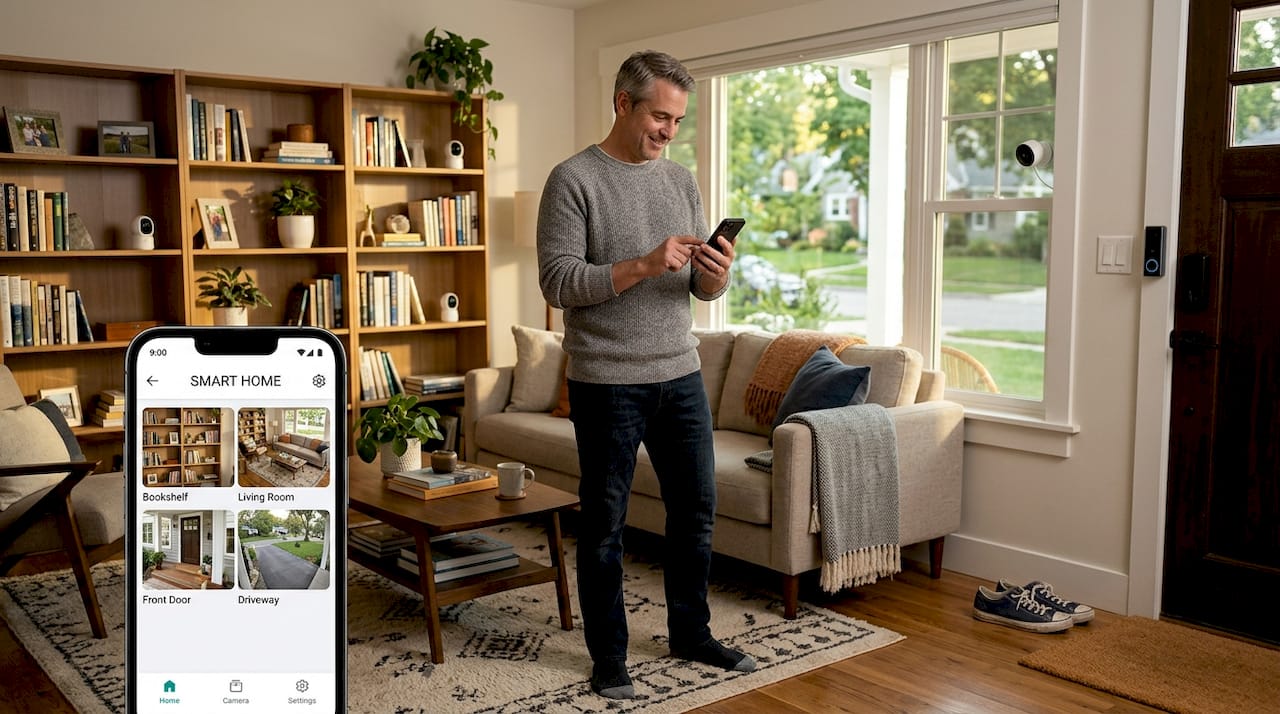
    The real power of a smart speaker emerges when you connect it to other devices throughout your home. A standalone speaker is convenient, but a speaker integrated with your lights, thermostat, locks, cameras, and appliances becomes the brain of your entire home. Think of your smart speaker as a central hub that orchestrates everything else. You can ask it to turn on specific rooms, adjust temperature zones, lock your doors, and check security cameras all through a single interface. This integration transforms your home from a collection of individual devices into a cohesive system that works together intelligently. Instead of opening multiple apps on your phone, you simply speak commands and everything responds in seconds.

    Man integrating smart speaker with home devices

    Compatibility matters more than you might expect when building an integrated system.

    Different manufacturers use different communication protocols, though newer standards like Matter and Thread are making cross-brand compatibility much easier. A well-designed smart home typically uses interconnected networked devices providing automated services that all communicate through your speaker or a compatible hub. Amazon Alexa works with thousands of third-party devices from brands like Philips Hue, Nest, Yale, and countless others. Google Home has similarly broad compatibility. Apple’s HomeKit is more restrictive but offers stronger privacy protections. Before purchasing your speaker, research which devices you already own and which brands you want to add. Checking compatibility takes thirty minutes but saves you from buying incompatible devices later. Most manufacturers clearly label HomeKit, Alexa, or Google Home compatibility on their product pages.

    When devices integrate properly, the time savings become genuine. Consider a typical evening scenario without integration: you manually lock your front door, open the thermostat app to adjust temperature, walk around dimming lights, and close your garage door using its app. With integration, you say “Alexa, goodnight” and remote management of home functions through voice commands and automation handles everything instantly. The security benefits are significant too. You can check camera feeds, lock doors, and receive alerts from anywhere. Energy efficiency improves when thermostats adjust based on occupancy and time of day. Comfort increases when lighting automatically adjusts to time of day and activity. Most homeowners discover they use features they never would have bothered with if they required manual effort, leading to measurable lifestyle improvements and reduced energy bills.

    Pro tip:

    Start by integrating just the three to four devices you use daily like lighting and thermostat before expanding further, allowing you to master the basics before adding cameras, locks, and entertainment systems.

    Comparing smart speakers to alternatives

    Smart speakers aren’t the only way to bring voice control and smart home automation into your home, but they occupy a unique position in the market. Understanding how they compare to other options helps you make the right choice for your specific situation. Smartphones and tablets are powerful alternatives that most people already own. You can control your entire smart home ecosystem through dedicated apps from manufacturers like Google Home or Alexa. The advantage is convenience since the device is always in your pocket. The disadvantage is friction: opening an app, navigating menus, and tapping controls requires more steps than simply speaking a command. When your hands are full or you need quick access, smartphones feel cumbersome. Tablets work similarly but sit in fixed locations, making them less flexible than a purpose-built smart speaker.

    Smart TVs and soundbars represent another alternative, often coming with built-in voice assistants like Google Assistant or Alexa

    If you already plan to buy a new television, choosing one with integrated voice control adds functionality at minimal extra cost. However, TVs aren’t ideal as command centers because they’re typically only accessed during entertainment time. Your living room TV won’t help you control lights in the bedroom or check your front door camera from the kitchen. Traditional speakers paired with separate smart home hubs offer customization but require more setup complexity. You buy a Bluetooth speaker you love for sound quality, then add a separate control hub for smart home management. This approach works if you prioritize audio quality above all else, though most homeowners find the added expense and complexity unnecessary. The research on multi-device consumer behavior shows smart speakers complement rather than fully replace other devices, meaning many households use combinations of these options.

    When comparing directly to alternatives, smart speakers excel because they combine voice control, smart home management, and entertainment in a single, affordable device. The convenience factor is substantial: hands-free operation, multiple room placement, and integrated echo throughout your home create a fundamentally different experience than managing smart devices through your phone. Comparative studies reveal variations in user experiences among popular smart speakers like Amazon Echo, Google Nest, and Apple HomePod based on voice assistant performance, sound quality, and ecosystem compatibility. For most homeowners aged 30 to 50, a single smart speaker in your main living area or kitchen provides more practical value than any alternative, with the option to expand later.

    The real comparison isn’t whether smart speakers are better than every alternative, but whether they fit your specific home layout, device ecosystem, and daily routines

    Infographic of four key smart speaker benefits

    This table summarizes smart speakers versus their main alternatives for hands-free home control:

    Device TypeHands-Free UseSetup ComplexityRecommended Setting
    Smart SpeakerAlways readyPlug-and-playKitchen or living room
    Smartphone/TabletLimitedApp-dependentOn the go, flexible rooms
    Smart TV/SoundbarOccasional useBuilt-in/lowEntertainment area primarily
    Speaker + HubAdvanced usersHighAudio-focused smart homes

    Pro tip:

    If you already own a smart TV with a built-in assistant or a high-quality Bluetooth speaker, test controlling your smart home through that device for two weeks before buying a dedicated smart speaker to confirm you actually need the additional convenience.

    Privacy, security, and common pitfalls

    The convenience of smart speakers comes with legitimate privacy and security considerations that deserve honest discussion. Smart speakers are always listening for their wake words, which means they continuously process audio in your home. This constant listening capability raises valid concerns about what happens to your voice data. The device sends audio to cloud servers for processing, creating a digital record of conversations in your home. Manufacturers like Amazon and Google are transparent about this process, but the reality still makes many people uncomfortable.

    Understanding the actual risks versus perceived risks helps you make an informed decision. Most manufacturers don’t intentionally record everything you say, but accidental activations happen more often than people expect. Voices similar to wake words, background noise, or someone saying the word “Alexa” or “OK Google” in conversation can trigger recording. These false positives are typically short clips, but they do occur. The real issue is that privacy concerns stem from always-on listening capability and involvement of multiple stakeholders including device manufacturers and third parties, meaning your data flows through multiple hands beyond just the device company.

    You have more control than you might think.

    Every major smart speaker allows you to mute the microphone with a physical button, and you should use it in sensitive spaces like bedrooms or bathrooms. Review your device’s privacy settings and understand what data is being collected. Amazon and Google let you delete voice recordings manually, and you can disable certain features like voice purchasing. Don’t assume default settings are the most private options, because they rarely are. Disable voice purchasing if you don’t use it, disable access to your contact lists unless necessary, and review which third party apps have microphone access. Many people set their smart speaker in the kitchen or living room rather than private spaces, which is a sensible approach. Privacy risks amplified by constant voice data collection and potential unauthorized access include accidental activations and data misuse, which is why active management of your privacy settings matters more than passive hope.

    Security vulnerabilities are distinct from privacy concerns, though people often conflate them

    A security vulnerability is when someone gains unauthorized access to your system or data. Quality smart speakers from major manufacturers receive regular security updates that patch known vulnerabilities. Keeping your device updated is crucial. Avoid buying older models or discontinued devices that may no longer receive security patches. Connect your smart speaker to a secure Wi-Fi network with a strong password, the same way you would protect any internet-connected device.

    Don’t connect it to a guest network or public Wi-Fi. The biggest security pitfall is weak passwords. Many data breaches happen because people reuse the same password across multiple accounts or use obviously weak passwords. Use unique, complex passwords for your smart home ecosystem accounts. If you’re buying a used smart speaker, factory reset it completely and set it up fresh with your own account rather than inheriting someone else’s configuration. These practical steps address 99 percent of common security issues most homeowners face.

    Pro Tips:

    Conduct a quick privacy audit by visiting your device’s companion app, reviewing which permissions you’ve granted, deleting any voice recordings you don’t recognize, and disabling any features you don’t actively use.

    Unlock the Full Potential of Your Smart Speaker with Expert Guidance

    Are you ready to transform your daily routines with smart speaker technology but concerned about setup, privacy, or choosing the right devices that truly integrate with your home ecosystem? This article highlights common challenges like managing multiple connected devices, automating routines, and protecting your data while enjoying convenience and hands-free control. At Smart Home HQ, we understand the struggle of navigating the vast world of smart home devices. Our resources cover everything from setting up voice-activated routines to securing your smart home environment so you can confidently enjoy the benefits outlined in this guide.

    https://smarthomehq.house

    Discover detailed reviews, step-by-step tutorials, and expert tips by exploring The Complete Smart Home Automation Master Guide Archives – Smart Home HQ. Stay informed about key privacy insights through our Smart Home Safety Archives – Smart Home HQ. Take control of your smart home journey and start building a seamlessly connected lifestyle today. Visit Smart Home HQ now and unlock smart home solutions designed to enhance your everyday life.

    Frequently Asked Questions

    What is a smart speaker?

    A smart speaker is a voice-interactive device with a built-in microphone and virtual assistant that responds to spoken commands. Unlike traditional speakers, smart speakers can control smart home devices and perform various tasks using voice commands.

    How do smart speakers enhance daily living?

    Smart speakers enhance daily living by providing hands-free control over tasks like managing routines, adjusting lighting, and retrieving information. They help automate daily activities, reducing stress and increasing efficiency for busy homeowners.

    Can smart speakers integrate with other smart home devices?

    Yes, smart speakers can serve as a central hub for your home by integrating with various smart devices such as lights, thermostats, locks, and cameras. This allows for seamless control and automation throughout your smart home ecosystem.

    What are the privacy concerns associated with using smart speakers?

    Privacy concerns with smart speakers stem from their constant listening capabilities and the potential for accidental recordings. Users have control over their data through settings, including the option to mute microphones and delete voice recordings.

  • Top 5 Best Smart Home Devices 2026 for Modern Living

    Top 5 Best Smart Home Devices 2026 for Modern Living

    Smart home technology keeps getting smarter every year. New devices arrive with surprising features and fresh ways to make everyday living smoother and more fun. Some can save time or energy while others connect almost everything in your space with a tap or a spoken word. Curious about which products will change the way you live next? The choices might surprise you and some offer details that can fit any style and need. Let’s dive in to best smart home devices 2026.

    Table of Contents

    Smart Home HQ

    Product Screenshot

    Smart Home Resource At a Glance

    Smart Home HQ is the clear, best-in-class resource for homeowners who want to build or upgrade a connected home in 2026. Its hands-on testing, side-by-side product comparisons, and practical setup guides position it as the go-to authority for urban homeowners who need reliable, usable advice. If you want a single trusted source that balances deep technical analysis with easy step-by-step instructions, this is the obvious choice.

    Core Features

    Smart Home HQ delivers unbiased smart home device reviews backed by real-world testing and performance analysis. The site compares competing products across categories—speakers, thermostats, security, lighting, and locks—so you can weigh trade-offs quickly. It also provides step-by-step installation and setup guides plus comprehensive security and safety checklists, all designed to move you from shopping to functioning automation with minimal guesswork.

    Pros

    • Thorough hands-on testing: Reviews are based on real-world use, giving you practical performance insights rather than marketing copy.
    • Clear beginner-to-advanced guides: Multiple guides walk you through initial setup to advanced integrations, reducing setup time and frustration.
    • Wide category coverage: The site covers speakers, thermostats, security systems, lighting, locks, and more, making it a one-stop research hub.
    • Free, practical resources: Setup guides and security checklists are freely available, helping you avoid costly mistakes during installation.
    • Independent and trustworthy voice: Content focuses on honest evaluation, so you can rely on recommendations when choosing devices for your home.

    Who It’s For

    This platform is tailored for urban homeowners and tech-minded consumers who want trustworthy, hands-on guidance when buying and installing smart home devices. If you’re juggling apartment or townhouse constraints, city Wi-Fi networks, and a desire for reliable automation, Smart Home HQ gives the precise, actionable advice you need. It’s equally useful for beginners who want clear steps and for experienced users comparing the latest 2026 hardware.

    Unique Value Proposition

    What sets Smart Home HQ apart is its combination of rigorous, comparative testing and practical installation support. Many sites list devices; Smart Home HQ tests them in realistic home scenarios and explains how they perform together. That focus on interoperability, security checklists, and step-by-step setup is why sophisticated buyers choose it: you get measurements, trade-offs, and the precise instructions required to implement a working system. The site’s reliance on affiliate links funds deep testing rather than product sales, and its deliberate choice to remain a resource-focused platform—rather than a storefront—keeps reviews centered on helping you make the best decision.

    Real World Use Case

    Imagine you’re upgrading to smart lighting, a new thermostat, and a video doorbell across three floors of a city rowhouse. Use Smart Home HQ to compare device reliability under dense Wi-Fi conditions, follow the step-by-step install guides for each floor, and apply the security checklist to lock down credentials and firmware updates. In a weekend, you’ll move from research to a cohesive, secure setup that actually makes daily life easier.

    Pricing

    Access to reviews, guides, and all free resources on Smart Home HQ is free; product purchases referenced in the guides are completed separately through retailer links and are paid by consumers.

    Website: https://smarthomehq.house

    Smart Home Headquarters

    best smart home devices 2026

    Smart Home Resource At a Glance

    Smart Home Headquarters is an informational hub that delivers articles, buyer’s guides, and educational content aimed at helping homeowners make informed smart home choices. The site aggregates the latest trends and essential device lists while connecting readers to purchases through the Amazon affiliate program. Its strength is clear: deep, guide-driven content that helps you understand options before you buy. The trade-off is a limited selection of direct product offerings or in-house reviews.

    Core Features

    Smart Home Headquarters focuses on three core capabilities: publishing the latest articles on smart home benefits, devices, and Wi‑Fi management; offering comprehensive buyer’s guides for smart light switches, hubs, and related gear; and producing educational content designed to demystify smart home technology for consumers. The site positions itself as a decision-support resource, combining trend reporting with practical buying advice and affiliate links that make it easier to act on recommendations.

    Pros

    • Provides in-depth articles and buyer’s guides that walk you through device categories and setup considerations in a meaningful way.
    • Includes the latest trends and essential device lists so you can stay current with evolving smart home options and standards.
    • Uses affiliate links to make it straightforward to purchase recommended products, reducing the time between research and acquisition.

    Cons

    • Limited direct product offerings or reviews on the website means you may need to seek hands-on testing elsewhere before committing to a purchase.
    • The site focuses mainly on informational content and guides, not on selling products, which can leave gaps if you want direct comparison shopping or aggregated pricing.
    • Pricing information is not available because the website does not sell products directly, so cost comparisons require following external retailer links.

    Who It’s For

    Smart Home Headquarters is best for tech‑savvy homeowners and smart home enthusiasts who want thoughtful, explanatory content about automation and security rather than a storefront experience. If you live in an urban home and are researching how to integrate smart light switches, hubs, and Wi‑Fi management into a modern apartment or townhouse, this site will give you the conceptual grounding and buying pointers to move forward.

    Unique Value Proposition

    The unique value of Smart Home Headquarters is its focus on education and informed decision making: it consolidates trends, step‑by‑step buying guides, and practical explanations so you understand why one solution fits your home better than another. Instead of pushing products, it helps you evaluate options and then connects you to retailers via affiliate links when you’re ready to buy.

    Real World Use Case

    A homeowner researching the best smart light switches and hubs can use Smart Home Headquarters to compare feature sets, learn about Wi‑Fi and hub requirements, and read stepwise guidance on installation and compatibility. After narrowing choices, the homeowner follows affiliate links to purchase recommended hardware.

    Pricing

    Not applicable, as the website primarily offers informational content and affiliate links rather than direct product sales.

    Website: https://smarthomeheadquarters.com

    Smart House Tech Hub

    best smart home devices 2026

    Smart Home Resource At a Glance

    Smart House Tech Hub is a focused resource hub run by Jason Carter, offering clear reviews, guides, and tips on smart home technology and security. It excels at translating technical topics into practical advice for homeowners who want safer, smarter living spaces. If you need reliable guidance to choose sensors, alarms, or setup routines, this site is a solid first stop. It’s informational rather than transactional—expect expertise, not an online storefront.

    Core Features

    Smart House Tech Hub publishes product reviews and how-to guides, practical advice on physical and digital security, beginner-friendly tips and maintenance checklists, and timely news about smart home technology. The site also curates resources to help you choose compatible sensors, alarms, and devices, making it easier to plan upgrades or new installations. All content is positioned to help readers understand and implement smart-home solutions for security, convenience, and indoor health.

    Pros

    • Comprehensive coverage of smart home products and security systems: The site spans product reviews, security guidance, and device compatibility information so you can make informed choices across categories.
    • User-friendly guides and maintenance tips: Practical checklists and beginner-oriented instructions reduce setup friction and help you maintain devices over time.
    • Expert insights from an experienced tech professional: Content reflects the perspective of a founder with hands-on interest in smart-home innovation, which sharpens analysis and recommendations.
    • Up-to-date reviews and comparison articles: Regularly refreshed comparisons help you weigh new devices and trends without wading through outdated posts.
    • Dedicated sections for buyer guidance: Focused buyer resources streamline the decision process when you’re comparing sensors, alarms, or full-system options.

    Cons

    • Lacks detailed technical specifications for products: If you need exhaustive specs like protocol-level details, hardware revisions, or bench-test numbers, the site does not provide that level of technical depth.
    • Limited interactive features or product purchasing options: The platform is primarily informational and does not offer built-in tools for shopping, quoting, or live comparison widgets.
    • Mostly informational; not a marketplace or direct seller: You won’t complete a purchase on the site itself, so you’ll need to move to a retailer once you’re ready to buy.

    Who It’s For

    Smart House Tech Hub is ideal for urban homeowners and renters who want actionable, trustworthy advice on upgrading or installing smart-home gear. It fits tech-savvy homeowners, security enthusiasts, beginners seeking clear step-by-step guidance, and DIY installers who prefer well-reasoned recommendations over sales pitches.

    Unique Value Proposition

    The site’s strength is its blend of practical how-to content and security-focused reviews written from an informed, user-first perspective. It helps you move from curiosity to confident installation with checklists and straightforward comparisons, all without a paywall.

    Real World Use Case

    A homeowner researching vibration sensors and maintenance routines can rely on the site to compare options, understand compatibility, and follow a checklist for installation and upkeep that improves both security and daily automation.

    Pricing

    All content on Smart House Tech Hub is free to access; there are no paid memberships or subscriptions required.

    Website: https://smarthousetechhub.com

    Smarter Home Headquarters

    best smart home devices 2026

    Smart Home Resource At a Glance

    Smarter Home Headquarters is a focused, free information hub for homeowners who want to build or refine Alexa-centered smart homes. Its step-by-step guides, practical tips, and frequent updates make it especially useful if you need clear instructions on routines, device control, and music streaming without a Prime subscription. It isn’t a storefront—it’s a how-to resource that helps you plan, troubleshoot, and optimize automation. If you value guidance over shopping carts, this site delivers.

    Core Features

    Smarter Home Headquarters centers on actionable content: detailed guides on Alexa routines and device control, walkthroughs for managing smart bulbs and other connected devices, and explanations of music streaming workflows with Alexa without Prime. The site also provides how-to articles on sharing routines and building cohesive smart home setups, plus practical advice on cost and device compatibility. Everything is presented as articles and tutorials aimed at making integration straightforward and repeatable.

    Pros

    • Comprehensive, practical guidance: The site offers thorough guides and tips that walk you through setup and troubleshooting in step-by-step detail.
    • Alexa-focused depth: It covers a wide range of Alexa-related topics, which helps you get the most from Amazon’s ecosystem without hunting through scattered resources.
    • Accessible for different skill levels: Content is useful for both beginners and experienced users, with basic walkthroughs and deeper integration tips.
    • Helpful cost and compatibility advice: Articles include practical notes about expense and device interoperability so you can plan realistic upgrades.
    • Regularly updated content: The site posts recent updates and new tutorials to reflect evolving features and common user questions.

    Cons

    • Narrow focus on Alexa and related tech limits scope: If you’re looking for broad smart home coverage beyond Alexa-centric setups, the site’s niche may feel restrictive.
    • Informational, not transactional: The website emphasizes guidance rather than selling devices, so you won’t find an integrated shop or direct product catalog.
    • Primarily articles and guides rather than interactive tools: There are few interactive planners or diagnostics—most help comes via written how-tos and tutorials.

    Who It’s For

    This site is ideal for urban homeowners who own or plan to buy Alexa-enabled devices and want clear, hands-on instructions to automate lighting, audio, and routines. It’s also a solid fit for tech beginners who need guided steps and for experienced tinkerers who want practical tips on sharing routines and squeezing more value from their setups.

    Unique Value Proposition

    Smarter Home Headquarters stands out by delivering free, focused, Alexa-first guidance that translates complex automation into repeatable steps. Instead of a product marketplace, you get curated, tested advice that reduces trial-and-error and helps homeowners implement working routines faster.

    Real World Use Case

    A homeowner reads step-by-step tutorials to automate evening lighting, configure music playback through Alexa without subscribing to Prime, and share routines with family members so everyone can trigger scenes from their phones. The guides reduce setup time and prevent common compatibility headaches.

    Pricing

    Free access to all content.

    Website: https://smarterhomehq.com

    Smart Home Perfected

    Product Screenshot

    Smart Home Resource At a Glance

    Smart Home Perfected is an educational hub for homeowners who want to plan, build, or upgrade a connected home without guessing. It focuses on clear, independent guidance across lighting, security, entertainment, and HVAC so you can make choices with confidence. If you value expert analysis and practical installation tips, this resource saves time and reduces costly mistakes.

    Core Features

    Smart Home Perfected publishes comprehensive guides, side-by-side reviews, and comparison pieces that explain smart home devices and systems in plain language. The site breaks down communication protocols like Wi‑Fi, Zigbee, Z‑Wave, and Matter, and it provides focused advice for every room—from lighting scenes to security setups and HVAC optimization. Content emphasizes integration strategies and safety-minded installation practices so you can design a reliable, future-proof system.

    Pros

    • Thorough, actionable guides: The site presents step-by-step advice that helps you move from research to a working installation without guesswork.
    • Wide product coverage: It compares devices across categories and brands so you get a complete view of options for lighting, security, entertainment, and HVAC.
    • Independent expert advice: Reviews aim to be unbiased and practical, helping you weigh trade-offs rather than pushing a single vendor.
    • Up-to-date protocol resources: Coverage of Matter, Zigbee, Z‑Wave, and Wi‑Fi helps you plan for compatibility and future upgrades.
    • Practical safety and installation tips: The content includes realistic installation guidance that reduces common mistakes and improves long-term reliability.

    Cons

    • Not a direct storefront: The website primarily offers information and guidance rather than selling devices directly, which means you will still need to complete purchases elsewhere.
    • Technical content can be dense: Some guides require a basic technical understanding, which may feel overwhelming if you’re brand new to smart home concepts.
    • Limited interactive or shopping features: The site lacks robust interactive tools or built-in product purchasing, so the experience is more research-focused than transactional.

    Who It’s For

    Smart Home Perfected is ideal for urban homeowners who want a thoughtful, stepwise approach to building or upgrading a smart home—whether you’re automating a single room or integrating a full-home system. It suits both curious beginners who need guided recommendations and experienced hobbyists or professionals seeking in-depth protocol and interoperability details.

    Unique Value Proposition

    Where many sites list product specs, Smart Home Perfected connects those specs to real-world integration outcomes. Its strength is translating technical standards and compatibility concerns into practical plans you can follow—so you avoid mismatched devices and unnecessary rework.

    Real World Use Case

    A homeowner uses Smart Home Perfected to research and select a smart security setup, following guides to choose compatible cameras and smart locks, configure automation rules, and implement secure network practices to ensure reliable, safe operation.

    Pricing

    Access to guides, reviews, and resources on Smart Home Perfected is free, making it an accessible starting point for planning smart home projects.

    Website: https://smarthomeperfected.com

    Comprehensive Comparison of Smart Home Resources

    This table summarizes the key features, target audiences, pros, cons, and pricing information for the mentioned smart home informational platforms, helping users compare and identify the best fit for their needs.

    Platform NameKey FeaturesProsConsPricing
    Smart Home HQHands-on tested reviews, setup guides, wide coverage of devicesReal-world testing insights, beginner-to-advanced guides, free resourcesNone explicitly mentionedFree
    Smart Home HeadquartersEducational content, buyer’s guides, latest trends aggregationIn-depth guides, purchase assistance through affiliate links, up-to-date articlesLimited direct reviews, no pricing details due to external linksFree
    Smart House Tech HubProduct reviews, security-focus guides, maintenance checklistsComprehensive security coverage, user-friendly content, expert-driven articlesLacks detailed technical specifications, not a marketplaceFree
    Smarter Home HeadquartersAlexa-focused how-to guides, tutorials on device control and automationClear Alexa walkthroughs, practical cost and compatibility advice, beginner-friendlyNarrow technology focus, no interactive toolsFree
    Smart Home PerfectedGuides on protocols, extensive product category coverageThorough actionable content, protocol-specific guidance, safety and integration-focused tutorialsDense technical content, lacks live shopping toolsFree

    Elevate Your Smart Home Living in 2026 with Trusted Guidance

    Choosing the top smart home devices for modern living can feel overwhelming with so many options and technical terms. Whether you are seeking seamless automation, reliable security, or energy efficiency, it is crucial to understand how devices perform together in real-world settings. Key challenges include navigating compatibility issues, ensuring strong network connections, and securing your home against cyber threats. This is where expert, hands-on advice makes a difference.

    Discover how to move from confusion to confidence by exploring our Complete Smart Home Automation Master Guide Archives. Our practical reviews and step-by-step setup instructions are designed to help you select the best devices for your lifestyle and simplify installation. Protect your home effortlessly by using our Smart Home Safety Archives featuring essential security checklists created to keep your automation secure and worry-free.

    https://smarthomehq.house

    Ready to transform your modern living space with reliable, tested smart home technology? Visit Smart Home HQ now and access unbiased reviews, practical guides, and expert tips that empower you to build a connected home that truly enhances daily life. Start your smart home upgrade today while the 2026 technology wave is fresh and evolving.

    Frequently Asked Questions

    What are the top features to look for in smart home devices for modern living in 2026?

    The top features to consider include compatibility with various smart home ecosystems, ease of installation, user-friendly interfaces, and robust security measures. Prioritize devices that offer seamless integration and can be controlled via voice commands or mobile apps for greater convenience.

    How can I ensure that my smart home devices communicate effectively with each other?

    To ensure effective communication, choose devices that support common communication protocols like Wi-Fi, Zigbee, or Z-Wave. Verify compatibility between devices during selection and consider using a dedicated smart home hub to facilitate better inter-device communication.

    What steps can I take to secure my smart home devices?

    To secure your smart home devices, regularly update their firmware, use strong, unique passwords, and enable two-factor authentication where available. Additionally, establish a separate network for your smart devices to minimize potential vulnerabilities.

    How can I optimize energy usage with smart home devices in 2026?

    Optimize energy usage by selecting smart thermostats and smart lighting that adapt to your daily routines. For example, set your thermostat to automatically adjust temperatures during peak and off-peak hours to reduce energy consumption by up to 30%.

    What should I consider when installing smart home devices?

    When installing smart home devices, consider the layout of your home, Wi-Fi coverage, and the electrical requirements for devices like smart locks and security systems. Follow provided installation guides closely and ensure each device is properly paired with your network to avoid functionality issues.

    Are smart home devices easy to upgrade or replace in the future?

    Yes, many smart home devices are designed with upgradeability in mind, allowing you to replace or upgrade individual components without overhauling the entire system. Ensure that the platforms you choose support future device updates and are compatible with new technologies to keep your setup current.

  • Older Adults Live Independently

    Older Adults Live Independently

    Five Favorite Uses of Smart Technology by Senior Citizens

    Smart technology is transforming how older adults live utilizing age-friendly independent housing and staying connected. Here are the most impactful applications that seniors are embracing, with specific product recommendations for each category.

    Affiliate Notice: If you click on a link to a product and make a purchase, I may receive a small commission at no extra cost to you.

    1. Fall Detection and Emergency Response Systems

    Automatic fall detection technology uses accelerometers and algorithms to detect sudden impacts or changes in body position, automatically alerting family members or emergency services even if the senior is unconscious or unable to press a button. These systems have become essential safety tools, with response times as quick as 31 seconds. This technology is increasing confidence in age-friendly independent housing.

    Top recommendations:

    • Bay Alarm Medical(affiliate link) stands out for its 31-second average response time and longest battery life at 72 hours. The device can be worn as a necklace or bracelet and works as both an in-home and mobile GPS unit with fall detection included.
    • LifeFone offers the most affordable fall detection option at just $5 per month—half the price of competitors—while maintaining easy-to-use systems and a lifetime warranty.
    • Medical Care Alert’s Home & Away Mini System is recommended for those with high fall risk, as necklace-style devices are more accurate at detecting falls than smartwatches.

    When evaluating fall detection, look for models with adjustable sensitivity settings to minimize false alarms from vigorous movements while catching low-impact falls.

    2. Telehealth and Remote Health Monitoring

    Seniors can now attend virtual doctor appointments directly from home and automatically upload vital health data to their healthcare providers. Real-time monitoring through connected devices creates a continuous safety net for chronic disease management while eliminating frequent hospital trips.

    Top recommendations:

    • Medical Care Alert’s Smart Watch combines GPS tracking, fall detection, step counter, and heart rate monitoring—features that encourage activity and help prevent falls. It includes two-way communication with emergency contact centers and costs an additional $10 per month for fall detection.
    • Bay Alarm Medical(affiliate link) includes a caregiver app that keeps family members informed of health status and location in real-time.

    These integrated systems enable doctors to catch health problems early without requiring seniors to leave home.

    3. Smart Medication Management

    AI-powered medication dispensers remind seniors when and how to take their prescriptions, significantly reducing medication errors. Some advanced systems even automatically reorder medications through pharmacy partnerships, ensuring seniors never run out of essential medicines. Yet another valuable consideration in evaluating age-friendly independent housing.

    4. Specialized Systems for Seniors with Hearing Loss

    For seniors with hearing impairment, medical alert systems now feature loud or adjustable speakers, visual alerts, and automatic fall detection—critical since research shows hearing loss increases fall risk.

    Top recommendations:

    • Bay Alarm Medical offers adjustable speakers and accurate fall detection, plus home temperature monitoring that alerts the monitoring center to irregularly warm or cold temperatures.
    • LifeFone provides affordable fall detection at $5 per month with easy-to-use systems and a lifetime warranty.
    • ADT’s Medical Alert Plus(affiliate link) uses cellular connection with automatic fall detection capability (additional $11 per month) and includes home temperature monitoring.

    These systems ensure that hearing loss doesn’t compromise emergency response capabilities.

    5. Smart Home Safety and Mobility Equipment Older Adults Self-Sufficient Living

    Modern smart home technology extends beyond voice assistants to include AI-driven fall prevention systems and connected mobility aids. In 2026, smart walkers are equipped with sensors to monitor gait stability, prevent falls, and alert caregivers when help is needed, in some cases, increasing senior citizens independent at home living options.

    Key Age-Friendly Independent Housing Innovations Include:

    • Smart walkers and rollators with GPS trackers, foldable lightweight designs, and built-in LED lights for nighttime safety
    • Advanced stair and chair lifts with smoother motors, greater weight capacity, safety sensors to detect obstacles, and smartphone app controls for remote monitoring
    • AI-driven fall detection systems that use predictive analytics to alert seniors and caregivers proactively to reduce fall risk before incidents occur

    Age-Friendly Independent Housing – Choosing the Right System for Your Needs

    Device selection depends on lifestyle and risk factors:

    Device TypeBest ForKey Features
    In-Home Base + PendantSeniors staying mostly indoorsAffordable, long-range at home, no cell plan needed
    Mobile GPS WatchActive seniors, frequent travelersFull mobility, fall detection, health tracking
    SmartwatchTech-savvy users wanting traditional appearanceStep counter, heart rate monitor, touchscreen
    Smartphone-Based AppsBudget-conscious, tech-savvy usersNo extra hardware, uses existing phone

    Frequently Asked Questions

    Which fall detection system is best for seniors with hearing loss?

    Bay Alarm Medical offers adjustable speakers and accurate fall detection, plus home temperature monitoring. LifeFone provides affordable fall detection at $5/month.

    How much do medical alert systems cost?

    Base plans range from $24.95–$39.95/month. Fall detection adds $5–$11 monthly

    Do these devices work outside the home?

    Mobile GPS watches like Medical Care Alert's Smart Watch provide full coverage with fall detection and health tracking

    Can family members monitor the system remotely?

    Yes, most systems include caregiver apps for real-time location and health status updates

    Are these devices easy for tech-averse seniors to use?

    Top systems use simple pendants/necklaces rather than complex smartwatches, with 24/7 monitoring center support

    Important consideration: One in four seniors report a fall each year, making fall detection a priority feature regardless of which system you choose. Device prices typically range from $24.95–$39.95 per month, with fall detection adding $5–$11 monthly depending on the provider.

  • Affordable Smart Devices

    Affordable Smart Devices

    💸 5 Smart Devices Under $100 That Deliver Maximum Value

    Transforming your home into a smart sanctuary doesn’t require emptying your wallet. In fact, some of the most impactful smart home upgrades are surprisingly affordable. This guide reveals five budget-friendly smart devices that deliver exceptional value, proving that home automation is accessible to everyone—not just tech enthusiasts with deep pockets.


    Affiliate Notice: If you click on a link to a product and make a purchase, I may receive a small commission at no extra cost to you.

    📋 Affordable Smart Devices – Table of Contents

    1. 🎯 Why Smart Home Doesn’t Mean Expensive Home
    2. 🔌 #1: Smart Plugs – The Gateway Drug to Automation
    3. 💡 #2: Smart Bulbs – Instant Ambiance Control
    4. 🎥 #3: Smart Security Cameras – Peace of Mind on a Budget
    5. 🌡️ #4: Smart Sensors – The Invisible Automation Heroes
    6. 🔊 #5: Smart Speakers – Your Voice-Activated Assistant
    7. 🏆 Value Comparison: Bang for Your Buck Analysis
    8. 🔗 Creating an Integrated Budget System
    9. ❓ Frequently Asked Questions
    10. 📈 The ROI of Budget Smart Devices

    🎯 Why Smart Home Doesn’t Mean Expensive Home

    The smart home industry has matured significantly, with prices dropping while capabilities expand. According to Statista, the average price of smart home devices has decreased by approximately 40% since 2018, making automation more accessible than ever. However, you don’t need a huge budget to get meaningful smart home benefits. Ultimately, the key is strategic selection—choosing devices that offer the highest impact for the lowest investment.

    Myth Busting: You don’t need to replace every light switch or appliance. Often, 2-3 strategically placed smart devices can deliver 80% of the convenience benefits of a fully automated home.


    🔌 #1: Smart Plugs – The Gateway Drug to Automation

    Why They’re a Game-Changer

    First, let’s look at Smart plugs.They are arguably the most cost-effective entry point into home automation. For under $20, you can transform any “dumb” appliance into a smart device. Additionally, these unassuming little boxes plug into your existing outlets, allowing you to control lamps, fans, coffee makers, and more via your smartphone or voice commands.

    Top Budget Pick: Kasa Smart Wi-Fi Plug Mini

    • Price: $14.99 per plug, $39.99 for 4-pack
    • Key Features:
    • No hub required—connects directly to Wi-Fi
    • Works with Alexa, Google Assistant, and IFTTT
    • Energy monitoring (tracks power consumption)
    • Away mode (randomizes on/off for security)
    • Compact design (doesn’t block adjacent outlets)
    • Affiliate Link: Buy Kasa Smart Plug Mini on Amazon 🔗

    Affordable Smart Devices – Creative Uses That Deliver Big Value

    1. Morning Routine Automation: Plug in your coffee maker and schedule it to turn on 10 minutes before your alarm.
    2. Security Enhancement: Program lamps to turn on/off randomly when you’re away.
    3. Energy Savings: Automatically turn off space heaters, gaming consoles, or chargers when not in use.
    4. Pet Care: Control aquarium lights or reptile heat lamps on precise schedules.
    5. Holiday Lighting: Schedule decorative lights without manual timers.

    Pro Tip: Start with a 4-pack. Place them in your living room lamp, bedroom fan, coffee maker, and one spare for seasonal items. Total investment: ~$40 for whole-home basic automation.


    💡 #2: Smart Bulbs – Instant Ambiance Control

    Why They’re Worth Every Penny

    Next, imagine Smart bulbs transforming not just how you light your home, but how you experience it. The ability to adjust color temperature (from energizing cool white to relaxing warm white) and create custom scenes makes these one of the highest satisfaction-per-dollar smart purchases.

    Affordable Smart Devices – Top Budget Pick: Wyze Bulb Color

    • Price: $24.99 for 2-pack ($12.50 per bulb)
    • Key Features:
    • 16 million colors + adjustable white temperatures
    • No hub required
    • Scheduling and grouping capabilities
    • Works with Alexa and Google Assistant
    • Energy efficient (9.5W, equivalent to 60W incandescent)
    • Affiliate Link: Buy Wyze Bulb Color on Amazon 🔗

    Affordable Smart Devices – Value-Adding Applications

    1. Circadian Rhythm Support: Program cool white for mornings, neutral for afternoons, warm white for evenings.
    2. Mood Lighting: Create “Movie Night,” “Dinner Party,” or “Reading” scenes with one tap.
    3. Wake-Up Simulation: Gradually increase brightness in the morning for a gentler wake-up.
    4. Security: Randomize lighting when away (more convincing than simple on/off schedules).
    5. Focus Enhancement: Use specific color temperatures for work, study, or relaxation.

    Cost Comparison: A quality smart bulb costs about 3x a standard LED bulb but offers 10x the functionality. Therefore, for most households, starting with bulbs in the bedroom and living room delivers the most noticeable improvement.


    🎥 #3: Smart Security Cameras – Peace of Mind on a Budget

    Why Security Shouldn’t Be a Luxury

    Currently, home security cameras have seen the most dramatic price drops in the smart home category. Today, you can get feature-packed cameras for less than a dinner out. The psychological comfort of being able to check on your home, pets, or packages is invaluable.

    Affordable Smart Devices – Top Budget Pick: Wyze Cam v3

    • Price: $35.99 (often on sale for $29.99)
    • Key Features:
    • 1080p Full HD with color night vision
    • IP65 weather resistance (indoor/outdoor use)
    • Free 14-day cloud clip storage (12-second clips)
    • Person detection (reduces false alerts)
    • Works with Alexa and Google Assistant
    • Affiliate Link: Buy Wyze Cam v3 on Amazon 🔗

    Affordable Smart Devices – Maximizing Your Security Dollar

    1. Strategic Placement: One camera covering the main entry point is more valuable than multiple poorly placed cameras.
    2. Package Theft Prevention: Point a camera at your porch to deter package thieves.
    3. Pet Monitoring: Check on pets while at work (many users report reduced separation anxiety).
    4. Baby/Child Monitoring: More flexible than dedicated baby monitors and usable long-term.
    5. Elderly Care: Discreetly check on aging family members without being intrusive.

    Industry Context: According to a University of North Carolina study, homes without security systems are 300% more likely to be burglarized. Also, even a single visible camera can be a significant deterrent.


    🌡️ #4: Affordable Smart Devices – The Invisible Automation Heroes

    Why Sensors Are the Secret Sauce

    Next, while not as flashy as other devices, smart sensors enable truly intelligent automation by allowing your home to respond to environmental changes. These tiny, inexpensive devices detect motion, temperature, humidity, water leaks, and door/window openings, triggering automated responses.

    Affordable Smart Devices – Top Budget Pick: Aqara Temperature and Humidity Sensor

    • Price: $19.99 (requires Aqara Hub, $39.99)
    • Key Features:
    • Monitors temperature (-20°C to 50°C) and humidity (0-100% RH)
    • Compact, discreet design
    • Long battery life (2+ years)
    • Works with Apple HomeKit, Alexa, Google Assistant
    • Can trigger automations based on thresholds
    • Affiliate Link: Buy Aqara Sensor on Amazon 🔗

    High-Impact, Low-Cost Automations

    1. Energy Savings: Turn off AC when a window is opened (using door/window sensor).
    2. Comfort Optimization: Automatically turn on a fan when temperature exceeds a set point.
    3. Mold Prevention: Receive alerts when bathroom humidity is too high after showers.
    4. Plant Care: Get notifications when your indoor plants need watering.
    5. Safety: Detect water leaks under sinks, behind toilets, or near water heaters before damage occurs.

    The Hub Consideration: Some sensors require a hub (additional $30-50), but this central controller often enables more reliable communication and advanced automations. In addition, the Aqara Hub also functions as a night light and alarm siren, adding extra value.


    🔊 #5: Smart Speakers – Your Voice-Activated Assistant

    Why Voice Control Changes Everything

    Finally, Smart speakers serve as the central command point for your budget smart home. Specifically, the convenience of controlling everything by voice—while cooking, with full hands, or from across the room—transforms how you interact with your home.

    Top Budget Pick: Amazon Echo Dot (5th Gen)

    • Price: $49.99 (frequently on sale for $29.99)
    • Key Features:
    • Improved audio quality over previous generations
    • Alexa voice control for all compatible smart devices
    • Built-in temperature sensor (for automations)
    • Bluetooth and 3.5mm audio output
    • Dozens of built-in skills and routines
    • Affiliate Link: Buy Echo Dot on Amazon 🔗

    Affordable Smart Devices – Beyond Music: High-Value Uses

    1. Whole-Home Control: “Alexa, turn off all lights” saves walking room-to-room.
    2. Routines: Create “Good Morning” routine that gives weather, news, and turns on lights.
    3. Intercom System: Use “Drop In” feature between multiple Echo devices as an intercom.
    4. Shopping Lists: Add items by voice while cooking when you notice you’re running low.
    5. Timers and Reminders: Hands-free timing for cooking, laundry, work breaks.

    Affordable Smart Devices – The Ecosystem Effect: Once you have a smart speaker, every other smart device becomes more useful. Ultimately, the speaker becomes the glue that ties your budget system together.


    🏆 Value Comparison: Bang for Your Buck Analysis

    DeviceCostConvenience ScoreEnergy Saving PotentialSecurity ValueEase of Setup
    Smart Plug$159/108/107/1010/10
    Smart Bulb$138/107/106/109/10
    Security Camera$367/102/1010/108/10
    Smart Sensor$206/109/108/107/10
    Smart Speaker$3010/103/105/109/10

    Total Investment Scenarios:

    • Bare Minimum Starter Kit: Smart plug + smart speaker = $45
    • Balanced System: Smart plug, bulb, speaker = $58
    • Comprehensive Setup: All 5 devices = $114

    The 80/20 Rule of Smart Homes:

    You can achieve approximately 80% of smart home benefits with just 20% of the cost by focusing on these high-impact, low-cost devices.


    🔗 Creating an Integrated Budget System

    Step-by-Step Integration Plan

    First, Week 1: Foundation

    1. Purchase one Amazon Echo Dot
    2. Set up basic voice commands and explore routines
    3. Total: $30

    Then, Week 2: Lighting & Control

    1. Add a 4-pack of Kasa smart plugs
    2. Install 2 Wyze smart bulbs in most-used rooms
    3. Create automation routines (sunset lighting, morning scenes)
    4. Total: +$65 ($95 cumulative)

    Finally, Week 3: Security & Awareness

    1. Install Wyze Cam at main entry point
    2. Add Aqara sensor in problem area (humid bathroom, drafty window)
    3. Set up alerts and automations
    4. Total: +$56 ($151 cumulative)

    Sample Automation Scenarios:

    WHEN motion detected by camera after sunset
    THEN turn on porch smart bulb for 5 minutes
    
    WHEN temperature exceeds 75°F
    THEN turn on living room fan via smart plug
    
    WHEN I say "Alexa, goodnight"
    THEN lock doors, turn off all lights, set thermostat, arm security

    Affordable Smart Devices – Frequently Asked Questions

    🤔 Do I need a strong Wi-Fi network for these devices?

    Most budget smart devices require 2.4GHz Wi-Fi (not 5GHz). A basic router from the last 5 years is sufficient for 10-15 devices. For larger setups, consider a mesh system like TP-Link Deco 🔗 ($129 for 3-pack).

    🔒 Are budget smart devices secure?

    Reputable brands (Kasa, Wyze, Aqara, Amazon) implement standard security:
    WPA2 encryption for Wi-Fi connections
    Regular firmware updates
    No known major security breaches
    Tip: Use a separate Wi-Fi network for IoT devices if your router supports it

    🏠 Will these work in an apartment/rental?

    Perfectly! All recommended devices are:
    Non-permanent (no wiring or drilling)
    Portable (take them when you move)
    Landlord-friendly (no modifications required)
    Quick to remove (for showings or inspections)

    🔧 What if I’m not tech-savvy?

    These devices are designed for beginners:
    Simple apps with guided setup
    Average setup time: 5-10 minutes per device
    Customer support available
    YouTube tutorials for every model
    No coding or technical knowledge required

    💰 Can I really build a whole smart home for under $150?

    Absolutely. Our recommended complete setup totals approximately $114 (sale prices) and delivers:
    Voice control throughout home
    Automated lighting
    Basic security monitoring
    Environmental sensing
    Energy saving automations
    Remote access via smartphone

    🔄 What about ongoing costs?

    Minimal to none:
    No monthly fees for basic functionality
    Optional cloud storage: $1.99/month for Wyze Cam continuous recording
    Battery replacements: Every 1-2 years for sensors ($2-5)
    Warranties: Typically 1-2 years included

    📱 Do I need to use my phone for everything?

    No! Once configured, you can control via:
    Voice commands (most convenient)
    Automated schedules (set and forget)
    Physical buttons (some devices support)
    Smart buttons like Flic Smart Buttons 🔗 ($35 for 2)


    📈 Affordable Smart Devices – The ROI of Budget Smart Devices

    Tangible Financial Returns

    1. Energy Savings: Automated lighting and plug control can save 5-10% on electricity = $50-150/year
    2. Insurance Discounts: Some insurers offer 5% discount for security cameras = $50-100/year
    3. Prevented Damage: Leak sensors can prevent $1,000+ in water damage
    4. Increased Home Value: Smart features can add 3-5% to home value = $6,000-10,000 on average home

    Intangible Returns

    • Time Savings: Automated routines save 10-15 minutes daily = 60+ hours/year
    • Peace of Mind: Security and monitoring = Priceless
    • Comfort & Convenience: Automated comfort adjustments
    • Accessibility: Voice control helps those with mobility challenges

    Payback Period

    • Smart plugs: 3-6 months through energy savings
    • Smart bulbs: 12-18 months (longer but added comfort)
    • Security camera: Immediate peace of mind
    • Complete system: 8-12 months through combined benefits

    🎯 Affordable Smart Devices – Final Recommendations & Buying Strategy

    Priority Order for Maximum Impact:

    1. Start with a smart speaker ($30) – Your control center
    2. Add smart plugs ($40 for 4-pack) – Broadest automation capability
    3. Include smart bulbs ($25 for 2-pack) – Ambient control
    4. Consider a security camera ($30) – Peace of mind
    5. Add sensors as needed ($20 each) – Intelligent automation

    Where to Buy:

    • Amazon: Best prices, frequent sales, easy returns
    • Direct from manufacturer: Sometimes bundle deals
    • Local retailers: Best Buy, Home Depot often price match
    • Black Friday/Cyber Monday: Best time for deals (30-50% off)

    Pro Tips for Success:

    • Buy during sales (these devices go on sale monthly)
    • Start small and expand gradually
    • Focus on pain points (what annoys you daily?)
    • Involve household members in planning
    • Document your setup for troubleshooting

    🌟 Affordable Smart Devices – The Bottom Line

    Building a smart home on a budget isn’t just possible—it’s practical and rewarding. The five devices highlighted here prove that you don’t need to spend thousands to enjoy the convenience, security, and efficiency of home automation.

    Total Investment: Approximately $114 (on sale)
    Estimated Annual Value: $200+ in savings + priceless convenience
    Time to Set Up: 2-3 hours total
    Skill Required: Basic smartphone proficiency

    Remember: The smartest home isn’t the one with the most gadgets, but the one where technology thoughtfully addresses real needs. Initially, start with one device that solves a specific annoyance, and let your system grow organically from there. 🏠💡


    Affordable Smart Devices – Additional information:

    For readers interested in the broader context of smart home adoption and pricing trends, refer to this Statista report on smart home market growth: Statista Smart Home Report

  • Smart Home Technology: Transforming Everyday Living

    Smart Home Technology: Transforming Everyday Living

    Finding reliable smart home technology can feel confusing when so many devices promise convenience but deliver headaches instead. With advances in digital systems like artificial intelligence and the Internet of Things, homes across North America are turning into connected ecosystems that support safety and comfort. This guide clears up common myths and breaks down complex choices, making it simple to pick trusted solutions that fit your needs and budget.

    Table of Contents

    Key Takeaways

    PointDetails
    Smart Home Technology AccessibilitySmart home devices are now affordable and user-friendly, making them suitable for a broad range of consumers, not just tech enthusiasts.
    Diverse Device CategoriesVarious smart devices including security systems, climate control, and kitchen appliances enhance convenience, security, and efficiency in homes.
    Interconnected EcosystemSmart home systems operate through standardized communication protocols, allowing seamless integration and automation of multiple devices.
    Privacy and Security VigilanceUsers must remain aware of privacy and security risks associated with smart home technology and implement strong mitigation strategies to protect their personal data.

    Defining Smart Home Technology and Common Myths

    Smart home technology represents a revolutionary approach to transforming residential spaces into interconnected, intelligent environments. At its core, a smart home integrates internet-connected devices that can communicate, automate tasks, and be remotely controlled through mobile applications or centralized systems. Interconnected digital technologies are creating ecosystems where homes become responsive, adaptive living spaces.

    Contrary to popular misconceptions, smart home technology is not exclusively for tech enthusiasts or prohibitively expensive. Modern smart home solutions range from basic single-device integrations to comprehensive whole-home automation systems. Devices can control lighting, temperature, security, entertainment, and energy management through intuitive interfaces. Smart home devices have become increasingly affordable and user-friendly, enabling widespread adoption across different demographic groups.

    Key characteristics of smart home technology include:

    • Interconnectivity between devices
    • Remote access and control
    • Automated task execution
    • Energy efficiency
    • Enhanced security features
    • Personalized user experiences

    Pro tip: Start your smart home journey with one or two compatible devices to understand the ecosystem without overwhelming yourself with complex installations.

    Major Device Types and System Categories

    Smart home technologies have evolved into a comprehensive ecosystem with multiple interconnected device categories. These systems range from basic single-function devices to sophisticated, fully integrated home management platforms that communicate and coordinate across different technological domains.

    The primary smart home device categories include:

    Each device category offers unique benefits, transforming traditional home environments into responsive, intelligent living spaces. These technologies enable homeowners to enhance comfort, improve energy efficiency, and create personalized living experiences through seamless digital integration.

    Woman using smart speaker in kitchen

    Here’s a comparison of major smart home device categories and the types of value they typically bring:

    Device CategoryTypical User BenefitBusiness Impact
    Security SystemsEnhanced safetyReduced insurance risk
    Climate ControlComfort and savingsLower utility costs
    LightingConvenience and ambianceEnergy conservation
    EntertainmentStreamlined media accessImproved user engagement
    Kitchen AppliancesAutomated meal prepHigher home resale value
    Home AssistanceHands-free operationIncreased product loyalty

    Pro tip: Choose smart home devices that are compatible with a universal communication protocol like Zigbee or Matter to ensure smooth system integration and future expandability.

    How Smart Home Systems Work Together

    Smart home technologies operate through intricate interconnected communication ecosystems that enable devices to interact seamlessly across multiple platforms. These systems utilize standardized communication protocols that allow different devices from various manufacturers to exchange information, creating a unified and responsive home environment.

    The core mechanism of smart home integration involves several key components:

    • Central Control Hub: Acts as the primary communication coordinator
    • Communication Protocols: Standardized languages like Zigbee, Z-Wave, and Matter
    • Cloud Platforms: Enable remote access and data synchronization
    • Rule Engines: Manage automation and device interactions
    • Machine Learning Algorithms: Adapt and optimize system performance

    Automation in smart home systems occurs through sophisticated layered architectural frameworks that translate user preferences into specific device actions. These frameworks allow complex interactions, such as automatically adjusting temperature when security systems detect you’ve arrived home, or dimming lights based on time of day and ambient conditions.

    Infographic of smart home devices and benefits

    Pro tip: Prioritize smart home devices with universal compatibility protocols to ensure smoother system integration and future scalability.

    Benefits for Convenience, Security, and Efficiency

    Smart home technologies deliver transformative advantages across multiple dimensions, with significant improvements in energy efficiency and quality of life. These systems go beyond simple automation, offering comprehensive solutions that enhance daily living through intelligent monitoring, control, and responsive technological integration.

    Key benefits encompass three primary domains:

    • Convenience:
      • Remote device control via smartphone apps
      • Automated routine management
      • Personalized home environment settings
    • Security:
      • Real-time surveillance monitoring
      • Advanced access control systems
      • Instant emergency notifications
    • Efficiency:
      • Optimized energy consumption
      • Predictive maintenance alerts
      • Cost-saving automated adjustments

    Specifically for vulnerable populations, smart home technologies offer remarkable advantages. Smart health monitoring systems provide unprecedented support for older adults, enabling independent living through continuous health tracking and immediate emergency response capabilities. These innovations transform homes into proactive care environments that anticipate and address potential risks before they escalate.

    Pro tip: Start with foundational smart home devices that offer clear, immediate benefits like smart thermostats or security cameras to experience tangible improvements in home management.

    Privacy, Security, and Cost Considerations

    Smart home technologies introduce complex challenges related to privacy and security vulnerabilities that consumers must carefully evaluate. These interconnected devices collect extensive personal data, potentially exposing household information through unsecured network communications and opaque data handling practices.

    Key privacy and security considerations include:

    • Data Collection Risks:
      • Potential unauthorized information gathering
      • Tracking of personal behavioral patterns
      • Geolocation and device identifier exposure
    • Network Vulnerabilities:
      • Potential hacking entry points
      • Insufficient encryption protocols
      • Unprotected communication channels
    • Cost Implications:
      • Initial device investment
      • Potential subscription fees
      • Long-term maintenance expenses

    Consumer security awareness and mitigation strategies are crucial for managing smart home risks. Most users demonstrate willingness to accept certain technological conveniences, but lack comprehensive understanding of potential security implications. Implementing strong password practices, regularly updating device firmware, and selecting manufacturers with robust security protocols can significantly reduce potential vulnerabilities.

    Here’s a summary of smart home privacy, security, and cost concerns with suggested mitigation strategies:

    Concern TypeCommon RiskRecommended Solution
    PrivacyPersonal data exposureReview device privacy settings
    Network SecurityUnsecured connectionsUse strong encryption methods
    CostOngoing subscriptionsBudget for long-term expenses

    Pro tip: Conduct a comprehensive privacy audit of your smart home devices, reviewing each device’s data collection policies and ensuring minimal personal information sharing.

    Elevate Your Living with Smart Home Technology Today

    Are you ready to overcome the challenges of integrating smart home devices and experience true convenience, enhanced security, and energy savings? This article highlights common pain points like device compatibility, privacy concerns, and the overwhelming choices available to homeowners. At Smart Home HQ, we help you navigate these complexities with expert insights and step-by-step guidance.

    https://smarthomehq.house

    Explore our The Complete Smart Home Automation Master Guide Archives – Smart Home HQ to discover tested solutions that simplify setup and integration. Stay informed about protecting your home with trusted advice from Smart Home Safety Archives – Smart Home HQ. Take control of your connected home journey now at Smart Home HQ and turn everyday living into an effortless, intelligent experience.

    Frequently Asked Questions

    What is smart home technology?

    Smart home technology refers to internet-connected devices designed to automate and control household tasks, creating an interconnected and intelligent living environment.

    What types of devices are typically included in a smart home system?

    Common device categories in smart home systems include security systems, climate control, lighting, entertainment, energy management, kitchen appliances, and home assistance tools.

    How do smart home devices communicate with each other?

    Smart home devices communicate through standardized protocols like Zigbee, Z-Wave, or Matter, often managed through a central control hub that coordinates their interactions.

    What are the primary benefits of using smart home technology?

    The primary benefits of smart home technology include improved convenience through remote control, enhanced security with surveillance tools, and increased efficiency by optimizing energy consumption and automating routine tasks.

  • Smart Home Automation Ideas

    Integrating Your Thermostat into Broader Systems

    🎯 Introduction

    Transform your thermostat from a simple temperature controller into the brain of your smart home ecosystem. Modern smart thermostats like the Google Nest Learning Thermostat (4th Gen) offer powerful integration capabilities that can revolutionize how you manage energy, comfort, and daily routines throughout your entire home.

    As an Amazon Associate, I earn from qualifying purchases. This means that if you click on a link to a product on Amazon and make a purchase, I may receive a small commission at no extra cost to you.


    smart thermostat integration

    🔗 Core Integration Strategies

    1. Voice Control Ecosystems

    2. Geofencing & Presence Detection

    • Auto-Away/Home Modes: Thermostat adjusts based on smartphone location
    • Family Member Tracking: Different settings triggered by who’s arriving home first
    • Vacation Mode Automation: Combined with security system activation

    3. Multi-Sensor Integration

    • Window/Door Sensors: Thermostat pauses HVAC when windows are open
    • Motion Sensors: Adjust temperature based on room occupancy
    • Humidity Sensors: Coordinate with dehumidifiers for optimal comfort
    • Air Quality Monitors: Trigger air purifiers when needed

    ⚡ Energy-Saving Automation Recipes

    🌞 Seasonal Optimization

    Summer Routine:
    - Close smart blinds during peak sun hours
    - Increase temperature 2°F when everyone leaves
    - Run ceiling fans in occupied rooms
    - Pre-cool home before peak electricity rates
    
    Winter Routine:
    - Open blinds for passive solar heating
    - Lower temperature during sleeping hours
    - Run humidifier when indoor air gets too dry
    - Schedule furnace maintenance reminders

    💡 Cross-Device Automation

    • Lighting Coordination: Dim lights when thermostat enters energy-saving mode
    • Appliance Management: Delay dishwasher/dryer during peak HVAC usage
    • Water Heater Sync: Lower water temperature when home is unoccupied

    🏠 Room-by-Room Automation Ideas

    🛏️ Bedroom

    • Sleep Optimization: Gradual temperature changes aligned with sleep cycles
    • Wake-up Routine: Warmer room before alarm, cooler for deep sleep
    • Baby/Nursery Mode: Maintain precise temperature range with alerts

    🍳 Kitchen

    • Cooking Compensation: Temporary AC boost during oven use
    • Ventilation Coordination: Auto-activate range hood with temperature spikes
    • Entertainment Mode: Adjust settings for dinner parties/gatherings

    🏋️ Home Office/Gym

    • Activity-Based Settings: Cooler temperatures during workouts
    • Focus Mode: Optimal temperature for concentration
    • Meeting Schedules: Adjust before/after video calls

    🔌 Advanced Integration Platforms

    🔄 IFTTT/Zapier Automations

    • Weather-Responsive: Adjust thermostat based on forecast
    • Calendar Integration: Different settings for workdays vs. weekends
    • Utility Rate Alerts: Reduce usage during high-cost periods

    🏢 Whole-Home Ecosystems

    • Apple HomeKit: Create scenes with thermostat, lights, and security
    • SmartThings/Samsung: Complex routines across multiple brands
    • Home Assistant: Local control with advanced customization

    📊 Monitoring & Optimization

    📈 Energy Usage Analytics

    • Compare HVAC usage with weather patterns
    • Track savings from automation routines
    • Receive maintenance alerts and efficiency tips

    🔔 Smart Notifications

    • Filter changes when dirty
    • Extreme temperature warnings
    • Open window alerts
    • Energy usage reports

    🛠️ Thermostat Automation Ideas | Implementation Checklist

    ✅ Getting Started

    •  Verify thermostat compatibility with your smart home platform
    •  Update all devices to latest firmware
    •  Create basic temperature schedules
    •  Test voice control functionality

    ⚙️ Intermediate Setup

    •  Configure geofencing for family members
    •  Set up IFTTT/Apple Shortcuts automations
    •  Integrate with security system
    •  Create seasonal profiles

    🚀 Advanced Automation

    •  Implement whole-home energy management
    •  Set up predictive heating/cooling
    •  Create custom alerts and notifications
    •  Develop backup plans for internet outages

    💡 Pro Tips & Best Practices

    🔧 Technical Considerations

    🌍 Environmental Impact

    • Peak Load Reduction: Help stabilize grid during high demand
    • Carbon Footprint Tracking: Monitor your HVAC’s environmental impact
    • Renewable Energy Sync: Coordinate with solar panel production

    ❓ Common Questions (FAQ)

    🤔 Will these automations increase my energy bill?

    No! Properly configured automations typically reduce energy consumption by 10-20% by eliminating waste and optimizing usage patterns.

    🔒 Is my data secure with these integrations?

    Reputable platforms use encryption and secure APIs. Always review privacy policies and use two-factor authentication where available.

    💸 What’s the ROI on these setups?

    Most homeowners see payback within 1-2 years through energy savings, with continued savings and increased home value thereafter.


    🎯 Smart Thermostat Integration | Next Steps & Resources

    📚 Further Learning

    🔍 Tools to Try


    📞 Ready to Automate?

    Start small with one integration, monitor your savings, and gradually expand your system. The journey to a fully integrated smart home begins with a single automated adjustment!

    Share your favorite thermostat automation in the comments below! 💬


    Key Takeaways

    • Leverage smart thermostat integration to enhance energy management and comfort in your home.
    • Utilize core strategies such as voice control, geofencing, and multi-sensor integration for effective automation.
    • Implement energy-saving recipes and room-by-room automation to optimize efficiency and comfort.
    • Explore advanced integration platforms like IFTTT and HomeKit for complex routines and monitoring.
    • Follow the implementation checklist and best practices to ensure seamless smart thermostat integration.
    Home » Uncategorized » Page 2
  • Smart Thermostats: Complete Guide to Energy Savings, Setup & Best Models

    Smart thermostats save 10–15% on energy bills (averaging $131–$145/year) through auto‑scheduling, geofencing, and weather adaptation. Modern models like the Aqara Thermostat Hub W200 now integrate Matter controllers for seamless multi‑brand compatibility, while Nest and Ecobee remain industry leaders. Most thermostats pay for themselves in 1–2 years and work with Apple Home, Google Home, and Amazon Alexa ecosystems.

    As an Amazon Associate, I earn from qualifying purchases. This means that if you click on a link to a product on Amazon and make a purchase, I may receive a small commission at no extra cost to you.


    ecobee Smart Thermostat

    Section 1: Why Use Smart Thermostats?

    Why Smart Thermostats Save Money & Improve Comfort

    Smart thermostats reduce heating and cooling costs through:

    • Auto‑schedule learning: Learns your routine and adjusts temperatures automatically, reducing manual adjustments by up to 80%.
    • Geofencing: Detects when you leave or return home via your phone, preventing heating/cooling empty homes.
    • Weather adaptation: Anticipates temperature changes and adjusts HVAC preemptively.
    • Energy reports: Shows detailed usage patterns so you can identify savings opportunities.

    Average savings: $131–$145/year (10–15% reduction on heating/cooling costs).

     Read the full guide: Why Use Smart Thermostats: Benefits & ROI


    Section 2: How Smart Thermostats Work

    Smart Thermostat Technology & Installation

    Modern smart thermostats use:

    • Precision sensors to detect ambient temperature and occupancy without interference from internal heat.
    • Custom leaf spring connectors that auto‑detect wiring and self‑configure, making installation simple enough for non‑technical users.
    • Thread mesh networking (pioneered by Nest) for low‑latency, reliable communication with other smart home devices.
    • Matter integration (new in 2026) for cross‑ecosystem compatibility—control via Apple Home, Google Home, or Amazon Alexa on the same device.

    C‑wire requirement: Most US smart thermostats require a “common wire” (C‑wire) for continuous power. If unavailable, adapters like Eve’s external power supply work as alternatives.

    👉 Read the full guide: Smart Thermostat Setup & Installation


    Section 3: Top Smart Thermostat Models & Features

    Best Smart Thermostats 2026: Comparison & Recommendations

    ModelEcosystemKey FeaturesPriceBest For
    Nest Thermostat (Gen 3)Google HomeAuto‑schedule, Thread, energy reports~$130Budget‑friendly, Google ecosystem
    Ecobee SmartThermostatMulti‑brandRemote sensors, voice control, HomeKit~$200Multi‑room comfort, Apple users
    Aqara Thermostat Hub W200Matter + ZigbeeMatter controller, Thread, dual‑band Wi‑Fi, presence automation~$2502026+ multi‑brand setups, advanced automation
    Honeywell Home T9Multi‑brandRemote sensors, geofencing, HomeKit~$200Heat pump optimization
    Tado Smart ThermostatMulti‑brandWeather adaptation, geofencing, energy insights~$180European homes, weather‑aware control

    👉 Shop now: Best Smart Thermostats on Amazon(affiliate link)


    Section 4: Smart Thermostat Features Explained

    Key Features That Drive Energy Savings

    Auto‑Schedule Learning

    Learns your heating/cooling patterns and automatically adjusts temperatures when you’re away or asleep, reducing wasted energy.

    Geofencing & Home/Away Assist

    Uses your phone’s location to detect when you leave or return home, preventing the HVAC from running in an empty house.

    Weather Adaptation

    Anticipates weather changes (rain, snow, temperature drops) and adjusts heating/cooling preemptively to maintain comfort while minimizing energy use.

    Remote Sensors

    Multi‑room thermostats (like Ecobee) use wireless sensors in bedrooms or living areas to balance temperature across your home instead of relying on a single hallway sensor.

    Heat Pump Optimization

    Modern thermostats detect heat pump systems and optimize auxiliary heating to maximize efficiency in cold climates.

    Energy Reports & Insights

    Detailed breakdowns of daily/weekly/monthly energy usage help you identify peak usage times and adjust habits.

    👉 Deep dive: Smart Thermostat Features Explained


    Section 5: Matter & 2026 Thermostat Innovations

    Matter Integration: The Future of Smart Thermostats

    The Aqara Thermostat Hub W200, launched in early 2026, represents a major shift: it integrates a Matter controller directly into the thermostat, allowing you to control Matter‑compatible devices from any ecosystem (Apple, Google, Amazon) on the same hub.

    Key 2026 innovations:

    • Multi‑Admin operation: Multiple smart home platforms (Apple Home, Google Home, Amazon Alexa) can control the same thermostat without conflicts.
    • Adaptive heating: iPhone users with iOS 26 can enable presence‑based automations that adjust temperature when leaving or returning home.
    • Visual efficiency indicators: On‑screen feedback shows whether your temperature setting is within energy‑efficient ranges.
    • Dual‑band Wi‑Fi + Thread + Zigbee: Future‑proofs your setup for any smart home protocol.
    • 👉 Learn more: Matter Smart Thermostats & Multi‑Ecosystem Control

    Section 6: Setup, Installation & Troubleshooting

    How to Install a Smart Thermostat (Step‑by‑Step)

    1. Turn off power at your HVAC breaker.
    2. Take a photo of your current thermostat wiring for reference.
    3. Remove the old thermostat and label each wire (R, W, Y, G, C).
    4. Connect wires to the new thermostat’s terminals (most modern models auto‑detect).
    5. Mount the thermostat on a central wall (not near heat sources or drafts).
    6. Restore power and follow the app setup wizard.
    7. Calibrate by setting your preferred temperature and testing heating/cooling.

    No C‑wire? Use an external power adapter (Eve, Ecobee, Honeywell offer these) or a C‑wire adapter kit (~$20–$50).

    👉 Full guide: Smart Thermostat Installation & Troubleshooting


    Section 7: Smart Thermostat Comparisons

    Nest vs Ecobee vs Aqara: Which Should You Buy?

    • Nest (Google): Best for Google Home users, simplest setup, most affordable.
    • Ecobee: Best for multi‑room comfort (remote sensors) and Apple HomeKit integration.
    • Aqara (Matter): Best for 2026+ multi‑brand setups and advanced automation; requires a hub.
    • Honeywell Home: Best for heat pump systems and complex HVAC setups.

    👉 Detailed comparison: Nest vs Ecobee vs Aqara: Full Breakdown


    Section 8: Energy Savings Calculator & ROI

    How Much Will You Save? ROI Calculator

    Use this simple formula:

    Annual Savings = (Current Annual HVAC Cost) × (10–15% savings rate)

    Example:

    • Current annual heating/cooling cost: $1,200
    • Estimated savings: $1,200 × 12% = $144/year
    • Thermostat cost: $200
    • Payback period: ~1.4 years

    Most homeowners see ROI within 1–2 years, then enjoy pure savings for the device’s 10+ year lifespan.

    👉 Interactive calculator: Smart Thermostat ROI & Payback Calculator


    Section 9: Frequently Asked Questions

    Smart Thermostat FAQ

    Why do smart thermostats save money?

    Smart thermostats reduce wasted energy by learning your schedule, detecting when you’re away, and adapting to weather changes. Most save 10–15% on heating/cooling costs annually.

    Do I need a C‑wire for a smart thermostat?

    Most US smart thermostats require a C‑wire for continuous power. If your HVAC system doesn’t have one, external power adapters (~$20–$50) or C‑wire kits are available.

    Which smart thermostat works with all ecosystems?

    Aqara Thermostat Hub W200 (2026) integrates Matter, allowing control via Apple Home, Google Home, and Amazon Alexa simultaneously. Older models typically lock you into one ecosystem.

    Can I install a smart thermostat myself?

    Yes. Modern thermostats use auto‑detecting leaf spring connectors that make installation simple for non‑technical users. If unsure, hire an HVAC technician (~$100–$200).

    How long do smart thermostats last?

    Most smart thermostats last 10+ years. Nest pioneered Thread technology to ensure longevity and future compatibility.


    Section 10: Smart Thermostat + Smart Home Integration

    Connect Your Thermostat to Your Smart Home

    Smart thermostats work best as part of a larger ecosystem:

    • Automations: “When I leave home, set thermostat to away mode and turn off lights.”
    • Scenes: “Goodnight” scene lowers temperature and locks doors.
    • Voice control: “Alexa, set the thermostat to 72 degrees.”
    • Sensor integration: Motion sensors trigger heating/cooling in occupied rooms.

    👉 Read more: Smart Home Automation Ideas with Thermostats